Twitch Drops are a simple way to earn free in-game rewards while watching streams. But many players miss rewards because they forget to link accounts, watch the wrong stream, or fail to claim drops in time. This guide explains how twitch drops work in 2026, how to earn them, and how to avoid the most common mistakes.
What Are Twitch Drops?
Twitch drops are free rewards you can earn by watching live streams during special campaigns. For many games, these rewards may include skins, sprays, mounts, gear, tokens, or other in-game items. The idea is simple: you watch an eligible stream, build watch progress, claim the reward, and then receive it through the linked game account. Twitch keeps these campaigns in the Drops Inventory and campaign pages, where users can track progress and claim unlocked rewards.
Definition and Purpose of Twitch Drops
Twitch drops are reward campaigns created for games, esports events, and special launches. They give viewers a reason to watch streams for a set amount of time. They also help game publishers bring more attention to new updates, events, or releases.
For example, a game may run a launch-week drops event. A viewer watches a Drops-enabled stream for one hour and earns a small item. After three hours, they may unlock a better reward. This makes the stream feel more interactive, because watching is tied to real in-game value.
How Twitch Drops Work on Streaming Platforms
The process is usually easy, but each campaign can have its own rules. First, you need a Twitch account. Then you connect it to the game account that should receive the reward. After that, you watch a stream with Drops enabled. Once the watch time is complete, the reward appears in your Twitch Drops Inventory for claiming.
A real example is Fortnite. Players need to connect their Twitch account with their Epic Games account before claiming drops. Some Blizzard campaigns also note that rewards may take up to 24 hours to appear in game after they are claimed. So if a reward does not show up right away, it does not always mean something went wrong.
Why Twitch Drops Are Popular Among Gamers
Twitch drops are popular because they feel easy and rewarding. Players do not need to buy a bundle or finish a hard mission. They can earn items while watching a creator, tournament, or official game stream.
They also create a small sense of urgency. Many drops only run for a few days or during one event. In 2026, games still use drops for launches and live events, such as the Crimson Desert campaign with watch-time rewards across weekly phases. That kind of event gives players a clear reason to tune in before the campaign ends.
How to Link Your Twitch Account for Drops
Before you can earn twitch drops, your Twitch account must be connected to the game account that will receive the rewards. Many users skip this step and later wonder why their drops do not appear. Once the accounts are linked correctly, the rest of the process becomes much smoother.
Step-by-Step Guide to Linking Accounts
The linking process is simple, but it depends on the game you are playing. Most platforms follow the same basic flow.
First, log in to your Twitch account. Then go to your Twitch settings and open the “Connections” section. Find the game or platform you want to link, such as Epic Games, Riot Games, or Blizzard, and click connect.
After that, you will be redirected to the game’s official website. Log in to your game account and approve the connection. Once confirmed, your accounts are linked.
For example, if you want Fortnite twitch drops, you need to connect your Twitch account with your Epic Games account. If this step is skipped, you can watch streams but still receive nothing.
Common Issues When Linking Accounts and How to Fix Them
Linking problems are very common, especially during big events. One typical issue is using the wrong account. A user may connect Twitch to one game account but play on another, so the rewards go to the wrong place.
Another issue is expired or broken connections. Sometimes the link looks active, but it no longer works in the background. In that case, the best fix is to disconnect the account and link it again from scratch.
There are also cases where browser problems interfere with the process. Pop-up blockers, extensions, or old cookies can stop the connection from completing. If the page keeps refreshing or fails to load, try using incognito mode or a different browser.
Verifying Your Account Connection
After linking, it is important to double-check that everything is working. Go back to Twitch and check the “Connections” page. The game should appear as connected.
You can also verify through the game’s website. Most platforms show a “Connected with Twitch” status in account settings.
A quick real-world check is to join a drops-enabled stream and watch for a few minutes. If your watch progress starts tracking in the Drops Inventory, your connection is active. If nothing updates, the link may not be working, even if it looks connected.
Taking a few minutes to confirm this step can save hours of confusion later, especially during limited-time twitch drops events.
How to Earn Twitch Drops While Watching Streams
Once your accounts are linked, earning twitch drops is mostly about watching the right streams for the right amount of time. It sounds simple, but many users miss drops because they watch the wrong channel or do not meet the time requirement. A few small checks can make a big difference.
Finding Streams That Offer Drops
Not every stream gives twitch drops. You need to watch streams that are part of an active Drops campaign.
The easiest way is to go to the Twitch Drops section or browse a game category. Streams that support drops usually show a “Drops Enabled” tag in the title or near the stream. This label is important. Without it, your watch time will not count.
For example, during a game event like Valorant or Fortnite drops, only selected creators or official streams are eligible. You might watch the same game for hours on another channel and still earn nothing if that stream is not part of the campaign.
A good habit is to click into the stream and check if a Drops progress bar appears in your profile. If you see progress tracking, you are on the right stream. If not, switch to another channel.
Minimum Watch Time Requirements
Every twitch drops campaign has its own watch time rules. Some rewards unlock after 15 minutes. Others may require 1 hour, 2 hours, or even longer for higher-tier rewards.
Most campaigns use a step system. For example:
- Watch 30 minutes → unlock basic reward
- Watch 1 hour → unlock second reward
- Watch 2 hours → unlock final reward
The watch time must usually be continuous on an eligible stream. If you switch to a non-drops stream, the timer may stop. In some cases, muting the stream fully or leaving the tab inactive for too long can also pause progress.
A real situation many users face is this: they think they watched long enough, but the reward is still locked. When they check their Drops Inventory, they see only partial progress. This often happens because they switched streams, refreshed the page, or watched a non-eligible channel without noticing.
To avoid this, always check your progress in the Drops Inventory while watching. If the timer is moving, you are earning twitch drops correctly.
Redeeming Twitch Drops in Your Favorite Games
Earning twitch drops is only part of the process. You still need to claim the reward and make sure it shows up in your game. Many users get confused at this stage, especially when the reward does not appear right away. The good news is that most issues are easy to fix once you understand how the system works.
How to Claim Drops from Twitch Inventory
After you finish the required watch time, your reward will not go to the game automatically. First, you need to claim it on Twitch.
Go to your profile and open the Drops Inventory page. If the reward is ready, you will see a “Claim” button next to it. Click it to activate the drop.
This step is important. If you do not claim the reward within the campaign time, you may lose it. Some users watch enough time but forget to claim, then wonder why nothing shows up later.
A simple check is this: if the reward says “Claimed,” then it has been sent to the next step. If it still says “Ready to Claim,” it is not complete yet.
Steps to Redeem Drops in Game Platforms
Once the drop is claimed on Twitch, it is sent to your linked game account. This is where account connection really matters.
Most games will deliver the reward automatically after a short delay. For example, you claim a skin from twitch drops, log into the game, and find it in your inventory or mailbox.
However, some platforms take longer. It can take a few minutes, or even up to 24 hours during busy events. In some games, you may need to restart the game or log out and back in to refresh your inventory.
A common example is this: you claim the reward on Twitch, but do not see it in game. After restarting the game or waiting a bit, the item appears. This delay is normal, especially during large campaigns.
Troubleshooting Redemption Issues
If your twitch drops still do not appear, there are a few things to check.
First, confirm your accounts are linked correctly. If Twitch is connected to the wrong game account, the reward may go to a different profile.
Second, make sure the reward was actually claimed. Many issues come from users skipping the claim step in the Drops Inventory.
Third, give it some time. During big events, delays are common. Logging out and back in can also help refresh the connection.
If none of these steps work, disconnecting and reconnecting your accounts can fix hidden issues. In most cases, redemption problems are not permanent. They usually come from small setup mistakes or timing delays, not from lost rewards.
Strategies for Streamers to Enable Twitch Drops
For streamers, twitch drops can turn a normal stream into an event. Viewers have a clear reason to stay longer, and the chat often becomes more active when people are tracking rewards together.
Engaging Your Audience with Drops
Drops work best when viewers understand what they can earn and how long they need to watch. A streamer should mention the reward early, add “Drops Enabled” to the stream title, and remind viewers to link their game account before watching.
For example, during a Rainbow Six Siege esports event in 2026, viewers could earn Esports Packs by watching official streams for set time periods, such as 1 hour, 3 hours, and 6 hours. This kind of clear reward ladder keeps people watching because the next reward always feels close.
Streamers should also avoid overpromising. Drops are usually controlled by the game publisher or campaign owner. If a viewer’s reward is delayed, the best answer is to guide them to their Twitch Drops Inventory and the game account connection page.
Upcoming Twitch Drops Events in 2026
Twitch drops change often. Some campaigns last for a weekend. Others run across a full season or esports event. Because of that, players should treat drop hunting as something to check often, not something to set once and forget.
Major Game Titles Offering Drops
Many large games still use twitch drops in 2026, especially during esports events, updates, and new seasons. Rainbow Six Siege ran a BLAST R6 Season Kickoff 2026 Drops campaign with Esports Packs tied to watch time. NBA 2K also keeps a Twitch Drops page where players can check active campaigns and watch eligible streams when rewards are live.
Other games often use similar systems for cosmetics, packs, currency, or event items. The exact reward depends on the campaign, so players should always check the active Drops page before watching.
Seasonal and Limited-Time Drops
Seasonal drops are usually tied to big moments. These can include game launches, esports finals, holiday events, new patches, or anniversary streams. They often feel more exciting because the rewards may not return soon.
A good example is a campaign that runs only across one tournament weekend. If the reward needs 3 hours of watch time and the event ends Sunday night, waiting too long can mean missing it. For limited-time twitch drops, it is better to check the schedule early and start progress before the final day.
How to Stay Updated on Future Drops
The easiest way to stay updated is to check the Twitch Drops Inventory and active campaign page often. Game publishers also post drop news on their official sites, Discord servers, X accounts, and in-game news pages.
Players who follow several games should make a simple habit: check active twitch drops before major events, season launches, and esports weekends. This small step helps avoid missed rewards and saves time watching streams that do not count.
Tips for Making the Most of Twitch Drops
Getting twitch drops is easier when you treat them like short event rewards, not passive bonuses. Most missed drops happen for simple reasons. The account is not linked, the stream is not eligible, or the viewer forgets to claim the reward before the campaign ends.
Using Notifications to Catch Drops
Notifications can help you catch drops before time runs out. Follow the game’s official Twitch channel, favorite creators, and publisher social accounts. Many campaigns are tied to updates, esports matches, launch events, or weekend streams.
It also helps to check the Twitch Drops Campaigns page before major game events. This page shows active and upcoming campaigns, so you can see which rewards are live and what you need to watch. The Drops Inventory page is also useful because it shows your progress and claim status. (twitch.tv)
For example, if a reward needs 2 hours of watch time and the event ends tonight, a reminder can save you from missing it. Once progress starts, keep the Drops Inventory open in another tab and check it from time to time.
Avoiding Common Mistakes
The biggest mistake is watching the wrong stream. A stream must have Drops enabled for your time to count. Some campaigns work with many creators in a game category. Others only work on selected channels or official broadcasts.
Another common mistake is forgetting to claim the reward. Finishing the watch time is not always enough. Many twitch drops still need to be claimed from the Drops Inventory before they move to your game account.
Account linking is another easy place to slip. Make sure Twitch is connected to the exact game account you use. If you link the wrong account, the reward may go somewhere else. Before a big event starts, check the connection once. It only takes a minute, and it can save a lot of frustration later.
DICloak: Advanced Tools for Twitch Drops Optimization
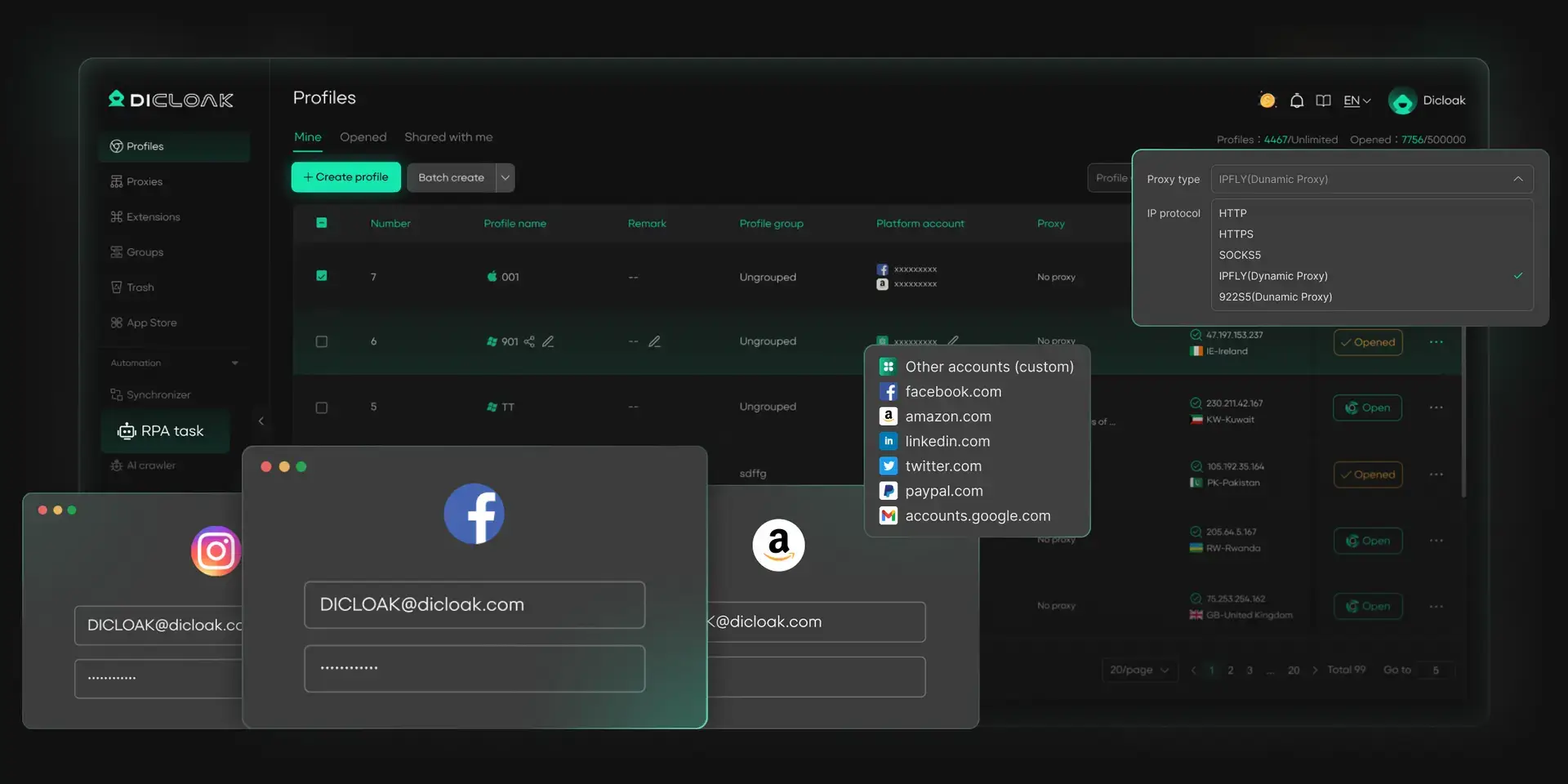
For users who follow many Twitch drops events or manage multiple Twitch accounts, a normal browser can quickly become messy. Logins may overlap, cookies can mix, and it becomes harder to track which account is connected to which reward campaign. DICloak gives users a more organized way to separate accounts, manage profiles, and reduce access conflicts during time-limited drops events.
Multiple Crypto Account and Wallet Management
With DICloak, you can easily manage multiple wallets and exchange accounts across Twitch platforms. Each account runs in its own isolated browser profile with a unique digital fingerprint, helping you stay undetected while boosting your chances of qualifying for airdrops, bounties, and farming rewards.
- Manage Multiple Wallets Effortlessly
- Keep Profiles Isolated and Secure
- Increase Success Rate in Airdrops
- Prevent Account Linking and Bans
Automation for Repetitive Operations
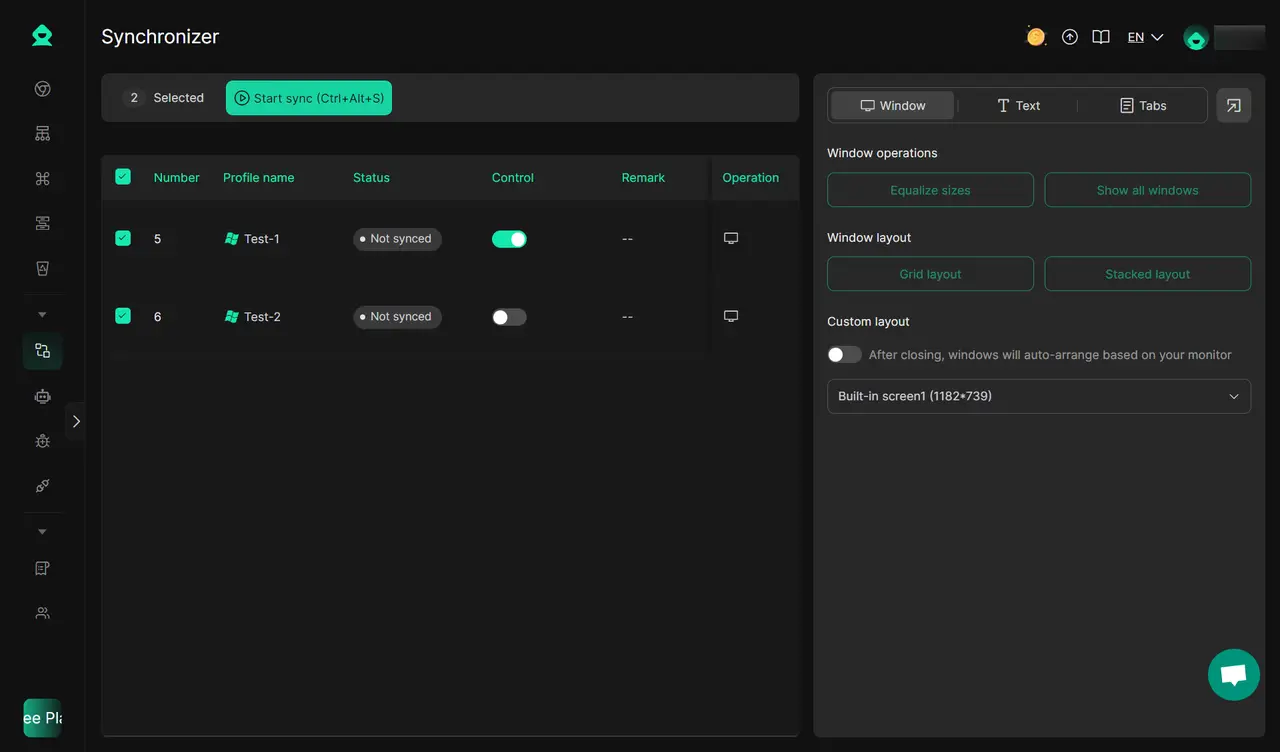
Crypto farming and airdrops often involve repetitive tasks like creating accounts, following social channels, or engaging with communities. DICloak’s automation tools, including the Multi-Window Synchronizer and AI Browser Automation (RPA), simplify these steps, letting you scale participation without wasting time. From synchronized clicks to automated logins, you can streamline every stage of the process.
- Automate Airdrop Participation
- Run Synchronizer for Bulk Actions
- Speed Up Account Creation
- Save Time on Routine Engagements
Enhanced Security and Risk Reduction
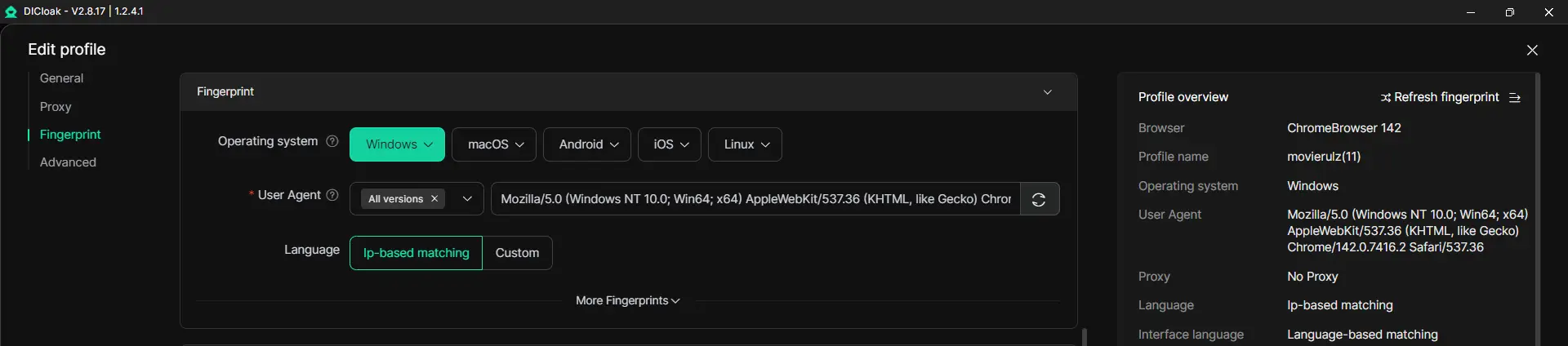
Security is critical in crypto. DICloak provides unique fingerprints, IP masking, and anti-detection technology to protect your accounts. This reduces the risk of bans, fraud flags, or disqualification, ensuring safer participation in token sales, DeFi projects, and farming opportunities.
- Unique Browser Fingerprints for Each Profile
- Protect Against Fraud and Security Flags
- Reduce Ban and Block Risks
- Safeguard Assets and Personal Data
With DICloak, you can securely manage multiple wallets, automate airdrop farming, and reduce risks—all from one powerful platform. Start streamlining your Airdrops journey today and unlock more profit opportunities with less effort.
FAQ About How to Get Twitch Drops Rewards
What are Twitch Drops, and how do they work?
Twitch drops are free rewards you can earn by watching eligible Twitch streams. You usually need to link your Twitch account to the game account, watch for the required time, then claim the reward from your Twitch Drops Inventory.
Can I earn Twitch Drops on mobile devices?
Yes. You can earn twitch drops on mobile if you are logged into the correct Twitch account and watching an eligible stream. Still, it is safer to check your Drops Inventory often, because some users find it easier to track progress on desktop.
Are Twitch Drops available for all games?
No. Twitch drops are only available for games that run active Drops campaigns. Some big games use them often for updates, esports events, or launches, while others may not offer them at all.
How do I know if a stream offers Twitch Drops?
Look for the “Drops Enabled” tag on the stream. You can also check the Twitch Drops Campaigns page or your Drops Inventory. If your progress bar starts moving, the stream is counting toward the reward.
Do I need to claim Twitch Drops before they expire?
Yes. Most twitch drops must be claimed from your Drops Inventory before the campaign ends. If you do not click “Claim” in time, the reward may expire and cannot be recovered later.
Conclusion
Getting twitch drops is not hard once you know the right steps. Link the correct game account, watch Drops-enabled streams, check your progress, and claim rewards before the campaign ends. For users who manage many accounts or follow multiple events, tools like DICloak can also help keep profiles separate and reduce login confusion.
 Web Proxy Tools
 Free Tools
 Cookie Plugin
 UA Generator
 MAC Address Generator
 IP Generator
 IP Address List
 2FA Code Generator
 World Clock
 Anonymous Check
 WebRTC Leak Test
 UUID Generator
 Free Web Proxy Site
 Proxy Checker
 FB Ad Checker
 AI Web Scraping
 Free SMM Tools
 Twitter Shadowban Checker
 Instagram Name Checker
 UTM Generator
 Username Generator
 AI Hashtag Generator
 LinkedIn Headline Generator
 Social Media Image Resizer