If you're looking to unlock the full potential of LinkedIn without the cost, you've come to the right place. For job seekers, sales teams, and recruiters, LinkedIn's Premium plans offer a significant advantage, but the subscription fees can be a barrier. This guide details several legitimate methods to get a LinkedIn Premium subscription for free in 2024. We'll cover official trials, special programs, and clever discounts. Additionally, we'll introduce a powerful alternative strategy using a marketing tool called DICloak, which can help you achieve similar results without needing a Premium plan at all.
Understanding LinkedIn Premium Plans
Before diving into the free methods, it's helpful to know what each Premium plan offers. LinkedIn tailors its subscriptions to specific professional needs.
- Sales Navigator: The essential toolkit for sales teams looking to build pipelines and close deals through advanced lead discovery and CRM integration.
- Premium Business: Geared toward business leaders and executives needing strategic insights into industry trends and company analytics to drive growth.
- Premium Career: The ideal plan for active job seekers, providing a competitive edge with tools like applicant insights and direct messaging to recruiters.
- Recruiter: A comprehensive solution for hiring managers and talent acquisition specialists to find, engage, and manage top candidates with precision.
- Learning: An on-demand educational resource for any professional aiming to upskill with access to a vast library of expert-led courses.
Professionals seek free access to LinkedIn Premium for a few key reasons, all centered around enhancing their capabilities without an initial financial commitment.
Bypassing Account Limits
Users want to avoid the restrictions of a free account, such as only being able to send a certain number of InMails per month or use search filters a certain number of times. A Premium subscription offers unlimited access to these features, making it easier to connect with potential leads, partners, and job opportunities.
Improving Lead Generation
For sales professionals and recruiters, LinkedIn Premium is a powerful tool for lead generation. Gaining free access allows them to test Premium’s advanced tools including features that support LinkedIn CRM import workflows helping them evaluate its effectiveness in boosting their sales or recruitment efforts before committing to a subscription.
Gaining a Recruiting Advantage
Recruiters can use Premium's advanced candidate search and InMail features to connect with top-tier talent. A free trial allows them to test these capabilities and assess their impact on hiring outcomes before purchasing a full subscription.
9 Official Ways to Get LinkedIn Premium For Free in 2026
Here are the legitimate methods you can use to gain free access to LinkedIn Premium's features.
Method 1: Activate the Standard 1-Month Free Trial
LinkedIn offers a standard one-month free trial for all its Premium plans, allowing any user to experience the full benefits. Keep in mind that you can only use this free trial once every 12 months.
How to Start the Trial:
- Navigate to the LinkedIn Premium page on your account.
- Choose the plan that best fits your needs (Career, Business, Sales Navigator, etc.).
- Click the “Start My Free Month” button.
- Enter your credit card details. You will not be charged until the trial period ends.
- Begin using your free month of Premium access immediately.
Method 2: Use the 50% Discount Offer for 2 Months
If you're hesitant about the full price after your trial, you can use the cancellation process to trigger a discount offer. This is a smart way to get premium benefits for two months at half the price.
How to Get a Discount:
- Go to your "Settings & Privacy" page.
- Under "Subscriptions & payments," select "Manage Premium account."
- Click "Cancel Subscription" and follow the prompts to continue the cancellation process.
- When asked for a reason, select the option "It's too expensive."
- LinkedIn will present a counteroffer for a 50% discount for two months. Accept it to continue your subscription at the reduced rate.
Method 3: For College Students
While the standard 30-day trial is available to everyone, students should look for special promotions. Many universities partner with LinkedIn to provide extended free trials, sometimes lasting up to six months. Check your university's career services or student resources page to see if any such deals are available.
Method 4: From LinkedIn Employees
Many LinkedIn employees receive free six-month Premium subscription coupons that they can share. They often give these away to support the professional community.
How to Find and Request a Coupon:
- Use the LinkedIn search bar and look for posts with hashtags like
#linkedinpremium or #plusonepledge.
- Filter the search results by "Posts" and sort by "Most Recent" to find the latest offers.
- When you find an employee offering a coupon, reach out with a sincere message explaining how a Premium subscription would help your career development.
Important Safety Warning: Never share your login credentials. A legitimate LinkedIn employee will only provide a coupon code for you to redeem. Anyone asking for your account details is likely a scammer.
Method 5: For U.S. Military Veterans and Spouses
In partnership with SheerID, LinkedIn offers a free one-year Premium subscription to U.S. military veterans and their spouses to support their career transitions. This includes access to 16,000+ Courses on LinkedIn Learning.
Application Steps and Tips:
- Visit the dedicated LinkedIn for veterans subscription page.
- Fill out the verification form with your service details. Your status will be verified by SheerID.
- For a successful application, ensure your LinkedIn profile clearly mentions your military experience and cancel any existing Premium subscriptions before applying.
Method 6: For Qualified Journalists
Qualified journalists can apply for a free one-year subscription to LinkedIn Premium Business. The program, which includes access to a network of journalists, industry insights, and exclusive webinars, opens for applications quarterly.
Qualifications and Application Process:
- You must be a member of the official LinkedIn for Journalists group.
- Your LinkedIn profile must clearly show a career path in journalism.
- To apply, join the group, update your profile, and monitor the LinkedIn for Journalists page for the quarterly application window.
Method 7: For Visual Studio Dev Essentials Users
Members of Microsoft's Visual Studio Dev Essentials program can get one month of LinkedIn Premium Career for free, which includes full access to LinkedIn Learning. A key benefit of this offer is that no credit card is required for activation.
How to Activate:
- Sign up for a free Microsoft account and join the Visual Studio Dev Essentials program.
- Navigate to the "Benefits" page within the portal.
- Find the LinkedIn Learning offer and click "Activate."
- You will be redirected to LinkedIn to activate your free one-month subscription.
Method 8: Through Your Local Library Card
Many public libraries offer their members free access to the entire LinkedIn Learning course library. All you need is a valid library card.
How to Check for Access:
- Make sure you have your library card and PIN.
- Visit the LinkedIn Learning library portal.
- Click "Get started" and enter your library card number and PIN.
- If your library participates, you'll gain immediate access to thousands of courses.
Method 9: Via the Sales Navigator Referral Program
You can get a two-month free trial of Sales Navigator if you are referred by a current user of the platform. Each Sales Navigator user can send up to 10 referrals.
How it Works: The referrer simply clicks the "Referrals" button in their Sales Navigator account, types in the name of their connection, and clicks "Send." You will receive an email with an activation link.
Eligibility Conditions:
- You must be a 1st-degree connection to the person referring you.
- You cannot have an active LinkedIn Premium subscription.
- You must not have used any LinkedIn Premium free trial in the last 12 months.
Method That No Longer Works to Get LinkedIn Premium For Free
To save you time, it's important to know about past promotions that are no longer active. The popular partnership between LinkedIn and Amazon Prime Student, which offered six months of free Premium, has ended. While this specific offer is unavailable, students may still be able to get free access to LinkedIn Learning through their university's resources.
An Alternative Method: Use Multiple Accounts Instead of a Premium Plan
For marketers, recruiters, and lead generation agencies that need to scale their outreach, managing multiple free LinkedIn accounts can be a more powerful and cost-effective solution than a single Premium subscription. This can be done safely and efficiently using an antidetect browser like DICloak.
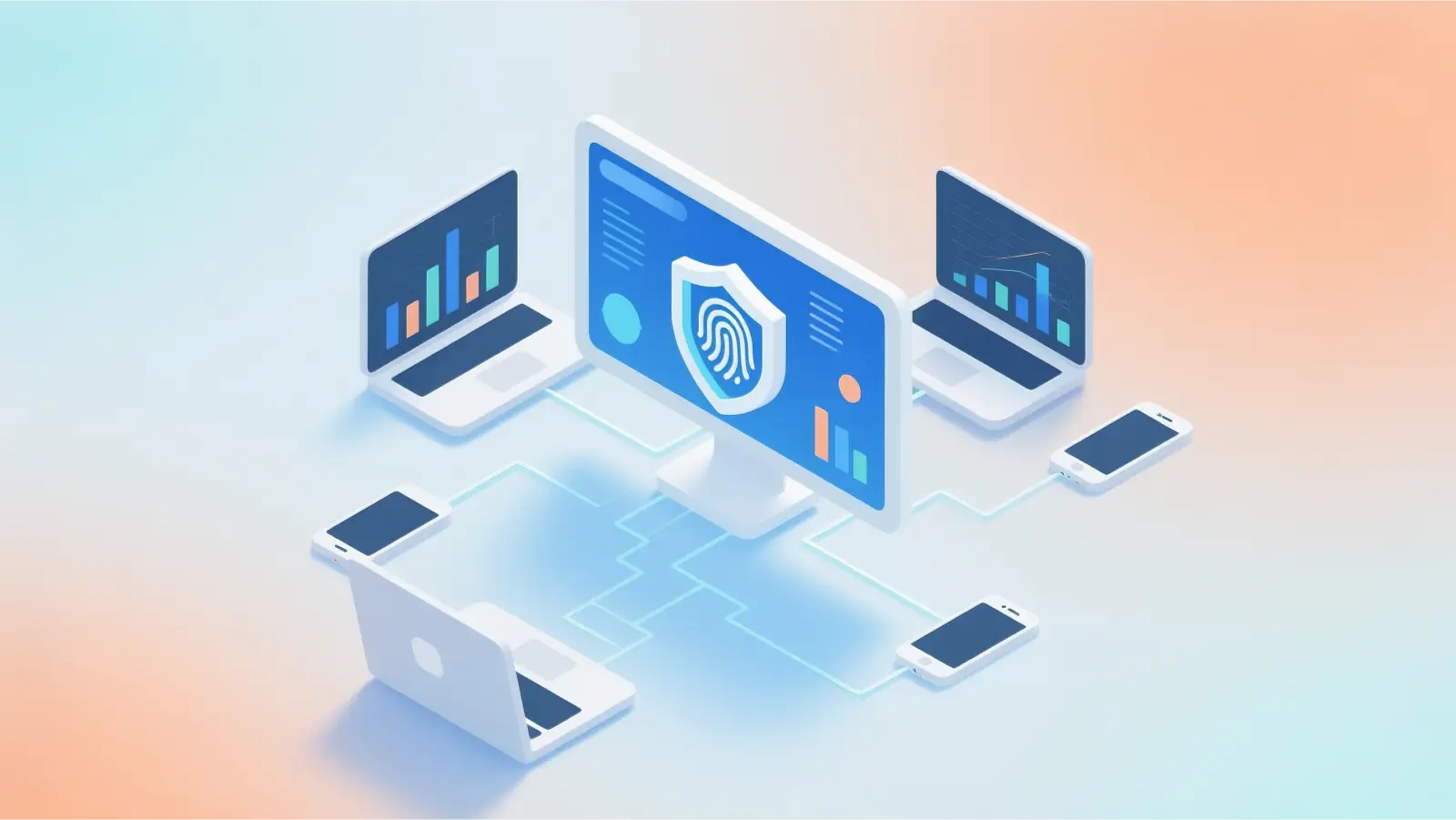
⚡The DICloak Antidetect Browser has become a global favorite for its unparalleled ability to efficiently and securely manage multiple accounts. Designed for professionals in social media management, and more, DICloak offers powerful features like RPA automation, bulk operations, and a synchronizer. Additionally, it allows you to customize fingerprints and integrate proxies for each profile, ensuring top-level security and operational efficiency. It’s the ultimate tool for seamless, secure, and scalable operations.

What Makes DICloak Stand Out?
✅ Manage 1,000+ Accounts on One Device: Stop wasting money on extra hardware! DICloak allows you to manage multiple accounts on a single device, cutting costs and boosting efficiency.
✅ Guaranteed Account Safety, No Ban Risks: Every account gets its own isolated browser profile with custom fingerprints and IPs, drastically reducing the risk of bans. Your accounts, your control!
✅ Flexible Proxy Configuration for Maximum Performance: Seamlessly integrate with all major proxy protocols (HTTP/HTTPS, SOCKS5) and manage your proxy pool with bulk operations. No more struggling with IP management—DICloak has you covered.
✅ Streamlined Team Collaboration for Better Results: Easily manage your team with advanced tools like profile sharing, permission settings, data isolation, and operation logs. Your team works smarter, not harder.
✅ Automate the Grind with RPA: DICloak's built-in RPA saves you hours of manual work. Automate repetitive tasks, streamline workflows, and focus on what really matters—growing your business.
✅ Powerful Bulk Tools to Scale Your Operations: Create, import, and launch multiple browser profiles in one click. DICloak makes scaling your business as easy as it gets.
✅ Compatible with All Major Operating Systems: Based on the Chrome core, DICloak supports simulating Windows, Mac, iOS, Android, and Linux operating systems. No matter what platform you need, DICloak has you covered.
🔗 Ready to Get Started?
Visit the DICloak website to explore more details and choose the plan that’s right for you. Start for free today and experience the power of secure, efficient, and scalable multi-account management!
FAQs on How to Get LinkedIn Premium For Free
1.What is the difference between the standard 1-month trial and the Sales Navigator referral trial?
The standard trial is available to all users once every 12 months for any Premium plan. The Sales Navigator referral trial is specifically for the Sales Navigator plan, lasts for two months, and requires a referral from a current user.
2.Can I get another free trial if I’ve already used one in the last 12 months?
No. According to LinkedIn's policy, you must wait 12 months after a free trial ends before you are eligible for another one. However, you may still be eligible for offers through special programs (like for veterans or journalists) or a Sales Navigator referral.
3.Is LinkedIn Learning included in all free Premium offers?
Not always. Access to LinkedIn Learning is a specific feature. It is included in the offers for Military Veterans, Visual Studio Dev Essentials users, and those who access it via their library card. However, it may not be part of every promotional trial, so always check the details of the specific offer you are activating.
4.What happens if I forget to cancel my free trial before it ends?
If you do not cancel before the trial period is over, LinkedIn will automatically charge your credit card for the first month of the subscription plan you selected. It's crucial to set a reminder to cancel if you do not wish to continue with a paid plan.
5.How does using multiple free accounts with DICloak compare to a Premium Career plan for job seeking?
A Premium Career plan gives one account features like seeing who viewed your profile and applicant insights. Using multiple free accounts with DICloak is an outreach-focused strategy. It allows you to bypass weekly connection limits, enabling you to contact significantly more recruiters and hiring managers than a single account (free or Premium) would allow, increasing your visibility through sheer volume.
Conclusion
There are numerous legitimate ways to get LinkedIn Premium for free, from the standard one-month trial to specialized programs for students, veterans, and journalists. By exploring these options, you can access powerful professional tools without the financial commitment. For those whose needs go beyond what a single account can offer, an alternative strategy using a tool like DICloak provides a cost-effective way to scale outreach and bypass platform limits. By choosing the method that best fits your goals, you can unlock greater opportunities on the world's largest professional network.
 Web Proxy Tools
 Free Tools
 Cookie Plugin
 UA Generator
 MAC Address Generator
 IP Generator
 IP Address List
 2FA Code Generator
 World Clock
 Anonymous Check
 WebRTC Leak Test
 UUID Generator
 Free Web Proxy Site
 Proxy Checker
 FB Ad Checker
 AI Web Scraping
 Free SMM Tools
 Twitter Shadowban Checker
 Instagram Name Checker
 UTM Generator
 Username Generator
 AI Hashtag Generator
 LinkedIn Headline Generator
 Social Media Image Resizer