Every click, search, post, and sign-up can leave a digital footprint. Some of it is easy to see, and some of it builds quietly in the background. In 2026, understanding your digital footprint matters more than ever because it can affect your privacy, security, and online reputation.
In this guide, you will learn what a digital footprint is, what creates it, why it matters, and how to manage it more carefully.

What Is a Digital Footprint?
Before you can protect your privacy, it helps to understand what a digital footprint really is. In simple terms, a digital footprint is the trail of data you leave behind when you use the internet. This can include things you do on purpose, like posting on social media, and things that happen in the background, like websites collecting data through cookies or tracking tools. That is why many people search what is a digital footprint when they want to understand how their online activity can be seen, stored, and used.
What does digital footprint mean?
A digital footprint means the record of your online activity. It is made up of the information connected to what you search, click, share, sign up for, or view online. Over time, that record can show patterns about your interests, habits, and online behavior. In simple words, if you use the internet, you have a digital footprint.
How is a digital footprint created?
A digital footprint is created every time you interact with the internet. It can grow when you post on social media, fill out forms, subscribe to emails, shop online, or accept cookies on a website. It can also grow passively when websites collect information like your visits, location data, browser details, or activity patterns without much effort from you. This is one reason why the question what is a digital footprint matters so much in 2026. Even small online actions can leave a lasting trace.
What are common examples of a digital footprint?
Common examples of a digital footprint include your social media posts, comments, search history, online purchases, newsletter sign-ups, app activity, and cookies stored in your browser. For example, when you like a post, create an account, or buy something online, you add to your digital footprint. Even browsing a site that tracks your visit can become part of it. These small actions may seem harmless alone, but together they create a broader picture of your online presence.
What Are the Main Types of Digital Footprints?
Not all online traces are created in the same way. In most cases, a digital footprint is split into two main types: active and passive. This makes it easier to understand what information you share on purpose and what data is collected in the background. If you are asking what is a digital footprint, this is one of the most important distinctions to learn.
What is an active digital footprint?
An active digital footprint is the data you choose to share online. This includes things like posting on social media, filling out forms, signing up for emails, or leaving comments on a website. In simple terms, it is the part of your digital footprint you create on purpose.
What is a passive digital footprint?
A passive digital footprint is the data collected without much direct effort from you. This can include cookies, location data, browsing activity, or information websites gather while you move from page to page. You may not always notice it, but it still becomes part of your online trail.
What is the difference between active and passive digital footprints?
The main difference is control. With an active digital footprint, you choose to share the information. With a passive digital footprint, the data is often collected in the background. For example, writing a public post is active, while a site tracking your visit through cookies is passive. Knowing this difference makes it easier to manage your online privacy more carefully.
Why Does Your Digital Footprint Matter in 2026?
Your digital footprint matters because it affects more than just what you do online. It can shape your privacy, your security, and the way other people see you. Norton notes that a digital footprint can reveal your interests, habits, and online persona, and that it may be seen by employers, schools, advertisers, data brokers, and even cybercriminals. If you are asking what is a digital footprint, the next question is just as important: what can that information do once it is out there?
How can a digital footprint affect your privacy?
A digital footprint can reduce your privacy because it leaves behind a trail of personal information. Norton explains that your footprint may include websites you visit, what you search for, what you post, and what you share with websites through cookies or account details. Over time, that data can help companies and other parties build a clearer picture of who you are and how you behave online.
How can a digital footprint affect your online security?
A digital footprint can also create security risks. Norton warns that hackers may use personal information from your online activity to run phishing scams or other attacks. The FTC has also taken action in cases involving deceptive collection and use of personal data, which shows how exposed personal information can be misused for profiling, scams, or fraud.
How can a digital footprint affect your personal or professional reputation?
Your digital footprint can affect how people judge you. Norton says what you post online can shape your online image and even affect opportunities, since employers and schools may review your public presence. A careless post, an old comment, or an outdated profile may not seem important at first, but together they can influence how others see your character, credibility, and professionalism.
What Can Be Found in Your Digital Footprint?
A digital footprint can include much more than most people expect. It is not only the things you post yourself. It can also include what you search, where you browse, what apps track, and even what outside sites collect and list about you. Norton says a digital footprint may include websites visited, search history, social media posts, purchase records, comments, and messages. The FTC also notes that people-search sites and data brokers may pull information from public social media and government records.
Social media posts, comments, and shared content
One common part of your digital footprint is the content you post or share yourself. This includes social media posts, comments, replies, photos, videos, and public profile details. Even a small comment on a public page can become part of your online trail over time. Norton lists social media posts and comments as common examples of a digital footprint.
Search history, cookies, and app tracking
Your digital footprint also includes activity that builds in the background. Search history, cookies, app data, and website tracking can all add to it. Norton explains that your footprint can grow when you search online, visit websites, or allow cookies on your device. It also notes that websites may collect details such as your IP address, login data, and other personal information.
Public records, old accounts, and data broker listings
Some parts of your digital footprint may come from places you forgot about. Old accounts, public records, and data broker listings can all appear when someone searches your name. The FTC says people-search sites may buy data from brokers, collect information from public social media profiles, and compile data from federal, state, and local public records. That means even outdated information can stay visible longer than you expect.
How to Check Your Digital Footprint
Checking your digital footprint starts with a simple review of what people can already find about you online. A good check usually includes searching your name, reviewing old accounts, and looking for information that is outdated, sensitive, or too public. Google also offers tools to help people find and remove some private information from Search results, which can make this process easier.
How to search your name and usernames online
Start by searching your full name, common usernames, and old screen names in search engines. This can help you find public profiles, forum posts, images, and other pages connected to your digital footprint. It is also smart to search different versions of your name, especially if you have used nicknames or older usernames on social platforms. Google’s “Results about you” tools are designed to help people spot search results that include personal information like phone numbers or addresses.
How to review old accounts and public profiles
Next, check old accounts, unused profiles, and public pages you may have forgotten about. The NCSC advises people to use privacy settings across social media to manage their digital footprint, which is a good reminder that older accounts can still expose information if they stay public. Even an inactive profile can still show your photo, bio, location, or old posts.
How to spot outdated, sensitive, or risky information
When reviewing your digital footprint, look for anything that could create privacy or security problems. That may include old phone numbers, home addresses, personal email addresses, public photos, or outdated profiles that no longer reflect you well. If you find sensitive personal information in Google Search, Google says you can request removal for certain types of private information, and in some cases you can also ask for outdated search results to be refreshed or removed.
How to Reduce Your Digital Footprint
Reducing your digital footprint does not mean disappearing from the internet. It means sharing less, removing what you no longer need, and giving websites and apps less access to your data. A good place to start is with old accounts, privacy settings, and third-party permissions. The FTC also recommends reviewing cookie choices, privacy settings, and how websites and apps collect and use your information.
Delete old accounts and unused apps
Old accounts and unused apps can keep holding personal data long after you stop using them. Removing accounts you no longer need is one of the simplest ways to shrink your digital footprint. Google, for example, provides a direct process for deleting a Google Account, which shows how major platforms now treat account removal as a normal privacy step.
Change privacy settings on social platforms
Privacy settings matter because they control who can see your posts, profile details, and activity. The FTC advises people to use privacy settings to limit who can view and post on their profiles. In simple terms, even small changes, like hiding personal details or limiting public visibility, can make your digital footprint less exposed.
Limit data sharing with websites and third-party apps
It also helps to give websites and apps less data in the first place. The FTC recommends reviewing cookie notices, adjusting privacy settings, and checking what information an app wants before you download or use it. If an app asks for access it does not really need, or a site wants more tracking than you are comfortable with, saying no can reduce how much of your digital footprint is collected over time.
Can You Erase Your Digital Footprint Completely?
In most cases, no. A digital footprint can often be reduced, but it is very hard to erase completely. Some information stays online because it has been copied, stored, shared, or collected by other services over time. The FTC notes that data brokers and people-search sites may keep compiling information from public records and other sources, even after some details are removed elsewhere.
Why some digital footprint data stays online
Some digital footprint data stays online because it does not live in just one place. A post may be copied, a profile may be archived, or public record details may still appear on people-search sites. The FTC explains that opting out of a people-search site does not remove your information from public records, and updated public records can cause information to appear again later.
What you can remove from search results or websites
Even if you cannot erase everything, you may still be able to remove part of your digital footprint. Google lets people request removal of certain personal information from Search results, such as contact details and other sensitive content. If the information is already gone from the original page, Google also offers a way to refresh outdated Search results.
How to focus on reduction instead of full deletion
A better goal is to reduce your digital footprint step by step. Remove old accounts, delete content you no longer want public, opt out of people-search sites when possible, and request removal of sensitive search results when they qualify. This approach is usually more realistic than trying to erase every trace of your online history.
How to Build a Positive Digital Footprint
A digital footprint is not always a problem. It can also help you. The key is to make sure your public content reflects who you are now, not just random things you posted in the past. Norton notes that your digital footprint can shape your online image, while the NCSC advises people to use privacy settings to manage how much of that image is public.
Share content that supports your goals
One good way to improve your digital footprint is to share content that matches your goals. For example, if you want to build a professional image, you can post useful insights, project updates, or thoughtful comments in your field. Over time, this helps your online presence look more intentional and credible.
Keep public profiles professional and consistent
Public profiles are often one of the first things people see. That is why it helps to keep your bio, profile photo, and public details consistent across platforms. If one profile looks current and professional but another old profile looks careless or outdated, your digital footprint can send mixed signals. The NCSC also recommends using privacy settings to manage what others can see.
Avoid common posting mistakes that hurt your image
A positive digital footprint also means avoiding content that can damage trust. The NCSC warns that poorly judged or inaccurate social media content can cause reputational harm. In simple terms, rushed posts, offensive comments, or public arguments can stay online longer than expected and affect how others see you later.
How DICloak Helps Reduce Cross-Account Tracking Risks
If you want to reduce your digital footprint, limiting cross-account overlap is an important step. That is where DICloak can help. DICloak is an antidetect browser built for multi-account work, with isolated browser profiles, proxy integration, and account management features designed to reduce account linkage and session mixing.
Use isolated browser profiles for different accounts
DICloak lets each account run in its own isolated browser profile. According to DICloak, each profile can have its own fingerprint settings, such as IP, user agent, screen resolution, WebRTC, and hardware setup. In practice, this gives users a cleaner way to separate accounts instead of running everything in one regular browser.

Manage multiple accounts without session overlap
Another benefit is reducing session overlap. DICloak says its separate browser profiles help prevent cookies, logins, and account data from mixing across accounts. For people who manage several accounts for work, this can make browsing more organized and lower the chance of accidental cross-account contamination.
Add proxy control for a more separated browsing setup
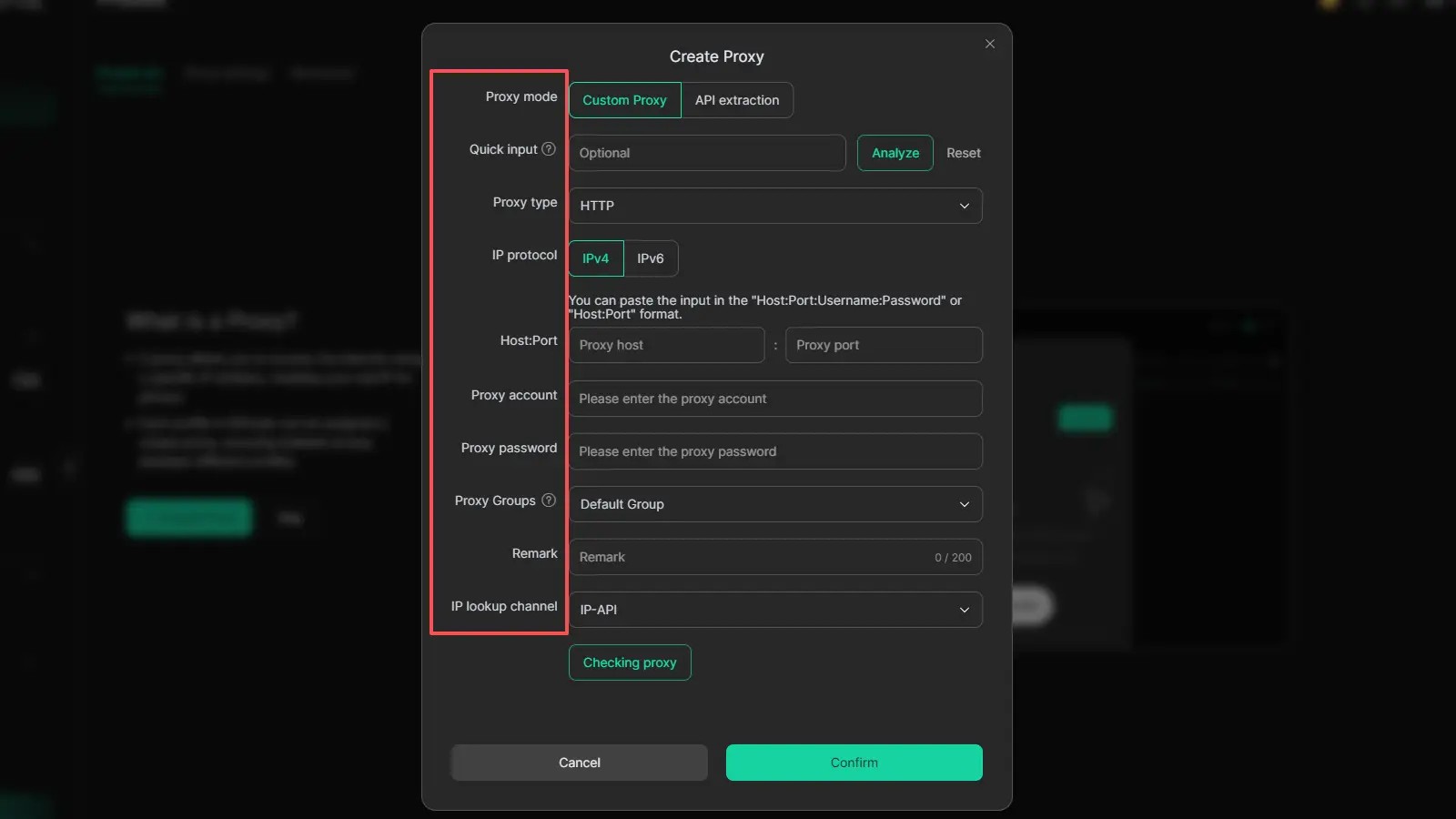
DICloak also supports proxy integration, which adds another layer of separation between accounts. Combined with isolated profiles, this can create a more controlled setup for users who need clearer account boundaries. DICloak also highlights tools like Multi-Window Synchronizer and AI Crawler, which can support repeated browser tasks and research work more efficiently.
FAQs about Digital Footprint
Q1: How long does a digital footprint last?
A digital footprint can last for years, and some parts may stay online much longer than you expect. Information can remain in old accounts, cached pages, copied posts, public records, and data broker listings even after you stop using a service. That is why reducing a digital footprint is often more realistic than trying to erase every trace completely.
Q2: Can employers see your digital footprint?
Yes, employers may be able to see parts of your digital footprint, especially public profiles, posts, comments, and search results connected to your name or usernames. They usually cannot see everything, but anything public or easily searchable can shape how they view your background and online image.
Q3: What is the difference between a digital footprint and a digital shadow?
A digital footprint is the broader trail of data you leave online through searches, posts, clicks, accounts, and app activity. A digital shadow is usually used to describe the part of that data that builds in the background, often without much direct effort from you, such as tracking, cookies, and passive collection. In simple terms, a digital shadow is often treated as the less visible side of your digital footprint.
Q4: Can you delete your digital footprint completely?
In most cases, no. You may be able to remove some parts of your digital footprint, such as certain personal information from Google Search results or old accounts you still control, but that does not erase every copy of your data from the internet. Content can still remain on original websites, archives, public records, or broker databases.
Q5: How can you check your digital footprint?
A simple way to check your digital footprint is to search your full name, common usernames, and old screen names online, then review the public profiles and results that appear. Google’s “Results about you” tools can also help you find certain personal information in Search results and request removal when it qualifies.
Conclusion
Your digital footprint is built from everyday online actions, from posts and comments to cookies, app tracking, and old accounts. In 2026, it matters because it can affect your privacy, security, and reputation. The good news is that you do not need to erase everything to make a real difference. A better approach is to understand what your digital footprint includes, check what is publicly visible, and reduce unnecessary exposure step by step. Google’s removal tools can help with some search results, but full deletion is usually not possible, so steady reduction is the more realistic goal.
 Web Proxy Tools
 Free Tools
 Cookie Plugin
 UA Generator
 MAC Address Generator
 IP Generator
 IP Address List
 2FA Code Generator
 World Clock
 Anonymous Check
 WebRTC Leak Test
 UUID Generator
 Free Web Proxy Site
 Proxy Checker
 FB Ad Checker
 AI Web Scraping
 Free SMM Tools
 Twitter Shadowban Checker
 Instagram Name Checker
 UTM Generator
 Username Generator
 AI Hashtag Generator
 LinkedIn Headline Generator
 Social Media Image Resizer