If you love watching videos online, you’ve probably heard of Dailymotion. People watch Dailymotion videos and Dailymotion movies every day. But many also ask the question: “is Dailymotion safe?” With so many user-uploaded videos and ads on the platform, it’s natural to wonder about safety.
Understanding safety on Dailymotion is important. From malware risks to inappropriate content, there are real dangers that can affect both adults and children. At the same time, Dailymotion has security features, privacy policies, and reporting tools to help protect users.
In this guide, we will answer the question is Dailymotion safe in detail. You’ll learn about its security measures, common risks, child safety, and best practices for safe browsing. By the end, you’ll know how to enjoy Dailymotion videos and Dailymotion movies while keeping yourself and your family safe online.
What is Dailymotion?
Dailymotion is a video sharing site where people can watch and upload videos. You can find Dailymotion videos on almost any topic like music, news, sports, or fun clips. It also hosts longer content like shows or short films. Some people use it to watch Dailymotion movies that are hard to find on other sites. Dailymotion works on computers, phones, and apps. It was started in France and now has millions of users worldwide.
Dailymotion is different from some smaller sites. It is a real, legal company with rules and policies for users. It uses encryption and security measures to help protect your information and your account. However, many videos are uploaded by users. That means the content can vary a lot. You might see good, safe videos and some you do not want to watch. This can affect how people ask, “is Dailymotion safe?”
The Importance of Understanding Safety on Dailymotion
When you open a video site like Dailymotion, safety matters. People ask “is Dailymotion safe?” because they want to know if it is safe to watch videos, click links, or browse without problems. Some video sites have bad ads or misleading links that try to trick you. That is true for many sites online, and it is important to know what to watch and what to avoid.
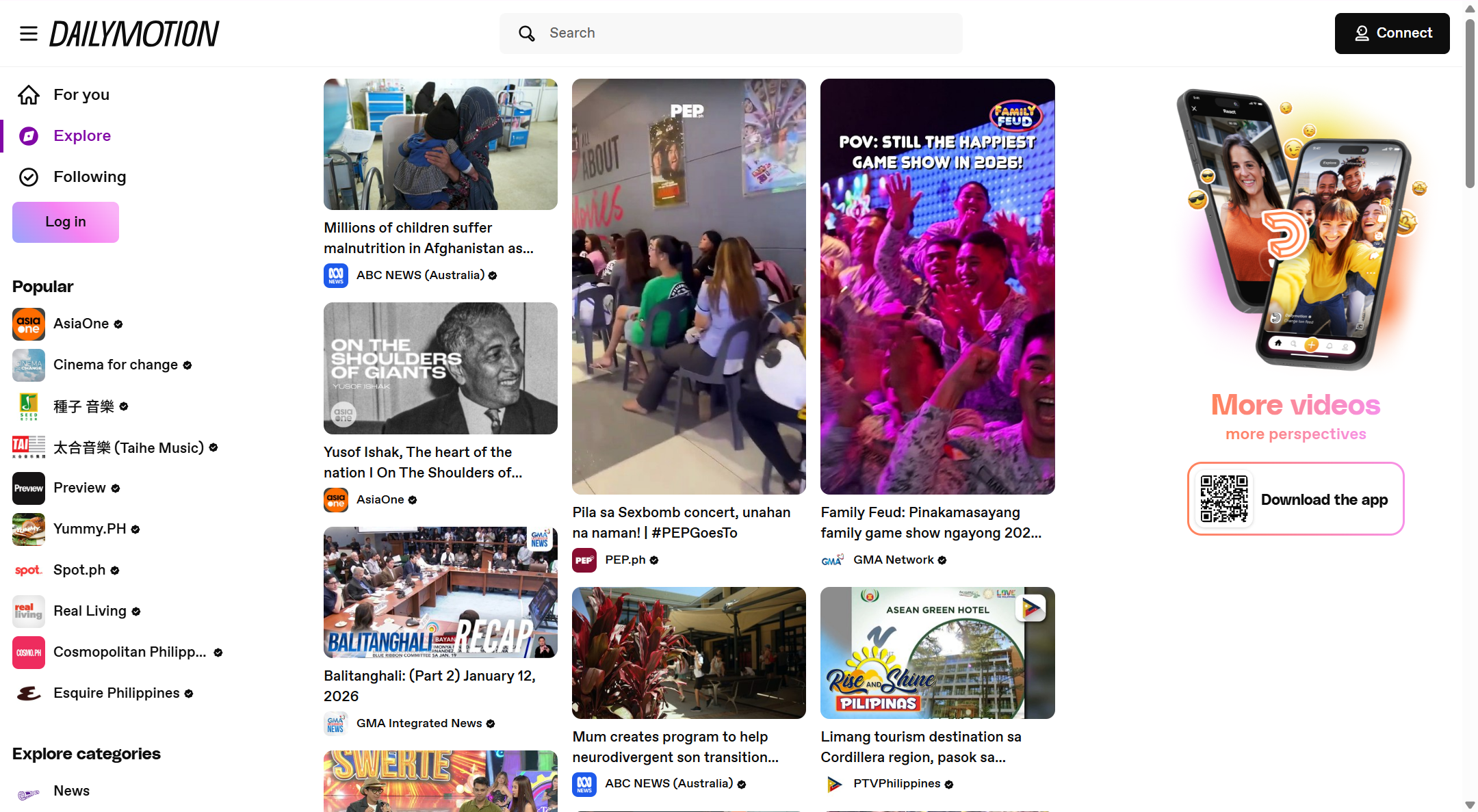
Dailymotion tries to keep its site secure. It uses tools to block certain bad content and let users report inappropriate videos. Still, not all videos are checked before they appear, and you may see things you did not expect. Some parents worry about kids watching videos that are not age-appropriate. Dailymotion does offer age features that help limit mature content.
Dailymotion’s Safety Overview
Overview of Dailymotion’s Security Features
When people ask “is Dailymotion safe?”, they often mean is it safe to watch Dailymotion videos or browse Dailymotion movies without risk? Dailymotion has many security tools to protect users and content creators. For example, creators can make a video private or password-protected, so only selected viewers can watch the content. This can help protect sensitive or early release videos from public access.
Dailymotion also uses modern technologies like encryption to help keep videos and account data secure. Encryption means the data moving between your device and the Dailymotion site is scrambled, making it hard for hackers to read or steal. In professional video hosting tools from Dailymotion, technologies like HLS encryption help secure content streaming so that videos are delivered safely to viewers.
However, some safety issues can still appear. In the past, millions of Dailymotion accounts were hacked — email addresses and hashed passwords were stolen in a breach. Even though passwords were protected with scrambling (hashing), many users were still at risk because they reused the same login on other sites. This event shows why users need to be careful with passwords and personal data.
Dailymotion Security and Privacy Policies
Dailymotion’s own policies explain how the site handles your data and protects your privacy. When you use Dailymotion — whether to watch Dailymotion videos or upload your own — the platform collects some personal information like your name, email, and age. This data helps make the site work correctly and keeps harmful content under control.
Dailymotion follows international data protection laws like the GDPR in Europe. This means they must have clear rules for how they collect, use, and share your personal data. They also take steps to limit access to your information only to employees and service partners who need it for security or service reasons.
The privacy policy also allows you to control parts of your experience. For example, you can opt out of certain data sharing or request access to your own data. These tools show that Dailymotion tries to give users transparency and control over what happens with their information.
In simple terms, is Dailymotion a safe site? The answer depends on how you use it. Dailymotion builds solid security into its systems, but users also need to act carefully. Ending up safe often means choosing strong passwords, watching for strange links, and knowing how your data is used — especially when watching or sharing Dailymotion movies and Dailymotion videos online.
Common Security Risks on Dailymotion
Even though Dailymotion is a popular place to watch Dailymotion videos and Dailymotion movies, many people still ask “is Dailymotion safe?” It’s important to know the risks before you click and watch. In this section, we look at real risks tied to using Dailymotion and how they can affect you as a viewer or content creator.
Malware and Phishing Threats
One risk when using any video platform is malware or phishing. Malware is bad software that can harm your device. Phishing is when scammers try to trick you into giving out your password or personal data. While Dailymotion has policies to block harmful content and ads, sometimes bad ads or links slip through. In online advertising rules, Dailymotion says ads should not have malware or auto-redirects to unsafe sites, but risky ads may still appear before or beside videos.
Think about this real example: A user might click a link near a Dailymotion video that says “Watch full movie here,” but the link takes you to a fake site asking for your login details. If you enter your info, scammers can steal your account or personal data. This is a common method used in phishing attacks on many video platforms. Always avoid clicking unfamiliar links near videos unless you trust the site.
Exposure to Inappropriate Content
Another risk is inappropriate content. Dailymotion allows users to upload videos, and not all are checked before they go live. That means some videos might show content you don’t want to see, especially for kids watching Dailymotion movies. Even if the site has filters and reporting tools, harmful or adult content can still appear in search results or suggestions. This can happen on many video sites, not just Dailymotion.
To stay safe, parents should use device restrictions and watch videos with their children. Many young users and parents share stories online about unexpected videos appearing in feeds. This shows why careful supervision matters when deciding if Dailymotion is safe for younger viewers.
Risks from Third-party Advertisements
Ads help Dailymotion stay free, but ads can sometimes bring risks too. Dailymotion’s policy says ads must be safe and not contain malware or auto-redirect code. But advertising often comes from third parties, and some bad actors try to sneak risky ads into platforms. These bad ads might redirect you to unknown websites or try to download files without your consent.
This type of problem is part of what security experts call malvertising — when malware hides inside seemingly normal ads. It can infect your device even if you don’t click, though this is rare on big platforms with strict ad rules. Still, these risks are why many users use ad blockers or watch videos without clicking extra ads.
Data Breaches
Finally, one serious risk is data breaches. In the past, Dailymotion was targeted in credential attacks where hackers tried many password combinations to break into user accounts. In one instance, Dailymotion notified users after discovering a large-scale attack and helped them reset passwords to protect their accounts.
Also, years ago a massive leak exposed millions of account records, including email addresses and hashed passwords. Even though hashed passwords are scrambled and harder to use, this event reminds us that no platform is completely without risk.
Because of these risks, choosing strong, unique passwords and using extra account protection like two-factor authentication (if available) is important. These simple steps help reduce the chances that your information is stolen if a breach happens.
All these risks don’t mean Dailymotion is unsafe, but they show why users should understand the dangers and take steps to protect themselves when watching or sharing Dailymotion videos and Dailymotion movies online.
Is Dailymotion Safe for Children?
After we looked at general risks on Dailymotion, many parents ask “is Dailymotion safe for children?” This is an important question. Kids watch a lot of Dailymotion videos and may search for Dailymotion movies on their own. In this section, we look at real child safety concerns, what Dailymotion does to help, and how parents can keep kids safe online.
Child Safety Concerns on Dailymotion
Many adults worry about children seeing the wrong content online. On Dailymotion, user-uploaded videos are not always checked before they go live, and some videos might seem safe but contain scenes not meant for kids. That is why anyone might ask “is Dailymotion safe site for kids?”. Even when the video title or thumbnail looks okay, the content inside could be mature or confusing for young viewers.
Importantly, Dailymotion has a strict policy that forbids harmful or exploitative content involving minors. This includes physical harm, sexual content with minors, and dangerous stunts. If such content is found, the site removes it and can report it to law enforcement. This shows the platform tries to protect children, but filtering is not perfect. Parents should know that anyone can upload a Dailymotion video, and that means kids may still see content that is not suitable for their age unless adults help guide them.
Parental Controls and Age Restrictions
Dailymotion’s official policies say children under a certain age — usually under 13 in the U.S. — should not use the service unless a parent or guardian gives consent. The privacy policy also notes that parental controls are activated by default to limit some content for younger viewers. But it is important to understand that these controls are not as strong as tools on platforms made only for kids.
In many real cases, parents find that internet controls on devices or apps help more than platform tools alone. For example, parents often set screen time limits, use family-safe search settings, or use apps that filter mature content across all video sites. These steps help make sure kids don’t stumble on unsafe Dailymotion videos or Dailymotion movies when browsing.
Recommendations for Parents to Ensure Safe Viewing
To help keep children safe on Dailymotion, parents can do a few simple things:
- Watch Together: Sit with your child while they browse videos. Kids often explore on their own, and this makes it easier to talk about what they see.
- Explain Safety Rules: Teach your child not to click on links outside the Dailymotion site or chat with strangers in comments. Simple rules help them stay safe.
- Use Device and Browser Controls: Many phones and tablets let parents block mature content or set age limits across all video sites. These settings are stronger than relying on one platform’s filters alone.
- Report Bad Content: If you see something inappropriate, use the “Report” button below the Dailymotion video. Dailymotion’s team reviews reports and can remove harmful content.
Best Practices for Safe Usage of Dailymotion
After looking at risks like unsafe ads and inappropriate content, you might be asking “is Dailymotion safe?” This section gives you clear steps to stay safe when watching Dailymotion videos and Dailymotion movies online. These tips help you protect your device, account, and personal data while using the platform.
Essential Safety Tips for Users
Using the right tools and habits can make a big difference in how safe your experience is on sites like Dailymotion. Here are simple, real tips that people use every day:
✔ Using Ad Blockers
Ads are a common way for attackers to slip harmful links or codes into websites. Many viewers use ad blockers to stop these ads before they load. Some users report success with tools like uBlock Origin or AdGuard while watching videos online — though sometimes Dailymotion detects ad blockers and may ask you to turn them off to play a video. This shows that ad blockers are helpful but not perfect.
✔ Keeping Antivirus Software Updated
Good antivirus software protects your device from malware you might get from risky links or downloads. It scans files and warns you if something dangerous tries to run. For example, if you accidentally click a suspicious link near a Dailymotion video, updated antivirus can block the harmful file before it harms your system.
✔ Avoiding Suspicious Links
Always be careful with links that show up near content or in comments. Some links promise free Dailymotion movies or downloads. But many are scams or phishing traps trying to steal your login or personal info. A simple rule: if it looks too good to be true, don’t click it.
✔ Utilizing an Antidetect Browser Like DICloak
For users who want extra privacy and protection, tools like an antidetect browser can help. An antidetect browser like DICloak gives you more control over how websites see your device and browsing data. This can reduce tracking and make it harder for bad actors to target you when watching Dailymotion videos or surfing other sites.
Securing Your Dailymotion Account
Keeping your account safe is as important as safe browsing. Here’s how to protect your Dailymotion login and personal data:
Importance of Strong Passwords
Using strong, unique passwords makes it harder for hackers to break into your account. A strong password mixes letters, numbers, and symbols instead of easy phrases like “12345” or “password.” Many people reuse passwords for several sites, but that makes all accounts weak if one is leaked. Changing your Dailymotion password regularly helps reduce this risk.
Enabling Two-Factor Authentication
Two-Factor Authentication (2FA) adds a second step to your login. After you enter your password, the site sends a code to your phone or email. This means even if someone guesses your password, they still need your phone or email to get in. Many online platforms recommend 2FA as a standard safety tool for accounts. This extra step can stop most account hacks before they start.
Together, these safety steps help answer the big question: “is Dailymotion safe?” While Dailymotion offers many security tools and policies to protect users, your own habits matter too. Using ad blockers, updated antivirus, careful clicking, secure passwords, and optional tools like DICloak makes your experience much safer. By practicing these tips, you keep both your device and personal info safe when watching Dailymotion videos and browsing Dailymotion movies online.
Why Choose DICloak Antidetect Browser for Your Business?
⚡The DICloak Antidetect Browser has become a global favorite for its unparalleled ability to efficiently and securely manage multiple accounts. Designed for professionals in social media management and more, DICloak offers powerful features like RPA automation, bulk operations, and synchronizer. Additionally, it allows you to customize fingerprints and integrate proxies for each profile, ensuring top-level security and operational efficiency. It’s the ultimate tool for seamless, secure, and scalable operations.

What Makes DICloak Stand Out?
✅ Manage 1,000+ Accounts on One Device: Stop wasting money on extra hardware! DICloak allows you to manage multiple accounts on a single device, cutting costs and boosting efficiency.
✅ Guaranteed Account Safety, No Ban Risks: Every account gets its own isolated browser profile with custom fingerprints and IPs, drastically reducing the risk of bans. Your accounts, your control!
✅ Flexible Proxy Configuration for Maximum Performance: Seamlessly integrate with all major proxy protocols (HTTP/HTTPS, SOCKS5) and manage your proxy pool with bulk operations. No more struggling with IP management—DICloak has you covered.
✅ Streamlined Team Collaboration for Better Results: Easily manage your team with advanced tools like profile sharing, permission settings, data isolation, and operation logs. Your team works smarter, not harder.
✅ Automate the Grind with RPA: DICloak's built-in RPA saves you hours of manual work. Automate repetitive tasks, streamline workflows, and focus on what really matters—growing your business.
✅ Powerful Bulk Tools to Scale Your Operations: Create, import, and launch multiple browser profiles in one click. DICloak makes scaling your business as easy as it gets.
✅ Compatible with All Major Operating Systems: Based on the Chrome core, DICloak supports simulating Windows, Mac, iOS, Android, and Linux operating systems. No matter what platform you need, DICloak has you covered.
🔗 Ready to Get Started?
Visit the DICloak website to explore more details and choose the plan that’s right for you. Start for free today and experience the power of secure, efficient, and scalable multi-account management!
Dailymotion vs. Other Video Platforms
After learning how to stay safe on Dailymotion, many users also wonder how it compares with other video sites. A fair comparison helps answer *“*is Dailymotion safe?” by showing how security and privacy stack up with bigger platforms like YouTube and more professional hosts like Vimeo.
Comparing Safety Features: Dailymotion vs. YouTube and Vimeo
Here’s a simple chart that compares safety and privacy features across Dailymotion, YouTube, and Vimeo. This helps you see how these platforms handle risks when watching Dailymotion videos, YouTube videos, or Vimeo content:
| Feature |
Dailymotion |
YouTube |
Vimeo |
| Content Moderation |
Uses user reports and review systems, smaller scale review than YouTube. |
Uses large AI + human teams to flag/remove harmful videos. |
Strong guidelines for professional uploads, fewer random uploads. |
| Ads Exposure |
Displays ads to all viewers (can bring tracking risks). |
Many ads tied to huge ad network (risk of exposure). |
Ad-free platform by default (no ad tracking on playback). |
| Privacy Controls |
Public, private, password options. |
Public, unlisted private video options. |
Most advanced privacy settings & control (password, domain limits). |
| Content Upload Rules |
Open uploads — more variety and some risk. |
Very open uploads; YouTube has strict policies but huge volume. |
Stricter creator guidelines — fewer spammy uploads. |
| Data Protection & Compliance |
Uses legal safeguards like GDPR and encryption. |
Uses strong Google standards for security, but content spread is huge. |
Enterprise-level security reports and certifications available. |
Dailymotion vs. YouTube: Which is Safer?
YouTube and Dailymotion both host billions of videos, but they differ in size and resources. YouTube is one of the biggest video sites in the world, with huge teams using AI and humans to review uploads and remove harmful or copyrighted material. This scale means YouTube may catch some bad or misleading content faster than Dailymotion, simply because of volume and automation.
However, YouTube’s moderation is not perfect. It has been criticized for algorithm choices that sometimes promote controversial or extreme videos, and past issues with child safety on certain channels led to public outcry and policy changes.
Dailymotion, while smaller, follows rules to remove harmful content and relies more on user reporting to catch bad uploads. This can mean questionable Dailymotion videos might stay on the site longer before being reviewed. So on YouTube, there can be stronger automated defenses overall, but on Dailymotion the community plays a bigger role in policing content.
Dailymotion vs. Vimeo: Which is Safer?
Vimeo takes a different path: it focuses more on professional creators and fewer random user uploads. That means you’re less likely to stumble on spam or low-quality uploads when searching for films or project reels. Vimeo also includes strong privacy and security controls, like password protection, domain-level embed limits, and granular access settings that let creators control exactly who sees a video.
In contrast, Dailymotion lets almost anyone upload a video without strict review first, so its library of Dailymotion movies and user clips tends to be broader, with more variety — and more chance of seeing unsafe or low-quality content. But this openness can make it feel less structured than Vimeo’s professional focus.
In real terms, if your main concern is content safety, both YouTube and Vimeo have strong systems. YouTube uses scale and advanced tools, while Vimeo prioritizes tight control and secure privacy settings. Dailymotion is a useful platform with moderation, but its smaller moderation team and broader user upload base mean you should still practice safe browsing habits when watching Dailymotion videos.
Conclusion
So, is Dailymotion safe? In most cases, yes — as long as you use it carefully. Dailymotion is a real and established video platform with security rules, content moderation, and privacy policies in place. For everyday users, watching videos on the site is generally safe.
Still, like many video platforms, risks can come from ads, tracking, or suspicious links. This is why smart browsing habits matter. Using strong passwords, avoiding unknown links, and enabling parental controls all help reduce risk. Some users also choose privacy tools, such as an antidetect browser like DICloak, to limit tracking and better control how their device appears online.
In short, Dailymotion is safe when users stay alert and take basic precautions. With the right tools and awareness, Dailymotion can be a useful and enjoyable place to watch videos while keeping your online experience secure.
Frequently Asked Questions about Dailymotion Safety
Is Dailymotion safe to use in general?
Yes, in general, Dailymotion is safe for most users. It is a real video platform with clear rules, content policies, and security tools. It uses HTTPS to protect data and removes videos that break its rules.
However, like many video sites, some risks still exist. Unsafe ads, misleading links, or inappropriate videos can appear. Your safety depends a lot on how carefully you use the site.
Is Dailymotion safe for watching movies and videos?
Many people watch Dailymotion movies and Dailymotion videos without problems. The platform itself does not host malware. But risks may come from ads or links near videos.
To stay safe, avoid clicking unknown links and do not download files from video pages. Watching videos directly on Dailymotion is usually safe if you use basic online safety habits.
Is Dailymotion a safe site for children?
This depends on age and supervision. Parents often ask, “is Dailymotion a safe site for kids?”
Dailymotion has rules to block harmful content and remove videos that involve child abuse or danger. But not all videos are reviewed before upload. Children may still see content that is not age-appropriate.
For kids, adult supervision and device-level parental controls are strongly recommended.
Can Dailymotion steal my personal information?
Dailymotion does not steal personal data. It collects basic information like email and age, as explained in its privacy policy. This is common for video platforms.
However, past data breaches show that no site is 100% risk-free. To stay safe, use a strong password and do not reuse it on other sites. This lowers the risk if a breach ever happens again.
What is the safest way to use Dailymotion?
If you want the safest experience and still wonder “is Dailymotion safe?”, follow these steps:
- Use an ad blocker to reduce risky ads
- Keep antivirus software updated
- Never click suspicious links in comments or ads
- Use a strong password and enable extra security
- Watch children’s content together with kids
These simple actions greatly reduce risk and make watching Dailymotion videos much safer.
 Web Proxy Tools
 Free Tools
 Cookie Plugin
 UA Generator
 MAC Address Generator
 IP Generator
 IP Address List
 2FA Code Generator
 World Clock
 Anonymous Check
 WebRTC Leak Test
 UUID Generator
 Free Web Proxy Site
 Proxy Checker
 FB Ad Checker
 AI Web Scraping
 Free SMM Tools
 Twitter Shadowban Checker
 Instagram Name Checker
 UTM Generator
 Username Generator
 AI Hashtag Generator
 LinkedIn Headline Generator
 Social Media Image Resizer