Waking up to a locked phone and a flood of security alerts is not rare, Instagram reports millions of users each year run into account takeovers, and most never see warning signs until it's too late. One minute, you’re scrolling your feed; the next, you’re searching “instagram account hacked” and wondering if you’ll ever get your photos or DMs back. Attackers often change your email, password, and even linked phone number in seconds, making it hard to recover hacked Instagram accounts fast. Most victims don’t realize how easy it is for someone with a leaked password or session cookie from another site to break in, especially if two-factor authentication is missing or reused.
The worst part? Hackers sometimes use your profile to scam friends, post fake ads, or demand ransom, turning a simple hack into a privacy nightmare. Panic is common, but slow moves cost you. Speed matters: every minute lost gives the attacker more control. You need clear steps that actually work, not generic advice or outdated “security tips” that miss real attack methods.
This guide cuts straight to what you should do the moment you spot the problem, how to lock out the attacker, recover your Instagram account, and set up defenses that actually reduce the risk of future hacks. Here’s how real users get their accounts back under control, even after a full takeover.
How Can You Tell If Your Instagram Account Was Hacked?
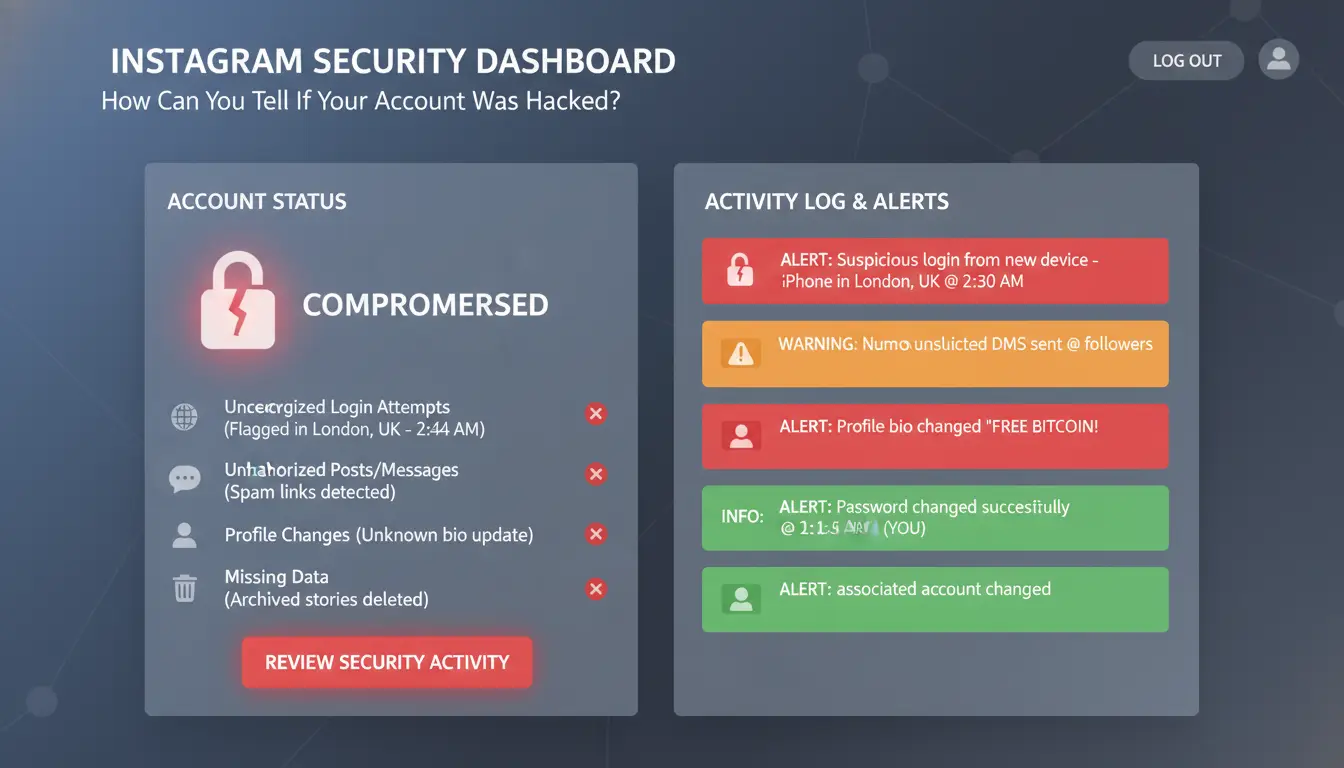
Spotting the signs of an instagram account hacked early helps you act fast. Hackers rarely announce themselves, most leave small clues that only get worse if you ignore them. If you see even one of these red flags, assume your account is at risk and move quickly to recover hacked Instagram account access.
Unusual Login Alerts or Location Warnings
Instagram sends a security email or app notification when someone tries to log in from a new device or location. These messages aren’t random. They mean someone entered your password from a place you don’t recognize, often using stolen info. Open "Settings" → "Security" → "Login Activity" to check recent logins. If you see places or devices you never used, someone else is probably in your account. See Instagram’s official help page for what these alerts look like.
Unexpected Changes to Your Profile or Settings
If your email or phone number linked to Instagram changes without your action, it’s a strong warning. Hackers update these details to lock you out. Check for edits in your bio, profile picture, or old posts. If anything looks changed or deleted, act like your account is already in someone else’s hands. These changes can block password resets and make it harder to prove you’re the real owner.
Suspicious DMs or Posts Sent from Your Account
Friends might tell you they got strange messages, links, or offers from your account. If you see posts you didn’t make, this is another classic hack sign. Hackers use your reputation to spread scams or malware fast. If this happens, search "Instagram hacked what to do", the sooner you lock things down, the less damage spreads. Change your password, log out sessions, and follow Instagram security tips.
What Should You Do Immediately If Your Instagram Account Is Hacked?
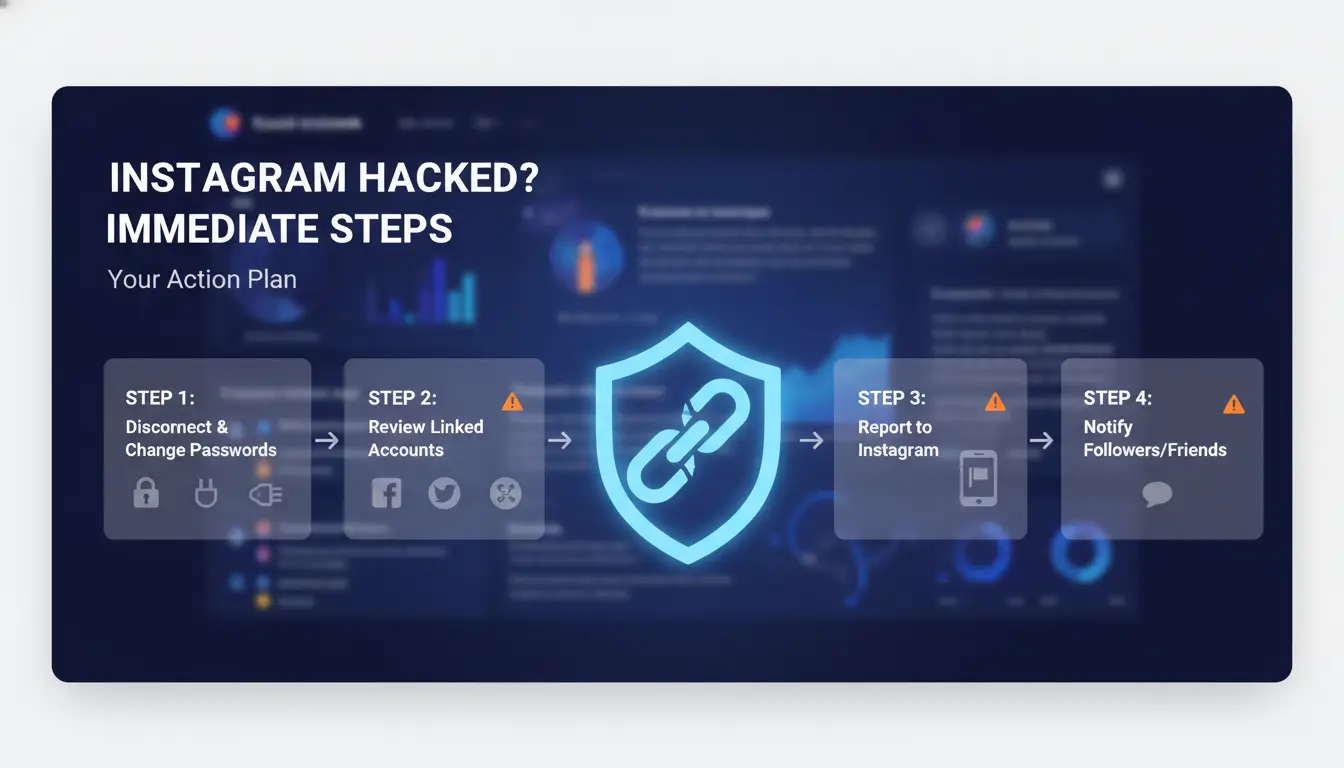
Time is not on your side when your Instagram account is hacked. Every minute matters. The faster you act, the better your shot at stopping damage and getting your account back. Below are the exact steps real users take to recover a hacked Instagram account and protect themselves from further harm.
Change Your Password and Revoke Suspicious Access
Open Instagram and head to the login screen. If you can still log in, tap “Forgot password?” to reset your password right away. Pick something you’ve never used before, don’t repeat old passwords. After you reset, go to “Settings” → “Security” → “Apps and Websites.” Remove any connected app you don’t recognize. Attackers often link shady apps to keep access even after you change your password.
If you’re locked out, use the “Need more help?” link on the login page. Instagram sends recovery links to your email or phone. Follow every prompt. Don’t skip steps or you may lose your shot to recover your hacked Instagram account.
Secure Your Email and Linked Accounts
Hackers often break into your email first so they can reset your social passwords. Check your inbox for messages about security changes or unknown logins. If you see anything suspicious, change your email password at once. Also check for backup email addresses or phone numbers you don’t recognize. Remove them. Lock down any Facebook account linked to your Instagram, since hackers can jump between them.
Alert Your Followers and Instagram Support
Warn your friends and followers as soon as possible. Tell them not to click any strange links, send money, or share codes if they get odd messages from your account. Next, report the hack to Instagram support using their official help center. Be detailed, include all recent changes and any clues you have. Moving fast gives you the best chance to recover a hacked Instagram account before damage spreads.
How to Recover a Hacked Instagram Account: Step-by-Step Guide
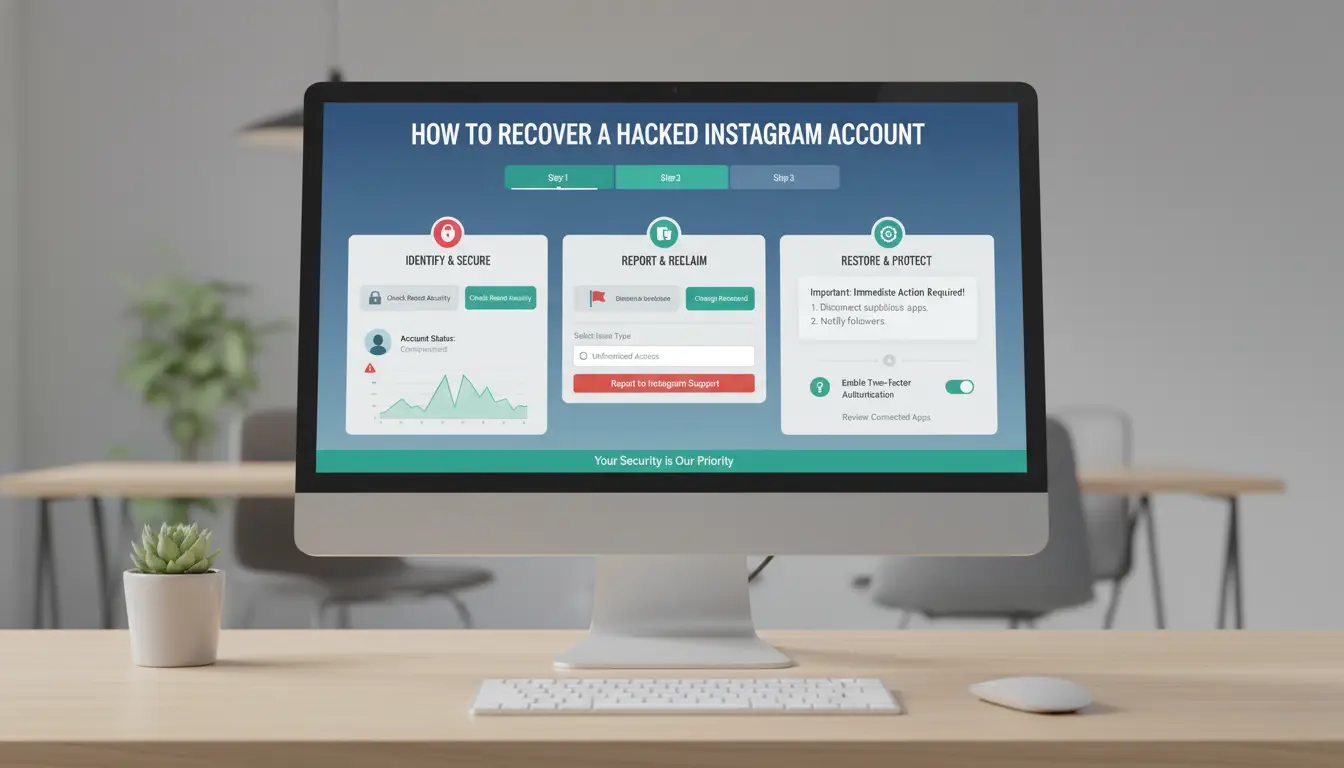
Spotting your Instagram account hacked is stressful, but fast action makes a real difference. If you wait, the hacker can change your recovery info or lock you out completely. Here’s a direct guide for getting your account back, even if your password, email, or phone have changed.
Use Instagram’s Account Recovery Tools
Start at the Instagram login page. Tap “Forgot password?” and enter your username or email. If you still control your recovery email or phone, use the link Instagram sends to reset your password. If those have changed or the reset link doesn't arrive, tap “Need more help?” and follow the prompts for extra support. Enter any old email or phone numbers you remember, as Instagram may offer more recovery options.
If the hacker changed all recovery info, look for the “Secure your account” message in your inbox or SMS. Sometimes, Instagram sends a link to undo changes within 24 hours. Use it as soon as you see it.
Verify Your Identity to Instagram
If standard recovery fails, Instagram may ask for a selfie video or a photo holding a code. This step proves you’re the real owner. Make sure your face is clear, lighting is good, and you’re alone in the frame. Remove hats or glasses. If your first video gets rejected, try again, accuracy matters more than speed. Getting this step right is what unlocks most locked-out accounts.
What If You Can’t Recover Your Account?
If none of the above works, go to the Instagram Help Center and submit a support request with as much detail as possible. Response times vary, some users hear back in hours, others wait up to a week. While waiting, watch your email for updates and check your spam folder. For future safety, check out these Instagram security tips.
What Hidden Risks Remain After You Recover Your Instagram Account?
Getting back into your Instagram after a hack feels like winning. But even once you log in and change your password, some threats can still linger, often out of sight. Attackers may have left hidden ways to get back in or damaged your account’s reputation without you knowing. Here’s what most guides miss after you recover a hacked Instagram account.
Lingering Backdoors: Apps and Devices Still Linked
Hackers often connect unauthorized apps or keep sessions active on devices you don’t recognize. If you skip this check, someone could sneak back in, no password needed. Go to Instagram’s “Apps and Websites” page and remove any app you don’t trust. Then use the “Login Activity” feature to log out of all devices except your own. If you spot logins from locations or devices you don’t use, remove them right away. This step matters as much as changing your password. For more on this process, see Instagram’s official help.
Checking for Shadowbans or Account Restrictions
After an instagram account hacked incident, Instagram may limit your account’s reach if the attacker spammed, sent scams, or broke platform rules. Shadowbans make your posts nearly invisible, even to loyal followers. Watch for sudden drops in likes, comments, or story views. If you think you’re affected, review recent posts for anything suspicious, delete harmful content, and request a review using Instagram’s appeal tools. For more on shadowbans, Hootsuite has a clear guide.
Restoring Trust with Your Followers
Most people only focus on technical fixes, but your reputation may also take a hit. Hackers sometimes send fake messages or post spam while controlling your profile. Send a clear story or post explaining the situation once you regain access. Reach out directly to users who got strange messages. Quick, honest communication rebuilds trust after a security breach. For more tips, see Instagram security tips.
How to Prevent Your Instagram Account from Being Hacked Again
If you’ve had your Instagram account hacked, fixing the damage is only half the job. The next step is building real defenses so it won’t happen again. Attackers keep finding new tricks, so your security habits need to keep up. Here’s how to lock down your account against the most common and current threats.
Set Up Two-Factor Authentication (2FA) the Right Way
Turning on 2FA is a must, but how you set it up matters. SMS 2FA can be bypassed if someone hijacks your phone number or tricks your carrier. The safer move? Use an authenticator app like Google Authenticator or Authy. These apps generate time-based codes on your phone, making it much harder for hackers to get in, even if they know your password. After you recover a hacked Instagram account, switch to app-based 2FA right away.
Create Strong, Unique Passwords for All Accounts
Reusing passwords is why so many people get hit again. If hackers stole your Instagram login, they’ll try it on other sites too. Use a password manager such as Bitwarden or 1Password to make and store complex passwords; you only need to remember one master password. Avoid using the same password for Instagram and email, if one gets hacked, the other stays safe. This is one of the simplest but most overlooked Instagram security tips.
Stay Alert for Phishing and Scam Attempts
Most hacks start with a fake link or message. Watch for emails pretending to be from Instagram, real messages come from @instagram.com. Check the sender’s address before you click anything. In DMs, ignore links that promise account help or ask for your login info. When you see “Instagram hacked what to do” guides, check for scams: only trust steps from Instagram’s official help center.
How to Safely Manage Multiple Instagram Accounts for Social Media Marketing (with DICloak)
Managing several Instagram accounts on one device is risky. Instagram tracks logins, browsers, and IP addresses. If accounts get linked, even by accident, you can face bans, or worse, see your instagram account hacked by someone exploiting cross-account access.
Why Managing Multiple Accounts Increases Security Risks
Running accounts through the same browser or device creates a trail. Instagram’s systems spot shared IPs and device fingerprints, which can lead to bans even if you follow the rules. A hack on one account can quickly spread to others if they share logins, passwords, or recoveries.
How DICloak Protects Your Accounts with Isolated Profiles and Proxies
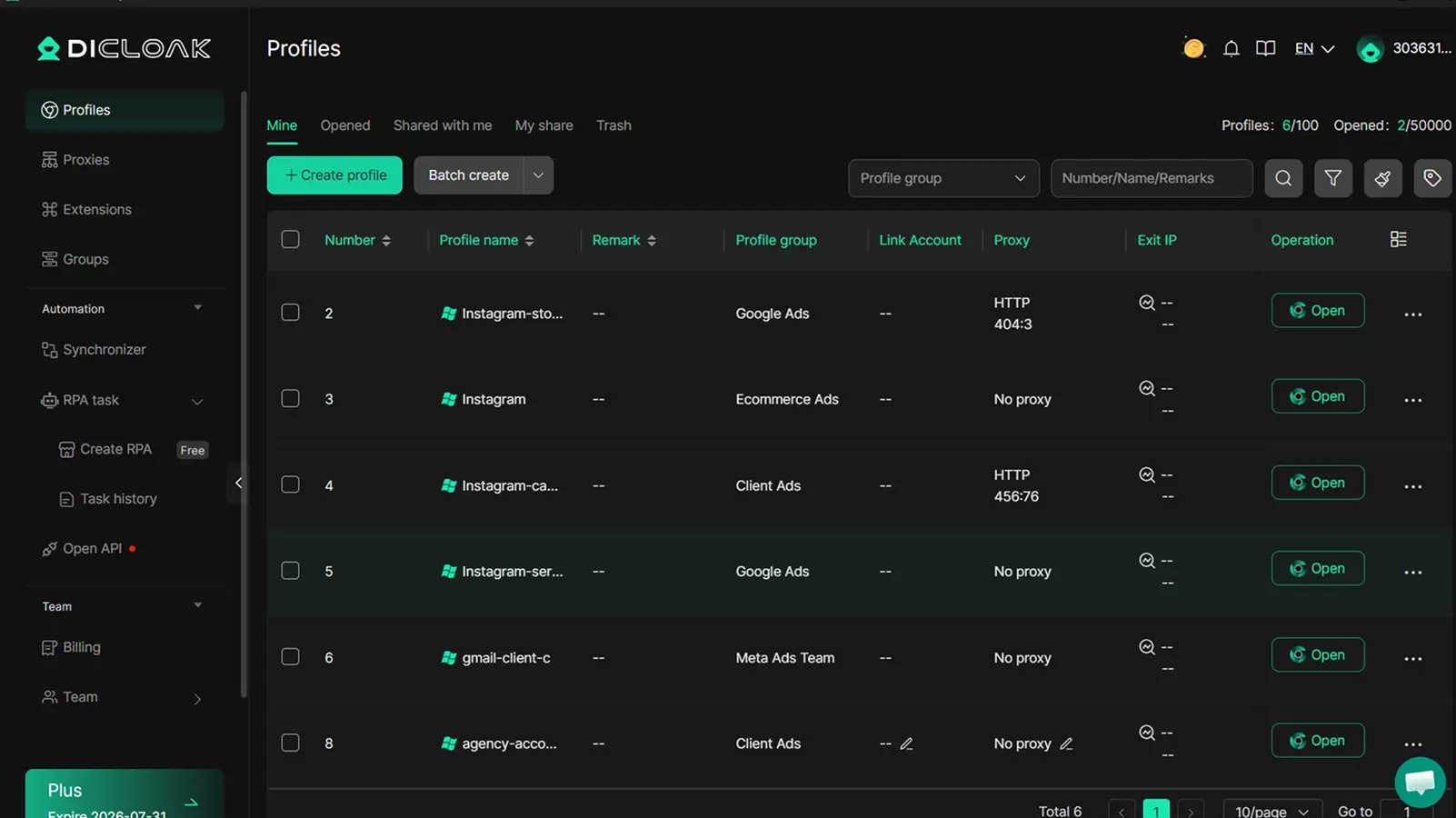
You can use DICloak to give each Instagram account its own browser profile, unique fingerprint, and dedicated proxy. This keeps accounts completely separated. If one gets compromised, the others stay safe. DICloak’s setup helps prevent detection and makes it much harder for hackers to move between accounts or trigger mass bans.
Boosting Efficiency and Security with DICloak’s Automation Tools
Tools like DICloak let you automate logins, posts, and engagement without sharing passwords or devices. Teams can work together securely, cutting the risk of mistakes that often lead to “instagram account hacked” problems or lockouts.
Common Mistakes That Make Instagram Accounts Easy Targets for Hackers
Getting your Instagram account hacked often comes down to simple missteps, most people don’t realize what actually puts them at risk until it’s too late. Avoiding these common errors is your best protection, especially as attack methods keep getting smarter.
Reusing Passwords Across Multiple Sites
Hackers know that people often use the same password everywhere. With “credential stuffing,” they take leaked emails and passwords from one site and try them on Instagram. If you use a repeated password, you’re a prime target, attackers don’t need to guess, just try old logins until something works. Using unique passwords for every site makes this attack nearly useless. A password manager can help you keep track.
Ignoring Security Alerts and Update Prompts
Those pop-ups to update your app or warnings about unusual logins are easy to skip, but they’re usually your only early warning. Updates fix holes that hackers already know about. If you wait, you’re running with a known weakness. Security alerts, like login attempts from unknown places, mean someone is probably poking at your account. Treat every alert as urgent and act fast. For step-by-step guidance on what to do if you see signs of trouble, check the official Instagram help page.
Trusting Unverified Third-Party Apps
Granting access to apps that promise likes, followers, or analytics can quietly hand over your login. Once a bad app is connected, hackers don’t even need your password, they can hijack your session or harvest your details. Go to your Instagram settings and regularly check which apps have access. Remove any you don’t trust or recognize. This simple audit is one of the strongest Instagram security tips and can help you recover a hacked Instagram account faster if something goes wrong. Never trust an app with your login unless you know exactly who made it.
How to Stay Informed and Ready: Resources for Instagram Security
Getting your Instagram account hacked feels overwhelming, but staying informed is the best way to prevent a repeat. A few trusted sources and habits can make all the difference. Here’s where to look and what to do next.
Official Instagram Security Resources
The best place to start is Instagram’s Help Center. This page lists steps to recover a hacked Instagram account and offers updates on new security issues. If you spot strange activity or think, “Instagram hacked what to do,” use the in-app “Report a Problem” feature or visit the Instagram Security Tips page. Instagram also posts real-time alerts on their official X (Twitter) account. For new threats or scams, submit a report, Instagram investigates and sometimes issues warnings to all users.
Recommended Security Blogs and Alerts
Staying ahead of hackers means following people who track attacks as they happen. Krebs on Security is a well-known blog that alerts users to new scams and attack methods. For news focused on social media breaches, The Hacker News covers major incidents fast. Set up Google Alerts for “Instagram breach” or “social media hack” to get emails when news breaks. Some users follow have i been pwned to check if their email or phone number was leaked in a breach.
Building a Long-Term Security Routine
Checking your settings once isn’t enough. Each month, review your Instagram logins, update your password, and check if two-factor authentication is still active. Watch for new hacking tactics, attackers often change tricks after Instagram patches old ones. Add reminders in your calendar, and follow official security accounts for updates. Making security a habit is the single best way to avoid another instagram account hacked nightmare. If you manage multiple accounts for work, consider tools like DICloak to separate profiles and reduce cross-account risk.
Frequently Asked Questions
Can someone hack my Instagram without knowing my password?
Yes, your Instagram account can be hacked without the hacker directly knowing your password. Common methods include phishing scams that trick you into entering your password, using compromised third-party apps, or finding your password on leaked lists from other sites. Always enable two-factor authentication for stronger Instagram security and never share your login details.
What should I do if my recovery email and phone number are changed?
If your Instagram account hacked situation includes changed recovery info, use Instagram’s “Need more help?” link on the login page. Follow the steps to verify your identity, such as uploading a selfie with a code or confirming previous account details. Instagram support will review your case and help you recover your hacked Instagram account.
Is it safe to use the same device for multiple Instagram accounts?
Using the same device for multiple Instagram accounts can link them through device fingerprinting. If one account gets hacked, others may be at risk. To improve Instagram security, log out after use, keep your device updated, and avoid saving passwords on shared devices. This limits exposure if one account is compromised.
How long does it take to recover a hacked Instagram account?
Recovering a hacked Instagram account can take from a few hours to several days. If you respond quickly and provide correct verification info, it’s usually faster. Delays happen if hackers changed your email or phone number, or if you can’t prove your identity. Check your email and follow Instagram’s instructions closely.
Can Instagram permanently ban hacked accounts?
Instagram may permanently ban accounts if hackers post illegal content or violate community guidelines. If your hacked Instagram account is disabled, contact Instagram support right away and explain the situation. Provide any evidence you have. If you act fast, there’s a better chance of regaining access or appealing the ban.
Protecting your Instagram account from hackers requires a combination of strong passwords, enabling two-factor authentication, and staying alert to phishing attempts. Taking proactive steps today can help safeguard your online presence and prevent the stress and disruption of a compromised account. Try DICloak For Free
 Web Proxy Tools
 Free Tools
 Cookie Plugin
 UA Generator
 MAC Address Generator
 IP Generator
 IP Address List
 2FA Code Generator
 World Clock
 Anonymous Check
 WebRTC Leak Test
 UUID Generator
 Free Web Proxy Site
 Proxy Checker
 FB Ad Checker
 AI Web Scraping
 Free SMM Tools
 Twitter Shadowban Checker
 Instagram Name Checker
 UTM Generator
 Username Generator
 AI Hashtag Generator
 LinkedIn Headline Generator
 Social Media Image Resizer