This update focuses on more efficient Profile management and more flexible team security. It helps teams reduce repetitive work and maintain clearer control as Profiles and members grow.
Key Takeaways
- Use Profile names (batch) to search multiple exact or partial names and view all matching Profiles together.
- Enable Do not apply to team super admins to keep extension tamper protection active for members while allowing super admin maintenance.
Batch Filter Profiles by Name
Users can now add multiple search terms under Profile names (batch). Enter a full Profile name to locate a specific Profile, or use a partial name to find several related Profiles at once.
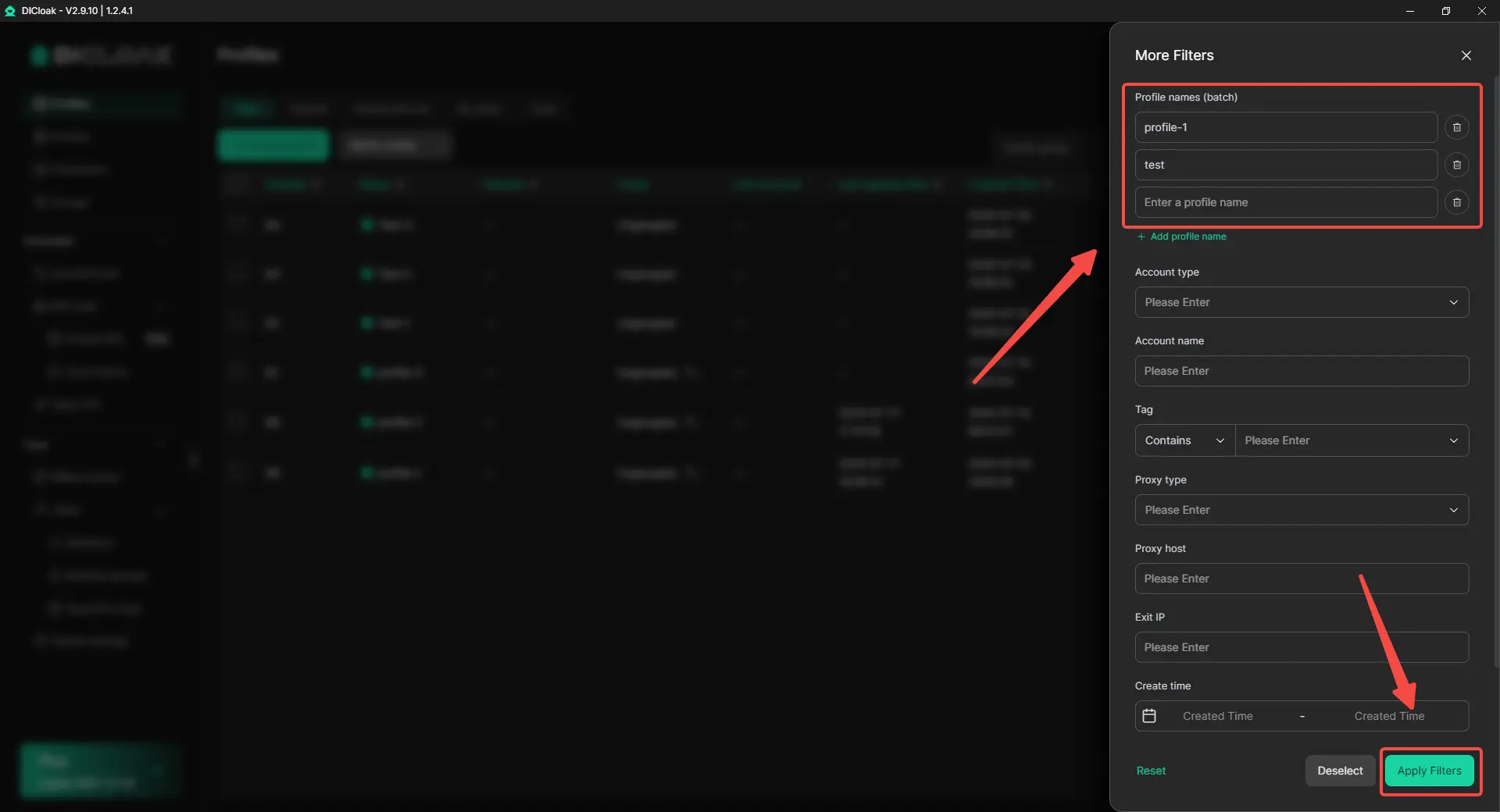
This helps teams quickly pull together the Profiles needed for a campaign, client handoff, store review, or daily task without running separate searches.
Add a Super Admin Exemption to Extension Tamper Protection
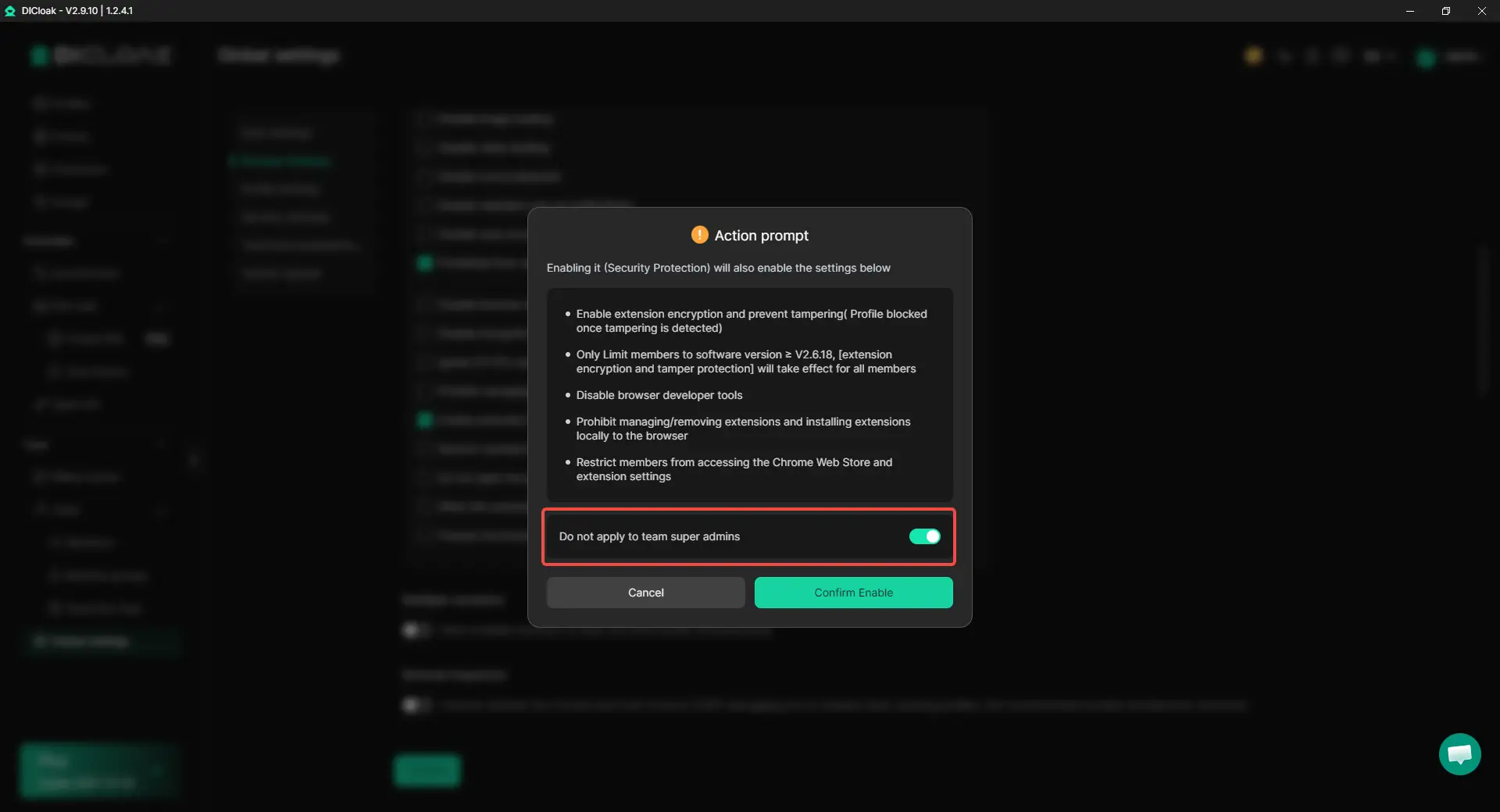
Team super admins may still need extension settings or developer tools for maintenance. The new exemption toggle keeps extension encryption and tamper protection active for members, while super admins can handle updates and troubleshooting when needed.
How to enable it
- Go to Global settings > Browser Settings.
- Enable Enable extension encryption and prevent tampering (Profile blocked once tampering is detected).
- Turn on Do not apply to team super admins in the confirmation window.
Get Started with the New Version
DICloak V2.9.10 makes Profile search faster and extension protection easier to manage. Teams can work more efficiently while keeping access under control.
 Web Proxy Tools
 Free Tools
 Cookie Plugin
 UA Generator
 MAC Address Generator
 IP Generator
 IP Address List
 2FA Code Generator
 World Clock
 Anonymous Check
 WebRTC Leak Test
 UUID Generator
 Free Web Proxy Site
 Proxy Checker
 FB Ad Checker
 AI Web Scraping
 Free SMM Tools
 Twitter Shadowban Checker
 Instagram Name Checker
 UTM Generator
 Username Generator
 AI Hashtag Generator
 LinkedIn Headline Generator
 Social Media Image Resizer