You tried to open a profile, sent someone an @ or searched for an Instagram account and nothing appeared. At this point, the question is straightforward: how to know if the instagram account has been deactivated without confusing it with blocking, changing a username or permanent deletion.
Many people start from the worst-case scenario right away. But that missing profile does not prove, by itself, that Instagram deactivated the account. In real use, the same symptom also appears when the person changes their username, restricts visibility, or when you have been blocked.
What matters is to gather signals. The internal search, the direct profile link, old messages in Direct, mentions, comments and even the error text help separate a deactivated account from a merely hidden one. If you are trying to understand how to know if instagram has been deactivated or how to find out if the instagram account has been deactivated, the safest way is to check each clue in the right order, without drawing conclusions too soon.
Start with the signs that appear most frequently and the mistakes that confuse the most.
What signs show that Instagram account has been deactivated?

The most reliable signal is not just one. A truly deactivated account usually disappears from the search, fails in the direct link and leaves broken traces in comments, tags and login. If only one of these points fails, it can still be blocking, @ change or temporary error.
The account no longer appears in Instagram search
If the @ does not appear in the Instagram search, it is already a strong indication, but it does not close the diagnosis. The point that helps the most is consistency: you search for the exact username, variations of the profile name and old messages, and nothing leads to the profile. If the account appears for another person logged into another profile, the scenario changes a lot and it starts to look like blocking or limiting visibility. If it disappears for everyone, including on different accounts and at different times, the chance of deactivation is greater. This is where many people make a mistake by completing too soon.
Profile link opens error or page unavailable
- Open
instagram.com/nomedeusuario it in the browser, without depending only on the app.
- Test the same logged in and logged out link; if you fail both, the signal weighs more.
- See the text on the screen: "page unavailable" points to an access problem, but does not prove on its own that the profile has been removed.
Posts, comments, and messages may disappear or be limited
Old posts may lose the profile tag, comments may show name without a link, and Direct may remain visible only in part. This is very confusing, because an old conversation in the inbox does not confirm, on its own, if the account has gone offline or has only become inaccessible to you.
Instagram itself may display warning when trying to log in
Here the clue is more direct, but still requires careful reading of the warning.
- If you see a message about an account deactivated, suspended, or under review, write down the exact text.
- If the notice speaks of analysis or appeal, treat it as a pending status, not a permanent loss.
- If the login fails without clear warning, test password, email, and recovery before completing anything.
With these signs, you can get out of guesswork. The next step is to separate three scenarios that look the same in practice: deactivated account, deleted account, and block.
How to confirm if the account has been deactivated, deleted or if you have just been blocked?

If the signs are confusing, don't guess. The same "disappeared" profile can indicate deactivation, deletion, or blocking. The practical difference is simple: in deactivation and deletion, the profile tends to disappear for everyone; in blocking, it disappears only for you or for a specific account.
Deactivated account vs. deleted account: what changes in practice
| Scenario |
What you usually see |
How to confirm without making a mistake |
| Account temporarily disabled or under review |
Username may stop opening, posts disappear, internal search may not show the profile, but the name may still appear in old messages or broken tags |
Try the deep profile link in another browser and without logging in. If it is still unavailable to everyone, but there are still traces in past interactions, the account may be deactivated and not deleted |
| Account permanently deleted |
Profile does not open, search does not find, posts and list of followers stop appearing, and old traces tend to be more "empty" or without access to the profile |
Compare old messages, comments, and mentions. If everything points to total absence and this continues for days, deletion is more likely |
| Account still active, but with username changed |
The old link fails, but the person still appears in messages, mutual followers or by name outside the exact search |
Look by display name, links in old bios, or connected accounts on other networks |
If the profile has disappeared for everyone, the most useful point is not "it disappeared or not", but which old traces are still visible.
Account deactivated vs. blocked by another user
If the profile disappears only in your account, think about blocking before thinking about deactivation. The cleanest test is to open the profile in another account, another browser or an incognito tab: if it appears there, but not in your normal session, the problem is not an account crash.
Account disabled vs. technical issue or Instagram instability
Loading error, login dropping, empty search and page that opens and closes at the same minute usually point to temporary failure, not deactivation. If the behavior changes between cell phone, browser and time, wait a little and test again; if the disappearance is the same in all accesses, then it is worth going for a step-by-step check.
How to check step by step if Instagram account has been deactivated?
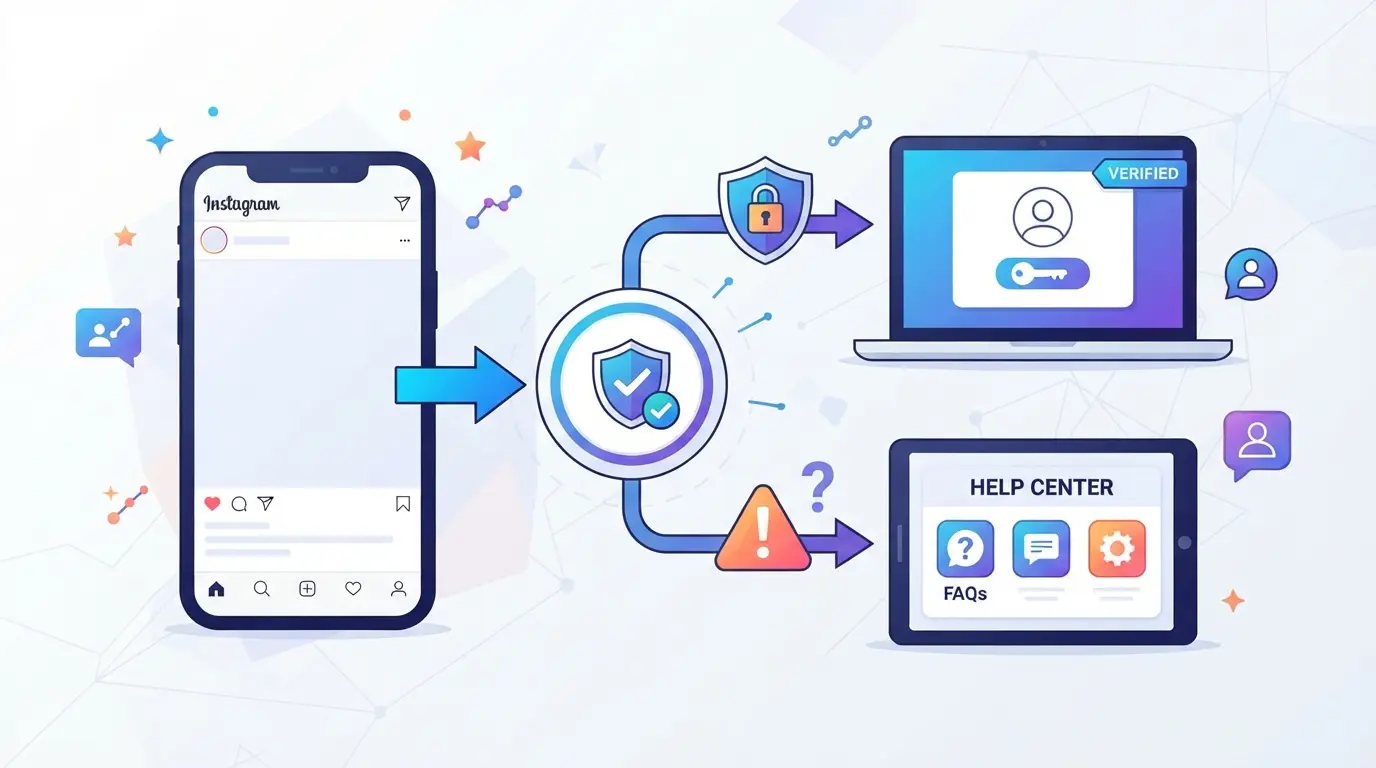
After separating blocking, deletion, and hidden profile, the safest way is to check the account in layers. Don't close the diagnosis with a single signal. What confirms best is the combination of search, direct link, interaction history, and official warning.
Step 1: Search for @usuário in another account
- Open another account of your own or ask someone you trust to search for the @usuário. This cuts out the most common question: blocking only against you.
- Search for the exact name and variations without dots or numbers. If it appears only in one account, the scenario does not yet point to deactivation.
- If it doesn't appear in any, write down that result and go to the direct link. Internal search fails sometimes, so it alone is not enough.
Step 2: Test the deep profile link in the browser
- Type manually
instagram.com/usuario in the browser, preferably in an incognito tab or logged out. This avoids confusion with old session.
- If you open the normal profile, the account is not disabled. The problem was searching, caching, or blocking a specific account.
- If you see a message like "This page is not available," don't complete it yet. This warning also appears with a changed username, removed profile, or temporary error.
Step 3: Review past interactions, tags, and conversations
- Go to old comments, tags, and DMs where that profile has already appeared. The history often shows clues that search doesn't show.
- If the name has become "Instagrammer" or disappeared from the conversation, there is a strong signal of deactivation or removal. If the @ has changed, it may just be a username change.
- Tap on the name within the conversation. If nothing opens and the profile remains invisible outside of there, the evidence becomes more consistent.
Step 4: See if there was an email or in-app warning
- Check the email linked to the Instagram account for messages about suspension, verification, or rule violation.
- Also check notifications within the app, if you can still enter. Official notice usually explains if it was reviewed, limited or deactivated.
- Be wary of emails with strange links, typos, or password requests. If the sender seems wrong, ignore it.
Step 5: Wait and test again before completing
Wait a few hours and repeat the tests. Server failure, recent username change, and synchronization delay can leave the profile "gone" for a short time .
- Redo the search and deep link after 6-24 hours.
- If the result remains the same in different accounts, logged in browser and old history, the chance of deactivation goes up a lot.
- Then it makes sense to look at the most likely cause of this status.
Why can an Instagram account be deactivated?
After checking the signs, it is easier to understand the cause. In general, deactivation comes from three groups: rule violation, security risk, or pause made by the account owner himself.
Violation of platform guidelines and policies
The most common reason is rule breaking: spam, mass comments, repeated use of similar actions, prohibited content, or frequent reports. When the problem is repeated, the chance of restriction increases and the account can go offline without clear warning.
Activity considered suspicious or security risk
Not every deactivation is punishment. Logins in very different locations, quick device changes, automations, and inconsistent sessions can cause Instagram to lock the account for review. In practice, this often looks like a ban, but sometimes it's a protective measure.
Self-deactivation
- The owner paused the account temporarily
- The profile disappears from the search and the public link
- When you return, the account can reappear without losing the @
With the most likely cause in mind, the next step is to do the right thing to try to regain access.
What to do after finding out that the account has been disabled?
If you've already confirmed the deactivation, stop testing login nonstop. The next step is simple: see if there is a review available, check the official alerts, and avoid actions that scramble the case. The most common mistake here is to insist on random attempts before knowing the reason.
Check if there is an option to contest or review
- Enter through the app or the login screen and look for prompts such as "learn more", "request review" or confirmation request. This path usually appears right after the access attempt.
- If Instagram asks for a document or explanation, send only what was requested. Long text doesn't help. What counts is matching the account data.
- If the screen doesn't show review, try again later in the same flow. If you see a generic error instead of the form, your session may have expired.
Confirm your emails and security alerts
- Open your inbox and look for messages about logging in, changing your email, changing your password, or deactivating. See also spam and junk mail.
- Check if the sender and the content make sense. Strange link, forced urgency and password request usually indicate scam, not official warning.
- If there is a sign of intrusion, change the password of the email linked to the account before anything else. If the email has gone down, account recovery usually fails later.
Avoid creating confusing retries before you understand why
- Don't open multiple requests in a row with different data. This leads to inconsistent history and can delay analysis.
- Avoid switching between devices, networks, and browsers on the same day. To the platform, this may seem like abnormal activity, not legitimate recovery.
- Don't create a new account to "test" the same name or flow. You can confuse notifications, forms, and security messages.
- If the account was used by more than one person, stop and map who had access. This detail usually explains most cases and sets the stage for organizing sessions without mixing accesses.
If you also manage multiple Instagram accounts, where DICloak comes in to separate sessions without confusing the diagnosis
If, in addition to trying to understand how to know if the instagram account has been deactivated, you operate several accounts on a daily basis, it is worth separating one thing from the other: account status is Instagram's theme; access organization is the team's internal flow. At this point, some managers use DICloak to open each account in its own browser profile, without mixing session, language, time zone, and connection between customers or brands. The scope here is only the browser profile; this does not change account review, recovery, or deactivation.
Use separate profiles in DICloak for each account and configure browser signals with consistency
In a small agency, an operator can create a profile for each Instagram account and save the name, observations, and context of that access. In the same profile, he adjusts interface language, time zone, geolocation, User Agent, and WebRTC according to the routine of that work. The practical gain is not in "solving" a deactivated account, but in stopping opening a brand A in the same environment used in brand B. 
Add your own proxy per profile and test IP, country, and time zone before opening the session
If the operation already uses different network outputs, the operator can edit each profile and insert their own proxy with host, port, and credentials, or even opt for no proxy when this is the team's default. Before opening the session, it is worth running the connection check to confirm the exit IP, country, and time zone. This avoids simple operational error, such as entering the right account through the right environment, but with the wrong connection. 
This care reduces internal confusion. Still, the most common mistake remains to interpret weak signal as proof of deactivation.
What mistakes make people think that the account was deactivated when it wasn't?
After checking signs and sessions, the most common mistake is to confuse the disappearance of the profile with proof of deactivation. The diagnosis usually fails due to three well-repeated confusions.
Confusing individual blocking with account deactivation
| Situation |
What you see |
How to clear up the doubt |
| Blocking |
Profile does not open in your account, but may still appear to others |
Search for the @ in another account or in the browser without logging in |
| Deactivation |
Profile disappears for everyone and old links tend to fail |
Test the deep link on more than one access |
| Username changed |
The old @ doesn't show up, but the account still exists |
Search by name, mutual followers, or old links |
If another account finds the profile normally, the problem is almost never deactivation.
Interpret app instability as a definitive drop
App crashing, search failing, and empty feed often generate a false alarm. If the doubt arises, test it in the browser; when the profile opens there, the problem was in the app or in the session.
Bypass username change or profile privacy
If the @ has changed, it looks like the account is gone. Private profile still exists; a truly unavailable profile usually fails even with a direct link and searches for other accounts.
FAQs on How to Know if Instagram Account Has Been Disabled
How do you know if your Instagram account has been temporarily disabled?
If the profile disappears from the search, the old link opens an error and the publications stop appearing, it could be a temporary deactivation or a review of the platform. The clearest sign is the possible return after a few hours or days. To know if the instagram account has been deactivated, test again later.
When an Instagram account is deactivated, do messages disappear?
Not always. In Direct, the history can still be visible, but without a photo, without an active link in the name or with a changed name. In some cases, part of the messages is saved for the person who chatted. Therefore, Direct alone does not prove whether the account has been paused, removed or just changed its name.
Can you tell if the Instagram account has been deactivated or permanently deleted?
Yes. The difference appears over time. If the profile remains inaccessible for several days, the @ does not come back and there is no sign of reactivation, the chance of permanent deletion increases. Official messages to the account owner and the possibility of appeal also help. Deactivated account can come back; deleted, no.
If I can't find a profile, how do I know if the Instagram account has been deactivated or if they have changed the username?
Check out old profile links, photo tags, past comments, and searches for the previous name. If the link opens another @ or the tags show a new name, there has been a user change. If everything disappeared at the same time, without redirecting, it may indicate deactivation. This helps you know if the instagram account has been deactivated.
How long to wait before concluding that the Instagram account has been deactivated?
Wait at least a few hours and do a new check on the same day or the next day. This avoids confusing temporary instability with real deactivation. Confirm by more than one method: search in the app, direct profile link, old comments, and viewing by another account or browser without logging in.
If the signs point to a deactivation, the most useful step now is to confirm through basic tests, review possible warnings received, and decide between waiting, trying to regain access, or creating a new contact channel. By acting calmly and following a simple check, you avoid wasting time on assumptions and choose the most appropriate alternative for your case. Try DICloak for free
 Web Proxy Tools
 Free Tools
 Cookie Plugin
 UA Generator
 MAC Address Generator
 IP Generator
 IP Address List
 2FA Code Generator
 World Clock
 Anonymous Check
 WebRTC Leak Test
 UUID Generator
 Free Web Proxy Site
 Proxy Checker
 FB Ad Checker
 AI Web Scraping
 Free SMM Tools
 Twitter Shadowban Checker
 Instagram Name Checker
 UTM Generator
 Username Generator
 AI Hashtag Generator
 LinkedIn Headline Generator
 Social Media Image Resizer