Sharing Leonardo AI with a team sounds simple until you look at how seats, Tokens, and team access actually work. As of August 2026, Leonardo’s Team Starter plan is listed at $72 per month, or $24 per seat, with 75,000 Shared Tokens. Eligible Canva Business and Enterprise members can also get Leonardo Essential access at no extra cost, but each person receives a separate workspace and Token allocation rather than joining one shared Leonardo Team.
That means the best way to share Leonardo AI with your team without sharing passwords depends on how your team works. Long-term creators may need Leonardo Team access, Canva users may already have individual Leonardo access, while some teams only need controlled access to an existing signed-in session. This guide compares the main options, pricing, and setup methods so you can choose the right approach without giving every team member the same level of access.
What Is Leonardo AI and Why Do Teams Want to Share It?
Leonardo AI is a creative platform for generating and editing images, videos, and other visual assets with AI. It is used by designers, marketers, ecommerce teams, content creators, and agencies to produce campaign visuals, product images, social media content, and creative concepts more efficiently.
Teams want to share Leonardo AI because creative work often involves creators, reviewers, managers, and clients. Different members may need to work on the same project, but they usually do not need the same level of access. Common reasons include:
- Faster creative reviews: Designers create ad visuals while marketers check the message, format, and brand fit.
- Shared ecommerce production: Teams work on product images, lifestyle visuals, and social media assets for the same launch.
- Multi-client agency work: Creators produce campaign assets while account managers review and deliver approved versions.
- Temporary freelancer access: An outside designer may need access for one project without receiving permanent control.
- Easier project oversight: Managers and clients may need to review progress even if they never generate content.
The goal is not to give everyone the same account access. A creator may need generation tools, while a client may only need to review finished work. Giving every member the same level of control can increase costs and make projects harder to manage. Teams should first decide who creates, who reviews, and who manages the work. This makes it easier to choose the right Leonardo AI plan and sharing method without giving unnecessary access.
How Much Does Leonardo AI Cost in 2026?
Leonardo AI offers free and paid plans for individual creators, plus separate plans for teams. Monthly prices currently range from $0 to $60 for individual use, while the displayed three-seat Team setup starts at $72 per month before tax.
| Plan |
Monthly price |
Token allowance |
Best fit |
| Free |
$0 |
150 Fast Tokens per day |
Testing Leonardo AI |
| Essential |
$12 |
8,500 Fast Tokens per month |
Regular individual use |
| Premium |
$30 |
25,000 Fast Tokens per month |
Active solo creators |
| Ultimate |
$60 |
60,000 Fast Tokens per month |
High-volume professional work |
| Team Starter |
$24 per seat |
25,000 Fast Tokens per seat and a shared Token pool |
Small creative teams |
| Team Growth |
$48 per seat |
60,000 Fast Tokens per seat and a larger shared Token pool |
Teams with heavier production needs |
At the displayed three-seat setup, Team Starter costs $72 per month and includes 75,000 Shared Tokens. Team Growth costs $144 per month and includes 180,000 Shared Tokens. Both plans also include private Team generations, unlimited Collections, and relaxed generation for selected models. Prices exclude tax, and the final cost changes with the number of seats.
Tokens should not be treated as a fixed number of images. Leonardo deducts different amounts based on the model, task, quality settings, and computing power required. Video creation and some third-party models can use Tokens faster than basic image generation, so teams should estimate their plan around the work they produce rather than image count alone.
An individual plan makes sense when one person handles most of the creative work and sends finished assets to others for review. Leonardo for Teams is more suitable when several people need to generate content, work inside the same creative environment, or use shared resources. Paying for the highest individual plan does not provide separate team identities, roles, or seats.
For most businesses, the key question is not how many people are involved in a project. It is how many people need to create inside Leonardo AI. A team with two designers and five reviewers has different plan needs from a team with seven active creators. Before subscribing, count the regular creators, estimate how often they produce images or videos, and decide whether the team needs a shared Leonardo workspace.
How Does Leonardo AI Pricing Compare With Canva Business and Enterprise Access?
Leonardo for Teams and Canva Business or Enterprise offer different types of access. Leonardo for Teams creates one shared Leonardo workspace, while eligible Canva members receive separate Leonardo Essential accounts through their Canva subscription.
Leonardo Team Starter currently starts at $72 per month for three seats and includes 75,000 Shared Tokens. Team plans also provide member roles, shared Collections, private Team generations, and centralized workspace management. Canva Business uses per-user pricing, while Canva Enterprise uses custom pricing. Eligible members can access Leonardo Essential at no extra cost, but each person receives a separate workspace and individual Tokens. Their Leonardo content and Tokens are not shared across the Canva team.
| Feature |
Leonardo for Teams |
Canva Business or Enterprise |
| Access |
Shared Team workspace |
Separate Essential accounts |
| Tokens |
Shared Team Tokens |
Individual Tokens |
| Roles |
Team roles and permissions |
No shared Leonardo roles |
| Content |
Shared Collections and Team Feed |
Separate member workspaces |
| Best for |
Teams working together in Leonardo |
Canva users creating separately |
Canva access is often enough when team members create on their own and move finished assets into Canva. Leonardo for Teams is the better fit when several people need shared Tokens, content, and permissions inside Leonardo. The choice depends on whether the team needs separate accounts or one managed creative workspace.
What Are the Best Ways to Share Leonardo AI Without Sharing Passwords?
The best way to share Leonardo AI depends on what each person needs. Use Leonardo for Teams for ongoing collaboration, Canva access for separate Essential accounts, and a controlled browser session only when someone needs temporary access to an existing setup.
Invite Members Through Leonardo for Teams
Leonardo for Teams is usually the clearest option when several people need to create and manage content together. Each member accepts an email invitation, signs in with their own account, and receives a role such as Owner, Admin, Editor, or View Only.
This setup works well for agencies, design teams, and marketing departments that need shared Tokens, Team Collections, clear roles, and easier member removal. It also gives each person a separate identity inside the workspace, which makes long-term collaboration easier to manage.
The main downside is cost. Teams should reserve paid creation access for people who actually generate content instead of buying the same level of access for every reviewer or manager.
Use Individual Leonardo Access Through Canva
Eligible Canva Business or Enterprise members may receive their own Leonardo Essential access through Canva. Each person gets a separate Leonardo account, workspace, and Token allowance without receiving another team member’s password.
This can be enough when people create separately and move finished visuals into Canva for review, editing, or publishing. It does not create one shared Leonardo Team workspace, and members do not share the same Tokens, Collections, or Leonardo roles.
Canva access is therefore better for independent creation than for teams that need to manage the full creative process together inside Leonardo AI.
An antidetect browser can be useful when a team already has a prepared Leonardo AI environment and a temporary member needs access to that existing session. The account owner can share a logged-in browser profile instead of sending the password through email or chat.
This method may help teams:
- give a freelancer access to one prepared workspace;
- assign and remove browser access from one place;
- keep the work account separate from personal browsing;
- avoid sending saved login details directly to members.
However, everyone still works through the same Leonardo account identity. A shared browser profile does not provide separate Leonardo roles, personal Token allowances, or individual asset ownership.
| Method |
Separate user identity |
Shared Leonardo workspace |
Best for |
| Leonardo for Teams |
Yes |
Yes |
Long-term team collaboration |
| Canva Business or Enterprise access |
Yes |
No |
Individual creation with Canva-based workflows |
| Antidetect browser session |
No |
Uses an existing session |
Temporary or limited shared access |
The right choice depends on whether the person needs their own Leonardo identity, access to a shared team workspace, or short-term use of an existing session. Teams should make that decision before choosing a tool or sharing method.
How to Share Leonardo AI With Your Team Using DICloak
When a team needs to use the same Leonardo AI account, the account owner can keep the signed-in session in a dedicated browser Profile and share that Profile with selected members. With DICloak Antidetect Browser, teams can manage this through separate Profiles, Profile sharing, and team permissions without sending the original password directly.
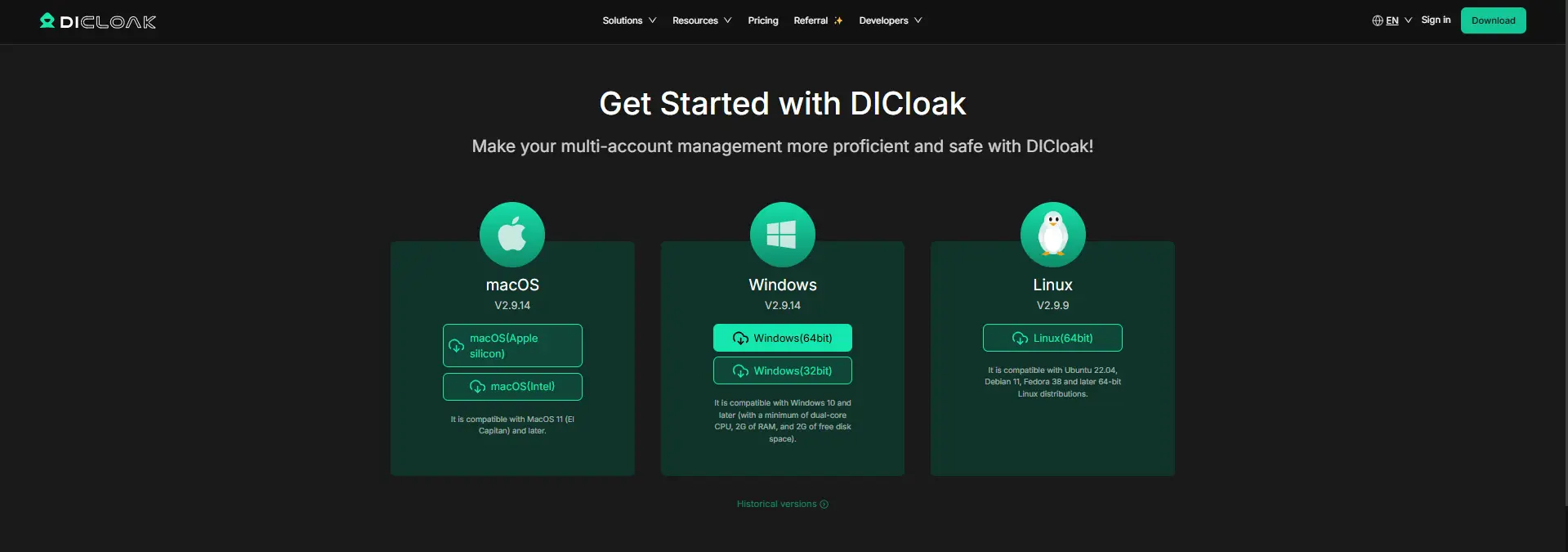
1. Install DICloak and Set Up Team Access
Download DICloak, create an account, and choose a team plan based on how many members and browser Profiles your team needs.
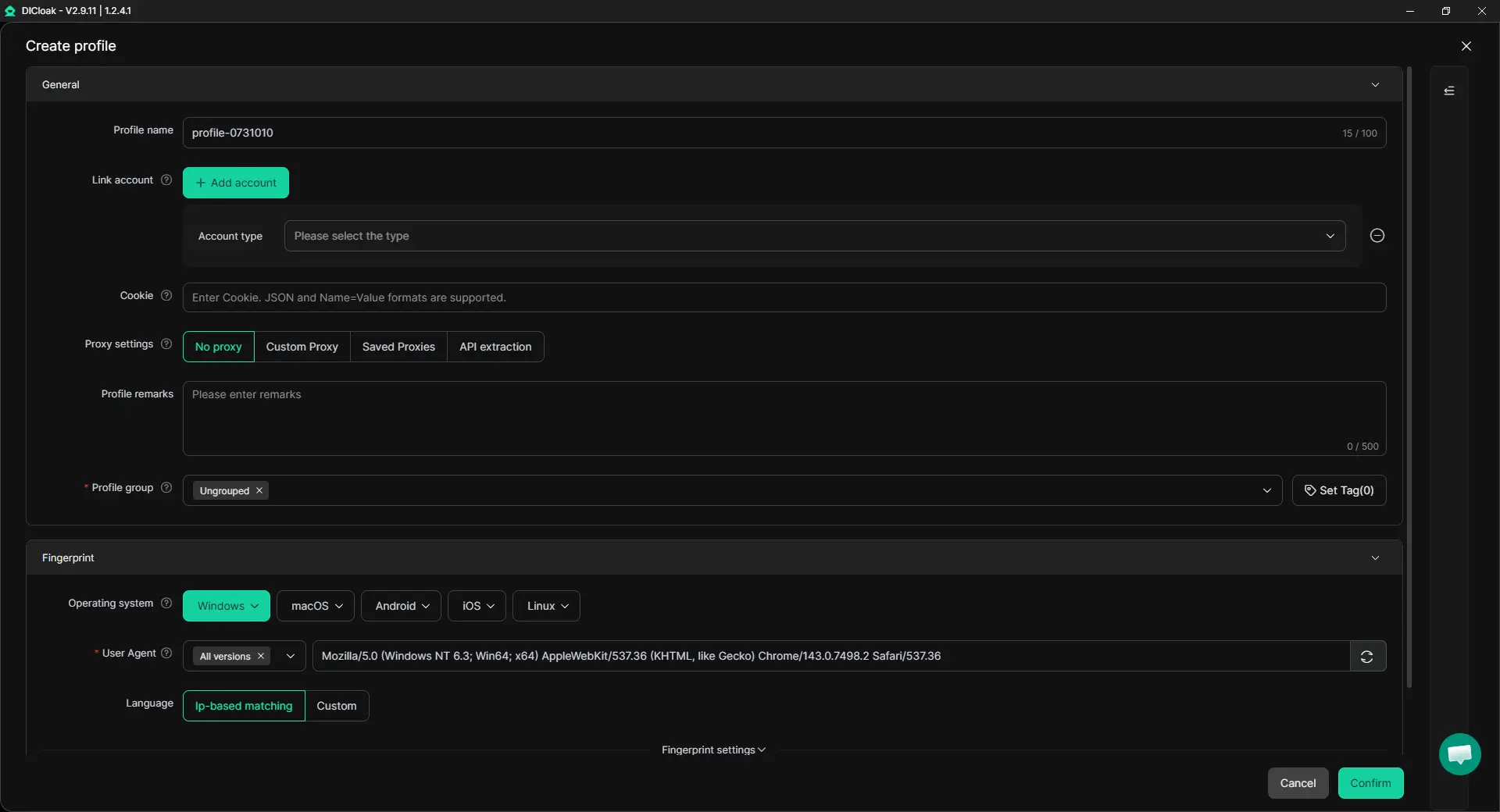
2. Create a Dedicated Leonardo AI Profile
Create a separate Profile for the Leonardo AI account. This keeps its cookies, login session, and browser data separate from other accounts and projects. If needed, configure your own proxy settings for the Profile. Teams that need several members to use the same Profile at the same time can also enable Multiple sessions based on their workflow.
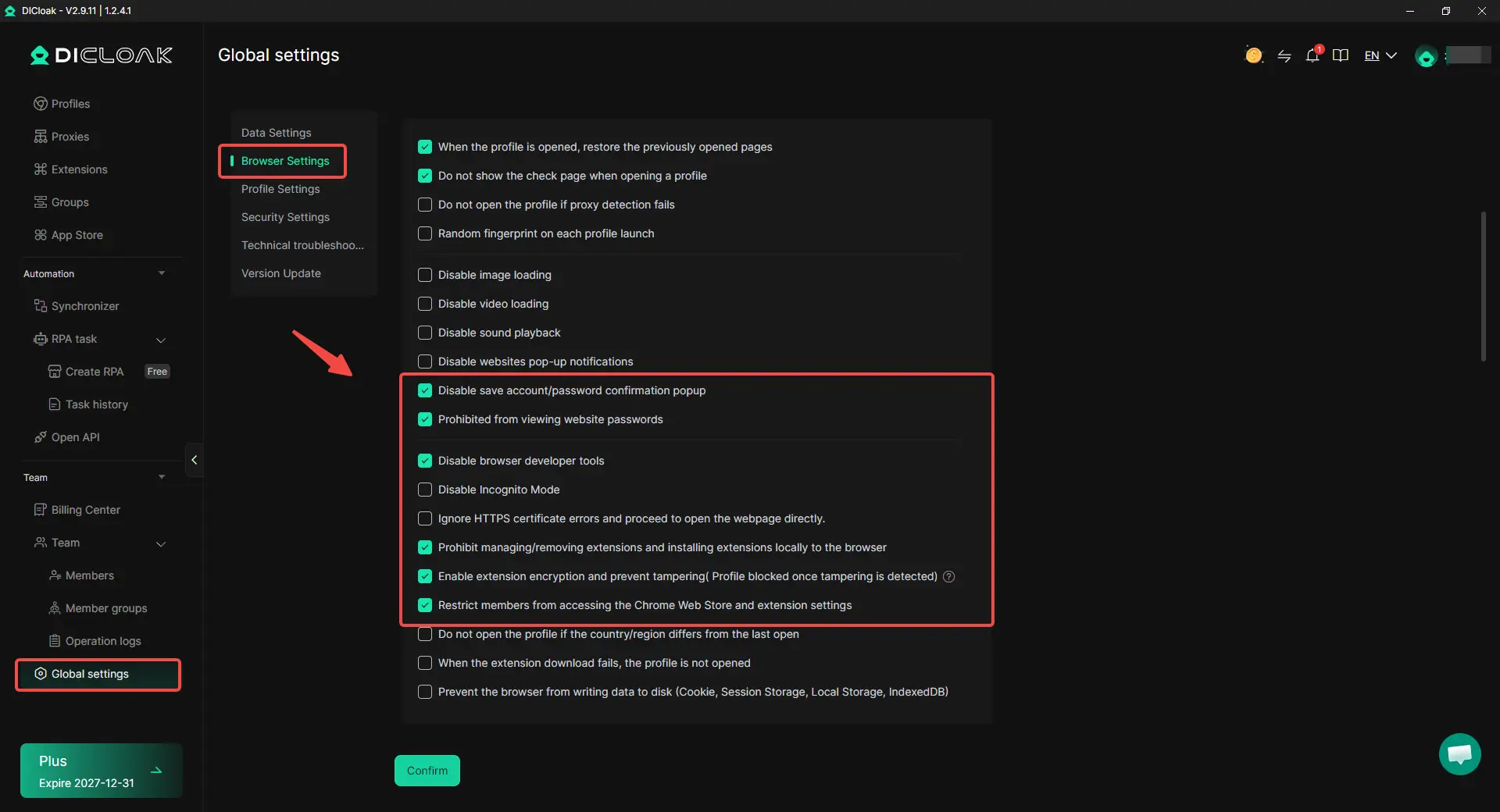
3. Protect the Password and Sensitive Account Areas
Before sharing the Profile, keep unnecessary account information out of members’ view. With DICloak, the account owner can:
- Hide the password: Let members use the saved session without viewing or copying the password.
- Restrict website access: Limit the Profile to approved Leonardo AI pages.
- Hide sensitive elements: Conceal billing, subscription, or account settings that members do not need.
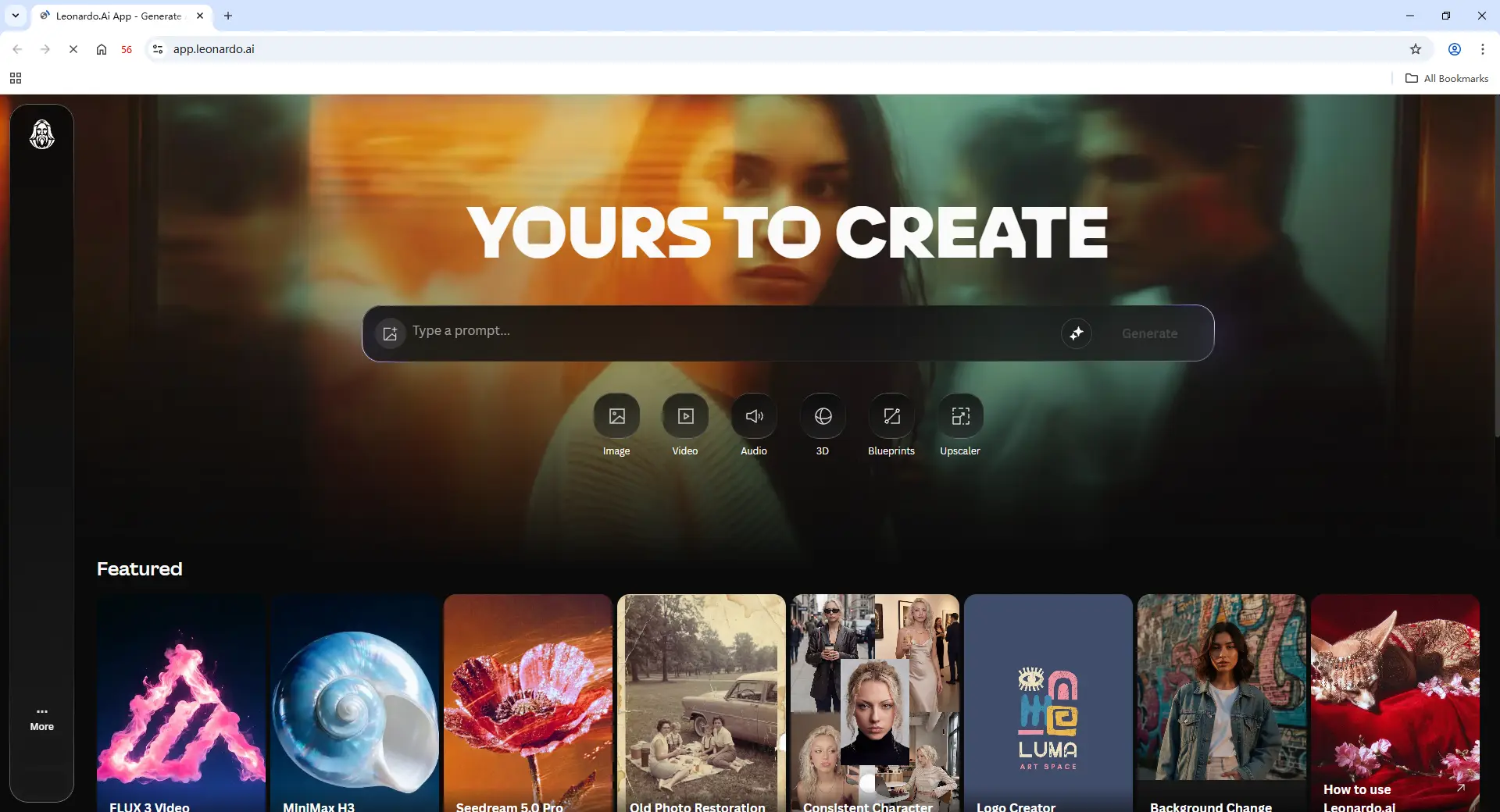
4. Sign In and Prepare the Leonardo AI Session
Open the dedicated Profile, sign in to Leonardo AI, and complete any required verification. Once the session is ready, selected members can use the saved login session without receiving the original password directly.
5. Share the Profile With Selected Members
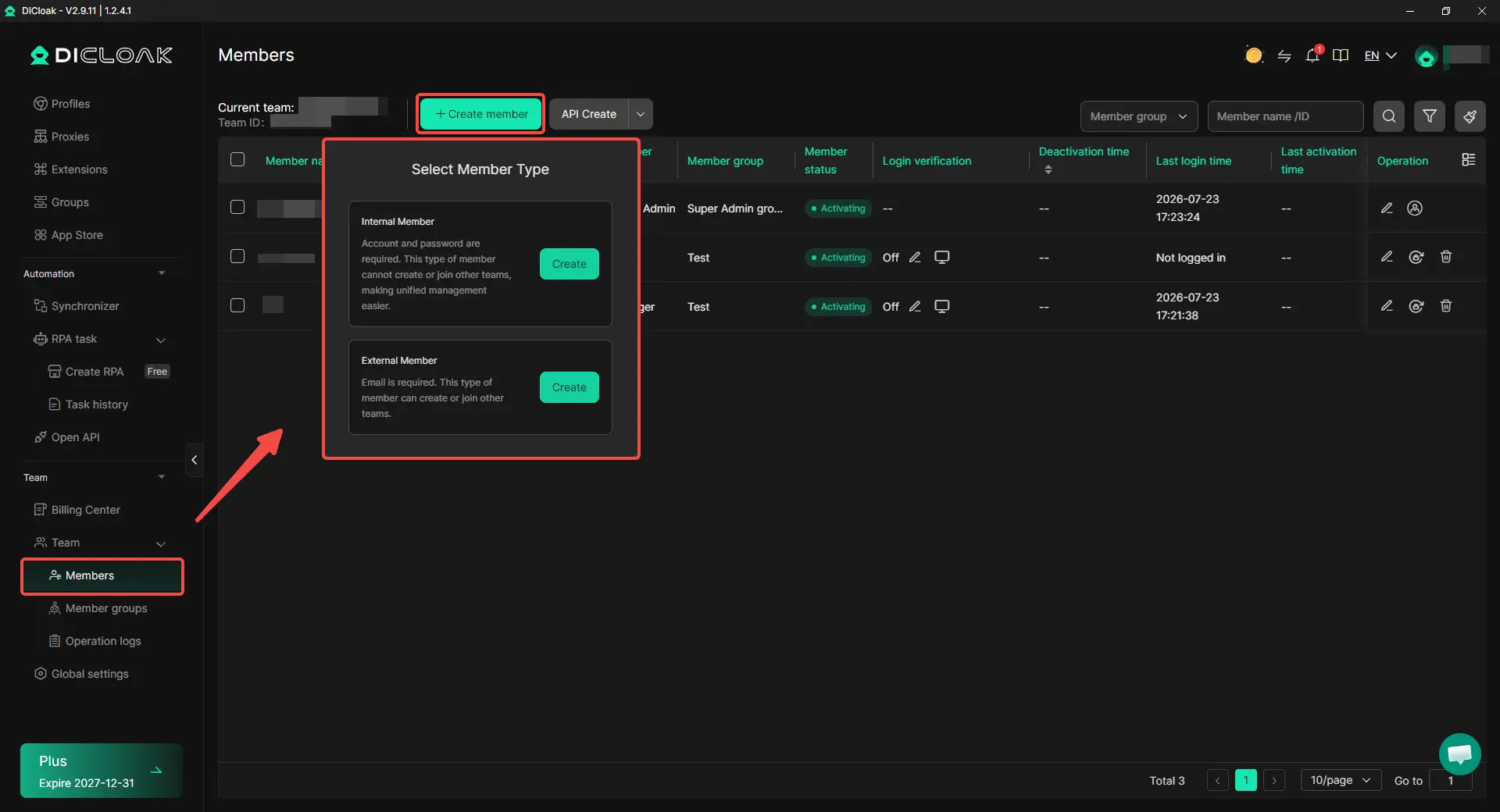
Use Profile sharing and team permissions to assign the Leonardo AI Profile only to teammates who need it. For example, designers can use the shared Profile to create visuals while the account owner keeps control of account settings. If a freelancer only needs access for one project, their Profile permission can be removed when the work is finished.
6. Review and Remove Access When Needed
Review Profile access as projects and team members change. Remove access when a freelancer finishes a task, an employee changes roles, or a project ends. This setup gives teams a simple way to share an existing Leonardo AI session without passing the password around, while keeping access organized in one place.
What Are the Best Practices for Using Leonardo AI as a Team?
The best team setup is not about giving everyone full access. It is about agreeing on how models, Tokens, prompts, assets, and project access should be used before the team starts creating.
Agree on Models, Token Use, and Generation Rules
Teams should decide which models are approved, who can create high-cost content such as video, and who checks the remaining Tokens. Token use can change based on the model, image size, reference images, and generation settings, so teams should not treat every task as having the same cost.
Leonardo AI admins can also use Feature Access to control which models are available to the team. This is useful when an agency wants designers to stay within approved tools or when a team needs to keep Token use more predictable.
Standardize Prompts and Organize Assets by Project
Shared access works better when the team follows the same creative structure. Instead of letting every member create files in a different way, agree on basic prompt rules, brand terms, aspect ratios, approved models, and file names.
For example, teams can use a simple naming format that includes the client, campaign, platform, asset type, and version. This makes it easier to sort files and find the right creative later.
Collections can then be organized around each client or campaign. This helps designers, marketers, and account managers find the right assets without searching through unrelated generations.
Review Visibility and Member Access Regularly
Teams should also check who can see and use each project. Team Feed content, shared Collections, and member roles can expose more work than some reviewers or temporary collaborators need.
For example, a client may only need access to one approved Collection, while a freelancer may need creation access for a short campaign. When the project ends, their role or access should be updated rather than left open.
The strongest team workflows keep creative rules and access rules simple. When everyone knows what they can create, where assets belong, and which projects they can access, Leonardo AI becomes easier to manage as the team grows.
Frequently Asked Questions About Sharing Leonardo AI
Can two people use the same Leonardo AI account?
Two people may be able to access the same signed-in Leonardo AI account, but that is different from giving each person their own team identity. For ongoing collaboration, Leonardo for Teams is usually easier to manage because members can use separate logins and roles. If an authorized team only needs to share an existing session, an antidetect browser like DICloak can provide access through a shared browser Profile without sending the original password directly.
Does every Leonardo AI team member need a paid seat?
Not every person involved in a project needs the same level of access. Team members who regularly generate content may need paid creation access, while reviewers or clients may only need viewing permissions. Teams should count active creators rather than total project participants when deciding how many paid seats they need.
Is Leonardo AI included with Canva Business or Enterprise?
Eligible Canva Business and Enterprise members can receive Leonardo Essential access through their Canva subscription. Each member gets their own Leonardo account, workspace, and Token allocation, rather than joining one shared Leonardo Team workspace. This works well for teams that create separately, while Leonardo for Teams is better suited to shared Tokens, Collections, roles, and centralized collaboration.
Are Leonardo AI Tokens shared between team members?
It depends on how the team gets access. Leonardo Team plans include shared team resources, while Leonardo Essential access provided through Canva gives each eligible member an individual Token allocation. Teams should check which access model they are using before planning workloads, especially when several people generate images or videos regularly.
What should you do when a freelancer no longer needs Leonardo AI access?
Remove their access as soon as the project is finished and confirm that any needed creative assets remain available to the team. If the freelancer uses a Leonardo Team account, update or remove their membership based on the team workflow. If access was provided through a shared browser Profile with DICloak, the Profile permission can be removed without sending or changing the original password for every other team member.
Conclusion
Sharing Leonardo AI with a team without sharing passwords starts with choosing the right type of access. Leonardo for Teams is the better fit for ongoing collaboration with shared resources, roles, and Collections, while Canva Business or Enterprise can give eligible members separate Leonardo Essential access. For limited workflows that need one existing signed-in session, a shared browser Profile can provide more controlled access without sending the original password directly.
The best setup depends on who actually needs to create, review, or manage work inside Leonardo AI. Teams should choose access based on each member’s role, Token needs, and project length rather than giving everyone the same level of access. This keeps collaboration simpler, reduces unnecessary seats, and makes it easier to manage access as the team changes.
 Web Proxy Tools
 Free Tools
 Cookie Plugin
 UA Generator
 MAC Address Generator
 IP Generator
 IP Address List
 2FA Code Generator
 World Clock
 Anonymous Check
 WebRTC Leak Test
 UUID Generator
 Free Web Proxy Site
 Proxy Checker
 FB Ad Checker
 AI Web Scraping
 Free SMM Tools
 Twitter Shadowban Checker
 Instagram Name Checker
 UTM Generator
 Username Generator
 AI Hashtag Generator
 LinkedIn Headline Generator
 Social Media Image Resizer