You can list a $320 concert ticket in two minutes, but one wrong seat row can turn a quick sale into a support headache and a delayed payout. If you searched how to sell tickets on stubhub, you likely want three clear outcomes: get the listing live fast, price it so it sells, and receive payment without last-minute surprises.
This guide gives you a practical path for each step: how to enter ticket details buyers trust, how to check live market prices before you publish on StubHub, how seller fees change your real take-home amount, and how payout and tax setup work in the StubHub Help Center under current IRS Form 1099-K rules. You will also see where sellers lose money by accident, like underpricing too early, picking the wrong delivery method, or missing transfer deadlines after a sale. Start with the listing fields that cause the most failed sales and payment delays.
What should you prepare before you sell tickets on StubHub?
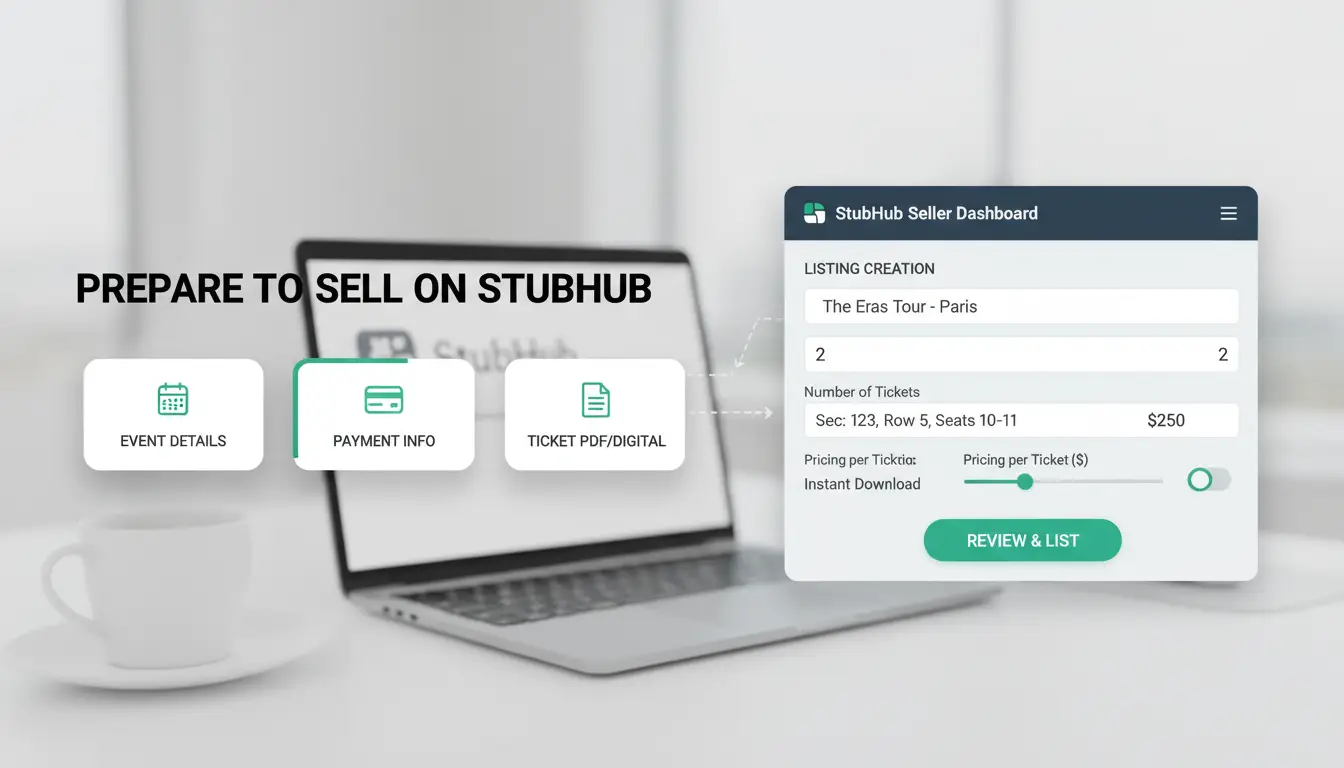
If you are learning how to sell tickets on stubhub, do your checks before you build a listing. The biggest preventable loss is a sold order you cannot deliver on time.
Which seller account details and payout settings must be ready first?
Open your StubHub account and finish identity, payout, and tax setup in the StubHub Help Center. Use the same legal name on your profile, bank payout details, and tax form. Name mismatch is a common reason payouts pause for review. Also confirm your payout method is active now, not after a sale. Check your tax profile under current IRS Form 1099-K rules, since payment reporting can apply once your gross payments cross IRS limits.
How do you confirm your tickets are eligible to list?
Confirm the event is active, not canceled or moved. Then verify ticket type: mobile transfer, PDF, or other format accepted by StubHub for that event. Match listing details to the ticket exactly: quantity, section, row, seat numbers, and notes like “obstructed view” if shown on the ticket. If your tickets are not transferable yet, wait before listing.
What StubHub rules should you review to avoid instant problems?
Read seller obligations before posting: delivery deadline, transfer method, and response time after sale. If you miss delivery or cannot provide valid tickets, StubHub can cancel the order, charge replacement costs, or apply other penalties under seller policy terms in the Help Center. That prep work is the practical core of how to sell tickets on stubhub without payout surprises.
How to list tickets on StubHub step by step
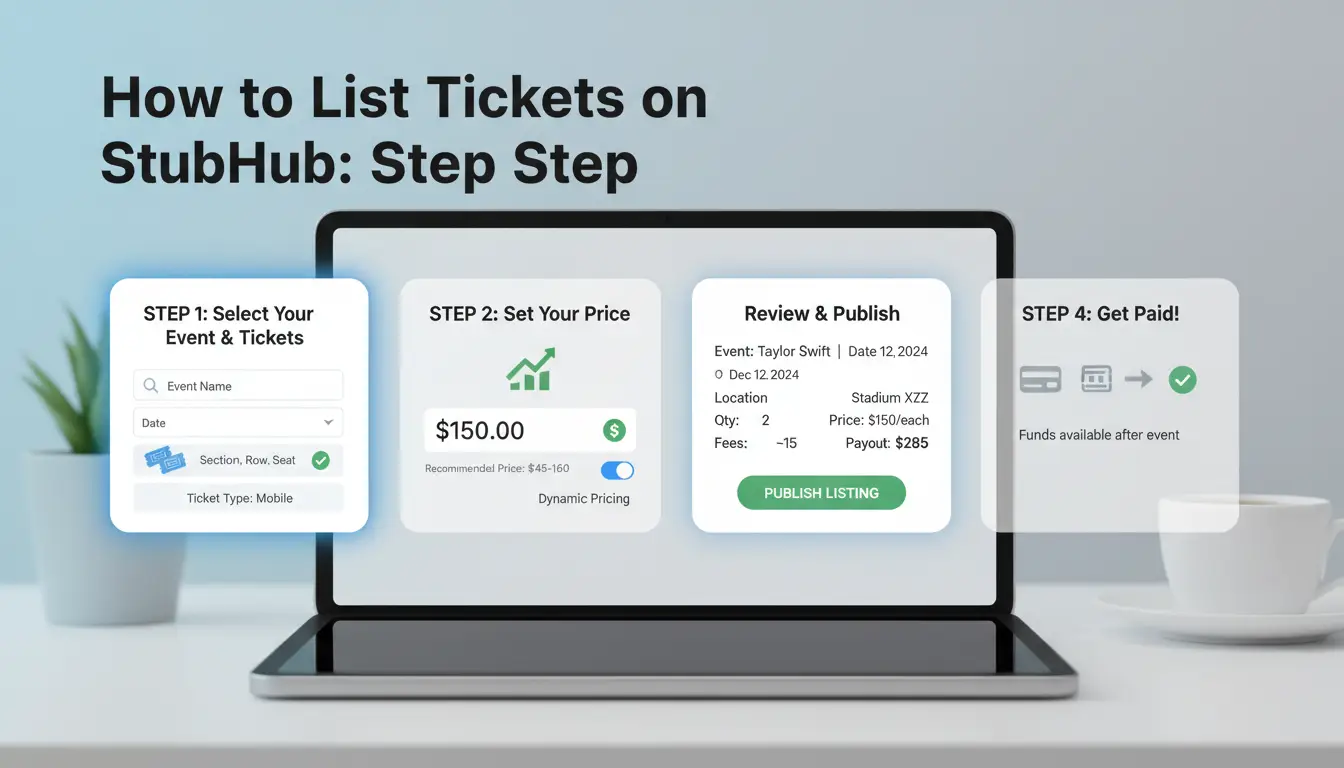
If you are searching for how to sell tickets on stubhub, this is the part that gets your listing live without missing required fields.
How do you find the right event and avoid duplicate or wrong-event listings?
Search by artist, team, or event name on StubHub, then match all three details: event date, venue, and headline performer. If one detail is off, buyers may not find your tickets, or your listing can be tied to the wrong event page.
Check event variants before you continue. Look for matinee vs evening, rescheduled dates, and same-city events with similar names. Open your ticket app and compare the event line exactly, including start time.
If you already started one listing, check your seller dashboard before creating another one. Duplicate listings can cause price confusion and accidental overselling.
What ticket details matter most for buyer trust and faster sales?
Enter section, row, and seat data as shown on the ticket. If seats are non-consecutive, say so in the notes. Turn on split options only if you accept partial sales.
Add any restrictions in plain language: obstructed view, age limits, ID checks, or delayed transfer windows. Buyers move faster when details are clear and match what they get at transfer time.
Do not guess seat info. If your ticket says “GA” or “Standing,” list it that way.
How should you choose delivery method and in-hand date?
Pick the delivery type that matches your actual ticket format and transfer path in the ticket provider app.
| Delivery method |
Use it when |
Main risk if set wrong |
| Mobile transfer |
Ticket moves by app transfer |
Buyer cannot accept in time |
| PDF / barcode file |
You already have downloadable files |
File format rejected or unreadable |
| Other supported method |
Event has special delivery rules |
Late or failed fulfillment |
Set an in-hand date you can meet. If tickets are not released yet, use the release date from your primary ticket account, not a guess. You can confirm accepted methods and delivery rules in the StubHub Help Center.
What final checks should you do before hitting publish?
Review quantity, price per ticket, and payout estimate on the final screen. Then check listing notes, split settings, and delivery promise one more time.
After publishing, open your live listing view and confirm it appears correctly. Keep payout and tax profile details current under IRS Form 1099-K rules. This closes the loop for anyone learning how to sell tickets on stubhub without payment delays.
How do StubHub pricing and seller fees affect your real profit?
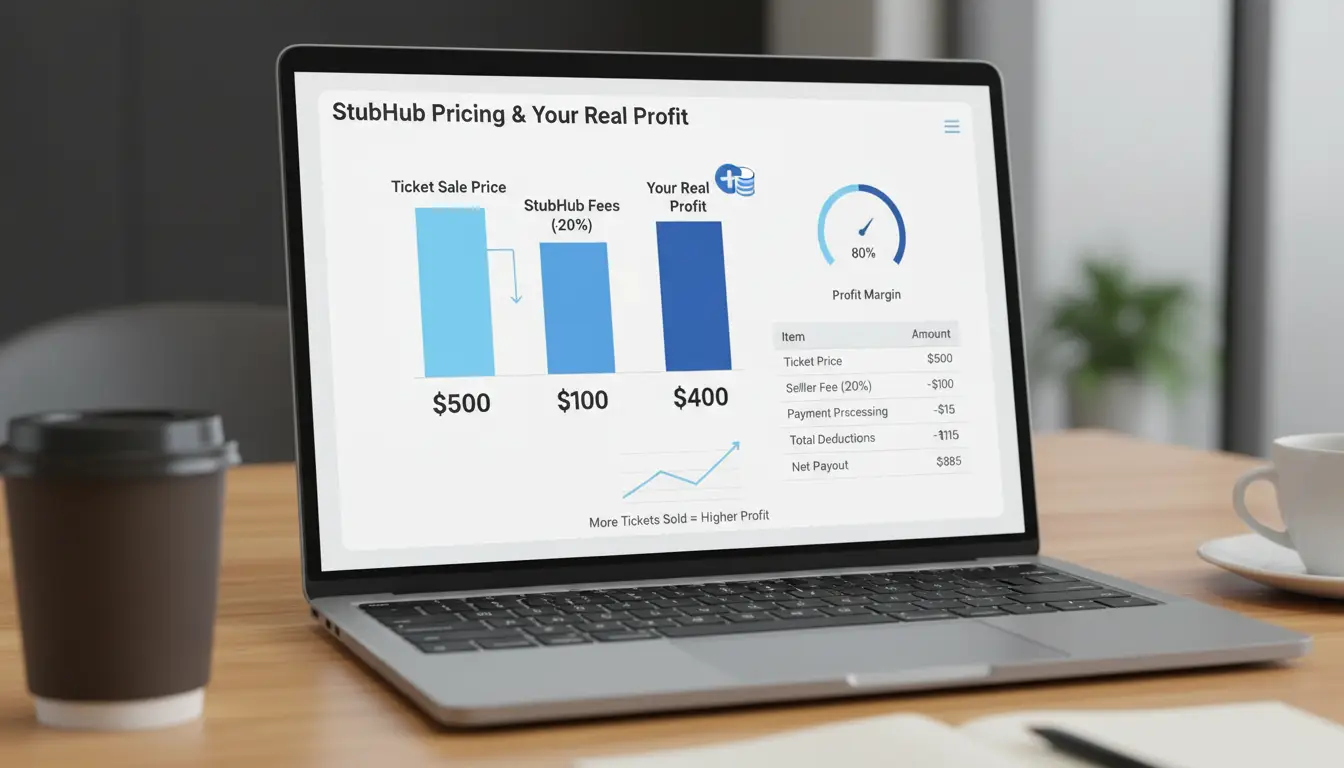
If you are learning how to sell tickets on stubhub, do your math before you publish. The number that counts is your payout, not your list price on StubHub.
What fee and payout math should you run before setting a price?
StubHub seller fees can change by event or account status. Check the fee shown in your listing flow and in the StubHub Help Center. Then back-calculate your asking price.
Set your target payout, then work backward to your list price.
Net payout formula: Net = List Price × (1 - Fee Rate)
| Target net payout |
Fee rate shown at listing |
Needed list price |
| $120 |
10% |
$133.33 |
| $120 |
15% |
$141.18 |
| $120 |
20% |
$150.00 |
If your floor is $120 and you list at $125 with a 15% fee, you only get $106.25. That is an avoidable loss.
How do similar listings help you price competitively without racing to the bottom?
Compare listings by section, row, and quantity bundle. A pair in Row A is not equal to a single seat in Row Q.
| Listing |
Seats |
Row/Section match to yours |
Price signal |
| Low-priced outlier |
1 |
Poor match |
Ignore unless your seat is similar |
| Mid-range cluster |
2 |
Close match |
Use as base range |
| Premium cluster |
2-4 |
Better view/aisle |
Use as upside cap |
Check active listings on StubHub close to your seat quality. Re-check near event day, since demand can move fast.
When should you lower, hold, or raise your listing price?
Lower when your section has fresh undercuts and inventory stays high. Hold when your seat is in the mid-range cluster and sales are still moving. Raise when comparable seats disappear and only worse seats remain.
For taxes and payout timing, verify setup in IRS 1099-K guidance and StubHub payout settings before you list.
How do you deliver sold tickets correctly and on time?
If you are learning how to sell tickets on stubhub, delivery is where sellers lose payouts. A late or wrong transfer can trigger a dispute, even when your listing was correct.
What happens right after a sale and what deadline matters most?
Open the sale confirmation right away in your StubHub account and match three fields: event, seat details, and delivery method. Then check the exact transfer deadline shown in the order. That timestamp is your hard cutoff.
Do not mark an order as delivered until the ticket app shows transfer complete.
If the buyer note asks for a specific email, copy it exactly. One typo can delay acceptance and put your payment at risk. Use the delivery rules in the StubHub Help Center if anything looks off.
How do mobile ticket transfers work for major ticketing apps?
Send tickets only from the original provider account, such as Ticketmaster or AXS. Do not send screenshots or PDFs when the order requires mobile transfer.
Before you tap send, confirm recipient email, event date, and ticket count. After transfer, check the provider status page for “sent” or “accepted,” then update the sold order on StubHub.
How can you keep proof of delivery in case of disputes?
Save proof the same day: transfer confirmation screen, order number, timestamp, and recipient email. Keep confirmation emails and any buyer messages in one folder per order.
Keep records until payout arrives and the event passes. Clean records protect you if a buyer claims non-delivery. This step is core to how to sell tickets on stubhub without payment delays.
Why do some StubHub sellers get penalized, and how can you avoid it?
If you are learning how to sell tickets on stubhub, most seller penalties come from avoidable execution errors, not fake tickets. The risk spikes when listing details, delivery promises, and response timing do not match what the buyer receives. Check policy details in the StubHub Help Center and payout tax rules under IRS 1099-K guidance.
Which listing mistakes lead to cancellations or unhappy buyers?
Wrong section, row, or seat info is the fastest way to trigger a cancellation dispute. Double-check the event date, seat map, and ticket quantity before posting. Another common miss is promising the wrong format (mobile transfer vs PDF vs barcode entry). If your listing says instant or same-day delivery and you cannot send that format, buyers can report non-fulfillment through StubHub.
What post-sale errors create penalties even when tickets are real?
Late transfer is a top account risk. After a sale, send tickets as soon as they are available; do not wait for event week. Silence also hurts sellers. If a buyer cannot access tickets, slow replies can escalate to replacement costs or sale cancellation. Keep transfer proof, timestamped emails, and ticket issuer screenshots ready.
How do you handle buyer issues without escalating to account risk?
Open a support case early and attach clear evidence in one message thread: transfer confirmation, seat details, and event info. If there is a fix you can make fast, offer it right away inside platform rules, not in private side deals. That is a core part of how to sell tickets on stubhub without chargeback stress or account flags.
How can you sell tickets faster on StubHub without sacrificing margin?
If you are learning how to sell tickets on stubhub, faster sales usually come from cleaner listings, not lower prices. Check live listings on StubHub before you publish, then match your structure to how buyers shop.
How do quantity splits and seat grouping influence buyer decisions?
Most buyers search by ticket count. If you block them with the wrong quantity, your listing gets skipped.
| Listing setup |
Buyer fit |
Margin impact |
Use it when |
| Sell as pair only |
Couples, friends |
Higher price per seat |
You have 2 seats and strong demand |
| Split allowed (1 or 2) |
Solo + pair buyers |
Faster sell-through, slight price pressure |
Event date is close |
| Keep 3-4 together |
Groups |
Better total order value |
Seats are contiguous and harder to replace |
Protect margin by holding grouped seats at a premium until demand softens, then open splits if inventory is still unsold.
What timing strategies improve visibility and conversion?
List early so your tickets enter buyer watchlists, then recheck price as demand shifts. Relist or refresh when major demand triggers hit: team news, artist announcements, weather updates, or day-before urgency.
Use StubHub Help Center policies to confirm transfer windows before you cut price. A cheap listing that misses delivery deadlines can still cost you money.
How can listing quality improve trust and reduce hesitation?
Write clear seat notes: row, aisle, shade/cover, and any view limits. State delivery timing in plain terms and match it to your real transfer method. Buyers move faster when details remove doubt. This is the practical core of how to sell tickets on stubhub without giving away margin.
How do you manage ticket-selling workflows safely if multiple people handle your operations?
If your team is learning how to sell tickets on stubhub, shared access can break fast when process rules are loose. Shared logins create hidden liability. One wrong edit, missed transfer, or locked account can delay payout on StubHub and create support tickets in the StubHub Help Center.
What risks appear when several people access seller accounts from different devices?
When two people log in from different cities and devices, platforms may flag the session pattern. That can trigger extra checks, forced logouts, or temporary limits. A second risk is action confusion: nobody knows who changed price, delivery type, or listing notes. Then deadlines get missed after a sale.
How can DICloak reduce account-operation risk for online income teams?
You can use DICloak to give each account its own browser profile with an isolated device fingerprint and dedicated proxy. This keeps session patterns more stable per account. You can also assign role-based permissions, share profiles safely, and track operation logs. If a listing changes, you can see who did it and when.
Which DICloak features help teams save time while staying organized?
Use batch actions to create profiles, assign proxies, and apply naming rules. Use RPA for repeat steps like opening seller pages or status checks.
| Workflow step |
Manual team method |
With DICloak |
| Profile setup |
Built one by one |
Batch setup |
| Daily repeat tasks |
Clicked by each staff member |
RPA handles repeats |
| Action tracking |
Chat screenshots |
Operation logs |
This setup gives a cleaner path for teams handling how to sell tickets on stubhub at scale.
Why is your StubHub listing not selling, and what should you change first?
If you are stuck on how to sell tickets on stubhub, diagnose in this order: visibility, pricing, then action choice (edit, relist, remove). Most slow listings fail on filters, seat comparison, or bad split settings, not just price.
Is your listing discoverable and competitive in the current inventory?
Check your row, section, ticket type, and delivery method against live listings on StubHub. One wrong field can hide you from buyer filters. Then compare your seat quality to listings on the same side and distance, not just the same section.
If a team handles listings, you can use tools like DICloak to keep one fingerprint-isolated browser profile per workstream, each with dedicated proxies. That keeps login patterns stable and lowers account-risk noise during edits.
Are price, timing, and quantity options aligned with market demand?
Cutting hard in one move can hurt trust and payout. Use small price steps as event day gets closer, and test different split options (2, 3, 4) to match buyer cart size.
Tools like DICloak let you assign team permissions, share profiles safely, and check operation logs when a wrong price or quantity goes live.
When should you edit, relist, or remove tickets entirely?
| Situation |
Action |
| Views low, filters wrong |
Edit now |
| Views high, no checkout |
Relist with new split/price |
| Demand drops fast |
Remove to avoid forced discount |
Use StubHub Help Center rules before major changes.
Frequently Asked Questions
How to sell tickets on stubhub if my event date changes or gets postponed?
For rescheduled events, keep your listing accurate and watch StubHub emails closely. If StubHub updates the event date automatically, review your listing right away and confirm details. If the new date is not final yet, follow platform instructions before editing or canceling. Acting outside those steps can trigger seller penalties and fees.
Can I sell tickets on stubhub before I have the tickets in hand?
Yes, you can list before delivery, which is a core part of how to sell tickets on stubhub. Set a realistic in-hand date when you create the listing, and only promise dates you can meet. If your transfer arrives late, StubHub can cancel the sale and charge replacement or penalty costs.
How to sell tickets on stubhub and get paid faster?
If you want to learn how to sell tickets on stubhub and get paid faster, complete ticket delivery as soon as the order sells. Then make sure your payout profile is fully verified: legal name, address, tax details, and payment method. Missing account checks often cause avoidable payment holds, even after a successful sale.
How to sell tickets on StubHub if the tickets are mobile-transfer only?
For mobile-transfer tickets, do the transfer inside the original app (like Ticketmaster or AXS) using the buyer email StubHub provides. Do not send screenshots or PDFs. After sending, mark the order as transferred in StubHub and save proof, such as the transfer confirmation screen with date and time, in case support asks.
Is there a limit to how many tickets I can sell on StubHub?
StubHub usually does not set one simple ticket-count cap for every seller. The real limit is your ability to list accurately and fulfill every order. If you oversell, post wrong seat details, or miss transfers, listings can be removed and penalties can apply. Scale up only when your process is reliable.
Selling tickets on StubHub comes down to listing early, setting a competitive price, and keeping your transfer details accurate so buyers can purchase with confidence. If you stay responsive and monitor your listing as event demand changes, you can improve your chances of a faster sale and a better payout.
Try DICloak for Free
 Web Proxy Tools
 Free Tools
 Cookie Plugin
 UA Generator
 MAC Address Generator
 IP Generator
 IP Address List
 2FA Code Generator
 World Clock
 Anonymous Check
 WebRTC Leak Test
 UUID Generator
 Free Web Proxy Site
 Proxy Checker
 FB Ad Checker
 AI Web Scraping
 Free SMM Tools
 Twitter Shadowban Checker
 Instagram Name Checker
 UTM Generator
 Username Generator
 AI Hashtag Generator
 LinkedIn Headline Generator
 Social Media Image Resizer