If you want to grow on Facebook, keeping a consistent posting schedule still matters. Facebook's ranking signals prioritize accounts that demonstrate reliability and preparedness. Strategic consistency reduces operational friction and provides a significant competitive advantage; data suggests that accounts utilizing disciplined scheduling can see organic reach jump by up to 40%.
For the growth-oriented professional, the objective is to hit peak engagement windows specifically the 8:00 AM - 3:00 PM corridor. Beyond mere frequency, scheduling allows for precise targeting of global demographics. By delivering content during local peak hours (e.g., 7:30 PM for international segments), managers can achieve a 28% boost in engagement that is otherwise impossible through manual, "in-the-moment" posting.
Understanding Platform Detection: Why Accounts Get Flagged
Facebook employs a sophisticated security architecture designed to monitor "digital breadcrumbs." When an operator manages multiple business assets from a single machine or network, the platform identifies patterns of behavior that deviate from standard consumer use. These patterns often trigger automated security checkpoints, leading to account restrictions or permanent bans.
Standard tracking prevention often focuses on cookies, but professional-grade detection uses Browser Fingerprinting. This involves collecting a collection of technical data points to create a unique identifier for your hardware. A primary mechanism is Canvas Fingerprinting, where the browser is instructed to render a hidden image. Because different combinations of GPUs, drivers, and system fonts render images with microscopic variations, Facebook can identify a specific machine even if the user changes their IP or clears their cache.
Network Identity and IP Protection
Network Isolation is the practice of separating account traffic to prevent "bulk-flagging." If multiple business pages are managed from a single IP address, the platform treats them as a single entity. If one account is flagged for a policy violation, the entire cluster is at risk of association-based restriction.
Pro Tip: Avoid using public Wi-Fi or shared proxies for high-value business assets. Professional infrastructure requires dedicated residential proxies to maintain a clean network reputation.
How to Post a Scheduled Post on Facebook Using Meta Business Suite
For basic, single-account operations, Meta Business Suite provides the native interface for web-based scheduling.
Operational Steps:
1. Log in to your Facebook account and navigate to Meta Business Suite.
2. Select "Create Post" and populate the interface with text, media, and links.
3. Locate the "Scheduling option" section and define the specific publication date and time.
4. Click "Schedule" at the bottom of the dashboard. 5. Monitor the queue via the "Planned" tab to ensure the automation is pending.
Consider an agency managing a vegan bakery and a local steakhouse. If a manager toggles between these competing brands within the standard Meta dashboard, they are linked via the manager's IP and browser fingerprint. Should the bakery's account face a temporary restriction, the steakhouse's account, and the agency's entire manager profile, could be collateral damage due to this lack of environment isolation.
How to Post a Scheduled Post on Facebook via Mobile Devices
Mobile scheduling is a convenience tool designed for casual users rather than professional growth infrastructures.
Operational Steps:
1. Open the Facebook application and navigate to the relevant profile.
2. Create a new post and tap "Next."
3. Under "Post settings," select "Scheduling options" and toggle "Schedule for later."
4. Set the calendar date and time, then tap "Post" to finalize the queue.
The Failure of Mobile Multi-Accounting: While functional for a single user, this method fails at scale. Switching between business accounts on a single mobile device leaves persistent device identifiers (IMEI, MAC address). Facebook's security filters often flag devices that exhibit high-frequency account switching as "suspicious," leading to "shadowbanning" or increased verification hurdles.
The Hidden Risks of Native Management: Association and Fingerprints
Relying solely on native tools for large-scale operations introduces significant "account association" risk. These tools offer no protection against hardware-level tracking. When managing a diverse portfolio, the platform sees one person controlling many accounts from one machine. This lack of isolation is the primary reason why many scaling operations experience sudden, catastrophic loss of access across multiple pages simultaneously.
Managing Facebook Account Operations More Smoothly with DICloak
When Facebook posting involves more than one account, the challenge is often not just publishing content. It is also keeping each account environment separate, reducing mix-ups during daily work, and making team access easier to manage. In this kind of setup, users may choose DICloak to keep account operations more organized.
- Profile isolation and custom proxy configuration: Users can place different Facebook accounts in separate browser profiles instead of running everything in one browser session. Each profile can keep its own cookies, cache, and login state, and users can configure a separate proxy for each one. This makes it easier to keep account environments apart and manage multiple accounts more clearly.

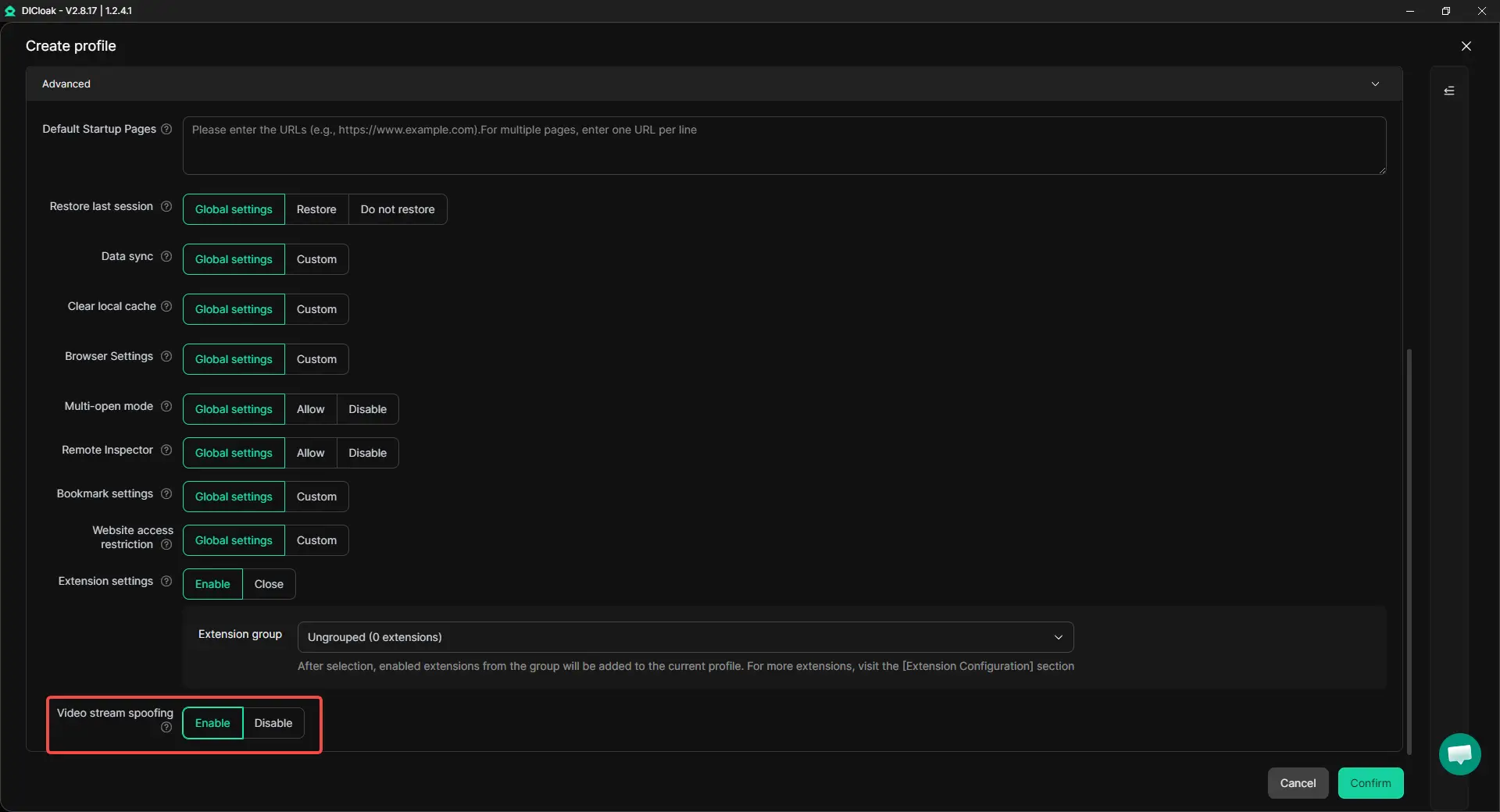
- Handling video selfie verification with less disruption: When Facebook triggers video selfie verification, repeated checks can interrupt account operations. In these cases, users can use DICloak's Video Stream Spoofing feature to upload pre-recorded video files directly through the webpage, which can make verification-related steps easier to handle inside a more consistent browser profile.
- Synchronizer for multi-account tasks: When the same basic action needs to be repeated across several Facebook accounts, users can use Synchronizer to perform those steps more efficiently. This can be useful for simple multi-account operations without needing to click through each profile one by one.
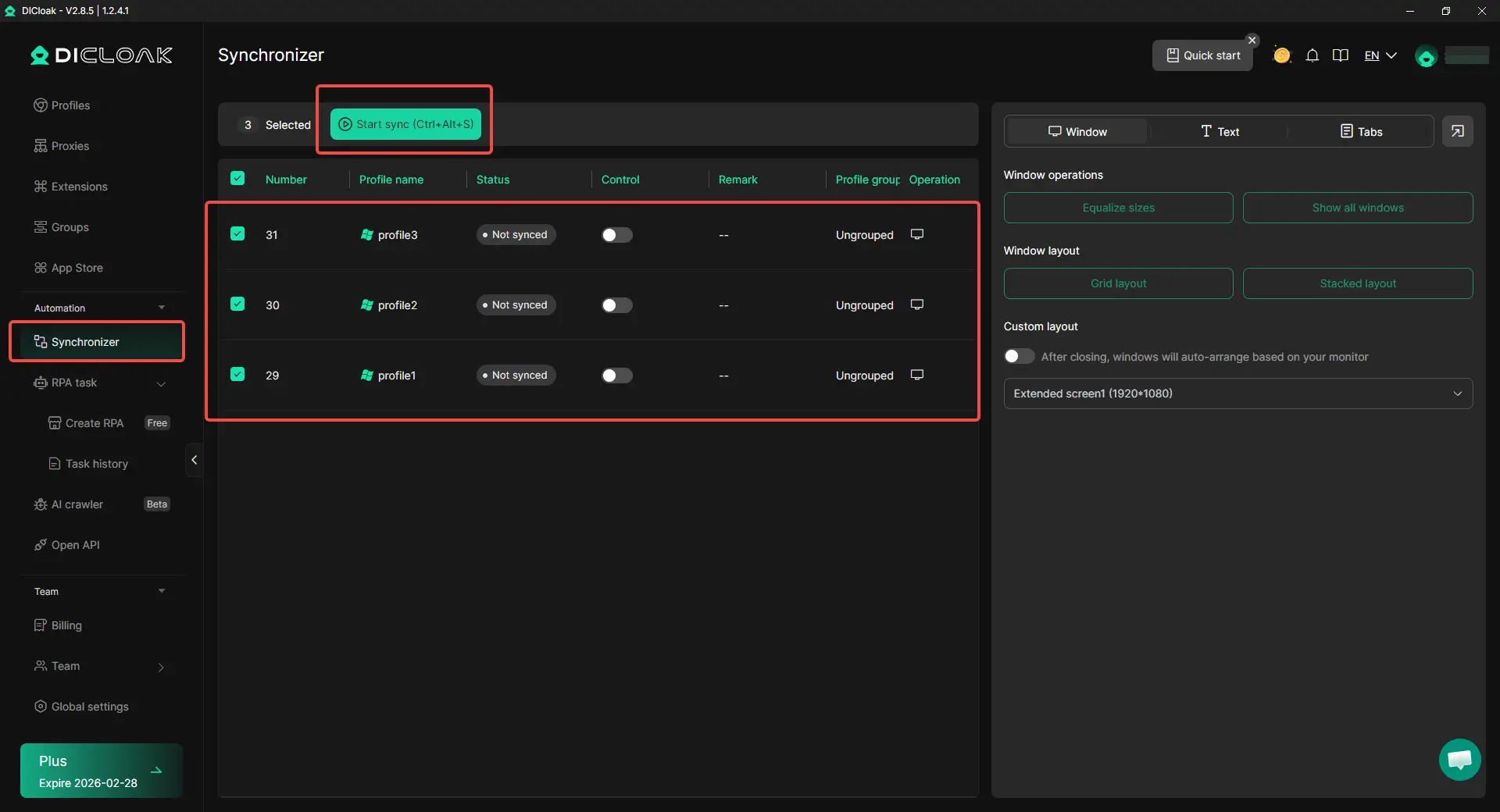
- Team collaboration and access management: When more than one person is involved in account operations, users can organize profile access more clearly through team collaboration and permission controls. This can make shared account management easier to handle while keeping different account environments separated.

Comparison: Native Facebook Tools vs. a DICloak-Based Account Setup
| Category |
Meta Business Suite / Mobile App |
DICloak-Based Setup |
| Fingerprint Isolation |
Not profile-isolated |
Profile-based separation |
| Multi-Account Risk |
Higher risk of overlap across sessions or devices |
More clearly separated account environments |
| Automation Logic |
Basic manual workflow |
Supports more advanced automation tools |
| IP Management |
Shared browser connection |
Per-profile proxy setup |
| Device Setup Options |
Limited |
Additional profile and device configuration options |
| Scalability |
More manual to scale |
Easier to manage across more accounts |
Pros and Cons of Scaled Scheduling
Pros
- Operational Efficiency: Prep a month of content in hours rather than days.
- Algorithmic Rewards: Regular, timed activity boosts organic reach by 40%.
- Global Market Penetration: Reach international audiences during their peak hours.
- Risk Mitigation: Isolation prevents the "house of cards" effect where one ban kills all accounts.
Cons
- Learning Curve: Professional tools require an initial technical setup.
- Proxy Overhead: Requires investment in high-quality, dedicated proxies.
- Repetition Flags: Automated content must be rotated to avoid "repetition" triggers.
Advanced Strategies for how to post a scheduled post on facebook
- Time Rotation: Identify quiet periods for competitors and schedule posts to capture undivided attention (e.g., 7:30 PM on Wednesdays for tech sectors).
- Content Diversity: Rotate media types (video, polls, text). Facebook's algorithm penalizes repetitive formats; three back-to-back carousels can drop engagement by up to 60%.
- Workflow Masking: Ensure every account in a workflow is paired with a unique IP and browser profile to maintain total isolation.
Pro Tip: Never guess which content will perform. Schedule alternate versions of posts to different audience segments; engagement data is the only objective metric of success.
Frequently Asked Questions (FAQ)
Why Can't I Schedule Posts on Facebook?
Native scheduling is typically restricted to Business or Creator accounts with Admin/Editor roles. Furthermore, Facebook may block posts containing restricted keywords (e.g., "limited-time offer" in some contexts), unapproved links, or excessive emojis, as these trigger automated policy filters.
How to Schedule Group Posts on Facebook?
Facebook's native tools may not always offer the same level of support for group post scheduling as they do for Page content. For users managing posts across multiple groups, a more structured browser setup may be easier to work with. By using separate browser profiles, custom proxy configuration, and synchronized multi-account actions in DICloak, users can keep different group management environments more clearly organized and handle repeated posting tasks more efficiently.
Conclusion
For simple Facebook posting, native tools may be enough. But when account operations become more complex, many users need a setup that makes profiles, access, and repeated tasks easier to manage. In that context, tools like DICloak can help by supporting separate browser profiles, custom proxy configuration, window synchronization, and team-based account management. This can make multi-account Facebook operations more organized and easier to handle over time.
 Web Proxy Tools
 Free Tools
 Cookie Plugin
 UA Generator
 MAC Address Generator
 IP Generator
 IP Address List
 2FA Code Generator
 World Clock
 Anonymous Check
 WebRTC Leak Test
 UUID Generator
 Free Web Proxy Site
 Proxy Checker
 FB Ad Checker
 AI Web Scraping
 Free SMM Tools
 Twitter Shadowban Checker
 Instagram Name Checker
 UTM Generator
 Username Generator
 AI Hashtag Generator
 LinkedIn Headline Generator
 Social Media Image Resizer