As the creator economy reaches new levels of maturity in 2026, OnlyFans remains a cornerstone of the industry. However, navigating the platform today requires a sophisticated understanding of its financial and technical infrastructure. For fans, the priority is often transactional privacy and the nuances of billing statements. For creators, the focus shifts to managing payment logistics, meeting rigorous international tax obligations, and mitigating the technical risks associated with scaling a business through multiple accounts. This guide provides a practitioner’s perspective on payment mechanics, privacy strategies, and the professional-grade tools required to maintain a secure digital presence.
Which payment methods work on OnlyFans in 2026?
OnlyFans operates primarily through card-based transactions. To subscribe, a user must register an account, navigate to the wallet settings, and add a valid payment method. Once verified, the user can select a subscription tier or purchase individual pieces of content.
The platform supports the following card types:
- Visa
- Mastercard
- Maestro
- Discover
Payments are frequently declined due to standard security protocols. The most common obstacles include cards that lack international transaction support or financial institutions that have placed a hard block on adult content platforms. If a transaction fails, first verify the card details; if the error persists, it is often due to an automated bank flag rather than a platform issue.
Why are Apple Pay and PayPal still not options?
Even though many users expect more flexible onlyfans payment methods, some popular options are still missing. This causes a lot of confusion, especially for people who want faster, easier, and more private ways to pay. To understand why, it helps to look at how platform rules, payment provider policies, and bank risk controls all affect which payment methods are allowed.
The reality of Apple Pay on OnlyFans
Despite consumer demand, OnlyFans has not integrated Apple Pay as a direct checkout option. There is no native "one-tap" or Face ID purchase functionality. However, a manual workaround exists: you can enter the details of the specific debit or credit card stored in your Apple Pay wallet directly into the OnlyFans billing section. The platform will charge the underlying card as a standard transaction.
The PayPal and Google Pay restriction
PayPal and Google Pay remain unavailable for direct use on OnlyFans. This is a direct result of these providers' strict policies regarding adult content platforms, which they categorize as high-risk merchant categories. Similarly, OnlyFans does not support gift cards, cryptocurrency, or direct bank transfers.
Specific bank card experiences: The Chase Nuance
Major institutions like Chase generally work on the platform, but they are highly sensitive to "high-risk" transactions.
Practitioner Tip: If a Chase payment is declined, do not simply retry the transaction. Call the number on the back of your card immediately to verify the purchase and ask the representative to lift the restriction for OnlyFans. This typically prevents future blocks.
How to maintain privacy on your bank statement
Many users care about privacy when choosing onlyfans payment methods, especially when they do not want the activity to be too visible in daily banking records. While complete anonymity is hard to achieve, there are still practical ways to reduce exposure and keep your payment setup more private. To do that well, it is important to understand what creators can see, what banks can see, and what steps can add an extra layer of protection.
What creators and banks actually see
Privacy is a two-sided equation. Here is how your data is handled:
- Creators: They see only your username and subscription status. They never have access to your legal name, card details, or billing address.
- OnlyFans: As a regulated entity, OnlyFans retains full billing details for fraud prevention and compliance, but this data is siloed from the creators themselves.
- Bank Statements: Charges typically appear with generic descriptors, though the company name or a related identifier often appears.
Practical steps for anonymous payments
For users seeking to decouple their activity from their primary bank account:
- Prepaid Debit Cards: Purchasing a prepaid Visa or Mastercard with cash at a retail location provides a layer of physical anonymity. Ensure the card is registered for online use before attempting to add it to the platform.
- Virtual Card Services: Services like Privacy.com (available to US users only) allow you to create "burner" card numbers. This masks your primary card details and allows you to set hard spending limits.
- Identity Isolation: Use a dedicated, non-personal email address and a username that bears no resemblance to your real identity.
What does it cost to start selling content as a creator?
OnlyFans employs a "no-cost entry" model. There are no registration fees, monthly subscriptions, or "pay-to-post" requirements for creators. Instead, the platform operates on an 80/20 revenue split.
OnlyFans retains a 20% commission on all earnings—including subscriptions, tips, and messages. From a specialist’s perspective, this should be viewed as an outsourced infrastructure fee that covers high-speed hosting, video streaming, and the complexities of global payment processing. For "Pay-to-Unlock" messages, the 20% cut is only deducted at the moment a subscriber pays to unlock the media.
How to handle OnlyFans taxes in the US, UK, and Australia
Tax obligations for US-based creators
In the US, OnlyFans income is self-employment income. You are responsible for federal income tax plus a 15.3% self-employment tax. OnlyFans will issue a 1099-NEC if you earn over $600, but you are legally required to report every dollar earned regardless of whether you receive a form.
- The 25-40% Rule: Professionals should set aside 25% to 40% of their gross OnlyFans earnings into a separate high-yield savings account to cover total tax liabilities.
- Quarterly Payments: You must make estimated tax payments in April, June, September, and January to avoid IRS penalties.
Self-assessment in the UK
UK creators must register with HMRC as self-employed and file a Self-Assessment return by January 31st each year. It is critical to remember that OnlyFans does not deduct tax at the source; the full burden of calculation and payment lies with the creator. You will also be liable for Class 4 National Insurance contributions once your profits exceed the lower threshold.
Business activity rules in Australia
The ATO views regular OnlyFans income as a business activity rather than a hobby. Consequently, Australian creators should apply for an ABN and may be required to register for GST if their earnings exceed the established thresholds.
Legitimate business deductions
You can reduce your taxable income by deducting expenses "wholly and exclusively" used for your business. This includes:
- Cameras, lighting, and specialized hardware.
- Props and wardrobe items.
- A portion of home office and internet costs.
- The 20% OnlyFans platform fee itself.
What strategies drive the highest earnings for creators?
Handling taxes is a key part of running an OnlyFans account, especially if you earn money regularly. The rules are not exactly the same in every country, but one thing stays true: creators are usually responsible for tracking income, reporting it correctly, and setting aside money for taxes. To avoid stress later, it helps to understand the main tax rules in the US, UK, and Australia from the start.
The "Trust Bridge" of Pay-Per-View (PPV)
Direct messaging is the highest-converting channel on the platform. However, veteran creators use a "trust bridge" strategy: they build a foundation of high-quality content on their public wall to establish value first. Once trust is established, they send "Pay-to-Unlock" messages (with blurred previews) to their most engaged subscribers.
Tiered subscription models
Maximize revenue by using a two-tier system: a lower-priced entry tier to capture high volume, and a premium "VIP" tier for exclusive access. This captures both price-sensitive fans and superfans willing to pay a premium.
Scaling through niche-specific accounts
Professionals often run multiple accounts—each with a different aesthetic or price point—to capture different market segments. This diversification protects your income if one niche fluctuates in popularity.
The risks of running multiple OnlyFans accounts on one device
Managing more than one OnlyFans account on the same device may seem convenient, but it comes with serious risk. Many users underestimate how closely platforms track device and browser signals behind the scenes. If you are exploring onlyfans payment methods, privacy, or account safety, it is just as important to understand how account environments are monitored and why poor setup can put every account at risk.
How OnlyFans detects multi-account operations
Running multiple profiles from a standard device or browser is a fast track to getting banned. OnlyFans uses sophisticated fingerprinting to link accounts. They monitor:
- Hardware Identifiers: IMEI, MAC addresses, and device serial numbers.
- Digital Signals: IP addresses, browser cookies, and even behavioral patterns. Using separate emails is insufficient if the platform detects the same "device fingerprint."
The consequences of account linking
If the platform detects unauthorized multi-account management, they will link the profiles and often ban the entire cluster. This leads to a permanent loss of subscriber lists, content, and all accumulated earnings. Warning: There is no reliable appeal process for accounts flagged for environment-sharing violations.
How professionals use DICloak to secure multiple accounts
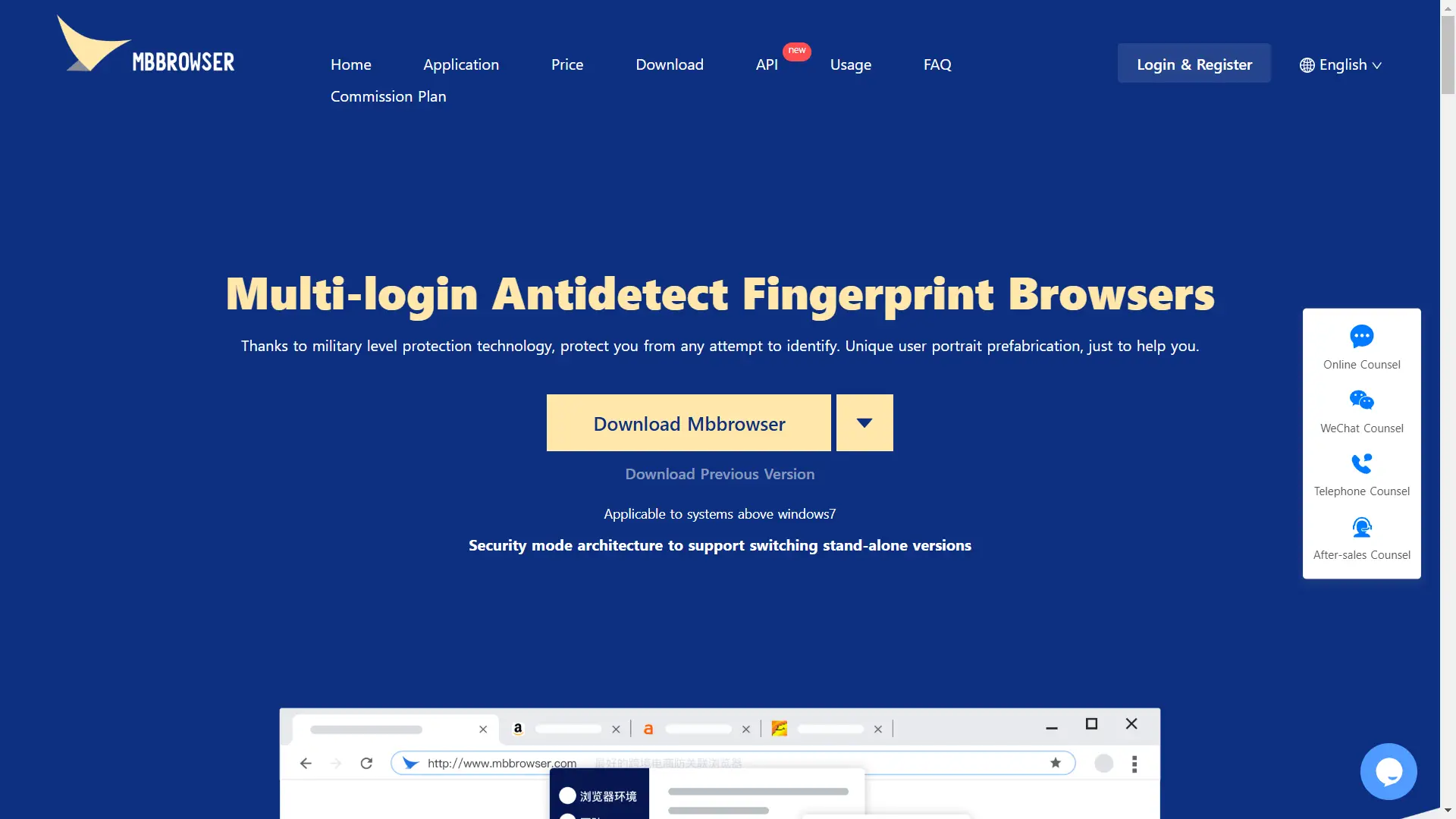
In 2026, the DICloak Antidetect Browser is the must-have tool for any serious creator. It works like a shield for your business. It makes every account look like a different person on a new device. This keeps your business safe and easy to scale.
DICloak goes deep into your browser settings. It changes your IP, location, and hardware signals like WebGL, WebGPU, and Canvas. Since it is built on the Chrome core, it will feel just like the browser you already use. It ensures OnlyFans sees each of your accounts as a separate, unique user.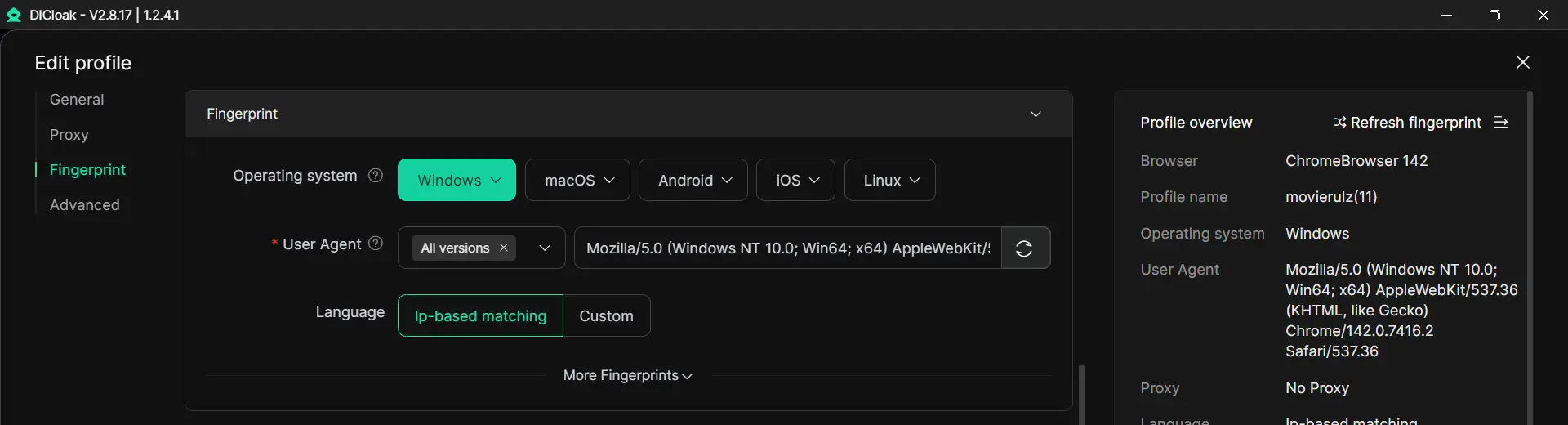
RPA Automation and Synchronizer
DICloak has "Robotic Process Automation" (RPA). This lets you automate boring tasks like daily posts or basic replies across all your accounts. The Synchronizer lets you do one action and have it happen on multiple windows at once, saving you hours of work every day.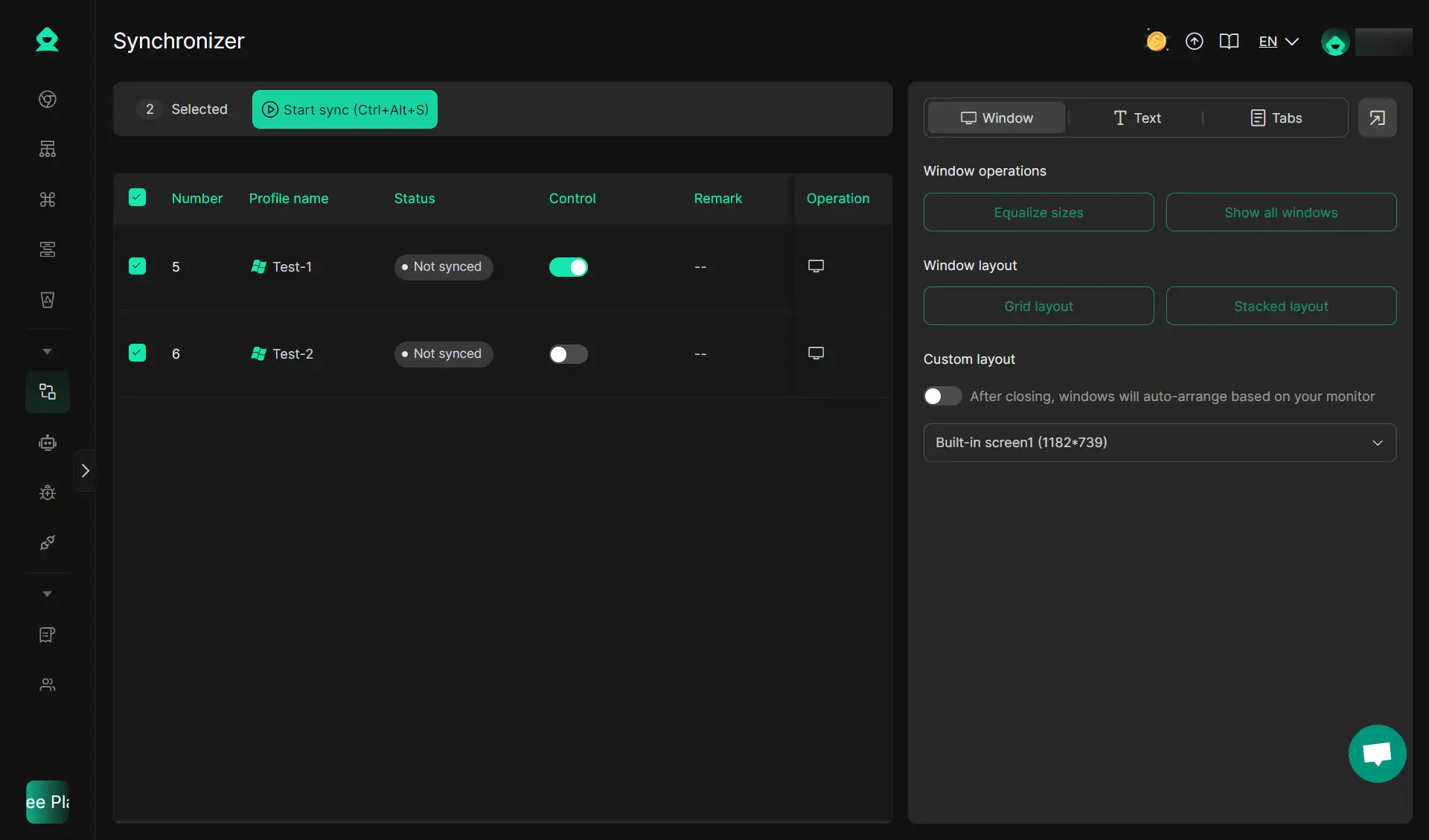
Secure Team Collaboration
The "Shielded Teamwork" feature lets you share access with your assistants without giving them your password. You stay in control while your team handles the daily work of talking to fans. This professional security is affordable and offers different plans based on your needs.
Choosing the best DICloak plan to make money on OnlyFans
Picking the right plan depends on how many accounts you want to run. Choosing the right tool is a key part of your profit strategy.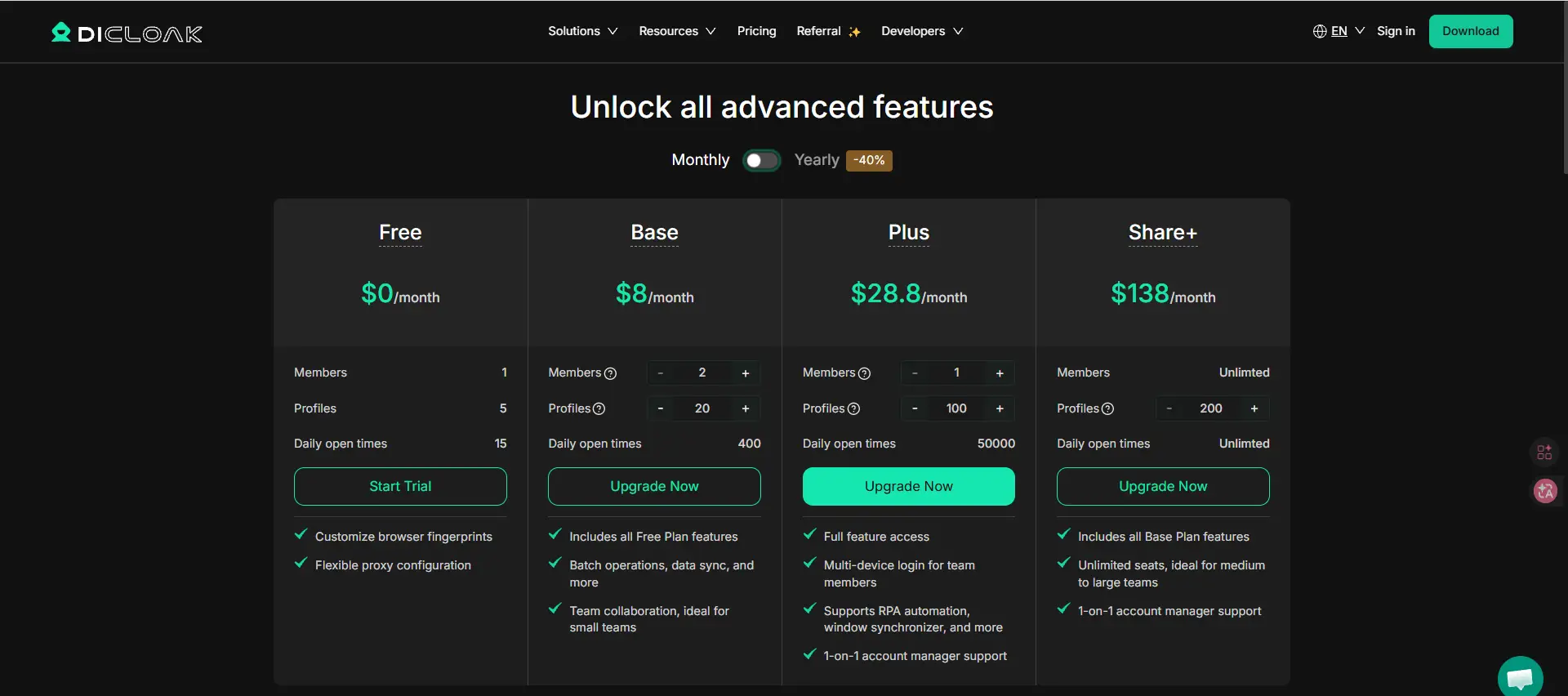
Conclusion
While OnlyFans is accessible to the casual user, longevity and scaling in 2026 require professional infrastructure. Whether it is applying the "25-40% tax rule" or isolating digital identities through tools like DICloak, the key to success is treating the platform as a serious enterprise. By separating your account signals and following disciplined financial practices, you can build a sustainable, high-growth business on the platform.
Frequently Asked Questions about OnlyFans payment methods
Can you pay on OnlyFans with PayPal?
No. OnlyFans does not accept PayPal due to their policies regarding adult content platforms. You must use a supported credit, debit, or virtual card.
Is Apple Pay accepted on OnlyFans?
Not directly. You cannot use the "one-tap" Apple Pay checkout. However, you can manually enter the card details of any card linked to your Apple Pay wallet to complete the transaction.
Can you pay anonymously on OnlyFans?
Yes, by using a two-layered approach: use a non-identifiable username on the platform and pay using a prepaid debit card (purchased with cash) or a virtual card service like Privacy.com (US only).
Do you have to pay taxes on OnlyFans income?
Yes. OnlyFans income is taxable as self-employment income in the US, UK, Australia, and most other regions. It is highly recommended to set aside 25% to 40% of all earnings for your tax obligations.
Do you have to pay to post on OnlyFans?
No. It is free to post content. OnlyFans earns money by taking a 20% infrastructure fee from the revenue you generate. You only pay when you earn.
 Web Proxy Tools
 Free Tools
 Cookie Plugin
 UA Generator
 MAC Address Generator
 IP Generator
 IP Address List
 2FA Code Generator
 World Clock
 Anonymous Check
 WebRTC Leak Test
 UUID Generator
 Free Web Proxy Site
 Proxy Checker
 FB Ad Checker
 AI Web Scraping
 Free SMM Tools
 Twitter Shadowban Checker
 Instagram Name Checker
 UTM Generator
 Username Generator
 AI Hashtag Generator
 LinkedIn Headline Generator
 Social Media Image Resizer