Understanding the Reality of Browser Fingerprinting in 2026
Digital tracking has undergone a massive strategic shift. In the past, websites relied on cookies that you could easily delete. Today, tracking has evolved from optional files to mandatory hardware signatures. Browser fingerprinting is now a stateless tracking method that is 99% accurate. It creates a permanent record of who you are without ever saving a file on your device. For professionals, this means that traditional privacy tools are often obsolete.
Websites build your digital signature by collecting over 50 different data points. These points are processed into a unique identifier called a "Hash." This Hash remains stable even if you clear your cache or use a private window. The data collected includes:
- Hardware: Your GPU model, number of CPU cores, and total RAM.
- Software: Your operating system, browser version, and specific font data.
- Network: Your IP address, WebRTC leaks, and local time zone.
- Graphics: How your system renders images via Canvas and WebGL.
When these details are combined, they create a signature that is unique to you. Because modern systems can be seen through simple disguises, the old strategy of "hiding" your data is no longer viable. Professionals must move beyond hiding and learn why common tools are failing to protect their operations.
Why Traditional Privacy Tools Fail to Stop Browser Fingerprinting
For the modern enterprise, relying on traditional privacy tools creates a dangerous "illusion of privacy." This illusion threatens your operational security. Most users believe they are invisible, but they are actually becoming more visible to advanced fraud detection systems. When you try to block tracking, you often stand out like a red flag, especially in the context of browser fingerprinting, which can easily identify and track users across multiple platforms despite privacy measures.
Incognito Mode: The Promise vs. The Reality
The Promise: Private browsing stops websites from knowing who you are. The Reality: Incognito mode only affects your local device. It does not change the fingerprint data sent to the server. Your hardware, software, and network markers remain identical to your normal browsing mode, allowing websites to identify you with 99% accuracy.
Privacy Browsers: The Promise vs. The Reality
The Promise: Browsers like Brave or Firefox protect you by blocking or randomizing data. The Reality: This creates the "Fingerprinting Paradox." By randomizing values or using a generic profile, you make yourself part of a tiny, suspicious group. Real users have stable, natural fingerprints. If your data looks too perfect or changes every session, anti-bot systems will flag you as a high-risk user.
| Protection Method |
Hides Fingerprint? |
Is it Detectable? |
| Incognito Mode |
No |
Yes |
| Privacy Browsers |
No |
Yes (Increases Detectability) |
| Spoofing Extensions |
No |
Yes |
| DICloak |
Yes |
No |
While these tools offer an illusion of safety, using them incorrectly can lead to even greater risks when you attempt to "spoof" your data.
The Dangers of Inconsistent Browser Fingerprinting Spoofing
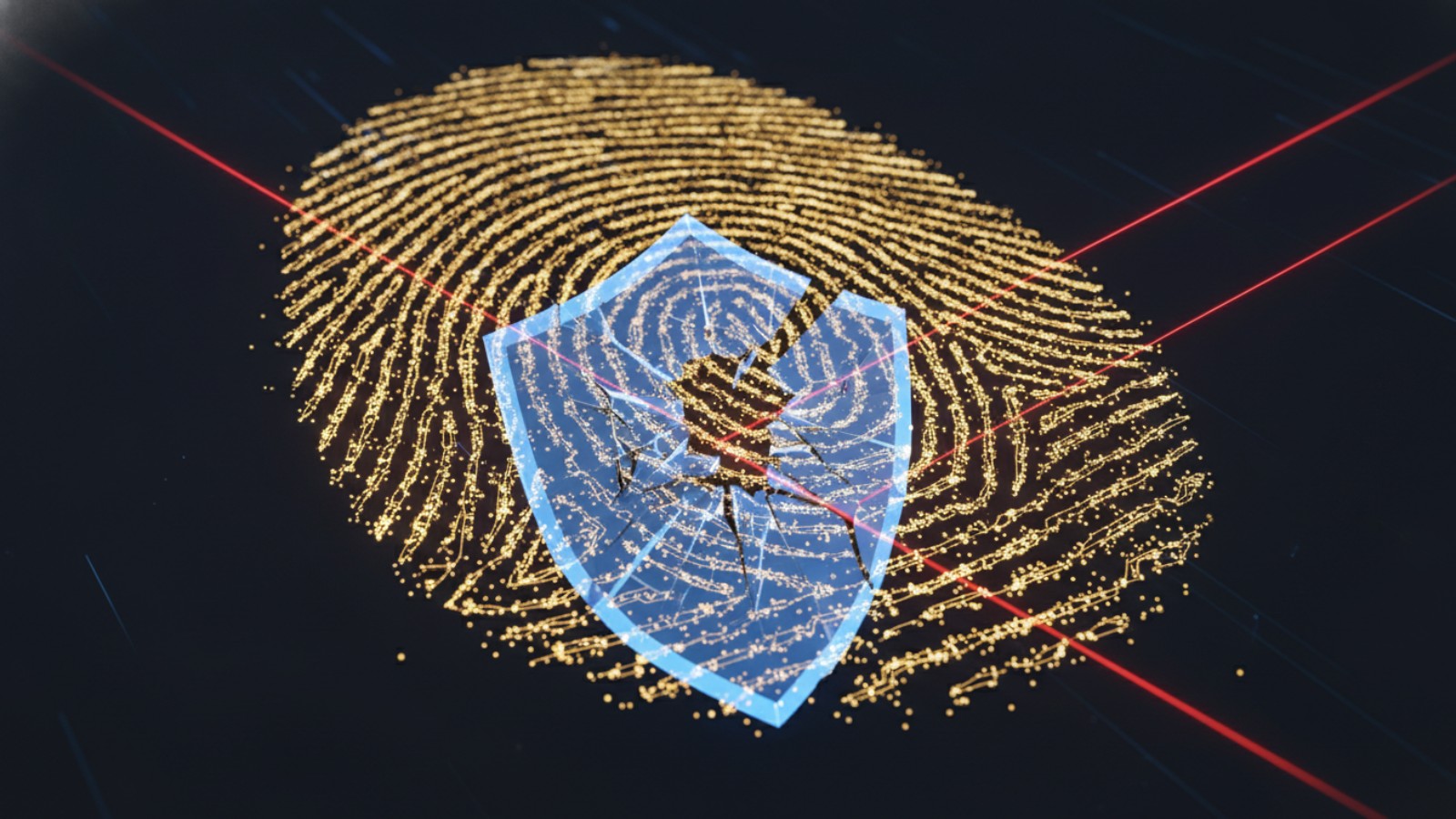
Using basic browser extensions to change your identity is a high-risk move for any business. These tools are often too shallow to bypass modern security, especially when it comes to browser fingerprinting. They might change your browser name but fail to update the deep technical markers that go with it.
This is the digital equivalent of a cat wearing a dog mask. The mask says "dog," but the tail and the sound still say "cat." For example, a basic extension might change your User-Agent to claim you are using an iPhone. However, a website can check your navigator.platform and see it still says "Win32." It can also see that your available font data belongs to a Windows PC, not an Apple device. These inconsistencies in browser fingerprinting lead to "Account Linking." This creates a domino effect. If one of your stores is flagged for an inconsistent fingerprint, every other store linked to that profile could be permanently closed. To solve this, professionals must move toward Natural Fingerprint Management.
Introducing Natural Browser Fingerprinting Management with DICloak
DICloak provides the professional solution to the "hiding" problem. Instead of trying to stop browser fingerprinting or using fake masks, DICloak focuses on managing your digital identity. It allows you to create multiple virtual profiles that blend in perfectly with real users. This helps reduce the risk of your business being detected by making it appear as multiple separate, natural individuals.
Hardware-Level Emulation DICloak does more than just change text values. It modifies the browser core to perform hardware-level emulation. This ensures that every part of your digital identity is consistent and prevents detection through advanced browser fingerprinting techniques. Key areas of emulation include:
- Canvas & WebGL: Graphics rendering matches the reported GPU perfectly.
- AudioContext: Your sound fingerprint is consistent with the simulated device.
- CPU and Memory: DICloak ensures CPU and memory synchronization looks logical for the hardware you are emulating.
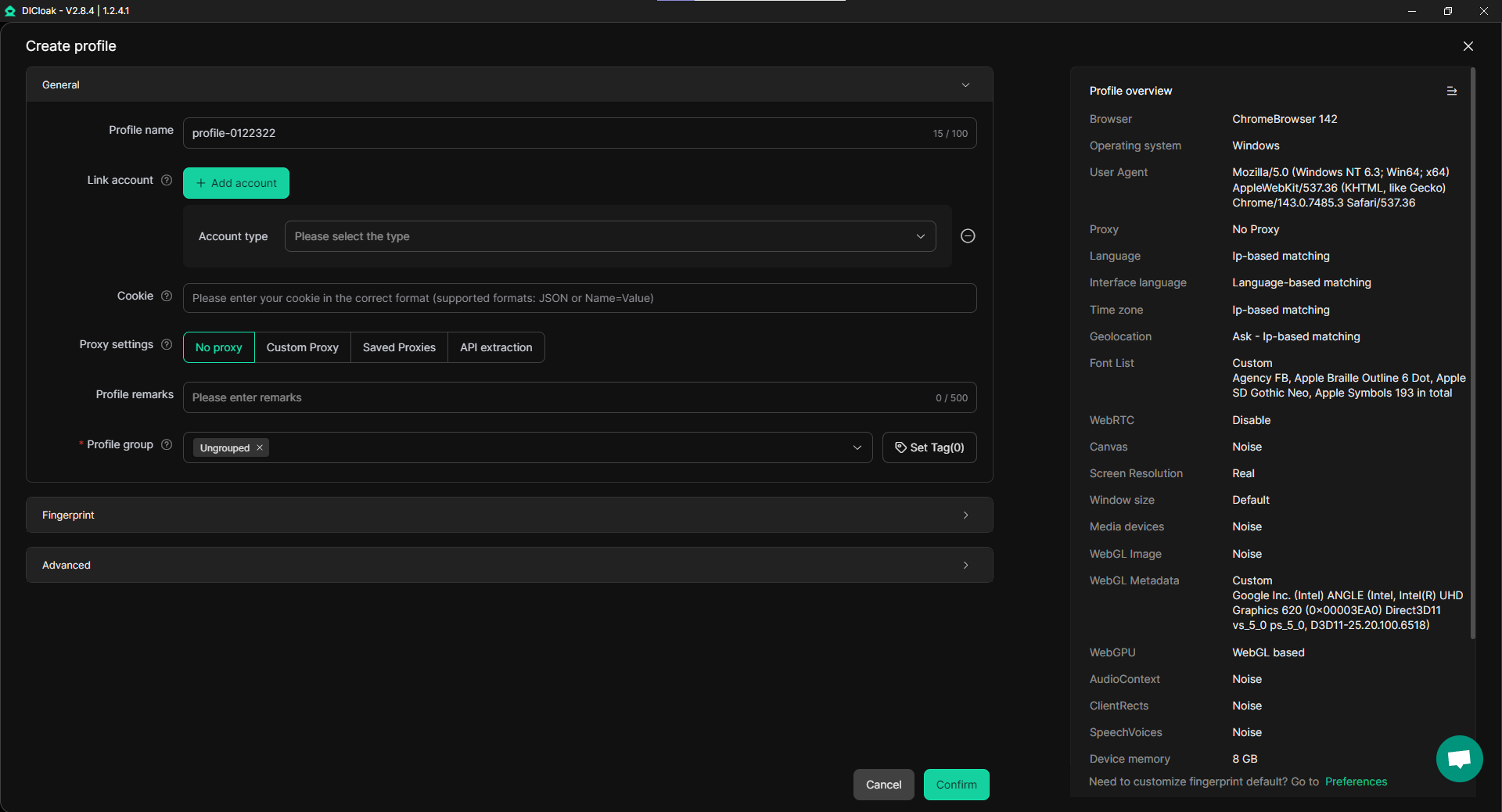
DICloak generates these fingerprints from a massive database of real device configurations. This ensures that your screen size, fonts, and hardware markers are always a perfect match. Beyond security, DICloak provides the specific tools needed to scale a business operation while reducing the risk of exposure through browser fingerprinting.
Advanced Features for Browser Fingerprinting Mastery
DICloak transforms simple browsing into a scalable business operation. It offers professional tools that allow you to manage hundreds of accounts with minimal effort, all while reducing the risk of detection through browser fingerprinting.
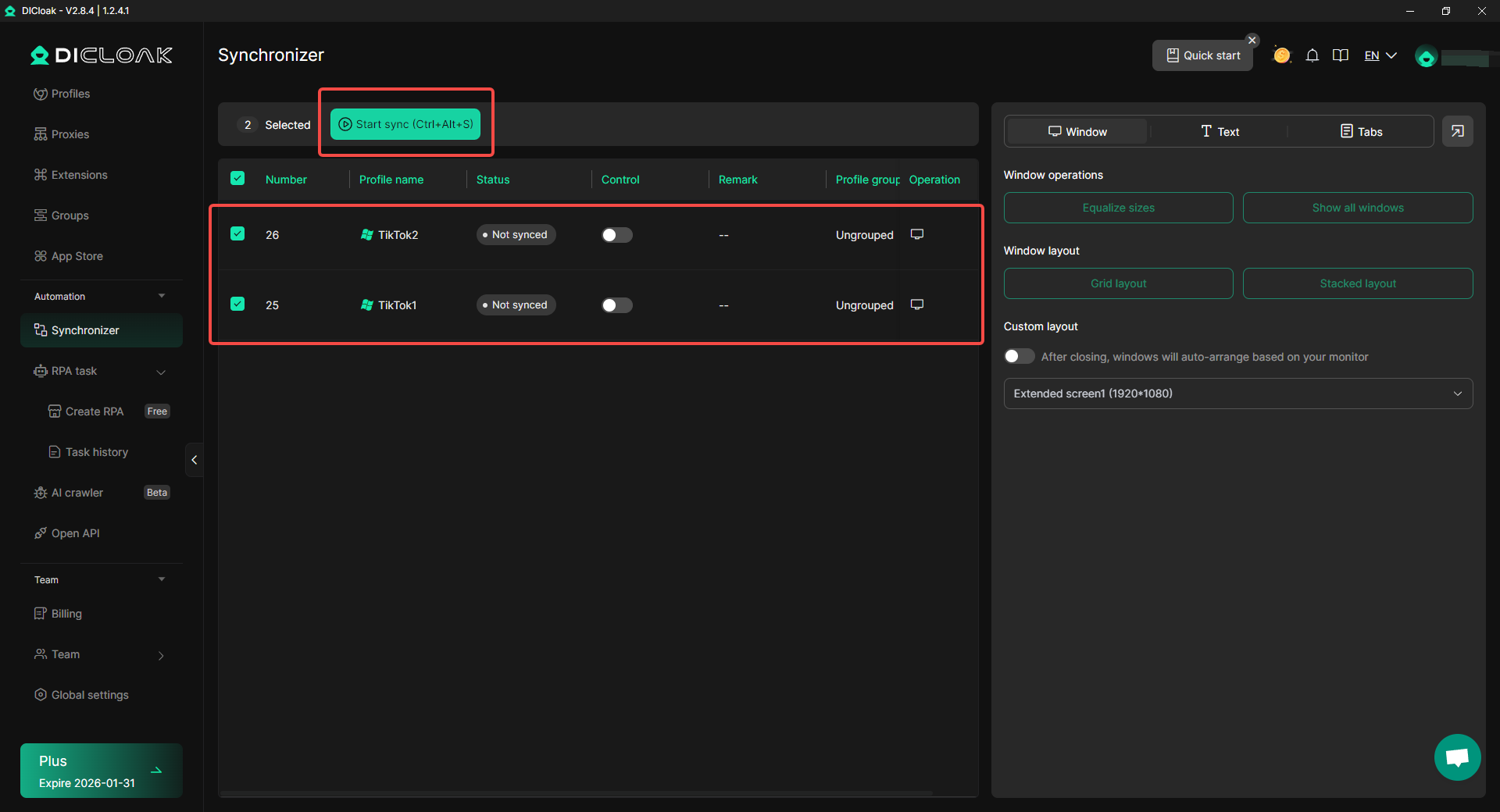
- The Synchronizer: This tool allows you to automate actions across multiple profiles at once. When you type or click in one window, the action is repeated across all other active profiles, helping to maintain consistency and avoid inconsistencies that could trigger browser fingerprinting detection.
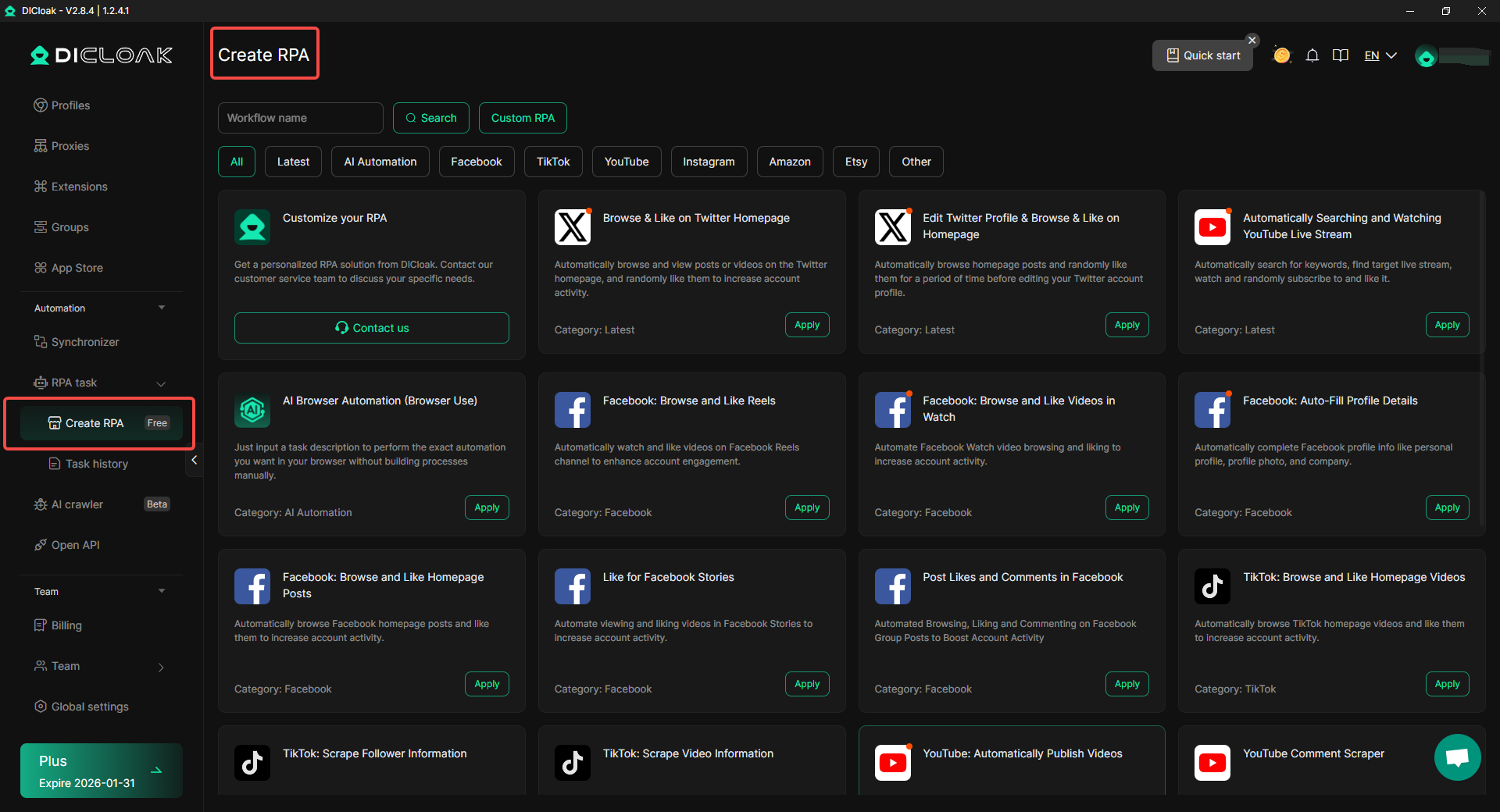
- RPA (Robotic Process Automation): DICloak features a built-in RPA market. This allows you to handle repetitive tasks like scrolling, clicking, or account warming, saving you thousands of manual labor hours while minimizing fingerprinting exposure.
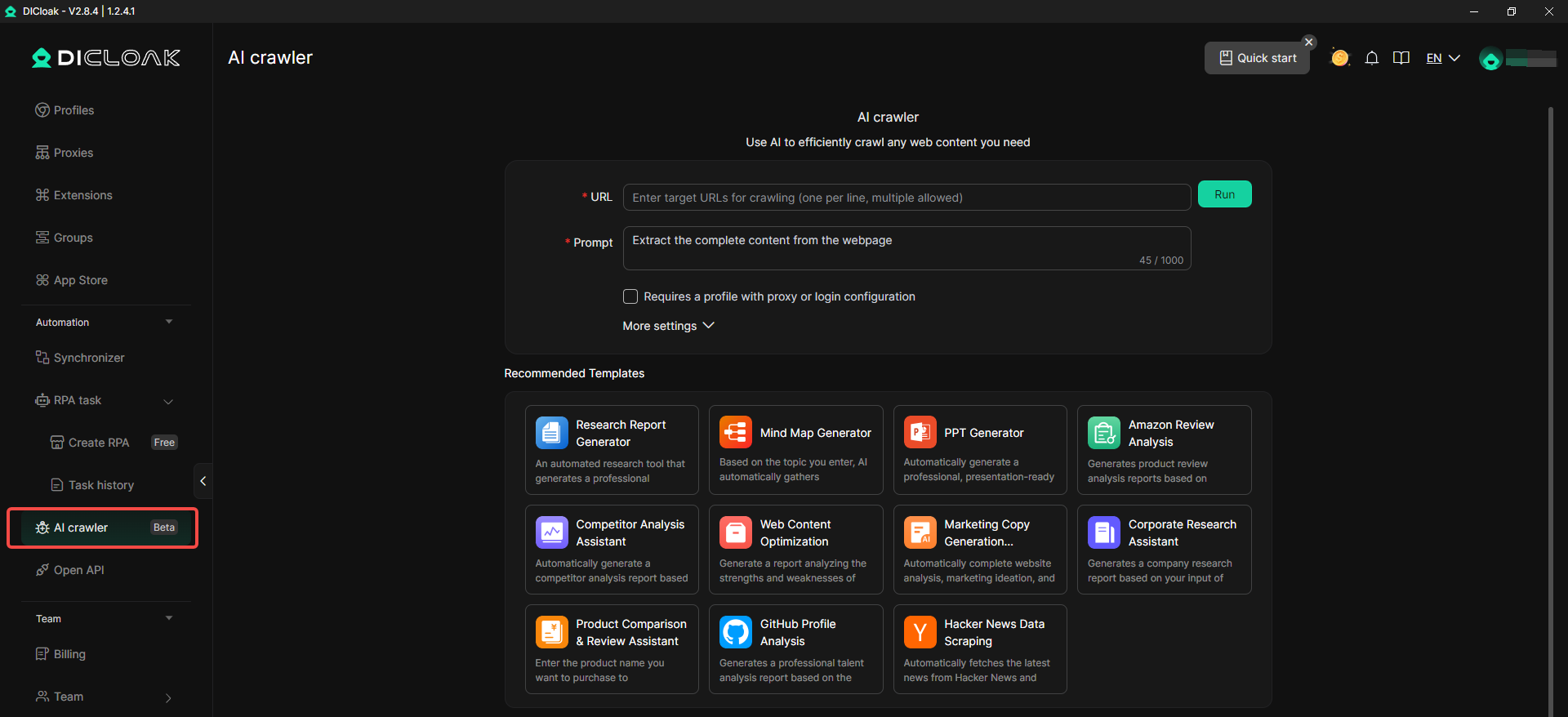
- AI-Powered Scraping: Intelligent algorithms streamline data extraction. This allows you to gather information quickly without triggering bot protections or compromising your security through suspicious digital footprints.
- Team Collaboration Tools: Large agencies can use profile sharing and permission settings. This allows team members to work on the same accounts without needing to share sensitive passwords or risk account linking due to browser fingerprinting.
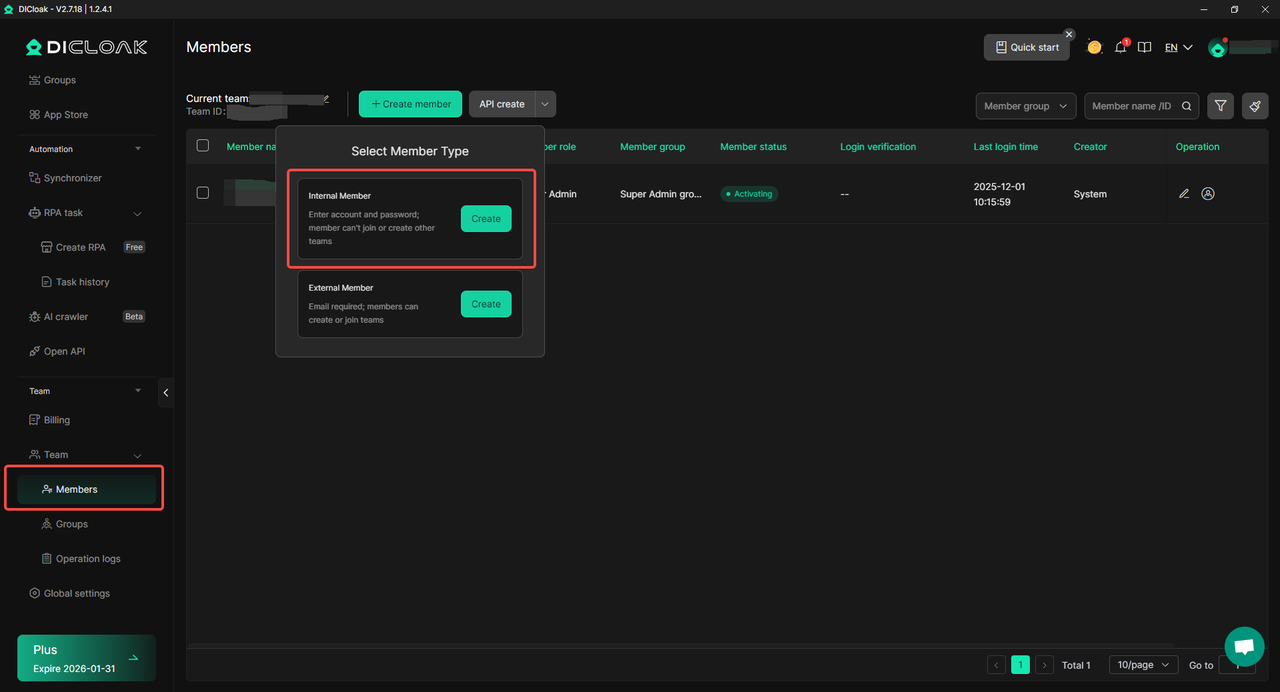
These advanced features are essential for professionals working in high-stakes online industries, offering the right balance of automation, security, and browser fingerprinting management.
Professional Use Cases for Browser Fingerprinting Tools
Managing your digital identity is a business-critical necessity. If your business depends on multiple accounts, DICloak is the foundation of your operational security.
- E-Commerce Sellers: You can manage multiple stores on Amazon or eBay from one device. DICloak prevents the "domino effect" of account linking, ensuring that a problem with one store does not take down your entire empire.
- Social Media Marketers: Run dozens of client accounts on Facebook, TikTok, or Instagram. Each account appears to be on a separate, unique device, preventing mass bans and protecting your clients' reputations.
- Affiliate Marketers: Test different traffic sources and ad campaigns with clean, separate identities. This ensures your data remains accurate and your accounts stay active in competitive markets.
- Web Scrapers: Bypass the toughest bot protections by appearing as thousands of unique, real users. This allows you to collect data at scale without being blocked by anti-scraping systems.
Once you understand how these features apply to your industry, the next step is choosing the plan that matches your current scale.
Choosing a Pricing Plan for Browser Fingerprinting Success
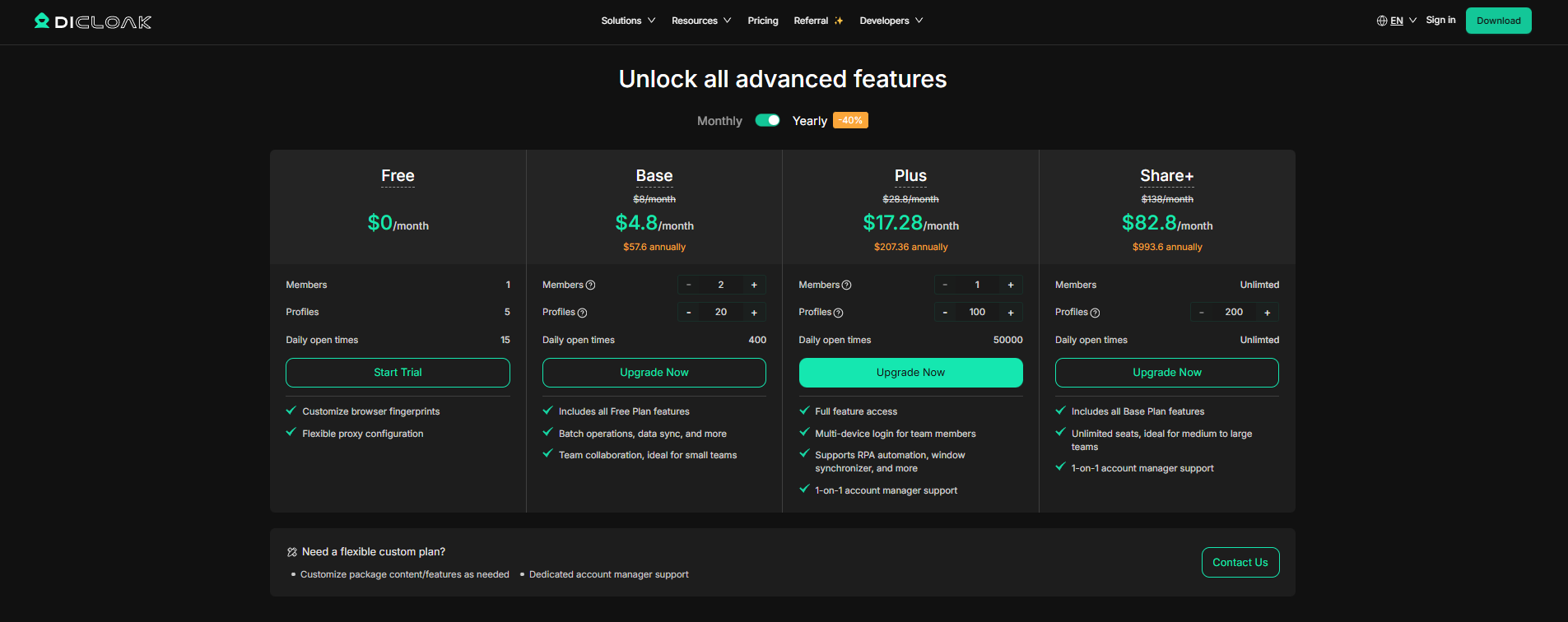
DICloak offers tiers designed to grow with your business. Choosing the right plan ensures you have the resources you need without overpaying for features you don't use yet.
Recommendation
For small teams focused on collaboration, the Base Plan offers the best value. For high-resource agencies that need to scale without limits, the Share+ Plan is the recommended professional choice. This structural support is why so many global teams trust the platform.
Why Global Teams Trust DICloak for Browser Fingerprinting
DICloak has established itself as the most stable and smooth antidetect browser for managing professional digital identities, effectively reducing the risk of exposure through browser fingerprinting.
The platform is backed by real-world proof. An AI Ads Consultant with 20 years of online experience recently described DICloak as the most powerful tool they have ever tested. Other professionals have noted that the platform is lighter and more intuitive than the competition, making team collaboration effortless while maintaining secure, fingerprint-isolated profiles.
Beyond the technology, users consistently highlight the "Super Fast Support." The DICloak team is known for providing immediate help via WhatsApp, Telegram, or video calls. This human element ensures that technical issues don’t slow down your business growth or increase the risk of detection through browser fingerprinting.
Frequently Asked Questions About Browser Fingerprinting
How do I hide my browser fingerprint?
You cannot easily hide a fingerprint without looking suspicious at websites. The most effective way is to use DICloak to create virtual browser profiles. These profiles give you a natural digital identity that looks like a real user.
Can I stop browser fingerprinting?
Stopping it completely is almost impossible because modern websites need this data to work. Instead of stopping it, you should manage it. DICloak allows you to control the data you share, so you blend in with the crowd.
How do I spoof my browser fingerprint?
You can use DICloak to alter the data your browser shares with websites. Unlike basic extensions, DICloak helps that all 50+ data points are consistent, which prevents you from being caught by spoofing detection systems.
Is DICloak suitable for team collaboration?
Yes. It includes advanced features for profile sharing and member permissions. This allows large teams to work together securely without sharing passwords or triggering security alerts.
Can I access the same profiles from different devices?
Yes. DICloak uses cloud synchronization. You can log into your profiles from any device at any time, and your fingerprint will remain stable and consistent.
In 2026, the only way to win in the digital world is to stop hiding and start managing. By using natural fingerprint management, you can protect your business and scale your operations with total confidence.
 Web Proxy Tools
 Free Tools
 Cookie Plugin
 UA Generator
 MAC Address Generator
 IP Generator
 IP Address List
 2FA Code Generator
 World Clock
 Anonymous Check
 WebRTC Leak Test
 UUID Generator
 Free Web Proxy Site
 Proxy Checker
 FB Ad Checker
 AI Web Scraping
 Free SMM Tools
 Twitter Shadowban Checker
 Instagram Name Checker
 UTM Generator
 Username Generator
 AI Hashtag Generator
 LinkedIn Headline Generator
 Social Media Image Resizer