Quora is a popular question‑and‑answer website where people ask and answer questions on many topics. It helps users learn new things and share ideas with others around the world. Quora was founded in 2009 and now has millions of users who use it to find answers or to build their online reputation.
Many people enjoy using Quora, but some decide they want to leave. Some users worry about too many emails or privacy. Others may no longer use the site and want to close their profile. For example, a student might delete their account after graduating to reduce digital clutter. Or a professional might want to lower their online footprint for privacy reasons. These real cases show why people search for how to delete Quora account instructions.
Understanding the process of how to delete Quora account is important. Quora does not remove the account instantly. There is a 14‑day waiting period after you ask to delete your account. If you log back in during that time, the deletion stops and your account stays active. Knowing this helps you avoid surprises.
In this guide, you will find clear and simple steps to delete your Quora account. You will also learn why people choose to delete accounts and what happens next. This makes it easier and safer for you to decide what is best for your online presence.
Reasons for Deleting a Quora Account
Many people decide to delete their Quora account for a variety of reasons. Some are motivated by privacy concerns, others by unwanted notifications, or simply by a desire to reduce screen time. Let’s explore these common reasons, with some real-world examples that highlight why users search how to delete Quora account.
Privacy Concerns
A significant concern for many users is privacy. Quora stores user data, including personal information and credentials, which can be targeted by cybercriminals. Even inactive accounts can pose a risk, as they become potential entry points for attacks like credential-stuffing. In these attacks, hackers use leaked login information from one service to try and access other accounts. Deleting your Quora account helps remove this potential vulnerability and keeps your digital identity safe.
For example, a user might decide to delete their Quora account after learning about security breaches on similar platforms. By taking action, they reduce the chances of their personal details being used maliciously.
Unwanted Notifications
Another common reason for deleting a Quora account is the constant stream of notifications. Quora sends notifications about new questions, answers, comments, and reminders. While some users find these helpful, others find them overwhelming. Despite trying to unsubscribe from emails or limit notifications, many still receive unwanted updates.
For instance, one user shared how they were constantly bombarded by Quora emails, and even after unsubscribing, the notifications kept coming. They ultimately decided that deleting their account was the only way to escape the endless alerts.
Reducing Screen Time
In today’s digital age, many people are focused on reducing their screen time for better mental and physical health. Quora can be time-consuming, as users often find themselves scrolling through answers and participating in lengthy discussions. Some people may notice that they are spending too much time on Quora instead of focusing on other priorities.
A freelance writer shared that they were spending hours each day browsing Quora, which was affecting their work-life balance. By deleting their account, they reclaimed their time and improved their focus.
General Dissatisfaction
Sometimes, users simply feel dissatisfied with Quora for a variety of reasons. This could be due to the quality of answers, the nature of the community, or the platform’s overall experience. If a user feels that Quora no longer meets their needs, they may choose to leave.
For instance, a former user explained that they were frustrated with constant debates on the platform and the rise of spammy content. They felt that Quora no longer provided the value it once did, so they decided to delete their account for peace of mind.
Multiple Accounts and Digital Footprint Management
Another reason for account deletion is when users create multiple Quora accounts and want to consolidate them. Managing several accounts can be difficult and confusing. Deleting extra accounts helps reduce your digital footprint, ensuring that your personal information remains secure. This step can also help avoid online threats that social media platforms often face.
A user who had multiple Quora accounts found it challenging to manage them all. By deleting the ones they no longer used, they minimized their online presence and reduced the risks associated with managing several accounts.
These reasons are just a few of the common motivations for users who decide to delete their Quora accounts. If any of these concerns resonate with you, it might be time to consider how to delete Quora account and take control of your digital life.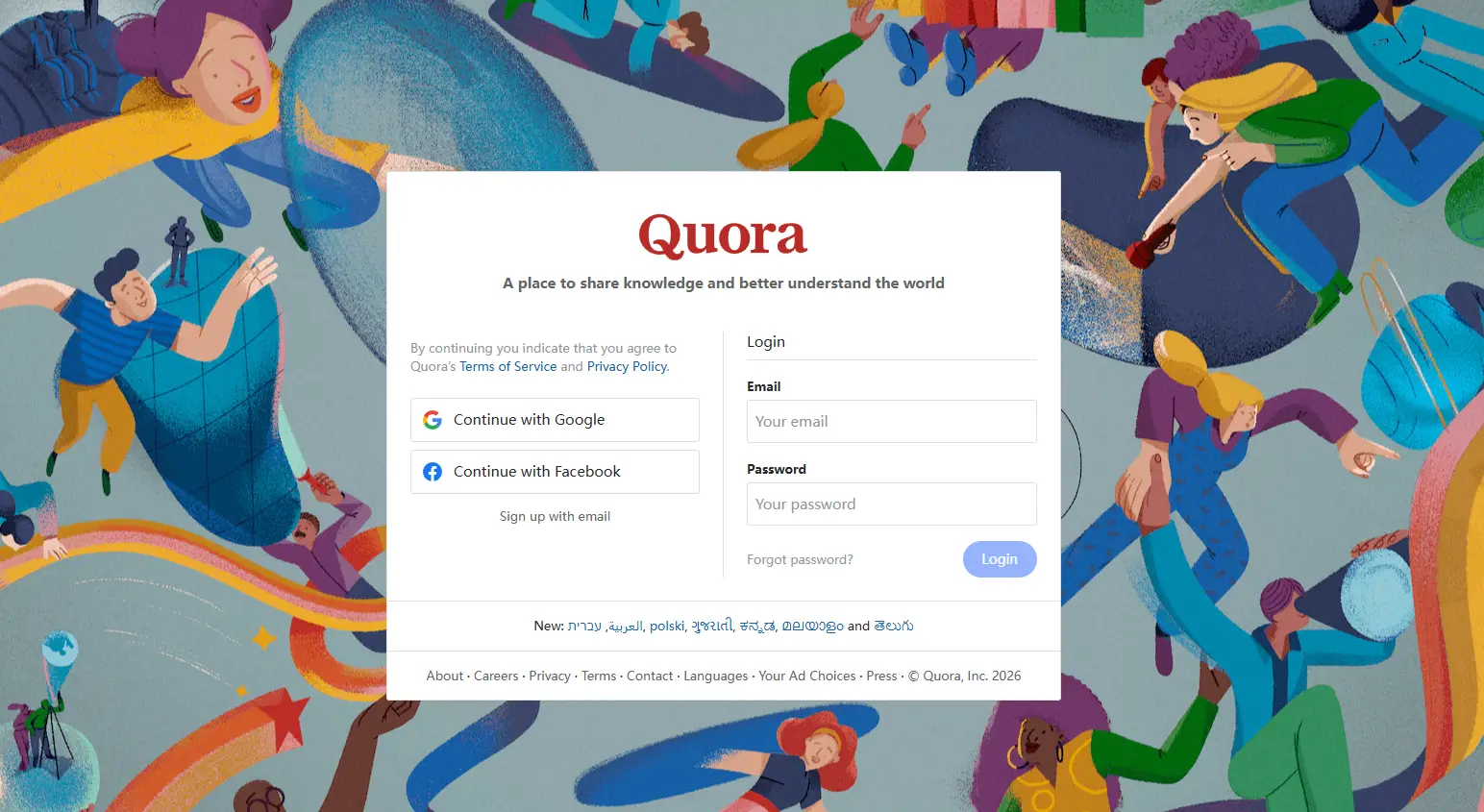
Step‑by‑Step Guide to Deleting Your Quora Account
If you’ve read through the reasons to delete your account and decided it’s the right step for you, follow these simple instructions to learn how to delete Quora account. These steps are the same whether you are using Quora on desktop or mobile.
Step 1 Logging In
The first step in understanding how to delete Quora account is logging into your profile. Go to Quora.com and enter your username and password. If you signed up with Google or Facebook and didn’t set a separate password, you’ll need to create one. Click the link to set a password in the Account Settings section to proceed with deleting your account. This ensures your identity is verified before deleting it.
Step 2 Accessing Account Settings
Once logged in, click on your profile photo in the top right-hand corner of the page. This opens a drop-down menu where you can find Settings. Click Settings to open your account options. From there, you'll be able to adjust various preferences related to your account. This is where you will begin the process of learning how to delete Quora account.
Step 3 Finding Privacy Settings
Next, click Privacy in the left-hand menu under Settings. This section allows you to manage your account privacy and security settings. Scroll down to the Delete or Deactivate Your Account section. Here, you’ll find the option to Delete Account. This is a key step in how to delete Quora account as it leads you to the deletion options.
Step 4 Initiating Account Deletion
Click on the Delete Account button in the Privacy section. You will be prompted to enter your password for verification. If you just reset your password, this step may not be required. However, if you signed up with Google or Facebook and do not have a Quora password, you will need to set one by clicking on the Create an account password link. Alternatively, you can create a password through the Account settings. This is another important step in how to delete Quora account.
Step 5 Final Confirmation
Once you enter your password, a confirmation window will pop up. Quora will ask you to confirm your decision to delete your account. At this point, click Delete to finalize the deletion process. Keep in mind that deleting your account is permanent. Once you confirm, your account will be deactivated. This step is crucial in understanding how to delete Quora account fully.
Step 6 Understanding the Waiting Period
After confirming the deletion, Quora enters a 14‑day grace period before permanently deleting your account. During this time, your account will be deactivated but not permanently erased. If you change your mind, simply log in during this period to cancel the deletion. However, if you do nothing during the 14 days, your account and all its content will be permanently deleted. This waiting period is an important aspect of how to delete Quora account, as it gives you time to reconsider your decision.
By following these six steps, you can confidently delete your Quora account. Each step is simple, but make sure you finish them in this order to avoid mistakes. If you want to save your content before you go, make sure to back it up or copy your most important answers somewhere safe first. Understanding how to delete Quora account is important, and following this guide ensures that the process is completed without any confusion.
What Happens After Deleting a Quora Account
After you learn how to delete Quora account, it’s important to know what comes next. Many users want to understand how their data is treated, whether their content still shows up, and if they can get their account back. The reality is clear but detailed, and knowing these facts helps you plan before you make the final choice.
Data Removal
Once you delete your Quora account, all the content you’ve shared on the platform, including your answers, comments, and profile information, will be permanently removed. This includes any personal data Quora has collected over time. However, Quora may retain some information for legal or security reasons, such as meeting legal obligations or complying with data retention policies.
If you want to save a copy of your data before deletion, it’s important to request your data from Quora. This will allow you to keep a record of your activity on the platform before the deletion process is finalized.
To download your Quora data:
- Go to the Quora contact page.
- Select "I want a copy of my data" from the dropdown menu.
- Fill out the form that appears and click Submit.
- Alternatively, you can send an email to privacy@quora.com with your request.
You should receive an archive of your content within 72 hours, which you can save for your records before proceeding with deletion.
Content Visibility
When your Quora account is deleted, your content stops showing on Quora itself. Other users will not see your profile or your posts anymore once the deletion process is complete.
Despite this, search engines like Google may still show cached versions of your old Quora pages for a short time. This happens because search engines keep snapshots of pages and don’t update instantly. Over time, these cached versions fade away as the search index refreshes.
For example,** Serena deleted her Quora account and waited a few days. She searched for her name on Google and still saw some Quora links. After a couple of weeks, those old results gradually disappeared as Google updated its index.
Recovery Options
One important benefit of Quora’s system is that you are not locked out immediately after requesting deletion. After you start the how to delete Quora account process and confirm it, your profile enters a 14‑day grace period. During this time, your account is deactivated but still stored on Quora’s servers.
If you change your mind within these 14 days, all you need to do is log back in. By signing in, you automatically cancel the deletion and restore your account as if nothing happened. But once the 14 days are over, everything connected to your account is permanently deleted and cannot be recovered.
For instance, Jordan realized he deleted his Quora account by mistake. He logged back in on day 10 of the grace period, and Quora restored his profile and content. If he had waited longer than 14 days, he wouldn’t have had that chance.
Understanding what happens after you learn how to delete Quora account is essential before clicking the final confirmation. Knowing how your data is removed, what stays visible, and when recovery is possible helps you make the right decision with confidence.
Alternatives to Delete a Quora Account
If you’ve been considering how to delete Quora account, you should also be aware of alternatives. Deleting your account isn’t your only option if you want to take a break from the platform. Instead, you can deactivate your account. This allows you to step away without losing your content permanently. In this section, we’ll explore the key differences between deactivating and deleting your Quora account.
Deactivation vs. Deletion
Deleting your Quora account and deactivating it might seem similar at first, but they lead to very different outcomes. Understanding these differences can help you make the best choice for your situation.
Deactivation
When you deactivate your Quora account:
- Your profile and content remain on the platform. Other users can still see your posts and questions.
- You won’t receive any notifications or emails from Quora during this time.
- You can reactivate your account at any time just by logging in. This option is perfect if you want a temporary break from Quora but might want to return later.
Deletion
On the other hand, deleting your account is a permanent decision:
- Your profile and content are removed from Quora permanently.
- After the 14-day grace period, your content is gone and can’t be recovered.
- This is the best option if you’re certain that you no longer want to use Quora and want to protect your privacy.
For example, Jessica deactivated her account when she felt overwhelmed by too many notifications but later returned after a few months. She enjoyed the flexibility of deactivating because she didn’t have to permanently lose her content. On the other hand, Tom permanently deleted his account to protect his privacy and stop receiving unwanted emails.
Here’s a quick comparison between the two options:
| Feature |
Deactivate Account |
Delete Account |
| Visibility |
Profile and content available |
Profile and content permanently erased |
| Reactivation |
Can be reactivated anytime by logging in |
Can’t be reactivated after the 14-day grace period |
| Data Storage |
All data retained by Quora |
Most data deleted from Quora’s servers |
| Best For |
Taking a temporary break |
Permanently leaving Quora and protecting privacy |
Temporary Measures
If you’re still not sure whether to delete or deactivate your account, there are other temporary measures you can try. These options allow you to take a break from Quora without going as far as deactivating or deleting your account.
Turn Off Notifications
If constant notifications are the issue, you can simply adjust your notification settings to stop receiving emails and alerts. Go to Settings → Email & Notifications and choose which notifications you’d like to turn off. This is an easy way to reduce distractions while still keeping your account intact.
Take a Break
Instead of logging out and deactivating, you can simply log out of Quora and stop visiting the site for a while. Some users choose this route when they want to avoid the platform but don’t want to make any permanent decisions.
Limit Activity
You can also reduce your activity on Quora without taking any formal action. If you feel overwhelmed by the site, consider stopping your participation for a while. You can also delete old answers or posts that no longer reflect your views.
Choosing whether to delete or deactivate your Quora account depends on how you feel about your presence on the platform. If you’re unsure, deactivating is a good temporary option that allows you to return when you’re ready. However, if you’re certain you want to leave, deletion is the best way to ensure your content is completely removed and your data is protected.
Troubleshooting Common Issues About Deleting a Quora Account
Even after you learn how to delete Quora account and follow the steps, some problems can still come up. Many users run into simple but frustrating issues like login trouble, missing confirmation emails, or trouble with linked accounts. Here’s how to fix the most common problems in a clear, simple way.
Login Problems
You must be logged into your Quora account to delete it. But sometimes users can’t log in, forget their password, or lose access to the email tied to their account.
What to do if you can’t log in:
- On the Quora login page, click Forgot password.
- Enter the email address connected to your account. Quora will send a reset link to that email.
- Check your inbox, spam, or junk folder. Follow the link to create a new password.
- Once you have a new password, log in and continue with how to delete Quora account.
If you no longer use the email address: Quora can’t reset your password to a different email for security reasons. In that case, contact your old email provider to recover access. If you’re still stuck, use Quora’s Contact Support to ask for help by providing your username and any proof you own the account.
For example, Sam could not log in because he forgot his old email password. He logged into his email provider, reset that password, then used it to reset his Quora password and continue with deleting his account.
Confirmation Emails
When you start the how to delete Quora account process, Quora may send you a confirmation email. Sometimes this does not arrive in your inbox.
Why does this happen:
- The email might be in your spam or junk folder.
- Your inbox settings may filter messages from Quora.
- Institutional or work emails might block it.
Solutions:
- Check your Spam, Junk, and Promotions folders.
- Make sure you are checking the same email address that is linked to your Quora account.
- If necessary, add Quora to your safe sender list in your email settings.
- If you still don’t receive it, go to Settings → Account and add another email address that you can access. Then try deleting it again.
For instance, Linda never saw the deletion confirmation. After finding it in her spam folder, she marked Quora as a safe sender and then completed the how to delete Quora account process.
Linked Accounts
Many people sign up for Quora using Google or Facebook login. This makes login easier, but sometimes it can block you from deleting your account if you don’t have a regular Quora password.
Issue you might face: Quora asks for a password to confirm deletion, but you don’t have one because you used Google/Facebook login.
How to fix it:
- Go to Settings → Account.
- Under Connected Accounts & Contacts, find your Google or Facebook account.
- Click Disconnect next to it.
- After you unlink, go to Change Password and follow the steps to create a Quora password.
- Once you have a Quora password, you can continue with how to delete Quora account.
If you can’t unlink: If you can’t access the connected Google or Facebook account, contact Quora support. Choose Contact Support → I need help with my account, and explain the issue. They will help you unlink or delete your account.
For example, Jenna used Facebook to sign up for Quora, but she could not delete her account because there was no Quora password. After unlinking Facebook and setting a new password, she completed the deletion process.
Troubleshooting common issues doesn’t have to be hard. By following these clear steps, you can solve the most frequent problems and finish how to delete Quora account successfully. If a problem still won’t go away, contacting Quora support directly is always an option — and they can guide you through the final steps.
Why choose DICloak Antidetect Browsers for your business?
⚡The DICloak Antidetect Browser has become a global favorite for its unparalleled ability to efficiently and securely manage multiple accounts. Designed for professionals in social media management and more, DICloak offers powerful features like RPA automation, bulk operations, and a synchronizer. Additionally, it allows you to customize fingerprints and integrate proxies for each profile, ensuring top-level security and operational efficiency. It’s the ultimate tool for seamless, secure, and scalable operations.

What Makes DICloak Stand Out?
✅ Manage 1,000+ Accounts on One Device: Stop wasting money on extra hardware! DICloak allows you to manage multiple accounts on a single device, cutting costs and boosting efficiency.
✅ Guaranteed Account Safety, No Ban Risks: Every account gets its own isolated browser profile with custom fingerprints and IPs, drastically reducing the risk of bans. Your accounts, your control!
✅ Flexible Proxy Configuration for Maximum Performance: Seamlessly integrate with all major proxy protocols (HTTP/HTTPS, SOCKS5) and manage your proxy pool with bulk operations. No more struggling with IP management—DICloak has you covered.
✅ Streamlined Team Collaboration for Better Results: Easily manage your team with advanced tools like profile sharing, permission settings, data isolation, and operation logs. Your team works smarter, not harder.
✅ Automate the Grind with RPA: DICloak's built-in RPA saves you hours of manual work. Automate repetitive tasks, streamline workflows, and focus on what really matters—growing your business.
✅ Powerful Bulk Tools to Scale Your Operations: Create, import, and launch multiple browser profiles in one click. DICloak makes scaling your business as easy as it gets.
✅ Compatible with All Major Operating Systems: Based on the Chrome core, DICloak supports simulating Windows, Mac, iOS, Android, and Linux operating systems. No matter what platform you need, DICloak has you covered.
🔗 Ready to Get Started?
Visit the DICloak website to explore more details and choose the plan that’s right for you. Start for free today and experience the power of secure, efficient, and scalable multi-account management!
Conclusion
Deleting your Quora account is a significant decision, and it’s important to understand the process before moving forward. We’ve walked through the steps of how to delete Quora account, the differences between deactivating and deleting, and troubleshooting common issues.
Remember, deleting your account is permanent after the 14-day grace period, but if you change your mind, you can restore it by logging in during that time. Alternatively, deactivating your account lets you take a break without losing your content.
Whether you choose to delete, deactivate, or simply adjust your settings, ensure your decision fits your needs. Understanding how to delete Quora account helps you manage your online presence in a way that works best for you.
FAQs About Deleting a Quora Account
How do I delete my Quora account permanently?
To delete your Quora account, log into your account and go to Settings. Under the Privacy section, scroll to find the option to Delete Account. Once you click on it, you’ll be asked to enter your password to confirm the deletion. After confirming, your account will be deactivated for 14 days before being permanently deleted.
Will deleting my Quora account remove all my data?
Yes, when you delete your Quora account, all of your data, including your answers, questions, and profile details, will be permanently removed. However, it’s important to note that Quora might retain some data for legal purposes, even after the deletion process. To avoid losing important content, it’s recommended that you request a copy of your data before proceeding with deletion.
Can I recover my Quora account after deletion?
If you change your mind within 14 days after starting the deletion process, you can easily recover your account by logging back into Quora. This will cancel the deletion process, and your account will be restored. After the 14-day grace period, however, your account will be permanently deleted, and recovery is not possible.
What is the difference between deactivating and deleting my Quora account?
Deactivating your Quora account temporarily disables your profile and stops notifications, but your content will still be visible to others. You can reactivate your account at any time simply by logging back in. Deleting your account, on the other hand, permanently removes both your profile and content from Quora. If you're unsure, deactivating is a good option to consider before deciding to delete.
Why am I not receiving the confirmation email to delete my Quora account?
If you're not receiving the confirmation email, first check your spam or junk folder. Sometimes, these emails can end up there. Ensure that the email address linked to your Quora account is correct and hasn’t been blocked. If you still don’t see the email, try adding Quora to your safe sender list, or request the confirmation email again through your Settings.
 Web Proxy Tools
 Free Tools
 Cookie Plugin
 UA Generator
 MAC Address Generator
 IP Generator
 IP Address List
 2FA Code Generator
 World Clock
 Anonymous Check
 WebRTC Leak Test
 UUID Generator
 Free Web Proxy Site
 Proxy Checker
 FB Ad Checker
 AI Web Scraping
 Free SMM Tools
 Twitter Shadowban Checker
 Instagram Name Checker
 UTM Generator
 Username Generator
 AI Hashtag Generator
 LinkedIn Headline Generator
 Social Media Image Resizer