Trying to create Tiktok accounts in bulk sounds easy, until you hit the first wall. Most people start with phone farms or cheap emulators, only to watch their accounts get flagged, banned, or locked before a campaign even launches. TikTok’s systems track device fingerprints, IPs, and even reuse patterns, so the usual tricks for mass TikTok account setup break down fast.
But skipping steps for speed often backfires. Using one device for too many accounts, reusing the same phone numbers, or copying device setups gets accounts mass-disabled. Even if you manage to register dozens at once, TikTok’s automated bans tend to sweep through low-trust accounts within days. Bulk TikTok account creation only works if the workflow actually mimics real user behavior at scale.
You need more than a script or a batch of SIM cards. The difference comes from handling browser fingerprints, managing cookies, rotating proxies, and isolating each new profile like a true end user. Missing any of these? Expect bans, not growth. Teams running affiliate, dropshipping, or influencer campaigns in 2026 rely on layered, operational setups, not shortcuts that worked on Instagram or Facebook in the past.
So what does a scalable, safe workflow look like for bulk TikTok account creation now? Here’s where the process really starts.
What Makes Bulk TikTok Account Creation Risky in 2026?
TikTok’s systems don’t just catch sloppy scripts, they target anything that looks like mass automation or coordinated registration. Even careful operators now lose most of their new accounts if they skip the details that make each identity unique. The real risk is not missing a step, but triggering one of TikTok’s automated alarms that sweep up entire batches at once.
TikTok's Detection Algorithms: What Gets Flagged
TikTok’s algorithms check for more than just duplicate emails or phone numbers. Here’s what usually gets flagged:
- IP and Device Fingerprinting: Registering many accounts from a single IP or device profile is a classic trigger. Even if you rotate proxies, reusing the same browser or hardware fingerprint leaves a clear pattern.
- Behavioral Patterns: TikTok records how fast you move through registration, what pages you click, and even how you fill out forms. If you register accounts too quickly or with identical steps, it stands out.
- Registration Velocity: Spiking the number of new accounts per hour from one subnet or device type often leads to instant review or shadow bans.
Common Causes of Account Bans and Restrictions
Most people focus on SIM cards and proxies when planning bulk TikTok account creation, but the failures usually show up in more subtle ways. For example, if you run 20 signups through the same browser profile, TikTok spots the shared fingerprint and links your entire batch, even if you used different proxies. Sometimes, just copying cookies or using the same user agent string is enough to connect accounts in their backend. The problem isn’t only technical: even “humanized” scripts often repeat small behaviors that TikTok’s models now flag as non-organic.
Suspicious proxy usage is another easy pitfall. Cheap data center proxies might look different on paper, but TikTok’s systems often group them together by subnet and block new registrations coming from known “farm” ranges. Operators who try to outpace this by creating dozens of accounts per minute usually find most of their batch restricted or banned within hours. A single failed test, like using a recycled device ID or a proxy flagged as high-risk, can result in mass disablement. These bans don’t always appear right away; accounts can get shadow-banned, locked, or subjected to extra verification that halts any real campaign.
The real edge case comes when you do everything “by the book” but skip one isolation layer, such as forgetting to randomize browser fingerprints or leaking a telltale cookie sequence. In 2026, TikTok’s detection is precise enough that one missed detail can burn an entire operation, even if you only slipped up on a handful of registrations.
Missing the technical prep or relying on shortcuts usually ends in mass bans. Before you try to create Tiktok accounts in bulk, it’s worth looking at what you’ll need to prepare so your workflow doesn’t trip the same alarms.
What Should You Prepare Before Creating TikTok Accounts in Bulk?
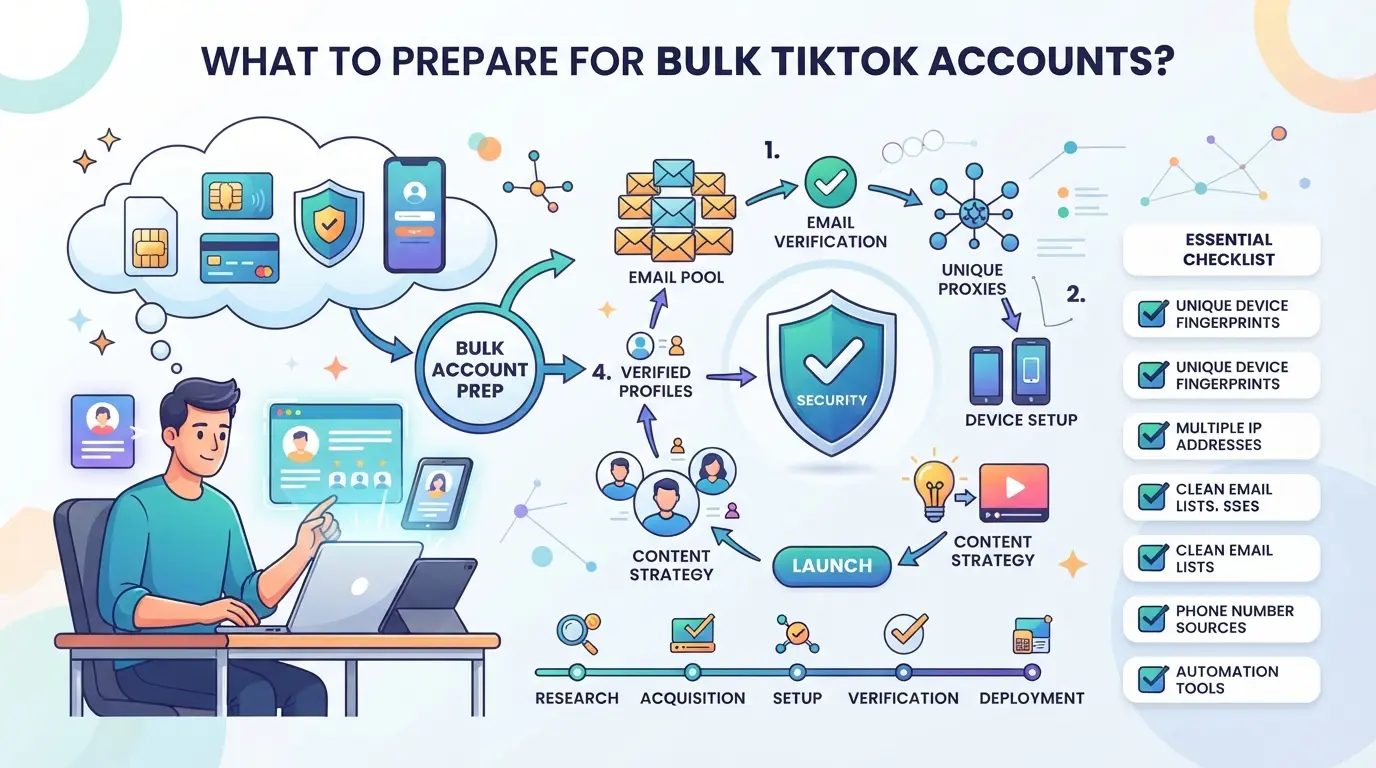
The real work starts before you even touch TikTok’s signup page. If you skip the prep, you’ll burn through resources and see bans before any accounts gain traction. A safe, scalable setup for bulk TikTok account creation depends on controlling your proxy setup, device fingerprints, and registration data from the start.
Choosing Reliable Proxies and Network Paths
Shortcuts on proxies are what get accounts flagged in the first place. Static residential proxies make each session look like a real home user, but they’re expensive and rotate less often. Dynamic proxies can seem cheaper upfront, but if your IP pool overlaps, say, two accounts register from the same “random” IP within an hour, expect mass bans.
What matters most: Don’t just buy a “bulk proxy” plan. Test each proxy for leaks, check geo-location accuracy, and confirm you aren’t sharing subnets with other operators. Even one missed overlap can wipe out a batch.
Device and Browser Environment Preparation
A single fingerprint mismatch can undo everything else. TikTok cross-checks device IDs, browser canvas, and even audio hardware signatures. If your setup reuses any part of the environment, the accounts link up fast.
Quick checklist:
- Use isolated browser profiles for each account, never reuse.
- Randomize device fingerprints (user agent, screen size, hardware ID) before every signup.
- Keep cookies, cache, and local storage 100% separate per profile.
Account Registration Materials: Emails, Numbers, and Verification
You need more than a spreadsheet of emails and phone numbers. TikTok’s SMS and email verification can flag recycled or mass-sold endpoints in seconds.
Keep this checklist close:
- Source emails and numbers from trusted, low-usage pools, avoid “cheap bulk” packs advertised online.
- Verify all registration materials before use; test for blacklisting or previous TikTok associations.
- Prepare backup verification channels in case of failed SMS or email delivery during signup.
The groundwork here decides if your batch survives. Next, you’ll see how the workflow ties these parts together for a smoother mass TikTok account setup.
How to Create TikTok Accounts in Bulk: Step-by-Step Workflow for 2026
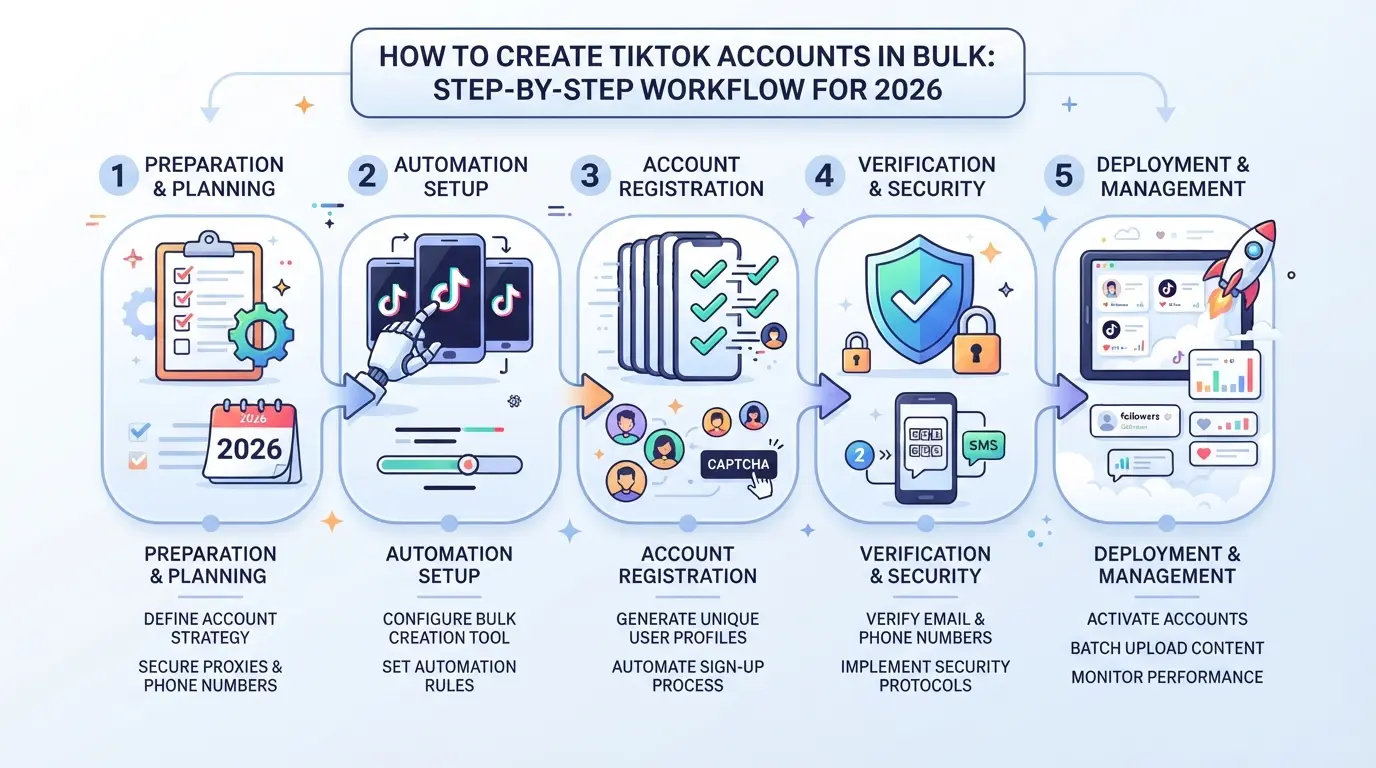
Getting past TikTok’s bulk registration sweeps means running every step as if each account is a real person, not just a bot or script. Teams that skip isolation or verification checks usually end up with dozens of banned accounts, wasted SIMs, and flagged IPs. Here’s how to build a workflow that actually scales.
Batch Registration Workflow: Manual vs Automated
Manual registration is slow and often triggers TikTok’s anti-spam filters. Automation can speed up the process, but only if you set it up to mimic human activity. Use this workflow:
- Decide the batch size, start with 5-10 accounts per run. Too many at once increases ban risk.
- Pick an automation tool that supports browser profile emulation and step delays. Avoid generic scripts; they miss fingerprint nuances.
- Configure each run with randomized timing. If your accounts register in under 60 seconds each, TikTok’s system flags the batch.
- Run a test batch and check for failed registrations or immediate suspensions. If you see multiple accounts disabled right away, your tool or timing isn’t fooling TikTok’s detection.
Handling Captcha and Verification Challenges
TikTok throws captchas and phone/email verification at most bulk registration attempts. Handling these is where most setups fail.
- Integrate a captcha-solving service with your automation tool. Manual solving is too slow for batches over 3.
- Use fresh email addresses and phone numbers for every account. Reused numbers get flagged, and cheap SMS services often recycle numbers, expect bans if you cut corners here.
- Monitor for failed verifications. If an account doesn’t pass on the first try, drop it, retrying leads to higher ban rates.
- Save verification logs. If TikTok requests a second round of verification, you’ll need proof that the email or phone used is still active.
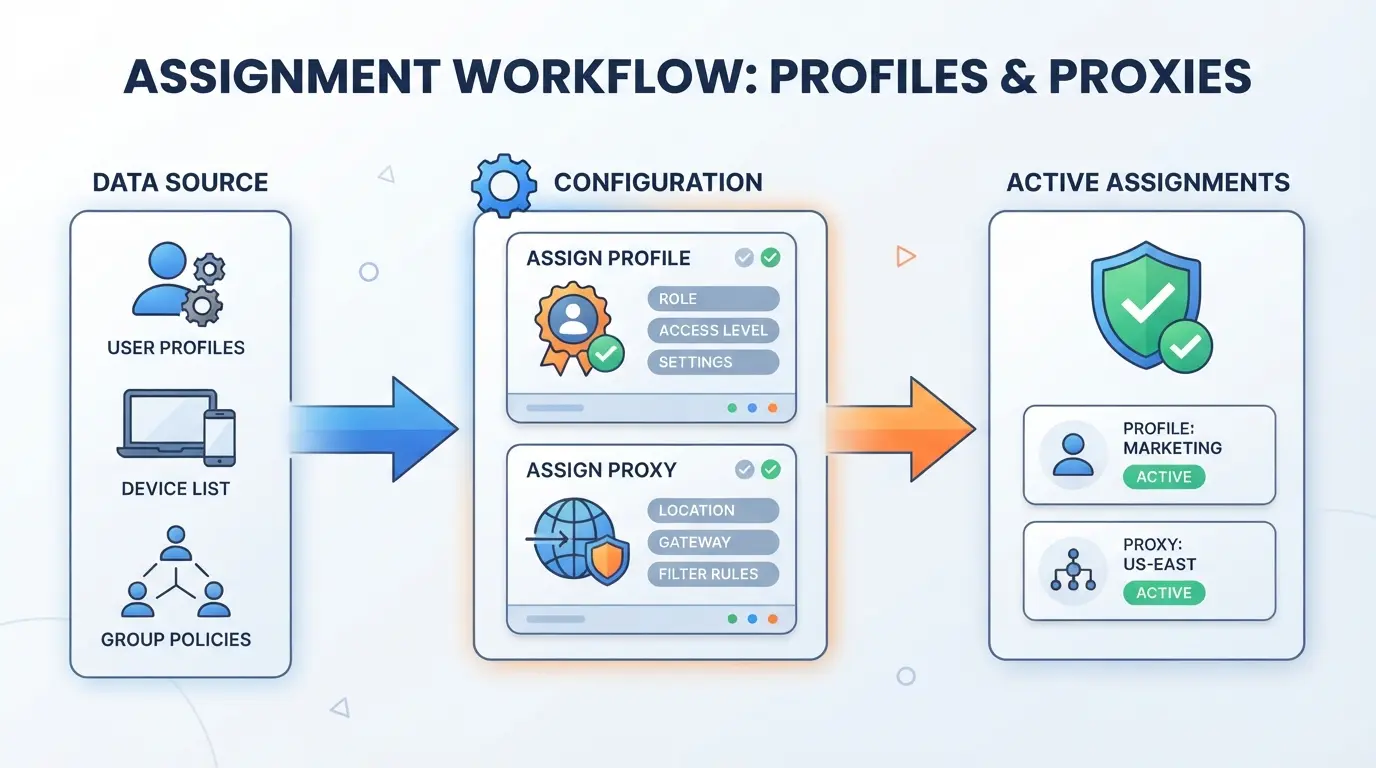
Assigning Unique Environments to Each Account
Assigning a unique device fingerprint and browser profile to each account is the step most people skip, and where bulk setups usually break down.
- Create a new browser profile for every account. Don’t reuse cookies or history between profiles.
- Assign a unique proxy to each profile. Shared IPs are a red flag for TikTok’s anti-bulk systems.
- Randomize device details, change screen size, OS, and timezone settings. Identical setups are easy for TikTok to spot.
- Log every environment detail for audit purposes. If accounts get flagged, you’ll need to trace which proxy or profile caused the issue.
If you cut corners and skip these steps, TikTok’s system usually disables your batch within hours. Most bans come from overlapping fingerprints, recycled verification info, or poorly separated device environments, not just the registration script itself. This is where teams trip up and lose entire batches, so the next section will dig into common mistakes and how to avoid them.
Why Most Bulk TikTok Accounts Get Banned: Common Mistakes and How to Avoid Them
Bulk TikTok account bans usually come down to three things: technical fingerprints, suspicious activity, or verification slip-ups. If you miss even one detail, your whole batch can get flagged in hours.
Fingerprint Overlap and IP Reuse
Running multiple accounts with the same browser fingerprint or reusing IP addresses almost always leads to detection. TikTok links profiles sharing device settings or network history, once a pattern is spotted, all connected accounts can get bulk-disabled.
Behavioral Red Flags: Registration Speed, Activity Patterns
Accounts created too quickly or with copy-paste actions scream "bot" to TikTok’s system.
- If you blast through 50 signups in 10 minutes, expect a sweep.
- Break up the routine: randomize registration times, use human-like pauses, and avoid repeating the same first actions. A warmup phase, posting, watching, and slow ramping of activity, makes new accounts blend in.
Verification and Account Linking Errors
Recycling email addresses, phone numbers, or failing repeated SMS verifications quickly links accounts together. If any of your inputs overlap, TikTok’s anti-abuse checks kick in and your whole pool goes under review, often leading to an instant ban. Keep a unique, clean set of verification data for every account and double-check before starting the batch.
How Teams Use DICloak to Structure Bulk TikTok Account Workflows
Teams that want to create TikTok accounts in bulk can't rely on simple device resets or browser incognito modes anymore. Once you move past single-account setups, even a small mistake, like letting two accounts share a browser cache or network, can trigger mass bans. The real difference is whether your team organizes every TikTok session in a truly separate environment, uses the right network for each, and can handle big batches without losing control. Here’s how teams actually structure this with DICloak.
Isolated Browser Profiles and Fingerprint Configuration for Each TikTok Account
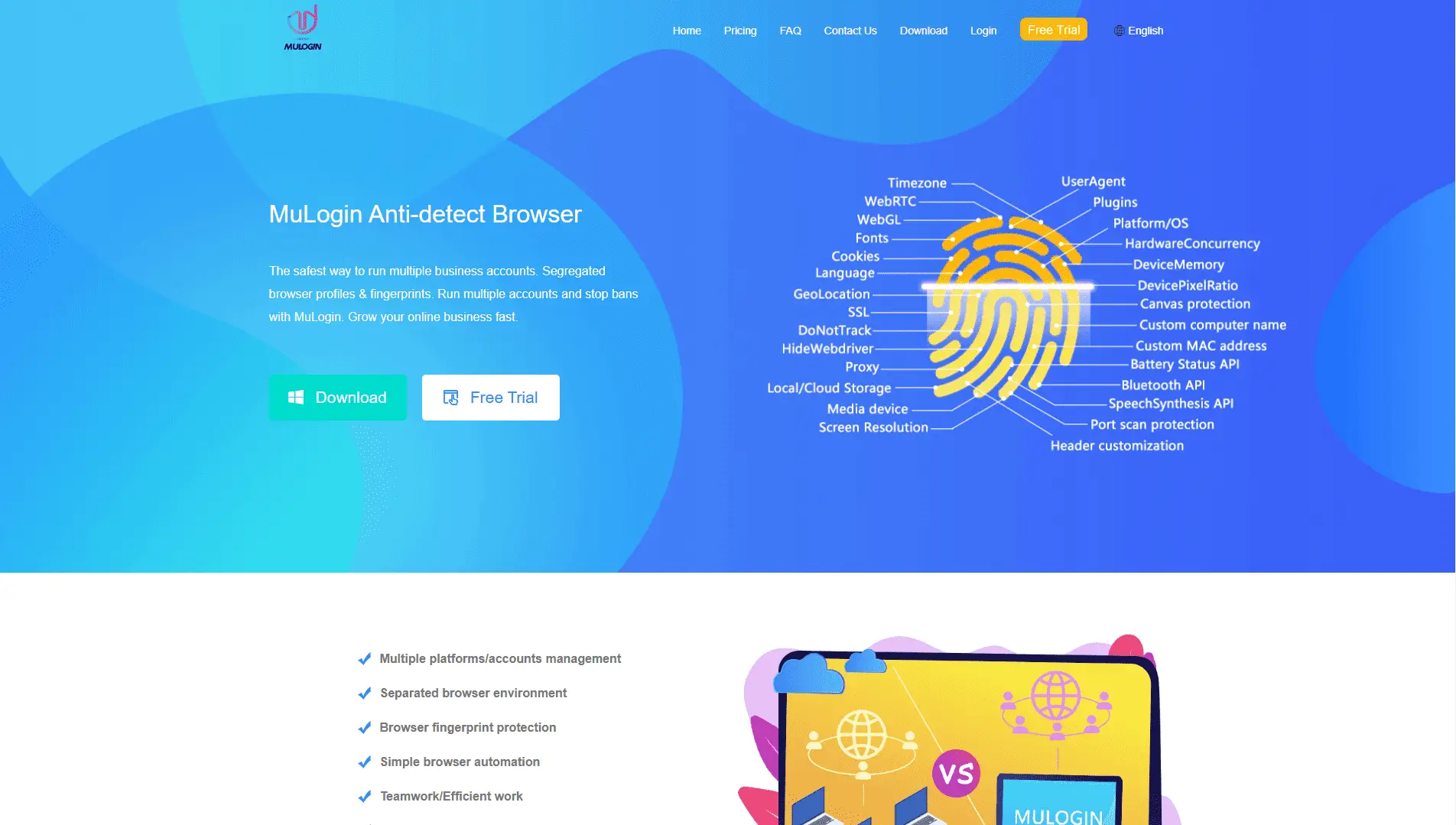
Teams often stumble when a single device or browser profile leaks information between accounts. To avoid that, operators can create a separate DICloak browser profile for every TikTok account they plan to run. Each profile stores its own session data, cookies, and local settings, nothing overlaps unless you set it that way. Fingerprint controls give operators the ability to specify OS, user agent, time zone, geolocation, and screen size per profile, so each browser profile looks and acts like a different device. The scope here is limited to browser profile isolation and fingerprint reporting; operators still need to make their own decisions about which signals to customize and how often to rotate them.

Proxy Configuration: Assigning Unique Network Paths to Each Account
Even if browser profiles are separated, letting multiple TikTok accounts ride the same network connection is a classic way to get flagged. Operators can configure and test a user-supplied proxy, HTTP, HTTPS, or SOCKS5, for each DICloak profile, making sure the exit IP and region match their operational plan. The built-in connectivity check gives a quick view of whether the proxy is reachable and what external IP and time zone TikTok will see. Proxy selection and management remain the user’s responsibility, including how often to rotate, what pool to draw from, and which provider to trust. DICloak’s role is to store and apply these settings per profile, not to supply or verify the proxies themselves.

Bulk Operations: Scaling Profile Management for Teams
Setting up isolated profiles and proxies for a few accounts is manageable, but scaling to dozens or hundreds without bulk tools is a recipe for missed details and wasted hours. Teams can select or create multiple DICloak profiles at once, assign proxies and fingerprints in batches, and update groups or remarks without repetitive clicks. Supported bulk actions include batch creation, proxy assignment, fingerprint editing, exporting, and clearing caches, each one designed to cut manual work as the account count grows. Bulk operations affect browser profile settings only, never the TikTok platform or any content inside those accounts. The biggest pitfall is moving too fast: a single wrong bulk edit can misconfigure a whole batch, so teams need to double-check before applying changes.

With this structure in place, teams can run mass TikTok account setups with more control and less risk of accidental overlap. But even the best workflow has limits, sometimes bulk account creation just isn't the right answer, which is where the next section picks up.
When Bulk TikTok Account Creation Is the Wrong Choice: Alternatives and Decision Points
Bulk TikTok account creation is not a fit for every scenario. If your goal is long-term reach or brand safety, building trust with fewer, higher-quality accounts often beats mass registration. For teams focused on compliance or stable growth, the smarter play is finding the right balance, not just scaling numbers.
Organic Growth vs Bulk Creation: Pros and Cons
| Approach |
Long-Term Stability |
Scale & Risk |
| Organic Growth |
High, accounts age, build trust |
Slow, low risk of mass bans |
| Bulk Creation |
Low, often flagged, quick bans |
Fast, but high risk, less durable |
| Hybrid/Alternatives |
Medium, mixes aged + new, controlled |
Moderate speed, risk managed by process |
If you only need a few accounts that last, organic growth or aged accounts are safer than rushing to create TikTok accounts in bulk.
Team Collaboration and Account Sharing Workflows
Teams sharing well-maintained profiles across members see fewer bans than those running mass registrations. Account sharing tools can reduce friction, but the risk jumps when new accounts are created in bulk without proper isolation.
Platform Policy and Legal Risks
TikTok’s terms explicitly ban automated, mass account creation. If your workflow triggers regional compliance checks or fraud flags, you’re likely to lose all accounts at once. Staying within policy is not just about ethics, it’s about keeping your accounts alive.
Frequently Asked Questions About create Tiktok accounts in bulk
Is it legal to create TikTok accounts in bulk in 2026?
Legality depends on TikTok’s terms and your local laws. TikTok’s rules ban automated or fake accounts. Some countries may have stricter laws against mass account creation. Always review TikTok’s official guidelines and check regulations in your area before starting bulk TikTok account creation for marketing or other purposes.
How many TikTok accounts can I safely create at once?
You can usually make batches of 5–10 accounts at a time if you use high-quality proxies, separate devices, and spread out registrations. Avoid sudden spikes or many accounts from one IP. TikTok’s system may flag abnormal activity, so gradual and steady setup is safer for mass TikTok account setup.
Can I use the same email or phone number for multiple TikTok accounts?
No, TikTok requires a unique email or phone number for each account. Reusing registration details links profiles together and risks bans. To keep multiple TikTok accounts safe, always use new emails and phone numbers for every sign-up.
What is the best way to automate TikTok account creation?
Use browser profile tools to separate accounts, reliable proxies for each setup, and automation scripts to fill forms and handle verification. Avoid shortcuts like random generators or public proxies. Proper automation makes bulk TikTok account creation more secure and reduces chances of detection.
How do I keep bulk TikTok accounts from getting banned?
Isolate each account with its own browser profile and proxy. Mimic real user behavior, such as posting, liking, and following at natural intervals. Do not use identical device fingerprints or mass actions. This workflow helps protect multiple TikTok accounts from bans and keeps them active.
Consider which tools and workflows best fit your goals and compliance needs before moving forward with large-scale account creation. Taking the time to set up proper automation and management strategies will save you effort and reduce risks down the line. Try DICloak For Free
 Web Proxy Tools
 Free Tools
 Cookie Plugin
 UA Generator
 MAC Address Generator
 IP Generator
 IP Address List
 2FA Code Generator
 World Clock
 Anonymous Check
 WebRTC Leak Test
 UUID Generator
 Free Web Proxy Site
 Proxy Checker
 FB Ad Checker
 AI Web Scraping
 Free SMM Tools
 Twitter Shadowban Checker
 Instagram Name Checker
 UTM Generator
 Username Generator
 AI Hashtag Generator
 LinkedIn Headline Generator
 Social Media Image Resizer