Anyone who has tried to create bulk YouTube accounts knows the process is rarely as simple as filling out signup forms. The real challenge hits after the first few accounts, CAPTCHAs kick in, phone verification blocks show up, and Google starts flagging your browser fingerprints. Even if you get past these, accounts often get locked or disabled days later, killing all your setup work.
It’s tempting to look for shortcuts or automation tools, but these can backfire fast. Using the same device, IP address, or recycled cookies for bulk YouTube account creation almost always leaves patterns that Google’s systems can connect. That means losing not just one, but your entire batch if you’re careless.
The safest approach is to treat each account like a real user: new browser profile, unique proxy, separate recovery info, and a setup process that mimics natural activity. Most guides skip over these details, but skipping them is exactly why so many mass creators see wave bans or instant suspensions. Managing several YouTube accounts at scale only works if every step, creation, login, profile tweaks, is handled as if you were dozens of different people.
Here’s what you need to watch for, and how to make multiple YouTube accounts without tripping Google’s alarms.
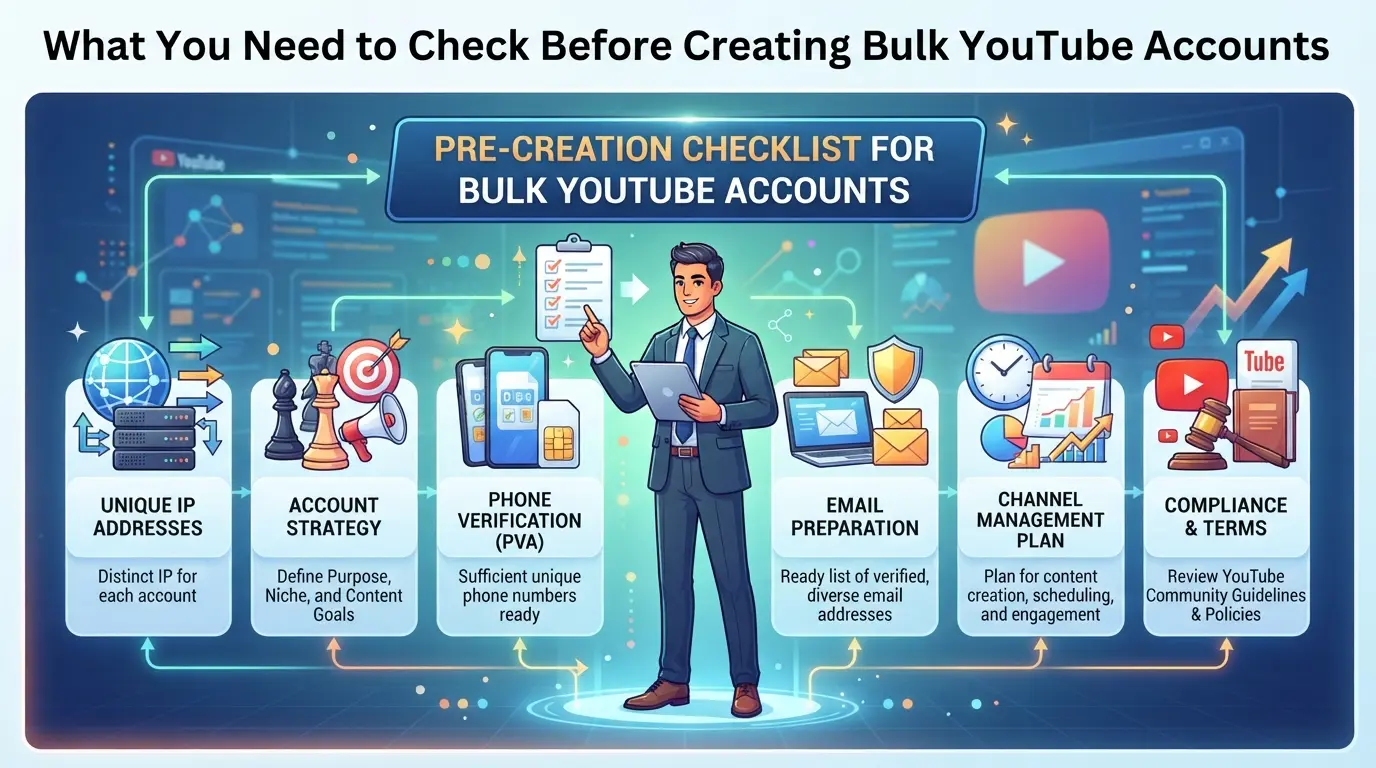
What You Need to Check Before Creating Bulk YouTube Accounts
Skipping the groundwork before you start can ruin your entire batch, accounts get flagged, linked, or disabled before they’re even useful. Here’s how to avoid the classic mistakes and check the right details up front.
Google account requirements and limitations
Each YouTube channel must connect to a valid Google account. One Google account can own multiple channels, but using the same account for a batch risks obvious linking. If you try to register too many Google accounts from the same device or IP, Google will block or challenge you. Phone verification is required for new Google accounts, and you can only verify a limited number per phone number, try to re-use a number, and Google will often reject the attempt or flag the account. Recovery email reuse also links accounts together, making the whole batch vulnerable if one gets banned.
YouTube policies on multi-account ownership
- Read YouTube’s terms on multi-account control, making dozens of channels for spam or automation is forbidden.
- Check for signs your usage looks automated, like rapid account creation or copy-paste channel details.
- Watch for account review triggers: similar channel names, shared contact info, or repeated use of the same profile image.
Risks of mass creation: bans, linking, and shadow restrictions
YouTube and Google both track browser fingerprints, device IDs, IP history, and even subtle patterns in account setup. If you skip isolation or try to rush the process, chances are high that accounts will get linked and mass-disabled.
- Separate browser profiles for each account, never run two creations in the same session or environment.
- Use a unique proxy for every account; shared IPs almost always get flagged.
- Check cookies and device data, leftover history or duplicate fingerprints are the fastest way to lose all accounts at once.
A single slip, like reusing a phone number, profile photo, or recovery email, can connect everything you worked for. Mass creators who ignore these details usually see bulk bans or find accounts shadow-restricted, meaning they look active but can’t post, comment, or grow. Most bans trace back to one of these technical leaks. If you get this wrong, there’s rarely a second chance with the same set of credentials.
The next section breaks down exactly why most bulk YouTube accounts get banned or flagged fast, so you can spot the warning signs before it’s too late.
Why Most Bulk YouTube Accounts Get Banned or Flagged Fast
Wave bans hit bulk account creators for one main reason, Google’s systems connect patterns faster than most operators can break them. If you make dozens of accounts and skip real separation at the IP, device, and behavior level, you’ll see mass restrictions before you even finish your workflow. The problem isn’t just automation; it’s that Google expects each account to look and act like a unique person.
IP address and location patterns
Accounts sharing the same IP or jumping between distant locations trigger instant review. If Google sees two dozen new YouTube accounts created from a single proxy or device, those accounts are flagged together, often before you even get through the signup process. Short version: shared IP equals shared risk.
Fingerprint and device similarity
Browser fingerprints, things like installed fonts, screen size, OS version, and even timezone, act as silent links between accounts. If you recycle a device or reuse browser profiles without real changes, Google’s backend connects the dots. For example, if your batch of accounts is all made from a Chrome install with identical plugins, they’ll show up as a cluster. The tradeoff is clear: using real separation takes time and effort, but skipping it means one flagged account can pull the rest into a ban. Operators who only swap IPs but ignore device fingerprinting see bans even when proxies look clean. This is why bulk YouTube account creation fails for so many, Google doesn’t need to see obvious automation to flag you.
Behavioral triggers: activity, timing, and automation
- Logging in to multiple accounts within seconds, or posting/commenting at machine speed, triggers bot checks.
- Copy-pasting identical channel descriptions, video uploads, or profile images leaves fingerprints that Google’s AI flags instantly.
- Using scripts or automation tools that skip human-like pauses or repeat the same action pattern makes your accounts look fake.
The real risk isn’t just getting one account banned, it’s losing your whole batch because Google links actions across profiles.
Bulk creators who treat each step as a speedrun usually get mass suspensions; the ones who slow down, vary activity, and avoid obvious automation are more likely to keep accounts alive. Even a single mistake, like logging every account from the same browser session, can wipe out your work.
What matters most is not the number of accounts, but how convincingly each looks like a separate person. If you skip this, you’ll spend more time recovering than scaling. The next step is seeing how to build and handle each account so you don’t repeat these failures.
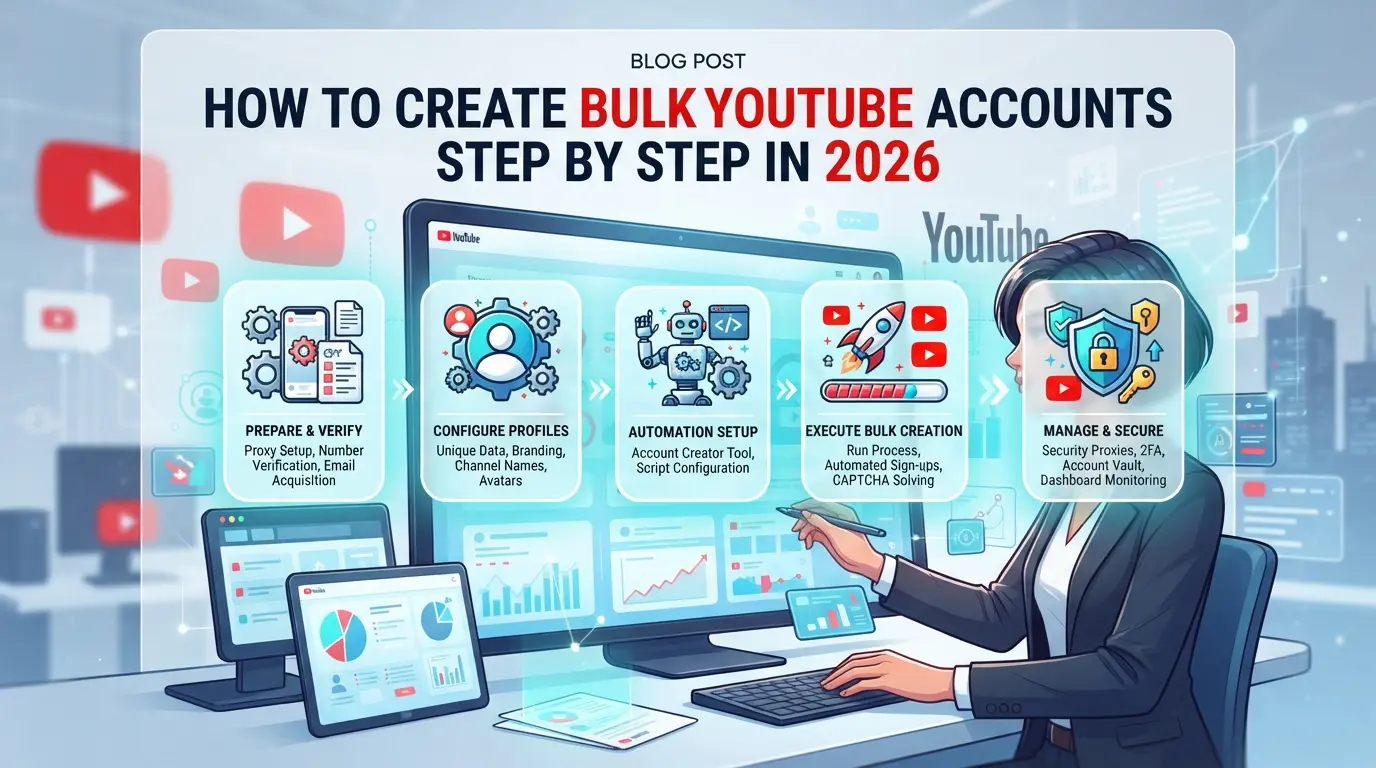
How to Create Bulk YouTube Accounts Step by Step in 2026
To avoid mass bans, you need to build each YouTube account with real separation, unique logins, isolated browsers, and clean network fingerprints. Bulk creation still works, but only when you treat every step as if a real person is behind the screen.
Prepare unique Google accounts and phone numbers
- Register a new Google account for each YouTube profile. Don’t reuse emails, Google ties everything back.
- Buy or rent fresh SIM cards from reputable vendors. Test each number by registering one account only, reused numbers get flagged fast.
- Verify each number during signup. If Google rejects a number, discard it, don’t retry, as that burns the whole batch.
Set up isolated browser profiles for each account
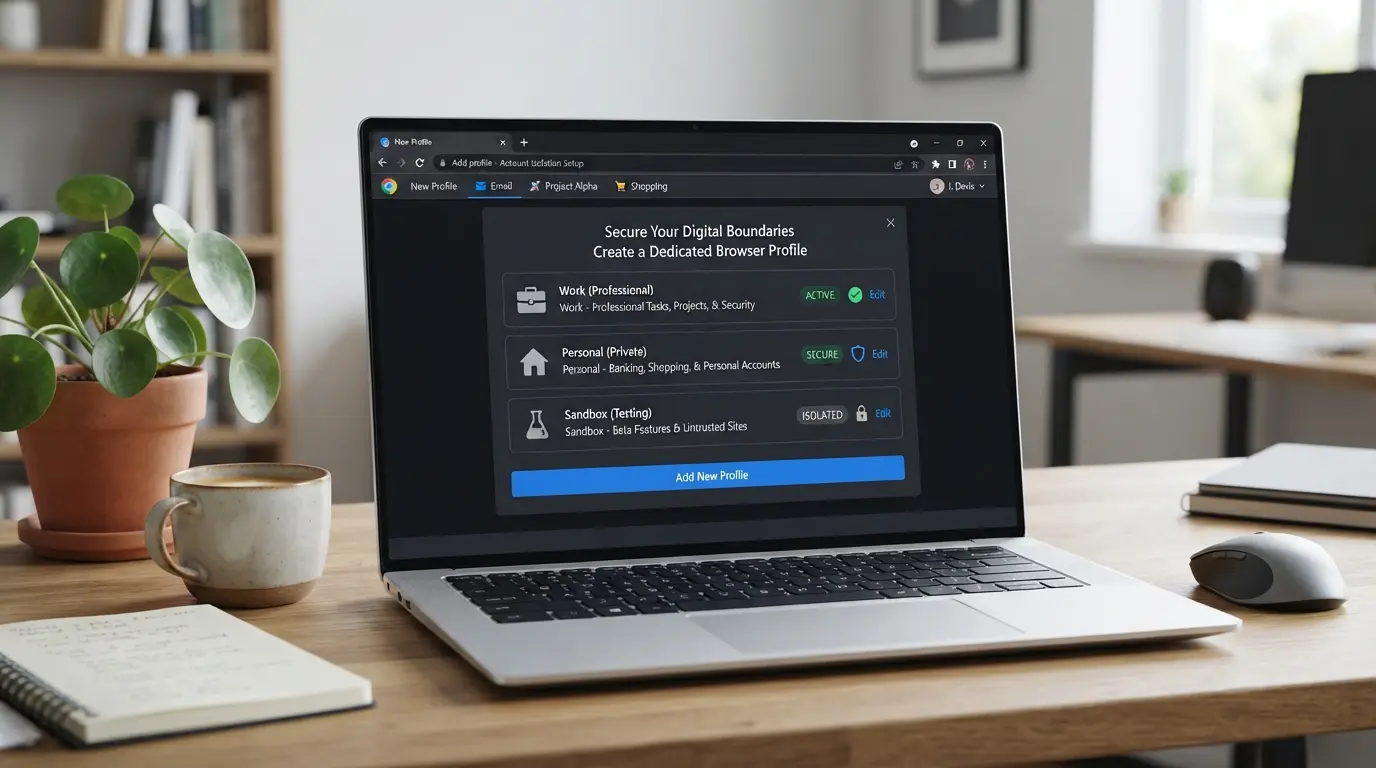
- Use a separate browser profile (Chrome, Firefox, or profile manager) for each account. Shared sessions leak fingerprints.
- Clear cache and cookies before each signup. If you see auto-filled emails or saved passwords, the profile isn’t clean.
- Manual setup works for under five accounts. For larger batches, profile managers make it much faster.
Assign unique proxies for each session
- Buy residential proxies from a provider that rotates IPs per session. Avoid datacenter proxies, Google flags pattern overlap.
- Assign one proxy per browser profile. Never share proxies between accounts.
- Test each proxy: open Google, search a random term, and check if the language/region matches your target. If not, switch proxies.
- If a proxy is blocked or triggers a CAPTCHA every time, drop it and move to the next.
Create accounts gradually and mimic real user behavior
- Space out registrations, leave at least 20-40 minutes between each signup.
- After creating, don’t rush to log in everywhere. Change recovery info, add a profile picture, and watch a few videos.
- Avoid using the same device, name, or IP for multiple accounts in a short window, Google’s system picks up on patterns.
- If you get a “suspicious activity detected” warning, stop and check your setup, rushing leads to bans.
The next step is spotting mistakes that trip Google’s automated restrictions before they wipe out your accounts.
Common Mistakes That Trigger Bulk YouTube Account Restrictions
Rushing through setup or recycling old tools is what gets most bulk YouTube accounts flagged within days. The smallest shortcut, one reused browser session or a sketchy proxy, often exposes your entire batch, not just a single account.
Reusing device fingerprints or browser sessions
YouTube’s system matches browser fingerprints and session data across logins. Even if you clear cookies, left-behind device IDs or browser quirks reveal the overlap. To stay under the radar, use a new browser profile for each account, cookie wipes alone don’t cut it.
Using low-quality or recycled proxies
Public proxies or reused IPs almost always carry a bad history.
- Your accounts might get linked to previous abuse, causing instant bans.
- Instead, pick high-quality residential proxies and never share one across accounts.
Automating actions too aggressively
Running scripts that register, verify, and post from dozens of accounts at machine speed is easy for Google to spot. If actions look too fast or identical, expect batch suspensions. Slow down automation, add random delays, and make each account’s activity look like a real person.
Skipping warm-up and natural usage
Creating accounts and jumping straight to uploading, liking, or commenting is a red flag. New accounts need a warm-up period: watch videos, update the profile, and leave the account idle between steps. That’s what real user patterns look like, and what keeps your batch alive.
How to Manage Bulk YouTube Accounts More Safely with DICloak
After seeing how one mistake can cost your entire batch, it’s clear that bulk YouTube account management is about controlling risk at every step. The main issue is session overlap, if you treat different accounts as one, Google’s systems link them. The real fix is to handle each YouTube account in a separate environment with its own browser signals and network path. DICloak gives operators and teams practical tools for this workflow: profile isolation, proxy configuration, and bulk operations. Here’s what that looks like in practice.
Isolate each YouTube account with a separate browser profile and custom fingerprint
Operators can create a new browser profile for every YouTube account they manage. Each profile stores its own set of browser-identification signals, including operating system, user agent, timezone, and screen resolution. For example, if your team is working with accounts meant for different regions, you can set each profile to match the intended location and language. This way, login sessions never share browser storage or device settings. The scope is limited to browser-profile access; it does not change any part of the connected YouTube account itself. If you skip this step and reuse the same browser profile or fingerprint, you risk having Google link accounts based on device and session similarities.

Assign a unique user-provided proxy to every profile
A separate proxy for each browser profile is key when handling bulk YouTube account creation. Operators add their own proxy (HTTP, HTTPS, SOCKS5) to the profile, test the connection, and check the exit IP matches the intended region. If you use the same proxy across accounts, Google may see the overlap and tie the sessions together. Assigning and testing your own proxies is the user's responsibility, DICloak only stores and applies the proxy settings per profile. Choosing which proxy to use, its quality, location, and rotation rules, depends on your compliance and operational needs. The system won’t supply proxies or guarantee any network outcome.

Use bulk operations to create, edit, or group profiles efficiently
Managing dozens or hundreds of profiles manually can turn routine changes into a mess. Teams can use DICloak’s Bulk Operations feature to select multiple profiles and update proxies, fingerprint settings, or tags in batches. For example, you might need to update the proxy for a group of accounts or add a tag to mark which are client-owned. Batch edits are fast, but a mistake here affects many profiles at once, so double-check before applying. Supported actions include batch creation, group assignment, tag edits, export/import, and clearing local cache. These bulk actions save time and let teams avoid repetitive errors, but they only affect browser profile-level settings, not the YouTube accounts themselves.

Setting up this workflow gives you a cleaner, more organized way to handle bulk YouTube accounts. But even the best tools can’t fix a flawed strategy, next, you’ll see when creating bulk accounts isn’t worth the risk.
When Bulk YouTube Account Creation Is the Wrong Choice
Bulk YouTube account creation sounds fast, but it rarely works out for real engagement or brand goals. The main issue is simple, if you’re chasing numbers instead of actual reach or interaction, you’ll waste time, risk bans, and likely miss better options.
When organic growth is safer and more effective
Building a channel slowly, with real viewers and normal activity, means Google’s system sees you as trustworthy. Mass-created accounts, even if they survive, usually don’t interact or add value. Here’s how they stack up:
| Strategy |
Risk of Suspension |
Engagement Quality |
Long-Term Use |
| Organic Growth |
Low |
High |
Reliable |
| Bulk Creation |
High |
Low |
Unstable |
| Brand Accounts/Team |
Low |
High |
Reliable |
Trying to create bulk YouTube accounts just to inflate numbers almost always leads to lower engagement and a higher chance your accounts get flagged or suspended. Organic growth and team workflows are much safer for anyone serious about lasting results.
Alternatives: Brand accounts, channel permissions, and team management
If you need multiple users to run a channel, YouTube has built-in tools for this, brand accounts and team permissions. These let you add managers or editors without creating new accounts. Use them for collaboration or business needs, instead of risking mass account bans. For most creators, sticking to YouTube’s native features is less work and far less risky.
When you start planning your workflow, focus on what you want for the channel, not just how many accounts you can make.
Key Takeaways and Safer Workflow Checklist for Bulk YouTube Accounts
Anyone trying to create bulk YouTube accounts needs a tight process, missing just one detail can wipe out your whole batch. Here’s what to double-check at each step.
Pre-creation checks
Use a separate Google account and phone number for every YouTube profile. Set up a unique proxy and browser profile before you start. If you recycle devices, old cookies or fingerprints often link your actions and get all profiles flagged.
During creation
- Space out account registrations by 10–30 minutes.
- Switch devices or browser profiles every time.
- Interact naturally: watch a video, set an avatar, avoid same-pattern uploads.
Ongoing management
- Keep each YouTube profile and login session isolated.
- Rotate proxies regularly, never re-use for different accounts.
- Watch for unusual login prompts or sudden verification asks.
Frequently Asked Questions About create bulk YouTube accounts
Is it legal to create bulk YouTube accounts in 2026?
Creating bulk YouTube accounts may violate YouTube’s Terms of Service and could be illegal in some places. Always check YouTube rules and your local laws before starting. Some regions allow multiple accounts for business, but using them for spam or automation can lead to legal trouble and bans.
How many YouTube accounts can I safely create with one phone number?
Google usually limits you to four YouTube accounts per phone number. If you try to make more, you may need extra verification or risk getting your accounts suspended. Using different phone numbers is safer for bulk YouTube account creation.
Can I use free proxies for bulk YouTube account creation?
Free proxies are not safe for making multiple YouTube accounts. They are often slow, unreliable, and already blocked by Google. High-quality, private proxies work better and lower the risk of bans or failed verifications.
What’s the best way to avoid linking bulk YouTube accounts?
Keep each account separate by using unique browser profiles, different proxies, and not repeating device or login patterns. Don’t copy the same content across accounts. This helps prevent YouTube from connecting your accounts and flagging them.
How do I recover a bulk YouTube account if it gets banned?
If your account is banned, you can appeal through YouTube’s official process. Fill out the appeal form and follow their instructions. Recovery is rare for bulk or automated accounts, so don’t count on getting them back if you violate YouTube’s policies.
Once you have determined your objectives and chosen the right tools, the next step is to simplify your workflow and ensure compliance with platform policies. Consider automating portions of the process to save time and reduce manual effort. Try DICloak For Free
 Web Proxy Tools
 Free Tools
 Cookie Plugin
 UA Generator
 MAC Address Generator
 IP Generator
 IP Address List
 2FA Code Generator
 World Clock
 Anonymous Check
 WebRTC Leak Test
 UUID Generator
 Free Web Proxy Site
 Proxy Checker
 FB Ad Checker
 AI Web Scraping
 Free SMM Tools
 Twitter Shadowban Checker
 Instagram Name Checker
 UTM Generator
 Username Generator
 AI Hashtag Generator
 LinkedIn Headline Generator
 Social Media Image Resizer