Trying to create bulk Instagram accounts usually feels easier than it really is, until bans, phone verification loops, or account lockouts stall your whole plan. Even if you follow every basic tip for how to create multiple Instagram accounts, the reality is that Instagram’s systems flag patterns fast. One device, too-similar fingerprints, or reused phone numbers can wipe out a batch overnight.
But skipping proper setup leads to bigger problems than just wasted effort. Locked accounts not only burn resources but risk connecting your whole operation if Instagram links them by device, IP, or activity. Mass account bans often point to weak isolation: using the same browser, missing unique fingerprints, or failing to stagger activity. Many guides gloss over these steps, but most bulk Instagram account creation failures start with shortcutting the basics.
The real difference between a working Instagram multi-account setup and a failed one comes down to how you separate, automate, and manage your accounts, preferably before the first login. You’ll need to control browser profiles, proxy use, and activity patterns, not just registration. Otherwise, you’ll keep running into the same blocks, no matter how many new emails you use.
To avoid common traps and set up accounts that last more than a day, start with the ground rules for safe, scalable account creation.
What You Must Check Before Creating Bulk Instagram Accounts
If you skip basic checks before starting, you’ll burn through emails, numbers, and devices and still end up with mass bans. The only way to create bulk Instagram accounts that survive is to match Instagram’s own limits and build your setup around them, not the other way around.
Instagram's Official Limits and Multi-Account Policies in 2026
Instagram’s public rules say you can run up to five accounts per device, but that’s the upper edge, cross it or connect from the same IP, and you’ll hit their anti-spam wall. Mass account creation from one browser or device almost always triggers a block, even if you rotate emails or numbers. What actually gets flagged are patterns: logging in from similar fingerprints, using the same IP, or registering accounts too quickly.
The real cutoff isn’t a fixed number, once Instagram’s checks see repeat patterns, you’re flagged as a farm.
What Resources and Data You Need for Bulk Registration
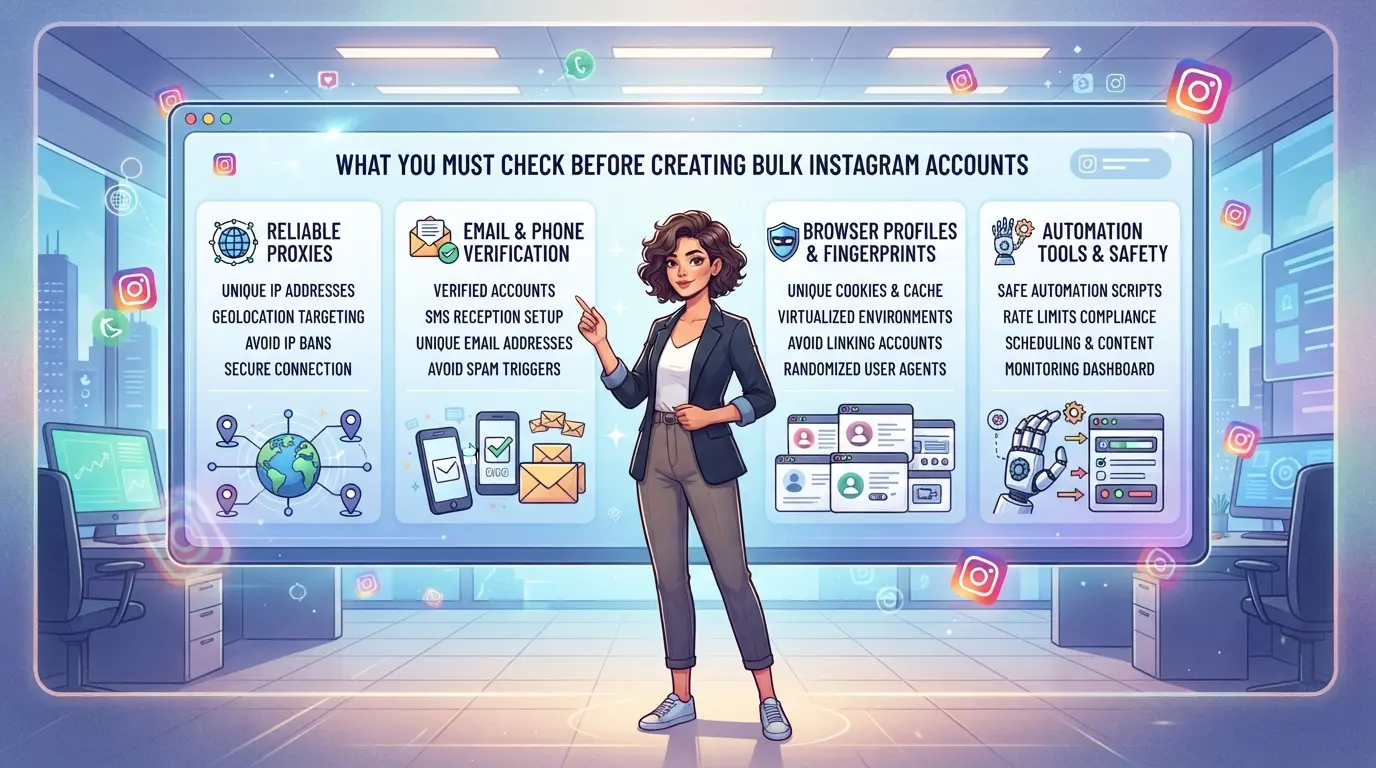
- One unique email or phone number for every account (reusing either is a direct ban risk)
- Isolated device environments: each account should have its own browser profile or user-agent
- Reliable, residential proxies that match your target country’s IP and time zone
Common Mistakes That Get Bulk Accounts Flagged Instantly
Skipping real isolation steps leads to instant bans, reusing the same device or proxy for multiple accounts is the fastest way to lose them all. Many people focus on new email addresses, but miss the details that matter.
- Never use the same browser fingerprint or device ID for more than one account
- Do not switch between proxies with different geolocations during registration or first login
- Avoid reusing cookies, cache, or session data across profiles, Instagram links these instantly
Miss just one of these checks and you’ll notice bans within minutes, sometimes before you finish registering the last account. Next, you need to know exactly why Instagram bans bulk accounts so quickly, and what signals they actually watch.
Why Bulk Instagram Accounts Get Flagged or Banned So Easily
Instagram bans bulk accounts fast because their systems spot patterns that single accounts never trigger. Even if you pass registration, linked behavior or technical mistakes will often get the whole batch restricted within hours. Most failures in bulk Instagram account creation come down to skipping the details that separate each account’s device, IP, and actions.
How Instagram Detects Linked Accounts and Automation
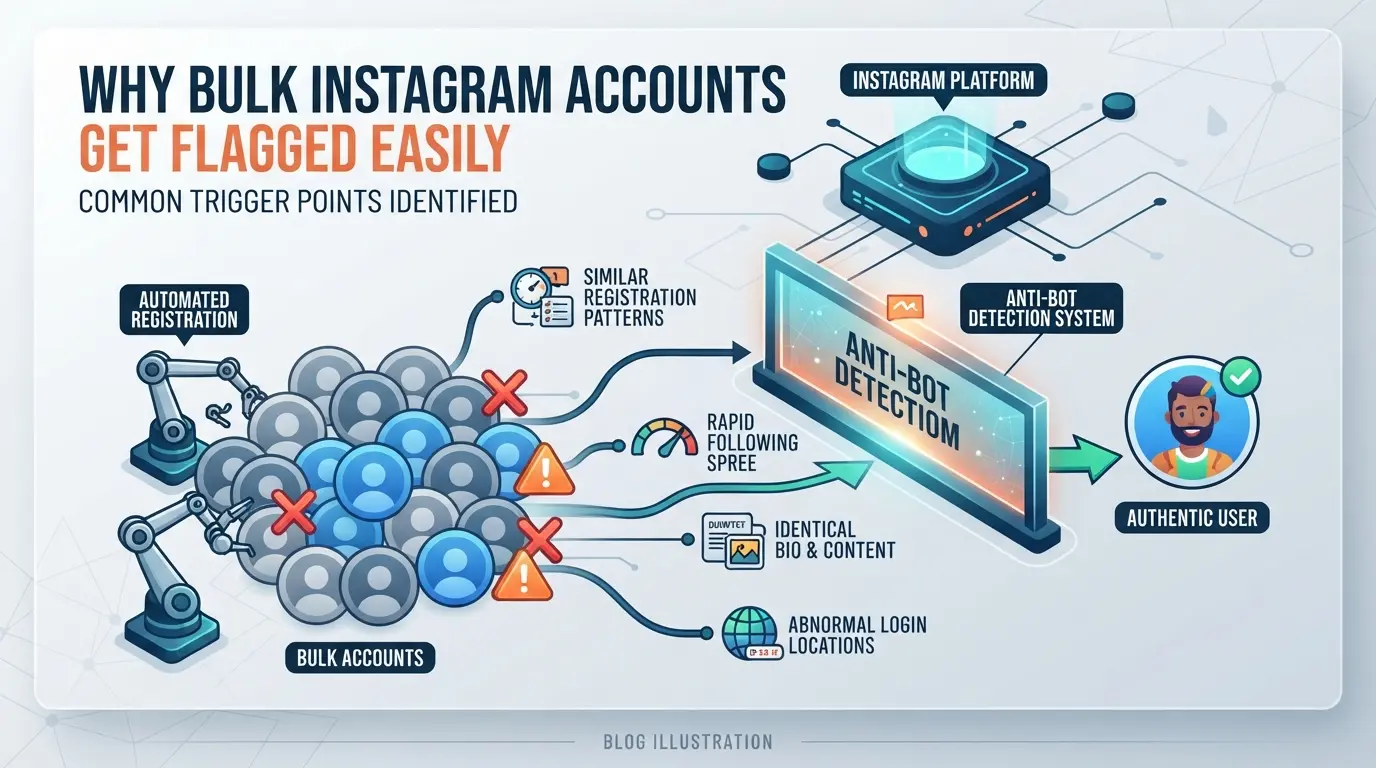
Instagram tracks more than just login names or emails. Their system logs browser fingerprints, device IDs, cookie patterns, and even small details like time zone or screen size. Sudden activity spikes, such as dozens of signups or logins from the same device or IP, light up their detection instantly.
Red Flags That Usually Lead to Immediate Restrictions
The fastest way to lose bulk accounts is to cut corners on proxies or device isolation. For example, using a single mobile network as a proxy for mass registrations will often result in all accounts being flagged together. Instagram’s backend catches overlap between account sessions, same IP, similar browser fingerprints, or identical cookies. Even if you use different emails and phone numbers, running everything through a single browser or not clearing fingerprints between sessions links your accounts on the backend.
One of the most common mistakes is reusing device profiles or browser setups. Suppose you set up 10 accounts on the same machine, using only incognito mode or “fresh” Chrome profiles. Instagram’s tracking goes deeper: fonts, canvas, audio stack, and hardware details all combine into a unique fingerprint. Once the pattern repeats, bans hit the entire group, sometimes instantly, sometimes after a few hours of “warming up.” The same happens with registration timing. Creating 50 accounts in 10 minutes, even on different proxies, leaves a traceable pattern. If any registration step fails (for example, a phone number used for too many accounts, or a mistyped captcha), that mistake often links the batch together. The single slip most operators make is underestimating how quickly Instagram adapts its detection, especially when account activity ramps up too fast after creation.
Why Most 'Quick Methods' Fail in 2026
- Most automation scripts from 2023-2025 are now blocked by Instagram’s updated anti-bot systems.
- Bulk creation guides that skip unique browser profiles or randomize too little get accounts mass-banned.
- Scripts that “worked last year” now trigger blocklists due to new fingerprinting and behavioral checks.
Miss these baseline precautions, and even a small batch of Instagram accounts is likely to trigger review or outright bans. The next step is learning how to separate and operate each account safely from the start.
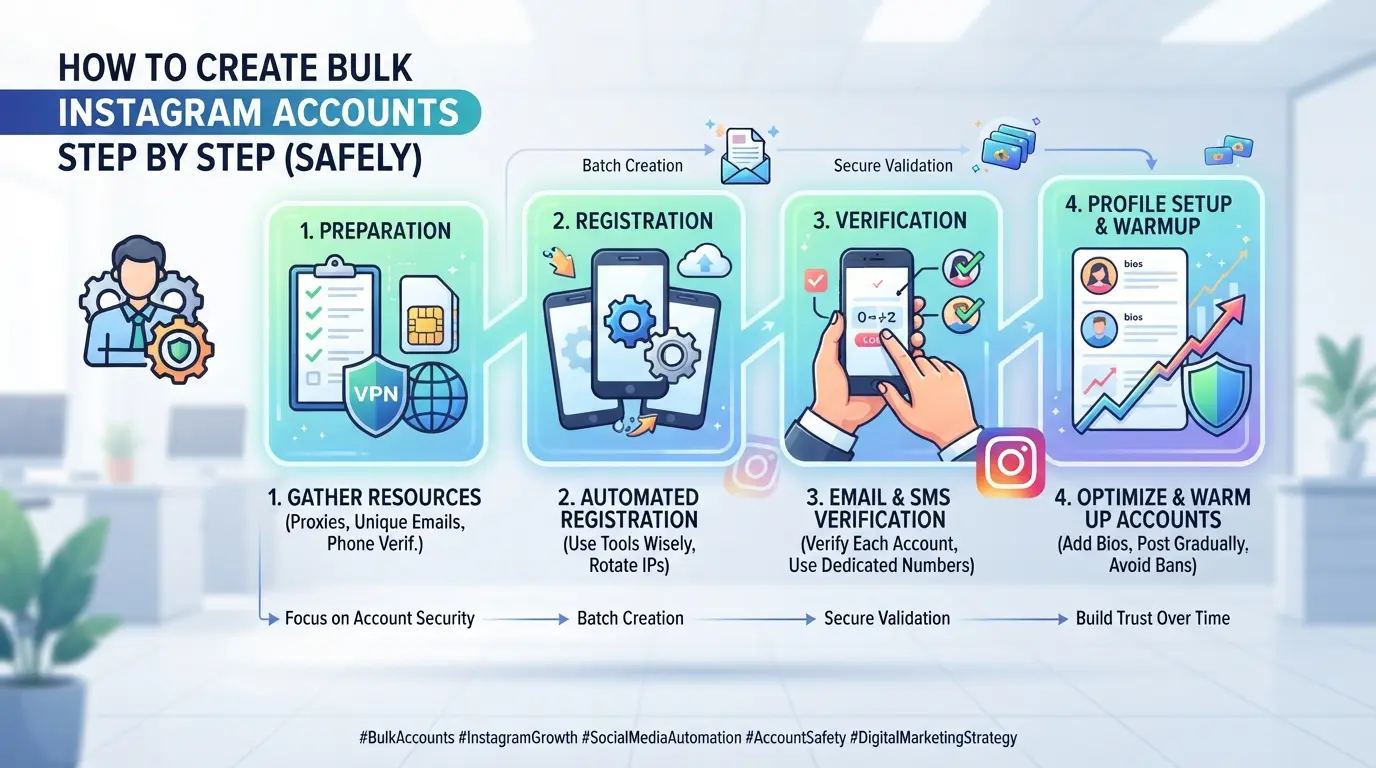
How to Create Bulk Instagram Accounts Step by Step (Safely)
The only way to create bulk Instagram accounts that survive more than a few days is to treat each one as a real user would, unique registration info, separate devices or browser profiles, and a warm-up period before any heavy action. Skip any of these, and you’re almost guaranteed to get flagged or banned fast.
Step 1: Prepare Unique Registration Data and Devices
- Gather real-looking registration data: Use emails and phone numbers that haven’t been used on Instagram before. Rented phone numbers tend to get flagged, private numbers or SIM cards last longer.
- Set up device environments: Each account should “look” like it comes from a different device. On a single computer, use separate browser profiles with clean cookies and cache. Never reuse a browser profile from a banned account.
- Check your data: If any email or phone fails to receive the Instagram code, swap it out, don’t retry more than twice, or you risk connecting that number to mass activity.
Step 2: Assign a Separate Proxy and Browser Environment to Each Account
- Pick proxies with IP addresses from the same country as your device setup, datacenter proxies are cheap but get caught fast, while residential proxies blend in better.
- Assign each account its own browser profile. This means a separate user agent, fingerprint, and storage for cookies.
- Test your proxy before registration, visit a public IP check page while in your browser profile. If the IP shows your real location or leaks, switch proxies. If two accounts share an IP, bans often follow within 24 hours.
Step 3: Register Accounts in Small Batches, Not All at Once
- Register no more than 2-5 accounts per session per IP/device. Instagram flags large bursts from a single device or location.
- Stagger registration times. Wait 30-60 minutes between new accounts, and don’t use a pattern (like every hour on the hour).
- After each registration, do a quick login and basic profile setup. If you see a request for extra verification, pause batch creation, your setup may be burned.
Step 4: Warm Up New Accounts Before Scaling Activity
- Log into each new account and complete the profile. Add a photo, fill in bio, and browse a few public pages.
- For the first week, act like a real user: scroll, watch stories, maybe follow 2-3 accounts per day. No mass actions.
- If you get any “suspicious activity” or “confirm your identity” warnings, stop all activity for that account for 48 hours. Ignoring warm-up steps is the fastest way to lose every account you just made.
Next, check for warning signs before scaling up, bulk bans often hit right as you start increasing activity, not just during registration.
What to Watch Out for When Scaling Up: Warning Signs and Risk Points
Scaling up means new risks, accounts that worked in small batches can run into bans or blocks as numbers rise. To avoid mass failures, keep an eye out for early trouble and fix issues before they spread.
Signs Your Accounts Are Being Monitored or Shadowbanned
If you see engagement suddenly drop across several profiles, or get hit with strange verification prompts you didn't see in smaller runs, that's a red flag. Instagram rarely sends an alert, the real warning is when actions stop working or posts get zero reach, even if the account looks "live". Don't ignore these signals. If one profile gets stuck, check the others in the same batch for similar issues right away.
Common Scaling Mistakes That Trigger Mass Bans
Most mass bans come from shortcuts that only show up as you add numbers. Skipping isolation steps or pushing automation too hard is the usual culprit.
- Check that no two accounts share the same proxy or browser fingerprint.
- Never let automation run at the same time or speed for every profile.
- Watch for patterns, if five accounts are limited in one hour, halt all new activity and review your last setup change.
Spotting these problems early can save the rest of your accounts from being burned. Next, you’ll need a system to keep each profile separate and traceable as you scale.
How to Separate and Manage Bulk Instagram Accounts with DICloak Profiles and Proxies
Once you’ve spotted the warning signs of bulk Instagram bans, the next step is to break the pattern that gets most accounts flagged, shared fingerprints, browser storage, or network connections. The main reason bulk Instagram account setups fail isn’t just bad registration, but weak separation at the browser and IP level. If you want your accounts to last, you need to split each login into its own environment and keep their network trails apart. DICloak supports this by letting you create a dedicated browser profile and assign your own proxy to each Instagram account session. The scope here is at the browser-profile and proxy setup layer; it does not change what happens inside Instagram.
Set Up Isolated Browser Profiles with Custom Fingerprints
Instead of running every account in the same browser or reusing cookies, operators can create a fresh DICloak browser profile for each Instagram account. Each profile has its own storage, so cookies, cache, and local data never cross between accounts. More importantly, DICloak profiles let you adjust browser fingerprint signals, like user agent, operating system, timezone, geolocation, and screen size, for every session. By setting different combinations, you separate the technical “identity” of each session as seen from the outside. This not only helps keep bulk Instagram account creation clean but also makes it possible for a team to track which profile belongs to which account without overlap or confusion. For teams, being able to label, group, and filter browser profiles by campaign or client keeps hundreds of logins from turning into a mess. The environment split happens at the browser level; DICloak does not interact with the Instagram platform or guarantee any acceptance or review outcome.

User-Provided Proxy Configuration for Assigned Profiles
Browser isolation only solves half the problem. Instagram often ties suspicious activity to IP addresses, so if you open ten accounts from the same network, you’ll start seeing restrictions fast. Operators can add their own proxy, HTTP, HTTPS, or SOCKS5, to each DICloak profile. This means every profile can connect through a different network path, with its own exit IP, region, and time zone. Before you log into Instagram, DICloak’s built-in proxy checker lets you test whether the proxy is working and see the detected IP and location. If you skip this step and a proxy fails, you’ll be logging in from your real IP, which ruins isolation and links accounts. The product itself does not supply proxies or force unique IPs; quality and rotation are up to you. What matters is checking connectivity before using the session, if the region is wrong or the proxy is slow, fix it now or you’ll waste good accounts on a bad setup.

Once each Instagram account runs in a separate browser profile with its own proxy, you’re set up for clean session management, making it much easier to switch, scale, or assign accounts without the old risks.
How to Manage, Switch, and Scale Bulk Instagram Accounts Efficiently
Handling bulk Instagram accounts gets messy fast if you skip organization and clear session habits, especially as teams grow or campaigns multiply.
Organize Accounts by Campaign, Brand, or Region
- Tag every account by campaign, brand, or region so you don’t mix up usage.
- Keep a spreadsheet to track login details, proxy in use, and last activity.
- Color-code or flag accounts at risk (locked, review, or ban) for quick checks.
Safe Switching and Session Management Tips
The main risk after bulk Instagram account creation is session overlap, logging out of one and into another in the same browser leaves traces that link accounts. Use separate browser profiles for each login, and always clear cookies and cache between sessions. For teams, standardize who handles which group of accounts so responsibility stays clear, and never share raw credentials in chat or email. Sloppy session switching almost always leads to mass bans if you’re not controlling browser profiles tightly.
If these workflows sound too complex for your scale, that’s a sign to re-evaluate whether bulk Instagram account management makes sense for your operation.
When Bulk Instagram Account Creation Is Not Worth the Risk
Some goals just don’t match bulk registration. If you need real engagement, high trust, or plan to build a brand, shortcuts will backfire. Here’s where quality wins over quantity.
Organic Growth vs. Bulk Accounts: Which Is Better for Your Goals?
| Scenario |
Organic Growth |
Bulk Accounts |
| Building a brand or influencer page |
Strong fit |
High risk of bans |
| Quick spam or test campaigns |
Slow, less reach |
Short-lived, flagged |
| Long-term engagement (comments, DM) |
Consistent, safer |
Accounts often restricted |
If you care about reputation or want accounts that last, bulk creation usually creates more problems than it solves.
When to Prioritize Quality Over Quantity
If you’re working with high-value clients, verified pages, or need reliable DM response, skip mass account creation. One flagged account can link back and damage your main asset. You’re better off growing a few accounts slowly than losing dozens overnight.
Risks of Over-Automation
Automated tools that promise to create hundreds of Instagram accounts rarely deliver working results for more than a few days. Most bulk-created accounts get hit by Instagram’s detection systems before you can use them for real outreach.
Frequently Asked Questions About create bulk Instagram accounts
Is it legal to create bulk Instagram accounts in 2026?
Creating bulk Instagram accounts often breaks Instagram’s rules. Their terms of service ban automated or mass account creation. Legal issues can happen if it’s used for spam or fraud. Always review Instagram’s policies and check your local laws before trying to create bulk Instagram accounts. Risks include account bans and legal action.
How many Instagram accounts can I safely create and manage?
Instagram lets you manage up to five accounts per device or app. If you use more, or link too many accounts to the same IP address, Instagram may flag or restrict them. To avoid detection, keep each device and IP to three to five accounts max, and vary your activity patterns.
Can I use the same phone number or email for multiple Instagram accounts?
No, Instagram requires every account to use a unique email or phone number. If you try to register several accounts with the same contact details, Instagram will block the extra accounts. For bulk Instagram account creation, prepare a list of valid, unused emails or phone numbers.
What type of proxies work best for bulk Instagram accounts?
Residential or high-quality mobile proxies are safest for Instagram multi-account setup. These proxies mimic real users and lower the risk of bans. Free or public proxies are risky and often get flagged. Use paid proxies from trusted providers to help protect your accounts.
How can I recover a bulk Instagram account that gets restricted?
If Instagram restricts your account, follow their official appeal steps, which include submitting a form and verifying your identity. Recovery rates are low for bulk or automated accounts, since Instagram reviews these cases strictly. Keep backup accounts and avoid risky actions to limit losses.
Evaluating your specific goals and resources will help determine the best approach for efficient account creation and management. Consider the available tools and automation solutions to simplify the process while staying compliant with platform guidelines. Try DICloak For Free
 Web Proxy Tools
 Free Tools
 Cookie Plugin
 UA Generator
 MAC Address Generator
 IP Generator
 IP Address List
 2FA Code Generator
 World Clock
 Anonymous Check
 WebRTC Leak Test
 UUID Generator
 Free Web Proxy Site
 Proxy Checker
 FB Ad Checker
 AI Web Scraping
 Free SMM Tools
 Twitter Shadowban Checker
 Instagram Name Checker
 UTM Generator
 Username Generator
 AI Hashtag Generator
 LinkedIn Headline Generator
 Social Media Image Resizer