Bypassing connectivity blocks in 2026 requires more than a simple IP swap. As government censorship and corporate firewalls now leverage advanced AI-driven traffic analysis and Deep Packet Inspection (DPI), maintaining access to WhatsApp demands a professional-grade proxy configuration. A proxy functions as a strategic intermediary, rerouting your traffic through a trusted node to restore service while masking your digital footprint from local network monitors.
Why is WhatsApp being blocked and how does a proxy help in 2026?
Network restrictions have evolved into highly sophisticated barriers that analyze the handshake between your device and WhatsApp’s servers. By intercepting these packets, ISPs and network administrators can identify and terminate the connection instantly.
Dealing with government or workplace censorship
Local administrators typically maintain extensive blacklists of WhatsApp’s destination IP ranges. When you deploy a proxy, the network sees only an encrypted stream directed toward a neutral external IP. Because the destination is not flagged in the censorship database, the traffic passes through the firewall, allowing the proxy to complete the connection to WhatsApp on your behalf.
Maintaining privacy on public or restricted networks
In the high-surveillance environment of 2026, protecting your metadata is critical. Beyond bypassing blocks, a proxy obscures your actual IP address from the service provider and any local snooping tools. This prevents network monitors from logging your activity patterns and physical location, which is an essential security layer when operating on public or restricted Wi-Fi infrastructure.
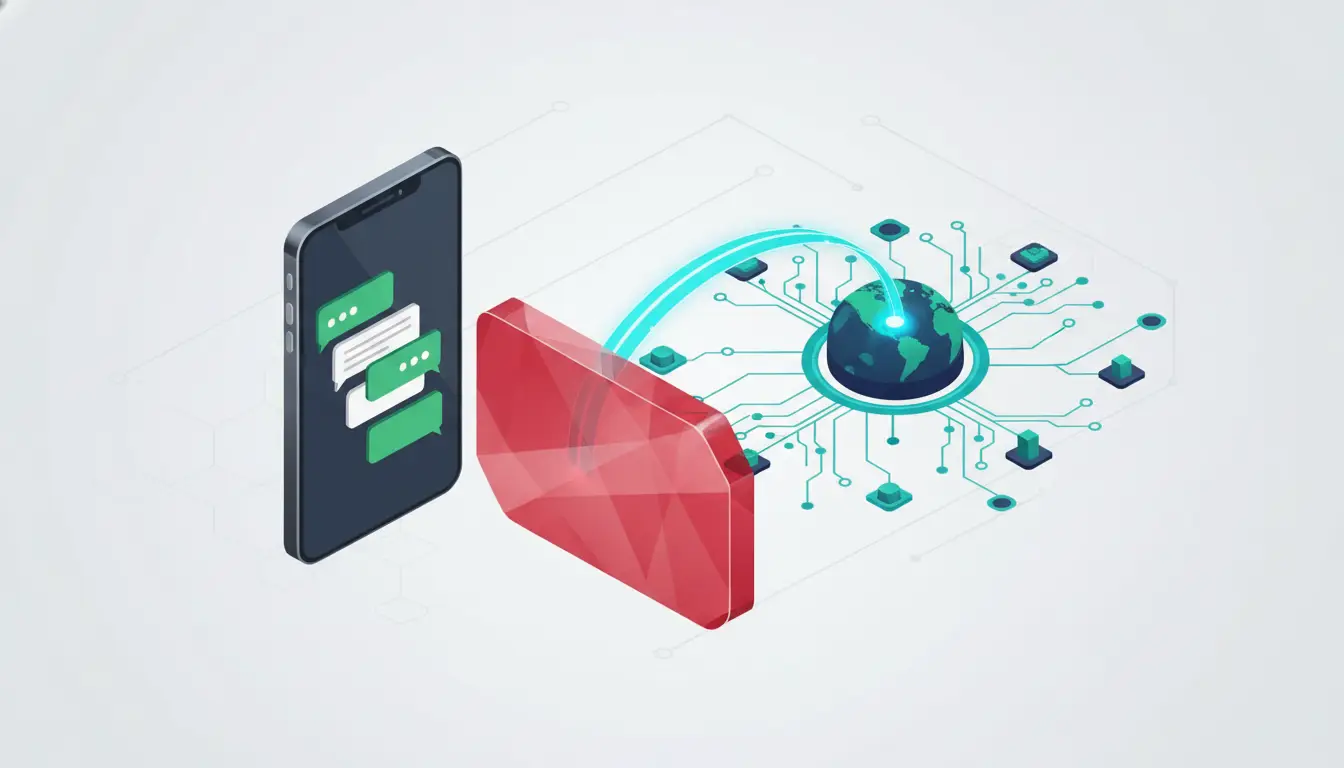
How to set up a WhatsApp proxy on Chrome for instant access?
For practitioners utilizing WhatsApp Web, routing traffic through a browser extension is the most efficient method to isolate messaging traffic without impacting the rest of the system's network stack.
Selecting and installing a proxy extension
Deploy the extension from the Chrome Web Store. For optimal results, use a provider that offers a high-scale infrastructure—such as the 80M+ residential IP pool provided by industry leaders. Once added, pin the extension to your toolbar for immediate access and toggle the "Advanced" settings to expose the configuration menu.
Connecting and authenticating your browser traffic
Open the extension and authenticate using your credentials. Professional-grade services often provide 10 free proxies for initial connectivity testing. Select a location from a global network (covering 195+ locations) to ensure a low-latency handshake. Click "Connect" to activate the tunnel. In 2026, ensure you are using the SOCKS5 protocol where available for better handling of persistent messaging sessions.
Accessing WhatsApp Web securely
With the proxy active, navigate to web.whatsapp.com. The browser will now route all session data through the intermediary IP. If the proxy is functioning correctly, the WhatsApp interface will bypass the local "Connecting" hang and populate your messages immediately.
Setting up WhatsApp proxy on Android: What are the manual steps?
Mobile environments require a more hands-on approach to ensure the application traffic respects the proxy configuration.
Accessing the advanced Wi-Fi configuration
Open Android Settings and navigate to Connections > Wi-Fi. Locate your active network and tap the "Gear" icon to access the network properties. You must select the "Advanced" or "View More" dropdown to expose the underlying proxy settings.
Entering manual proxy credentials
Change the Proxy setting from "None" to "Manual." Carefully input the Proxy Hostname (IP) and the specific Port provided by your service. Accuracy here is vital; even a single digit error will cause a total loss of connectivity for the device.
Handling authentication on Android devices
Android’s native Wi-Fi settings often fail to provide a field for username/password authentication. To solve this, look for a login prompt in your mobile browser after connecting, or utilize a specialized client like Shadowsocks. Using an external client allows you to input SOCKS5 credentials, effectively bridging the authenticated proxy to the WhatsApp application.
Using WhatsApp proxy on iPhone: How to configure Wi-Fi settings?
The iOS workflow is strictly managed within the network's info pane, requiring precise manual entry for persistent connectivity.
Locating the HTTP Proxy menu in iOS
Navigate to Settings > Wi-Fi and tap the "i" icon next to your connected SSID. Scroll to the bottom of the configuration page to find the HTTP Proxy section.
Configuring manual proxy and authentication
Tap "Configure Proxy" and set it to "Manual." Input your Server IP and Port. Toggle the "Authentication" switch to the "On" position to reveal the credential fields. Enter the username and password provided by your proxy dashboard and tap "Save." This forces all HTTP/HTTPS traffic from the iPhone through the designated gateway.
Residential or Datacenter: Which proxy is better for WhatsApp?
Choosing the wrong IP type is the leading cause of account flagging. In 2026, Static Residential and Dedicated Datacenter proxies are the gold standard for messaging stability.
Why static residential proxies are less likely to be detected
Static Residential proxies utilize IPs assigned by legitimate ISPs to home users. Because these addresses carry high trust scores, they are virtually indistinguishable from standard traffic, making them highly resistant to AI-driven DPI that seeks to identify "proxy-like" behavior. They are the best choice for users in high-censorship zones.
When to choose dedicated datacenter proxies for speed
Dedicated Datacenter proxies offer superior throughput and lower latency, which is essential for WhatsApp voice and video calls. While they are more susceptible to being flagged by aggressive firewalls, their 99.7% uptime and high speeds make them the ideal choice for users who prioritize performance over absolute stealth.
Is my WhatsApp proxy actually working?
You must validate your configuration to prevent "IP Leaks" where your real location is exposed despite the proxy being "active."
Testing connectivity and message delivery
The primary functional test is sending a message. If the message reaches the server (double checkmarks), the proxy is successfully routing the traffic. If messages remain in a "pending" (clock icon) state, the proxy is either blocked by the local network or incorrectly configured.
Verifying the IP address change
Open a browser on the device and navigate to IPinfo.io. The dashboard must display the IP and geographic region of your proxy server. If the site displays your local ISP or real city, the proxy is not intercepting your traffic, and your connection is currently unmasked.
Managing multiple WhatsApp accounts Using DICloak
For users who need to manage more than two accounts—especially for business, marketing, or team-based work—a professional tool is the only secure and scalable solution. While some platforms like WADesk or Rambox offer multi-account access, they often rely on shared IPs or suffer from performance issues. A more robust and secure approach is using an antidetect browser like DICloak, which addresses these limitations at their core.
DICloak spoofs key digital identifiers like your IP address, browser type, operating system, and even graphical rendering details (like WebGL and canvas), making each profile appear to WhatsApp as a completely separate physical device. As a result, when you log into WhatsApp Web from each profile, WhatsApp sees each login as a different user, which helps avoid account linking and bans.
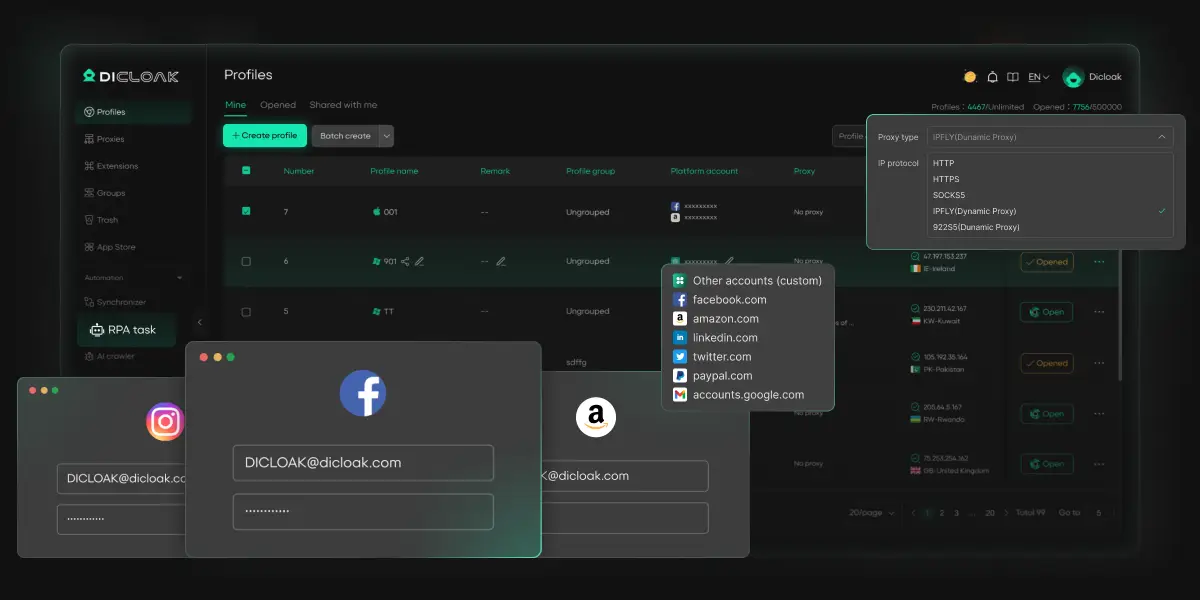
Why DICloak is the Best Tool for Managing Multiple WhatsApp Accounts
DICloak offers a suite of powerful features designed for secure and efficient multi-account management:
- True Account Isolation: Each WhatsApp Web session runs in its own sandboxed browser profile, preventing the cross-talk that causes unexpected logouts and data mix-ups.
- Avoid Bans and Blocks: You can use DICloak to generate a unique digital identity for every browser profile. This makes each WhatsApp account appear as a distinct user from a different device and location, drastically reducing the risk of being flagged or banned.
- Effortless Team Collaboration: Securely share browser profiles with team members, allowing them to continue active WhatsApp sessions instantly without needing passwords or repeatedly scanning a QR code.
- Centralized Management: A single, user-friendly dashboard allows you to see, organize, and add notes to all your WhatsApp accounts, making it easy to keep track of everything in one place.
- Scalability for Business: With the ability to manage over 1,000 accounts on a single device, DICloak is the perfect solution for marketing agencies, e-commerce businesses, and customer support teams.
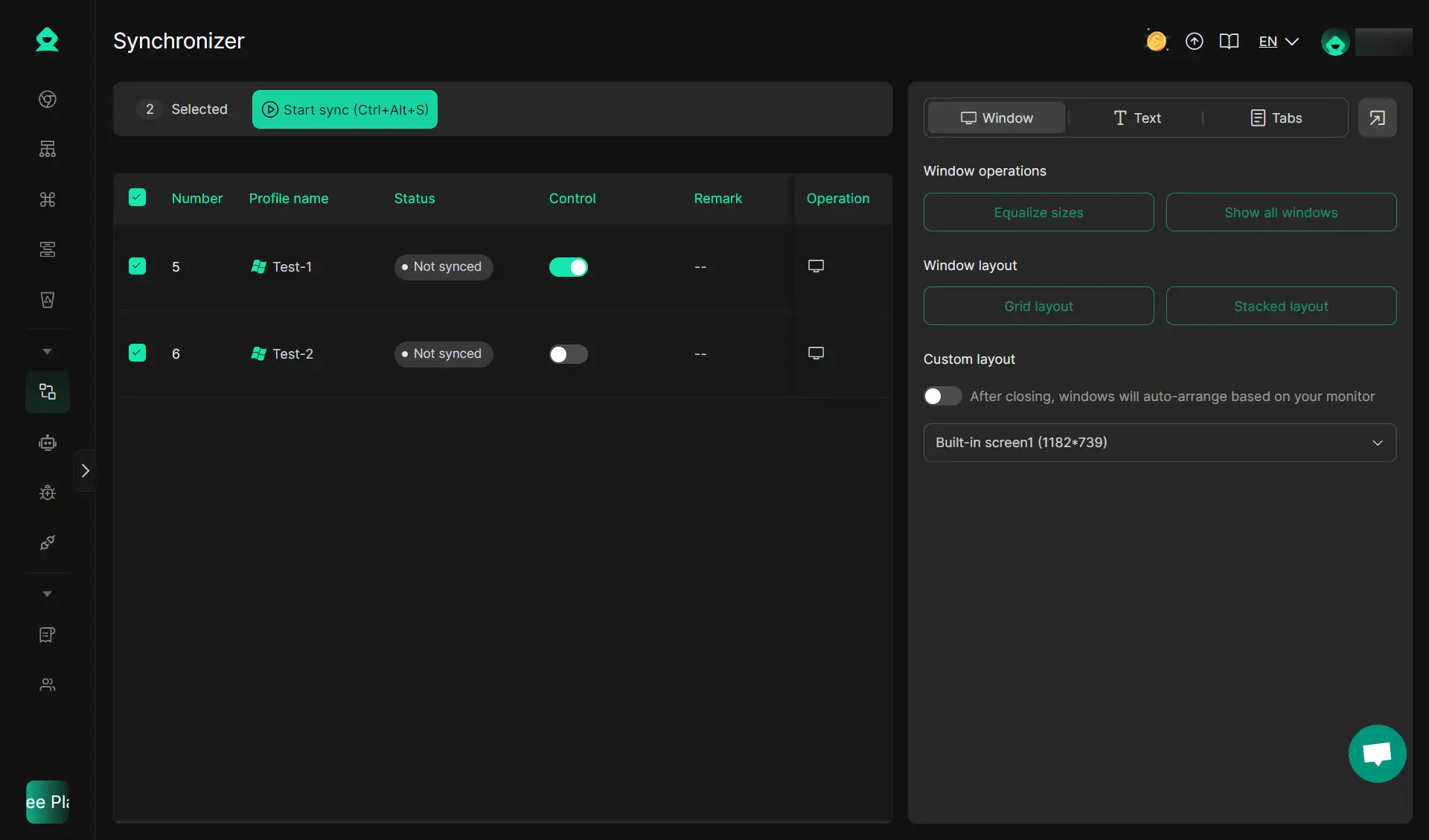
- Powerful Automation: DICloak includes features like the Synchronizer and RPA automation to help you streamline repetitive tasks across multiple accounts, saving you time and effort.
Why am I still getting banned even with a proxy?
A proxy is not a silver bullet; operational security (OPSEC) mistakes can still trigger WhatsApp’s security systems.
Using poor quality or free proxy lists
Free proxy lists are a security liability. These IPs are frequently overused and already blacklisted by WhatsApp. Furthermore, they often lack the stability required for persistent messaging sessions, leading to constant disconnects that alert the platform to suspicious activity.
Inconsistent IP locations and account triggers
WhatsApp’s AI monitors for "geospatial anomalies." If your proxy location jumps from New York to Tokyo in five minutes, it triggers an "impossible travel" flag. To avoid this, always use a Static Residential or Dedicated Datacenter IP that provides a consistent, long-term geographic presence.
Reliable WhatsApp access in restricted zones depends on the quality of your infrastructure. By deploying a stable proxy with high uptime and a massive IP pool, you can navigate the connectivity challenges of 2026 with confidence. Whether you prioritize the stealth of a residential IP or the speed of a datacenter server, the key is maintaining a consistent, authenticated connection that remains invisible to local network filters.
FAQs about WhatsApp proxy
Can I use a free proxy for WhatsApp?
Free proxies are generally unsuitable for WhatsApp due to extreme latency and high failure rates. They often lack the encryption needed to bypass 2026-era DPI and pose significant data privacy risks.
How do I turn off the proxy if I don't need it?
To disable the connection, return to your device's Wi-Fi or browser extension settings and select "None," "Off," or "Disconnect." This reverts your traffic to your direct local ISP path.
Will a proxy slow down my WhatsApp calls?
All proxies introduce some latency, but high-performance datacenter proxies minimize this impact. For clear voice and video calls, ensure you are using a proxy server geographically close to your actual location or a high-speed dedicated line.
Is using a proxy with WhatsApp legal?
While bypass tools are legal in most jurisdictions for privacy management, you must consult your local regulations. Some regions have specific laws regarding the use of encryption and censorship-circumvention technology.
What is the difference between a proxy and a VPN for WhatsApp?
A proxy is a lightweight solution that typically operates at the application level (browser or specific Wi-Fi config), whereas a VPN tunnels all system-wide traffic. For targeted WhatsApp access, a proxy is often faster and less resource-intensive.
 Web Proxy Tools
 Free Tools
 Cookie Plugin
 UA Generator
 MAC Address Generator
 IP Generator
 IP Address List
 2FA Code Generator
 World Clock
 Anonymous Check
 WebRTC Leak Test
 UUID Generator
 Free Web Proxy Site
 Proxy Checker
 FB Ad Checker
 AI Web Scraping
 Free SMM Tools
 Twitter Shadowban Checker
 Instagram Name Checker
 UTM Generator
 Username Generator
 AI Hashtag Generator
 LinkedIn Headline Generator
 Social Media Image Resizer