You open TikTok, tap the “Live” button, and see a message: “You need at least 1,000 followers to go live.” For new creators, this wall can feel impossible to climb. TikTok’s official support page confirms that the minimum followers for TikTok Live is 1,000, and you must be at least 18 years old to unlock live gifts. But the rules don’t stop there. Some users hit 1,200 followers and still can’t stream; others unlock it at exactly 1,000, while a few never see the option at all.
That’s why so many creators search how many followers on tiktok to go live, the answer looks simple but hides plenty of exceptions. The TikTok Live follower requirements can change by country, account age, or even past violations. Sometimes, you can request access or wait for the feature to roll out. Some try workarounds, like switching to a Pro account or contacting support, with mixed results.
If you want a clear checklist to unlock Live, a breakdown of what actually works in 2026, and a few pro tips to avoid common mistakes, keep reading. The next section covers everything you need to check before your first stream.
What Are the Real Requirements to Go Live on TikTok?
How Many Followers Do You Need to Go Live on TikTok?
The standard tiktok live follower requirements are simple on paper: you need at least 1,000 followers to unlock TikTok LIVE. This rule looks the same for most users, whether you’re in the US, UK, or India, TikTok set this number to filter out bots and test if you have real audience interest. But there are cases where the requirement shifts. In some regions, TikTok tests lower limits, sometimes as low as 500. Rarely, older accounts from before 2022 may have LIVE unlocked with fewer followers, but this isn’t common now. If you see creators streaming with only a few hundred followers, it’s usually because of an old account privilege or a temporary beta test.
| Country/Region |
Minimum Followers for TikTok LIVE |
| US, UK, India |
1,000 |
| Some EU/Asia tests |
500–1,000 |
| Legacy accounts |
May be lower (rare) |
Table: TikTok LIVE requirements by region
Other Requirements Besides Follower Count
Just hitting the follower number doesn’t guarantee live access. You must also be at least 18 years old to go live (not just 13, which is the basic TikTok age limit). If you’re underage, the option won’t appear, even if your follower count is high. Your account must also be in good standing. If you’ve had policy violations, spam flags, or a recent ban, TikTok may block LIVE for weeks or longer. Sometimes, even a single warning can delay access. Most creators get stuck here, not on the follower count.
How to Check If You’re Eligible for TikTok LIVE
To see if you’ve unlocked LIVE, open the TikTok app and tap the plus (+) button. If you see “LIVE” as a camera option, you’re in. If the option is missing, double-check your follower count and age in your profile settings. If you meet every rule but still can’t go live, try logging out and back in, updating your app, or waiting 24 hours. For stubborn cases, contact TikTok Support and ask them to review your eligibility. This is the final step for users who meet all requirements but still can’t stream.
Why Can’t I Go Live on TikTok Even After Reaching 1,000 Followers?
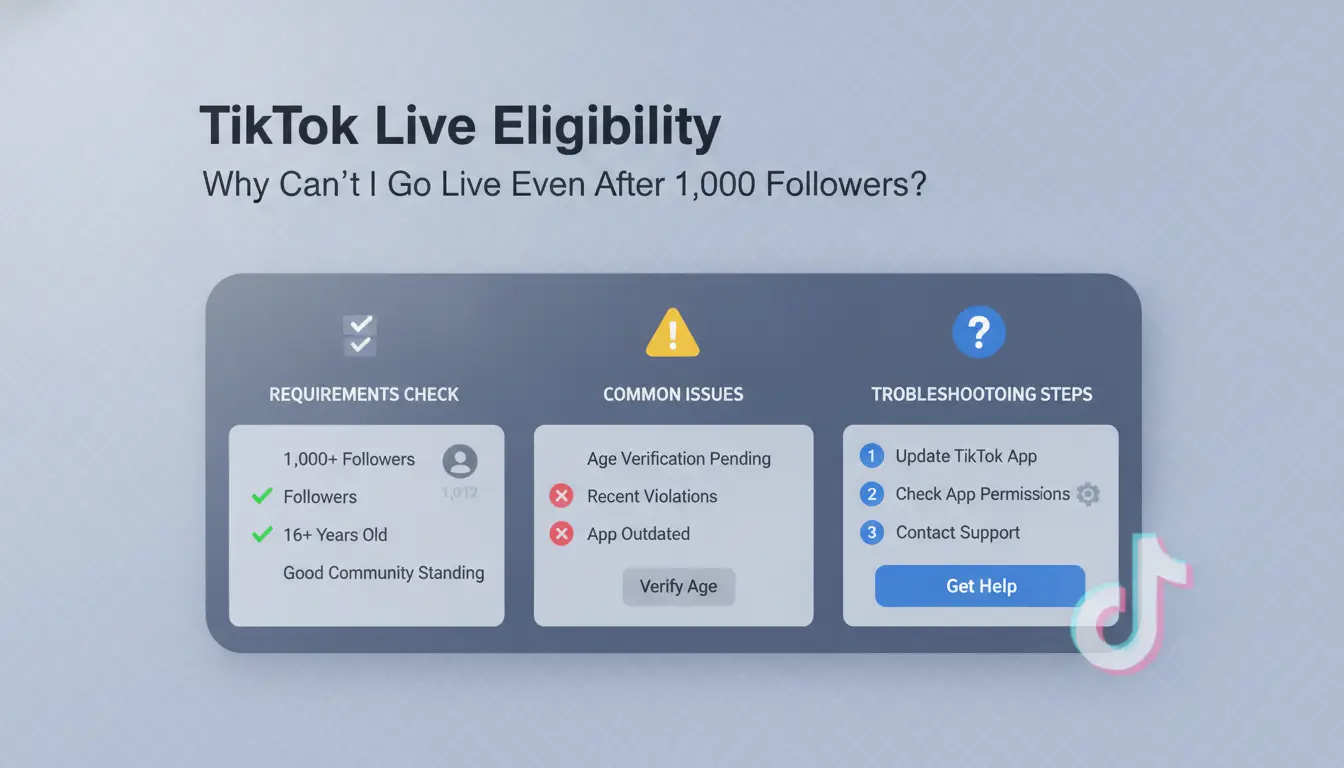
Hitting 1,000 followers is supposed to unlock TikTok LIVE, but for many, the option just never appears. If you keep searching "how many followers on tiktok to go live" and still can’t stream, the problem usually comes down to hidden requirements or account issues. Here’s how to check what’s really blocking you.
Account Age and Recent Activity
TikTok doesn’t just look at your follower count. Your account usually needs to be at least 16 days old before the LIVE feature appears, even if you already have 1,000 followers. If you built followers fast or bought them, but your account is only a few days old, you might get stuck waiting. Long periods of no posts or logging in from new devices can also trigger restrictions, TikTok wants to see steady, real activity before it unlocks features like LIVE.
Policy Violations and Community Guidelines
Any recent strikes, warnings, or content removals can block your access to LIVE. TikTok checks for rule violations such as posting prohibited content, getting reported, or breaking age rules. Even a single guideline strike can lock the LIVE button for days or weeks. Check your TikTok account status for any active restrictions. If you think a mistake happened, you can appeal directly in the app. Guideline strikes are the most common reason LIVE stays locked after reaching the minimum followers for TikTok LIVE.
App or Device Issues
Sometimes, the problem is technical. Outdated app versions, device glitches, or regional restrictions can all hide the LIVE button. If you’re using TikTok Lite, or your country blocks LIVE, you won’t see the option even with enough followers. Try updating to the latest TikTok app, clear cache, or reinstall. If possible, log in from a different device to test if the button appears. Check the TikTok Help Center for any current feature rollouts or known issues.
What to Do If You Still Can’t Go Live
If you’ve checked all the TikTok LIVE follower requirements and still can’t unlock LIVE, submit a support ticket through the app. Sometimes, you need to wait a few days after hitting 1,000 followers for the feature to activate. For more on how to unlock LIVE on TikTok, see the latest rules at TikTok’s official FAQ. Patience helps, sometimes, the rollout is just slow. If nothing works, keep your account active and avoid violations; access often appears after you pass the checks.
How to Grow Your TikTok Followers to Unlock LIVE Faster
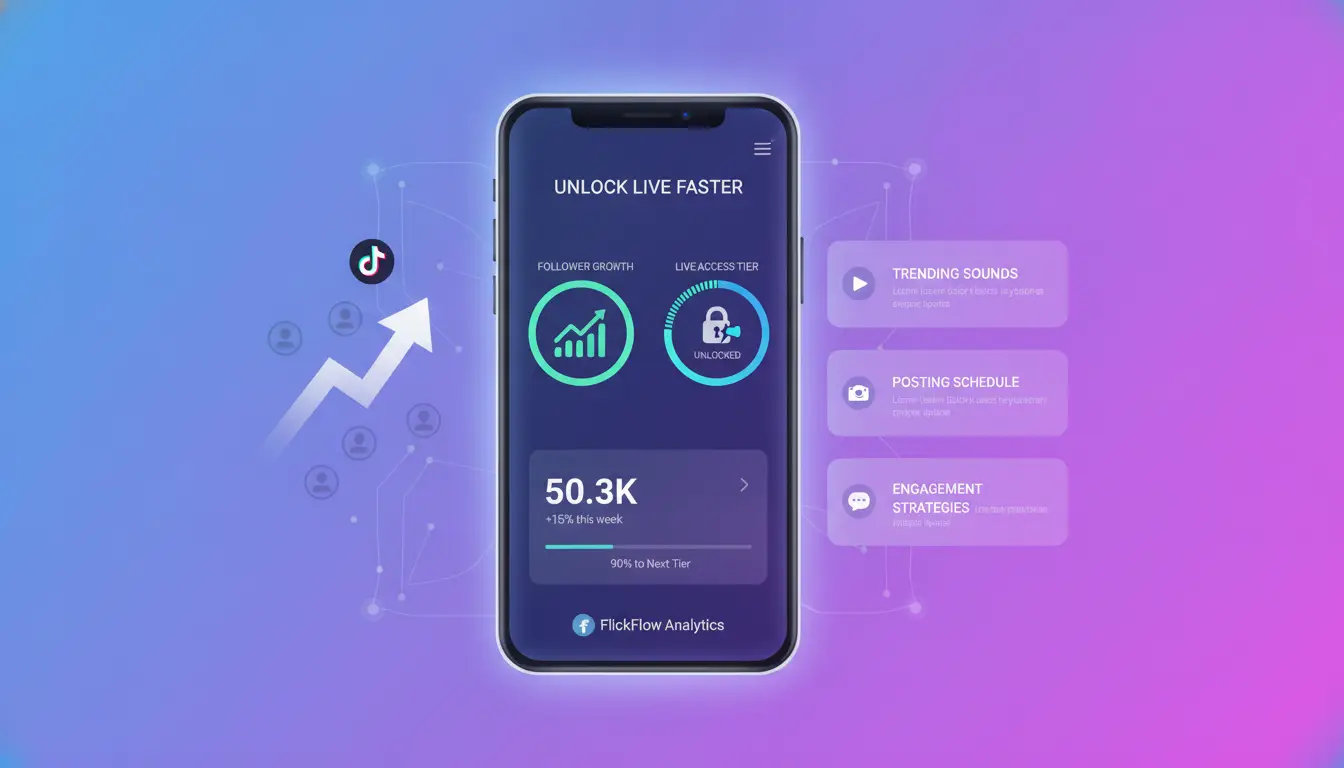
Hitting 1,000 followers is the most common TikTok Live follower requirement, but the real challenge is getting there without tripping any flags or wasting time on tactics that don’t work. If you’re searching how many followers on tiktok to go live, the answer is simple on paper, 1,000 followers, but in practice, TikTok may hold back Live access if your account history looks suspicious or your engagement is weak. Here’s how to build up fast and avoid the usual pitfalls.
Content Strategies That Attract Followers
Niche matters more than ever. Find a topic that fits your style and has active viewers, don’t chase trends unless you know you can keep up. Trending hashtags help, but only when your content matches the interest. The biggest mistake is posting once, then disappearing. Consistent posting is the single most reliable way to grow on TikTok. Aim for daily uploads if you can, or at least a schedule your followers recognize. Creators who hit 1,000 in a month usually have a clear content plan and stick to it.
Engagement Tactics That Actually Work
Replying to every comment, even short ones, signals to TikTok that your account is active. DMs can help, but comments are public and boost algorithm signals. Duets and collaborations spread your reach, especially with creators near your follower level. Tagging others in your niche or joining challenges can push your videos into new feeds. Most accounts unlock Live faster when they build real engagement, not just numbers.
Common Growth Mistakes That Delay LIVE Access
Buying fake followers rarely works. TikTok’s system checks for sudden spikes, low engagement, and bot activity. If you buy followers to hit the minimum followers for TikTok Live, you risk shadowbans or losing Live access. Spammy behavior, like follow-unfollow cycles or posting identical videos, makes it harder to unlock live on tiktok. Accounts flagged for violations may need extra days or manual review before Live appears.
How Long Does It Usually Take to Reach 1,000 Followers?
New accounts with steady, original content can reach 1,000 followers in 2–4 weeks. If growth stalls, switch up your format, try different lengths, use trending sounds, or ask questions in your videos. Check TikTok’s official help page for any country-specific rules. If Live doesn’t unlock at 1,000, wait a few days or contact support. The real answer to how many followers on tiktok to go live: get to 1,000 with clean engagement, then check for updates.
Are There Any Workarounds to Go Live on TikTok Without 1,000 Followers?
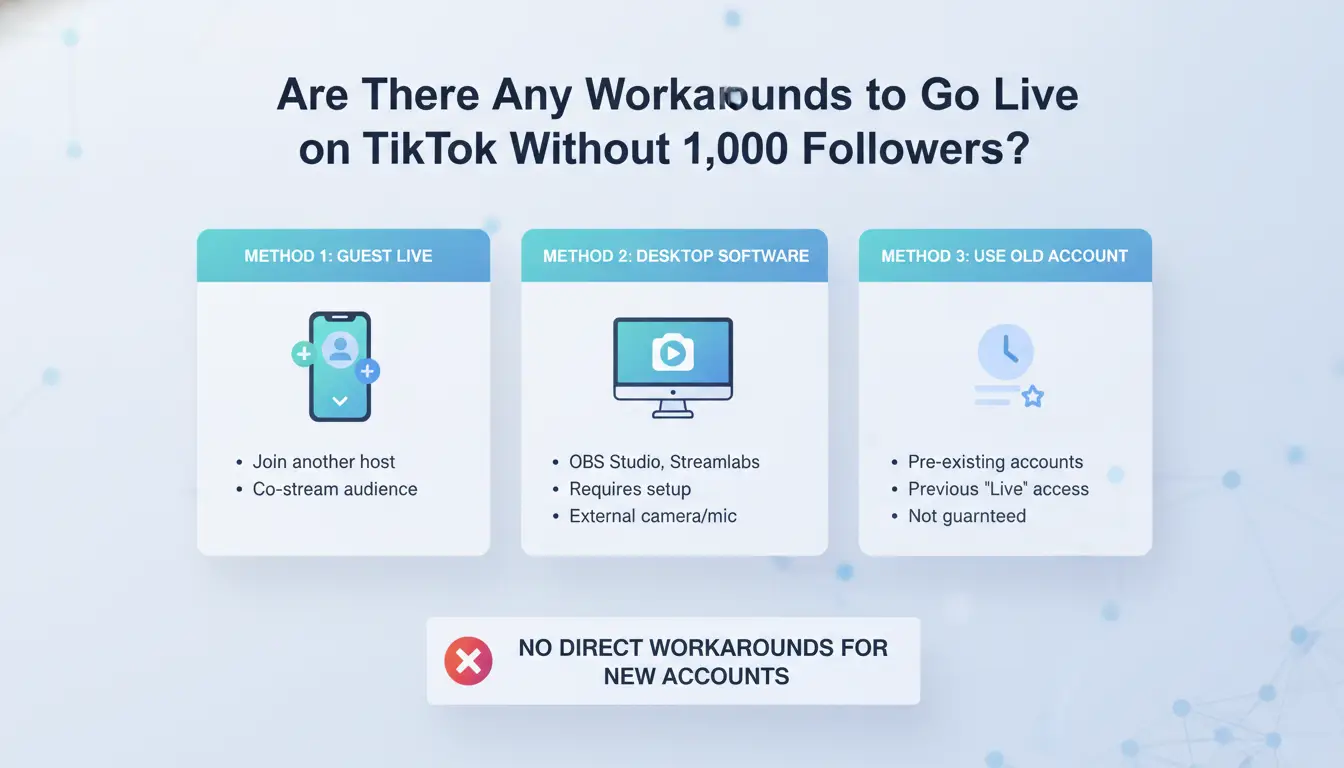
Some users look for shortcuts when they find out about the tiktok live follower requirements, especially if they’re stuck just below the threshold. While the official rule is you need 1,000 followers to unlock LIVE, people keep searching “how many followers on tiktok to go live” hoping there’s a loophole. Here’s what actually works, and what just wastes your time or puts your account at risk.
Can You Request Access to LIVE from TikTok?
You can try asking TikTok support to unlock LIVE before you hit the minimum followers for TikTok Live. Go to your profile, tap the menu, choose “Report a problem,” and request access to LIVE. Some users say this method worked for them, especially if their account is close to 1,000 followers and hasn’t broken any rules.
But most reports in 2026 suggest support rarely grants early access. TikTok’s help team often replies with a stock answer about needing to meet the tiktok live follower requirements. If you’re far from the cutoff, chances are you’ll be told to keep growing your audience.
Using Guest or Co-Host Features
You don’t need 1,000 followers to join as a guest in someone else’s LIVE. If a creator invites you, you can appear on their stream, this can give you a taste of the LIVE feature and sometimes help you reach more users. But you can’t start your own LIVE this way, and your account still won’t unlock full access.
Guest mode has its own rules: you must be over 18 in some regions, and hosts choose who joins. These limits mean guesting helps you practice, but doesn’t replace how to unlock live on tiktok for your own profile.
Risks of Using Third-Party Services or Buying Accounts
Some sites claim to help you buy accounts with LIVE unlocked or boost followers fast. This is risky. TikTok’s algorithms spot fake activity, mass follows, or sudden jumps in numbers. Buying an account or followers often leads to bans or account wipes, sometimes right after you go LIVE.
TikTok’s Community Guidelines clearly ban inauthentic activity. Accounts caught using shortcuts can lose access to LIVE or get removed completely.
What Actually Works (and What Doesn’t)
Most real users say only steady, organic follower growth triggers LIVE access. Methods like switching to Pro accounts, using odd settings, or spamming support tickets rarely work in 2026. TikTok’s policy is strict: you need to hit the real follower mark for your region, shortcuts almost always backfire.
How to Manage Multiple TikTok LIVE Accounts Safely for Social Media Marketing
Running several TikTok LIVE accounts on one device sounds tempting for social media teams, but TikTok’s systems are built to spot unusual patterns. Many marketers focus on how many followers on tiktok to go live, thinking that hitting 1,000 is the only challenge. In reality, staying live and unbanned with more than one account takes careful planning. Below are the key risks, solutions, and best practices.
Why Managing Multiple TikTok Accounts Is Risky
TikTok checks for links between accounts using a mix of IP addresses, device IDs, and browser fingerprints. If you log in to several LIVE-enabled accounts from the same phone or computer, TikTok can quickly link them, even if you use different emails and phone numbers. The most common mistakes? Logging in without changing your device's network, forgetting to clear cookies, or using the same device for both work and personal TikTok accounts. These slip-ups can trigger bans or block you from going live, even if each account meets the minimum followers for tiktok live.
How DICloak Helps You Run Multiple TikTok Accounts Safely
You can use DICloak to create a separate browser profile for each TikTok account. Each profile has its own fingerprint, cookies, and settings. DICloak also lets you assign a unique proxy to each account, making it look like every login is from a different place and device. This setup means TikTok sees each LIVE account as truly separate, reducing the risk of mass bans or restrictions.
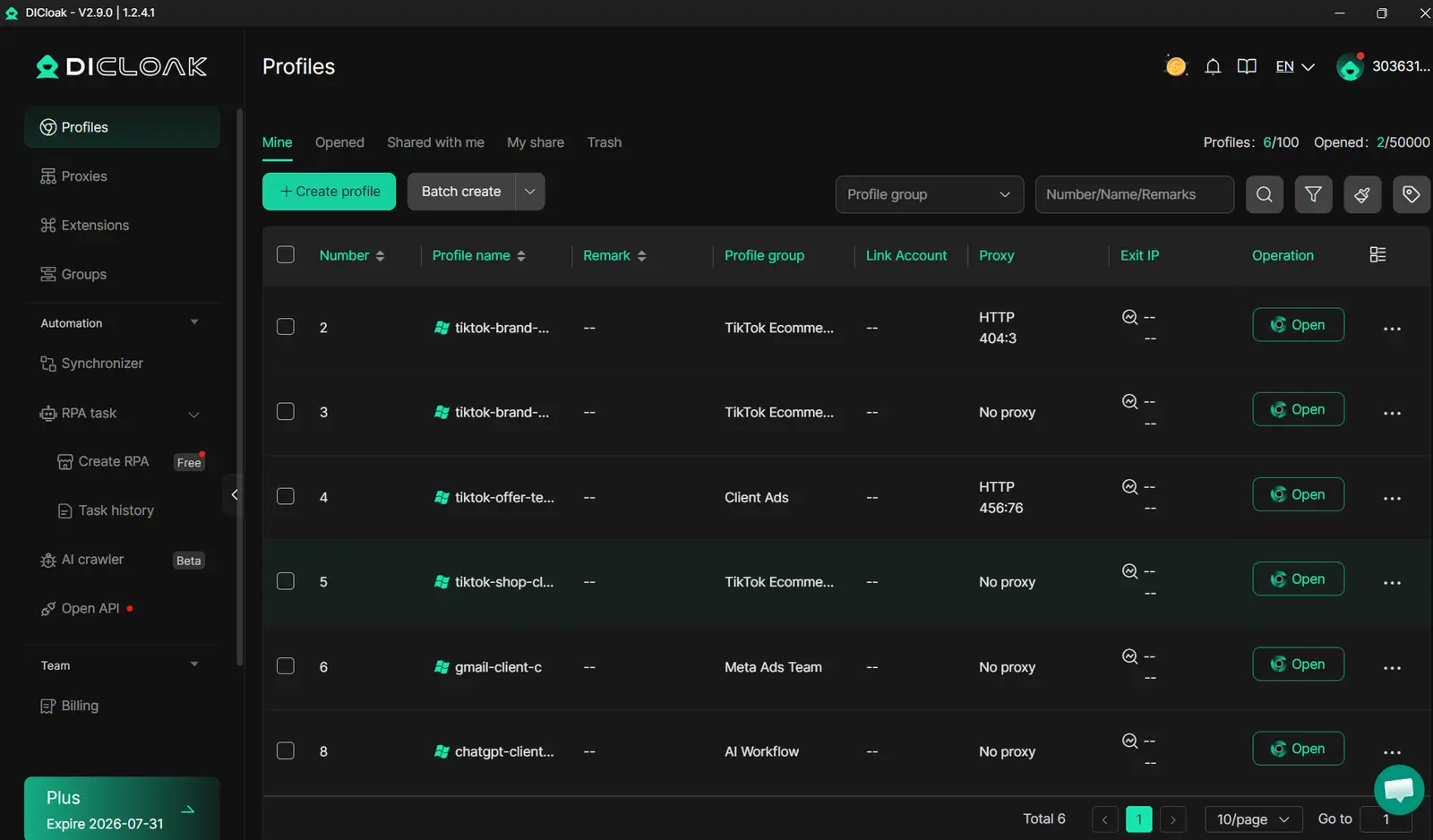
Team Collaboration and Automation for TikTok Marketing
With DICloak, teams can share access to TikTok LIVE accounts without exposing passwords. Role-based permissions keep each member locked to their assigned accounts. Built-in automation tools handle routine tasks, like switching profiles or clearing sessions, so you waste less time and lower the chance of human error.
Best Practices to Avoid TikTok Restrictions
Keep each account’s activity looking natural, avoid logging in from new places too often or making sudden changes. Watch for warning signs like login challenges, requests for extra verification, or delayed LIVE access after hitting follower goals. If you spot these, pause and review your setup before pushing more accounts live. This approach helps you go beyond just searching how to unlock live on tiktok and actually stay live.
Step-by-Step: How to Start a TikTok LIVE Once You’re Eligible
How to Access the LIVE Feature in the TikTok App
Once your account meets the minimum followers for TikTok LIVE, usually 1,000, though the number can shift based on your region or past account issues, the LIVE button will appear when you tap the “+” sign. If you’ve hit the tiktok live follower requirements but still don’t see it, update the app, check for any policy violations, or log out and back in. Some users need to wait a day or two after crossing the threshold.
Setting Up Your First LIVE: Titles, Filters, and Settings
Pick a title that tells viewers what to expect. Add filters or effects to match your style. Turn on moderation tools to block unwanted comments. Spend a minute tweaking the settings, small changes can help your stream stand out.
Going LIVE: What to Expect During Your Broadcast
Viewers can join, send gifts, and chat in real time. Answer questions on camera to build engagement. Hit “End” when you’re done, then review your session stats before closing the app.
Troubleshooting Common LIVE Issues
If you run into glitches, like missing audio or dropped connections, restart the app or try a different device. For repeat problems, check the TikTok Help Center for updates.
Tools like DICloak let marketers run each TikTok account in a separate, isolated browser profile tied to its own proxy. This reduces the risk of accounts getting linked and banned, especially if you manage LIVE for multiple brands or clients. You can use DICloak’s team features to safely share account access and coordinate campaigns without mixing cookies or device details. Automation tools save time by letting you schedule broadcasts or monitor several LIVE sessions at once, making large-scale social media marketing safer and more efficient.
Pro Tips to Make Your TikTok LIVE Sessions Stand Out
Going LIVE on TikTok feels simple, just hit the button when you hit the minimum followers for TikTok LIVE. But standing out is tougher. Most creators search how many followers on TikTok to go live, but the real challenge starts after unlocking the feature. The tips below cover what actually works for boosting engagement, drawing viewers, and avoiding mistakes that kill your stream.
How to Promote Your LIVE Before Going On Air
If you want people to show up, promote your LIVE across platforms. Share your stream link on Instagram, Twitter, or even Discord groups. TikTok Stories work well for reminders, set a countdown sticker to build hype. Posting a quick teaser video before your session can alert your existing followers. Timing matters: schedule your stream for when your audience is usually active.
Engagement Tactics During Your LIVE
Don’t just talk, get viewers involved. Run fast Q&As using the chat so everyone feels included. Try simple challenges or polls; these keep people watching longer. Respond to gifts and comments in real time. Shout out new followers as they join. If you see engagement dropping, change the pace or topic quickly.
Common Mistakes That Hurt Your LIVE Success
Plenty of creators ignore moderation tools and regret it later. Set up keyword filters and assign moderators, you’ll save yourself from spam or trolls. Broadcasting at the wrong time is another easy mistake. If you go live when most followers are offline, your stream will flop. Use TikTok analytics to check peak activity windows.
How to Analyze and Improve Your LIVE Performance
After your session, check TikTok’s built-in analytics. Look at viewer count, watch time, and engagement. Compare these stats with previous streams using simple tables to spot trends. If feedback points out weak spots, like boring topics or technical issues, adjust your content. Iteration matters more than follower count; even if you just hit tiktok live follower requirements, steady improvement is what grows your audience.
The most critical insight: Consistent feedback-driven changes turn average streams into standout sessions, regardless of how many followers on TikTok to go live.
Frequently Asked Questions
Can you go live on TikTok with less than 1,000 followers?
TikTok’s official policy says you need at least 1,000 followers to go live. This is the main tiktok live follower requirement. Sometimes, TikTok tests features or makes updates, but these exceptions are rare. Most users must reach 1,000 followers before they can unlock LIVE on TikTok and start streaming.
Does age affect your ability to go live on TikTok?
Yes, age matters. You must be at least 16 years old to access TikTok LIVE, even if you meet the minimum followers for tiktok live. If you want to send or receive virtual gifts, you need to be 18 or older. These age rules help keep TikTok safe for younger users.
What happens if you lose followers after unlocking LIVE?
If you unlock TikTok LIVE by reaching 1,000 followers and then drop below that number, you usually keep your live access. TikTok does not instantly remove LIVE unless you break their rules. However, policies can change, so keeping your followers above 1,000 is a good idea.
Is it safe to buy TikTok accounts with LIVE access?
Buying TikTok accounts with LIVE access is risky. TikTok can detect account transfers and may ban accounts that break their terms. You could lose the account and any followers. Instead of buying, grow your followers naturally to learn how to unlock live on tiktok safely.
Can you join someone else’s LIVE if you don’t meet the requirements?
Yes, you can join as a guest or co-host on someone else’s TikTok LIVE, even if you don’t meet the minimum followers for tiktok live. The host must invite you. You still need to follow TikTok’s age requirements to go live as a guest.
To go live on TikTok, you need at least 1,000 followers and be 16 years or older, making it important to focus on growing your audience before accessing this feature. Consistent content creation and engaging with your followers can help you reach this milestone and unlock new opportunities on the platform. Try DICloak For Free
 Web Proxy Tools
 Free Tools
 Cookie Plugin
 UA Generator
 MAC Address Generator
 IP Generator
 IP Address List
 2FA Code Generator
 World Clock
 Anonymous Check
 WebRTC Leak Test
 UUID Generator
 Free Web Proxy Site
 Proxy Checker
 FB Ad Checker
 AI Web Scraping
 Free SMM Tools
 Twitter Shadowban Checker
 Instagram Name Checker
 UTM Generator
 Username Generator
 AI Hashtag Generator
 LinkedIn Headline Generator
 Social Media Image Resizer