Trying to get through google ads signup without hitting a wall? You’re not alone. Even if you’ve handled google ads account signup before, Google’s process in 2026 is full of tripwires, from unexpected identity checks to stricter payment reviews. One wrong detail, and your new account can get flagged before you ever launch a campaign.
But skipping steps to save time almost always backfires. Rushing through google ads registration or reusing browser setups can link accounts in ways Google’s systems catch fast. Even small details, like mismatched billing info or skipping a fresh browser profile, turn into review holds, shadow bans, or worse, a permanent block from ad spend.
What actually works is a step-by-step signup plan that covers both the obvious and the hidden risks. That means knowing which details Google checks now, how to avoid accidentally connecting new accounts to old ones, and why multi-account workflows need more than just clearing cookies. If you run ads for clients or manage several brands, these details make the difference between running smooth and getting stuck in appeals.
Start by checking the current signup requirements, missing even one can stall your process for days.
What to Check Before Signing Up for Google Ads
Before you start the google ads signup process, make sure every detail matches Google’s requirements, missing or mismatched info leads straight to holds or rejections. Skipping even one key step can cost you days in review or lock you out entirely.
Eligibility and Account Requirements
You need real business info, no shortcuts. Google checks legal business name, address, tax ID (if required), and expects your website to be live and working. If your country isn’t supported, or your payment card comes from a mismatched region, signup will fail or get flagged.
Common Restrictions and Risk Factors
- Use a clean browser profile and a fresh device or virtual machine for each new signup, shared environments often cause instant review.
- Double-check your IP address matches your claimed location, using a proxy from one country while your business is registered in another is a red flag.
- Never try multiple signups from the same IP or device within a short window, Google’s systems connect these attempts and may ban all related accounts.
Preparing for Multi-Account Needs
If you manage ads for several clients or brands, separate every account from the start. Mixing business and personal accounts in the same browser or device is a shortcut to restriction. Even if you’re just testing, Google’s automated checks can link accounts through small details.
Checklist for multi-account setups:
- Use a different browser profile or isolated environment for every account, don’t reuse cookies, cache, or device fingerprints.
- Assign unique payment cards and billing addresses per account, recycling the same payment method is a common trigger for review.
- Keep business and personal accounts completely separate, never log into two accounts on the same device, even briefly.
If you cut corners here, expect Google’s review systems to flag your accounts fast. Once flagged, appeals rarely work unless you can clearly show every account is for a different business or client. That’s why the most experienced account managers start with strict separation, not just after the first restriction.
These pre-signup checks sound tedious, but skipping them means you’re more likely to get stuck in Google’s risk queue instead of running ads. Next, it’s worth seeing exactly why some signups get restricted or suspended, most failures trace back to missed details from this checklist.
Why Some Google Ads Signups Get Restricted or Suspended
Most google ads signup failures trace back to small details that trigger Google’s risk detection systems. Missing a compliance step or reusing signals from an old account can put a fresh registration on hold before it even gets approved. If you’ve ever had a signup stall or watched a new account get suspended within hours, the real cause usually sits in one of three buckets: policy violations, duplicate signals, or browser and device mismatches.
Policy Violations and Compliance Risks
Google blocks signups fast when ad content breaks platform rules or comes from flagged business types, think crypto, supplements, or ticket resellers. Payment method mismatches are another common reason: using the same card across multiple accounts or entering billing info that doesn’t match your business details often leads to instant restriction. Even a typo in business address can trigger manual review.
Frequent Causes of Signup Failure
The most common failure isn’t a blatant policy break, it’s Google spotting duplicate account signals. If you use a device, IP, or browser profile tied to a previously banned account, Google’s systems connect the dots and shut down the new registration. Here’s the thing, setting up a clean account isn’t just about clearing cookies. Google tracks device IDs, browser fingerprints, and session histories. For example, if you sign up using a laptop that was used for another Google ads account that got restricted last year, the new account is likely to get flagged before you even submit your first campaign. Even switching to a different Wi-Fi network won’t always help if your device has been fingerprinted. The hardest part is avoiding invisible links, Google looks for patterns across accounts, not just identical logins or emails.
How Google Detects Risky Signups
- Browser fingerprinting checks: Google compares font lists, screen sizes, and device specs to spot reused setups.
- IP and geolocation signals: Signing up from a flagged region or using the same IP as a banned account triggers extra scrutiny.
- Payment and business info cross-checks: Reused cards or mismatched business names are flagged in real time.
Getting past Google’s signup review means building a process that avoids these hidden links. If the system finds any overlap, like a reused device or payment method, your new account can get suspended automatically, often before you get access to the dashboard. Next, you’ll need a step-by-step plan to sign up for Google Ads in 2026 without landing in a review queue.
Step-by-Step Guide: Signing Up for Google Ads in 2026
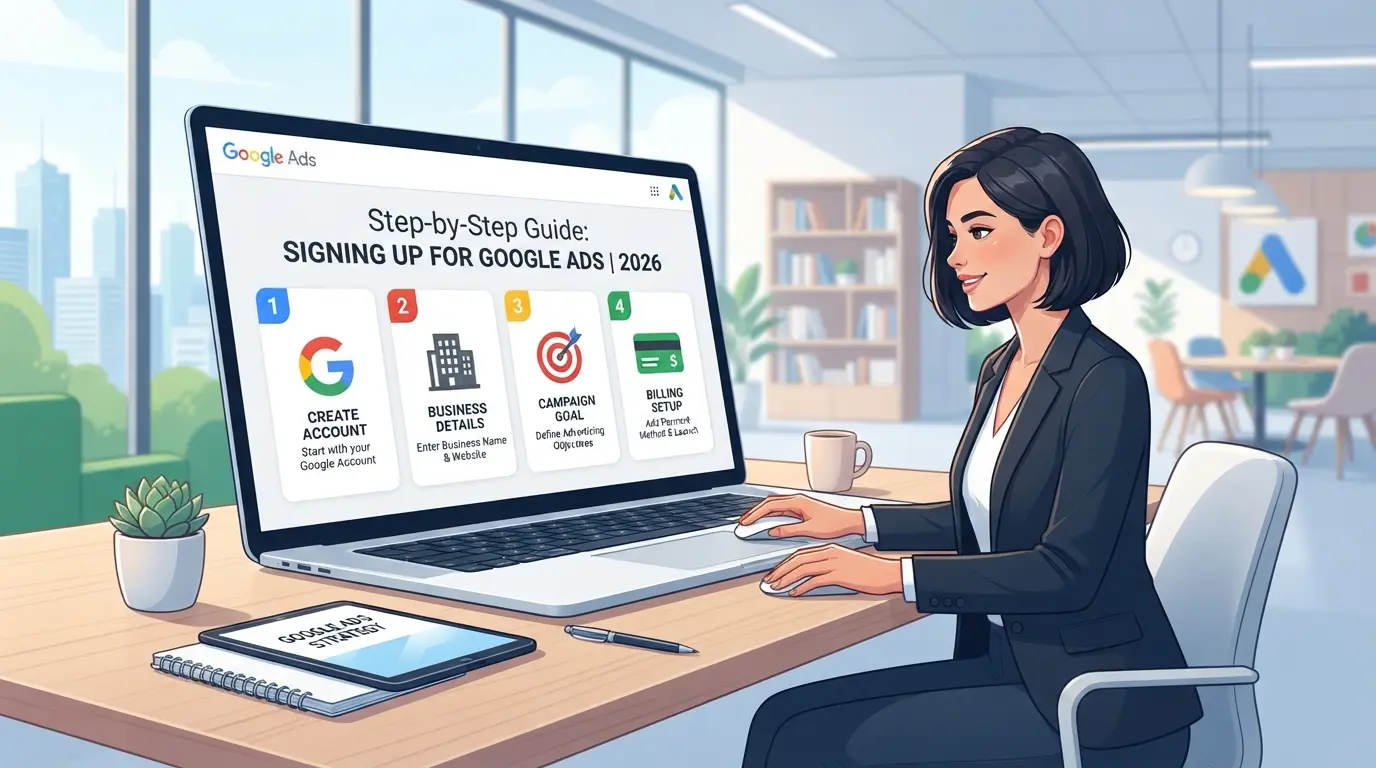
Getting through google ads signup in 2026 means handling both obvious forms and hidden checks, skip a detail and you can hit instant review holds. Here’s the current process, broken down so you don’t miss what actually matters.
Creating Your Google Account
- Pick “Business” if you plan to run ads for clients or multiple brands. “Personal” ties activity to you directly, harder to scale later.
- Set a strong password and enable 2-step verification. If you skip this, Google’s risk systems flag your account as less trustworthy.
- Log in from a device and browser you haven’t used for any old Google Ads accounts. Reusing setups links your new registration to past activity.
Entering Business Information and Payment Details
- Fill in legal business name, address, and contact info. Fake details or typos trigger manual reviews, those can stall you for days.
- Add a payment method: in 2026, cards (Visa/MasterCard), direct debit, and select e-wallets are accepted. If your card was used on a banned account, Google’s system can auto-reject.
- Double-check billing address matches your business registration. Mismatches lead to instant warning banners and blocked ad spend.
Setting Up Your First Campaign
- Choose a clear campaign goal, sales, leads, or traffic. If you pick “custom,” Google may require extra review.
- Set a starter budget. For new accounts, stay under $500 a day; high initial budgets often trigger risk reviews.
- Target by location and audience. Avoid copy-pasting settings from any old or banned accounts, Google compares patterns.
Verifying Account and Avoiding Early Restrictions
- Verify email and phone. Miss one, and your ads won’t go live.
- Make a small test payment. Failed payments or delays signal risk and can freeze your account.
- Launch a basic campaign with real content, dummy ads or blanks usually result in instant restriction.
If you see a red warning after submitting, your info likely mismatched or linked to old account activity. That’s the main trigger for the restrictions covered next.
Common Mistakes That Trigger Google Ads Restrictions
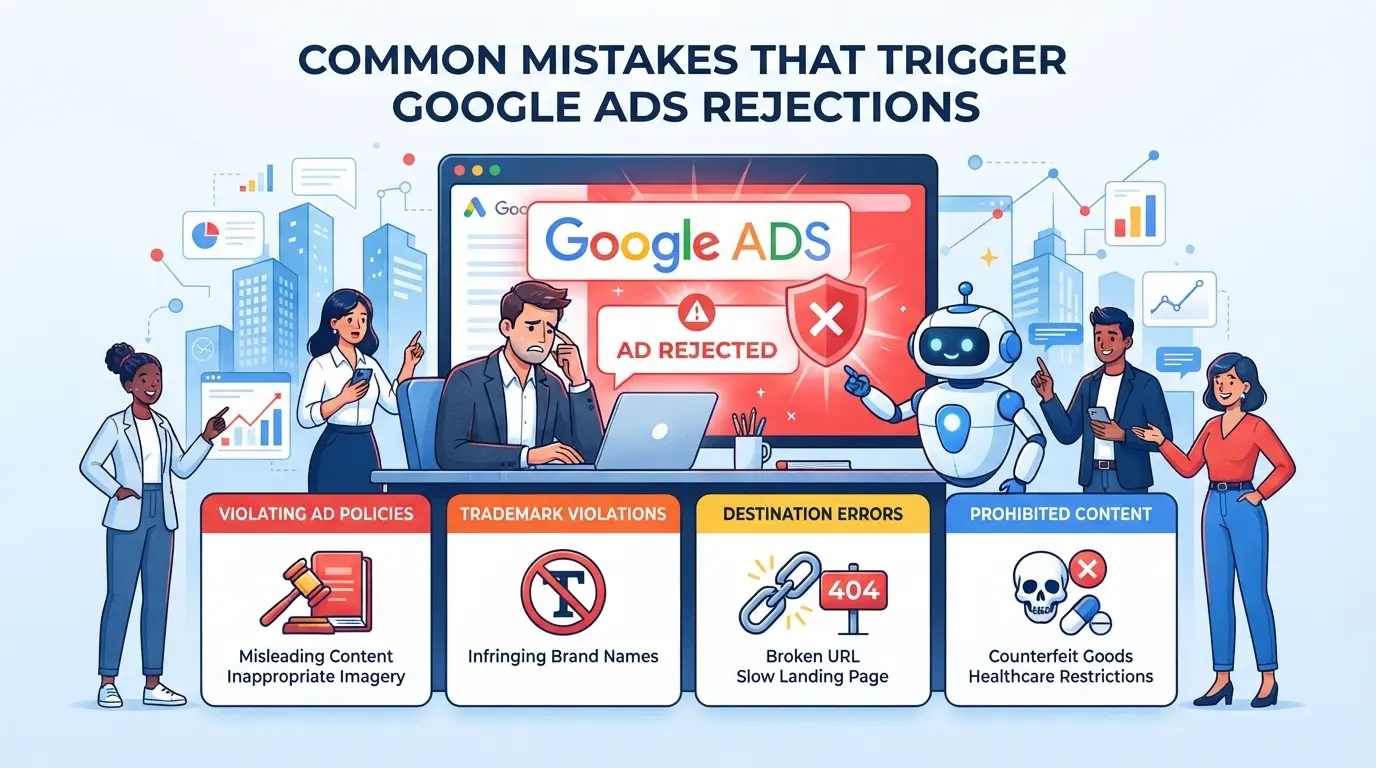
Even with a clean google ads signup, account restrictions often come from small errors after you hit “create.” Missing these details means your ad spend could be paused or your new account flagged before your first campaign goes live.
Mixing Multiple Accounts on One Device
Running several accounts on a shared laptop or phone is the fastest way to get flagged. Google connects device IDs and browser fingerprints, if you swap accounts in the same browser window or recycle the same user profile, expect review holds or instant suspensions.
Using Untrusted Proxies or IPs
- Check if your proxy IP is already banned or overused
- Use residential or mobile proxies, not datacenter IPs
- Avoid IPs used by public scraping tools
Ignoring Fingerprint Consistency
Mismatch between browser settings and account details (like timezone, language, or OS version) stands out to Google’s risk systems. Even a minor inconsistency, such as a US billing address with a non-US browser locale, can trigger a trust review.
Skipping Account Verification Steps
Missing steps during signup stalls activation and leads to “verify your info” warnings.
- Complete email and phone confirmation during initial setup
- Enter billing info before your first ad draft
- Double-check that your payment method matches your account region
The next step is learning how marketers can keep multiple Google Ads accounts safer without tripping these common checks.
Using DICloak to Build Safer Multi-Account Workflows for Google Ads Signup and Management
Social media marketers running several Google Ads accounts face a common headache: mixing sessions on one device almost always triggers platform restrictions. It’s not just about clearing cookies, Google’s systems track browser fingerprints and network signals much deeper. For teams who need to keep each account clearly separated, using DICloak as a workflow layer gives practical control over browser profiles, fingerprint details, and proxy settings. The scope is limited to browser profile access; it does not change the connected SaaS tool.
Separating Accounts with Profile Isolation and Fingerprint Configuration
Operators can create a new DICloak browser profile for each Google Ads account, then set up fingerprint signals to keep environments distinct. That means configuring details like operating system, User Agent, time zone, screen resolution, and WebRTC handling for each profile, without mixing sessions or device traces. This removes the risk of shared browser context leaking between accounts, especially when onboarding new clients or brands. Teams should always check current browser kernel support before assigning a profile to a fresh google ads signup, since outdated versions can cause platform review issues or break session stability. The biggest mistake is skipping profile isolation, one slip can link accounts you meant to keep apart. 
User-Provided Proxy Configuration for Assigned Profiles
Operators can assign their own proxy to each DICloak profile where a separate network connection is needed. Enter proxy details manually, host, port, username, password, or use quick input if you have a provider string. Run the built-in connectivity test to check the exit IP, country, and time zone before opening the account session. This way, every Google Ads account workflow stays tied to a consistent, controlled network signal. The process is straightforward, but don’t fall into the trap of reusing proxies across profiles; if you’re managing accounts for different brands, test each proxy setup and document the IP/location used. DICloak stores your proxy settings per profile, but does not supply proxies itself, you must source, verify, and maintain your own. 
Integrating Open API for Automated Account Workflows
Manual switching and session management get messy as your account load grows. Teams can use DICloak’s Open API, either HTTP API for remote operations or Local API for desktop-based workflows, to open profiles, trigger automation tools, and handle routine account tasks. The Local API connects through the installed DICloak client, while HTTP API routes requests to the cloud platform. Check the official API documentation before building an integration; endpoints differ, and plan access varies. Developers often script profile opening, connect Playwright or Puppeteer for automation, and schedule account tasks in bulk. Just remember, Open API manages browser profiles and sessions, it doesn’t control Google Ads platform actions or campaign settings. 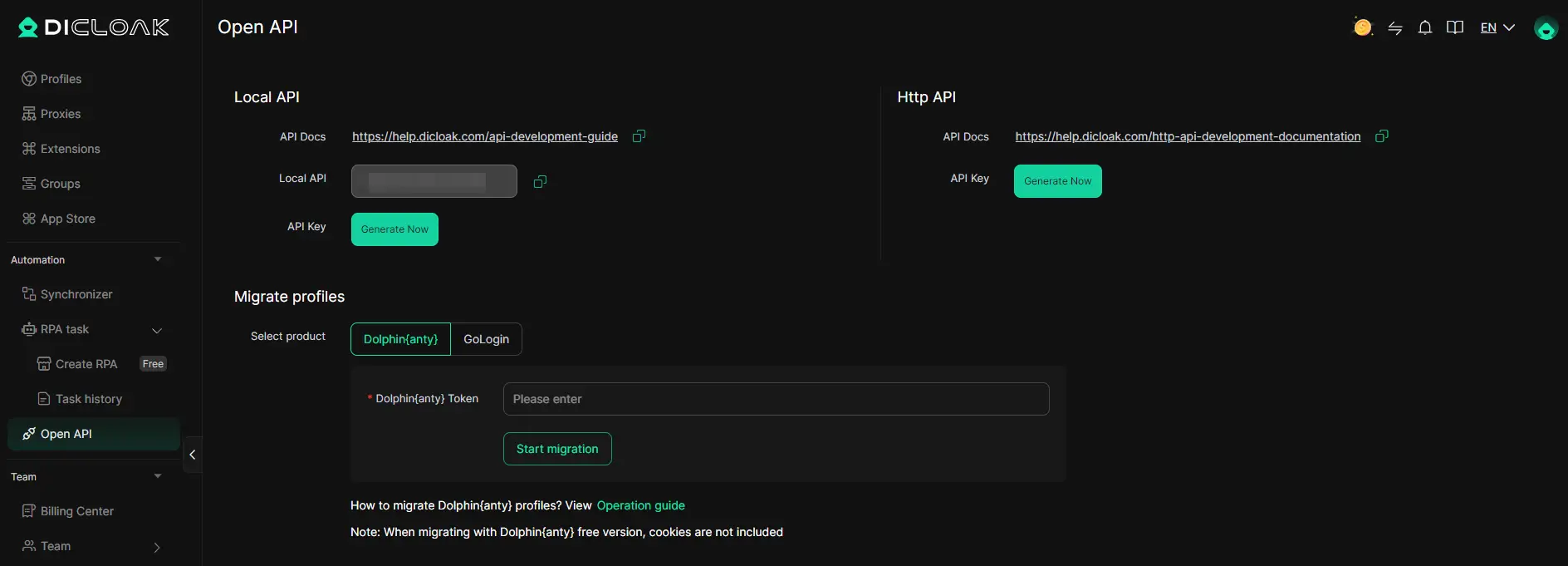
If you’re running multiple Google Ads accounts for social media campaigns, separating environments and automating workflows keeps your operation stable, especially as your team scales. The next section breaks down when managing multiple accounts is worth it, and when it can cause more trouble than it solves.
When Managing Multiple Google Ads Accounts Makes Sense (and When It Doesn’t)
Managing multiple Google Ads accounts only makes sense if you have distinct business needs, like running ads for separate clients, brands, or products, where mixing budgets or audiences would cause problems. Otherwise, extra accounts can quickly become a headache.
Business Cases for Multiple Accounts
Most people split Google Ads accounts for two main reasons: agency work and multi-brand needs. Here’s how the options compare:
| Situation |
Multi-Account Fit |
Single Account Fit |
| Agency with client ads |
Strong |
Weak, mixes data, risk |
| Multiple brands/products |
Strong |
Weak, complex budgets |
| Single business, 1 site |
Weak, adds risk |
Strong, simpler compliance |
If your work fits the first two rows, managing more than one account is usually worth the setup time.
Risks and Downsides of Multi-Account Management
Running several accounts means more risk and more rules to follow. The main pitfall is that Google’s systems catch patterns, like shared payment info or similar browser setups, so even small overlaps can lead to a restriction across all accounts. If you’re not strict about isolating each workflow, one mistake can lock out your entire ad operation.
Alternatives to Multi-Account Workflows
Scaling campaigns inside one Google Ads account is safer if you only run ads for a single business. Using delegated access (like adding users with limited permissions) covers most teamwork needs without extra signup steps or added risk. Only move to multi-account setups when a single account can’t keep budgets, audiences, or reporting separate enough.
If you do run a team, the next step is to set up safer workflows that avoid accidental linkages or compliance mistakes.
Safer Workflow Tips for Google Ads Account Teams
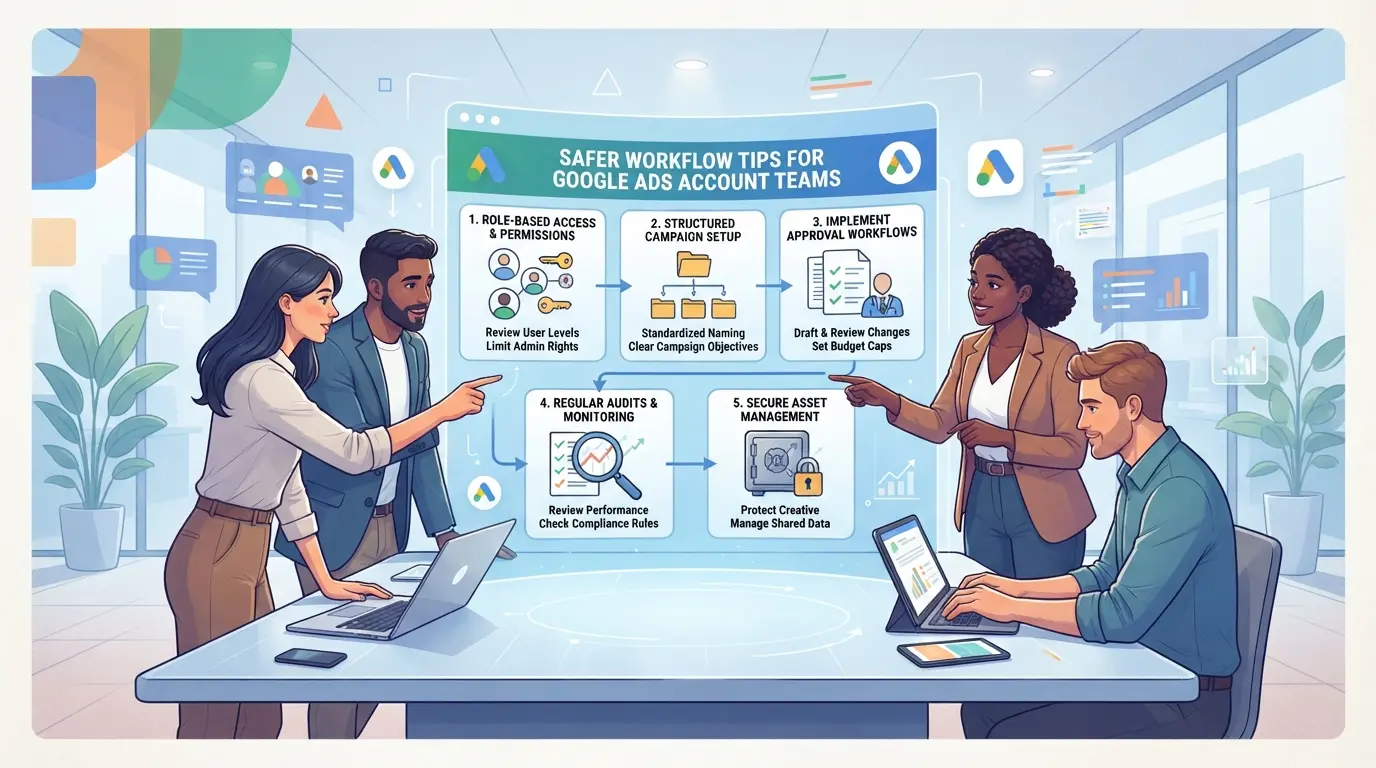
Staying organized and strict with account boundaries is the real difference between a clean google ads signup and a pile-up of restrictions later.
Assigning Roles and Permissions
Only give access to team members who really need it. Set permission levels so campaign managers can edit, but billing stays locked to admins. Rotate access rights as team members join or leave.
Maintaining Activity Logs and Audit Trails
- Check login and change logs at least once a week.
- Flag any access from unknown locations right away.
- Keep a copy of all account change records for 90 days.
Periodic Account Health Checks
Look for warning banners or unusual holds in the dashboard every month. Act fast if policy alerts pop up, waiting can trigger auto-suspension.
Updating Browser Profiles and Proxy Settings
Refresh your browser profiles and proxies before each new signup.
- Use a new profile for each account.
- Change proxy IPs when starting a new workflow.
- Clear all session data before switching users.
Frequently Asked Questions About google ads signup
Is it legal to sign up for multiple Google Ads accounts?
Signing up for multiple Google Ads accounts is allowed for agencies, brands, or businesses with different needs. However, Google Ads has strict policies on account use. Each account must follow Google’s terms and local laws. Misuse, like creating duplicate accounts to get promo credits, can result in suspension.
Can I use a proxy for Google Ads signup?
You can use a proxy during google ads signup if it is your own and matches your real location. Google may flag accounts with inconsistent or suspicious IP addresses. High-quality, stable proxies help prevent unwanted verification checks or account bans, but always follow Google’s rules to avoid issues.
What payment methods are accepted for Google Ads in 2026?
Google Ads usually accepts major credit cards, direct bank transfers, and some digital wallets like PayPal in supported regions. Payment method availability can change by country and year. For the most accurate list, check Google Ads’ official documentation before starting your google ads account signup.
How many Google Ads accounts can I safely manage?
Agencies often manage multiple Google Ads accounts for different clients using a manager account (MCC). Each account must be separate, verified, and comply with Google policies. Managing more accounts increases complexity, so set up clear workflows and keep ownership details organized for each account.
Can I automate Google Ads account workflows with DICloak?
DICloak Open API lets you automate browser profiles and handle browser control, making it easier to manage signups and logins. However, DICloak does not perform actions inside the Google Ads platform itself. You must use Google’s native tools or APIs for actual ad management and campaign tasks.
Once your account is set up, the next step is to decide on your advertising goals and set your budget to start reaching your target audience. Take time to explore the platform’s features and analytics so you can improve your campaigns for better results.
Try DICloak For Free
 Web Proxy Tools
 Free Tools
 Cookie Plugin
 UA Generator
 MAC Address Generator
 IP Generator
 IP Address List
 2FA Code Generator
 World Clock
 Anonymous Check
 WebRTC Leak Test
 UUID Generator
 Free Web Proxy Site
 Proxy Checker
 FB Ad Checker
 AI Web Scraping
 Free SMM Tools
 Twitter Shadowban Checker
 Instagram Name Checker
 UTM Generator
 Username Generator
 AI Hashtag Generator
 LinkedIn Headline Generator
 Social Media Image Resizer