Seeing “Google Ads Account Suspended” in your dashboard hits hard, especially when you’re running campaigns for clients or have active budgets you can’t pause. Most people scramble to appeal or start new accounts, but the real problem is figuring out what triggered the suspension and how to stop it from happening again. You’re not just facing a blocked ad account; you’re dealing with lost reach, broken reporting, and possible account bans across linked platforms.
Trying to rush a fix can backfire. Google Ads suspensions are rarely random. If you ignore warning signs, miss key account checks, or reuse device fingerprints, you risk getting your new accounts banned even faster. Appeals often fall flat when you don’t address the underlying issue, like hidden policy violations, mismatched business info, or suspicious login patterns.
The practical move is to slow down and check the suspension reason, account history, and any signs of platform detection. Look for red flags: sudden spikes in ad spend, repeated login from unusual locations, or missing business verification. If your account was banned after running similar ads on multiple profiles, you need to check whether your setup is causing Google’s system to link your accounts.
Before sending an appeal or creating a backup account, it pays to know what Google actually flags and what you can fix directly. Here’s what to check next.
Why Google Ads Accounts Get Suspended: The Real Triggers in 2026
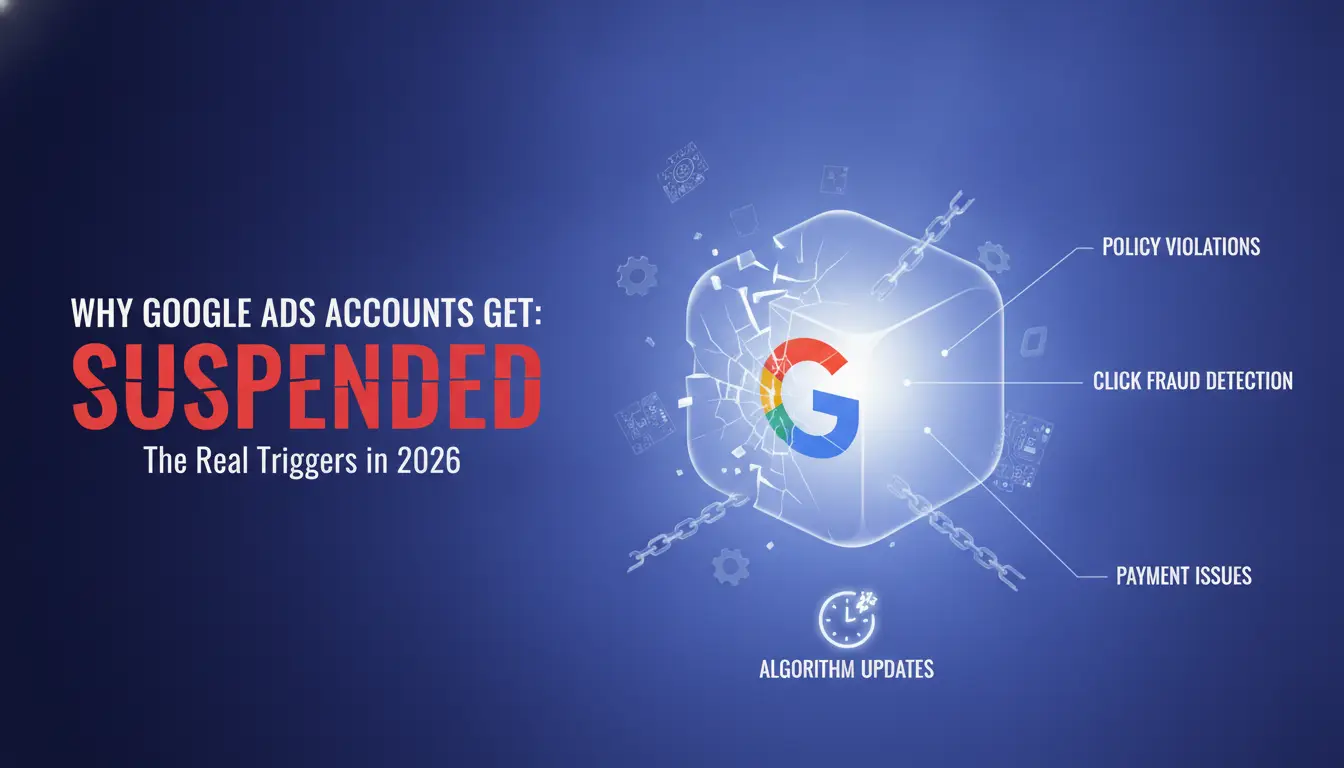
Most users only realize their Google Ads account is at risk after the suspension hits. The real triggers in 2026 are tighter policy checks, smarter fraud detection, and a new batch of automated reviews that catch patterns missed in previous years. If your account was blocked, odds are you missed a small detail, like mismatched business info or a billing slip, that flagged Google's system. Fixing the visible issue isn't enough; you need to know what actually caused the suspension.
Policy Violations That Still Catch Most Users
Ad content and landing pages are the quickest way for Google to block accounts. If your ad links to a restricted product, or you slip in misleading text, even by accident, the system flags it. Review your landing pages for hidden triggers like banned keywords or unsupported claims. Suspensions often start here, so don’t ignore content tweaks.
Suspicious Payments and Billing Errors
Payment issues are a top reason for account bans, but most people only check for unpaid balances. The harder problem is payment method mismatches, like using a card that’s never been tied to your business before, or updating billing info from a location that doesn’t match your account’s country. For example, if you change your billing address from Germany to Brazil but your ads target the US, Google’s risk system will flag this as a fraud risk. Sometimes, even a single failed payment attempt can trigger an account review. You might see a red warning in your dashboard, but the actual trigger was a card flagged as stolen or a sudden spike in ad spend after a billing update. The review process isn’t always instant. If Google’s automated checks spot a pattern, like multiple accounts with overlapping billing details, your account can get suspended days after the initial payment error. The main tradeoff is speed versus safety: quick fixes often fail because they ignore the mismatch, while slower, careful changes have a better chance of passing review.
Circumventing Systems: What Google Flags Instantly
- Logging into multiple accounts from the same device or IP will trigger Google’s system, shared setups are risky.
- Masking your identity with proxies or fake business info gets flagged faster in 2026; Google’s checks now cross-reference business registrations.
- Reusing account structures, ad creatives, or similar landing pages across profiles is a shortcut to getting all linked accounts suspended.
You can fix content or billing errors, but once Google flags you for circumventing their systems, appeals rarely work. If your setup matches any of these patterns, step back before trying recovery, otherwise, you’ll just end up banned again.
Before jumping into recovery, check exactly which trigger fits your case. The next section breaks down what to check before you try to get your account back.
What to Check Before Trying to Recover Your Google Ads Account
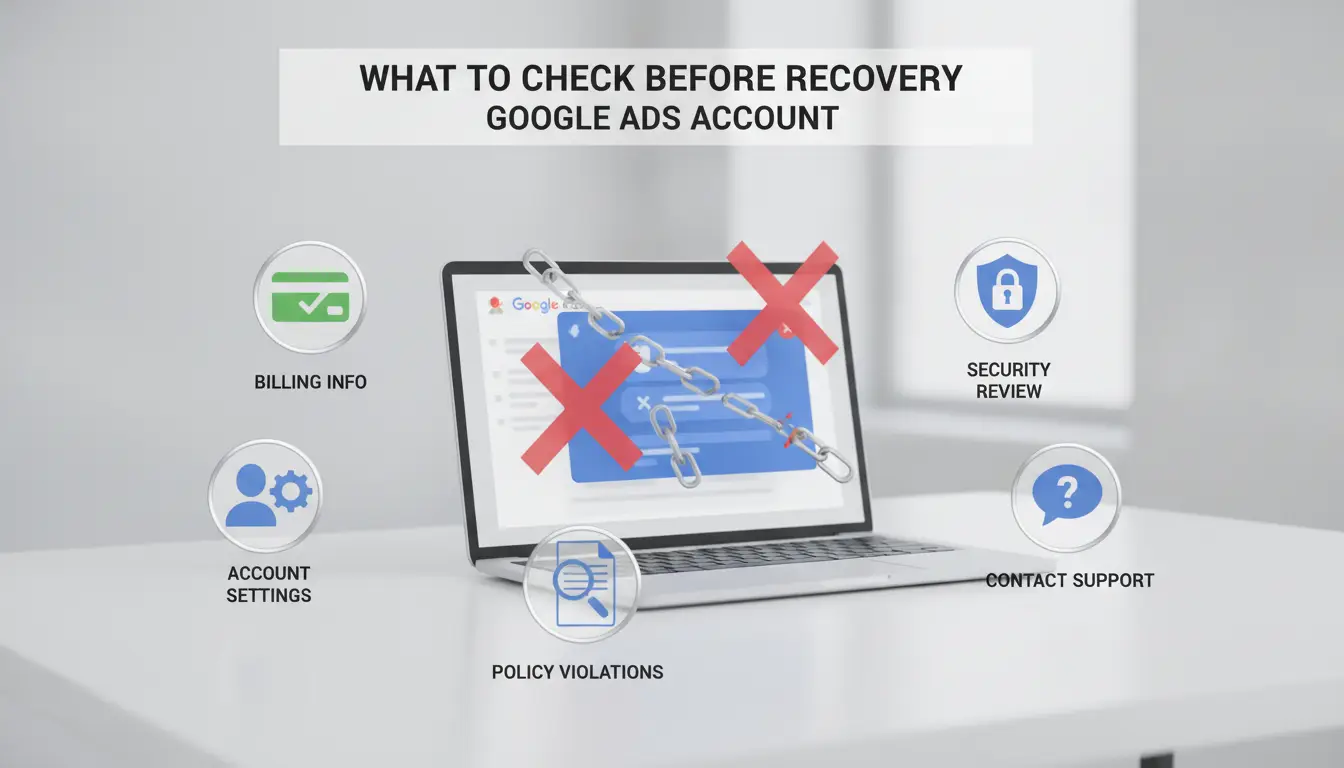
Before you send an appeal or touch your suspended profile, check the core account details and website setup, missing a single item on this list can get your Google Ads account banned again, or your request ignored. The fastest way to waste days is to appeal with obvious violations or mismatched records still in place.
Website and Landing Page Compliance
Check your website first. If your landing page doesn’t meet Google’s basic requirements, nothing else matters. You need working HTTPS, a clear privacy policy, and real contact information visible on every page that collects user data. If your site makes claims about results, verify every statement and remove anything that looks exaggerated or misleading. Even a single restricted item, like adult themes, fake reviews, or unlicensed content, can trigger an instant block.
Account Information and Verification Details
Account details are a common weak point, Google checks for anything that looks inconsistent or fake. Before you appeal:
- Make sure your business name, address, and legal entity match exactly across Google Ads, billing, and your website.
- Prepare clean, up-to-date verification documents (business license, tax ID, or incorporation papers).
- Double-check your advertiser verification status and update any missing or expired information.
Billing and Payment Setup
Google often flags accounts for billing mismatches or failed payments. Ignore this, and your appeal won’t get far. Here’s a quick checklist:
- Use a valid credit card or payment method that matches your business name, prepaid cards and mismatched info can trigger a block.
- Pay off any outstanding balance, even if you think the suspension paused charges, unpaid bills often block reinstatement.
- Review your payment profile for old or duplicate billing addresses and remove anything you’re not actively using.
If any of these checks fail, fix them before you try any appeal. Google’s review system rarely gives second chances if you resubmit with the same issues. The most common mistake is rushing to appeal with obvious policy violations or mismatched business data still visible. Even a small oversight, like missing contact info on your landing page, can get your reinstated account banned again within hours.
Once you’ve double-checked these areas, you’re ready to move to the actual recovery process. The next section breaks down the step-by-step actions to fix a suspended Google Ads account and build a stronger case for reinstatement.
How to Fix a Suspended Google Ads Account: Step-by-Step Recovery Guide
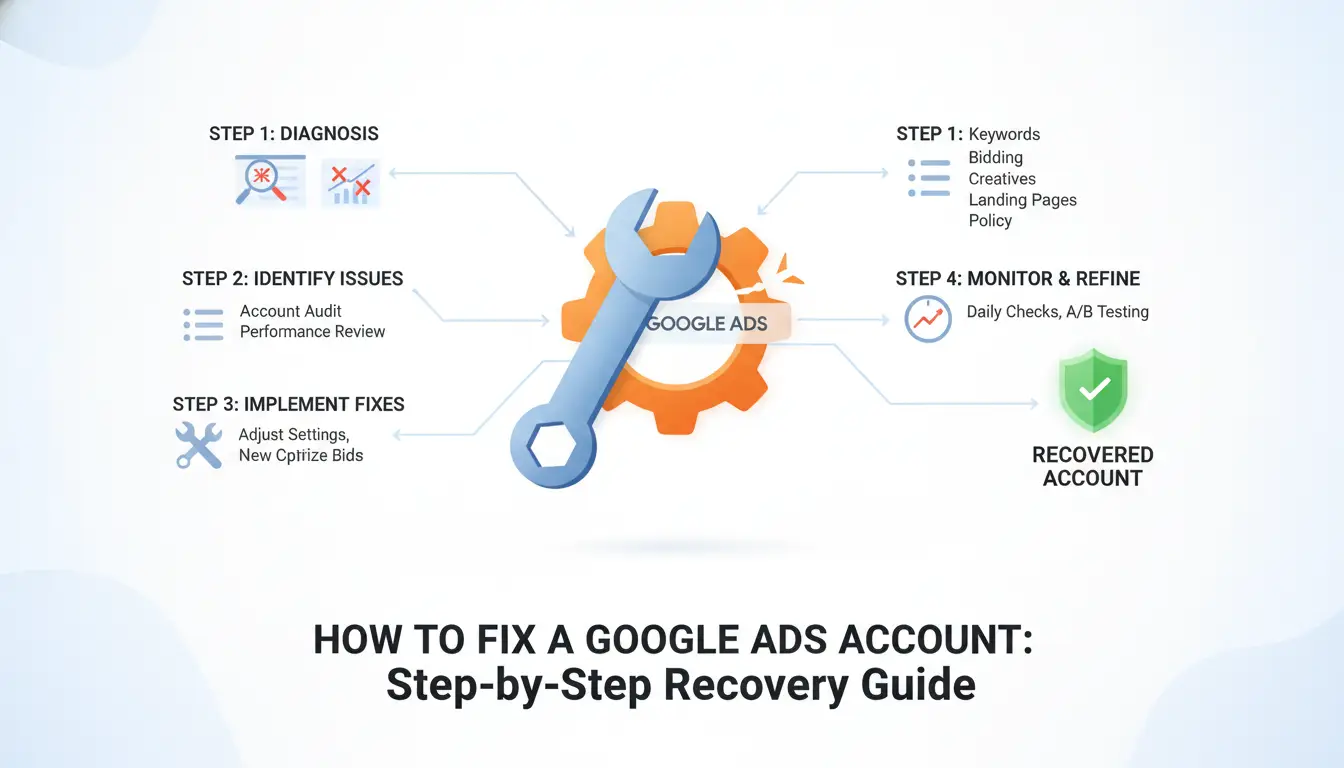
If your Google Ads account is suspended, you need a clear plan. Jumping straight to appeals without fixing the root cause usually gets you nowhere. Here’s how to get your account back in action, step by step.
Step 1: Identify the Suspension Reason
- Log in to your Google Ads dashboard. Look for banners at the top, these show the main reason for your suspension.
- Click “Contact us” or “Learn more” in the warning. Review the exact policy violation code or description Google provides.
- Search the Google Ads Policy Center for your code. If it’s vague (like “circumventing systems”), double-check all recent changes and linked accounts, this flag means Google suspects your setup or activity, not just your ads.
Step 2: Gather Required Documentation
- Take screenshots of your business info, payment setup, and any ad content flagged as non-compliant.
- Download or scan official documents: business registration, tax ID, utility bills, and proof of payment method. These are often needed for advertiser verification.
- Create a checklist: make sure names, addresses, and domains match everywhere. Mismatched info is the top reason appeals get rejected, even if your ad content is fine.
Step 3: Submit an Appeal or Fix Issues
- Go to the Google Ads Help Center and fill out the suspension appeal form. Use clear, direct language: state what happened, what you fixed, and what policies you now follow.
- Attach your documentation. If you changed ownership, explain who runs the account now and include matching business proof.
- Submit your appeal and wait for a reply, Google usually responds within 3-5 business days, but high-volume weeks (like after major policy updates) can double that wait.
Troubleshooting: What to Do If Your Appeal Is Rejected
- Read the rejection email closely, Google sometimes lists new issues they found. Don’t resend the same info.
- If you spot a simple mistake (like a missing document), fix it and re-appeal. Give a short explanation of what changed.
- If Google repeats “final decision” or your setup involves linked banned accounts, starting over with a new business entity or payment method may be faster than another appeal. Don’t reuse device fingerprints or payment cards, accounts get flagged in clusters when you do.
If your account comes back only to get banned again, it usually means the underlying problem isn’t solved or Google linked you to other risky accounts. That’s where most people trip up after an initial recovery.
Why Some Google Ads Accounts Get Banned Again After Recovery
Accounts often get suspended again because the root problem wasn’t fully fixed. Google’s system flags repeat issues fast, so even small mistakes can trigger a ban within days.
Residual Policy Violations
If your fixes only cover surface-level errors, like changing ad copy but leaving hidden compliance gaps, you risk another suspension. Missing business verification or incomplete policy adjustments are the main reason reinstated accounts get blocked again.
Linked Accounts and Device Fingerprints
Google connects accounts behind the scenes using device fingerprints and IP history. Reusing the same device or proxy setup instantly links your new account to old bans.
- When Google spots shared fingerprints, it treats your account as part of the same network and flags it.
- The safer move: use separate devices, fresh browser profiles, and unique proxies for every account.
Team Access and Workflow Mistakes
Multiple users logging in from different locations or sharing credentials can look suspicious. Poor permission control, like letting anyone edit billing or ad settings, raises red flags and increases the risk of another suspension.
If your account keeps getting blocked, check the access logs for unusual patterns, lock down permissions, and train your team to avoid risky login habits. Even small workflow mistakes can lead to a ban that’s hard to reverse.
How Teams and Agencies Can Manage Google Ads Accounts More Safely with DICloak
Teams dealing with repeated Google Ads suspensions don’t usually slip up on the obvious steps, they get flagged because Google links their accounts behind the scenes. The only way to lower these risks is to run each account in a truly separate environment and control every trace Google might use to connect your clients.
Isolated Browser Profiles for Each Account
Isolating browser profiles keeps Google from seeing a pattern across accounts. With unique browser fingerprints, device settings, fonts, and even how the mouse moves, one account’s ban doesn’t drag down the rest.
User-Provided Proxy Configuration
Assigning a dedicated proxy to each account means every Google Ads login comes from a different IP address. For example, if two team members share one proxy for multiple accounts, Google may see those accounts as linked, even if the browser profiles look different. The risk shows up when an account gets suspended and the others, sharing the same network trail, are flagged in the next sweep. The tradeoff: using cheap or recycled proxies can trigger just as many bans as no proxy at all, so teams should invest in reputable, clean IP sources and track which proxy belongs to which account.
Team Collaboration and Permission Control
- Set up member permissions so only assigned staff can access each Google Ads account, reducing accidental cross-contamination.
- Share cookies, passwords, and session data securely so credentials don’t get mixed or leaked.
- Review operation logs for every session; if an account gets flagged, you’ll know exactly who accessed it, from where, and when.
Running separate environments and tracking every login is tedious, but skipping these steps almost always leads to new bans. Teams that rely on shortcuts, like copy-pasting credentials or sharing device setups, end up with even healthy accounts getting caught in the next Google Ads suspension wave. The smallest slip, like a copy-pasted cookie or a reused proxy, is all it takes to get multiple accounts blocked together.
Common Mistakes That Trigger Google Ads Suspensions in 2026
Losing an account over avoidable mistakes is common, most Google Ads suspensions start with overlooked workflow errors, not just policy violations.
Using Shared Devices or Networks Without Isolation
Running ads from the same browser or IP for multiple clients almost always gets accounts linked and flagged. Teams need true browser profile isolation and unique proxies per account. Reusing devices without isolating sessions is the fastest way to trigger a ban.
Ignoring Policy Updates and New Restrictions
- Check Google’s official policy page monthly for 2026 updates
- Review your ad content and landing pages after every rule change
- Confirm business verification steps match new documentation rules
Incomplete Verification or Billing Setup
A missing document or unverified payment method can trigger suspensions before any ads run. Always check:
- Official business documents are uploaded and match account details
- Payment cards are verified and not used on other accounts
- Billing address matches submitted verification documents
Teams can use DICloak to create isolated browser profiles, assign proxies, and control member access, but this can’t guarantee accounts are never flagged if platform rules are broken.
When Starting Fresh Is Better Than Appealing a Google Ads Suspension
When your Google Ads account gets blocked for repeat or severe violations, starting over is often safer than sending another appeal. If your business details are flagged or your device fingerprint is already linked to policy breaches, appeals rarely work and can even lock your identity into a permanent ban.
Appeal vs. New Account: Pros and Cons
| Option |
Works Best When |
Main Risk |
| Appeal |
Minor first-time violation, clear fix |
Slow response, high rejection |
| New Account |
Flagged identity/device, denied appeals |
Link-back triggers instant ban |
If your Google Ads account suspended notice comes after multiple failed appeals, a clean restart, new device, new business info, real address, avoids wasted time and reduces repeat bans.
Checklist for Safe New Account Setup
- Use a device that has never logged into any blocked Google Ads account.
- Connect through a fresh IP.
- Register with verified, unique business info, never recycled details.
- Make sure your payment method is new and matches your business identity.
Skipping these steps gets accounts banned before your ads even go live. If you can’t meet every item, wait to apply, Google’s system now links even small overlaps between accounts.
Frequently Asked Questions About Google Ads Account Suspended
Can I recover a Google Ads account suspended for 'circumventing systems'?
Recovering a Google Ads Account Suspended for 'circumventing systems' is very hard. Google expects you to show clear evidence that you fixed all issues and understand the policy. Appeals must be detailed and honest about past mistakes. Most accounts are not restored unless you provide strong proof and a transparent explanation.
How long does Google Ads suspension last in 2026?
A Google Ads suspension does not have a set end date. If you submit an appeal, Google usually reviews it within 3-5 business days. However, if the appeal is denied, your account stays suspended until you fix the issues and submit a successful appeal. Some cases may take weeks or longer.
Is it safe to use proxies for Google Ads account management?
Using proxies for Google Ads can be risky. Google may detect IP changes and flag your account for unusual activity, which can lead to being blocked or suspended. Best practice is to manage your account from a consistent, trusted location and avoid tools that hide your real identity.
Can multiple team members access one Google Ads account safely?
Allowing multiple people to log in with the main account adds risk. Google may see sudden logins from different locations as suspicious. Instead, invite team members using the account access features in Google Ads and assign roles. This keeps your workflow safe and lets Google track who does what.
What happens if my appeal is rejected multiple times?
If your appeal is rejected many times, Google may stop reviewing new appeals. At this point, it’s often best to review all policies and consider starting a new account with full compliance. Continuing to appeal without changes is unlikely to work. Always fix every issue before trying again.
Taking swift action to address compliance issues and communicating clearly with Google support can make a significant difference in restoring your advertising activities. If you need a reliable backup or want to keep campaigns running smoothly while resolving account challenges, consider exploring alternative solutions that improve your operational flexibility. Try DICloak For Free
 Web Proxy Tools
 Free Tools
 Cookie Plugin
 UA Generator
 MAC Address Generator
 IP Generator
 IP Address List
 2FA Code Generator
 World Clock
 Anonymous Check
 WebRTC Leak Test
 UUID Generator
 Free Web Proxy Site
 Proxy Checker
 FB Ad Checker
 AI Web Scraping
 Free SMM Tools
 Twitter Shadowban Checker
 Instagram Name Checker
 UTM Generator
 Username Generator
 AI Hashtag Generator
 LinkedIn Headline Generator
 Social Media Image Resizer