Ecommerce Automation Overview for 2026
Running an online store now involves far more than processing orders. Teams need to manage inventory, customer messages, marketing, fulfillment, and data across many channels. Ecommerce automation helps connect these tasks and reduces the amount of repetitive work people need to do by hand. In 2026, the bigger change is that automation is becoming more intelligent, with AI starting to make decisions and complete tasks instead of only following fixed rules.
What Is Ecommerce Automation?
Ecommerce automation is the use of software to complete routine store tasks based on rules, triggers, or customer data. For example, a store can send a low-stock alert when inventory falls below a set level, tag a high-value customer after a large order, or send an abandoned-cart email after a shopper leaves without buying. Ecommerce marketing automation applies the same idea to email, SMS, customer segments, product recommendations, and other marketing activities. The goal is not to remove people from the business. It is to handle repeatable work automatically so the team can spend more time on pricing, products, customer experience, and growth.

2026 Trend: AI Agents and the Latest Ecommerce Automation Developments
The biggest shift in 2026 is the rise of AI agents. Unlike older workflows that wait for a fixed trigger, agents can use business data, understand a goal, and take several connected actions. Klaviyo, for example, introduced Composer in 2026, an AI marketing agent that can build campaign audiences and messages from a simple prompt. Its Customer Agent can also handle tasks such as product recommendations, order questions, and returns.
Shopping itself is changing too. Shopify reported that AI-driven traffic to its stores grew about eight times year over year in Q1 2026, while orders from AI-powered searches grew nearly 13 times. Shopify has also expanded tools that let AI systems help shoppers discover products and move toward checkout. For businesses following AI agents and ecommerce automation, the latest developments point to a clear change: automation is moving from simple “if this, then that” workflows toward systems that can understand context, choose an action, and help complete the work.
Key Business Benefits of Ecommerce Automation
As ecommerce automation becomes smarter, its value is not just about saving a few clicks. The real benefit comes from removing repeat work and acting faster when a customer or order needs attention. For growing stores, this can lower operating pressure while helping the same team handle more sales.
Lower Operational Risk & Cut Manual Work Costs
Manual work becomes harder to manage as order volume grows. A team may need to check inventory, flag risky orders, update customer tags, or send internal alerts hundreds of times a week. Ecommerce automation can move these repeatable tasks into workflows, which also reduces the chance of someone missing a step. Shopify reports that its Flow tool now automates more than one billion decisions each month, including inventory and fraud-related workflows.
This can also reduce the need to add staff just to handle routine work. Scandinavian Designs, for example, used Shopify Flow while running three Shopify stores. Its web manager said automation helped the company operate those stores without hiring a separate employee for each one. The latest AI agents in ecommerce automation may push this further by handling tasks that need more context, but businesses should still keep human checks for refunds, fraud, pricing, and other high-risk decisions.
Grow Revenue via Ecommerce Marketing Automation
The second benefit is better timing. Ecommerce marketing automation can react when a shopper joins an email list, leaves a cart, buys a product, or comes back after a long break. Instead of sending the same promotion to everyone, a store can trigger a message based on what that customer actually did.
This matters because automated messages often reach shoppers when purchase intent is still high. Shopify cites 2026 Omnisend data showing that automated ecommerce messages generated $2.87 per send, compared with $0.18 for manually scheduled campaigns. A plant store, for example, could automatically send care tips after a plant purchase and later recommend fertilizer or soil that fits the same product. In this case, automation does more than reduce work. It creates a useful follow-up that can also lead to another sale.
How to Calculate Ecommerce Automation ROI
The benefits of ecommerce automation sound good, but they should also show up in the numbers. A simple ROI check compares the value created by automation with the total cost of the software, setup, and maintenance.
A basic formula is:
ROI = (Automation gains - Automation costs) ÷ Automation costs × 100
For example, imagine a store spends $500 a month on an automation platform. It saves $800 in staff time and brings in $1,200 in extra sales from automated flows. That creates $2,000 in value, or $1,500 after the software cost. The monthly ROI would be 300%.
Critical Baseline Metrics & Industry Benchmarks
Start by recording your numbers before you automate anything. Useful baseline metrics include manual work hours, labor cost, order errors, refund rates, order processing time, conversion rate, average order value, and revenue per customer. For ecommerce marketing automation, also track revenue per message, abandoned-cart recovery, and conversion rates for automated flows. Without these numbers, it is easy to mistake normal sales growth for an automation win.
Industry benchmarks can help, but they should not replace your own baseline. Klaviyo's 2026 benchmark data covers more than 183,000 customers and compares metrics such as open rates, conversions, and revenue per recipient across ecommerce industries. Omnisend found that automated emails made up only 2% of email sends but produced 30% of email-driven revenue in its 2026 report. Automated emails also generated about $2.87 per send, compared with $0.18 for scheduled campaigns.
These numbers are useful reference points, not promises. A fashion store, a furniture seller, and a low-margin accessories shop will not get the same result. This is even more important when testing AI agents and the latest ecommerce automation tools, because their real value should be measured by saved work, fewer errors, or extra revenue, not simply by how many tasks they can perform.
Top Ecommerce Automation Pitfalls & Solutions
A strong ROI does not mean every task should be automated. Ecommerce automation can also scale mistakes when the workflow uses bad data or has too much control. The safest approach is to automate clear, repeatable work while keeping people involved in decisions that affect money, customers, or brand trust.
Avoid Over-Automation and Poor Data Integration Issues
Over-automation often becomes a problem when a workflow cannot understand an unusual case. For example, an AI system may handle common return requests well, but a damaged high-value order may need a person to review the photos and customer history before approving a refund. This matters even more as the latest AI agents in ecommerce automation can take several actions instead of completing one simple task. Shopify recommends human oversight for higher-risk AI decisions such as refunds, disputes, and pricing, so teams can review or override an automated choice.
Poor data integration creates a different problem. Imagine that a store has 20 units left in its ecommerce platform, but its marketing system still shows 100 because the inventory data has not synced. An ecommerce marketing automation workflow could then promote a product that is almost sold out. Sync speed also differs between systems: Klaviyo's 2026 integration reference shows that some ecommerce platforms send data in real time, while others update every 15, 30, or 60 minutes. Klaviyo also recommends syncing customer profiles and relevant fields between Shopify and Klaviyo to improve data alignment.
Before launching a workflow, test it with normal cases and edge cases. Decide which system is the main source for inventory, orders, customer status, and consent data. Then add alerts for failed syncs and keep manual approval for costly or sensitive actions. Ecommerce automation works best when the data is clean and people still have a clear way to step in when something looks wrong.
Quick Start Guide to Implement Ecommerce Automation
After fixing data and workflow risks, the next step is to start small. Good ecommerce automation does not require rebuilding your whole operation at once. In fact, Shopify recommends starting with simple workflows, testing them well, and expanding only after they work as expected.
Start Small: Prioritize High-Impact Tasks
Begin with tasks that happen often, take time, and follow clear rules. Inventory alerts, order tagging, customer notifications, and basic ecommerce marketing automation are good examples. A small store might first create a workflow that sends an alert when stock falls below five units. Shopify Flow can now even build this type of workflow from a plain-language request, while its test feature lets merchants check the logic before it touches live orders or inventory.
Use the same approach for marketing. Instead of building ten campaigns at once, start with one welcome flow or abandoned-cart sequence and compare its results with your baseline. Then expand into more complex workflows only when the first one works well. The same rule applies to the latest AI agents in ecommerce automation: give them one clear job first, review the results, and add more responsibility later. This keeps automation useful without creating another system your team has to constantly fix.
Once a store has automated its basic orders, inventory, and marketing flows, another challenge may appear: managing the browser-side work around several ecommerce accounts. This is where an antidetect browser such as DICloak can complement an existing ecommerce automation setup. Teams can use separate browser profiles, automation tools, and access controls when their work spans several stores, ad accounts, or regional accounts.
Securely Manage Multiple Accounts with Lower Detection Risk
You can isolate different ecommerce accounts within independent browser profiles. Each profile maintains its own browser fingerprint, cookies, login sessions, proxy configurations and custom browser parameters. This separation helps avoid cross-contamination of account sessions, which often happens when multiple accounts share the same browser profile.
For instance, if you run several regional ecommerce storefronts, you may assign a dedicated profile to each account. This approach helps keep fingerprint environments distinct between accounts. It can reduce the chance of platform detection caused by linked fingerprints, though you still need to align your operations with each ecommerce platform’s terms of service. No fingerprint isolation setup can fully eliminate the risk of account flags.

Optimize Ecommerce Automation with Bulk Operations
DICloak’s bulk operation tools let ecommerce users select multiple browser profiles at once to perform batch actions, perfect for managing large account pools used in ecommerce automation workflows.
As shown in the profile dashboard, users can tick multiple profiles and access the “More Actions” menu to run bulk tasks: check IP status, pin or unpin profiles, assign profile groups, edit custom numbers, modify profile settings, export profiles, transfer or share profiles, clear cache, delete profiles, close profiles across all devices, and edit tags in batches.
Instead of adjusting each browser profile one by one, teams can quickly update proxy fingerprints, organize profile groups, clean cache, or verify IPs in bulk. This cuts hours of repetitive manual work and works seamlessly alongside ecommerce marketing automation for browser-based operations. Even with bulk automation enabled, high-risk operations still require human review to maintain account safety.
Seamless Profile & Window Sync Across Devices
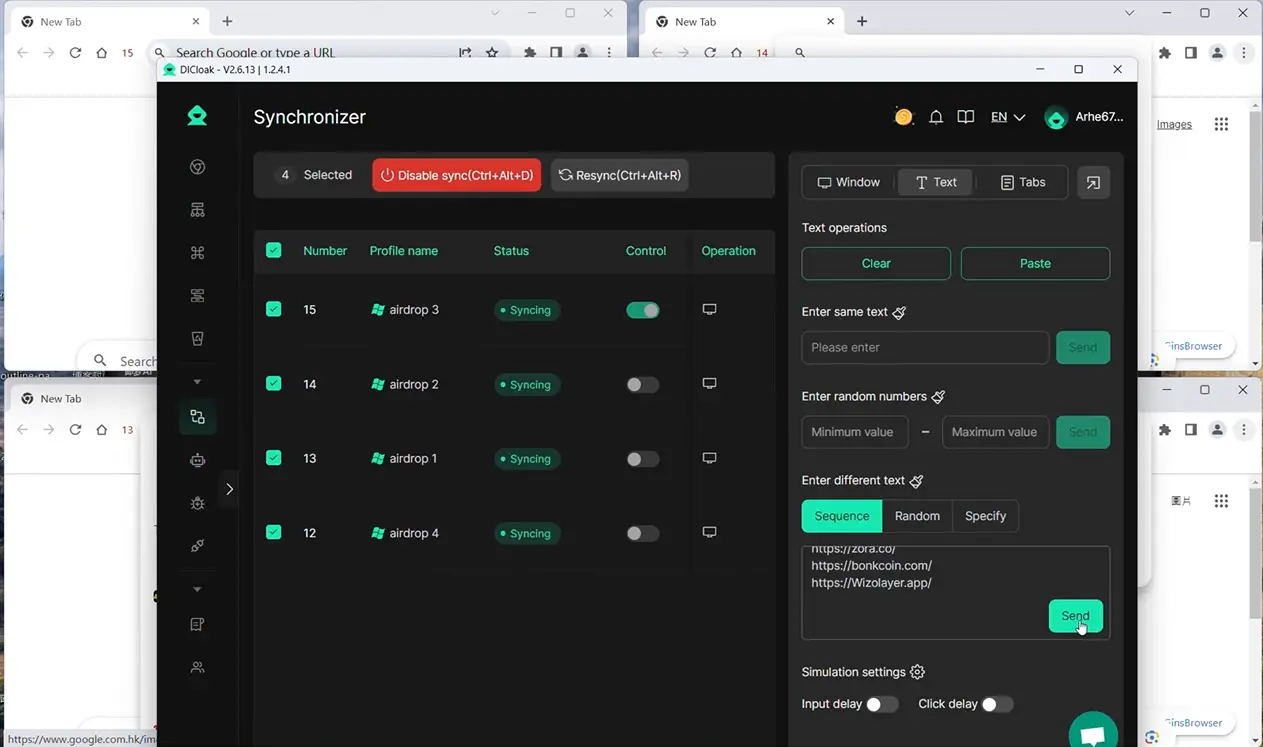
DICloak enables cloud sync for browser profile data including cookies, passwords, LocalStorage and IndexedDB. When switching devices, users retain the same browser profile, eliminating the need to rebuild profiles manually. Smooth profile and window handoffs keep your ecommerce automation workflows continuous. DICloak acts as a browser-level complement to your store’s native ecommerce automation tools instead of replacing them.
FAQs About Ecommerce Automation
What is ecommerce automation?
Ecommerce automation uses software to handle repeat tasks such as order updates, inventory alerts, customer messages, and marketing workflows. It helps teams reduce manual work and manage growing stores more efficiently.
What are the main benefits of ecommerce automation?
The main benefits of ecommerce automation are lower manual workload, fewer routine errors, faster workflows, and better customer follow-up. The real value depends on the tasks you automate and how well your systems share data.
How does ecommerce marketing automation help increase sales?
Ecommerce marketing automation can send messages based on customer actions, such as abandoned carts, first purchases, or repeat visits. This helps stores reach shoppers at more relevant moments instead of sending the same message to everyone.
What are the latest AI agents in ecommerce automation used for?
The latest AI agents in ecommerce automation can help with tasks such as customer support, product recommendations, campaign creation, and workflow decisions. Businesses should still review higher-risk actions such as refunds, pricing, and fraud decisions.
Is ecommerce automation suitable for small businesses?
Yes, small businesses can use ecommerce automation, but it is usually better to start with one or two high-impact tasks. Inventory alerts, order notifications, welcome emails, and abandoned-cart flows are practical places to begin.
Conclusion
Ecommerce automation in 2026 is moving beyond simple rule-based tasks. Stores can now use automation for order handling, inventory updates, customer communication, and ecommerce marketing automation, while newer AI tools can support more complex decisions and workflows. The goal is not to automate everything. It is to remove repeat work where automation is reliable and keep people involved where judgment still matters.
A practical approach is to start with a few high-impact tasks, measure the results, and expand only when the workflow is working well. Teams should also watch data quality, integration issues, and the risks of over-automation. The latest AI agents in ecommerce automation can add more flexibility, but human review remains important for sensitive actions such as refunds, pricing, and account decisions.
For teams that also manage multiple ecommerce accounts, browser profiles, or repeated browser-based tasks, tools such as DICloak can support the wider automation setup. Users can combine separate profiles, RPA, bulk operations, and team access controls based on their workflow needs. When used carefully, ecommerce automation can help a business operate with less manual effort while giving the team more time to focus on customers, products, and growth.
 Web Proxy Tools
 Free Tools
 Cookie Plugin
 UA Generator
 MAC Address Generator
 IP Generator
 IP Address List
 2FA Code Generator
 World Clock
 Anonymous Check
 WebRTC Leak Test
 UUID Generator
 Free Web Proxy Site
 Proxy Checker
 FB Ad Checker
 AI Web Scraping
 Free SMM Tools
 Twitter Shadowban Checker
 Instagram Name Checker
 UTM Generator
 Username Generator
 AI Hashtag Generator
 LinkedIn Headline Generator
 Social Media Image Resizer