The latest DICloak Antidetect Browser update focuses on improving usability, flexibility, and browsing stability. This release includes several user-requested optimizations, along with a new browser kernel to support more demanding websites.
Key Takeaways
- Better compatibility with the new 143 browser kernel for kernel-sensitive sites.
- Consistent browsing experience with adjustable window size for each profile.
- Enhanced profile management via optimized tag-based filtering.
- Improved network reliability with the new line switching feature.
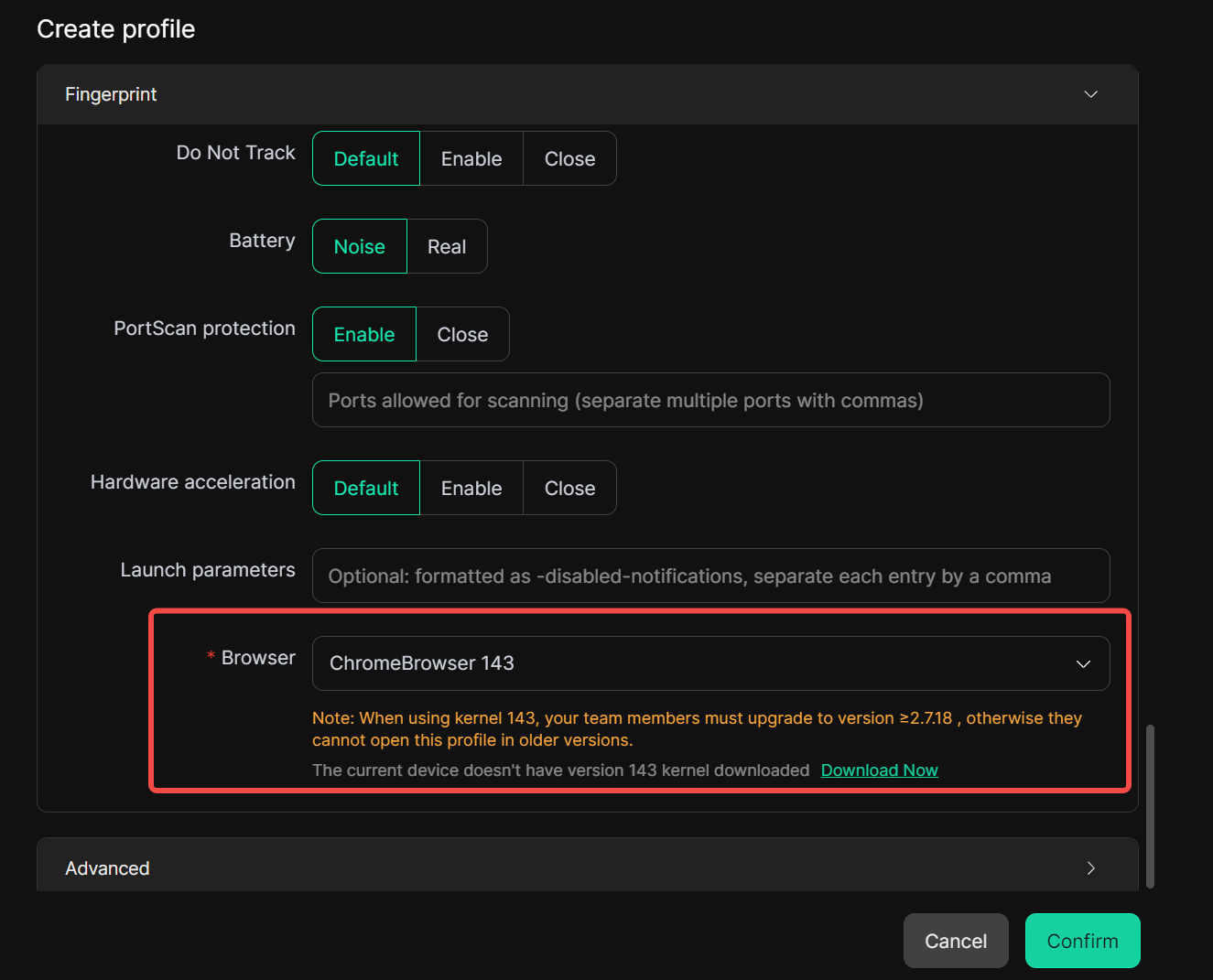
New 143 Browser Kernel Added
We’ve added support for the 143 browser kernel, making it easier to access websites that require newer or specific browser versions.
With this update, users can open kernel-sensitive pages more smoothly, reducing compatibility issues and ensuring a seamless browsing experience across a wider range of platforms.
Adjustable Window Size for Browser Profiles
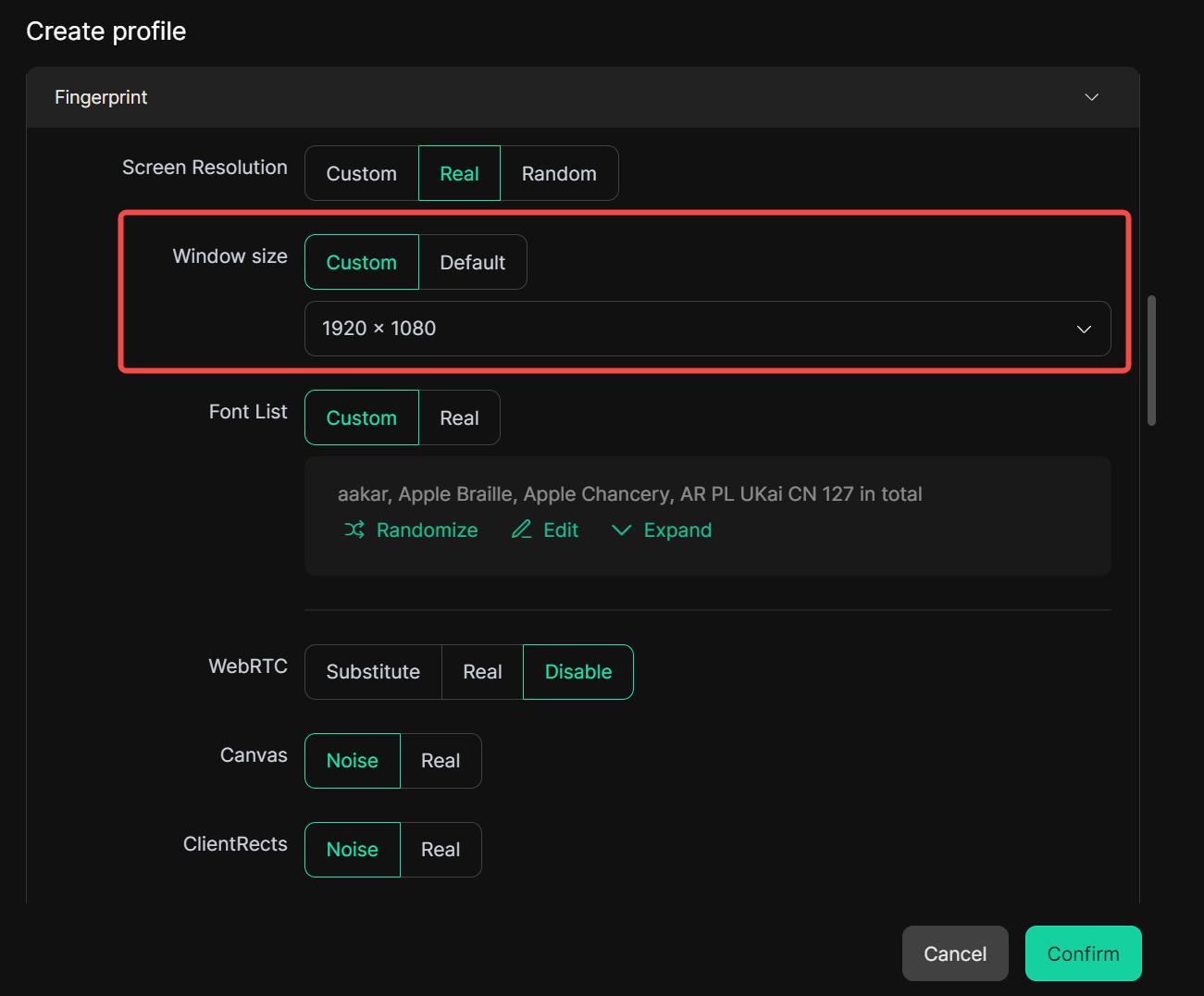
We’ve added window size customization as a new fingerprint option. Users can now set the initial window size for each browser profile. Every time the profile is opened, the browser will launch with the predefined window dimensions, helping maintain consistent behavior and a more realistic browsing experience.
This improvement is particularly useful for users who need stable visual layouts or want to further refine fingerprint consistency.
Optimized Tag-Based Filtering in Profiles
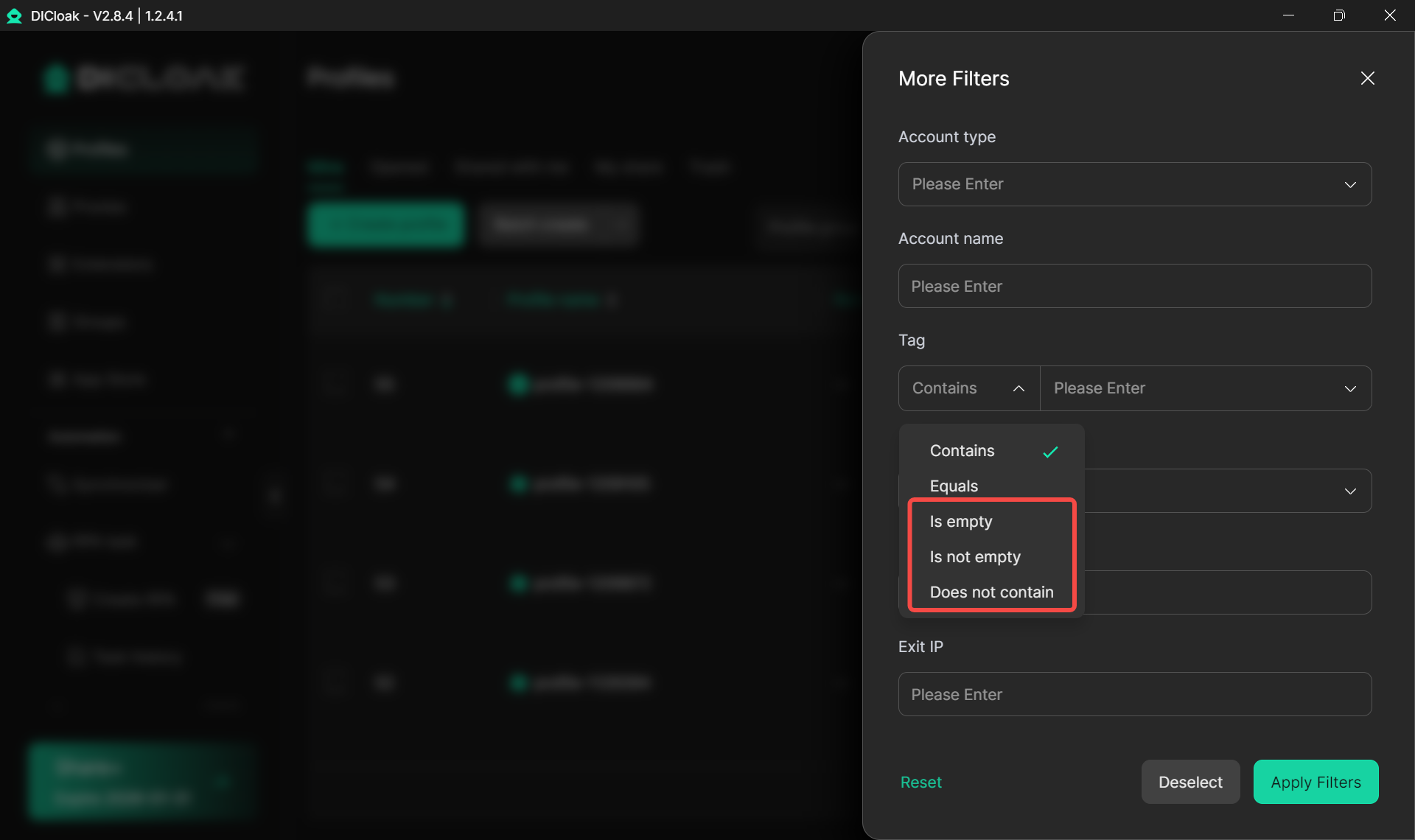
To make profile management more efficient, we’ve enhanced the tag filtering feature in the profile list.
Tag filtering now supports more matching conditions, allowing users to combine tags with other criteria when filtering profiles. This makes it easier to quickly locate specific browser profiles, especially when managing a large number of profiles across teams or projects.
New Network Line Switching Option
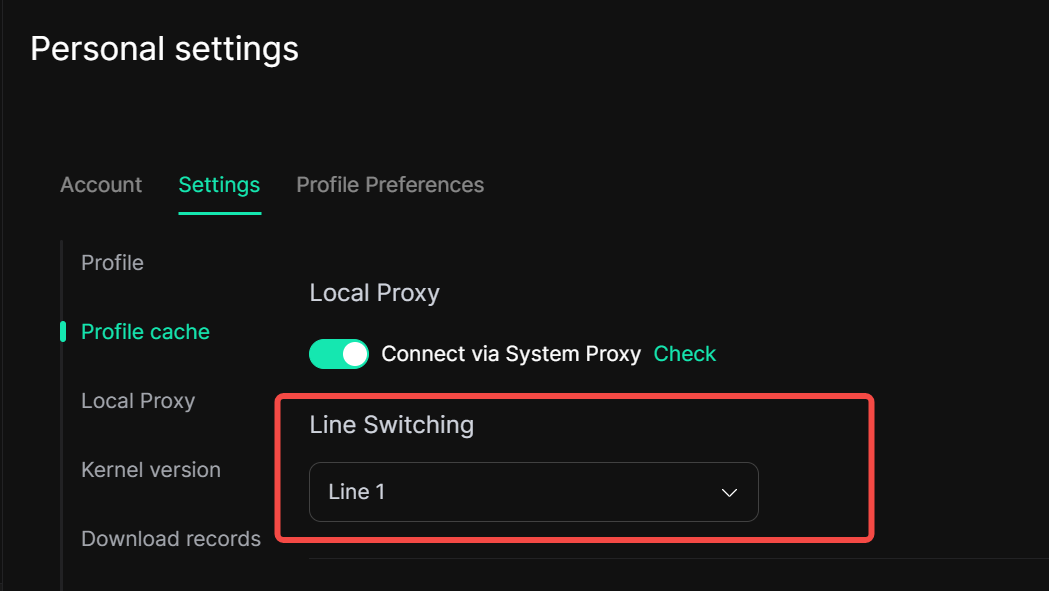
To address cases where the app may fail to connect to the network for certain users, we’ve introduced a network line switching feature in Personal settings.
If a connection issue occurs, users can now try switching lines directly within the app to restore connectivity. This provides an additional troubleshooting option and improves overall stability across different network conditions.
These updates are part of our ongoing effort to make DICloak more powerful, flexible, and reliable for multi-account management. As always, we appreciate your feedback and will continue refining the product based on real-world usage.
Stay Updated with DICloak
The latest updates make DICloak more flexible, reliable, and powerful than ever. From improved kernel compatibility and adjustable window sizes to smarter profile management and network line switching, these features are designed to enhance your multi-account browsing experience.
To keep up with the latest product news, feature updates, and tips, join our official Telegram channel and be the first to know about everything DICloak has to offer.
👉 Join our Telegram for updates
 Web Proxy Tools
 Free Tools
 Cookie Plugin
 UA Generator
 MAC Address Generator
 IP Generator
 IP Address List
 2FA Code Generator
 World Clock
 Anonymous Check
 WebRTC Leak Test
 UUID Generator
 Free Web Proxy Site
 Proxy Checker
 FB Ad Checker
 AI Web Scraping
 Free SMM Tools
 Twitter Shadowban Checker
 Instagram Name Checker
 UTM Generator
 Username Generator
 AI Hashtag Generator
 LinkedIn Headline Generator
 Social Media Image Resizer