If you’ve ever struggled with geo-restrictions, account bans, or the risk of exposing your personal information online, you know how important reliable proxies can be. IPBurger is here to solve these problems by providing a flexible and secure online proxy service. Whether you're scraping data, managing multiple accounts, or just browsing safely, IPBurger offers a range of proxy solutions that ensure fast, reliable, and anonymous internet access. In this article, we’ll dive into everything you need to know about IPBurger—from its features and pricing to its performance and how it stacks up against other proxy services. Let’s see if IPBurger is the right fit for your online needs.
What is IPBurger?
IPBurger is a well‑known online proxy service website. It gives people and businesses access to IP addresses that act like another person on the internet. With IPBurger, you can hide your real IP address when you browse or work online. This helps protect your privacy and security. IPBurger offers many proxy types like static residential IPs, rotating residential proxies, mobile proxies, and dedicated IPs. These options make IPBurger a flexible proxy service website for many tasks like web scraping, market research, and safe browsing.
The Importance of Static IPs in Proxy Services
A static IP is an IP address that does not change. This means once you get it, you can use the same IP every time you go online. Static IPs are very useful in an Online proxy service like IPBurger. They make online work more stable and reliable.
Static IPs matter because many websites track changing IPs and may block traffic that looks automated or suspicious. With a static residential IP, your connection looks like a real person using the web from a home or business internet service provider (ISP). This can lower the chance that websites will block you. Businesses often use static IPs for tasks like managing accounts, accessing geo‑restricted content, or running ads safely.
For example, an eCommerce seller may need to log into a PayPal or Amazon account every day. If their IP keeps changing, the site might lock them out for security reasons. A static IP from a trusted proxy service like IPBurger can help keep access smooth and secure.
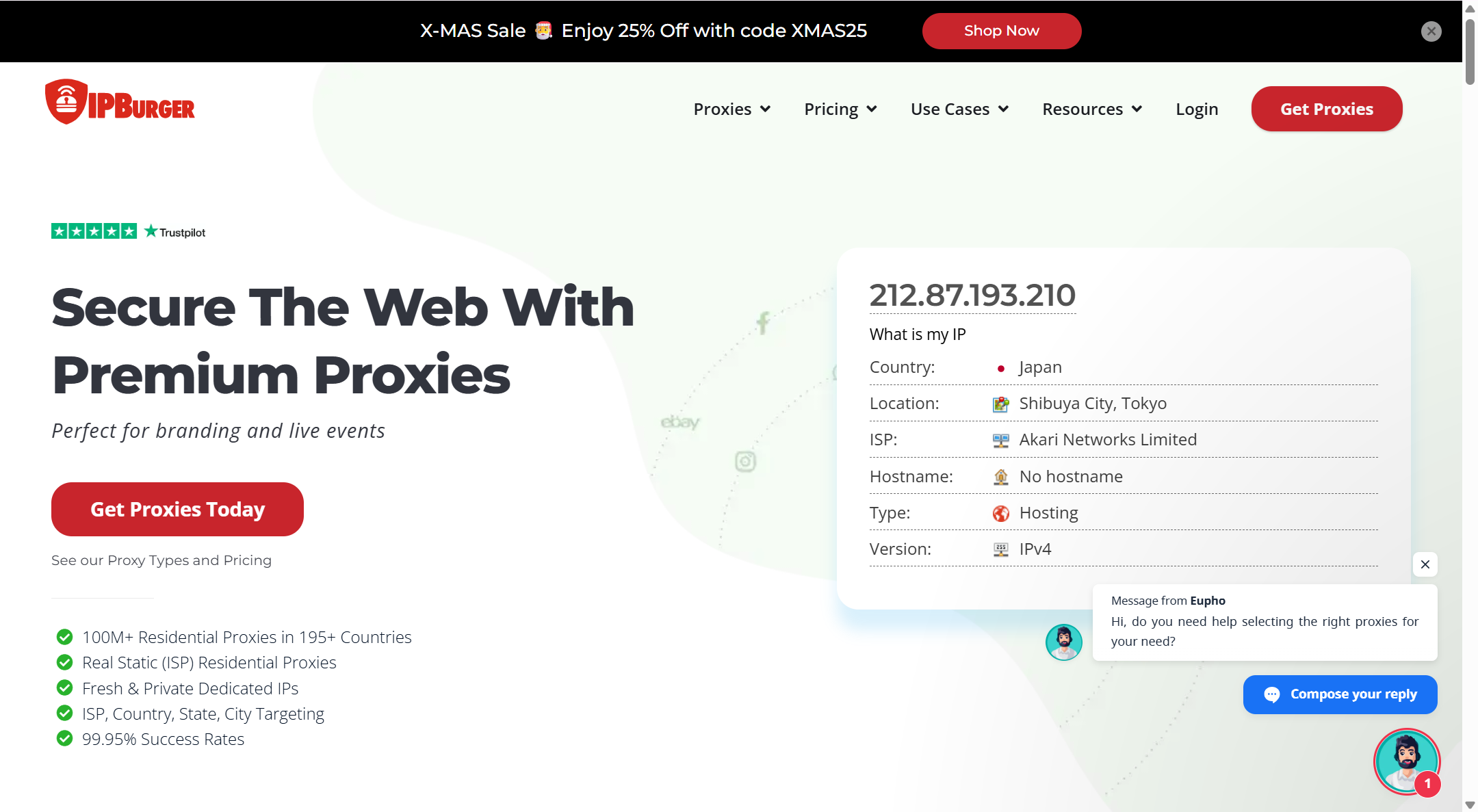
Key Features of IPBurger
Overview of Unique Features
After we learned what IPBurger is and why static IPs matter, let’s look at what makes this proxy service website stand out. IPBurger gives users many useful features that help people and businesses use the web more safely and flexibly. It does not just hide your IP address. It also offers tools and technology that make tasks easier online. IPBurger supports many kinds of proxies that work with most software and devices. This includes Windows, macOS, Linux, iOS, Android, and browser extensions like Chrome and Firefox.
One strong point is the size and stability of the IP network. IPBurger has over 100 million IPs from many countries. This large pool helps users get the location and type of IP they need. It can be useful for tasks like collecting public data, monitoring prices, and testing websites in different places. The network also promises very high uptime and success rates, which means fewer errors when you work online.
Types of Proxies Offered by IPBurger
IPBurger offers several types of proxies to match different needs. It helps users pick the right one for their project or job.
SOCKS5 Proxies
SOCKS5 proxies are very flexible and work with many protocols and apps. Unlike older SOCKS versions, SOCKS5 supports IPv6 and more authentication methods, which make connections more secure. SOCKS5 can also handle different kinds of internet traffic, not just web pages. This means it works well for tasks like secure browsing, online apps, and even gaming. A simple example — if you want to stream a show that is blocked in your country, a SOCKS5 proxy from IPBurger can help you connect through a server in a supported country and watch with fewer blocks.
HTTP/HTTPS Proxies
HTTP and HTTPS proxies are made mainly for web browsing and web tools. The “HTTPS” part adds encryption, so your web requests stay private. These proxies work with most browsers and SEO tools. For example, if you run SEO checks for a website in another region, an HTTPS proxy from IPBurger lets your tool fetch search results with a local IP. This gives more accurate data. Because IPBurger supports these standard protocols, it works with many apps without extra setup.
Security and Encryption Features
Security is one big reason many people choose IPBurger as their Online proxy service. IPBurger uses 256‑bit encryption, which is the same standard trusted by security experts worldwide. This encryption helps keep your data safe from eavesdroppers when you browse. A simple case: when you log into a business account from a public Wi‑Fi network like a cafe, a secure encrypted connection via IPBurger can prevent others on that network from stealing your login info.
Another important feature is the no‑logs policy. IPBurger states that it does not store your traffic or DNS data. This means your web activity stays private and cannot be traced back to you. For many users, especially businesses and privacy‑focused individuals, this adds trust and peace of mind when they choose a proxy service.
These features show why IPBurger is more than just a basic proxy tool. It’s a full proxy service website with options for security, flexibility, and broad online use. That makes it a good choice for people who want both safety and performance from their proxy provider.
Performance and Reliability of IPBurger
Now that we understand the key features of IPBurger from the previous section, let’s look at how well this proxy service website performs in real use. People who choose IPBurger want strong speed, stable connections, and real results. These points show why IPBurger works well for many online tasks.
Performance Metrics and Speed
Performance matters a lot for any online proxy service. Users want fast connections and low lag without frequent drops. IPBurger is known for good reliability and solid speed. Its network covers over 100 million residential IPs in 195+ countries, which helps reduce slowdowns and blockages when many requests go out at once. Residential IPs from real devices often perform better than cheap datacenter proxies because they look like normal users to websites. This helps keep speed high and reduces captcha interruptions or bans.
Many customers report smooth and stable connections with IPBurger. For example, one reviewer said that proxies worked “fast, secure, and pretty affordable,” and that major sites like Google and Amazon loaded without issues. Some users also find that IPBurger handles daily web scraping and browsing with minimal hiccups.
In practice, this means tasks like checking SEO rank or pulling pricing data from online stores run smoother and quicker with IPBurger’s residential IPs than with unreliable low‑cost proxies. A stable proxy helps keep your scraper running instead of stopping because of blocked IPs.
Use Cases for IPBurger
IPBurger’s performance and reliability make it useful in many real scenarios. Let’s look at some typical cases where people use proxies from IPBurger and see what they can do.
Integration in Various Applications
IPBurger can be used in different tools and apps with little fuss, making it a flexible choice for many tasks:
- Web Scraping Tools: When you use a scraper, IPBurger can help you avoid blocks and collect data more smoothly because its IPs appear like real users to target sites.
- SEO Tools: SEO tools often need to see search results from different countries. IPBurger’s proxies let you test from many locations without being blocked.
- Automation Software: Some automation platforms like Selenium or browser automation setups can use IPBurger to rotate IPs and mimic natural user behavior. This helps keep accounts active and reduces risk of being flagged.
For example, an e‑commerce data analyst might set up an automation tool to gather competitor prices from different countries every day. Using IPBurger proxies helps the tool run without being blocked or slowed down by repeat requests from the same IP.
Real‑World Scenarios for Proxy Usage
Here are two real examples where IPBurger’s performance matters:
- Managing Multiple Social and E‑Commerce Accounts
A marketing agency manages several online store profiles and social accounts at once. Without strong proxies, login attempts from the same location may trigger security blocks. IPBurger’s residential IPs allow each account to look like it’s in a different place. Many users report fewer account lockouts and steady performance.
- Price Monitoring and SEO Rank Checks
A retailer wants to watch competitor prices worldwide. Basic proxies often get blocked after a few requests, which stops the price monitoring script. IPBurger’s residential IPs can keep the script running longer with fewer issues, giving more accurate and timely data from many regions.
In these examples, the reliability and speed of IPBurger’s network help users complete their work without frequent errors or interruptions. That’s why many professionals choose IPBurger over lower‑cost proxy options that lack consistent performance.
Pricing and Plans for IPBurger
After talking about the performance and reliability of IPBurger, it’s important to look at how much this proxy service website costs and how its plans work. Price and plan choice can make a big difference in how useful IPBurger is for you. Here we explain the pricing structure, compare key plans, and show how to upgrade when your needs grow.
Overview of Pricing Structure
IPBurger uses a tiered pricing model that lets users choose plans based on needs and budget. The cost depends on the type of proxies you want and how much traffic you need. Residential and rotating proxies tend to cost more, while static and dedicated IPs can start at lower prices. For example, static (ISP) residential proxies are available from about $14.41 per month for a single IP with up to 30 GB of data. This plan is popular for small automation tasks and account management.
For larger needs, such as web scraping or SEO tools, rotating residential proxies start around $79 per month for 7 GB of traffic, and then go up to higher tiers with more data and features. Premium plans include bigger traffic pools and more simultaneous sessions.
Prices can change depending on location, the number of IPs, and usage. Some users find IPBurger more expensive than basic proxies, but they value the reliability and lower block rates that quality proxies provide.
Comparison of Different Plans
IPBurger’s plans vary in price and features. Here’s a simple comparison to help you understand:
1. Static (ISP) Residential Proxies
- From about $14.41/mo per IP.
- Great for managing accounts, browsing safely, and small‑scale scraping.
- Includes 30 GB traffic, protocol support (HTTP/SOCKS5), and stable connections. This plan is good for someone who needs a reliable single IP that stays the same each month.
2. Rotating Residential Proxy Plans
- Starter plans begin around $79/mo for 7 GB traffic.
- Plus, Pro, and Enterprise tiers offer more data and users per plan.
- Larger plans have lower cost per GB and better support for big tasks like automation or market research.
These plans are ideal for users who run many requests or tools that need frequent IP changes but still want good performance.
3. Fresh and Private Dedicated IPs
- Fresh dedicated IPs start at around $9.58/mo for one new IP.
- Private dedicated IPs start even lower, from about $4.58/mo for a single static IP.
- These are good for business accounts on sites like PayPal or eCommerce platforms where a unique and clean IP is important.
In real examples, a small business owner who needs to manage social media accounts may choose a static or fresh dedicated IP plan because of its low cost and simplicity. A data analyst running large scraping tasks might pick a rotating residential plan for higher traffic and success rates.
How to Upgrade Your IPBurger Plan
Upgrading your plan with IPBurger is simple and can be done at any time. If your project grows or you need more data or IPs, just log into your IPBurger dashboard and choose a higher tier plan. Most plans allow you to upgrade or downgrade anytime to fit your changing needs.
Here’s how you might upgrade step by step:
1. Sign in to your IPBurger account dashboard.
2. Go to the billing or plans section in the menu.
3. Choose a higher tier plan based on the extra traffic or features you need.
4. Confirm the upgrade and pay the difference if needed.
For example, a marketing team might start with a small rotating residential plan to test proxy performance. As their scraping needs grow, they can upgrade to a larger plan for better performance and more data. This flexible upgrade process makes IPBurger a useful online proxy service for many ongoing tasks.
Pros and Cons of Using IPBurger
Now that we have covered pricing and plans, it’s time to look at the real advantages and drawbacks of using IPBurger as your Online proxy service. This proxy service website has features that many users like, but it also has some limitations that you should know before buying.
Advantages of IPBurger
IPBurger has several strong points that make it a good choice for people who need reliable proxies.
- High Quality Residential IPs
Many users report that IPBurger’s residential proxies feel more “real” and less likely to be blocked by websites. This allows better access to content that might otherwise be restricted. Some users say they had zero issues after switching to residential proxies from IPBurger.
- Large IP Pool With Good Coverage
IPBurger offers a network with millions of IPs in many countries. This wide coverage helps if you need proxies in specific regions. A big IP pool also means your tasks, like web scraping or market checks, are less likely to stop because an IP got flagged.
- Strong Support and Easy Setup
Users often praise IPBurger’s customer service. They say the support team helps set up proxies and solve problems quickly. This makes IPBurger a good option even for people who are not tech experts.
IPBurger works well for different tasks. People use it to manage many accounts, check prices across regions, protect their privacy, and gather public data. The flexibility of the service is one major benefit compared to very basic proxy providers.
Potential Drawbacks and Limitations
No service is perfect, and IPBurger has some limitations you should think about.
- Higher Cost Than Some Alternatives
Some users feel that IPBurger’s prices are higher than simpler proxy services. In forums, people note that basic proxies from lower‑cost providers can be much cheaper, even if quality may differ.
- Mixed Review on Block Rates
Although many reviews praise IPBurger, some users report problems with detection on certain sites. A few customers said they still faced captcha prompts and occasional blocks, similar to other proxy services. This suggests proxies might still require careful configuration or larger plans for tougher tasks.
- Not Always Best for Search Engine Scraping
In some third‑party reviews, there are mentions that IPBurger’s residential proxies are not ideal for scraping major search engines or security‑heavy domains. This means performance can vary depending on target websites and goals.
- No Clear Free Trial or Easy Test Run
Unlike some competitors, IPBurger does not always offer a clear free trial or easy money‑back guarantee across all plans. This can make it harder to test the service before committing. Some reviewers pointed out conflicting information about refunds.
Comparison of IPBurger with Alternative Proxy Services
After looking at the pros and cons of IPBurger, it’s useful to see how it compares with other Online proxy services. Many users ask themselves whether IPBurger is the best choice or if another proxy service website fits their needs better. Below we explore well‑known alternatives and explain the key differences and similarities so you can decide with confidence.
Best Proxy Alternatives to IPBurger
There are several strong alternatives to IPBurger in the proxy market. These are popular because they also offer large networks, good speeds, and useful tools:
Decodo (formerly Smartproxy)
Decodo is often ranked as one of the top alternatives to IPBurger. It offers over 125 million IPs in locations worldwide and supports residential, datacenter, and mobile proxies. It also includes extra tools like scraping APIs and a site unblocker, which can make automation and data collection easier to manage. Decodo’s dashboard is clear and supports advanced use cases like bypassing CAPTCHAs or managing multiple accounts.
IPRoyal
IPRoyal is another competitor that focuses on simplicity and ethical sourcing. It provides multiple proxy types, including residential and mobile proxies, with easy setup and flexible pricing. Users appreciate its transparency and straightforward control panel.
NetNut.io and Oxylabs
NetNut.io and Oxylabs are known for strong performance in web scraping and enterprise use. They offer very large proxy networks and targeting options like ASN or city level. These providers can be a good choice for large data‑heavy tasks where reliability at scale is crucial.
Bright Data
Bright Data (formerly Luminati) is one of the largest providers with over 150 million IPs. It’s known for its extensive global reach and advanced tools such as pre‑built scraping APIs and a dataset marketplace. However, these extra features come at a higher cost.
Key Differences and Similarities
When comparing IPBurger with these alternatives, some trends and differences stand out:
⭐ Network Size and Coverage
- IPBurger and Decodo both offer very large IP pools with global coverage, which helps users access many regions and avoid blocks.
- Bright Data often leads in sheer size and depth of targeting features but costs more.
⭐ Ease of Use
- IPBurger is known for a user‑friendly interface and strong support, which helps beginners set up quickly.
- Decodo also has a clear dashboard and extra tools like site unblockers.
- Some large providers like Bright Data may have steeper learning curves due to advanced options.
⭐ Pricing and Value
- IPBurger’s pricing is often seen as middle range, offering strong proxies with a quality focus but not always the cheapest for high traffic use.
- Decodo’s pay‑as‑you‑go options can offer flexibility but may be more expensive for small volumes.
- Budget providers like Froxy or Storm Proxies tend to cost less but may have smaller networks or fewer features, which can affect reliability for tough tasks.
⭐ Use Cases and Tools
- IPBurger and Decodo both support multiple proxy types (residential, mobile, datacenter) and work well for tasks like web scraping, price monitoring, and multi‑account management.
- Providers like Bright Data add tools beyond raw proxies (APIs, pre‑scraped data), which can save time for enterprises but add to complexity and cost.
Why choose DICloak Antidetect Browser for your business?
⚡The DICloak Antidetect Browser has become a global favorite for its unparalleled ability to efficiently and securely manage multiple accounts. Designed for professionals in social media management, affiliate marketing, traffic arbitrage, e-commerce, account farming, airdrops, and more, DICloak offers powerful features like RPA automation, bulk operations, and synchronizer. Additionally, it allows you to customize fingerprints and integrate proxies for each profile, ensuring top-level security and operational efficiency. It’s the ultimate tool for seamless, secure, and scalable operations.

What Makes DICloak Stand Out?
✅ Manage 1,000+ Accounts on One Device: Stop wasting money on extra hardware! DICloak allows you to manage multiple accounts on a single device, cutting costs and boosting efficiency.
✅ Guaranteed Account Safety, No Ban Risks: Every account gets its own isolated browser profile with custom fingerprints and IPs, drastically reducing the risk of bans. Your accounts, your control!
✅ Flexible Proxy Configuration for Maximum Performance: Seamlessly integrate with all major proxy protocols (HTTP/HTTPS, SOCKS5) and manage your proxy pool with bulk operations. No more struggling with IP management—DICloak has you covered.
✅ Streamlined Team Collaboration for Better Results: Easily manage your team with advanced tools like profile sharing, permission settings, data isolation, and operation logs. Your team works smarter, not harder.
✅ Automate the Grind with RPA: DICloak's built-in RPA saves you hours of manual work. Automate repetitive tasks, streamline workflows, and focus on what really matters—growing your business.
✅ Powerful Bulk Tools to Scale Your Operations: Create, import, and launch multiple browser profiles in one click. DICloak makes scaling your business as easy as it gets.
✅ Compatible with All Major Operating Systems: Based on the Chrome core, DICloak supports simulating Windows, Mac, iOS, Android, and Linux operating systems. No matter what platform you need, DICloak has you covered.
🔗 Ready to Get Started?
Visit the DICloak website to explore more details and choose the plan that’s right for you. Start for free today and experience the power of secure, efficient, and scalable multi-account management!
Conclusion
In conclusion, IPBurger is a reliable and cost-effective proxy service website offering a large IP pool, strong security, and solid performance. It’s perfect for tasks like web scraping and online privacy. For enhanced anonymity, you can combine IPBurger with DICloak’s antidetect browser, adding an extra layer of privacy when managing multiple accounts or sensitive tasks.
Frequently Asked Questions (FAQs) about IPBurger
What is IPBurger and how does it work?
IPBurger is an online proxy service that provides users with secure and private IP addresses to access the internet. It helps mask your real IP address and allows you to browse the web anonymously. IPBurger offers residential, mobile, and static proxies, making it suitable for tasks like web scraping, managing multiple accounts, or bypassing geo-restrictions.
What are the key features of IPBurger?
Some of the key features of IPBurger include a large pool of residential IPs, high-speed connections, global coverage, strong security with 256-bit encryption, and excellent customer support. These features make it a versatile tool for users who need reliable proxy solutions for web scraping, automation, or privacy protection.
How reliable is IPBurger's performance?
IPBurger's performance is known for its high reliability. It offers a stable and fast connection with minimal downtime, thanks to its large network of over 100 million IPs. Users report smooth browsing experiences and fewer blocks on websites compared to other proxy services, making it a good option for demanding tasks like data collection and account management.
What are the pricing options for IPBurger?
IPBurger offers various pricing plans based on your needs, with options for residential proxies, rotating proxies, and static IPs. Prices typically start at $14.41 per month for a basic plan, with more expensive plans available for higher traffic volumes or advanced features like multiple simultaneous sessions. IPBurger’s flexible pricing ensures that users can find a plan that fits their budget and needs.
How does IPBurger compare to other proxy services?
Compared to other proxy services, IPBurger stands out for its ease of use, large IP pool, and strong customer support. While services like Bright Data and Decodo offer similar features, IPBurger is often seen as a more cost-effective option for users looking for high-quality residential proxies with reliable performance. However, it may not have the same level of advanced tools as higher-end services, making it better suited for everyday tasks rather than enterprise-level use.
 Web Proxy Tools
 Free Tools
 Cookie Plugin
 UA Generator
 MAC Address Generator
 IP Generator
 IP Address List
 2FA Code Generator
 World Clock
 Anonymous Check
 WebRTC Leak Test
 UUID Generator
 Free Web Proxy Site
 Proxy Checker
 FB Ad Checker
 AI Web Scraping
 Free SMM Tools
 Twitter Shadowban Checker
 Instagram Name Checker
 UTM Generator
 Username Generator
 AI Hashtag Generator
 LinkedIn Headline Generator
 Social Media Image Resizer