Many people search for the best iOS emulator for PC hoping to run iPhone apps on Windows as easily as Android apps. But in 2026, the reality is still more complex. Some tools are true testing platforms, some are only simulators, and some users may not need a real iOS emulator at all. In this guide, we will look at the real options, their limits, and safer alternatives so you can choose the right tool for your needs.
What Is an iOS Emulator and How Does It Work?
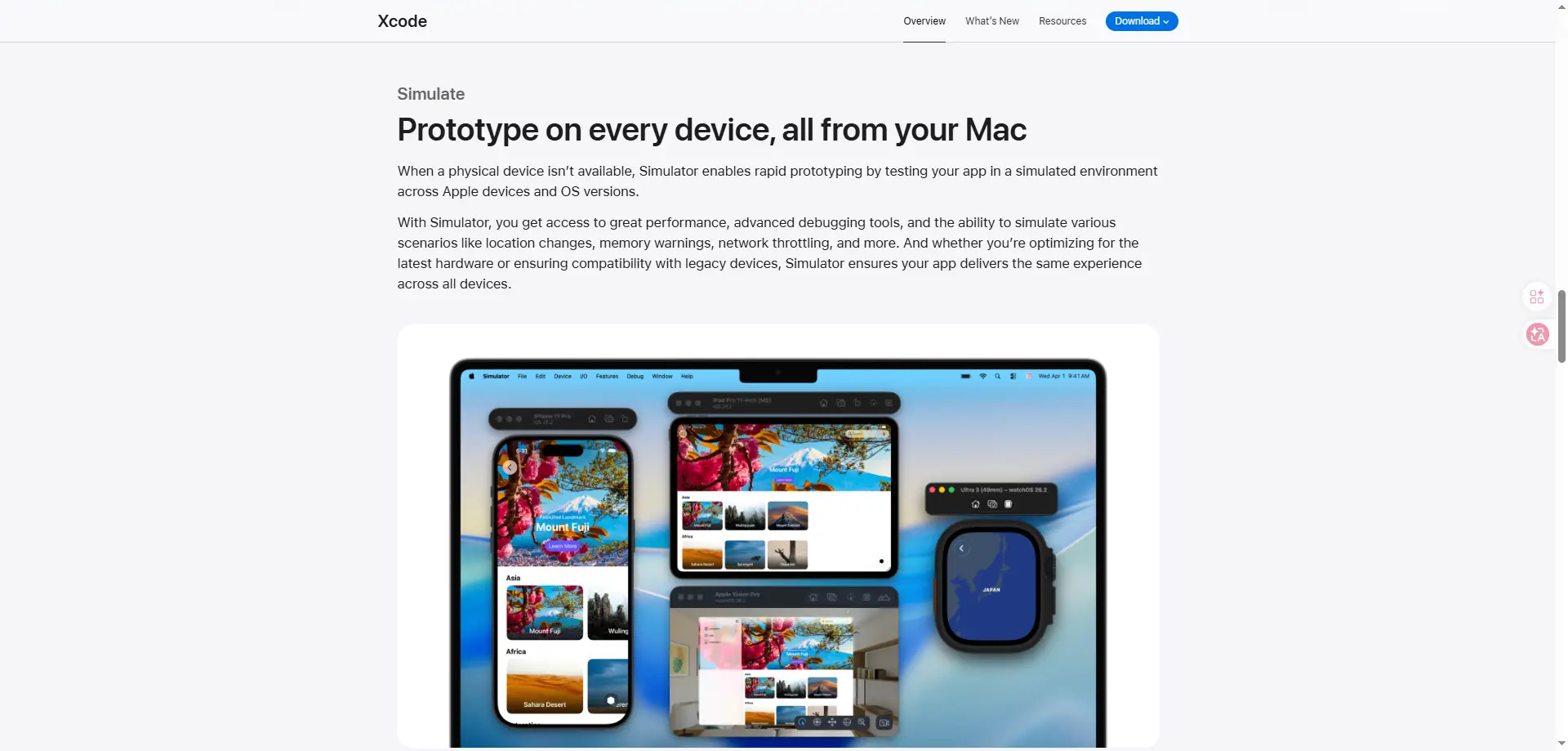
An iOS emulator for PCis a tool that tries to make a computer act like an iPhone or iPad. It creates a virtual iOS environment so apps can be tested or explored without using a real Apple device. But there is one important point: not every tool with an iPhone-like screen is a real emulator. Some are only simulators. Apple’s own Xcode uses a Simulator for app testing, and Apple explains it as a simulated environment rather than a full copy of a real iPhone.
In simple words, an ios emulator for pc works by recreating key parts of an iPhone or iPad inside another machine. It tries to copy system behavior, app execution, and screen output, so developers can test how an app may run. In real use, though, iOS is harder to recreate than many users expect. That is why many Windows tools sold as “iOS emulators” are not true full-device emulators.
Is There Really an iOS Emulator for PC?
Yes, but not in the way most people expect. When users search for an iOS emulator for pc, they often want a simple Windows tool that runs iPhone apps like an Android emulator. In reality, Apple’s official option is Simulator in Xcode, and it is made for app testing on Mac, not for normal Windows users. Apple describes it as a simulated environment for testing apps across devices and OS versions.
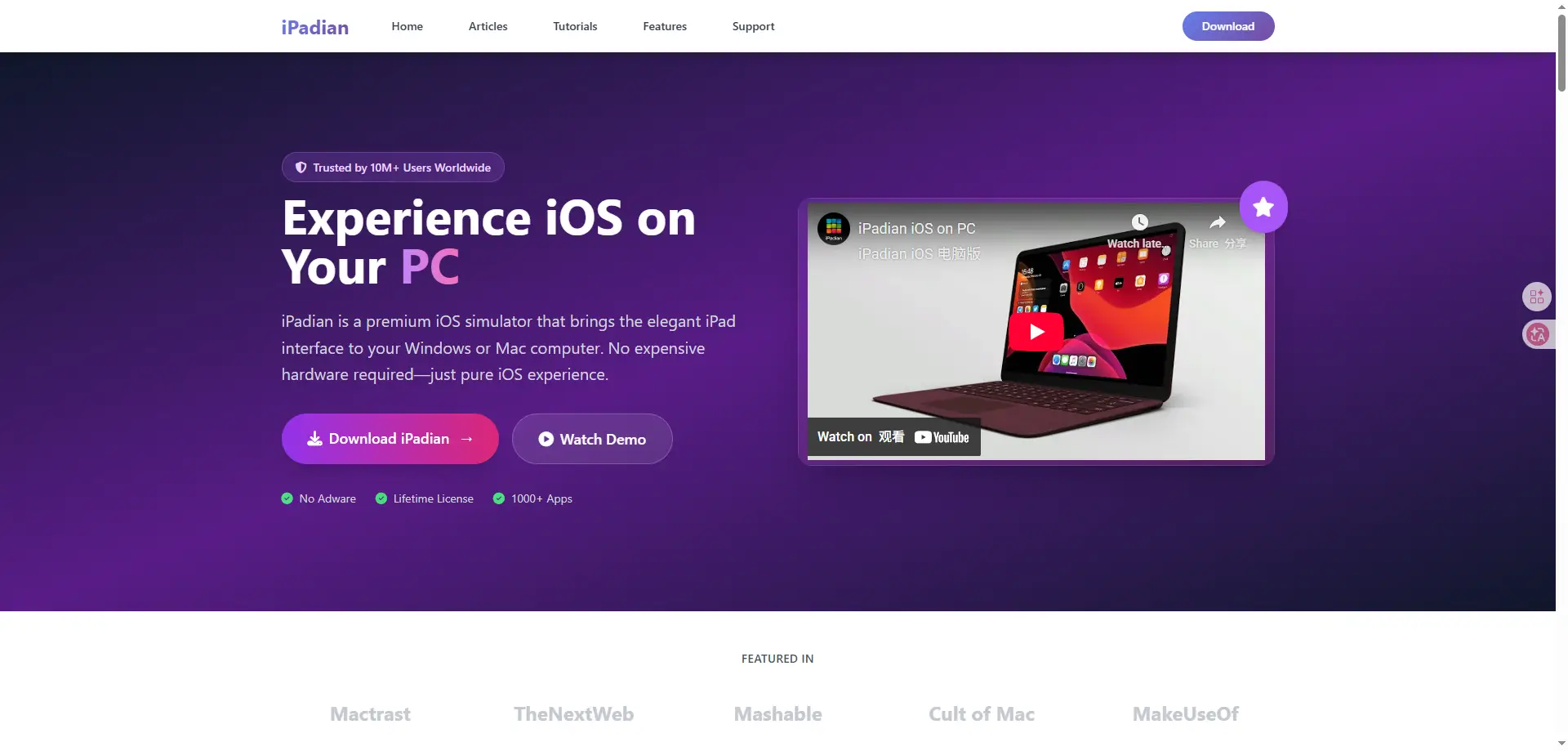
That is why many tools called an ios emulator for pc are not full iPhone emulators. For example, iPadian clearly says it is a simulator, not an emulator, and it does not support .ipa files or the real App Store. On the more advanced side, Corellium offers virtualized iOS devices for security testing and research, but that is a professional platform, not a simple everyday tool. So in 2026, the honest answer is this: there is no easy, full-featured ios emulator for pc for regular Windows use. Most real options are simulators, cloud testing tools, or virtual iOS platforms for experts.
Can You Run iOS on a PC?
Yes, but only in limited ways. When people search for an ios emulator for pc, they often hope for a Windows tool that fully works like a real iPhone. In reality, that is still hard to achieve. Apple’s official Simulator is made for app testing in Xcode, and it is mainly for development on Mac, not for normal Windows use.
What you can do:
- Test app layouts and screen sizes
- Check basic app flows and navigation
- Debug some software behavior
- Use cloud or virtual tools for professional testing
What you cannot do in most cases:
- Turn a normal PC into a full real iPhone
- Run every iOS app exactly like a real Apple device
- Install native
.ipa files in many fake iOS tools
- Access the real App Store in tools like iPadian
Best iOS Emulator for PC in 2026
If you are looking for the best iOS emulator for PC, it helps to be realistic first. In 2026, there is still no simple Windows tool that fully turns your PC into a real iPhone.
Xcode iOS Simulator
For developers, Apple’s iOS Simulator is still the most trusted option. Apple says Simulator helps you test apps in a simulated environment across Apple devices and OS versions. It is great for checking layouts, flows, and UI changes. But it runs only on Mac through Xcode, so it is not a normal Windows ios emulator for pc for everyday users.
iPadian
iPadian is one of the most well-known names in this space. It can give your desktop an iOS-like look, which is why many casual users try it first when searching for an ios emulator for pc. But its own website clearly says it is a simulator, not an emulator. It also says you cannot install .ipa files or use the real Apple App Store. So it is better for a simple iOS-style experience than real iPhone app use.
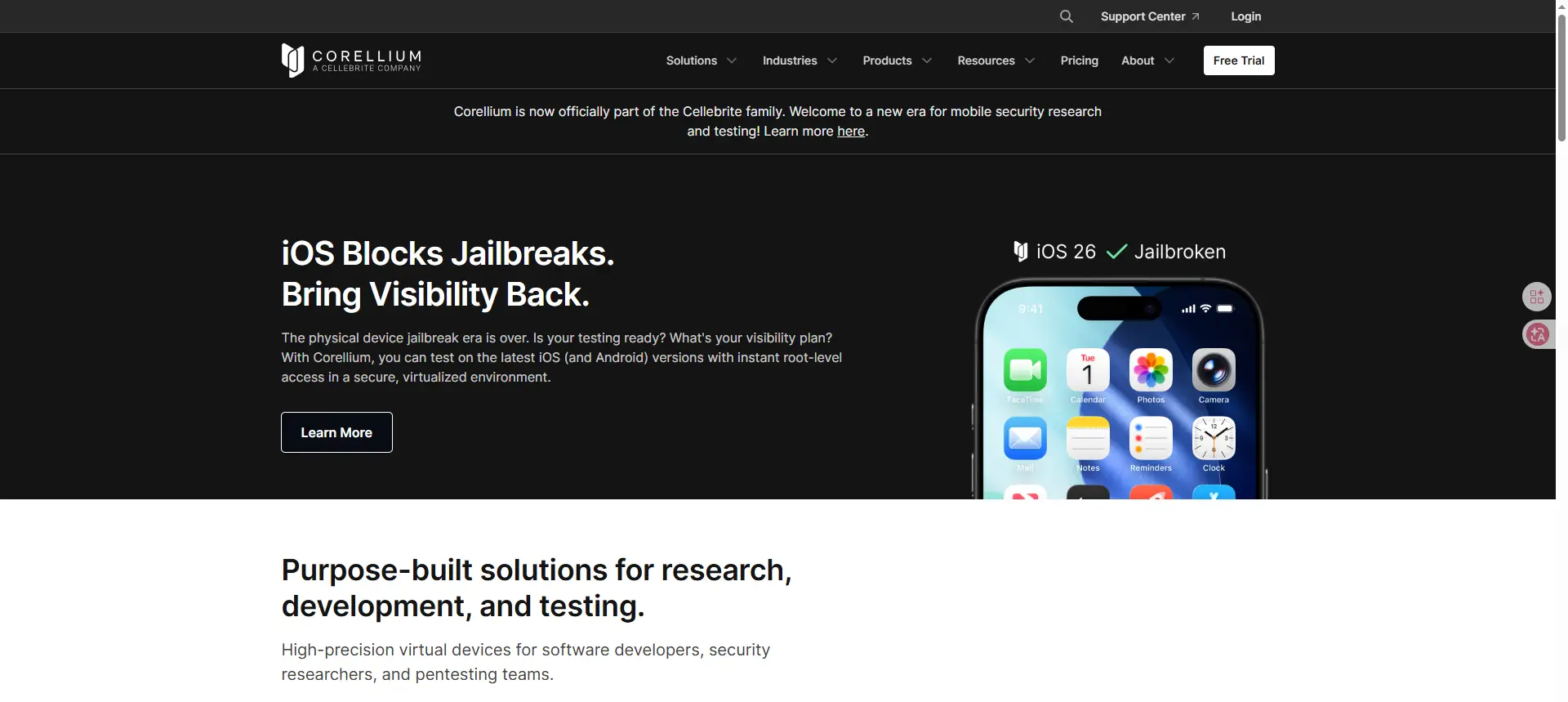
Corellium
Corellium is a much more advanced option. It provides virtual iOS devices for research, development, and testing. This makes it one of the closest things to a serious iOS emulator for PC alternative, especially for security teams and expert users. Still, it is a professional platform, not a simple tool for people who just want to open everyday iPhone apps on a home PC.
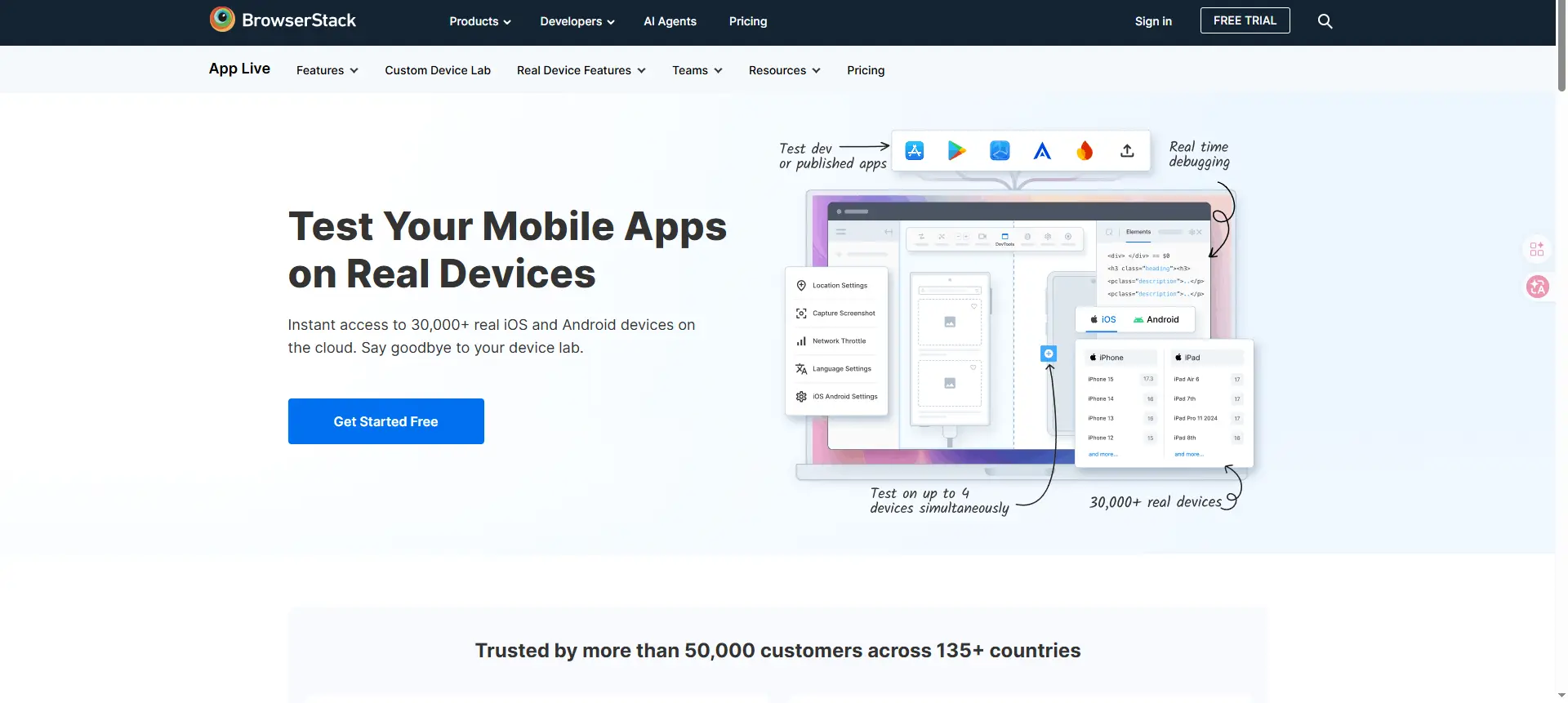
BrowserStack App Live
BrowserStack App Live takes a different path. Instead of pretending to be an iPhone, it gives you access to real iOS devices in the cloud. That is often more useful than a weak ios emulator for pc, because you test on real hardware and real iOS versions. It is a strong choice for QA teams, app testers, and businesses that want reliable results without buying many physical devices.
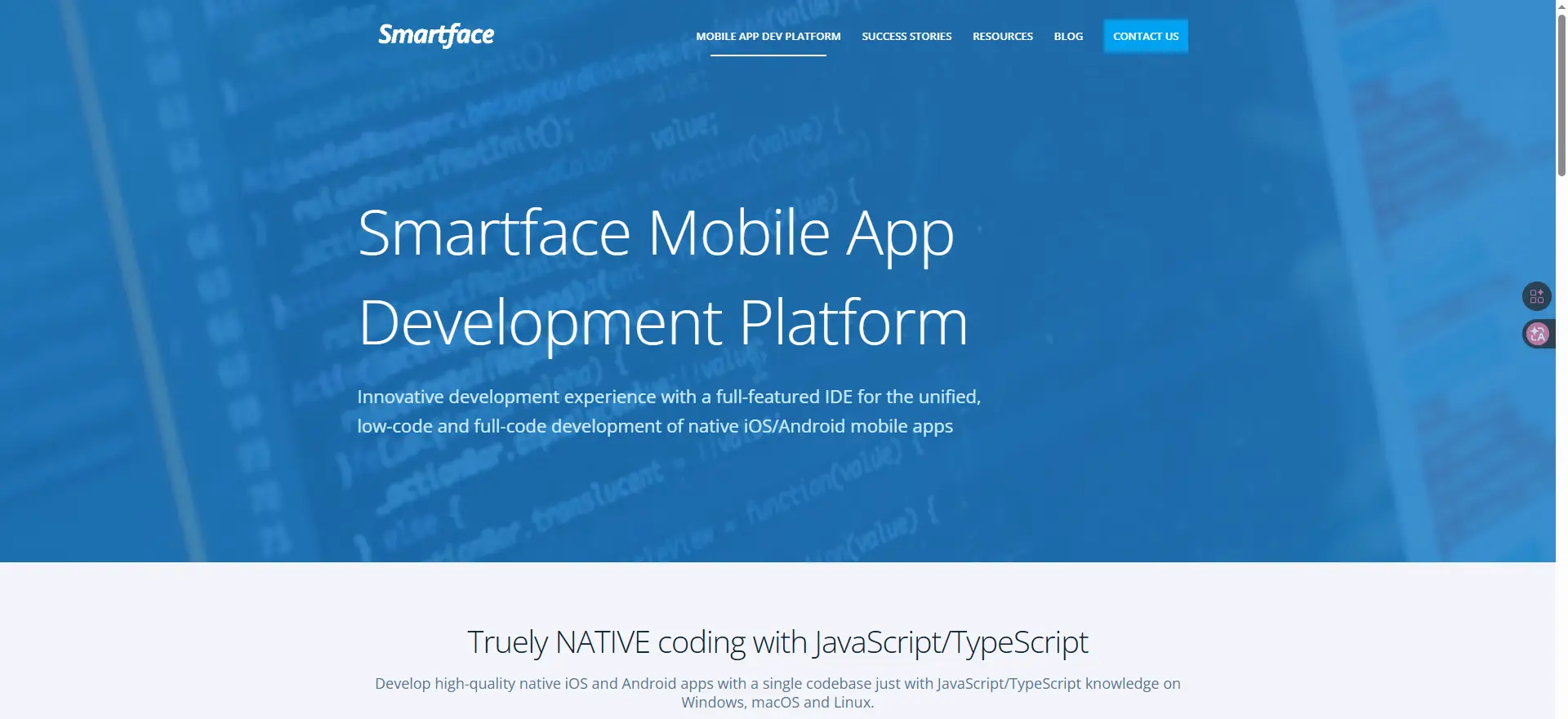
Smartface iOS Simulator
Smartface is a professional mobile development platform that offers an iOS simulator capability. It is primarily aimed at developers who want to develop and test iOS applications on Windows. It functions less like a simple iOS emulator and more like a comprehensive development tool. It requires integrating with a Mac-in-the-cloud service for full development capabilities.
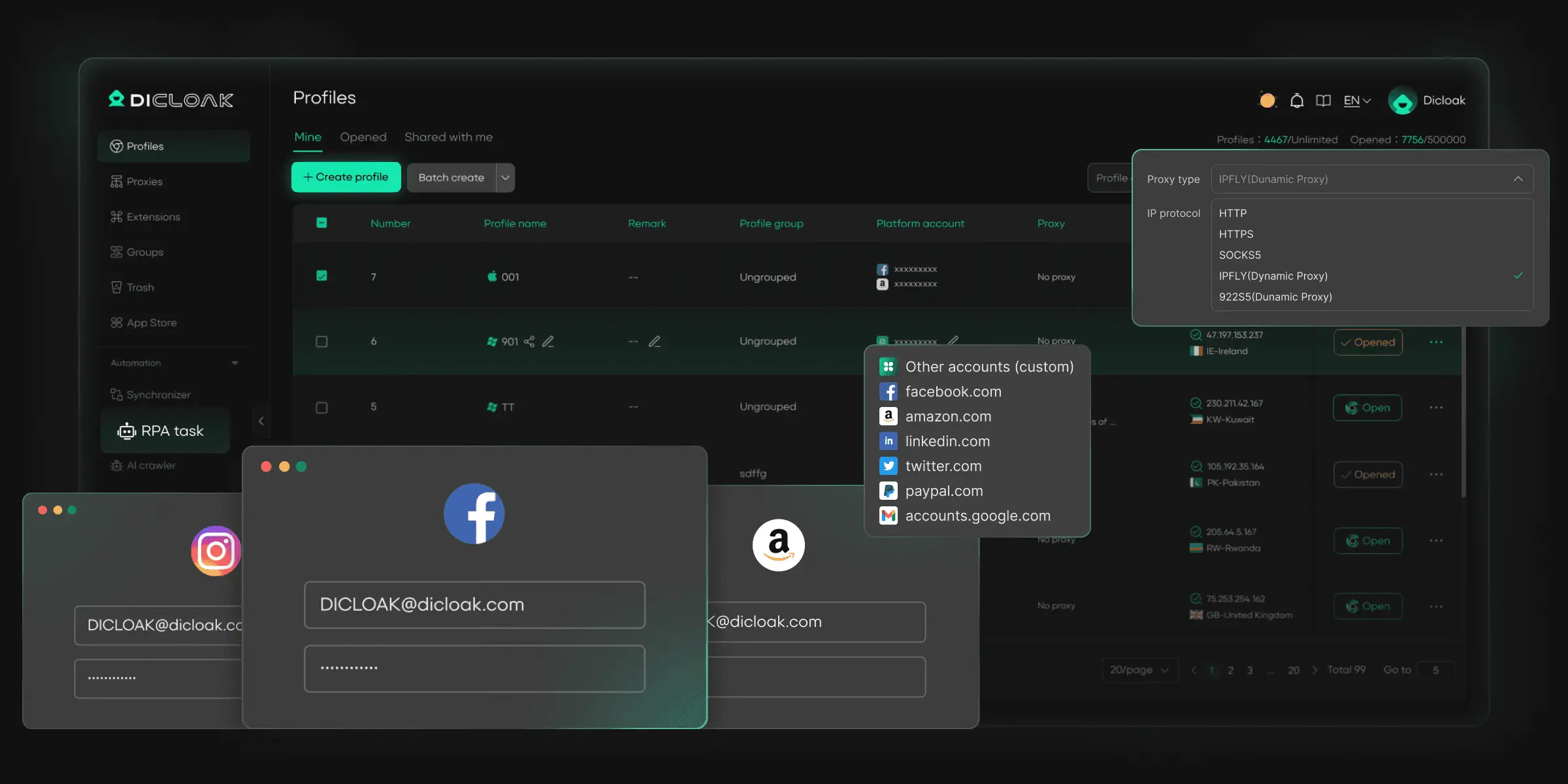
DICloak Emulator for iOS
For marketers, e-commerce managers, and privacy advocates, DICloak emulator for iOS is the premier choice. Unlike traditional emulators that try to run the entire OS, DICloak focuses on emulating the browser profile. It allows you to create profiles that websites recognize as real iOS devices (iPhone 13, 14, 15, etc.). This is perfect for managing social media accounts or testing web apps without needing physical phones.
How to Use AdsPower to Simulate iOS on PC
- Head to DICloak's website, download the app, and sign up using your Google account or email.
- Once your account is registered, you can directly use the free trial with 5 profiles.
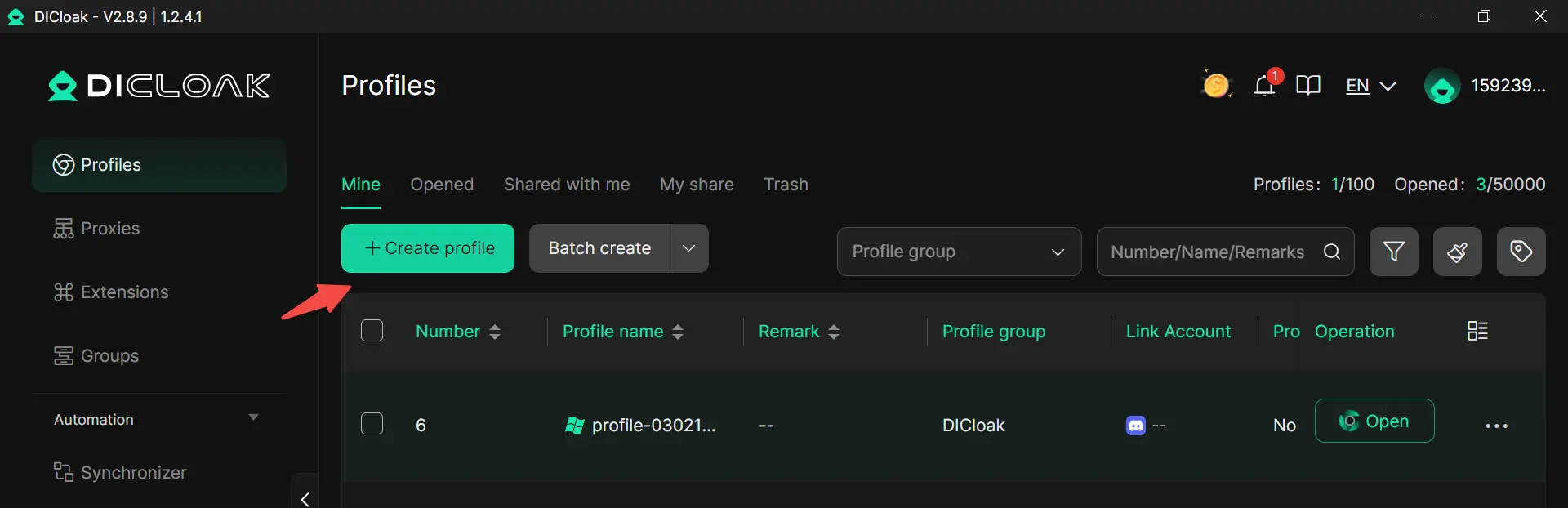
- Click “Create Profile” and enter a profile name. Also, you can bulk import profiles if you need.
- Add your accounts accordingly.
- Set the profile group if you want to organize better.
- Configure your purchased proxies.
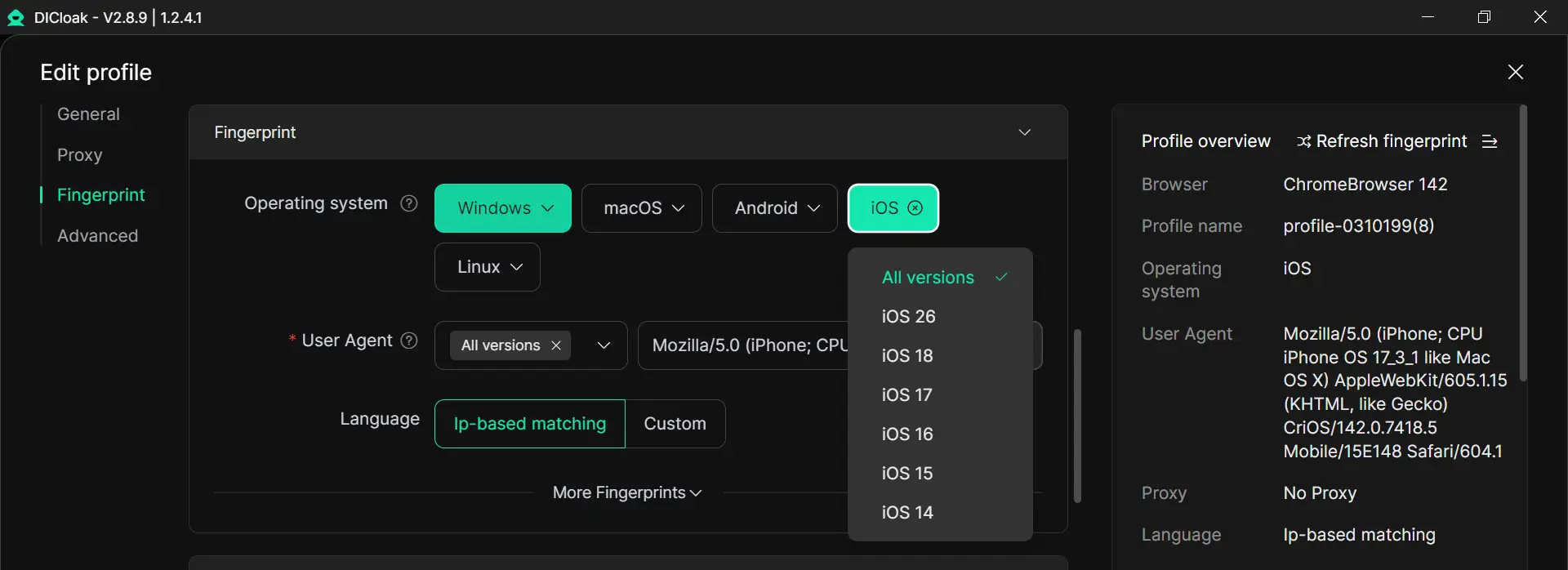
- Choose your OS as iOS. Then choose a specific version (e.g., iOS 26 , iOS 18,etc.).
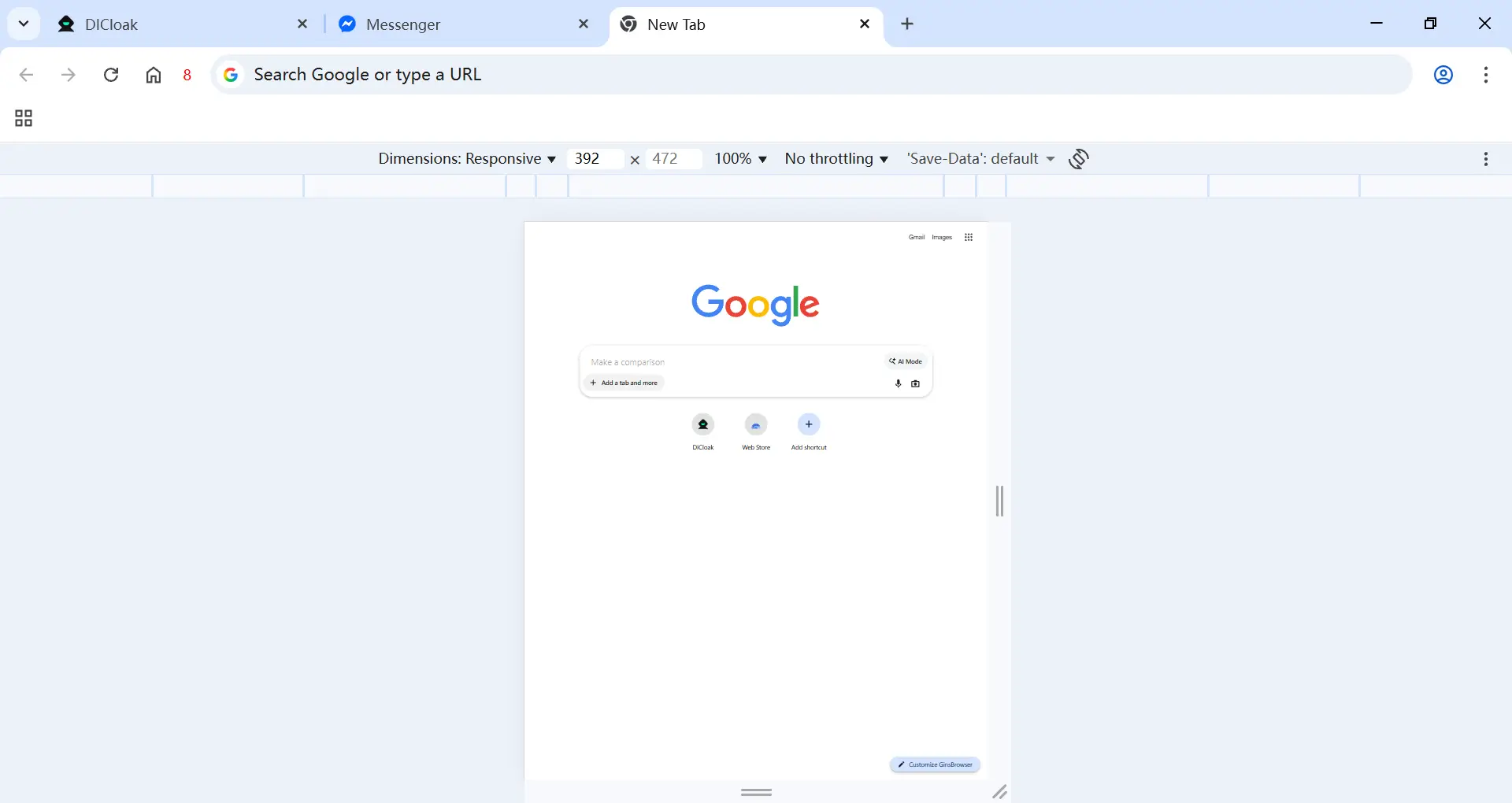
- Click confirm. A browser window will open. To any website you visit, it will appear exactly as if you are browsing in an iOS environment, effectively serving as a functional iOS emulator for web-based tasks.
Who Should Use an iOS Emulator or Alternative Tools?
Not everyone who searches for an ios emulator for pc needs the same kind of solution. The right choice depends on the task.
- App developers: use an iOS emulator or simulator when they need to test app screens, flows, and basic behavior during development.
- QA teams and testers: use iOS testing tools when they need to check how an app works across devices, system versions, and real user actions.
- Technical researchers: use advanced virtual iOS environments when they need deeper access for system testing, debugging, or security work.
- Digital Marketers & E-commerce Operators: This group gains significant advantages from using the DICloak iOS emulator. They need to manage multiple social media, ad platform, or e-commerce accounts that sometimes require an iOS environment for verification or specialized access.
Is it Safe to Use iOS Emulator for PC?
Yes, an ios emulator for pc can be safe, but only in the right situation.
- It is safer when the tool comes from a trusted source. Official or well-known development tools are usually more reliable than random downloads from unknown websites. Apple’s Simulator, for example, is part of Xcode and is designed for app testing.
- It is less safe when users do not understand what the tool really is. Some tools are sold as an ios emulator for pc, but they are only simulators or interface demos. For example, iPadian says it is a simulator, not an emulator, and it does not support native
.ipa files or the real App Store.
- It may be risky if you download from unofficial sites. Unknown tools may have poor quality, weak privacy protection, or misleading claims. That is why users should always check the product site and read what the tool can really do before installing it.
- It may also be unsafe for testing accuracy. Even if a tool is not harmful, it may still give results that are different from a real iPhone. BrowserStack notes that emulators and simulators do not fully match real-device behavior in every case.
- It is best for light testing, learning, or development use. If your goal is simple app testing or UI checks, a trusted iOS emulator for pc or simulator can be useful.
- It is not the best choice for every task. If you need real device behavior, hardware features, or stable account workflows, other tools may be safer and more practical than trying to force a full iPhone experience onto a PC.
Conclusion
The truth is simple: there is no perfect iOS emulator for pc for regular Windows users in 2026. Most tools are either simulators, cloud testing platforms, or advanced virtual iOS solutions.
That is why the best choice depends on your real goal. If you need to test apps, an iOS simulator or testing tool can help. But if you want to manage multiple accounts and keep your desktop workflow organized, a practical alternative like DICloak may be a better fit. In the end, the best tool is the one that matches what you actually need to do.
FAQs
What is the best iOS emulator for PC in 2026?
The best iOS emulator for PC depends on what you need. If you are a developer, Xcode iOS Simulator is one of the most trusted options for app testing. If you need real-device testing, cloud tools may be more useful. If you only want an iOS-like interface, some lightweight tools may be enough, but they are not true emulators.
Is there a real iOS emulator for PC that works like an Android emulator?
Not really. A true iOS emulator for PC is still much more limited than an Android emulator. Most tools on the market are simulators, cloud testing platforms, or virtual iOS environments for developers and researchers, not full iPhone replacements for normal Windows users.
Can an iOS emulator for PC run all iPhone apps?
No. Most iOS emulator for PC tools cannot run all iPhone apps exactly like a real iPhone. Many do not support native .ipa files, real App Store access, or full hardware features. That is why it is important to check what the tool can actually do before downloading it.
Is it safe to use an iOS emulator for PC?
An iOS emulator for PC can be safe if you choose a trusted tool from an official or well-known source. The bigger risk usually comes from unknown websites, misleading product claims, or tools that do not clearly explain their limits. Reading the product details first is always a smart step.
Can you run iOS on a PC for free?
Some simulators like iPadian have free versions, and the DICloak emulator for iOS offers a free trial for 5 browser profiles emulation. However, full OS virtualization usually costs money.
 Web Proxy Tools
 Free Tools
 Cookie Plugin
 UA Generator
 MAC Address Generator
 IP Generator
 IP Address List
 2FA Code Generator
 World Clock
 Anonymous Check
 WebRTC Leak Test
 UUID Generator
 Free Web Proxy Site
 Proxy Checker
 FB Ad Checker
 AI Web Scraping
 Free SMM Tools
 Twitter Shadowban Checker
 Instagram Name Checker
 UTM Generator
 Username Generator
 AI Hashtag Generator
 LinkedIn Headline Generator
 Social Media Image Resizer