If you opened Instagram and suddenly saw a warning, a lock screen, or a message saying your account was suspended, you are not alone. Many users feel confused when the process moves so fast. One moment, the account still seems recoverable. The next moment, it feels like “Instagram account locked then banned me” for no clear reason. That kind of experience is stressful, especially if you use Instagram for work, content, sales, or daily communication.
The hard part is that Instagram does not always explain these cases in a simple way. A lock can be caused by suspicious activity, repeated reports, security checks, automation signals, or actual rule violations. In some cases, the account can be recovered. In other cases, the situation becomes more serious after review. That is why it is important to understand what happened, what type of suspension you are facing, and what steps actually make sense.
This guide will walk you through the most common reasons Instagram locks and bans accounts in 2026, how to tell the difference between a temporary issue and a serious account action, how to appeal, and how to lower the chance of the same problem happening again. If you are trying to understand why this happened and what to do next, this article will help you sort it out in a clear and practical way.
What Causes Instagram to Lock and Ban Accounts?
If you feel like “Instagram account locked then banned me,” the process often happens in two steps. First, Instagram may lock or limit the account because it sees a risk. Later, if the problem looks serious, repeated, or still unresolved, the account may become an Instagram account suspended or Instagram account disabled case.
How Violations of Community Guidelines Trigger Bans
One common reason is breaking Instagram’s rules. In many cases, Instagram does not jump straight to a permanent ban. It may remove content first, limit some features, or review the account more closely. If the same problem keeps happening, the penalty can become much more serious.
Common reasons include:
- Breaking Instagram’s rules: This can include violence, threats, hate speech, explicit sexual content, harmful misinformation, spam, fake engagement, bot use, impersonation, scam-like behavior, or repeated rule-breaking activity. If Instagram sees a pattern instead of a one-time mistake, the account may face stronger action.
- Copyright complaints: If a user reposts photos, videos, music, logos, or brand materials without permission, Instagram may remove the content first. If copyright issues happen again and again, the account can face stricter restrictions or even removal.
- Frequent user reports: If many users report an account for spam, scams, or policy violations, Instagram may review it more closely. Reports do not always mean the account is guilty, but confirmed reports can lead to tougher enforcement.
That is one reason some users feel that Instagram locked me out before the account was fully removed.
Why Suspicious Activity Leads to Account Locks
Sometimes the issue is not the post itself. Sometimes the account simply looks unsafe. For example, if login behavior changes too fast, activity suddenly spikes, or the account starts acting in a way that looks automated, Instagram may treat it as suspicious activity Instagram. That is when users often think, “Instagram thinks my account was hacked.” A lock may start as a safety step, but if the behavior continues, it can turn into a suspension.
How Instagram's Automated Systems Detect Issues
Instagram also uses automated systems to detect problems. These systems may look at content, user reports, behavior patterns, account history, and signs that activity does not look human. This helps explain why some accounts move from a warning to Instagram permanently suspended very quickly. It also explains why some users search how to appeal Instagram suspension, try to recover suspended Instagram account access, or believe they faced a false Instagram suspension after a fast review.
How to Identify the Type of Instagram Suspension
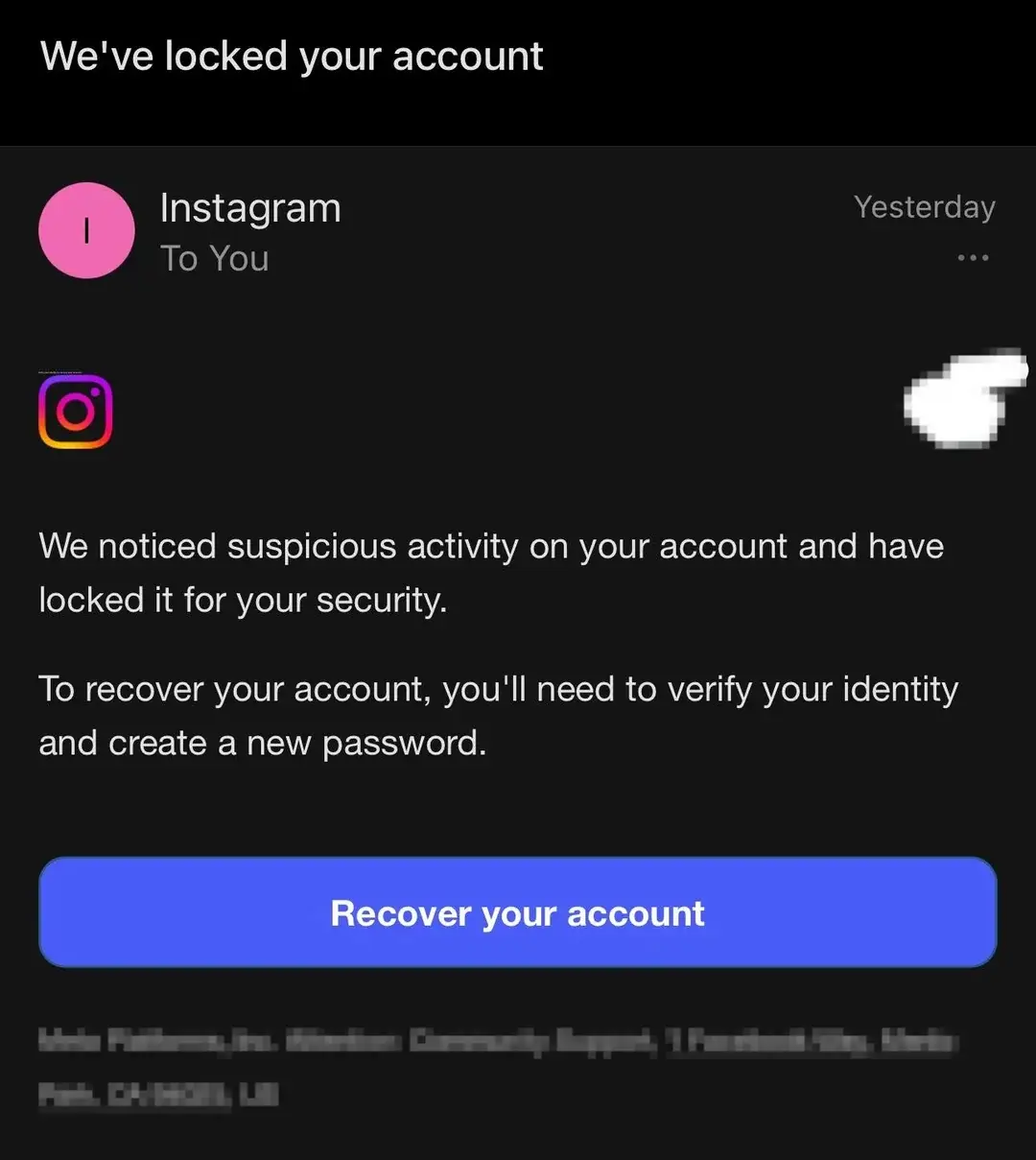
After looking at the common causes, the next step is to figure out what kind of action Instagram took. This matters because not every warning means the same thing. If you feel, “Instagram account locked then banned me,” you need to check whether you are dealing with a short lock, an Instagram account suspended review, or a more serious Instagram account disabled decision. Meta says users are usually told what happened after they try to log in, and in some cases they are also told whether they can appeal.
What Differentiates Temporary from Permanent Bans?
A temporary action usually means you still have a path back. You may see a warning, lose access to some features, or be asked to complete a security step. In many cases, the account is still there, but Instagram is limiting what you can do while it checks the risk. A permanent action is more serious. That is the kind of case users often describe as Instagram permanently suspended. Meta says disabled accounts are accounts it has removed for not following its rules, and if you think the decision was wrong, you may be able to ask for a review by logging in and following the on-screen steps.
A simple way to tell the difference is to look at what Instagram is still allowing you to do. If you can still log in, see your profile, or follow prompts to secure the account, the issue may be temporary. If you cannot access the account and Instagram tells you it was disabled, that is closer to a full enforcement action. This is why many users first say Instagram locked me out, then later realize the case became more serious after review. Meta’s Account Status tools can also show whether content was removed, features were restricted, or the account has a deeper policy problem.
How to Recognize a 180-Day Suspension
Some users report seeing a notice that gives them a limited window to appeal before the account is permanently removed. One version of Instagram’s help materials mentions a 180-day limit tied to disabled-account appeals in some flows. In plain terms, that means the account is not fully gone yet, but the clock is running. If the user does not complete the review process in time, the account may not stay recoverable.
So how does this look in real life? You try to log in and see a message that says the account was suspended or disabled, but Instagram still offers a review path. That is different from a short feature block. It is also different from a normal password reset. In this kind of case, you should act quickly, save screenshots, and follow the official review steps inside the app or login flow. Many users who later search how to appeal Instagram suspension are actually in this middle stage, where the account is not clearly restored but not fully gone yet either. Meta also says it will tell users whether they can appeal the suspension if they believe it was a mistake.
What to Do If You Face a Misunderstanding
Not every suspension means you clearly broke the rules. Sometimes the problem is a misunderstanding, a security flag, or a fast automated review. That is why some users believe they faced a false Instagram suspension, especially after unusual login activity, a burst of reports, or a case where Instagram thinks my account was hacked. Meta says users who believe their disabled account was removed by mistake may be able to request a review from the login screen.
The safest response is to slow down and check the message carefully. Do not guess. Do not rush into random third-party fixes. First, read the exact notice. Second, secure the account if the problem looks tied to suspicious activity Instagram behavior, such as unexpected logins or unknown apps. Third, use the official appeal path if Instagram offers one. If your Instagram appeal rejected result comes back too fast or does not seem to match what happened, keep your screenshots and try to work only through official Meta surfaces. Recent reporting has shown that some users later got accounts restored after saying the original suspension was wrong, which is one reason people keep trying to recover suspended Instagram account access after an initial denial.
So before you panic, try to identify the exact state of the account. A short lock, a review notice, a 180-day appeal window, and a disabled account do not mean the same thing. Knowing which one you have is the first step toward choosing the right response.
Steps to Take If Your Instagram Account is Locked
Once you know what kind of problem you are facing, the next step is to act carefully. If you feel, “Instagram account locked then banned me,” do not rush into random fixes. First, read the message on the login screen. Then follow the official steps Instagram gives you. Meta says users who believe their Instagram account suspended or Instagram account disabled decision was a mistake can submit a review after logging in and following the on-screen instructions.
How to Verify Your Identity with Instagram
If the lock is tied to security, Instagram may ask you to confirm that you are the real owner. This often happens when the platform sees suspicious activity Instagram signals, such as unusual logins, unknown apps, or behavior that looks unsafe. In some cases, Instagram may ask for a selfie video to confirm that you are a real person. Meta says this review can take up to two business days, and you may not get access back until the check is finished. That is why some users say, “Instagram thinks my account was hacked,” even when they were the ones trying to log in.
If Instagram asks for an ID, do not panic. Meta says it may request identification to confirm your identity and help protect your account from phishing or abuse. It also explains that accepted ID usually needs to show your name and a recent photo. For example, if the account uses your real name, Instagram may ask for a government ID. If it is a business account, you may be asked for documents that connect you to the business.
What Information You Need to Provide for Recovery
The exact information depends on the problem, but Instagram often asks for basic account details first. Meta says hacked-account recovery may require the email address or phone number used when you signed up, plus the type of device you used at the time of sign-up. If you lost access to your old email or phone, Instagram may also ask for a phone number, answers to security questions, or other details to verify your request. This is one reason it helps to save old login details instead of changing everything at once.
It also helps to keep screenshots of every warning, review page, and appeal message. For example, if mass reporting Instagram activity pushed your account into review, or if your Instagram appeal rejected result came back too fast, those screenshots help you keep the timeline clear. They may not guarantee success, but they make it easier to show what happened if you need to check your status again in Support Inbox or Account Status. Meta says users can track some review requests there.
How Long Does the Recovery Process Typically Take?
Recovery time depends on the type of lock. Some basic security checks are fast. Meta says video selfie review may take up to two business days. Other review requests do not have a clear public time limit. In practice, some users get answers quickly, while others wait longer depending on the type of case and whether the account is under deeper review. So if you are trying to recover suspended Instagram account access, it is better to expect different timelines rather than one fixed answer.
The key point is not to confuse delay with a final loss. A slow review does not always mean Instagram permanently suspended your account. At the same time, if Instagram gives you an appeal window, do not wait too long. Follow the official steps, provide only accurate information, and avoid sending repeated conflicting requests. That gives you the best chance if you need how to appeal Instagram suspension guidance after a lock or a possible false Instagram suspension.
How to Appeal a Banned Instagram Account
If the lock turns into a ban, the next step is the appeal. This is the stage where many users think, “Instagram account locked then banned me.” If Instagram says your Instagram account suspended or Instagram account disabled decision may be reviewed, the official path is usually inside the login flow. Meta says you can submit an appeal by logging in and following the on-screen instructions. It also says Instagram will tell you whether you can appeal if it believes there was a mistake.
What to Include in Your Appeal to Instagram
A good appeal should be clear, short, and honest. Stick to facts. Explain what happened, why you think the decision was wrong, and whether the issue may have come from suspicious activity Instagram signals, account compromise, or a misunderstanding. For example, if Instagram thinks my account was hacked, say that directly and mention any unusual login alerts, unknown apps, or sudden security checks you saw. If you think mass reporting Instagram activity pushed your account into review, say that too, but do not make wild claims you cannot support. Meta’s help pages show that appeals are tied to the account and its specific violation history, so your goal is to make the timeline easy to understand.
It also helps to include only the information Instagram actually needs. Use the exact username, the email or phone number tied to the account, and a short explanation of the problem. If Instagram asked for ID or a selfie video earlier, make sure those details match the account information you already submitted. A strong appeal is not emotional or long. It is specific. For instance, “My account was locked after unusual login checks, but I am the owner and I completed the identity steps” is more useful than “Please give my account back.” That gives you a better shot if you are trying to recover suspended Instagram account access or fix a possible false Instagram suspension.
How to Track the Status of Your Appeal
After you submit the appeal, check the official status tools instead of guessing. Meta says you can review the status of your request in Account Status or by opening the violation inside Support Inbox. That is important because users often think nothing is happening when the review is still open. If you still have some account access, these tools can show whether content was removed, whether a review is pending, or whether the decision was confirmed.
This is also where screenshots help. Save the original notice, the date you appealed, and any message that appears in Support Inbox. If the account later becomes harder to access, those records help you keep the sequence straight. They are especially useful if Instagram appeal rejected appears very quickly and you want to compare what Instagram first said with what it later decided. The official tools will not solve every case, but they are the safest way to track your appeal without relying on random third-party advice.
What to Do If Your Appeal is Rejected
If your first appeal is rejected, do not panic right away. A rejection does not always mean the account was reviewed deeply by a person from the start, and it does not always mean the situation is hopeless. First, read the notice again and see whether Instagram offers any more review steps in the login flow, Support Inbox, or Account Status. For some content decisions, Meta also says users must first request an internal review before they can ask the independent Oversight Board to review a case. That option is not available for every account case, but it shows why reading the exact notice matters.
If the rejection still looks wrong, slow down and clean up the account-side issues you can control. Remove unknown apps, secure your email, turn on two-factor authentication, and make sure your account details are consistent. Then keep checking official status tools instead of sending many conflicting requests. That is especially important if the case started with Instagram locked me out, a security review, or a situation where Instagram permanently suspended the account after unusual activity. If a review path is still open, use it carefully. If not, keep your records in case the case changes later. Meta’s published guidance is clear that the official login flow, Support Inbox, and Account Status are the main channels to use.
So if you are searching how to appeal Instagram suspension, think of the process this way: submit a clean appeal, track it in the right place, and respond based on the exact status you see. That gives you the best chance to understand whether you are dealing with a review delay, a confirmed enforcement action, or a case that may still be reversed.
How to Prevent Future Instagram Account Issues
If you have already felt, “Instagram account locked then banned me,” prevention matters more than guesswork. After a lock, appeal, or Instagram account suspended review, the goal is to make the account look safe, real, and stable again.
Which Security Measures Can Protect Your Account?
Start with simple security steps. Use a strong password. Protect your email too. Remove unknown third-party apps. Check for strange login activity. Meta also recommends watching for phishing and other fake messages. These steps matter because many users only react after they think, “Instagram thinks my account was hacked.”
If your account already showed suspicious activity Instagram warnings, slow down before using it normally again. Keep your logins consistent, avoid random app connections, and make sure your account details are correct. That helps reduce new risk signals.
How to Avoid Actions That Trigger Bans
Avoid behavior that looks fake or automated. Meta says spam, fake engagement, misleading activity, and unsafe third-party tools can lead to enforcement. That includes buying followers, using auto-comment tools, or giving account access to untrusted services. Many users only search how to appeal Instagram suspension after these shortcuts go wrong.
It also helps to keep your content original and low-risk. Repeated complaints, scam signals, or mass reporting Instagram activity can push an account into closer review. That is one way a user may first feel Instagram locked me out and later face a deeper problem.
Why Two-Factor Authentication is Essential
Two-factor authentication is one of the best ways to protect your account. Meta recommends it because it adds a second layer of security after your password. If someone gets your password, they still cannot get in easily.
This is especially important if you are trying to recover suspended Instagram account access or avoid another false Instagram suspension. Even if you worry that the account could become Instagram permanently suspended, turning on two-factor authentication is still a smart step.
What to Do If Instagram Wrongly Bans Your Account
Even after all the prevention steps above, mistakes can still happen. That is why some users still end up saying, “Instagram account locked then banned me,” even when they believe they did nothing wrong. Meta says users who think their Instagram account suspended or Instagram account disabled decision was made by mistake may be able to request a review by logging in and following the on-screen steps. Recent news reports also show that some users later got access back after saying the original action was wrong, which is why it helps to stay organized and calm.
How to Gather Evidence to Support Your Case
Start by saving everything. Keep screenshots of the login warning, the suspension notice, the appeal page, and any message in Support Inbox or Account Status. Save the date when the problem started and the date when you filed your appeal. If the issue followed unusual login checks, unknown apps, or other suspicious activity Instagram signs, write that down too. If you believe mass reporting Instagram activity pushed your account into review, note what changed right before the lock. This kind of record will not guarantee success, but it makes your case easier to explain and keeps your timeline clear if your Instagram appeal rejected message arrives quickly. Meta says Account Status and Support Inbox are the main places to check review information.
What External Resources Can Assist in Resolution
The best outside help is still help that points you back to official Meta channels. If you have access to Meta Verified support for an eligible verified account, that can be one real support path Meta itself provides. For business-related restrictions, Meta also has Business Support troubleshooting pages in some account setups. Beyond that, credible news coverage can be useful as a reminder that a false Instagram suspension is possible and that some wrongly disabled accounts have later been restored. What you should avoid is random “recovery” services, paid unverified agents, or people promising secret backdoor access. Meta’s published help materials do not recommend those routes.
How to Communicate Effectively with Instagram Support
Keep your message short, factual, and consistent. Use the same username, email, or phone number tied to the account. Explain what happened in plain language. For example: the account was locked after unusual security checks, you completed the identity steps, and you believe the disable decision may be wrong. That works better than sending long emotional messages. If the case started because Instagram thinks my account was hacked, say that clearly. If you are trying to recover suspended Instagram account access after a review, mention the exact notice you saw. Meta says the official review path is through the login flow, and you can track some review requests in Account Status or Support Inbox.
If support does not answer right away, do not send many conflicting requests. That can make the record harder to follow. Instead, keep one clear timeline, keep your screenshots, and check the official status tools. This is especially important if you are searching how to appeal Instagram suspension after a fast lock or a case that feels like Instagram permanently suspended by mistake. A wrong ban is stressful, but a calm, well-documented appeal gives you a better chance than panic does.
If account trouble started because your setup looked unstable, a cleaner browser profile can help reduce future risk. For users who manage multiple social accounts, one practical option is to keep each account in a separate browser profile instead of mixing everything in one regular browser. That matters in “Instagram account locked then banned me” situations because shared cookies, mixed sessions, and unstable login patterns can make an account look risky. DICloak is built for that kind of profile isolation, with separate browser profiles, fingerprint customization, and custom proxy setup for each profile.
How Profile Isolation Can Lower Suspicious Login Signals
A user can place each Instagram account in its own isolated profile and assign a separate proxy to each one. This helps keep logins more consistent and reduces the chance that accounts affect each other. That is useful for users who have seen suspicious activity Instagram warnings or felt that Instagram thinks my account was hacked after too many device, network, or session changes.

How Custom Proxy Setup Can Improve Account Stability
Custom proxy setup can also make account activity look more consistent. A user can assign a different proxy to each browser profile instead of sending every account through the same network path. This is useful for people who manage multiple accounts and want to avoid messy login patterns, repeated security checks, or suspicious activity Instagram warnings. A more stable proxy setup can also help after an Instagram account suspended review or a case where Instagram locked me out and later pushed the account into deeper review.

Reducing Shared-Device Risks with DICloak
This setup is also useful on shared devices. A team can separate profiles, control access, and avoid mixing account activity on one computer. If the goal is to stop the same problems from happening again, the practical idea is simple: keep each account in its own browser profile, keep each profile’s proxy stable, and avoid running many accounts through one messy session.

FAQ
Why did Instagram account locked then banned me after a security check?
This can happen when Instagram first detects a risk and locks the account for review. If the platform later decides the problem is serious, repeated, or still unresolved, the account may be suspended or disabled.
What should I do first if Instagram account locked then banned me?
First, read the login message carefully. Then follow the official steps shown by Instagram. If a review or appeal option appears, use that path instead of trying random third-party fixes.
Can I recover my profile if Instagram account locked then banned me by mistake?
Yes, recovery may still be possible in some cases. If Instagram says the account can be reviewed, you should submit an appeal, complete any identity checks, and keep screenshots of all notices and status updates.
Why does Instagram account locked then banned me even though I did not post anything bad?
Not every case starts with harmful content. Sometimes unusual login behavior, unknown apps, spam-like activity, or other suspicious signals can trigger a lock first and a stronger enforcement action later.
How can I stop the same problem from happening again after Instagram account locked then banned me?
You can lower future risk by improving account security, turning on two-factor authentication, avoiding bots or unsafe third-party tools, keeping login behavior more stable, and using a cleaner browser setup if you manage multiple accounts.
Conclusion
If you feel like “Instagram account locked then banned me,” the problem usually does not happen in one step. Instagram may first lock or limit an account because it sees a risk. That risk can come from rule violations, suspicious login activity, automated behavior, copyright complaints, or repeated reports from other users. After that, the platform may review the account and decide whether the issue is temporary, whether the account can be recovered, or whether it should be disabled.
That is why it is important to understand the exact type of suspension before reacting. A temporary lock, a review notice, a 180-day appeal window, and a disabled account do not mean the same thing. The best response is to read the login message carefully, complete any identity checks, save screenshots, and use Instagram’s official appeal path. If the decision seems wrong, a clear and honest appeal gives you the best chance to recover access.
The safest long-term approach is prevention. Strong security, stable login behavior, two-factor authentication, and avoiding bots or unsafe third-party tools can reduce future risk. For users who manage more than one account, keeping each account in a separate browser profile with profile isolation and stable proxy settings can also help reduce messy login signals and shared-device risks. In the end, the goal is not just to recover an account once, but to make future account activity look safer, cleaner, and more consistent.
 Web Proxy Tools
 Free Tools
 Cookie Plugin
 UA Generator
 MAC Address Generator
 IP Generator
 IP Address List
 2FA Code Generator
 World Clock
 Anonymous Check
 WebRTC Leak Test
 UUID Generator
 Free Web Proxy Site
 Proxy Checker
 FB Ad Checker
 AI Web Scraping
 Free SMM Tools
 Twitter Shadowban Checker
 Instagram Name Checker
 UTM Generator
 Username Generator
 AI Hashtag Generator
 LinkedIn Headline Generator
 Social Media Image Resizer