A lot of teams woke up to a headache when news of the brazil discord livestream suspension spread across social platforms. Suddenly, streamers, moderators, and even educators found themselves locked out of live sharing on Discord, with little warning and no easy workaround. The official statement was vague, leaving users scrambling to figure out if this was a permanent ban, a targeted restriction, or just another temporary glitch.
But the risk isn’t only about losing access for a day or two. Brazilian Discord streaming restrictions can disrupt planned events, business demos, and even classroom sessions. If you rely on Discord livestreams as your main channel to reach clients or run workshops, the uncertainty can throw your entire workflow off track. Worse, trying to force a workaround without understanding the rules can get accounts flagged or suspended, not just for one user, but for the whole team.
The real question isn’t just why Discord livestreams got suspended in Brazil, but how to spot the warning signs before a new restriction hits. Knowing the main triggers, the rules behind a discord livestream ban in Brazil, and what options you have for safer social media workflows will save more than just your next event, it can protect your team from account-level fallout.
Below, you’ll see why this happened, what to watch for, and how experienced operators are adjusting right now.
What Triggered the Discord Livestream Suspension in Brazil?
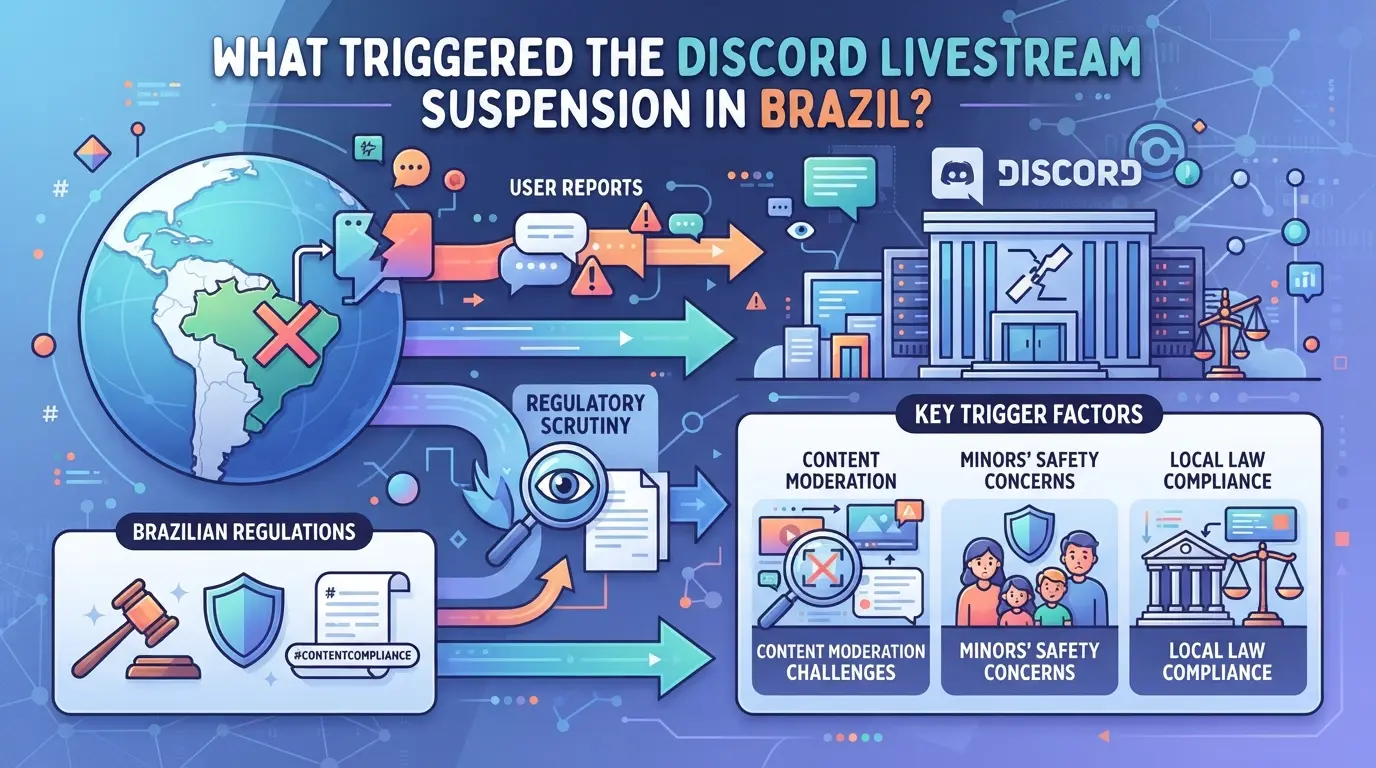
Brazilian authorities ordered Discord to suspend livestream features after a series of incidents tied to illegal content sharing and real-time coordination of prohibited activities. The main trigger was not a technical flaw, but a legal reaction to how Discord’s streaming tools were being misused in high-profile cases.
Legal and Regulatory Basis for the Ban
Brazil’s National Telecommunications Agency (Anatel) and federal prosecutors acted under the Marco Civil da Internet, which outlines platform responsibility for illegal activity. Anatel sent a formal notice to Discord, requiring immediate action. Discord responded by disabling livestreams for Brazilian users, there was no negotiation period.
Timeline of Events Leading to the Suspension
Trouble started when Discord livestreams were linked to criminal investigations, including cases where streams helped organize banned demonstrations or distribute copyrighted material. After media coverage exposed gaps in Discord’s moderation, regulators moved fast. In March 2026, Brazilian authorities flagged several servers, then demanded real-time shutdown of livestreams. Discord had less than 48 hours to comply. Streamers who tried to continue found their broadcasts killed mid-session, sometimes without prior warning. The speed of the ban meant many teams got caught out, those with scheduled events lost access with no buffer, and users saw abrupt error messages instead of explanations. If your server was flagged but not banned, you might have noticed restrictions rolling out unevenly; some users could stream for a few hours before the full block hit, while others lost access instantly. That staggered rollout made it hard for operators to judge whether their workflows were safe or just lucky.
Immediate Impact on Discord Users in Brazil
- Livestreaming tools (Go Live, screen share) switched off for all Brazilian accounts and IPs, even for paid Nitro users.
- Streamers received pop-up error banners, while viewers saw “Livestream unavailable in your region” notices.
- Discord’s status page updated with a brief statement, no timeline for reinstatement, no workaround offered.
This hard cutoff forced streamers to scramble for alternate platforms and left audience members with no access to ongoing broadcasts. For many, the suspension meant changing how they run events or coordinate online work. The next step is figuring out who felt the impact most, and what options are left for those relying on Discord streaming in Brazil.
Who Is Affected by the Discord Livestream Suspension in Brazil?
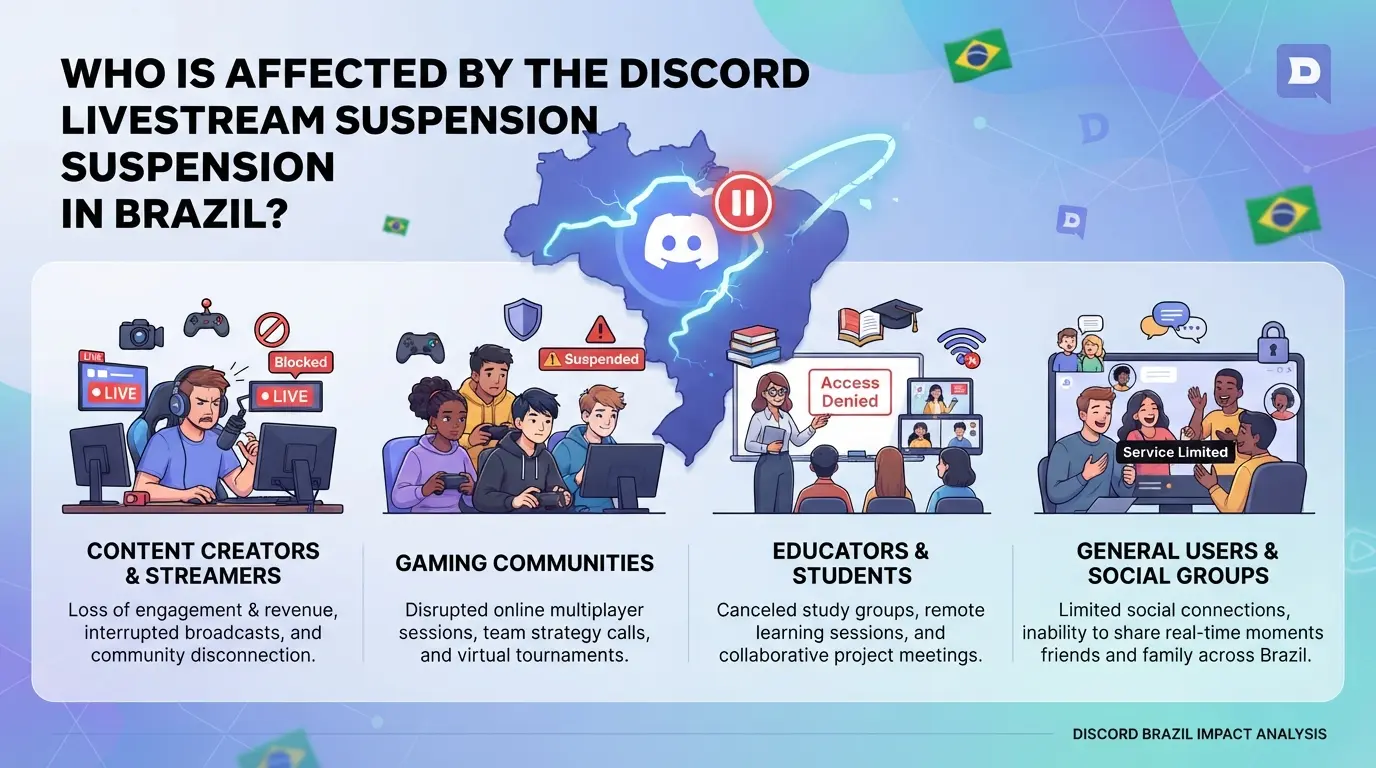
Discord’s livestream suspension in Brazil doesn’t just hit public channels, it targets every account, team, and business that uses livestreams for interaction or coordination. If you stream, manage events, or depend on Discord for outreach, you’ll need to rethink your workflow right away. Teams that ignore the new limits risk account-level penalties, not just lost features.
Individual Users: Streamers, Moderators, and Viewers
Personal accounts face direct limits: streamers can’t launch new livestreams, moderators lose real-time control tools, and viewers can’t join or watch live content. Casual users who only chat or share files aren’t blocked, but anyone who attends events through livestreams now gets cut off without warning.
Communities, Servers, and Social Media Teams
For server leaders and social media teams, the fallout goes deeper. Community events, Q&As, and live workshops are the first casualties. If your team runs multiple accounts for support or marketing, the risk isn’t just lost access, Discord’s enforcement can trigger blanket restrictions across all linked accounts. For example, if one moderator tries to bypass the suspension by switching accounts or changing server settings, Discord may lock out every related account in the group. The hardest-hit are teams that depend on livestreams for scheduled outreach; the sudden gap can break up routines, disrupt communication, and force rushed alternatives that rarely work as smoothly.
Businesses and Content Creators Relying on Discord
Any business or creator that used Discord livestreams for marketing, customer engagement, or paid events needs to adjust fast. Here’s what to check:
- Stop scheduled livestreams, Discord will block or flag them, even if launched from a backup account.
- Move live demos or workshops to another platform, but warn clients about new access links and permissions.
- Review all staff and bot accounts, make sure none are set to auto-launch livestreams, or risk cross-account restrictions.
The biggest gap is for creators who monetized Discord events. Without live engagement, paid groups lose value, so the smart move is to pivot to pre-recorded content or live chat, at least until Brazilian Discord streaming restrictions change.
If your account or team was already running regular Discord livestreams, the risks after this suspension are bigger than a lost feature, they can trigger wider account limits or bans. Next, you’ll need a clear checklist to spot the main risks before your workflow gets hit.
What Are the Main Risks for Discord Accounts After the Suspension?
Right after the Brazilian Discord streaming restrictions hit, the biggest risks shifted from missing features to direct account trouble. If you run livestreams or manage teams on Discord, new rules now mean your account, and even your data, can get swept up in a crackdown, often without much warning.
Account Suspension and Ban Triggers
The fastest way to get flagged is running or joining livestreams that cross new local guidelines, even if you did nothing wrong before. Discord and Brazilian regulators watch for repeated attempts to bypass the suspension, rapid creation of replacement servers, or any hint of mass evasion. Sometimes, just sharing links to restricted streams inside a server can be enough to trigger a restriction.
Compliance Risks for Multi-Account and Team Operations
Team setups are where trouble compounds. Many social media teams, agencies, and community managers share devices or rotate Discord accounts for client work. After the livestream suspension, this creates a mess: one flagged session can now drag all linked accounts into review. For example, if your team uses the same laptop to run multiple Discord sessions, and one user triggers a warning, Discord’s system often ties device fingerprints together, so all accounts accessed from that device get flagged for compliance checks. In some cases, this leads to mass suspensions, even for accounts that never streamed or broke any rules themselves.
The tradeoff is clear: shared devices and sessions save time, but they multiply the risk of an account sweep if even one team member crosses the line. If your agency manages dozens of Discords, one compliance mistake by a junior operator can cause a cascade, locked accounts, lost client access, and forced manual reviews. Worse, authorities sometimes request Discord to freeze clusters of accounts linked by shared IPs or browsers during investigations. That means even careful teams can get caught if their operations aren’t isolated enough, and getting accounts back can take weeks if legal checks get involved.
Privacy and Data Security Concerns
- Devices flagged for streaming can trigger Discord to log extra session data, browser info, IP addresses, and login times may be reviewed by both Discord and investigators.
- If your account is part of a flagged cluster, message history, file uploads, and even deleted content are subject to audit. Anything left in a shared drive or DM is at risk.
- To reduce exposure, keep team logins and sensitive workflows on separate devices, and avoid mixing work accounts with personal Discord sessions.
If you’re not sure whether your account or server is safe after these changes, it’s time to run a check before the next wave of restrictions hits.
How to Check If Your Discord Account or Server Is at Risk
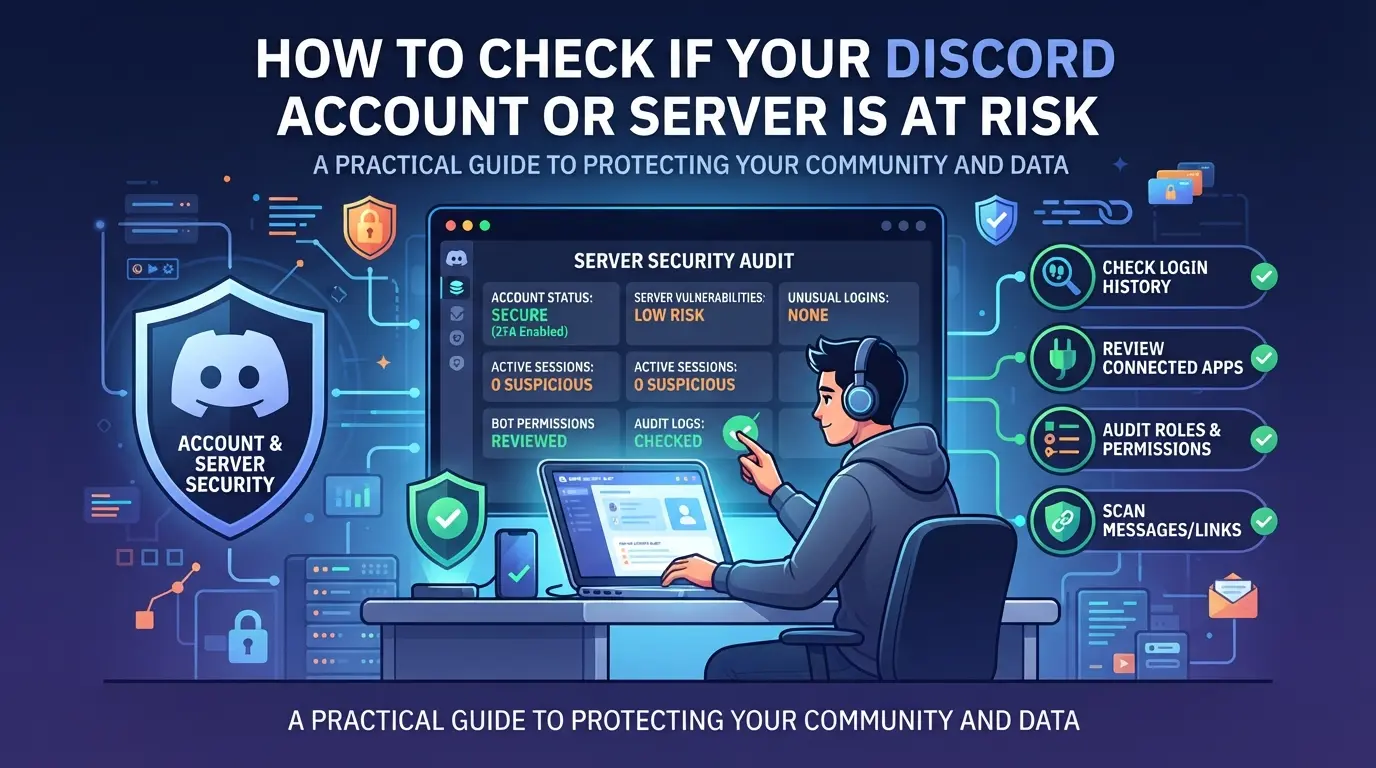
Spotting risk before a takedown is possible if you know where to look. If you run a Discord server or manage multiple accounts, use the checklist below to catch warning signs early, this goes double since the brazil discord livestream suspension, when new audits and stricter rules started rolling out.
Signs Your Account May Be Flagged
- Review your Discord inbox for new warnings or restriction notices. Even a single automated message about “unusual activity” or “terms violations” is a red flag, ignore it and you could lose access overnight.
- Check your recent login history for unknown locations or devices. If you see logins from places you haven’t visited, change your password right away and enable two-factor authentication.
- Look at your session list: If you find sessions that don’t match your devices, sign them out. Discord may flag accounts with overlapping or suspicious sessions, especially after recent policy changes.
Server and Channel Risk Factors
- Audit your channel content for streams, external links, or media that could fall under new Brazilian Discord streaming restrictions.
- Check server privacy and invite settings, open invites or public channels raise your exposure. If you find open invites, limit access and review permissions immediately.
Multi-Account and Device Usage Patterns
- Map out which devices and IPs you use to access Discord. If you’re sharing devices or IPs between personal and work accounts, separate them.
- Avoid logging into multiple flagged accounts from the same browser or network. Discord now cross-references device fingerprints and overlapping use patterns more aggressively.
What to Do If You Receive a Suspension Notice
- Read the notice closely, don’t rush to appeal before checking which policy was cited.
- Save all relevant logs and screenshots. You’ll need these for a support ticket.
- Submit an appeal through Discord’s official support page, attaching evidence where possible. If your first response is generic or rejected, reply with new details, Discord sometimes re-evaluates if you provide fresh context.
Using DICloak to Separate Discord Account Workflows After Brazilian Livestream Suspensions
After checking for risks tied to the brazil discord livestream suspension, teams running multiple Discord accounts face a new problem: how to keep each workflow separate so one misstep doesn’t put all accounts at risk. For groups handling client outreach, event moderation, or influencer campaigns, mixing sessions or IP addresses can trigger unwanted review. If you need to organize several Discord accounts on one device, separating their browser profiles and network setups is the safest move you can make right now.
Using Profile Isolation and Fingerprint Configuration for Discord Accounts
Operators can create a dedicated browser profile in DICloak for each Discord account, keeping all cookies, storage, and session data separate, no more cross-talk between accounts. This setup lets you configure the fingerprint for each profile (such as timezone, user agent, or language) to match the assigned workflow, not the account itself. The goal is environment separation, not to mimic devices or guarantee platform approval. The scope is limited to browser-profile controls only; it does not change how Discord reviews accounts.

Configuring Proxies for Each Discord Profile
For teams that need to keep IP addresses and locations distinct, DICloak lets you add your own proxy to each profile. You can pick from No Proxy, Custom Proxy, or a saved list, and use the built-in test to confirm connection details before starting the Discord session. Operators are responsible for proxy quality and compliance. This setup doesn’t make proxies unique or guarantee account safety, but it keeps network settings tied to the right browser profile.

Ready isolation and correct connection are only the start, most account restrictions actually come from small mistakes in daily handoff or session mixing. The next section covers where teams slip up most often.
Common Mistakes That Lead to Discord Account Restrictions in Brazil
Most account suspensions during the brazil discord livestream suspension weren’t just random. They happened after users or teams made predictable mistakes, usually things that could have been avoided with a few extra checks.
Reusing Devices or IPs Across Multiple Accounts
Logging into several Discord accounts from the same phone, PC, or IP address is a main reason for bans. Discord tracks device and network patterns; overlapping logins flag accounts for review. Using the same proxy or shared Wi-Fi for work and personal sessions makes it even riskier. If one account is flagged, every account tied to that device or IP can get restricted fast.
Ignoring Platform and Legal Updates
- Check Discord’s Status page and official blog before major events.
- Join a trusted local tech group for news on Brazilian Discord streaming restrictions.
- Review compliance notices sent to your account email weekly.
Failing to Separate Workflows for Teams
Teams that share browser sessions, login credentials, or use group devices to manage Discord accounts invite restrictions. If you’re not isolating access, any single slip can suspend every account linked to your workflow.
- Assign unique browsers or devices for each team account.
- Avoid sharing login details, even between trusted staff.
- Keep a log of account actions so you can trace any problem session.
Small mistakes add up quickly, one missed step can trigger a chain of restrictions. The next section will walk through what changes to expect for Discord streams in Brazil.
What to Expect Next: Future of Discord Livestreams in Brazil
If you’re waiting for Discord livestreams to return in Brazil, the timeline is still uncertain, no official end date has been announced, and policy shifts can happen fast or drag on for months.
Possible Scenarios for Lifting or Extending the Suspension
- Discord meets new legal demands, leading to a phased return of livestreams
- Ongoing talks stall, pushing the brazil discord livestream suspension into the next quarter
- Fresh incidents or enforcement actions prompt even stricter limitations
Staying Informed and Adapting Workflows
Rely on the Discord Status page and major tech news sites for the latest changes, official channels update first when restrictions lift or shift. Teams who build flexible plans now, like moving events to other platforms or prepping for sudden policy reversals, are less likely to scramble when Discord’s rules change again.
Frequently Asked Questions About brazil discord livestream suspension
Is it legal to use Discord in Brazil after the livestream suspension?
Yes, using Discord in Brazil is still legal. The brazil discord livestream suspension only affects livestreaming features. You can continue to chat, send messages, share files, and use most server tools. Only the ability to start or watch livestreams through Discord is restricted during the suspension period.
Can I still join or manage Discord servers in Brazil?
Yes, you can still join, create, and manage Discord servers in Brazil. Server moderation, text and voice chat, and channel management work as usual. However, all livestreaming features, such as Go Live or screen sharing to groups, are blocked due to the discord livestream ban in Brazil.
What should I do if my Discord account is suspended during the ban?
If your Discord account is suspended, first check your email for account status updates from Discord. You can appeal the suspension by following the instructions in Discord’s help center. Make sure your account follows the latest Brazilian Discord streaming restrictions before submitting an appeal or support request.
How can businesses maintain community engagement without Discord livestreams?
Businesses should use text and voice channels on Discord for announcements and discussions. For video content, try platforms like YouTube Live, Google Meet, or Twitch. Adjust workflows by sharing recorded videos and using scheduled Q&A sessions. Keeping communication clear and active helps maintain community engagement during the livestream ban.
Yes, to keep team accounts secure, use separate browser profiles or private browsing sessions to prevent cross-login issues. Setting up proxies for each account adds privacy and reduces risk of accidental bans. These steps help teams manage multiple accounts safely while following Discord’s guidelines.
As users and content creators weigh their options amid the livestream suspension, exploring alternative platforms and privacy solutions becomes increasingly important for maintaining community engagement and security. Assessing available tools can help ensure continued access and communication while adapting to evolving regulations in Brazil. Try DICloak For Free
 Web Proxy Tools
 Free Tools
 Cookie Plugin
 UA Generator
 MAC Address Generator
 IP Generator
 IP Address List
 2FA Code Generator
 World Clock
 Anonymous Check
 WebRTC Leak Test
 UUID Generator
 Free Web Proxy Site
 Proxy Checker
 FB Ad Checker
 AI Web Scraping
 Free SMM Tools
 Twitter Shadowban Checker
 Instagram Name Checker
 UTM Generator
 Username Generator
 AI Hashtag Generator
 LinkedIn Headline Generator
 Social Media Image Resizer