You tap Follow on TikTok, but nothing happens. Or the button changes for a second, then goes back. It feels confusing, especially when your account looks normal and you do not see any clear warning.
So, why can't I follow people on TikTok? In most cases, the reason is a temporary follow limit, fast follow activity, app error, privacy setting, weak network, or account safety check. The good news is that many of these problems can be fixed without panic. This guide explains the common causes, simple fixes, and safer ways to avoid the same issue again in 2026.
What Are the Common Reasons TikTok Blocks Following?
If you search “why can't i follow people on TikTok”, the issue often feels confusing. You tap Follow, but the button does not work. Sometimes it changes for a second, then turns back.
This usually happens for a few common reasons. Your account may have hit a TikTok follow limit. TikTok may think you are following too fast. Your account may be under a short restriction. Or the app itself may be having a temporary issue.
Have You Reached TikTok’s Daily Follow Limit?
TikTok does not always show a clear daily follow number. Many users only notice the limit when the TikTok follow button not working problem starts. For example, a new creator may follow many accounts in the same niche in one day. After that, TikTok may stop more follow actions. The account is not always banned. It may just need time to cool down.
If this happens, stop tapping Follow again and again. Wait several hours or try again the next day. Repeating the same action may make the limit last longer.
Could Your Account Be Temporarily Restricted?
Sometimes TikTok won’t let me follow people because the account is temporarily restricted. This can happen when TikTok sees repeated actions, fast follows, or unusual login behavior. This is common with new accounts. For instance, if a new account follows many users, likes many videos, and comments a lot in one hour, it may look risky. TikTok may limit following first.
Most short limits clear after some time. Check your inbox, account status, or support area if the issue lasts for days.
Is TikTok Experiencing Server or App Issues?
Not every TikTok following problem is caused by your account. TikTok may also have app bugs, server issues, or regional outages. You may notice other signs too. Videos load slowly. Comments disappear. The feed freezes. Login may also fail.
Try TikTok on another device or use TikTok Web. If the problem happens everywhere, wait. If it only happens in the app, update TikTok, clear cache, or reinstall it.
Are You Following Too Many Accounts Too Quickly?
TikTok following too fast is one of the most common reasons. It can happen even before you reach a daily limit. For example, following 20 accounts from a hashtag page in a few minutes may look unnatural. TikTok may treat this like spam behavior.
A safer way is to slow down. Follow a few accounts, watch videos, leave real comments, and take breaks. If the Follow button stops working, pause the action instead of switching devices or networks again and again.

How to Fix TikTok’s Daily Follow Limit Issue
After the TikTok follow limit starts, the best move is to slow down. If you keep tapping Follow, TikTok may read it as more repeated behavior. That can make the TikTok following problem last longer.
Many users ask, “why can't i follow people on TikTok if my account is not banned?” In many cases, it is only a short action block. TikTok may limit an account for 24 hours when actions look too fast or spam-like.
How Long Should You Wait Before Following Again?
If TikTok won’t let me follow people after a fast follow session, wait at least 24 hours before trying again. During that time, do not keep testing the Follow button every few minutes. It may reset the pattern TikTok is watching.
For example, if you followed many accounts on Monday night and then saw the “following too fast” message, leave the follow action alone until Tuesday night. You can still watch videos, search content, and use the app normally. Just avoid more follows, mass likes, or repeated comments.
Can Reducing Your Follow Activity Prevent Restrictions?
Yes. Slower activity can reduce the chance of another block. A new account should not follow many people in one short session. It is better to follow a few accounts, watch videos, and take breaks.
For instance, a small business account should not follow 80 local users right after signing up. That may look like TikTok following too fast. A safer pattern is to build normal activity first, then follow people in smaller groups across the day.
What to Do If You’re Still Blocked After Waiting?
If the TikTok follow button not working issue stays after 24 to 48 hours, check whether it is an app problem. Update TikTok, clear the app cache, and test TikTok Web. This can show whether the issue is on your phone or your account.
You can also report the issue inside TikTok through Settings and privacy and Report a problem. TikTok’s Help Center lists this path for app problems and account issues. If your account has a warning, check Account Status in TikTok Studio or Safety Center before trying more follow actions.
Could Privacy Settings Be Preventing You from Following?
If you waited and the issue is still there, the problem may not be the TikTok follow limit. Sometimes privacy settings can make a follow action look broken. This is easy to miss because it feels the same as a normal block.
So when users ask “why can't i follow people on TikTok”, they should check who they are trying to follow. If the issue happens with only one account, it may be about that account’s settings. If it happens with every account, it is more likely a wider TikTok following problem.
How to Check If an Account’s Privacy Settings Block You
A private TikTok account does not accept followers in the same way as a public account. When you tap Follow, the user may need to approve your request first. TikTok explains that private accounts can control who follows them and who sees their content.
For example, you may tap Follow on a private creator’s profile. The button may change to “Requested” instead of “Following.” That does not mean the TikTok follow button not working issue is happening. It means the account owner has not accepted your request yet.
Are You Using a Private or Public TikTok Account?
Your own account type can also affect how others see you, but it usually does not stop you from following people. A private account can still send follow requests. A public account can also follow others normally.
Still, your profile may look less trusted if it has no photo, no bio, no posts, and very fast activity. For instance, a blank private account that follows many creators in a short time may look suspicious. That can lead back to the TikTok following too fast issue, even if privacy settings are not the direct cause.
How to Adjust Your Own Privacy Settings to Follow Others
To check your settings, open TikTok and go to Profile, then Menu, Settings and privacy, and Privacy. Review whether your account is private or public. Also check your blocked list, because blocking affects follows, likes, comments, and direct messages between accounts.
If TikTok won’t let me follow people only in a few cases, the other account may be private, inactive, or blocking you. If it happens with everyone, focus on account limits, app issues, or fast activity instead. That helps you avoid changing settings that are not really causing the problem.
Are Technical Issues on Your Device Causing the Problem?
If privacy settings look normal, the next thing to check is your device. Sometimes the account is fine, but the app is not loading actions correctly. That can make users think, “why can't i follow people on TikTok?”
A device issue often feels different from a real TikTok follow limit. The Follow button may freeze. The app may lag. Videos may load slowly. You may also see the same TikTok follow button not working problem even when you follow only one account.
How to Clear TikTok Cache to Resolve Errors
Cache is temporary app data. It helps TikTok load faster, but old cache can sometimes cause errors. TikTok’s own troubleshooting guide recommends clearing the app cache when internet connection is not the problem.
For example, a user may tap Follow, close the app, and come back to see the account was not followed. If this happens with normal use and no TikTok following too fast warning, clearing cache is worth trying. Go to Profile, open the menu, choose Settings and privacy, then find Free up space and clear cache.
Does Updating the TikTok App Fix Following Issues?
An old app version can also cause a TikTok following problem. TikTok changes its app often. If your version is behind, some buttons or account actions may not work well.
For instance, your friend may follow accounts normally, but your app still fails on the same Wi-Fi. That points more to your app than your account. Open the App Store or Google Play, search TikTok, and install any update. After that, restart the app and test Follow again.
Could Your Internet Connection Be Affecting TikTok?
Yes. A weak Wi-Fi or data signal can affect TikTok actions. TikTok notes that weak data or Wi-Fi can impact the app experience, and switching between Wi-Fi and mobile data can help test the connection.
For example, TikTok won’t let me follow people may happen when videos still load, but actions do not save. This can happen on public Wi-Fi, hotel Wi-Fi, or an unstable mobile signal. Try another network, then follow one account only. If it works, the issue was likely your connection, not your account.
What Happens If TikTok Flags Your Account for Suspicious Activity?
If your cache, app version, and internet look fine, the issue may be account safety. In this case, the question “why can't i follow people on TikTok” has a different answer. TikTok may have limited your account because some actions looked unusual.
This does not always mean a permanent ban. Sometimes only one feature stops working. For example, you may still watch videos, but the TikTok follow button not working issue stays for hours or days.
Why Does TikTok Flag Accounts for Unusual Behavior?
TikTok may flag accounts when the activity looks spam-like, fake, or automated. Its Community Guidelines do not allow spam, fake engagement, or bulk account activity used to mislead the platform. TikTok may also ask users to complete checks like email, SMS, CAPTCHA, or verified device login when suspicious activity is found.
For example, a new account may follow many users, like many videos, and switch networks in a short time. To the user, it may feel like normal setup. To TikTok, it may look like TikTok following too fast or fake engagement. That can create a wider TikTok following problem.
How to Appeal a TikTok Restriction or Ban
If TikTok shows a warning, do not ignore it. Open your account notice, review the reason, and use the appeal option if it appears. TikTok also lets users check account issues through TikTok Studio and the Safety Center.
Keep the appeal short and honest. Explain what happened. Do not send the same appeal many times. For instance, if you were only following creators in your niche and did not use bots, say that clearly. If there was a mistake, ask TikTok to review the restriction.
How to Avoid Being Flagged in the Future
After the account returns to normal, avoid rushing back into the same pattern. Do not follow too many accounts at once. Do not repeat the same comment. Do not use tools that create fake likes, follows, or views. TikTok’s rules also warn users not to create or use another account to get around a restriction.
A safer pattern is slower and more human. Watch videos, follow a few accounts, leave real comments, and take breaks. This helps avoid another TikTok follow limit and makes the account look more natural over time.
Can TikTok’s Community Guidelines Impact Your Ability to Follow?
Yes. TikTok’s Community Guidelines can affect your ability to follow people, especially if your account activity looks unsafe or fake. So if you keep asking “why can't i follow people on TikTok” after fixing app and network issues, it is time to check whether your account has any rule warnings.
This is different from a normal TikTok follow limit. A follow limit may clear after a short break. A guideline issue may last longer because it is tied to account trust, content, or repeated behavior.
What Rules Does TikTok Enforce on Following Behavior?
TikTok does not only look at videos. It also watches account behavior. Its rules cover spam, fake engagement, misleading activity, and bulk account activity. TikTok does not allow behavior that artificially increases engagement or uses automation to operate accounts in bulk.
For example, a new account that follows many users, posts the same comment, and joins “follow-for-follow” groups may look risky. The user may only see a TikTok follow button not working issue. But TikTok may see spam-like behavior behind it.
How to Check If You’ve Violated TikTok’s Guidelines
Open TikTok and check your inbox first. TikTok often sends a notice when it removes content or limits an account. You can also check your account status through TikTok Studio or the Safety Center. This area can show account issues and possible next steps.
For instance, if TikTok won’t let me follow people and you also see a warning about spam or fake engagement, the follow issue may not be a phone bug. It may be linked to account safety. In that case, avoid more follows and review the warning before taking new actions.
What Are the Consequences of Repeated Violations?
Repeated violations can make the problem worse. TikTok may remove content, limit features, ask for verification, or restrict the account. If suspicious activity is found, TikTok may ask for SMS, email, CAPTCHA, or a login from a verified device.
This is why TikTok following too fast should not be ignored. One fast session may cause a short block. Repeating the same pattern can turn a small TikTok following problem into a bigger account issue. Slow down, avoid fake engagement, and keep your activity closer to how a real user would act.
When Should You Contact TikTok Support for Help?
If you have waited, slowed down, checked your settings, and fixed app issues, it may be time to contact TikTok Support. This is most useful when the TikTok following problem lasts more than 48 hours or affects every account you try to follow.
At this point, asking “why can't i follow people on TikTok” is no longer only about a normal TikTok follow limit. There may be an account restriction, a bug, or a safety check that needs review.
What Information Should You Provide to TikTok Support?
Give TikTok Support clear details. Open Settings and privacy, choose Report a problem, follow the topic steps, then tap No and Need more help if the suggested answer does not fix it. TikTok’s Help Center lists this path for reporting app problems.
Mention what happened, when it started, and what you already tried. For example, write that TikTok won’t let me follow people, the Follow button changes back after tapping, and you already cleared cache, updated the app, tested another network, and waited 24 hours. Screenshots or screen recordings can also help if the TikTok follow button not working issue is easy to show.
How Long Does It Take for TikTok to Respond?
TikTok does not give one fixed response time for every support case. Simple app reports may get automated help first. Account restrictions or appeal cases may take longer because they need review.
For example, if your issue is caused by TikTok following too fast, it may clear before support replies. But if your account has a warning or repeated failed follows for several days, support may be worth contacting. Avoid sending the same report many times in one day. It can make the case harder to track.
What Are Alternative Ways to Resolve the Issue?
Before waiting on support, try a few clean checks. Test TikTok Web. Try mobile data instead of Wi-Fi. Log out only once, then log back in. Do not keep switching devices, networks, or accounts too often, because that can look unusual.
If the issue happens during a wider TikTok outage, waiting is better than changing many settings. TikTok had a major service disruption in January 2026, and many users saw app problems that were not caused by their own accounts. If only your account has the issue, pause follow actions and use TikTok normally for a day before trying again.
A Safer Way to Manage Multiple TikTok Accounts with DICloak
For one personal account, a TikTok following problem can often be fixed by waiting, clearing cache, or slowing down. But for teams managing many TikTok accounts, the problem may come from a messy setup. Different accounts may share cookies, sessions, storage, IP signals, or browser fingerprints in one normal browser.
With DICloak Antidetect Browser, users can create a separate browser profile for each TikTok account. Each profile can keep its own cookies, local storage, fingerprint, and custom proxy configuration. This helps keep account access cleaner, especially for social media teams, agencies, e-commerce sellers, or account operators.
- Separate profiles for each account: Each TikTok account can stay in its own isolated profile. This helps avoid mixed login data and confusing account signals.

- Custom proxy configuration: Users can set a proxy for each profile. This helps keep the access region more stable instead of switching networks too often.

- Team collaboration and management: Teams can share profiles, set permissions, isolate data, and check operation logs. This is useful when several people manage TikTok accounts together.

- RPA and Synchronizer: Users can use RPA for repeated browser tasks. The Synchronizer can mirror actions across selected profiles, such as opening pages or switching tabs.
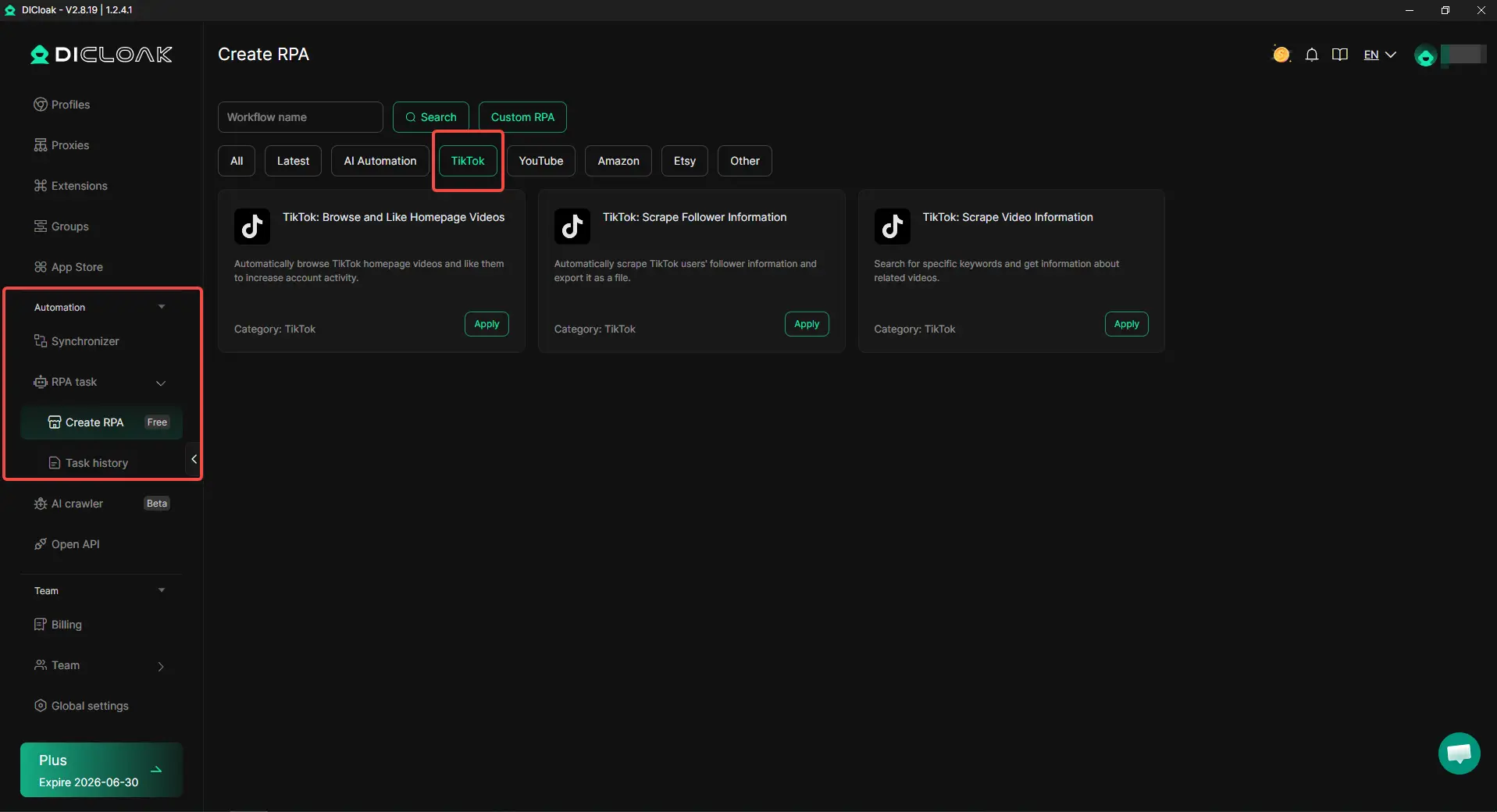
If you manage many accounts and keep asking “why can't i follow people on TikTok”, a cleaner browser setup can reduce problems caused by mixed sessions, unstable access, and messy team operations.
Frequently Asked Questions about Why Can't I Follow People on TikTok
1. Why can't I follow people on TikTok even after tapping the Follow button?
If you ask “why can't I follow people on TikTok”, the most common reasons are a temporary follow limit, fast follow activity, app cache errors, or account safety checks. For example, if you followed many accounts in a short time, TikTok may pause your ability to follow more people. Stop tapping the button again and again. Wait for a while, then try again later.
2. How long does TikTok stop you from following people?
A TikTok follow block often lasts a few hours to 24 hours. In some cases, it may last longer if the account keeps repeating the same behavior. If TikTok won’t let you follow people, avoid more follow attempts during the block. Use the app normally, watch videos, and wait before trying again.
3. Why can't I follow people on TikTok from a new account?
New accounts have less trust history. If a new account follows many users, likes many videos, or comments too quickly, TikTok may see the activity as risky. This can trigger a TikTok follow limit. A better approach is to complete your profile, watch content, follow a few accounts slowly, and build normal activity over time.
4. Why does TikTok say I’m following too fast?
TikTok may show a “following too fast” warning when your follow actions look repeated or unnatural. This does not always mean your account is banned. It usually means TikTok wants you to slow down. If you keep asking “why can't I follow people on TikTok” after seeing this warning, take a break for at least 24 hours and avoid mass following.
5. Can clearing cache fix the TikTok follow button not working?
Yes, clearing cache may help if the issue comes from the app. If the TikTok follow button is not working, but your account has no warning and you have not followed too many people, the app may be stuck. Clear TikTok cache, update the app, restart your phone, and test again. If the problem still happens on TikTok Web, it may be an account issue instead.
Conclusion
If you keep asking “why can't I follow people on TikTok”, the reason is often simple. You may have followed too many accounts too quickly, reached a TikTok follow limit, used an unstable network, or triggered a temporary account restriction. Sometimes the problem is not your account at all. It may come from the TikTok app, cache errors, privacy settings, or a short server issue.
The safest fix is to slow down first. Stop repeated follow attempts, wait 24 hours, clear TikTok cache, update the app, and test another network or TikTok Web. If the issue lasts for days, check your account status or contact TikTok Support. For users managing many TikTok accounts, keeping each account in a separate and stable browser profile with DICloak can also reduce problems caused by mixed sessions, unstable access, and messy team operations.
 Web Proxy Tools
 Free Tools
 Cookie Plugin
 UA Generator
 MAC Address Generator
 IP Generator
 IP Address List
 2FA Code Generator
 World Clock
 Anonymous Check
 WebRTC Leak Test
 UUID Generator
 Free Web Proxy Site
 Proxy Checker
 FB Ad Checker
 AI Web Scraping
 Free SMM Tools
 Twitter Shadowban Checker
 Instagram Name Checker
 UTM Generator
 Username Generator
 AI Hashtag Generator
 LinkedIn Headline Generator
 Social Media Image Resizer