Anyone looking to buy Facebook ads accounts faces the same headache: even after you find a seller, there’s no easy way to know if that account will survive more than a few days. Facebook’s systems flag anything unusual, browser, IP, or login pattern. Buy the wrong account, and you can lose your money, your ad budget, and sometimes even your linked business assets before your campaign starts.
But it’s not just about picking the cheapest or oldest account. Buying Facebook advertising accounts comes with hidden risks that aren’t obvious up front. Fake activity, mismatched fingerprints, or sloppy transfer steps can get you banned or trigger verification checks you can’t pass. A clean account on paper can still get locked if the seller didn’t clear out old sessions or if your login setup looks off.
What actually keeps an account stable isn’t just luck or a good deal; it’s about the way you check, prep, and manage each account before launching ads. That means knowing where sellers try to cut corners, what Facebook’s system really tracks, and what steps you can take to avoid instant bans. Skip these checks, and you’ll spend more time fighting restrictions than running ads.
Start by breaking down the real risks when you purchase Facebook ad accounts, before you even touch your proxy or campaign settings.
What to Check Before You Buy a Facebook Ads Account
If you skip the right checks before you pay, you’re just gambling on someone else’s leftovers. The main goal is to avoid accounts that look fine on the surface but trigger reviews or bans the second you launch a campaign. Here’s what to check, no shortcuts.
Account Age, Activity, and Trust Signals
Aged accounts with steady, real activity are less likely to get flagged. It’s not just about how old the account is, but whether it shows a believable history, logins from the same region, real user actions, and ad spend that matches the claimed profile. If you see a sudden spike in activity or long gaps, that’s often a sign the account sat unused or someone tried to fake its history. The biggest warning sign is an account with “activity” that doesn’t line up, like a two-year-old account with only one login this year.
Ownership and Access Verification
A seller’s word means nothing if you can’t confirm control. Short checklist:
- Ask for a live screen share or video proving current access to the Ads Manager and payment settings.
- Require full email and phone recovery change, if they won’t, walk away.
- Only accept accounts delivered with a clean browser session, no leftover logins or device traces.
Compliance and Policy Risks
Facebook’s system looks for mismatches, suspicious access, and compliance gaps, these are the tripwires that get accounts restricted. Most buyers only notice after the ban. Quick checklist:
- Check if the account used banned payment methods or ran flagged ad categories (crypto, “grey” offers, etc).
- Review the connected Business Manager for policy strikes or account quality issues.
- Confirm the account’s country, currency, and personal info match your planned usage, mismatches often trigger reviews.
Even if you clear these checks, there’s no way to fully avoid risk, Facebook changes its detection patterns without warning. That’s why the real decision is about tradeoffs: how much risk you’re willing to take, and whether you can spot a setup that’s off before you send payment.
Skip a single step and you’re much more likely to join the crowd stuck fighting sudden bans or useless “replacements.” Now that you know what to check up front, it’s time to see why even “clean” accounts get restricted so fast, most failures happen in the hours after takeover, not weeks later.
Why Some Bought Facebook Ads Accounts Get Restricted or Banned So Quickly
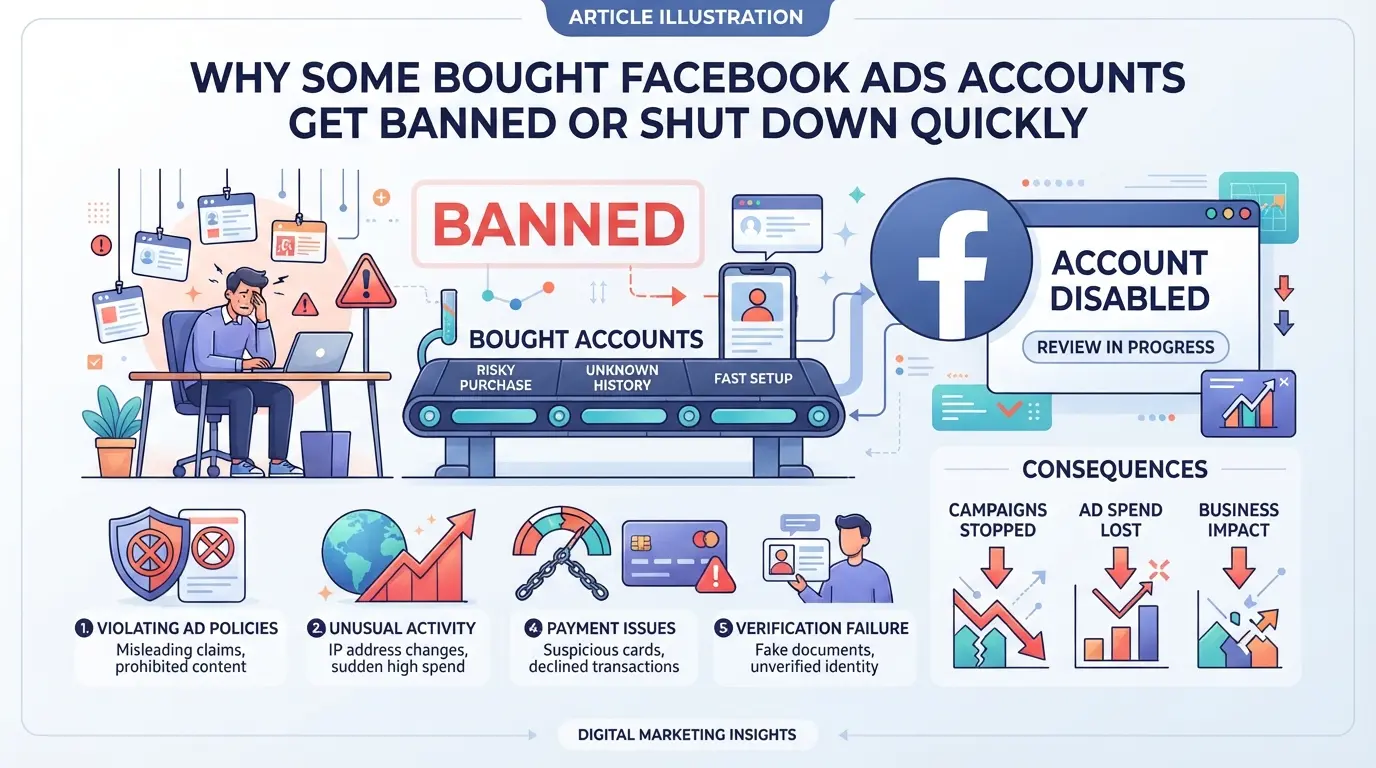
Even when you do the basic checks, accounts bought from sellers often get flagged or banned within hours or days. The main reasons go beyond obvious scams, Facebook’s system picks up on hidden mismatches, risky history, and sloppy transfer steps that sellers rarely warn you about.
Fingerprint and Browser Environment Issues
Facebook builds a full fingerprint from your browser, fonts, time zone, and hardware signals, not just your IP. If you log in with a new device or a browser that looks nothing like the last one, the risk jumps. A mismatch here can trigger a forced verification or even an instant ban before you launch a single ad.
IP, Device, and Location Mismatches
Every login gets checked against the account’s history, Facebook knows the usual IP address, device type, city, and even the timing of logins. A sudden switch from a seller in Vietnam to a buyer in Germany (on a new device) almost always triggers a review. You might get hit with a “We noticed a new login” warning, followed by a lockout. The real problem comes when you try to solve this with a random proxy or device. If your “clean” account starts flipping between locations or device types, Facebook’s system treats it as a hacked session or a farmed account changing owners. Most bans right after buying aren’t about your campaign, they come from these login mismatches, often before you even touch the ad manager.
Account History and Suspicious Behavior
A buyer logs in, changes the email, switches the password, and launches ads, all in an hour. This pattern screams “account transfer” to Facebook. If the account also has odd gaps in spending or was inactive for months, the risk is even higher. Fast profile edits or adding new payment methods look like a takeover, not normal use.
Seller Practices That Increase Risk
- Mass-produced accounts: Sellers who run big batches often reuse data, phone numbers, or device types, making accounts easier to link and flag.
- Fake verification: Some sellers use temporary or fake info to pass initial checks, but these get caught the next time Facebook runs a deeper review.
- Data manipulation: If the account’s cookies, activity logs, or profile data are wiped or cloned, Facebook’s anti-abuse tools spot the pattern fast.
Bans and restrictions right after you buy rarely come from “bad luck”, they’re usually the result of hidden technical footprints and shortcuts in how the account was made or transferred. If you want to avoid problems, you have to look past the seller’s promises and dig into what Facebook actually sees. The next step is learning how to spot sellers who fake quality or push recycled accounts, before you waste money on an account that won’t last.
How to Spot Scam Sellers and Fake Facebook Ads Accounts
If you buy Facebook Ads accounts without checking seller credibility, you risk losing money or getting locked out before you launch your campaign. The most common scams waste your budget and leave you with accounts you can’t use.
Warning Signs of Scam Sellers
Sellers promising “aged, premium” accounts at prices far below market rates usually aren’t legit. If you can’t find verifiable transaction history or see real reviews, assume the worst. Most scam sellers push for quick crypto payments, claiming “instant delivery” but vanish after you pay.
How to Verify Account Authenticity
- Ask for a live screen-share showing account settings and ad history.
- Check if account details look mass-farmed or recycled (same profile photos, reused business info).
- Confirm the account has never run ads for banned verticals or shady offers.
Common Payment and Delivery Scams
Fake escrow links and “secure payment” pages are built to trick buyers. If a seller disappears after you send money, you have no recourse. Stick to platforms with real buyer protection, not private chats or links.
- Use only trusted payment methods with chargeback options.
- Refuse any “guaranteed” escrow that isn’t platform-backed.
- Do not pay until you see proof and confirm live access.
If a deal seems too good, it’s usually hiding risk. Next, check what really drives the price of Facebook ad accounts in 2026.
What Affects Facebook Ads Account Pricing Most in 2026
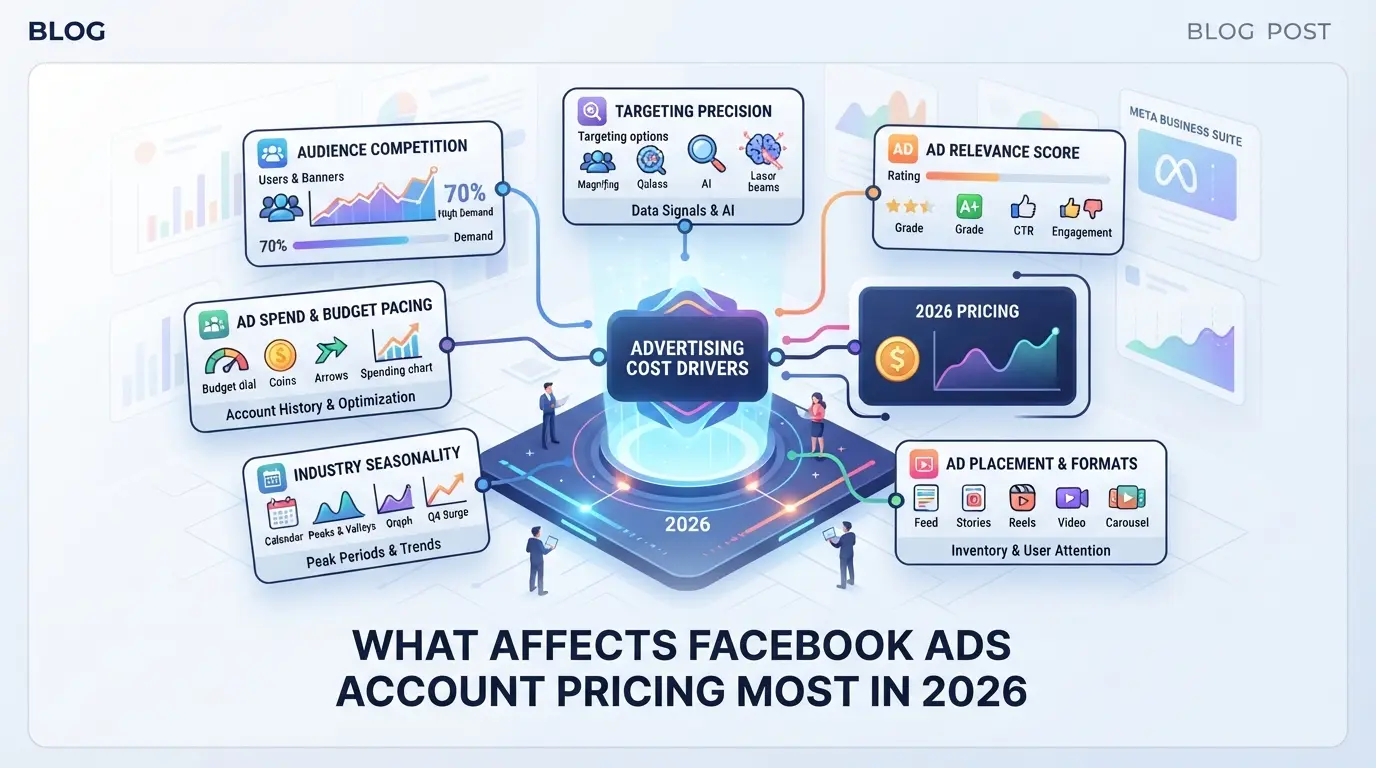
If you’ve checked for scams and fake accounts, the next question is why prices swing so wildly. The real cost drivers are account age, region, past spend, and what the seller bundles, those are what decide if a deal is fair or risky when you buy facebook ads accounts.
Aged vs. Fresh Accounts
Aged accounts are usually more expensive because they’ve survived longer and may have a track record of spending. Fresh accounts cost less, but get flagged or restricted faster, especially if you start ads right away.
| Type |
Typical Price |
Stability |
Ban Risk |
| Aged |
High |
Higher |
Lower |
| Fresh |
Low |
Lower |
Higher |
The difference isn’t just in price, aged accounts cost more because Facebook’s system trusts them more, but a cheap fresh account can melt down after one campaign.
Country, Number Source, and Verification
Accounts from high-value regions (like US or EU) are pricier since ad costs and targeting options are better. Verified accounts (with phone/email or business info) command higher rates because you’re less likely to hit instant checks.
If you buy a cheap account from a low-cost region or with a random number, expect lower spend limits and more risk.
Ad Spend History and Trust Level
Accounts that have real spending history or past ad approvals cost extra. Sellers use “trust signals” like old payment logs or active business pages to justify higher prices.
It’s easy to overlook this, accounts with no spend history often can’t launch ads at scale without triggering manual reviews.
Bulk Purchase and Support Options
Buying in bulk gets you discounts, but support is usually weaker. Sellers who bundle onboarding or tech help will charge more.
If support isn’t included, budget extra for fixing issues or handling bans after transfer, otherwise, you’re stuck troubleshooting solo.
What to Change Right After You Take Over a Facebook Ads Account
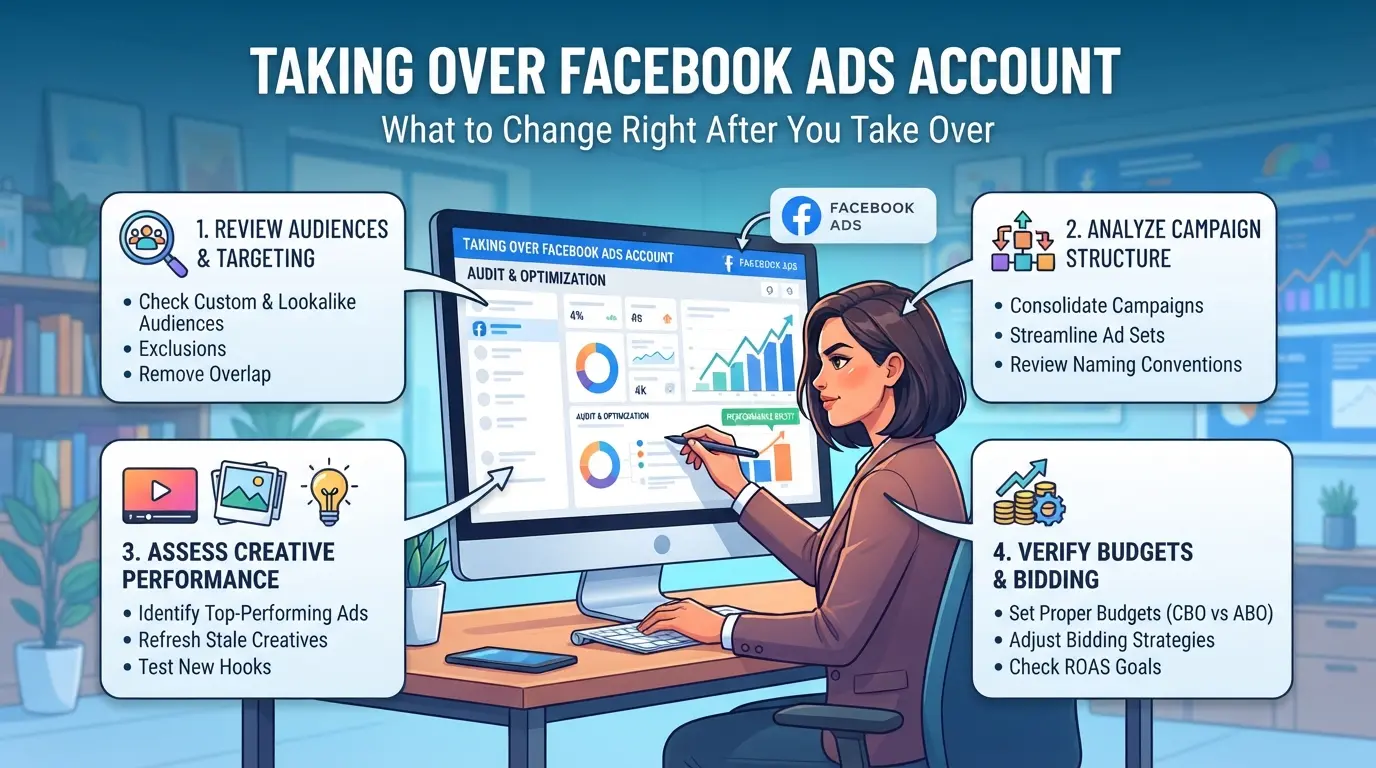
Jumping in right after you purchase Facebook ad accounts can get you locked out or flagged if you rush the setup. The real risk isn’t just in the handover, it’s in the details you change and what you skip. Here’s what to adjust immediately so the account stays stable.
Secure Login and Password Change
- Log in from a device and IP that match the account’s history. Sudden changes can trigger Facebook’s security checks.
- Change the password right away, but avoid using a password generator that looks nothing like the account’s previous patterns.
- Log out all active sessions to clear seller access, if you miss this, old sessions can undo your changes or trigger alerts.
- Save new credentials in an encrypted manager. If you lose access here, recovery will be much harder than expected.
Update Recovery and Contact Info
- Swap out the email and phone to addresses you control. If a seller’s info stays, recovery attempts could go to them instead.
- Avoid linking to “burner” emails or numbers that have been used for other banned accounts, Facebook tracks reuse and flags patterns.
- Test the new recovery options by triggering a password reset. If the reset doesn’t work, your changes didn’t fully take.
Check for Linked Pages, Payment Methods, and Ad History
- Review connected pages for signs of previous bans or fake activity, hidden links here can get the account flagged.
- Remove old payment methods. If you leave a card tied to a banned ad account, Facebook can block your new campaigns.
- Scan ad history for policy violations. If you see recent rejected ads, clean up before launching anything new.
Establish a Consistent Environment
- Use the same device, IP, and browser profile for all logins, changing these too fast can trigger “suspicious activity” warnings.
- Wait 24 hours after your first login before running ads. Fast switches from seller to buyer often get flagged.
- Document your setup. If restrictions pop up, you’ll need a record for appeal.
Once these steps are done, you’re ready to start managing multiple accounts without tripping Facebook’s security system.
How Agencies Use DICloak to Safely Operate Multiple Facebook Ads Accounts
Most teams buying Facebook ads accounts end up stuck when Facebook links their sessions or flags their login patterns. The main issue isn’t just the account quality, it’s how you set up your browser profile, proxy, and access controls after the takeover. If you skip profile isolation or let team members share logins inside the same browser window, you’ll see restrictions pile up fast. Agencies need a routine that keeps every account workflow separate, tracks who has access, and avoids careless overlap. That’s where DICloak comes in, operators use it to build a safer environment around each account, not to control the platform itself.
Using Isolated Browser Profiles and Fingerprint Configuration
Operators can create a separate browser profile in DICloak for each Facebook ad account. Each profile stores its own session, cookies, and browser signals, so logins from different accounts never share storage or device information. Supported fingerprint controls let operators configure settings like operating system, user agent, time zone, and screen resolution for each profile. This step matters because messy profile overlap is what often gets accounts flagged after you purchase them. The scope is limited to browser-profile access; it does not change the connected SaaS tool.

Configuring Proxies for Each Account Profile
Operators can assign their own proxy to each DICloak profile, keeping network connections distinct for every account workflow. Supported proxy types include HTTP, HTTPS, and SOCKS5, with manual input or saved proxy selection available. Before logging in, operators can test the connection to check exit IP, region, and time zone, catching mismatches early. This method helps prevent accidental login overlap and makes sure each account appears from the expected network setup. Operators are responsible for managing their proxy quality and compliance; DICloak does not supply proxies or guarantee platform results.

Setting Team Permissions and Access Controls
Admins can set up member groups and assign only the required permissions for each team member inside DICloak. This lets agencies control which profiles and fields each operator can access, keeping sensitive accounts out of reach for new staff or freelancers. Profile groups can be shared or restricted as needed, and field visibility can be locked down to prevent accidental changes or leaks. Regular members may only see the profiles they’re assigned to, while admins retain full access for audits and workflow changes. These controls apply inside DICloak, they don’t override Facebook’s own permission system.

If your process feels too risky or tangled even after setting up this workflow, the next section shows when buying Facebook ads accounts stops making sense.
When Buying Facebook Ads Accounts Is the Wrong Choice
When Organic Growth Is Safer and More Sustainable
Building your own Facebook ads accounts takes more time, but it’s less likely to trigger bans or sudden restrictions. Organic growth keeps your ad activity tied to real patterns, which helps avoid account reviews that wipe out your budget.
High-Risk Niches and Policy-Violating Campaigns
Buying accounts is risky if your campaign targets “gray area” niches or breaks Facebook policies. No account stays safe in these setups, Facebook’s detection tools track behavior, not just account origin.
- Accounts bought for high-risk niches often get restricted before spending even $100.
- Safer move: Start with a fresh account and follow Facebook’s ad rules closely.
Budget, Compliance, and Brand Reputation Concerns
If you’re running ads for a known brand or need to protect your reputation, purchasing Facebook advertising accounts can backfire. Losing an account means wasted spend, lost data, and sometimes public warnings from Facebook. When compliance matters more than speed, it’s smarter to build accounts slowly and keep full control.
Frequently Asked Questions About buy facebook ads accounts
Is it legal to buy Facebook ads accounts in my country?
Buying Facebook ads accounts may break Facebook’s rules and can also violate local laws in some places. Always check your country’s regulations and Facebook’s terms of service before you buy facebook ads accounts. Some regions have strict laws about digital account sales, so make sure you are not risking fines or penalties.
Can I pay for Facebook ads accounts with crypto safely?
You can pay for Facebook ad accounts with cryptocurrencies like Bitcoin or USDT, but this method can be risky. Scams are common, so use only trusted sellers who are verified and have positive reviews. Crypto payments are fast and private, but if you get scammed, it’s hard to recover your money.
How many Facebook ads accounts can I manage at once?
You can manage several Facebook advertising accounts at the same time if you use tools like proxies and account isolation. Many marketers handle 5-20 accounts daily, depending on their setup and risk tolerance. Keeping accounts separated with different browsers or devices lowers the chance of getting flagged.
Can I use a bought account on my existing Facebook Business Manager?
Yes, you can usually add a bought account to your existing Facebook Business Manager. However, Facebook may review or restrict the account if it detects unusual activity or mismatched information. To reduce risk, slowly warm up the account and avoid sudden changes to spending or admin roles.
What should I do if my bought Facebook ads account gets restricted?
If your bought Facebook ads account is restricted, stop all activity right away. Review your recent actions and check for any violations. Try to appeal the restriction using Facebook’s support tools, but avoid repeating risky behavior. Accounts flagged for suspicious activity often face permanent bans if misuse continues.
If you’re ready to scale your campaigns efficiently, consider platforms that offer secure, high-quality ad accounts along with support and compliance guarantees. Research thoroughly and choose a solution that fits your budget and marketing goals to avoid setbacks and increase your advertising potential. Try DICloak For Free
 Web Proxy Tools
 Free Tools
 Cookie Plugin
 UA Generator
 MAC Address Generator
 IP Generator
 IP Address List
 2FA Code Generator
 World Clock
 Anonymous Check
 WebRTC Leak Test
 UUID Generator
 Free Web Proxy Site
 Proxy Checker
 FB Ad Checker
 AI Web Scraping
 Free SMM Tools
 Twitter Shadowban Checker
 Instagram Name Checker
 UTM Generator
 Username Generator
 AI Hashtag Generator
 LinkedIn Headline Generator
 Social Media Image Resizer