Most people start with tangbuy dropshipping expecting quick setup and easy profit, but the real friction shows up when you need to handle unstable suppliers, unclear delivery tracking, or sudden product bans. You might find guides that talk up Tangbuy’s catalog or automation, but the details that matter, like how to monitor risky orders, avoid platform restrictions, or keep workflow records clean, usually get skipped.
The biggest risk isn’t just picking the wrong product or supplier. It’s running blind on workflow changes: if your process isn’t built to catch errors early, you can lose access to accounts, trigger platform holds, or get stuck with returns that drag out for weeks. Tangbuy dropshipping risks like delayed shipments or mismatched order info don’t always show up until you’re deep in the cycle, and fixing them after the fact costs more time than planning ahead.
If you want a smarter Tangbuy dropshipping workflow in 2026, you can’t rely on surface-level advice. The practical step is mapping out your setup before launch, checking how you’ll manage profiles, track proxies, and handle cookies. Even small details, like how you log session activity, can change how quickly you spot a problem and recover.
Before you start setting up, here’s what you need to check first.
What to Check Before You Start with Tangbuy Dropshipping
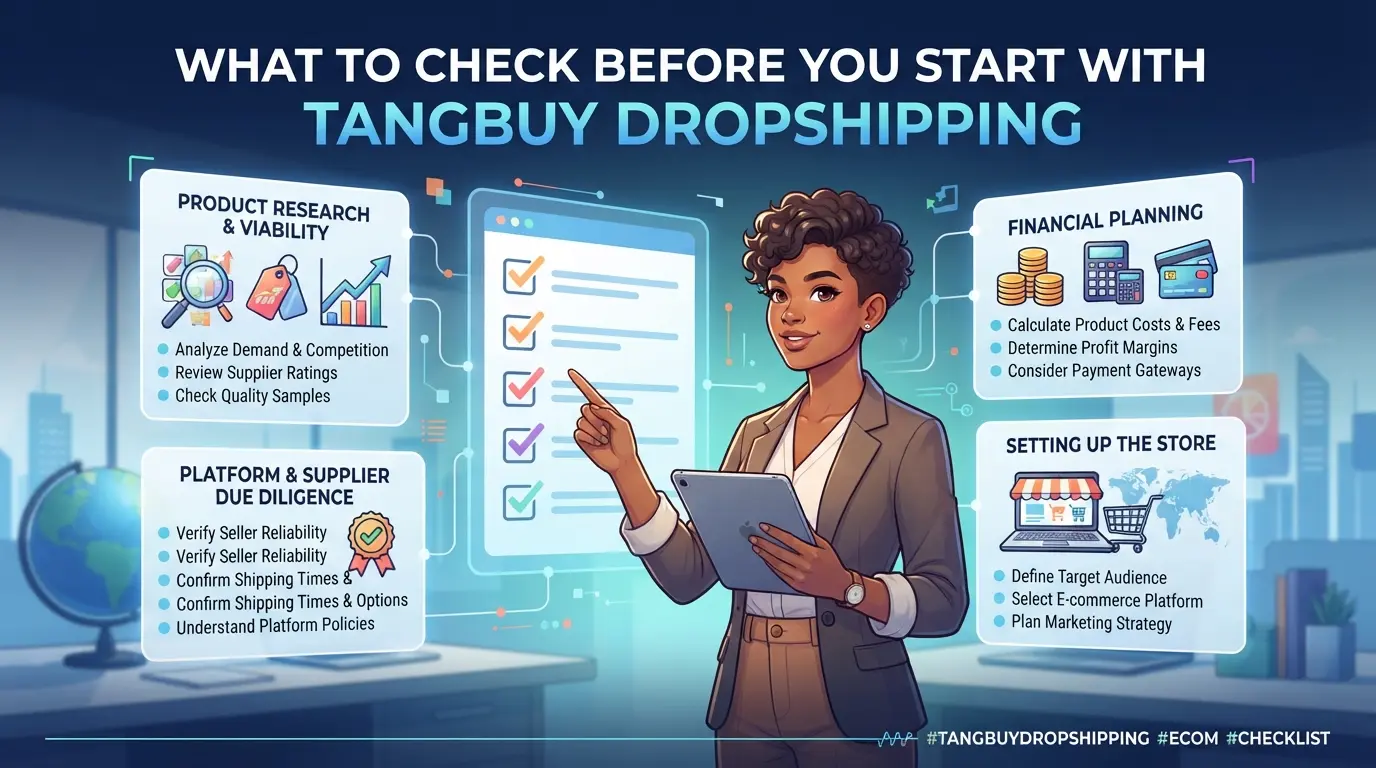
You can’t just jump in and expect smooth sales, skipping a proper setup check is the fastest way to waste money or lock yourself into a workflow you’ll regret. Before spending on inventory or ads, review these core signals and risks.
Is Tangbuy Compatible with My Store Platform?
If your store runs Shopify, WooCommerce, or another mainstream platform, check Tangbuy’s official list for supported integrations and current plugin versions. Outdated plugins or unsupported platforms will block automated order sync, so confirm compatibility before committing. Many sellers miss that Tangbuy updates tend to lag behind Shopify releases by 2-4 weeks, if you’re using a newly launched theme or a store builder with custom checkout, test the integration with a sandbox order first. Don’t assume all features work; some platforms limit bulk import or require manual mapping for product variants.
How Reliable Are Tangbuy's Product Sources?
- Check for supplier ratings and actual delivery history, not just listed “guarantees.”
- Search product reviews for photos, stock images hide quality issues.
- Confirm if the product source has handled at least 100 orders in the past month; low volume usually means slow restock or higher defect rates.
What Are Tangbuy's Shipping and Guarantee Policies?
Shipping delays are the most common headache, especially when the “on-time guarantee” only covers warehouse processing, not courier delivery. Look for the real policy details, not just the headline.
- Compare published shipping times against the last 20 completed orders; if real fulfillment runs late, factor that in.
- Review the refund or compensation policy, does it cover lost shipments or just late departures from the warehouse?
- Check if the on-time guarantee is “automatic” or needs manual claim submission; most sellers miss this and lose compensation by waiting too long.
If you skip these checks, you’ll end up chasing support for order issues that could have been caught in the setup phase. The fastest way to lose momentum is ignoring compatibility and supplier signals upfront. Instead, map your workflow around what’s actually supported and proven reliable.
Getting these checks out of the way means you’re not stumbling into Tangbuy dropshipping risks that only show up after you’ve spent money or promised delivery dates. Now, you’ll want to know where new sellers most often get caught out, which is what the next section covers.
Why Tangbuy Dropshipping Gets Risky for New Sellers
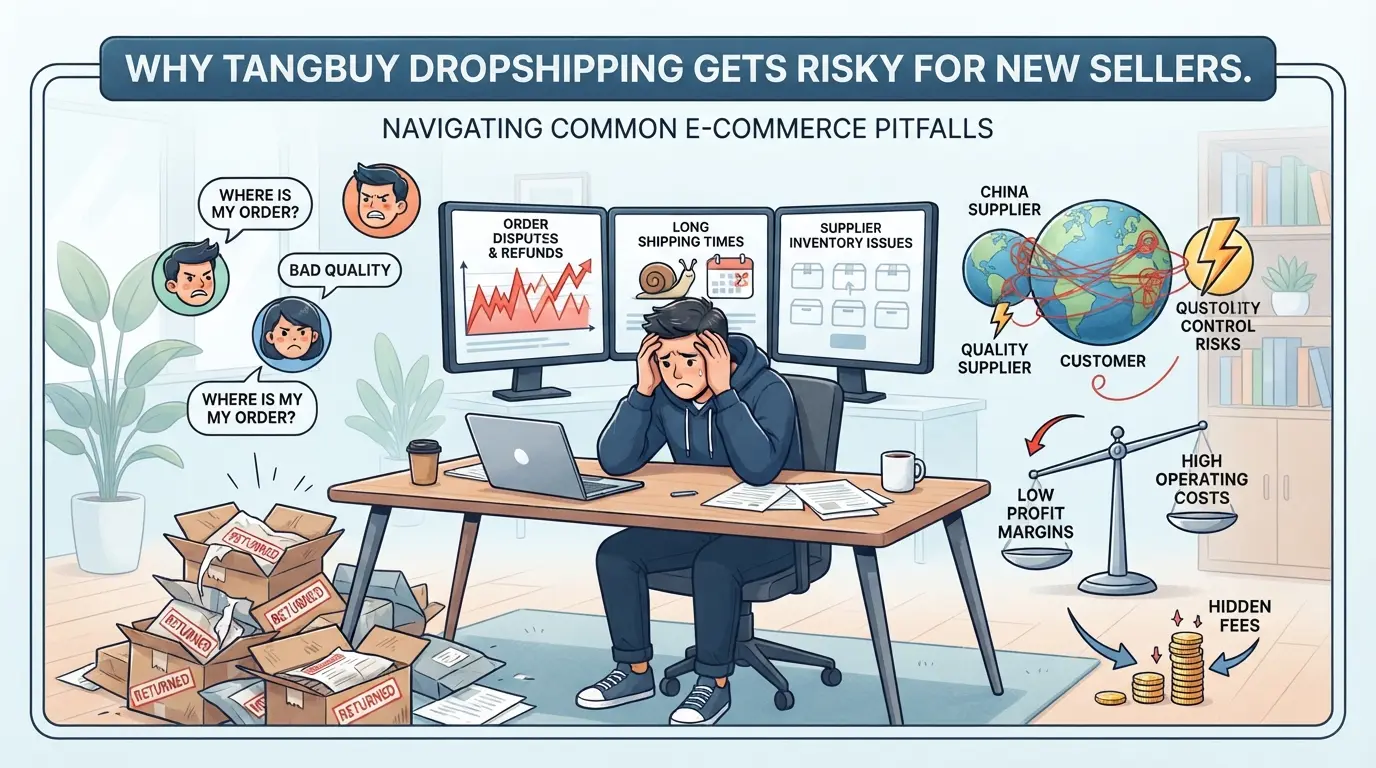
Even if you double-check every setup step, most new sellers run into trouble not because they missed a form, it's because they underestimated the hidden risks that show up only after money and orders are already moving. The biggest problems aren't obvious at signup. They hit when you’re on the hook for refunds, late shipments, or find your store locked after a policy check.
Common Scam Signals in Dropshipping Platforms
Look out for supplier profiles missing real contact info or using generic email addresses, these are classic red flags. Unverifiable product listings, like photos that reverse-search to Alibaba or Taobao, usually mean the offer isn’t real.
Hidden Costs and Fees That Catch Beginners
The sticker price rarely covers what you’ll actually pay. Tangbuy’s platform fees often get buried in the checkout process, sometimes charged per order, sometimes per product, and you might not see the final bill until after your first sales cycle. Shipping surcharges are another trap: a product may show “Free Shipping” to boost clicks, but once you enter a non-mainland address, an extra 10-15% can appear on your invoice. Many beginners plan their margin around the listed product cost and base shipping, then get caught off guard by fulfillment service charges, mandatory insurance, or restocking fees when returns spike.
For example, a seller set up with Tangbuy expecting 20% profit per sale but lost money after discovering that returns required not just postage, but also a 5% restocking charge per item, none of which was clear in the onboarding materials. The main risk is not seeing how these micro-fees add up until your balance is already negative. Failing to track these costs from day one means your profit projections can fall apart by the end of your first month.
Why Account Restrictions Happen After Setup
- Policy slipups, like using restricted images or failing to update store info, can trigger instant holds.
- Linked account detection: logging in from the same device as another flagged account often leads to a ban.
- Sudden spikes in order volume or mismatched buyer data (like repeated use of the same address) get flagged for review.
Even careful sellers get caught when they don’t realize Tangbuy tracks browser fingerprints and shipping patterns behind the scenes. That’s why the next step is understanding how fees and billing actually work, because you need to see your true costs before you can scale.
How Tangbuy Dropshipping Pricing Actually Works in 2026
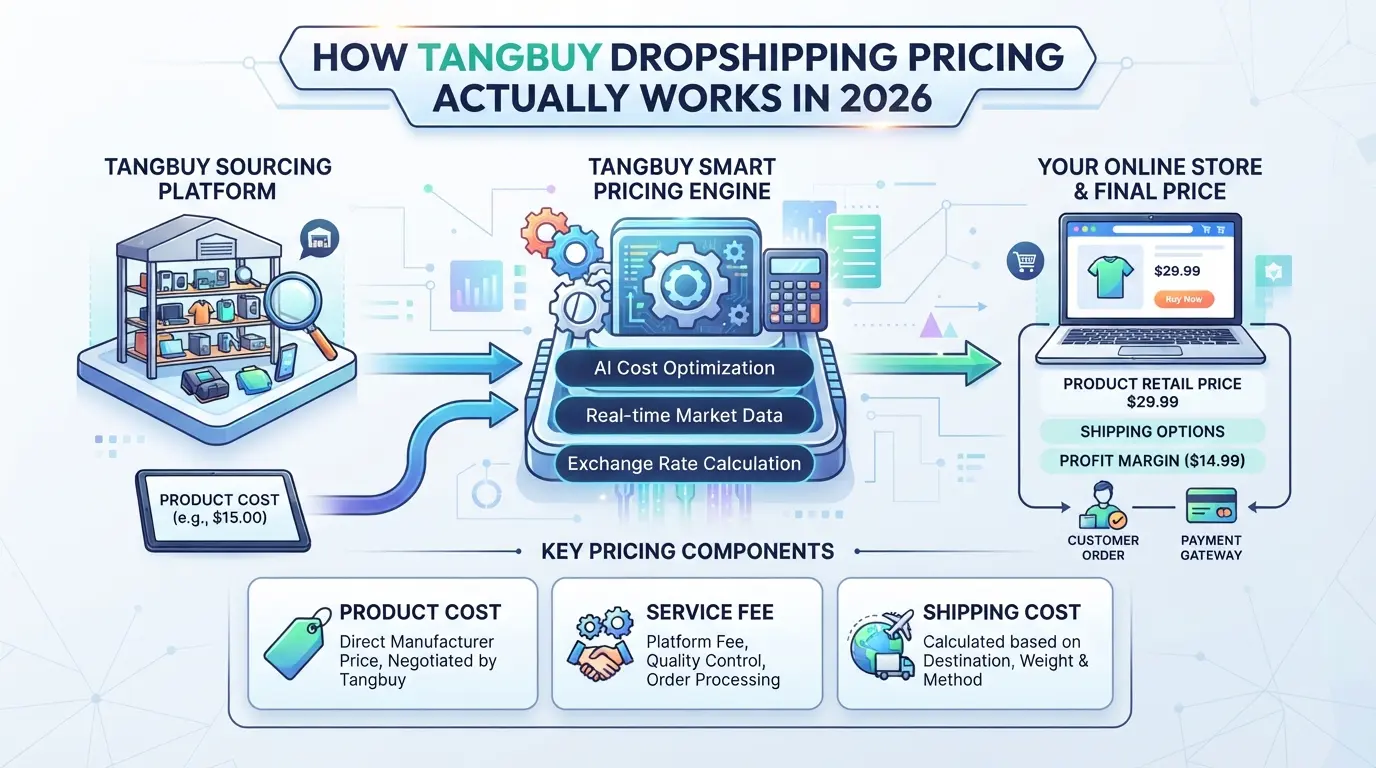
Pricing with Tangbuy isn’t just a flat monthly fee, most sellers end up paying a mix of subscription, transaction, and shipping costs. If you don’t map out these layers before launch, it’s easy to miss hidden fees or misjudge what you really owe.
Base Fees vs. Transaction Fees
You’ll see two main charges: the monthly subscription and per-order fees. The base rate covers platform access, but most real costs show up when orders start rolling in. A typical seller pays a fixed monthly fee plus a transaction cost tied to each fulfilled order. If you run high-volume stores, those per-order fees stack fast.
Shipping and Guarantee Costs
International shipping rates change based on destination, package size, and delivery speed. For example, sending a 500g item to Germany can cost more than double compared to the US, especially if you add an on-time guarantee. Most sellers opt for standard shipping to keep expenses predictable, but express options with a delivery guarantee can raise per-order costs by 30%. If you skip the guarantee, you risk delays, meaning you might have to refund or reship if the package stalls. What catches many new sellers is that these extra charges aren’t always obvious upfront, especially when working with multiple suppliers.
| Fee Type |
Typical Range |
Notes |
| Monthly Subscription |
$20 - $50/month |
Varies by account tier |
| Per-Order Transaction |
$1 - $3/order |
Scales with volume |
| Shipping (Standard) |
$5 - $12/order |
Based on weight & destination |
| On-Time Guarantee |
+30% to shipping |
Optional, adds delivery assurance |
Table shows sample rates for 2026, actual pricing may change by region or volume.
When Discounts or Promotions Apply
- Seasonal deals kick in around holidays, watch for Black Friday and Lunar New Year.
- Bulk order incentives trigger with 100+ orders per month; check dashboard for thresholds.
- Referral codes can shave off the first month’s subscription, but don’t affect per-order fees.
Before you dive into setup, clarify each fee type, missing the real shipping or guarantee cost is the fastest way to blow your margin. Next: how to start setting up for your store without tripping over the basics.
Step-by-Step: Setting Up Tangbuy Dropshipping for Your Store
Launching Tangbuy dropshipping isn’t just about linking accounts, you need to set up the app, import your first products, and configure shipping before your store can go live. If you skip any step, you risk delayed orders or mismatched inventory. Here’s the workflow most sellers follow to get started.
Connecting Tangbuy to Your Store Platform
- Install the Tangbuy app from your store’s app marketplace, check for the official listing to avoid clones.
- Start API integration in your admin dashboard. If the API key fails to generate, log out, clear cookies, and retry from a fresh session.
- Confirm connection by syncing a test product. If it doesn’t show in your store’s product list within 10 minutes, check for proxy misconfiguration or session timeout.
Importing Products and Setting Up Listings
- Select products to import based on available inventory, Tangbuy sometimes shows “in stock” items that actually have delayed shipping.
- Import in batches of 10-20 to spot errors early; bulk import can hide failed listings.
- Update titles and descriptions to match your store’s search style. Listings with vague names (“Fashion Item”) often get ignored by buyers.
- If an imported listing fails to update, check the product ID and try manual sync. Out-of-sync IDs can cause hidden listing errors.
Configuring Shipping and Guarantee Settings
- Set shipping options for each product, don’t default to express unless you’ve checked actual supplier timelines.
- Add a guarantee window based on Tangbuy’s policy; most sellers use 7-14 days, but shorter windows can trigger buyer disputes.
- Test checkout with a dummy order. If the guarantee doesn’t apply, review the listing’s settings for missing parameters.
Skipping these setup checks is the fastest way to get stuck with buyer complaints or platform holds, mapping your workflow before launch saves painful fixes later.
How E-Commerce Teams Can Manage Multiple Tangbuy Dropshipping Accounts More Safely with DICloak
Teams moving past basic Tangbuy dropshipping setups often hit a wall: handling several accounts gets messy fast, especially when roles shift and sessions overlap. If you’re scaling up, the real problem isn’t just logging in, it’s keeping every account environment separated, tracking who did what, and making sure network exits don’t cross. DICloak comes in for those who need to control browser profiles, proxies, and permissions across a growing team. The scope stays at the browser-profile and workflow layer; it doesn’t touch Tangbuy products or platform-native settings.
Isolated Browser Profiles and Fingerprint Configuration for Each Account
Most operators start by making a fresh browser profile for every Tangbuy account. That way, each login session stays in its own browser profile, with storage and settings fully separated. In DICloak, you can configure fingerprint signals like time zone, screen resolution, and language per profile, so you avoid accidental overlap between accounts and keep environment signals consistent. This setup is especially important when multiple people rotate through account tasks. The isolation is strictly at the browser profile layer; it doesn’t change objects inside Tangbuy itself.

User-Provided Proxy Configuration for Account Separation
Assigning a proxy per profile gives each account its own network exit. Operators can enter custom proxy details, host, port, username, password, and test connectivity before starting a platform session. The built-in check shows the detected IP, country, and time zone, so you’re not guessing if the proxy is live or misconfigured. For teams, this step is a safeguard: if a proxy fails, you catch it before risking account confusion or login errors. DICloak doesn’t supply proxies; users provide, assign, and test their own per profile. No claim about IP uniqueness or linking, just that the connection is user-controlled and checked.

Team Permissions for Assigned Browser Profiles
The real risk isn’t rogue logins, it’s someone in the team accidentally opening or changing the wrong account. Admins can set up member groups in DICloak, assign profile access, and restrict who sees or edits which browser profiles. For example, you can let a warehouse operator open only their assigned profiles, while a manager gets broader access. Field visibility controls mean regular members see only what they need, cutting down on accidental changes. These permissions cover actions inside DICloak; they don’t replace platform-native controls in Tangbuy.

Getting these basics right makes multi-account workflows less chaotic, but even a solid setup can miss critical mistakes if teams aren’t careful. Next, the article covers where most teams slip and what actually causes accounts to get restricted or banned.
Common Mistakes That Cause Tangbuy Dropshipping Accounts to Get Restricted or Banned
Account restrictions usually trace back to operational mistakes, not just bad luck. If you want to avoid getting banned, start by knowing which actions trigger platform penalties.
Violating Platform Policies
Listing prohibited products or ignoring shipping rules gets flagged fast. For example, selling restricted items, like counterfeit goods, health products without certificates, or anything banned by Tangbuy, can lead to instant takedowns. Missing required shipping timeframes is another common reason for account suspension. The fastest way to lose your account is ignoring the product and shipping policies, even if sales look fine at first.
Reusing Device or Network Signals Across Accounts
- Check if browser fingerprints overlap between accounts
- Always use unique IP addresses for each account
- Log which proxy or device is tied to every session
Sharing Account Access Without Proper Controls
Untracked team logins and weak permission separation often cause lockouts. If multiple people access an account without logging who did what, the risk climbs.
- Assign clear login credentials to each team member
- Use permission settings to limit sensitive actions
- Track all account access with timestamped logs
If your setup keeps running into bans, it’s time to rethink your scaling plan, you’ll see why in the next section.
When Tangbuy Dropshipping Stops Making Sense: Signs to Switch or Scale Differently
If your e-commerce workflow feels stuck, order limits, slow supplier replies, or rising costs, it’s usually a sign you’ve hit the ceiling with Tangbuy dropshipping. Waiting for packages to clear or managing returns through layers of support can stall growth when you’re ready to scale faster.
Signs Tangbuy Dropshipping Is Limiting Your Growth
| Limiting Factor |
What It Looks Like |
Impact |
| Order Volume |
Can’t process 500+ orders/day |
Missed sales, slow delivery |
| Supplier Limits |
Few reliable products, stockouts |
Forced to switch listings often |
| Workflow Bottleneck |
Manual tracking, slow updates |
Higher error rate, wasted hours |
If you notice any of these, especially repeated supplier delays or order caps, your workflow is likely too restricted to support real scaling.
When to Switch to Direct Sourcing or Private Label
Direct sourcing lets you buy in bulk and control inventory, while private label means you create your own branded products. Switching to these models cuts supplier dependency and can increase profit margins, if you have enough capital and demand. For most sellers, the jump only makes sense once monthly order volume stays above 1,000.
Scaling with Multiple Dropshipping Platforms
Running on more than one dropshipping platform helps spread risk, but it also means juggling different supplier rules and tracking systems. The main challenge is keeping order info synced, if you miss a platform’s update, you’ll lose track of inventory or customer requests fast.
Frequently Asked Questions About tangbuy dropshipping
Is Tangbuy dropshipping legal in my country in 2026?
Laws about dropshipping differ by country. Before starting with tangbuy dropshipping, check your local e-commerce regulations and tax rules. Also, read the terms of use for any marketplace you plan to sell on, like Shopify or WooCommerce. Selling items that are restricted or prohibited in your country can lead to fines or account bans.
Can I use Tangbuy dropshipping with multiple stores at once?
Yes, you can operate several stores with Tangbuy. However, you should create separate accounts or manage each store’s settings individually. Make sure to follow the rules of each sales platform you use. Using the same product listings or accounts for different stores can lead to problems with marketplaces or payment processors.
Does Tangbuy offer support for bulk product imports?
Tangbuy provides features for bulk product importing. Check the official documentation or help center for step-by-step guides on uploading many items at once. These tools help you save time when adding or updating large inventories, especially if you manage multiple stores or want to test new product lines quickly.
How do I handle returns and refunds with Tangbuy dropshipping?
Before listing products, review Tangbuy’s guarantee and refund policies. Each supplier may have different return rules, so read them carefully. Communicate these policies clearly to your customers. Always process returns promptly and keep records of all requests to avoid disputes or chargebacks.
Can I pay Tangbuy dropshipping fees with crypto or international cards?
Payment options for Tangbuy include credit cards, international bank cards, and sometimes digital currencies. Check Tangbuy’s official support page for the latest accepted payment methods. Some countries may have restrictions on certain payment types, so confirm your preferred method is available before you set up your store.
Once you have evaluated the features and supplier options, consider testing the platform with a small batch of products to gauge its performance and customer satisfaction. Monitoring sales and fulfillment efficiency early on can help you make informed adjustments before scaling your business further. Try DICloak For Free
 Web Proxy Tools
 Free Tools
 Cookie Plugin
 UA Generator
 MAC Address Generator
 IP Generator
 IP Address List
 2FA Code Generator
 World Clock
 Anonymous Check
 WebRTC Leak Test
 UUID Generator
 Free Web Proxy Site
 Proxy Checker
 FB Ad Checker
 AI Web Scraping
 Free SMM Tools
 Twitter Shadowban Checker
 Instagram Name Checker
 UTM Generator
 Username Generator
 AI Hashtag Generator
 LinkedIn Headline Generator
 Social Media Image Resizer