Even when you take precautions like using a proxy or browsing in incognito mode, your web browser might be betraying your privacy in ways you can't see. Websites, advertising networks, and sophisticated anti-fraud systems can identify you through invisible data leaks, creating a unique digital fingerprint that follows you across the internet. This is where BrowserLeaks comes in. It is a powerful suite of free tools designed to pull back the curtain and reveal these hidden vulnerabilities.
This guide will not only explain how BrowserLeaks works and what it detects but will also provide a definitive, professional-grade solution to fix the issues it uncovers, allowing you to take full control of your digital identity.
What is BrowserLeaks and Why Does It Matter in 2026?
Understanding what BrowserLeaks is and its modern relevance is the first step toward achieving genuine online privacy. It’s more than just a diagnostic tool; it's an essential part of a modern professional's operational hygiene, ensuring that their online environments are consistent, believable, and safe.
Defining BrowserLeaks
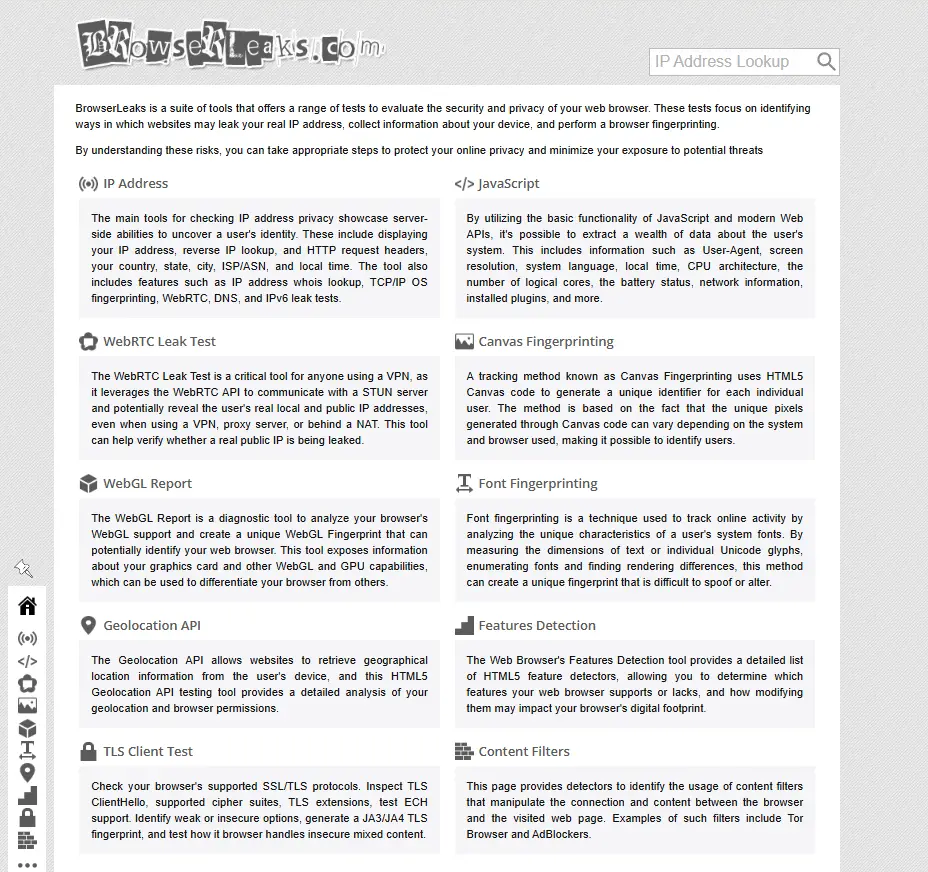
BrowserLeaks is a free, comprehensive suite of diagnostic tools designed to test a web browser's security and privacy. It functions as a neutral and educational resource that reveals the various ways websites can leak your real IP address, collect information about your device, and perform browser fingerprinting to track you.
It doesn't require any personal information or collect user data, making it a safe and valuable resource for everyone from regular users concerned about their privacy to web developers and security researchers interested in exploring browser security features.
The Growing Importance of Privacy Audits
In 2026, tools like BrowserLeaks are more critical than ever. The sophistication of online tracking has evolved dramatically because marketing and security platforms don’t just evaluate logins; they evaluate environments. Ad networks, e-commerce sites, and anti-fraud systems correlate hundreds of signals to verify your identity, and if those signals don't align, your accounts can be flagged, limited, or disabled.
For professionals managing multiple accounts or conducting cross-border business, this makes self-auditing a crucial practice. Inconsistent browser signals can look like automation or fraud even when the activity is legitimate. BrowserLeaks makes these inconsistencies visible before platforms react, exposing the core technology behind this tracking: browser fingerprinting.
Understanding the Core Threat: How BrowserLeaks Exposes Browser Fingerprinting
To fully grasp the power of BrowserLeaks, you must first understand the concept of browser fingerprinting. This is the primary method websites use to track your online activity without relying on traditional cookies, creating a unique profile of you based on the specific configuration of your browser and device.
What is Browser Fingerprinting?
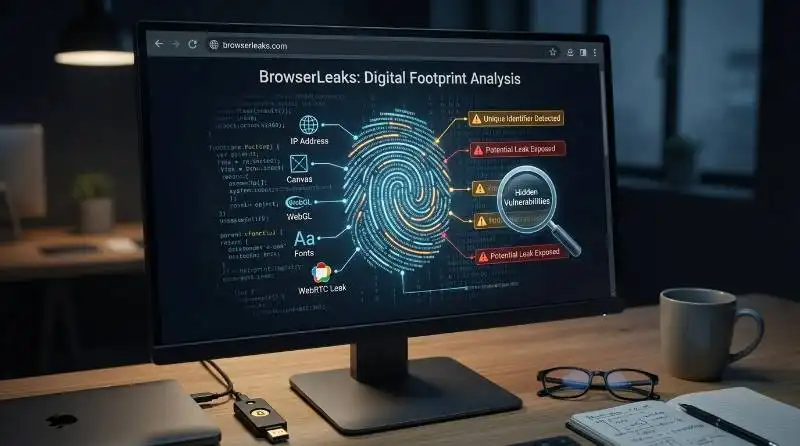
In simple terms, browser fingerprinting is a technique where websites gather various attributes from your browser to create a unique identifier, or "fingerprint," for you. This fingerprint is assembled from dozens of data points that, when combined, can uniquely distinguish you from millions of other users.
Common Fingerprinting Techniques Revealed by BrowserLeaks
BrowserLeaks excels at testing for the individual components that make up a digital fingerprint. These techniques fall into several key categories:
- Device Parameters: These relate to the specific software and hardware characteristics of your machine.
- Canvas: This technique uses the HTML5 Canvas API to instruct your browser to draw a hidden graphic. Minor variations in how your graphics card, drivers, and operating system render the image create a unique identifier.
- WebGL: Similar to Canvas, this method analyzes your graphics card's capabilities through the WebGL API to generate a unique hardware-level fingerprint.
- Fonts: The specific list of fonts installed on your system is surprisingly unique. Websites can check for these fonts and their rendering characteristics to create a distinct profile.
- Screen Resolution: Detects your screen resolution and color depth, which adds another layer of specificity to your device profile.
- Geolocation API: Checks if your browser is revealing your physical location information upon request.
- Audio/Video Input Devices: Identifies the availability and type of your microphones and webcams, adding to your hardware fingerprint.
- Supported CSS Features: Evaluates which CSS properties your browser supports, which can vary between browser versions and builds.
- Network Parameters: These parameters reveal information about your network connection and location.
- WebRTC Leaks: Web Real-Time Communication (WebRTC) is a technology for video calls and file sharing. However, it can be exploited to bypass proxies, exposing your real local and public IP address.
- IP Address & DNS: Your public IP address and the DNS servers you use can reveal your real-world location, your Internet Service Provider (ISP), and even your browsing history.
- HTTP Headers: Analyzes your browser's request headers for unique patterns and identifying information.
- TLS Fingerprint: Uses techniques like JA3 to create a unique identifier based on the specific parameters of your browser's encrypted TLS handshake.
- Behavioral Parameters: Advanced tracking systems can go even deeper.
- Though not the primary focus of BrowserLeaks, sophisticated anti-fraud systems also analyze behavioral patterns like mouse movements and typing patterns to detect non-human activity.
By understanding these techniques, you can better appreciate the detailed diagnostic information that BrowserLeaks provides.
A Deep Dive into the Key BrowserLeaks Tests
Knowing the specific tests that BrowserLeaks provides is strategically important. This knowledge empowers you to move from a general concern about privacy to pinpointing the exact vulnerabilities in your browser setup. Each test acts as a diagnostic check for a different potential data leak.
Analyzing Your Digital Footprint
Here are the key tests available on BrowserLeaks and what they reveal about your digital footprint:
- IP Address Analysis: This fundamental test detects your public IP address, approximate geolocation, and ISP details. If you use a proxy, this test immediately shows if your real location is being exposed.
- WebRTC Leak Test: This critical test checks if your browser's WebRTC functionality is bypassing your proxy to reveal your real local and public IP addresses. A leak here is a major security flaw.
- Canvas Fingerprinting: This test generates a unique fingerprint based on how your browser renders graphics using the HTML5 canvas element. A "unique" result means your browser is easily identifiable.
- WebGL Report: This test assesses your browser’s WebGL support and analyzes your GPU characteristics. This information contributes to a hardware-level fingerprint that can be used for tracking.
- Font Fingerprinting: By enumerating the fonts installed on your system, this test creates a highly unique profile that is difficult to alter, making it a persistent method for tracking users.
- Geolocation API Test: Checks how your browser handles location requests and whether it is leaking your physical coordinates to websites.
- Content Filters Detection: Identifies the presence of ad blockers, Tor browser settings, and other content filters that modify how you interact with web pages.
- SSL/TLS Client Test: This advanced test examines your browser's supported TLS protocols, cipher suites, and extensions. It can identify weak security configurations and generate a JA3 TLS fingerprint, another unique identifier based on your encrypted connection settings.
- DNS Leak Test: Even with a proxy, your browser might send DNS requests directly to your ISP's servers. This test checks if your DNS requests are being leaked outside of your encrypted tunnel, revealing the websites you visit.
Knowing these vulnerabilities is only half the battle. The next step is to learn how to actively use BrowserLeaks to test your own setup.
How to Use BrowserLeaks to Check Your Security: A Simple Guide
Using BrowserLeaks is a straightforward process that anyone can follow to perform a quick and effective privacy check-up. This section serves as a practical, hands-on guide to running tests and understanding what the results mean for your security.
Step 1: Run the Tests
Visit browserleaks.com. It's important to note that BrowserLeaks is not like most online privacy tools. When you land on its homepage, you won't immediately see your IP address or fingerprint score. Instead, it's an index of multiple testing tools. To begin your analysis, you need to click into the specific sections you want to examine, such as the IP, WebRTC, and Canvas tests. The site will then automatically detect and display the information your browser is exposing for that particular test.
Step 2: Interpret the Results
Once the tests run, the key is to analyze the results for common red flags by comparing what you expect to see with what BrowserLeaks actually shows.
Here are concrete examples of what to look for:
- For an IP test: If you are using a proxy to change your IP address, but the test results still show your real IP address, it means your proxy is not working as intended and your true location is leaking.
- For a WebRTC test: The appearance of a local IP address (typically starting with 192.168) is a serious vulnerability. It signals that WebRTC is exposing your real network environment, bypassing your proxy entirely.
- For fingerprinting tests (Canvas, WebGL, Fonts): If a test result comes back as "unique" or "identifiable," it means your browser configuration is highly distinct and can be easily tracked by websites.
Step 3: Identify Your Vulnerabilities
By comparing the expected results (e.g., your proxy's IP address) with the actual results displayed on BrowserLeaks, you can create a clear list of your privacy weaknesses. This list will tell you exactly which issues—be it an IP leak, a WebRTC exposure, or a unique fingerprint—need to be addressed.
Now that you've identified the problems, it's time to find the ultimate solution for fixing them.
Is BrowserLeaks Reliable? A 2026 Perspective
Before relying on any diagnostic tool, it's important to evaluate its reliability. BrowserLeaks is a powerful resource, but it's essential to understand both its strengths and its limitations in the context of modern online tracking.
The Strengths of BrowserLeaks
BrowserLeaks is highly reliable for detecting browser-level, or "surface-level," information leaks. Its accuracy in showing exposed IP addresses, WebRTC data, and fingerprinting attributes like Canvas and Font data is well-established among privacy enthusiasts and security researchers. For identifying whether your proxy is malfunctioning or if your browser fingerprint is too obvious, it remains one of the most intuitive and convenient initial privacy detection methods available.
The Limitations of Modern Tracking
While extremely useful, BrowserLeaks cannot detect everything. Its detection logic focuses primarily on information leaks from the browser's front end. However, sophisticated anti-fraud systems employed by major platforms use deeper techniques that BrowserLeaks does not test for. These include behavioral analysis (mouse movements, typing rhythm), encrypted fingerprints (more difficult to detect), and multi-dimensional data cross-referencing.
Therefore, BrowserLeaks should be seen as an excellent first line of defense. It tells you what you've exposed, but a more robust solution is needed for complete protection against advanced tracking.
The Ultimate Solution to Pass BrowserLeaks: Using an Antidetect Browser
For professionals and privacy-conscious individuals, antidetect browsers represent the definitive solution to the vulnerabilities identified by BrowserLeaks. These tools go far beyond what simple proxies, browser extensions, or incognito mode can achieve, offering a comprehensive way to manage and protect your digital identity.
What is an Antidetect Browser?
An antidetect browser is a specialized tool designed to create multiple, completely isolated browsing profiles on a single computer. Each profile, or "profile," is configured with a unique and authentic browser fingerprint. To a website, each profile appears to be a distinct, real user on a separate physical device. Each profile functions like a virtual machine, but on a smarter technology—12× cheaper and as fast as your own computer.
Why Standard Browsers Fail
Standard browsers, even with a proxy, are not designed for true isolation. They cannot effectively prevent fingerprint correlation across different sessions or accounts. Incognito mode only deletes local data after a session; it does nothing to mask your digital fingerprint while you are actively browsing. This means a website can still recognize your unique combination of fonts, screen resolution, and graphics card, linking your 'incognito' visit to your previous sessions. This makes standard browsers insufficient for robust privacy protection.
For this level of control and security, a dedicated tool like DICloak is the recommended solution.
DICloak stands out as the premier antidetect browser for professionals and privacy-conscious individuals aiming not only to pass BrowserLeaks tests but to truly secure their online operations. It provides the tools necessary to create and manage truly separate and secure digital identities.
How DICloak Creates a Secure Browsing Profile
DICloak works by generating a unique digital identity for every account you manage. It allows you to spoof key fingerprint elements, including your IP address, geo-location, cookies, WebGL, canvas, and more. Each profile you create in DICloak functions like a separate device, with its own isolated storage, cookies, and cache. This prevents websites from linking your accounts together, as each one appears to be a completely different user.
Key DICloak Features for Maximum Privacy
DICloak is not just another browser; it is a strategic toolkit designed to provide a complete defense against the vulnerabilities uncovered by BrowserLeaks. Its features work in concert to build a secure, isolated, and believable browsing profile for every online identity you manage.
- Custom and Realistic Browser Fingerprints: BrowserLeaks reveals how unique your Canvas, WebGL, and font combination is. DICloak directly counters this by generating fingerprints that are not just unique per profile, but also statistically common and realistic. This crucial distinction allows your activity to blend in with the noise of genuine users rather than standing out with a randomized or suspicious signature. It gives you full control to spoof IP address, geo-location, cookies, and other key parameters.
- Guaranteed Account Safety and Isolation: Every profile created in DICloak operates in a completely isolated profile, ensuring cookies, cache, and session data are never shared. This principle of asset isolation is critical for preventing platforms from linking your accounts. If one account is flagged for any reason, your other accounts remain entirely unaffected, mitigating the risk of a catastrophic chain reaction that could jeopardize your business.
- Flexible Proxy Configuration: A believable online identity requires the IP address to match the profile's specified location and timezone. DICloak seamlessly integrates with all major proxy protocols, including HTTP/HTTPS and SOCKS5. This makes it simple to assign a different proxy to each browser profile, ensuring your IP address is consistently masked and passes the fundamental IP consistency tests on BrowserLeaks.
- Powerful Automation and Team Collaboration: For professionals managing operations at scale, DICloak includes powerful efficiency tools. The Synchronizer allows you to automate actions across multiple profiles simultaneously, while the built-in RPA (Robotic Process Automation) feature saves hours by automating repetitive tasks. These tools provide the infrastructure needed to manage tasks across many accounts efficiently and securely.
A Practical Walkthrough: Passing BrowserLeaks with DICloak
Using DICloak to achieve a "clean" report on BrowserLeaks is a simple and effective process.
Create a DICloak Account
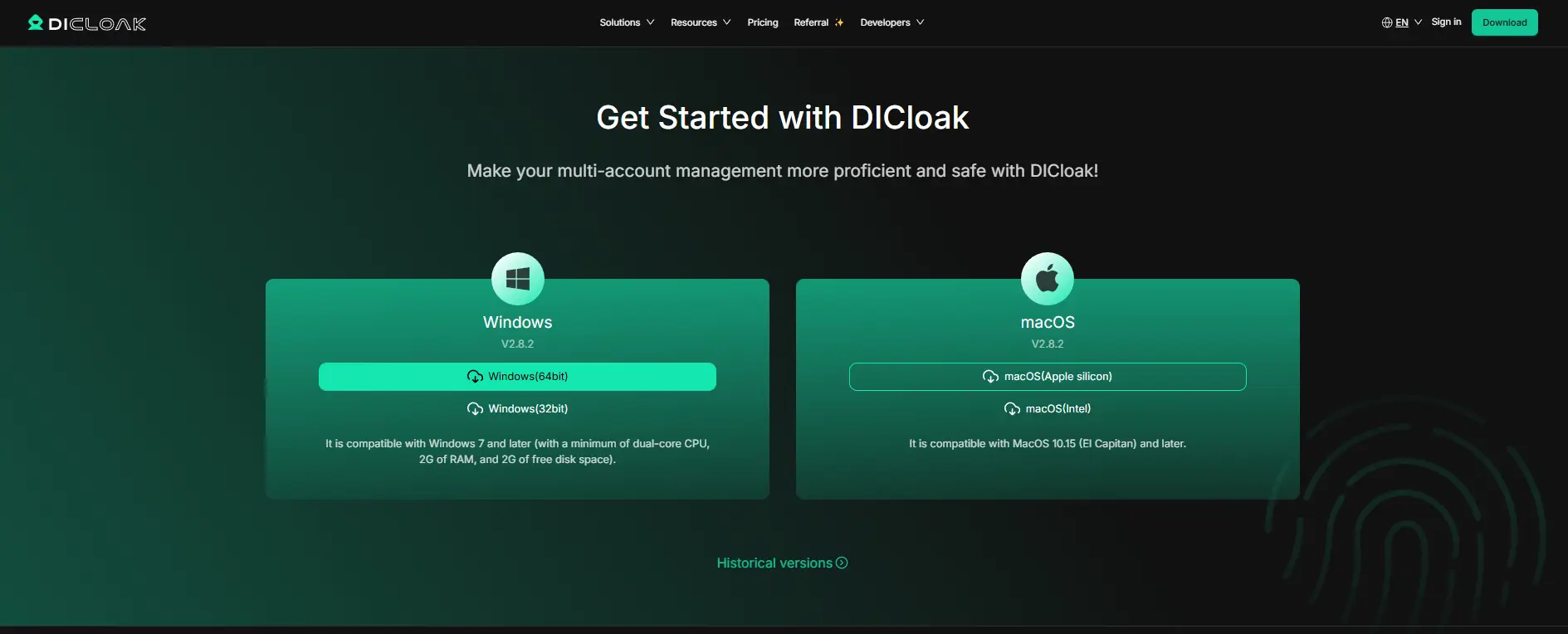
Navigate to the official DICloak website, download the DICloak browser, and then sign up. A free plan is available, allowing you to get started and experience the core features immediately.
Create a New Browser Profile
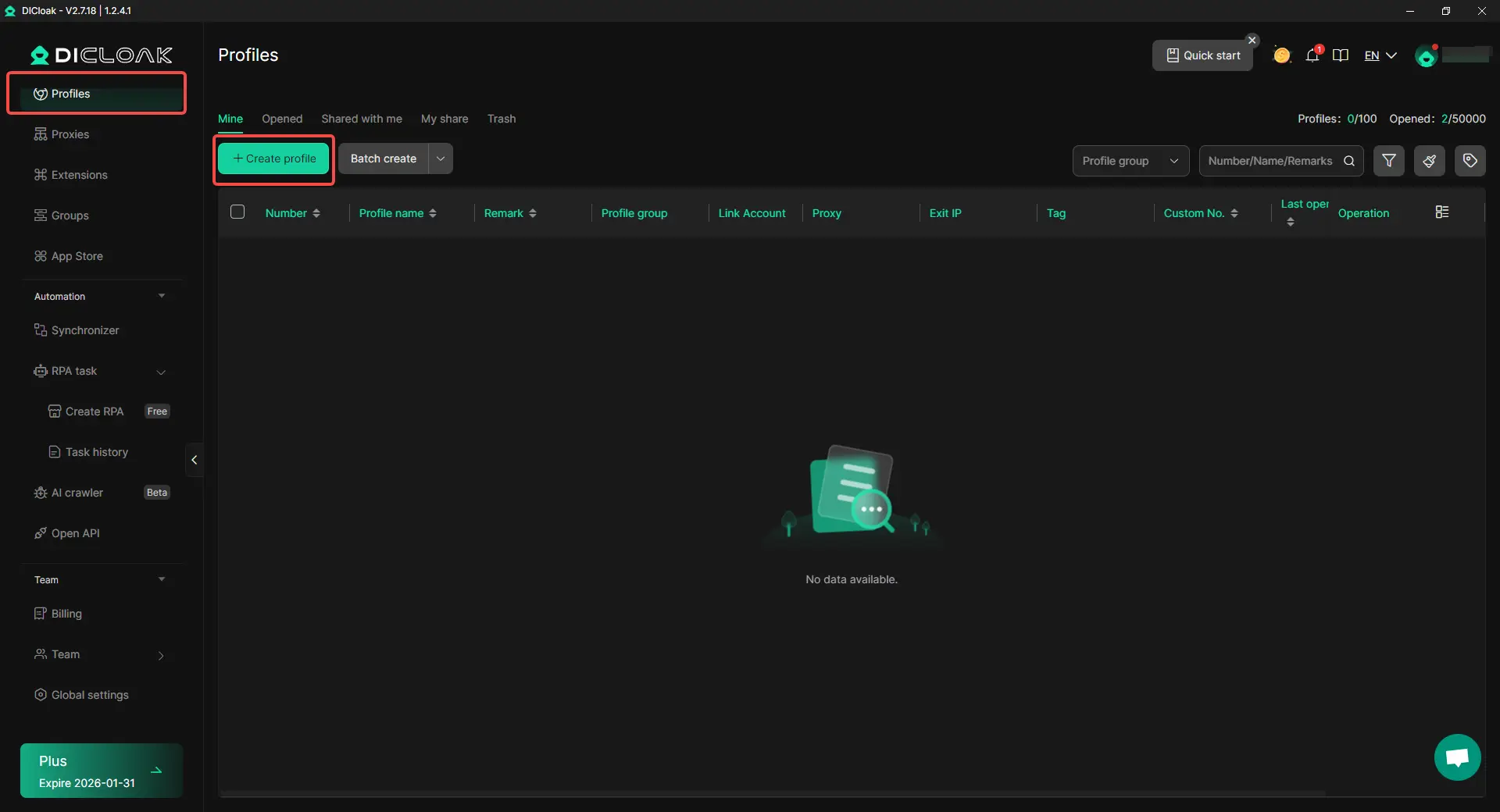
Once inside the DICloak application, click the button to create a new profile. This will serve as your new, isolated browsing profile.
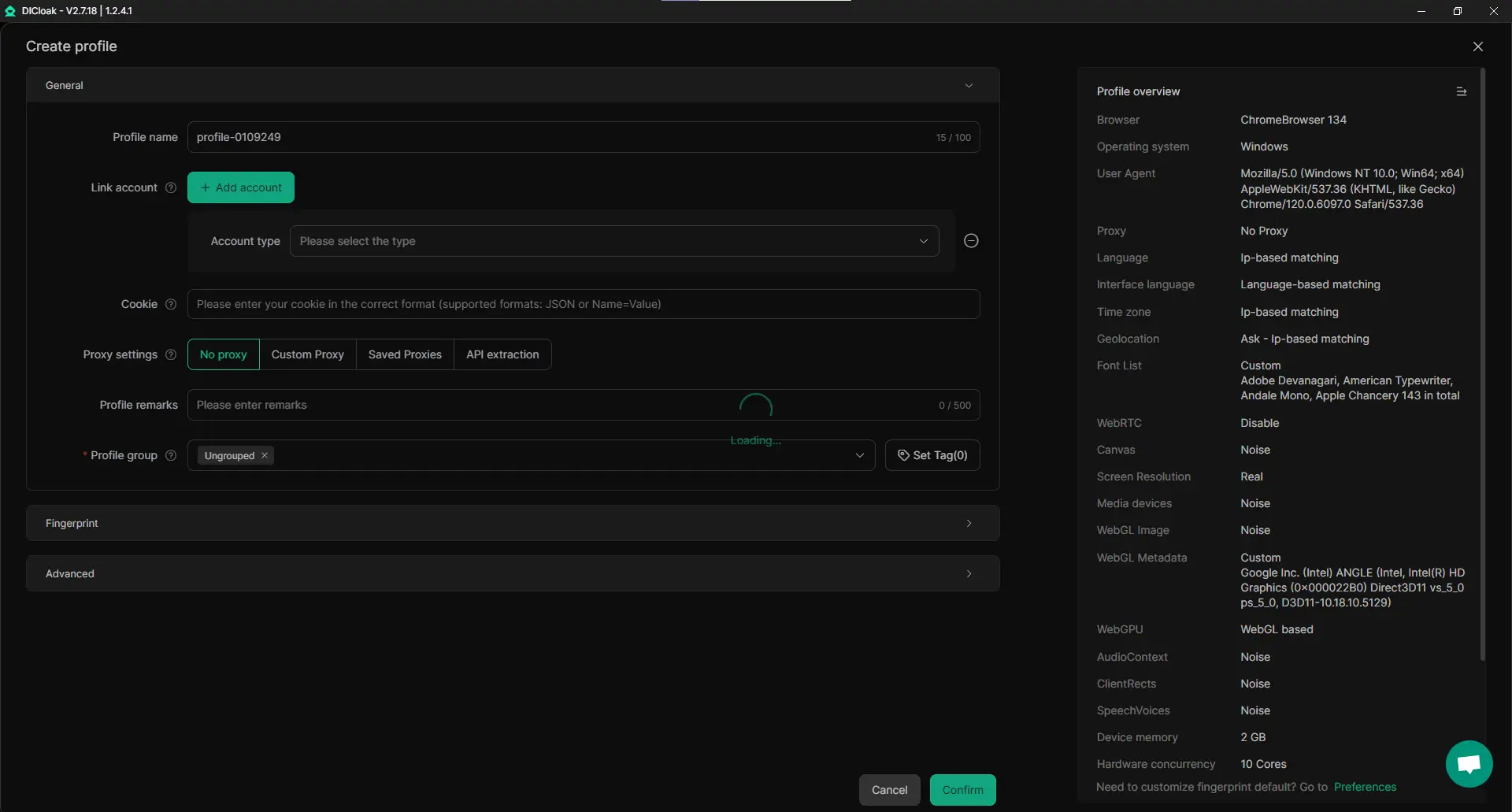
Customize the Fingerprint
Configure the profile's digital identity. You can choose parameters like the operating system (Windows, Mac, iOS, Android), browser version, screen resolution, and language to create a unique fingerprint that aligns with your operational needs.
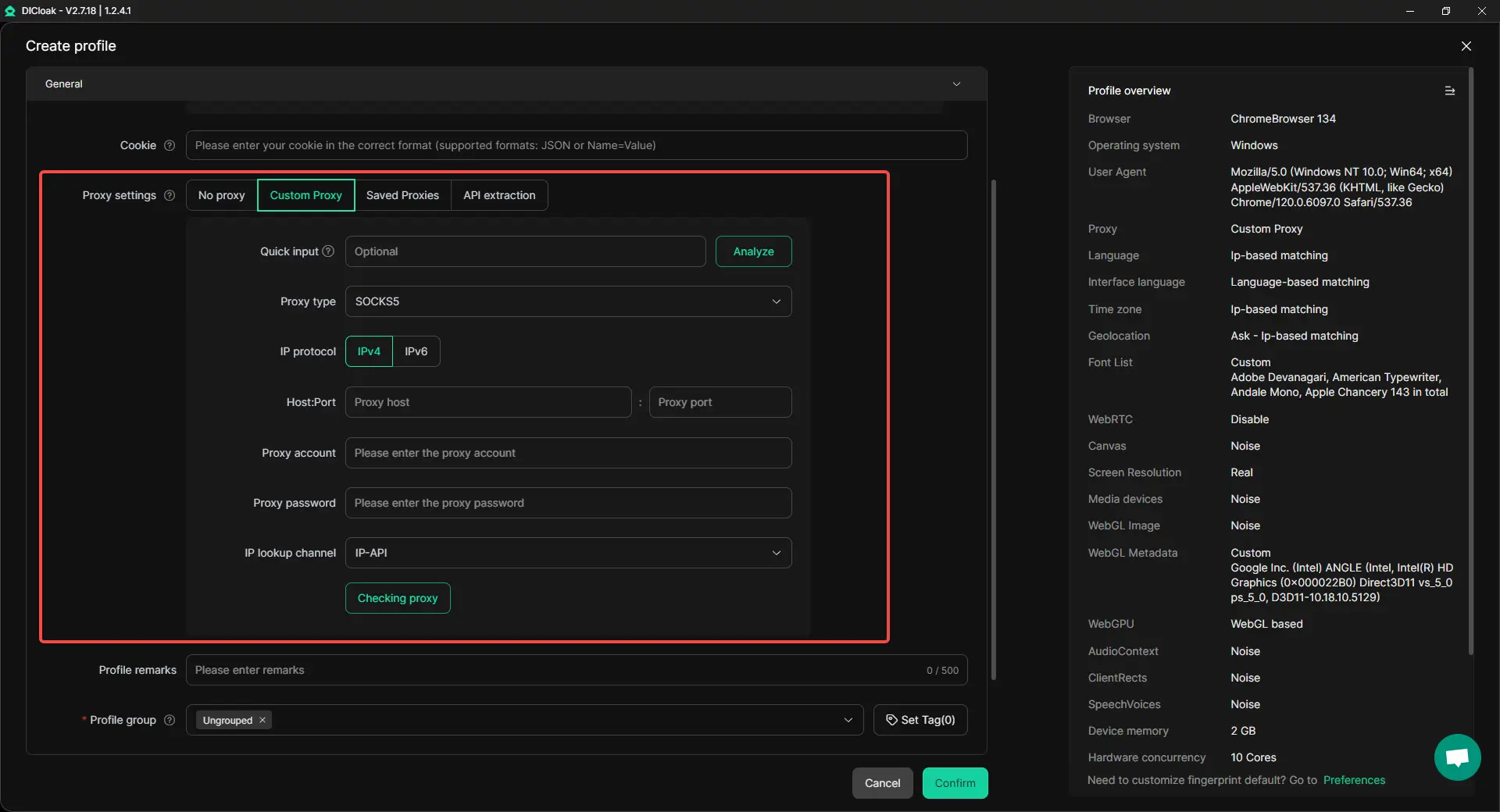
Configure a Proxy
In the profile settings, integrate a proxy server. This ensures that the profile's public IP address is masked and remains consistent with the geographic location you have specified.
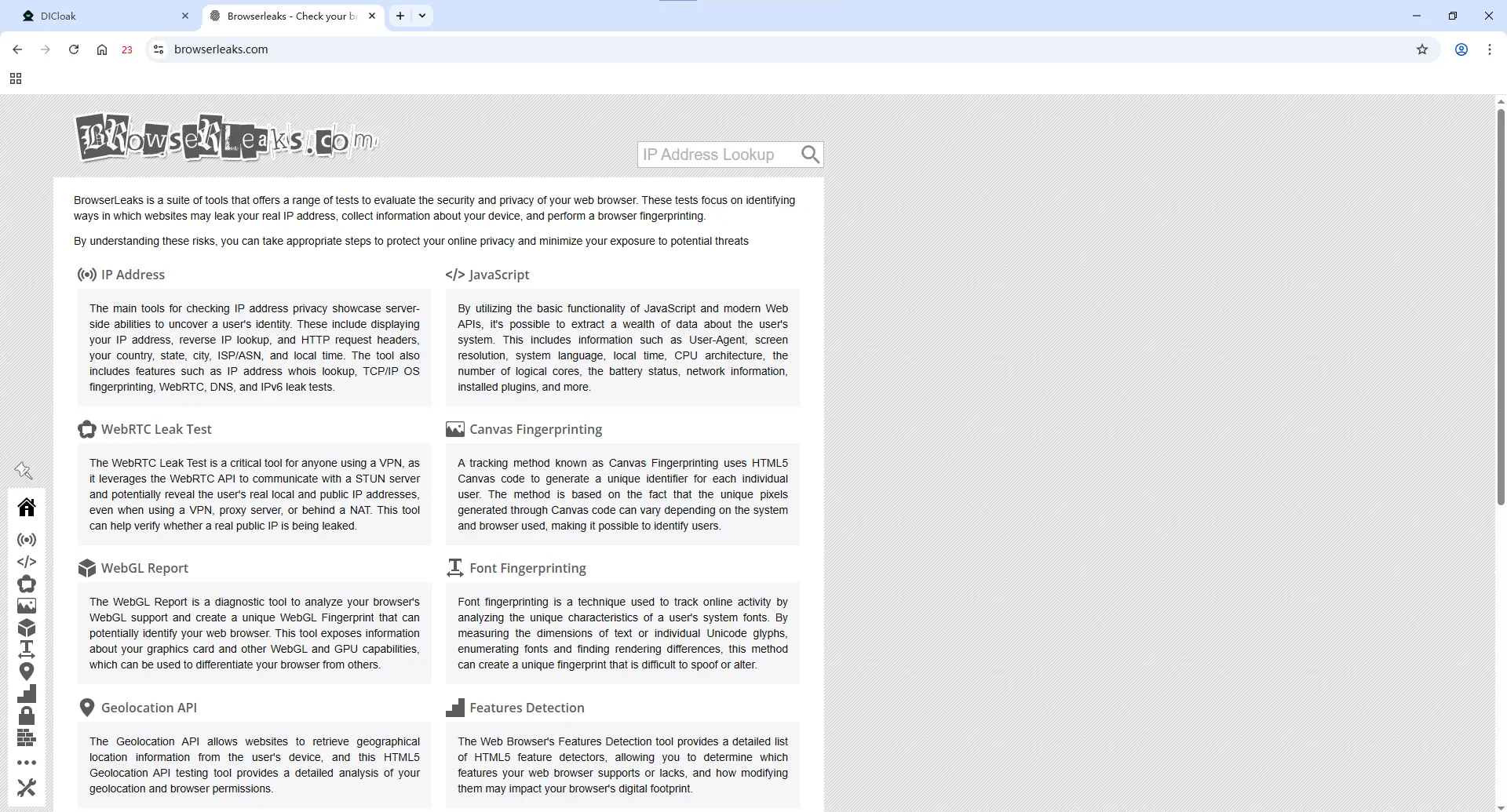
Launch the Profile and Test
With the configuration complete, click "Open" to launch the new browser profile in a separate window. Within this new profile, navigate to browserleaks.com.
Verify the Results
Run the IP, WebRTC, and fingerprinting tests again. The results should now reflect the spoofed data from your DICloak profile. Your IP address will match the proxy, there will be no WebRTC leaks exposing your real IP, and your browser fingerprint will appear as a completely different device, successfully passing the audit.
Exploring Other BrowserLeaks Alternatives for a Second Opinion
While BrowserLeaks is a comprehensive and authoritative tool, using multiple privacy testing sites can provide a more holistic view of your digital footprint. Different tools may emphasize different aspects of fingerprinting or present data in a way that helps you confirm your setup is secure from multiple angles.
Top Privacy Testing Tools
Here are some of the best alternatives to BrowserLeaks for getting a second opinion on your browser's privacy:
- Whoer.net: Presents most of the key privacy test results on a single, convenient dashboard, making it great for quick at-a-glance checks.
- AmIUnique: Compares your browser fingerprint against a large global database to calculate and show you just how unique your configuration is.
- BrowserScan: Offers detailed analysis of your fingerprint components and provides an authenticity score, helping you understand how believable your spoofed profile appears.
- Iphey: Provides simple and clear IP and fingerprint tests for quick, no-fuss checks of your online identity.
- PixelScan: An all-in-one privacy analysis platform that provides sophisticated tests for data exposure, including IP, WebRTC, and canvas fingerprinting.
- Cover Your Tracks: Detects the impact of tracking links on user data security and shows how well your browser is protected against trackers.
Using these tools in conjunction with BrowserLeaks ensures you have a complete and verified picture of your online privacy posture.
Conclusion: Take Control of Your Digital Identity
This guide has shown that your browser can inadvertently leak a significant amount of identifying data. Tools like BrowserLeaks are essential for revealing these vulnerabilities, from IP address and WebRTC leaks to the more subtle threat of browser fingerprinting.
While browser extensions and proxies offer a basic layer of protection, they are often insufficient against modern tracking techniques. The most effective way to solve these issues is by using a powerful antidetect browser like DICloak. It provides the necessary isolation and fingerprint management to ensure each of your online accounts appears as a distinct, legitimate user.
In a digital ecosystem where environmental consistency is scrutinized, proactive identity management is not optional—it's a core operational requirement.
Frequently Asked Questions (FAQ) about BrowserLeaks
What is BrowserLeaks used for?
BrowserLeaks is a free suite of tools used to test a web browser for a wide range of privacy and security vulnerabilities. Its primary use is to detect IP address leaks, WebRTC exposure, DNS leaks, and to analyze how uniquely identifiable your browser is via browser fingerprinting.
Is it safe to use BrowserLeaks?
Yes, it is completely safe. BrowserLeaks is a diagnostic tool that only displays the information your browser is already exposing to any website you visit. It does not collect, store, or require any of your personal data to run its tests.
Why does BrowserLeaks show my real IP address even with a proxy?
This is most likely due to a WebRTC leak. WebRTC is a browser feature for real-time communication that can create a direct connection between you and a website, bypassing the proxy. This direct connection exposes your real IP address.
Can I pass all BrowserLeaks tests with a standard browser?
It is very difficult. While you can fix some specific issues like WebRTC leaks with browser extensions or by changing settings, preventing advanced tracking methods like Canvas and Font fingerprinting is nearly impossible in a standard browser. Passing all tests consistently requires an antidetect browser like DICloak to effectively mask and manage your entire digital identity.
How often should I check BrowserLeaks?
It is good practice to run a check whenever you change your security setup (e.g., using a new proxy or browser profile) or before logging into sensitive accounts. This ensures your browsing profile remains secure and that no new vulnerabilities have appeared.
 Web Proxy Tools
 Free Tools
 Cookie Plugin
 UA Generator
 MAC Address Generator
 IP Generator
 IP Address List
 2FA Code Generator
 World Clock
 Anonymous Check
 WebRTC Leak Test
 UUID Generator
 Free Web Proxy Site
 Proxy Checker
 FB Ad Checker
 AI Web Scraping
 Free SMM Tools
 Twitter Shadowban Checker
 Instagram Name Checker
 UTM Generator
 Username Generator
 AI Hashtag Generator
 LinkedIn Headline Generator
 Social Media Image Resizer