People often ask, “Can you share a InVideo plus account?” or “How many people can use a InVideo Generative account?” — and while the answer is technically yes, it comes with important considerations. Sharing your InVideo login can save money and streamline teamwork, but you’ll need to manage access carefully to avoid account flags or disruptions. In the sections below, we’ll explore what InVideo offers, why sharing makes sense for small teams, and how to do it safely so everyone can create videos without interruption.
Can You Share an InVideo Account?
Ever tried creating a video but felt overwhelmed by all the editing, voiceovers, and media organization? That’s where InVideo comes in—a powerful online video editing platform designed to make professional video creation simple, fast, and accessible. Whether you're a solo creator, a social media manager, a marketing team, or even a small business owner, InVideo offers AI-powered tools to turn your ideas into polished videos in minutes.
But here's the real question many are asking: Can you share an InVideo plus account with others? Short answer—yes, but with some important things to know.
🧠 What Is InVideo and Who Is It For?
InVideo is built for non-designers and creators who need to make content quickly—think YouTubers, startup marketers, digital agencies, and social media freelancers. With access to millions of stock images, AI voiceovers, video templates, and generative AI features, it’s a full-stack solution for video storytelling.

🔄 Can You Share an InVideo Account?
Now let’s talk about InVideo account sharing. Officially, every paid plan—including the Generative plan—is licensed for up to 1 user only. So, from a strict terms-of-service perspective, InVideo shared account access across multiple users is not directly supported.
However, in reality, many users—especially small creative teams or agencies—do look for ways to share an InVideo account securely and responsibly. With tools like DICloak (more on that later), sharing InVideo account for collaborative video editing is possible, and yes, it can be done more safely and smoothly.
So if you're wondering, “How to share an InVideo plus account or InVideo Generative account with team members?” or “Is InVideo multiple users login allowed?”—the answer is: not natively, but there are workarounds for safe and efficient InVideo account or InVideo Generative account sharing.
👥 How Many People Typically Use One InVideo Account?
By default, InVideo doesn't allow multiple users to log into one account simultaneously, but with smart sharing tools, it's possible for 2–5 people (like teammates, co-creators, or clients) to securely access the same workspace. These tools help prevent account locks or bans by simulating a single user environment, which keeps the account safe.
That’s why more creators are searching terms like “InVideo shared account features for multiple users” and “InVideo plus account sharing best practices for video production teams.”
💡 Why Share an InVideo Account?
The motivation is clear:
- Cost savings: InVideo’s higher-tier plans can be expensive for solo users, but sharing an InVideo plus account or InVideo Generative account account means everyone gets access to premium features for a fraction of the price.
- Team efficiency: Whether you're managing content for multiple brands or working with freelancers, a shared InVideo account means smoother workflows.
- Access to advanced tools: The Generative plan unlocks long-form AI generation, massive storage, and voice cloning—features often needed by collaborative teams.
This is why searches like “How to share InVideo plus account safely” and “InVideo shared plus account vs. individual account: which is better?” are becoming increasingly popular.
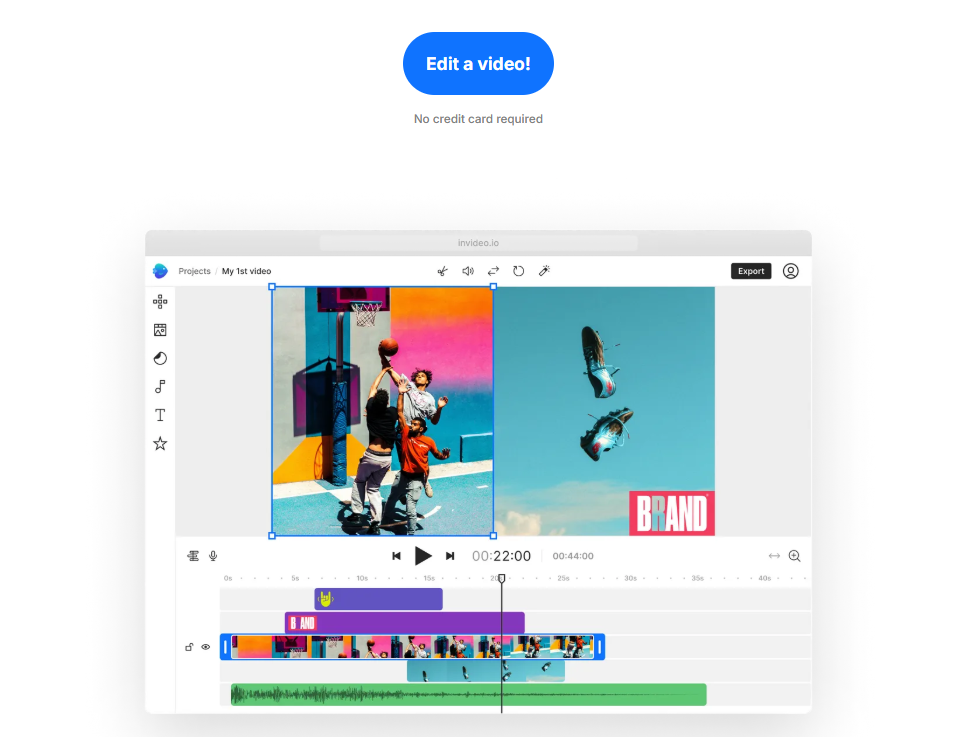
💰 InVideo Plans and Features
Let’s break it down quickly. Here's what you get from each plan:
- Free Plan ($0/month): 10 minutes/week of AI generation, 4 exports/week (with watermark), 10 GB storage. Best for basic testing.
- Plus Plan ($28/month): 50 minutes of AI generation/month, 100 GB storage, unlimited exports, up to 1 user.
- Max Plan ($48/month): 200 AI minutes/month, 400 GB storage, more voice clones, still limited to 1 user.
- Generative Plan ($96/month): All Max features + 15-minute generative AI video capability—ideal for power users, but again, officially supports only 1 user.

Hence, it makes sense why many users explore InVideo shared account pricing for teams, and how to invite team members to an InVideo shared account using secure third-party solutions.
In short, while InVideo multiple users login isn’t directly built into the pricing structure, that doesn’t mean it’s impossible. You just need to do it smart—and safely.
Would you like me to proceed with Section 2: What’s the Difference Between Account Sharing and Group Buying?
What’s the Difference Between Account Sharing and Group Buying?
If you’ve been Googling “how to share an InVideo plus account or InVideo Generative account with team members”, chances are you’ve also come across two common terms: account sharing and group buying. While they might seem similar on the surface, they’re actually quite different—especially when it comes to InVideo shared account use.
So, what’s the real difference? Let’s break it down in a way that makes sense, especially if you’re juggling content creation with a tight budget and a small team.
🤝 Account Sharing: One Account, Trusted Access
InVideo account sharing is when a single InVideo account—say, a Generative plan—is used by multiple trusted team members. Maybe you’re a freelance video editor working with a remote assistant, or part of a marketing team handling three brands. You log into the same account (sometimes from different locations), and share the tools, exports, and storage together.
The goal? Efficiency, consistency, and cost control.
Tools like DICloak help make sharing InVideo account access smoother and safer. They allow multiple users to collaborate without triggering security warnings or risking the account being flagged. It’s a practical solution when the team is small, close-knit, and aligned.
Still asking yourself, “Can you share InVideo plus account without breaking the rules?” Technically, yes—if done carefully and securely, using best practices like limited access, same-location login proxies, and user rotation. That’s why more people are looking for InVideo plus account or InVideo Generative account sharing best practices for video production teams.
🛒 Group Buying: Stranger Danger?
Now here’s where things shift: Group buying is when strangers—often organized through Telegram, Discord, or group buy sites—split the cost of a single InVideo plan. Think of five random users from five different time zones using one login.
Sounds cheap? Sure. Sounds risky? Absolutely.
While this method lets many people enjoy the perks of a premium InVideo shared account, it also raises red flags:
- You don’t know who’s logging in when.
- If someone abuses the system, the whole account gets suspended.
- InVideo’s system might detect inconsistent access patterns, especially if you’re using the same login across multiple IPs and devices.
Unlike small-scale InVideo multiple users setups among known teammates, group buying is often against platform policy and can result in bans. So if you care about long-term access, avoid this.
💡 Which One’s Better?
If you’re weighing “InVideo shared account vs. individual account: which is better?”, think about control and trust.
| Criteria | Account Sharing (Trusted Team) | Group Buying (Strangers) |
| Trust Level | High (within known users) | Low (random people) |
| Security Risk | Low with tools like DICloak | High – potential account lock |
| Cost Efficiency | Moderate to High | High, but risky |
| Compliance | Often acceptable if smart | Often violates TOS |
So, if your goal is sharing InVideo plus or Generative account for collaborative video editing in a way that’s safe, smart, and still cost-efficient, account sharing with the right tools is your best bet.
And if you’re thinking of inviting others, yes—you can invite team members to an InVideo shared account if you do it strategically.
Still wondering “how to invite team members to an InVideo plus shared account” the right way? Don’t worry—our next section will walk you through it, step-by-step.
Would you like me to continue with the next section: "How to Share an InVideo Generative Account Safely?"
How to Share an InVideo Generative Account Safely?
Platforms like InVideo keep a close eye on user activity. They track things like login behavior, IP addresses, and even device fingerprints to spot unusual usage patterns. If too many people are logging into the same InVideo account from different places or devices, it could lead to account restrictions or even a full ban. That’s where DICloak antidetect browser helps make InVideo account sharing safer, easier, and more private.
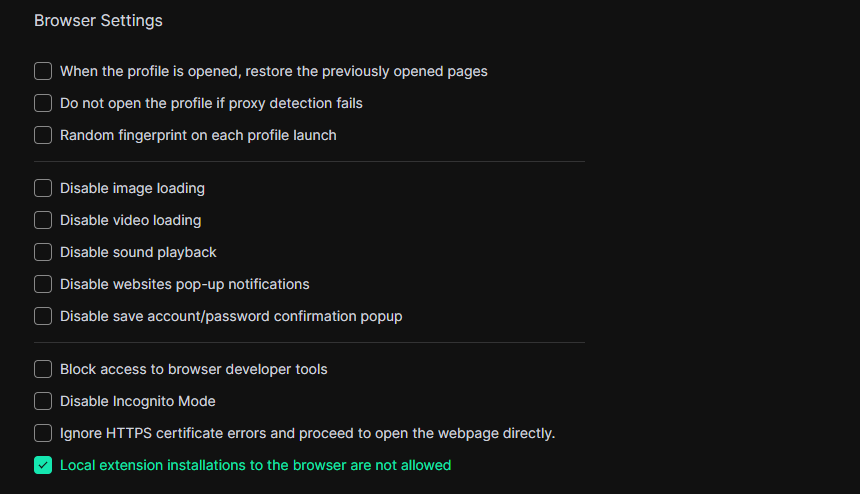
Prohibit members from installing/uploading browser extensions
Browser extensions can pose security risks, as some may steal data or compromise your account. By blocking them, you ensure team members can’t install anything that might jeopardize the account or monitor user activity.
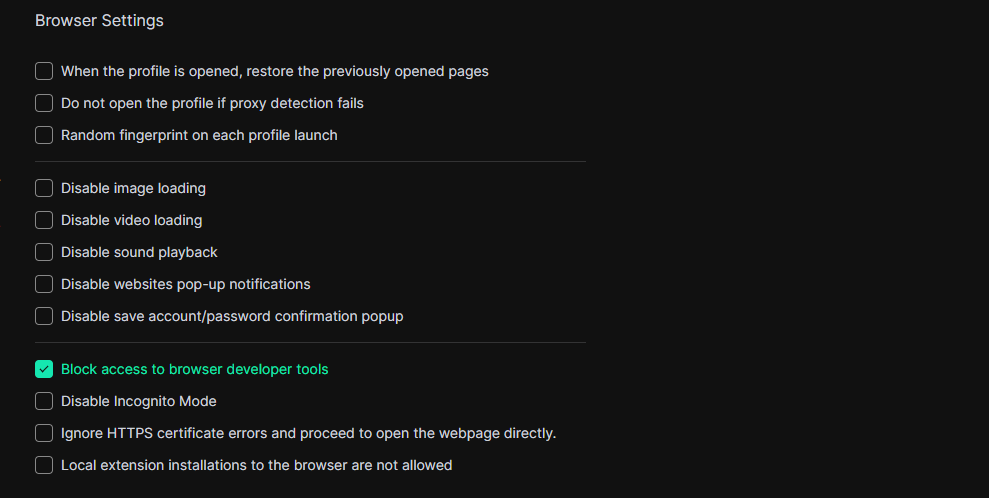
Prohibit members from accessing browser developer tools
Developer tools allow users to view and modify website data, which can be exploited to hack accounts or extract sensitive information. Restricting access helps prevent any tampering with security settings and keeps the shared account protected.
Prohibit members from visiting blacklisted websites
Some websites can be unsafe, distracting, or against company policies. Blocking access to blacklisted sites helps keep users focused and prevents security risks like phishing attacks or malware infections.
Additionally, restricting access to sites like the Chrome Web Store can prevent team members from installing unauthorized extensions.

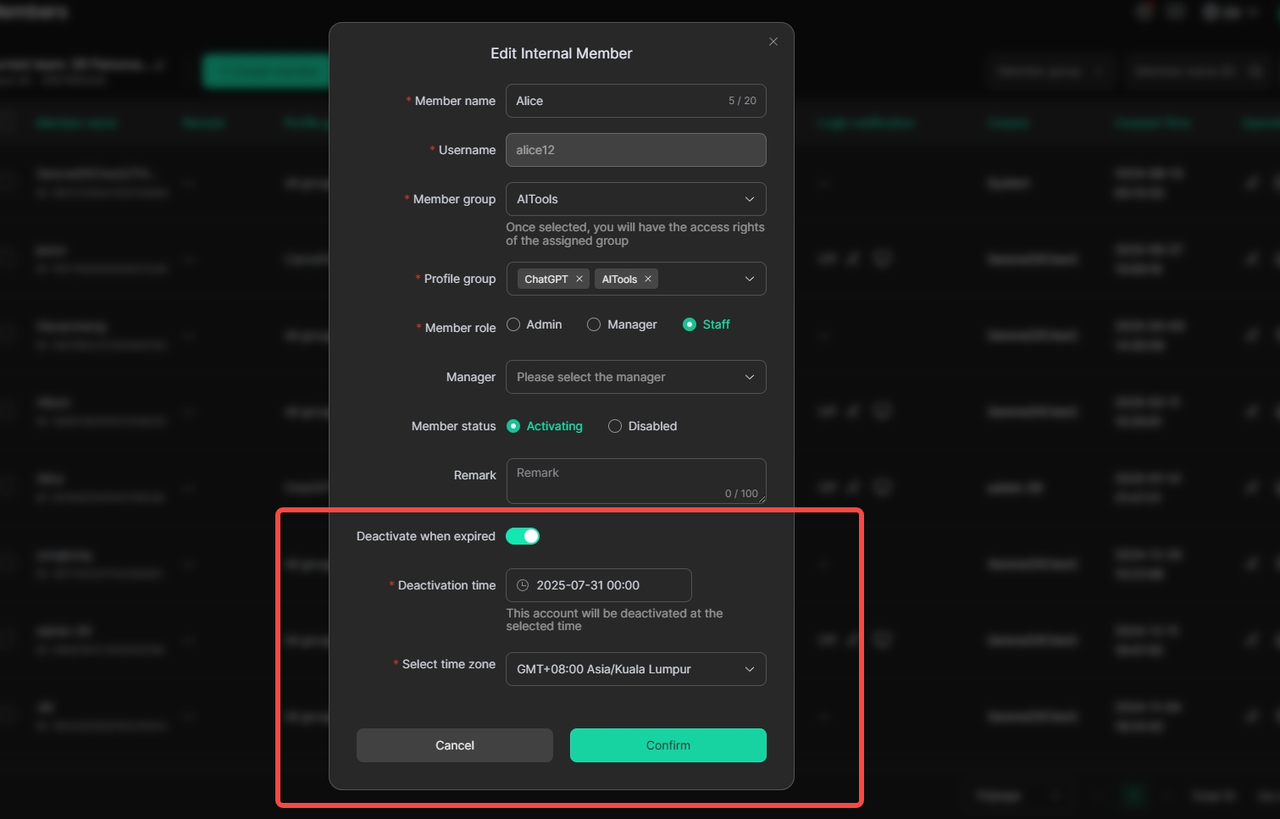
Set automatic deactivation when creating a member account
This feature automatically disables accounts when they are no longer needed. It ensures that former users don’t keep access, reducing security risks and making account management easier.
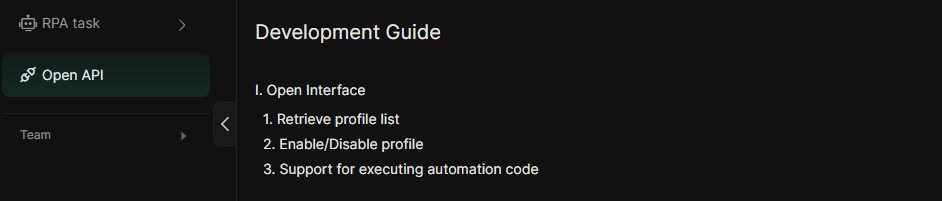
Open API support for automated creation/deactivation of members
With API support, businesses can automate user account management. New users can be added or removed quickly, without manual work, keeping access secure and efficient.
Because the app is updated frequently, the version restriction feature ensures that all team members are using the latest version, helping to reduce issues related to profile access.

Quick Guide: How to Share InVideo Generative Account Using DICloak
Step 1: Download and Register the DICloak Antidetect Browser
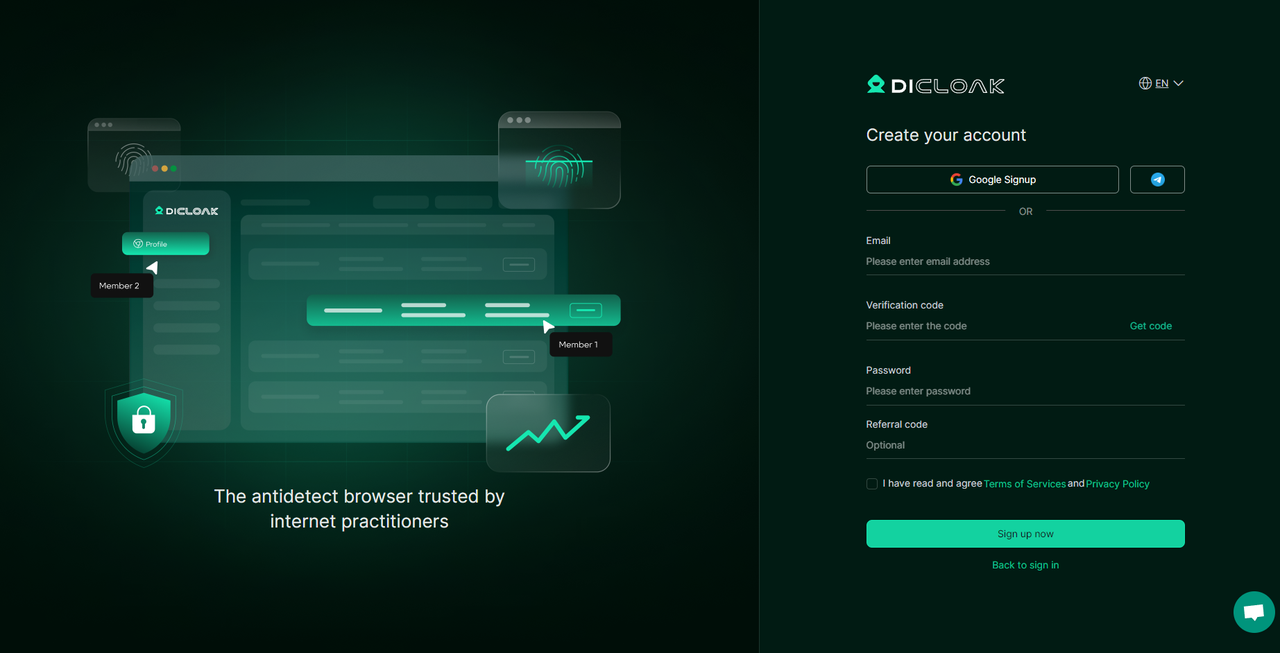
First, download and install the DICloak Antidetect Browser on your PC. Complete the registration and log in. We support quick sign-up via Google and Telegram.
Step 2: Subscribe to a paid plan based on your needs
Depending on how many people you want to share your InVideo Generative account with, choose a plan that fits your usage. We recommend the Share Plan or Share Plan+, both designed for accessing your InVideo Generative share account with multiple members(unlimited).
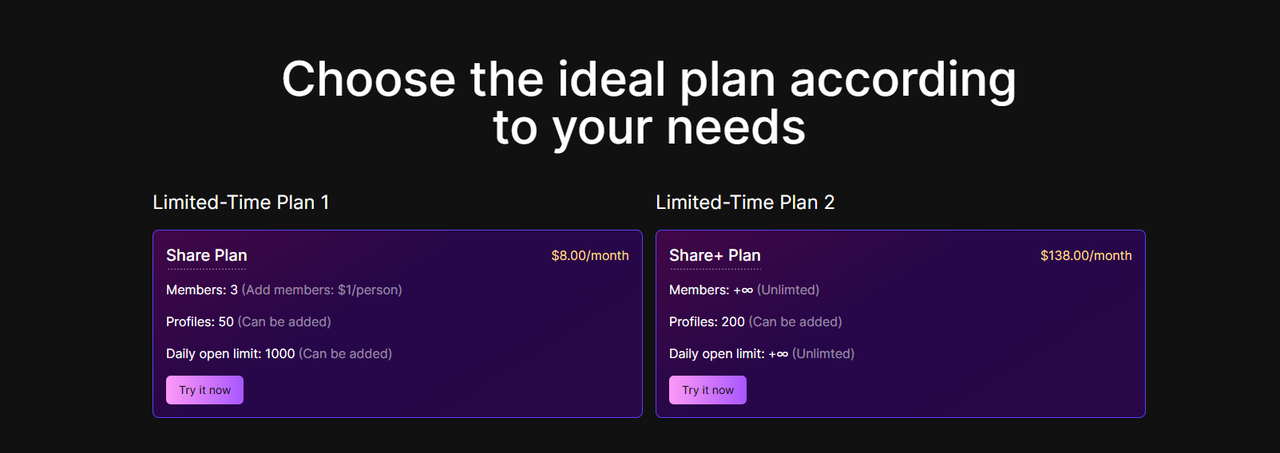
Not sure which DICloak's plan is best for your needs? This guide breaks it down so you can make the best choice.
Step 3: Create a Clean Browser Profile for the Shared Account
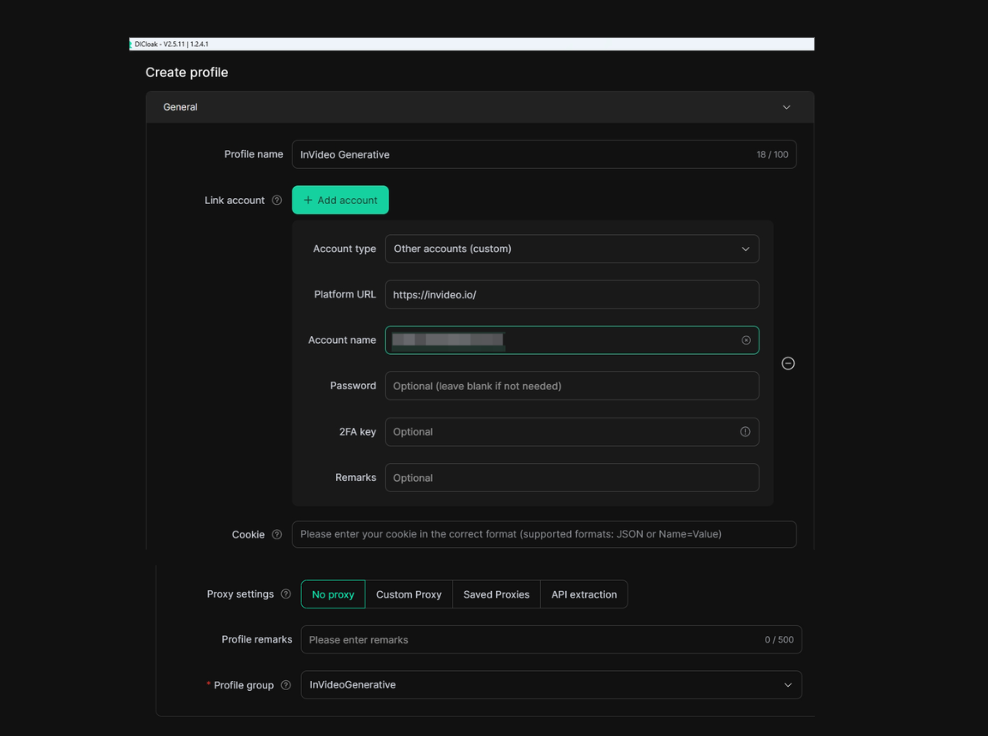
Once you're logged into DICloak, head to the dashboard and create a new browser profile. Fill in basic details like:
- Profile name
- Linked InVideo account info (optional)
- Assigned profile group
Setting up a static residential proxy is highly recommended; it helps keep the login IP consistent, which reduces the chance of InVideo detecting suspicious login behavior.
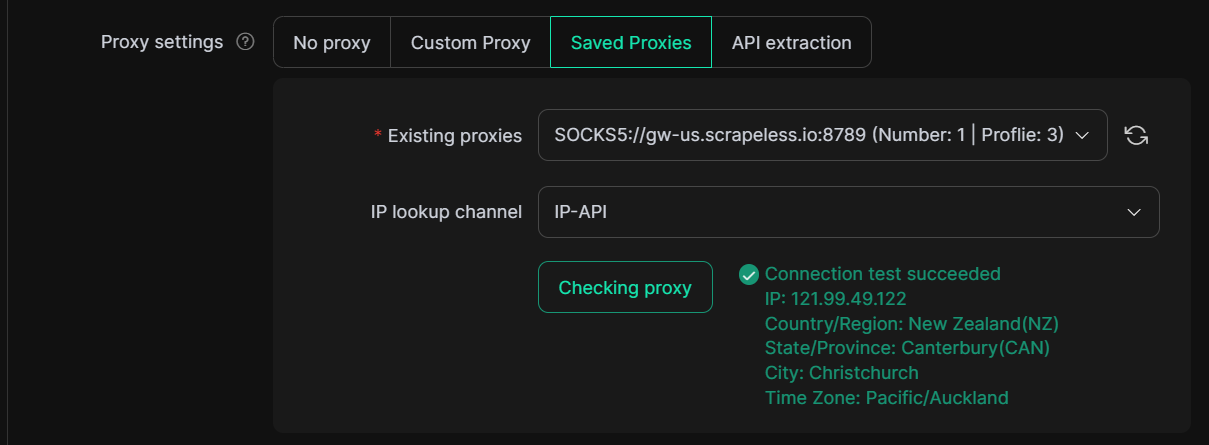
💡 Why is a static proxy important for InVideo account sharing?When multiple people share a InVideo Generative account from different locations, InVideo’s system may detect this and block access. A static proxy ensures all logins appear to come from the same place, keeping your InVideoshared account safe and uninterrupted.
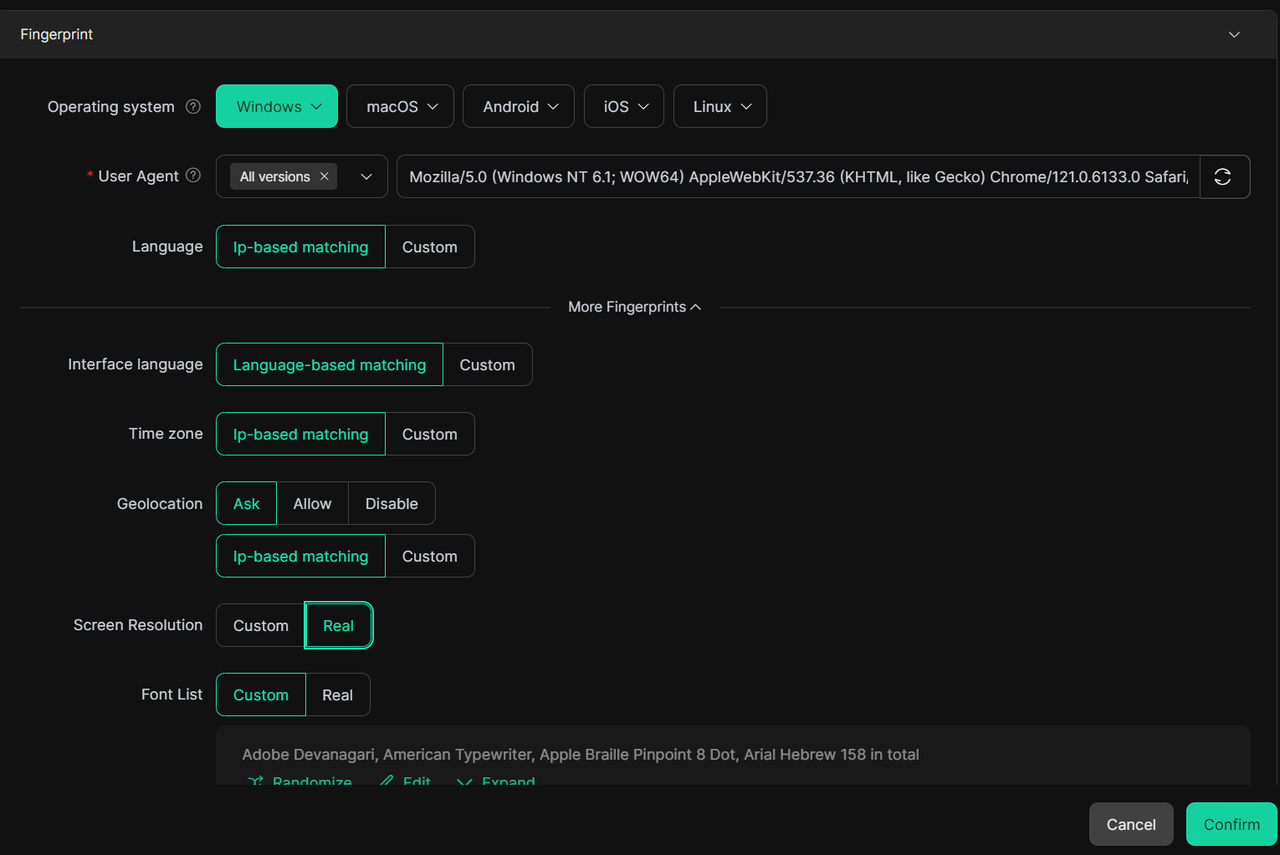
Then, customize your fingerprint settings — from OS and user agent to language, timezone, WebGL, device memory, and more. DICloak supports 20+ fingerprint configurations to help you stay undetected.
In the Advanced Settings, make sure to turn on the Multi-open feature to allow several users to access the shared profile at the same time. It is perfect for InVideo Generative account sharing across distributed teams.
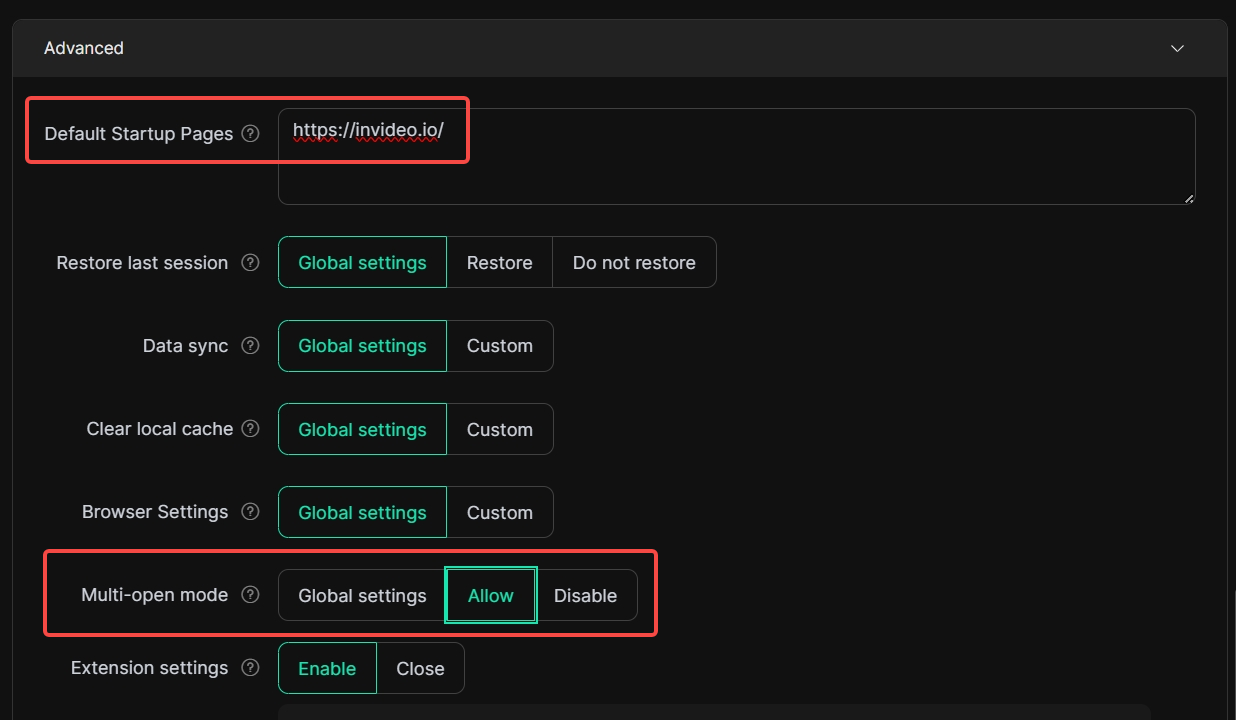
You can also set default websites (like https://invideo.io/) to auto-open whenever the profile is launched.
Step 4: Log into the InVideo Generative Account Once

Open the newly created browser profile and log into your InVideo Generative account. This will store login credentials and cookies, so team members won’t need to enter them again later.
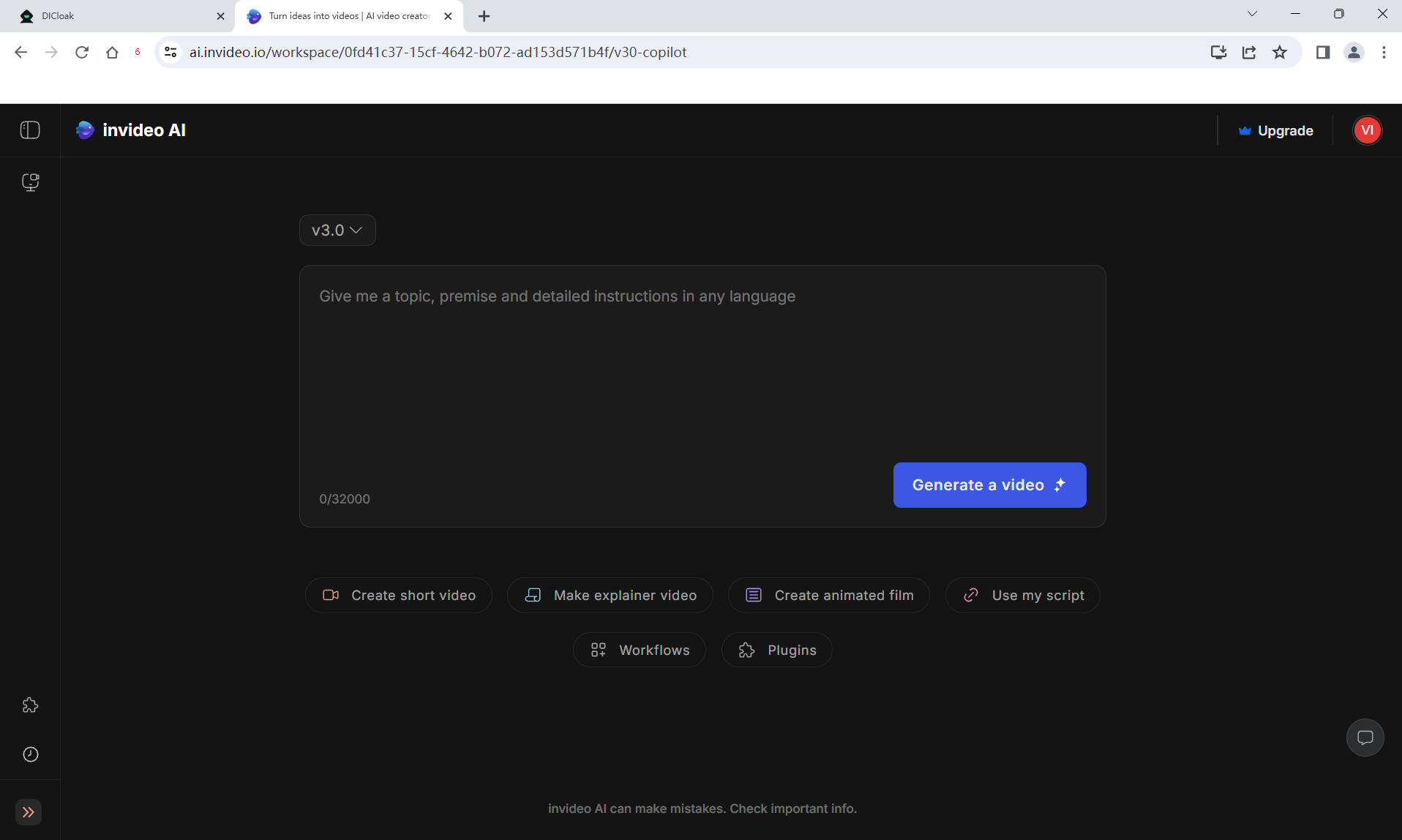
Tip: Enable cloud sync to store login sessions safely and ensure every member can access the InVideo Generative shared account without issues.
Step 5: Configure Global Browser Settings for Safe Account Sharing
To protect your InVideo Generative account and prevent accidental exposure, go to the global browser settings and adjust:
- Disable pop-up and account password notifications
- Block access to developer tools
- Turn off the ability to install local extensions
- Turn on Multi-open mode
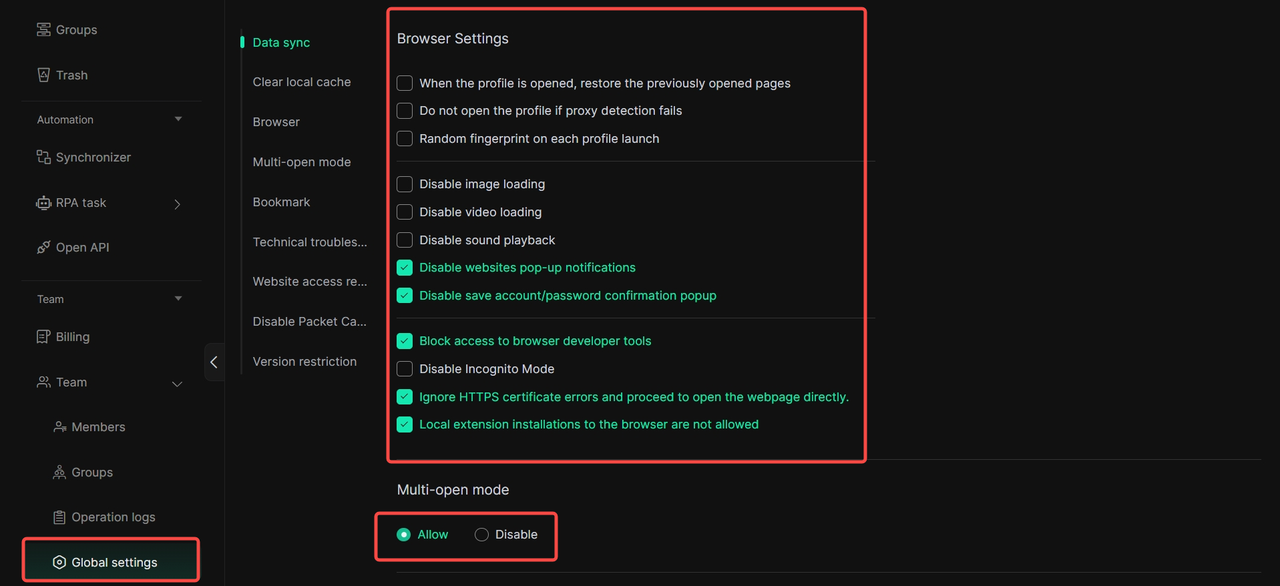
All these extra precautions ensure your InVideo Generative share account remains secure, especially when used by multiple people.
Step 6: Create Team Members and Set Permissions
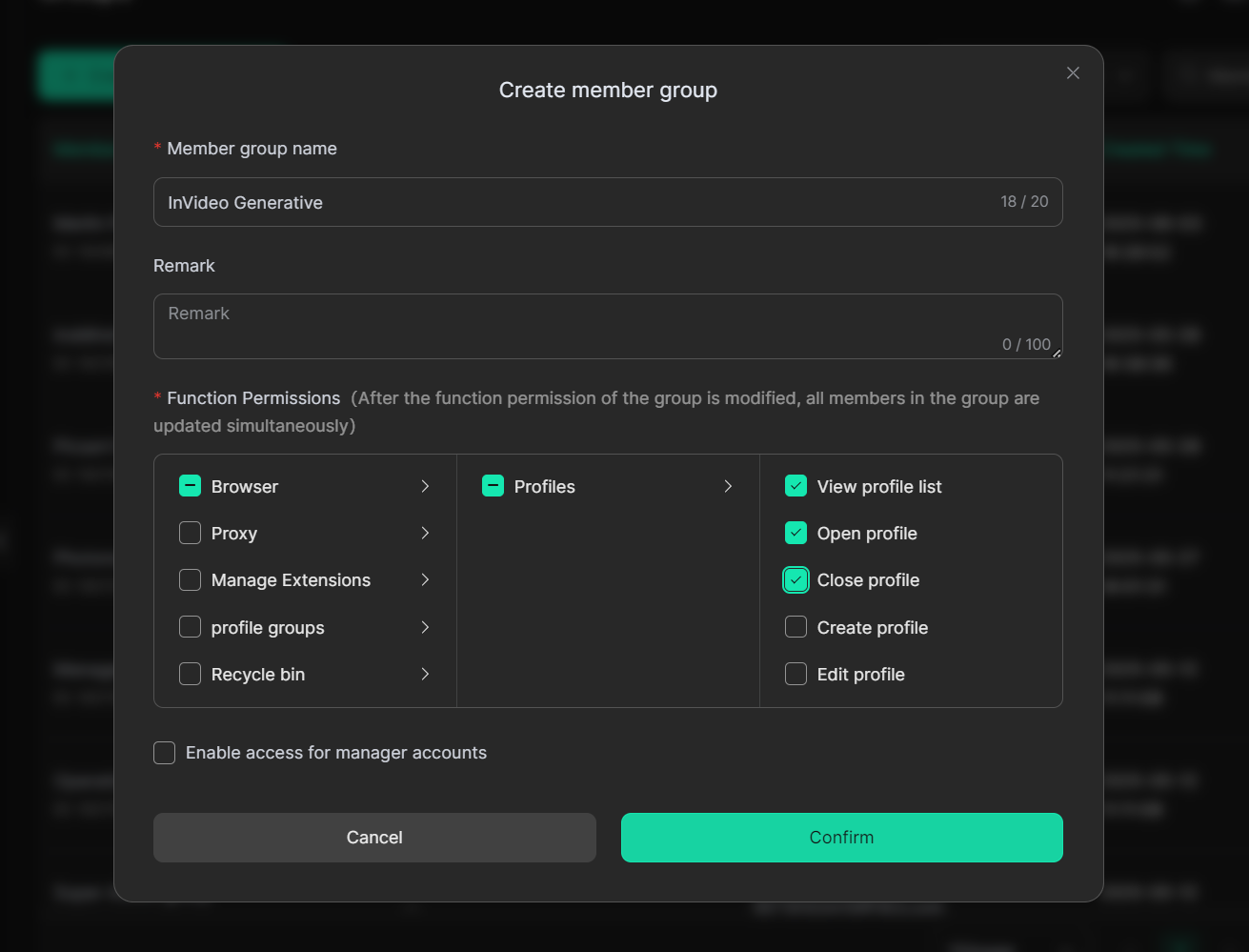
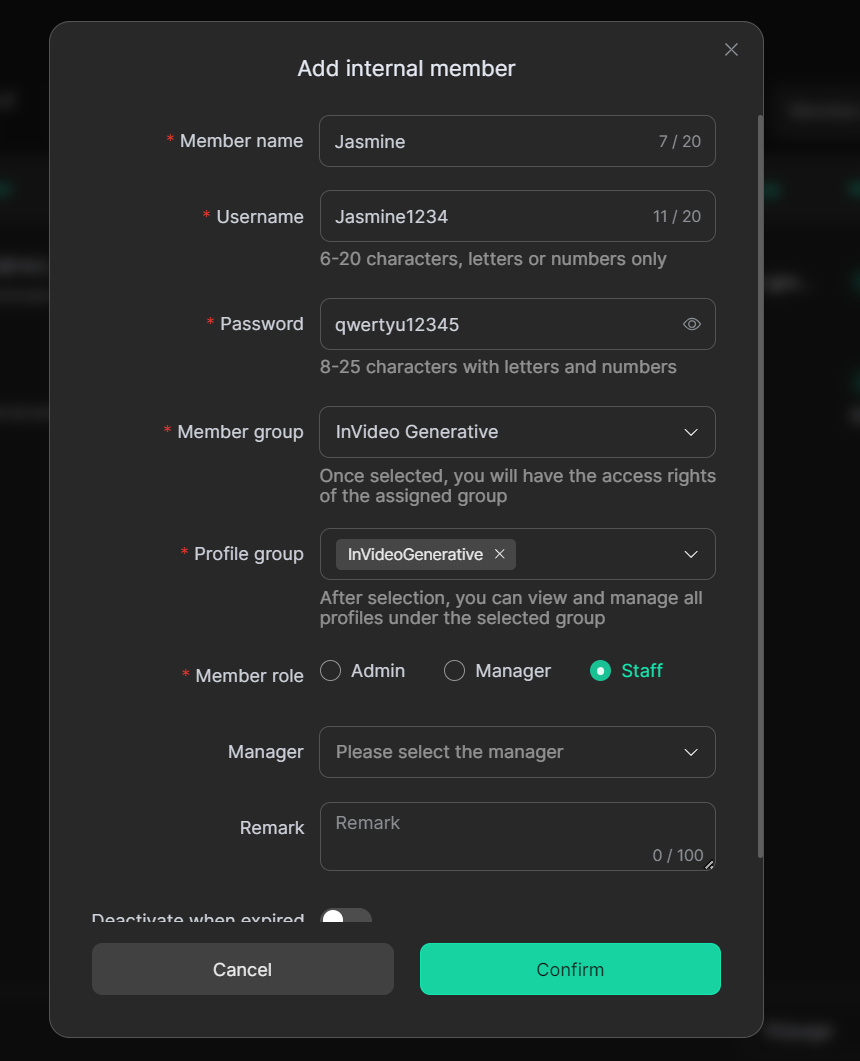
Now, it’s time to invite your team. Start by creating a Member Group, and assigning basic permissions like opening or closing profiles to each member.
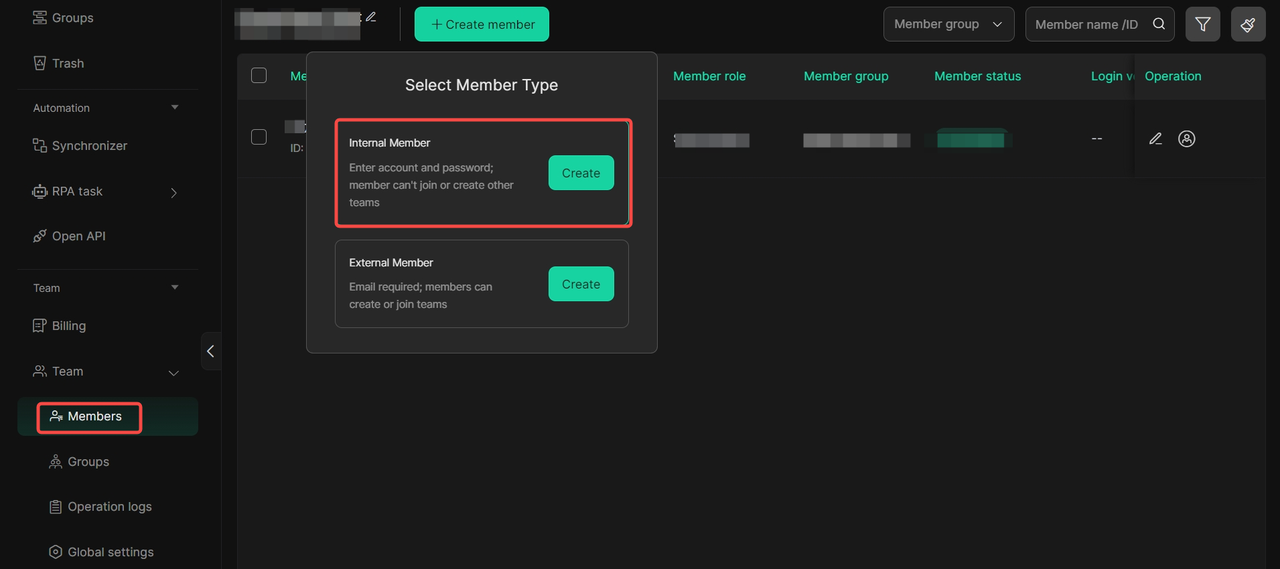
Then go to Member Settings → Internal Members, and add your teammates. Assign them to the correct Profile Group and Member Group, and define their roles.
And then go to "Edit Internal Member" , choose "Activating" on the Member status, turn on "Deactivation when expired", and arrange a "Deactivation time" for your member.

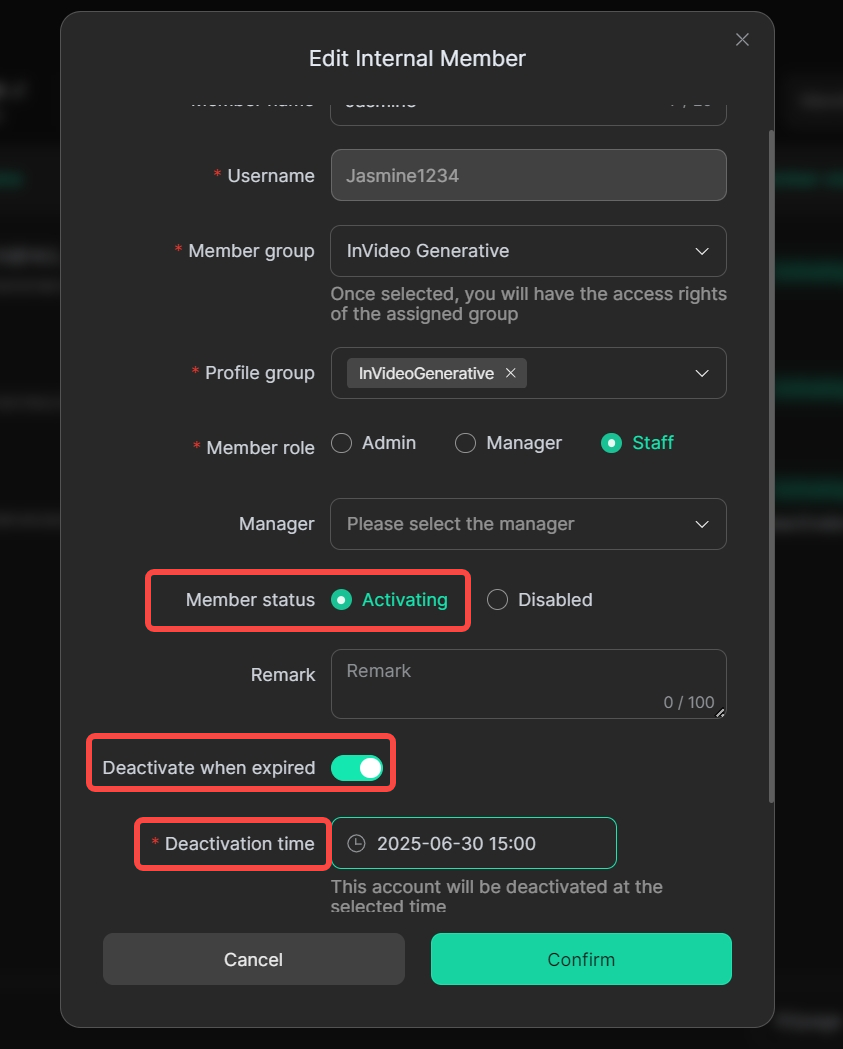
Once done, your invited members' accounts are activated successfully and simply share the login credentials with your team members.

This setup makes it easy to manage who can use the InVideo Generativeshared account, and prevents unauthorized access or misuse.
Step 7: Start Using the InVideo Generative Shared Account
That’s it! Your team members can now automatically log into DICloak with their username and password, click "open",press the button "login" and start using the InVideo Generative account profile you prepared.
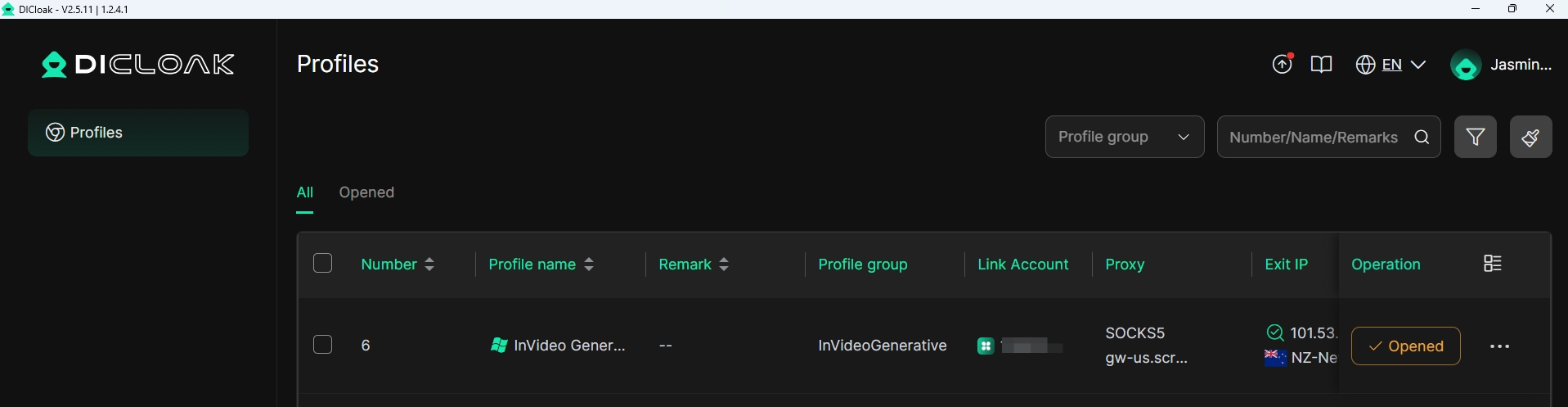
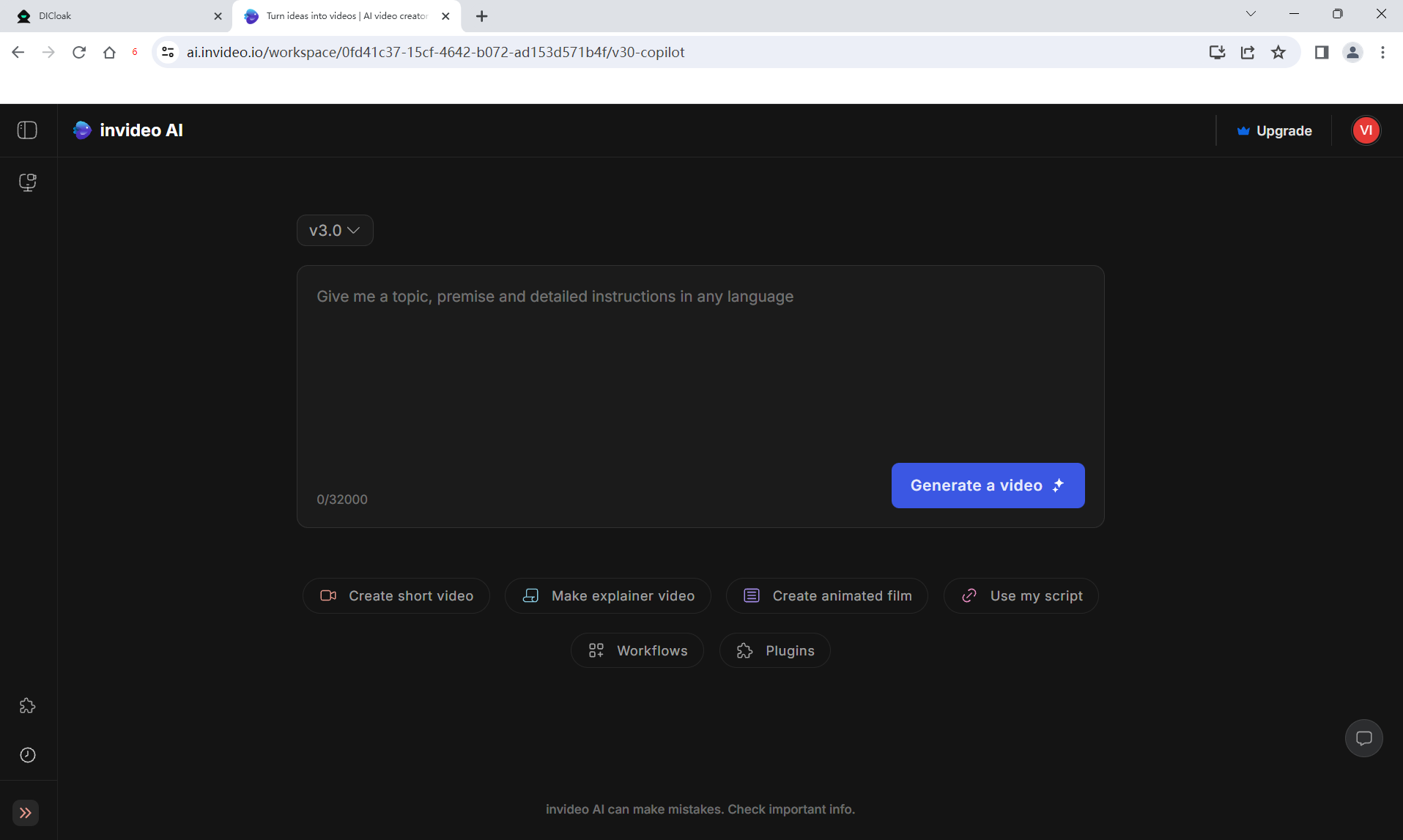
With DICloak, it’s never been easier to share a InVideo Generative account or any AI tools account securely. No more worrying about multiple logins from different members or getting your account flagged — everything is optimized for smooth InVideo Generative account sharing.
Final Thoughts
InVideo Generative account sharing can unlock powerful collaboration without busting your budget—just remember to use smart methods and tools like DICloak to keep everything secure. By following the steps above, you’ll ensure that multiple team members can work together seamlessly on one account while avoiding bans or unauthorized access. DICloak’s fingerprint management and proxy features make it easy to protect your login credentials and maintain a single-user appearance, so your InVideo Generative account stays safe and uninterrupted. Ready to boost your team’s video production and save money? Give DICloak a try today and experience truly secure InVideo account sharing.
Share InVideo Account FAQs
Can I share an InVideo account with my team?
Yes. While InVideo plans are officially single-user, you can share access securely using tools like DICloak to simulate a single-user environment.
Is InVideo account sharing allowed?
InVideo’s terms support one user per license. However, safe account sharing among trusted teammates is possible if you follow best practices and use security tools.
How many users can access an InVideo account at once
Officially one, but with DICloak or similar solutions, 2–5 trusted users can share a single InVideo account safely without triggering flags.
What are the risks of an InVideo shared account?
Risks include account suspension if multiple logins appear suspicious. Using fingerprint masking, static proxies, and limited device access minimizes those risks.
How to share an InVideo account safely?
Use DICloak for fingerprint management, static proxy configuration, and permission settings. This ensures InVideo multiple users login mimics a single-user profile.
Can group buying an InVideo account work?
Group buying (sharing with strangers) is risky and often violates InVideo’s policy. It can lead to inconsistent access patterns and account bans.
Is DICloak safe for InVideo account sharing?
Yes. DICloak’s features—like proxy support, fingerprint customization, and controlled member permissions—keep your InVideo shared account secure and uninterrupted.
 Web Proxy Tools
 Free Tools
 Cookie Plugin
 UA Generator
 MAC Address Generator
 IP Generator
 IP Address List
 2FA Code Generator
 World Clock
 Anonymous Check
 WebRTC Leak Test
 UUID Generator
 Free Web Proxy Site
 Proxy Checker
 FB Ad Checker
 AI Web Scraping
 Free SMM Tools
 Twitter Shadowban Checker
 Instagram Name Checker
 UTM Generator
 Username Generator
 AI Hashtag Generator
 LinkedIn Headline Generator
 Social Media Image Resizer





