Every action you take online, from visiting a website to clicking a link, leaves a digital trace. While most of us are familiar with the concept of cookies, a more powerful and persistent technology is at play: device fingerprinting. This sophisticated method allows websites to identify and track your device with remarkable accuracy, often without your knowledge or consent.
This guide provides a simple, comprehensive explanation of what device fingerprinting is and how it works. We will explore its common uses, from enhancing security to powering targeted ads, and uncover the significant privacy risks involved. Most importantly, we will outline clear, actionable steps you can take to protect your digital identity and regain control of your online privacy.
What is Device Fingerprinting? A Simple Explanation
Before diving into the risks or benefits, it's crucial to understand what device fingerprinting fundamentally is and how it differs from more familiar tracking technologies like cookies. At its core, it is a method of identification that moves beyond simple files stored on your computer, creating a unique profile of your machine itself.
Defining the Digital Fingerprint
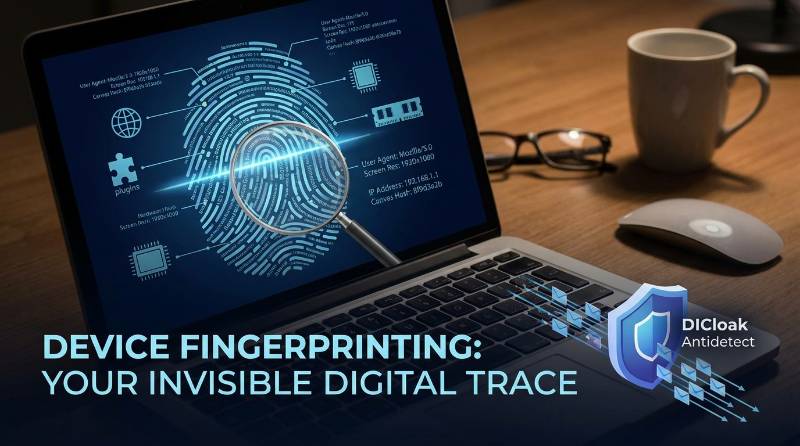
Device fingerprinting is the process of collecting information about a device's unique hardware and software configuration to create a highly specific identifier, or "fingerprint." This technique combines dozens of data points—such as your operating system, browser version, installed fonts, and screen resolution—to form a profile that is distinct among millions of other users.
This method is also known by several other names, including browser fingerprinting and canvas fingerprinting, which refer to specific variations of the core technique. The goal remains the same: to recognize your device each time it visits a website.
How Device Fingerprinting Differs from Cookies
The key difference between device fingerprinting and cookies lies in where the data is stored and who controls it. Cookies are small text files that websites place on your device, which you can easily view, delete, or block. In contrast, a device fingerprint is created by a website and stored on its own servers, making it invisible and much harder for you to control.
| Feature |
Cookies |
Device Fingerprints |
| Storage Location |
Stored on the user's device (client-side). |
Stored on the company's servers (server-side). |
| User Control |
High. Can be easily viewed, blocked, or deleted. |
Very low. The process is invisible to the user. |
| Persistence |
Low. Can be cleared by the user or browser. |
High. More stable and difficult to alter or erase. |
Browser Fingerprint vs. Device Fingerprint
While the terms are often used interchangeably, there is a technical distinction. Browser fingerprinting focuses on collecting data points available through your web browser, such as its version, installed plugins, language settings, and user agent.
Device fingerprinting is a more comprehensive and powerful method. It includes all the data from browser fingerprinting plus information about the entire device, such as its hardware (CPU, GPU, memory), operating system, and network settings (IP address, time zone). This broader set of attributes creates a much more unique and stable identifier, making it a highly effective tracking technology.
This section has defined the "what." Now, let's explore the technical details of how these unique fingerprints are created.
The Mechanics of Device Fingerprinting: How Are You Identified?
The power and accuracy of device fingerprinting come from the sheer variety of data points it collects. While any single piece of information might be common, the specific combination of dozens of attributes makes your device's profile statistically unique. This section breaks down exactly what information is gathered and how it's used to build that profile.
What Information Does Device Fingerprinting Collect?
Websites use scripts to gather a wide range of non-personally identifiable information that, when combined, creates a unique identifier. Here are the key data points collected:
- Browser and Operating System Details
- Browser type (Chrome, Firefox, etc.) and version
- Operating systems (Windows, macOS, Android, etc.) and version
- Language settings (e.g., en-US)
- User agent string
- Hardware Specifications
- CPU type and core count (
hardwareConcurrency)
- GPU details (via WebGL rendering)
- Device memory (
deviceMemory)
- Battery status and level
- Screen and Display Settings
- Screen resolution and color depth
- Touch support capabilities
- Software and Plugins
- List of installed browser plugins and extensions
- List of installed system fonts
- List of supported mime-types
- Network Information
- IP address
- Time zone
- Geolocation data (derived from IP address)
The Step-by-Step Process
Creating and using a device fingerprint follows a clear, four-step process:
- Data Collection: When you visit a website, a script (typically written in JavaScript) runs in the background. This script silently gathers the various device and browser attributes listed above without any action required from you.
- Data Aggregation: All the collected data points are combined into a single, comprehensive profile that represents your device's unique configuration at that moment.
- Hashing: This aggregated profile is then converted into a unique, fixed-size string of characters using a hashing algorithm. This resulting string is the "fingerprint" or "device hash."
- Storage and Matching: The unique fingerprint is stored in a database on the website's servers. On your next visit, the process repeats, and the newly generated fingerprint is compared against the database to see if your device has been seen before.
With this technical foundation, we can now examine the various real-world applications of this technology.
Common Uses of Device Fingerprinting Today
Despite its significant privacy implications, device fingerprinting is not solely used for invasive tracking. Technology serves a variety of legitimate and essential purposes across different industries, from enhancing online security to improving user convenience.
Improving Security and Preventing Fraud
One of the most important applications of device fingerprinting is in the financial and e-commerce sectors to fight fraud. By creating a unique ID for each device, companies can:
- Prevent Financial Fraud: Banks and payment processors can identify suspicious activities, such as multiple accounts being accessed from a single device or transactions originating from a device previously flagged for fraudulent behavior.
- Detect Account Takeover (ATO): If a user attempts to log in from a new, unrecognized device, the system can flag the attempt as high-risk and trigger additional authentication steps, like two-factor authentication (2FA), to verify the user's identity and prevent unauthorized access.
Powering Online Advertising and Analytics
As users gain more control over cookies, advertisers have turned to device fingerprinting as a more persistent alternative for tracking and attribution. It allows them to follow a user's journey across different websites and sessions, even if cookies are deleted.
For example, Anna browsing online for a trip to Paris clicks on a banner ad for a travel agency but doesn't book anything immediately. They close their browser, which may delete any advertising cookies. The next day, they decide to visit the travel agency's website directly and book the trip. Without cookies, the agency couldn't link the sale to the original ad. However, with device fingerprinting, they can recognize the user's device as the same one that clicked the ad, allowing them to accurately measure the ad's return on investment (ROI). Offline interactions like QR code scans can also become part of digital attribution paths, which is why dynamic QR approaches such as QRNow are sometimes used to avoid hard-coding destinations into printed materials.
Personalizing Your Online Experience
Websites also use device fingerprinting to create a more seamless and personalized user experience. By recognizing your device on a return visit, a site can remember your preferences—such as language, theme, or other settings—without requiring you to log into an account. This provides a customized experience while reducing friction for the user.
While these uses offer clear benefits, the same technology introduces significant risks to personal privacy.
The Risks and Downsides of Device Fingerprinting
The same features that make device fingerprinting a powerful tool for security and marketing also create significant risks for personal privacy, autonomy, and fairness online. From the user's perspective, this invisible tracking can feel like a violation of trust and control.
A Major Threat to User Privacy
The most significant risk is the erosion of online privacy. Without your explicit consent or even awareness, companies can use device fingerprinting to build detailed profiles of your online behavior, including your browsing habits, interests, and daily routines. This data can be used for highly targeted advertising, or it can be sold to data brokers and other third parties, creating a comprehensive shadow profile of your digital life that exists outside of your control.
Lack of Control and Transparency
Unlike cookies, which can be managed through browser settings, device fingerprinting operates in the background, leaving users with very little control. There is no simple button to "turn off" fingerprinting and no easy way to know which sites are tracking you.
Ironically, some efforts to protect privacy can make you more identifiable. As noted by Avenga, the more privacy-focused browser extensions (like ad blockers) you install, the more unique your browser's configuration becomes. This makes your digital fingerprint stand out even more, making you easier to track.
The Potential for Unfair Discrimination
The data collected through fingerprinting can be used for more than just advertising. It can lead to price discrimination, where a company charges different customers different prices for the same product or service. For example, a business might infer a user's purchasing power based on their device (e.g., a new MacBook Pro vs. an older budget laptop) or browsing history and adjust prices accordingly. This can result in unfair treatment and a lack of transparency for consumers.
These risks have not gone unnoticed, and regulators are beginning to address the challenges posed by this technology.
The Legal Landscape of Device Fingerprinting
As public awareness of online tracking has grown, governments and regulatory bodies worldwide have started to implement laws that directly impact how companies can use device fingerprinting. These regulations aim to give consumers more control over their personal data.
The General Data Protection Regulation (GDPR) in Europe
Under Europe's GDPR, the data collected to create a device fingerprint is considered "personal data" because it can be used to single out and identify an individual. This classification has major consequences:
- For advertising and marketing purposes, companies must obtain explicit and informed consent from users before collecting fingerprinting data.
- For security purposes, such as fraud prevention, companies may be able to justify data collection under the legal basis of "legitimate interest." However, this interest must be carefully balanced against the user's fundamental rights to privacy.
Privacy Laws in the United States
In the United States, privacy law is more fragmented. The most prominent regulation is the California Consumer Privacy Act (CCPA), which grants California residents specific rights over their data. Under the CCPA, consumers have the right to know what personal information is being collected about them and the right to opt out of the sale of that information to third parties. Companies using device fingerprinting must disclose this practice and provide a clear way for users to exercise their opt-out rights.
While these laws provide a crucial layer of protection, a user's best defense is often a proactive one.
Can You Protect Yourself from Device Fingerprinting?
Completely blocking device fingerprinting is challenging due to its server-side nature, but it is not impossible. While standard privacy tools offer limited protection, there are effective strategies and specialized technologies available that can significantly enhance your online anonymity and privacy.
The Limitations of Standard Privacy Tools
Many common privacy tools are not designed to combat device fingerprinting and are therefore not fully effective.
- Incognito/Private Mode: This mode prevents your browser from saving your history, cookies, and site data locally. However, it does not hide your device's unique characteristics from the websites you visit. Your fingerprint remains just as visible.
- Proxies: While proxies are useful for changing your IP address and location, they address only a single layer of platform detection. Modern fingerprinting techniques still identify users through browser attributes, hardware signals, and system configurations, which proxies cannot conceal on their own.
- Deleting Cookies: This has no effect on device fingerprinting because the identifier is not stored on your device. Clearing your cookies does nothing to prevent a server from recognizing your device's unique fingerprint on your next visit.
The Rise of Anti-Fingerprint Technology
To address the shortcomings of traditional tools, a new category of software has emerged: the anti-detect browser (also known as an anti-antidetect browser). These browsers are specifically engineered to combat device fingerprinting. They work by managing, altering, or "spoofing" the fingerprint data that your browser sends to websites. By either masking your real fingerprint or allowing you to create and manage multiple, entirely new fingerprints, these tools break the chain of tracking and restore user anonymity.
This technology represents a proactive approach to privacy, moving beyond defense to active identity management.
A Proactive Solution: Introducing the DICloak Antidetect Browser
For users looking for a powerful and accessible way to combat device fingerprinting, DICloak presents a user-friendly solution designed to help you take back control of your digital identity. It moves beyond simply blocking trackers to giving you the power to manage how you appear online.
What is DICloak?
DICloak is a specialized antidetect browser built to protect user privacy by allowing you to create and manage multiple, isolated browser profiles. Crucially, each profile works like a private Chrome browser, but functions like a Virtual Machine—faster and cheaper. Each profile you create has its own unique and separate digital fingerprint, making it appear to websites as a distinct, genuine device.
How DICloak Shields You from Tracking
To counteract the data collection detailed earlier, DICloak works by intercepting and modifying (or "spoofing") the key parameters that websites use to build a device fingerprint. This includes critical data points like your IP address, geo-location, cookies, WebGL, WebGPU, and canvas data.
As explained earlier above, your device's unique hardware specifications, such as GPU details gathered via WebGL rendering, are a core part of your digital fingerprint. DICloak directly targets this by altering the data returned, preventing websites from identifying your specific hardware. The outcome is powerful: each browser profile appears as a completely separate and authentic user. This makes it impossible for trackers to link your activity between different profiles or to build a comprehensive history of your browsing habits across various sites.

What Makes DICloak Stand Out?
✅ Manage 1,000+ Accounts on One Device: Stop wasting money on extra hardware! DICloak allows you to manage multiple accounts on a single device, cutting costs and boosting efficiency.
✅ Guaranteed Account Safety, No Ban Risks: Every account gets its own isolated browser profile with custom fingerprints and IPs, drastically reducing the risk of bans. Your accounts, your control!
✅ Flexible Proxy Configuration for Maximum Performance: Seamlessly integrate with all major proxy protocols (HTTP/HTTPS, SOCKS5) and manage your proxy pool with bulk operations. No more struggling with IP management—DICloak has you covered.
✅ Streamlined Team Collaboration for Better Results: Easily manage your team with advanced tools like profile sharing, permission settings, data isolation, and operation logs. Your team works smarter, not harder.
✅ Automate the Grind with RPA: DICloak's built-in RPA saves you hours of manual work. Automate repetitive tasks, streamline workflows, and focus on what really matters—growing your business.
✅ Powerful Bulk Tools to Scale Your Operations: Create, import, and launch multiple browser profiles in one click. DICloak makes scaling your business as easy as it gets.
✅ Compatible with All Major Operating Systems: Based on the Chrome core, DICloak supports simulating Windows, Mac, iOS, Android, and Linux operating systems. No matter what platform you need, DICloak has you covered.
🔗 Ready to Get Started?
Visit the DICloak website to explore more details and choose the plan that’s right for you. Start for free today and experience the power of secure, efficient, and scalable multi-account management!
Who Needs an Anti-Detect Browser like DICloak?
While an anti-detect browser is an essential tool for anyone serious about online privacy, its practical applications extend to a wide range of professional fields where managing multiple digital identities is crucial for success and security.
E-commerce Sellers and Affiliate Marketers
Professionals in the digital marketplace rely on managing multiple accounts to scale their businesses.
- E-commerce Sellers: Sellers on platforms like Amazon, eBay, Lazada, Shopee, and Shopify can use DICloak to safely manage multiple storefronts. By ensuring each storefront operates under a unique digital fingerprint, sellers can avoid triggering automated platform restrictions that are designed to detect multiple accounts originating from a single device hash.
- Affiliate Marketers: Marketers can manage numerous advertising accounts across different platforms (like Facebook or Google) without the risk of their accounts being linked and banned. This isolation is critical for mitigating risk, as a flag on one account won't jeopardize the entire operation.
Digital Agencies and Social Media Managers
Agencies that handle online accounts for multiple clients face significant security and operational challenges. DICloak allows them to:
- Manage multiple client accounts on social media and advertising platforms from one dashboard securely.
- Work efficiently without constantly transferring sensitive passwords or logging in and out of different accounts, thereby preventing account locks and improving workflow.
Privacy-Conscious Individuals
Beyond professional use cases, DICloak is the ideal solution for any individual who wants to take a definitive stand against pervasive online tracking. It provides the technical means to prevent advertisers, data brokers, and other third parties from monitoring your online activity, building the detailed profiles discussed in this article, and monetizing your personal data without your consent.
Frequently Asked Questions about Device Fingerprinting
Here are answers to some of the most common questions about device fingerprinting and online privacy.
Is the device fingerprinting illegal?
It is not inherently illegal, but it is heavily regulated in many parts of the world. Laws like Europe's GDPR require companies to get explicit user consent before using fingerprinting for advertising or marketing. However, its use for security purposes, such as fraud prevention, is often permitted under the justification of "legitimate interest."
Can incognito mode or a proxy prevent device fingerprinting?
No. A proxy focuses on IP masking and traffic routing, while modern fingerprinting relies on many other signals such as browser configuration, system attributes, and hardware-related data. Incognito mode only affects local storage behavior and does not change the fingerprint information that websites can collect.
Is device fingerprinting only used for malicious purposes?
No, it has important legitimate uses, including preventing bank fraud, securing accounts for takeovers, and personalizing website content. The primary privacy concern stems from its use for cross-site tracking and profiling for advertising without clear user consent.
Why is device fingerprinting becoming more common than cookies?
It is gaining popularity because users can easily delete or block cookies, and many browsers are actively phasing out third-party cookies. Device fingerprinting is far more persistent and difficult for the average user to control, making it a more reliable tracking alternative for advertisers and data collectors.
How can I see my own device fingerprint?
Several online tools can analyze your browser and show you what information is being exposed and how unique your fingerprint is. Websites like Panopticlick and iphey.com are examples where you can check your browser's configuration and see how easily you can be identified.
Conclusion
Device fingerprinting has quietly become one of the most powerful and pervasive tracking technologies on the internet, largely replacing cookies as the preferred method for identifying users. While it plays a crucial role in legitimate functions like fraud prevention, its capacity for persistent, cross-site tracking poses a significant and undeniable risk to personal privacy.
The balance between security and privacy is delicate, but you are not powerless. Standard tools like proxies and incognito mode offer only partial protection. To truly reclaim your digital autonomy, a proactive strategy is required.
An anti-detect browser like DICloak represents the most effective defense, allowing you to control how you appear online and sever the links that trackers use to follow you. By taking charge of your digital identity, you can browse with confidence that your privacy is protected. To get started, DICloak offers a free plan, making it easy for anyone to take the first step toward a more secure and private online experience.
 Web Proxy Tools
 Free Tools
 Cookie Plugin
 UA Generator
 MAC Address Generator
 IP Generator
 IP Address List
 2FA Code Generator
 World Clock
 Anonymous Check
 WebRTC Leak Test
 UUID Generator
 Free Web Proxy Site
 Proxy Checker
 FB Ad Checker
 AI Web Scraping
 Free SMM Tools
 Twitter Shadowban Checker
 Instagram Name Checker
 UTM Generator
 Username Generator
 AI Hashtag Generator
 LinkedIn Headline Generator
 Social Media Image Resizer