Why Is LinkedIn the Best Platform for Lead Generation?
LinkedIn is one of the strongest platforms for B2B lead generation because it connects businesses with professionals who research products, manage budgets, and make buying decisions. Unlike social platforms built mainly for entertainment, LinkedIn focuses on careers, business news, and professional relationships. This makes it easier for companies to find people who may need their products or services.
In 2026, LinkedIn has more than 1.3 billion professionals, according to its March 2026 engineering update. This large network gives businesses access to people across industries, from software and finance to healthcare and manufacturing. However, successful LinkedIn lead generation is not simply about reaching more people. It is about finding the right professionals, earning their trust, and starting meaningful business conversations.

How LinkedIn’s Professional Network Drives B2B Success
One of LinkedIn's biggest strengths is the professional information people share on their profiles. Businesses can identify potential customers through job titles, industries, companies, and work experience. LinkedIn's advertising tools also support targeting by job title, company, industry, and seniority. For example, a B2B software company selling project management tools can focus on operations managers at growing businesses instead of reaching a broad audience with little interest in its product.
This is especially useful in industries where buying decisions take time and involve several people. Consider a company offering software for life sciences research. A B2B life sciences software LinkedIn marketing lead generation strategy could involve connecting with lab managers, sharing useful content about research data management, and inviting interested professionals to a product demo. By addressing the needs of different decision-makers, the company can build stronger relationships and improve its chances of finding qualified leads.
Common Mistakes That Hurt LinkedIn Lead Generation Results
LinkedIn offers many ways to reach potential customers, but getting attention does not always lead to sales. Some businesses send hundreds of connection requests, post content every day, or use tools to speed up outreach. Yet they still struggle to turn those efforts into real conversations. The problem often comes from how they approach potential customers, not how much time they spend on the platform.
Successful LinkedIn lead generation depends on trust, relevance, and genuine relationships. A poorly written message can make a good prospect lose interest, while an incomplete profile may raise doubts about your business. Understanding these common mistakes can help you improve your outreach and make better use of your LinkedIn network.
Why Generic Connection Requests Fail to Convert
Many sales teams send the same connection message to everyone, hoping that more requests will bring more leads. A message like "Hi, I'd love to connect and tell you about our services" gives the recipient little reason to respond. Busy professionals receive many similar messages, and most will not spend time learning about a product that may not fit their needs. LinkedIn recommends adding personal context to invitations, such as a shared professional interest or a recent interaction. This helps recipients understand why someone wants to connect.
A better approach is to learn something about the person before reaching out. For example, a software sales representative might notice that a research director recently shared a post about managing lab data. Instead of sending a product pitch, the representative could respond to that post with a helpful comment and start a relevant conversation. For a B2B life sciences software LinkedIn marketing lead generation campaign, this approach can help sales teams connect with researchers who face specific data management problems. The goal is to show a real interest in their work before discussing a possible solution.
How Poor Profile Optimization Reduces Credibility
Your LinkedIn profile is often one of the first places potential customers visit after seeing your content or receiving a message. If your profile has no photo, an unclear headline, or little information about your experience, visitors may question whether you can help them. A headline such as "Sales Manager at ABC Company" explains your position but says little about the value you offer. A more useful headline might be "Helping Research Teams Simplify Lab Data Management." This tells visitors who you work with and what problems you help solve. LinkedIn also reports that members with profile photos receive up to twice as many profile views, although more views do not automatically mean more leads.
Your About section should explain your experience, the customers you serve, and the problems you understand. For example, a consultant who helps small businesses improve their sales process could describe the common challenges clients face and share a real project result, with permission. Adding relevant work experience, customer testimonials, and examples of past projects can give visitors more reasons to trust you. It is also important to keep this information accurate rather than filling the profile with repeated keywords. A clear and complete profile makes it easier for interested prospects to understand your expertise and decide whether to contact you.
The Risks of Overusing Automation Tools
Automation may seem like an easy way to expand LinkedIn outreach, especially when a sales team has hundreds of prospects to contact. However, using tools that automatically send connection requests, collect profile data, or generate large numbers of messages can create serious problems. LinkedIn prohibits unauthorized bots, scraping software, and browser extensions that automate activity on its platform. Accounts that use these tools may face temporary restrictions or permanent closure. LinkedIn also warns that sending too many invitations in a short period, or receiving many spam reports, can lead to restrictions.
There is also a business risk beyond account restrictions. Imagine a sales team sending the same automated message to 500 marketing managers without checking their roles or needs. Even if some people respond, many may have no interest in the product, leaving the team with more conversations to sort through but few useful sales opportunities. A better approach is to use approved tools for tasks such as organizing leads, recording customer details, and tracking follow-ups. Keep actual LinkedIn outreach personal and follow the platform's rules. This allows the team to spend less time on administrative work while keeping LinkedIn lead generation focused on relevant prospects and meaningful conversations.
How to Build a LinkedIn Profile That Attracts Leads
Your LinkedIn profile is more than an online resume. It is a place where potential customers can learn about your work, check your experience, and decide whether to contact you. Even if someone finds you through a helpful post or a connection request, they may visit your profile before replying. A clear, professional profile can turn that interest into a business conversation.
For effective LinkedIn lead generation, your profile should focus on the people you want to reach and the problems you can help them solve. Think about what a potential customer needs to know before trusting you. Can they quickly understand your expertise, see examples of your work, and find a way to contact you? These details can make your profile more useful to buyers who are still researching their options.
Which Profile Sections Matter Most for Lead Generation?
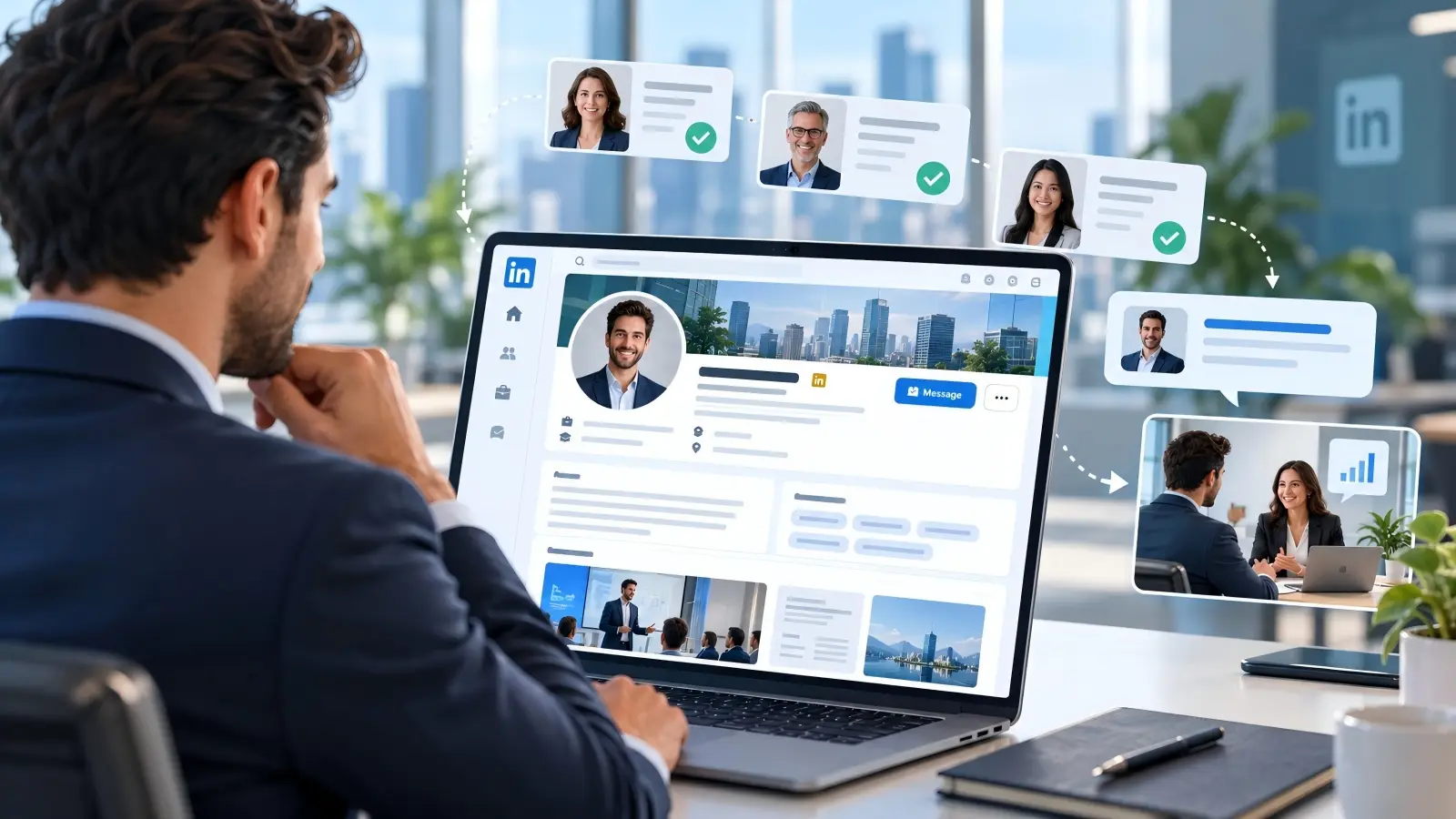
Start with the sections that help visitors understand who you are and what you offer. Your headline introduces your work, while the About section explains your experience and the value you bring to customers. The Experience section should go beyond listing past jobs and show how your work has helped clients or teams. LinkedIn also recommends using relevant skills and professional recommendations to support your claims. Together, these details give potential customers a clearer picture of your background.
For example, someone working in B2B life sciences software LinkedIn marketing lead generation might want to attract lab directors and research managers. Their Experience section could explain how they helped research teams improve data workflows or move from manual records to digital systems. If they have permission, they could include a real customer result or a short recommendation from a research partner. This is more useful than simply writing "Responsible for software sales and customer relationships." Visitors can see the type of work the person understands and whether that experience matches their needs.
How to Craft a Compelling Headline and Summary
A strong LinkedIn headline should tell potential customers who you help and what you help them achieve. Instead of using only a job title like "Business Development Manager," try something more specific, such as "Helping B2B SaaS Teams Find Better Sales Opportunities." This gives visitors a reason to explore your profile, even if they have never heard of your company. LinkedIn's own sales guidance recommends writing headlines around customer needs rather than relying only on job titles. You can also include natural industry terms that your target audience may search for, such as "B2B Sales" or "Life Sciences Software."
Your About section should build on that headline with a short, clear story. Begin with the problem your customers face, explain how your experience helps, and give an example of the work you do. For instance, a software consultant might write: "Many growing sales teams struggle to keep customer data organized. I help B2B companies improve their sales workflows with simple CRM solutions. My work focuses on making follow-ups easier and giving teams a clearer view of their sales pipeline." You can then add a genuine project example and end with a friendly invitation to connect or discuss a business problem. This makes your summary feel like a real introduction rather than a sales advertisement.
What Visuals and Media Can Enhance Your Profile?
Your profile photo and background image help create a first impression before visitors read your experience. Choose a clear, recent photo where your face is easy to recognize, and use a simple background that does not distract from you. Your banner can show something relevant to your work, such as your team, an industry event, or a visual related to your services. For example, a life sciences software specialist could use a professional image of a research workspace rather than a generic stock photo filled with marketing slogans. LinkedIn's sales guidance recommends using background images that help communicate your work and professional identity.
You can also use LinkedIn's Featured section to show visitors real examples of your expertise. A SaaS consultant might highlight a customer case study, a short product demo, and a practical guide that answers common buyer questions. A marketing agency could feature a campaign report that explains the client's goal, the work completed, and the results achieved, with the client's permission. LinkedIn supports featuring work samples such as posts, articles, external links, documents, and videos, although some profile content highlighting options depend on subscription type. Choose a few useful items instead of filling the section with promotional material. When visitors can see what you have done, they have more information to decide whether your services are worth exploring.
How to Identify and Target the Right Audience on LinkedIn
Finding the right people is one of the most important steps in LinkedIn lead generation. Reaching thousands of professionals means little if they have no need for your product or service. Instead of sending messages to everyone, focus on people who are more likely to become customers. LinkedIn offers search tools, professional groups, and industry discussions to help you find and understand your target audience.
How to Define Your Ideal Customer Profile (ICP)
An ideal customer profile (ICP) describes the type of company most likely to benefit from your product. Start by identifying its industry, company size, location, budget, and common business problems. Then look at the people involved in buying decisions, such as department managers, directors, or business owners. This helps you create content and outreach messages that match their needs.
For example, a B2B life sciences software LinkedIn marketing lead generation campaign might target biotech companies with 50–500 employees. The sales team could focus on lab directors who need better ways to manage research data. By understanding these needs, the company can share useful content about lab workflows instead of promoting software features that may not interest potential buyers.
Which LinkedIn Search Filters Help You Find Qualified Leads?
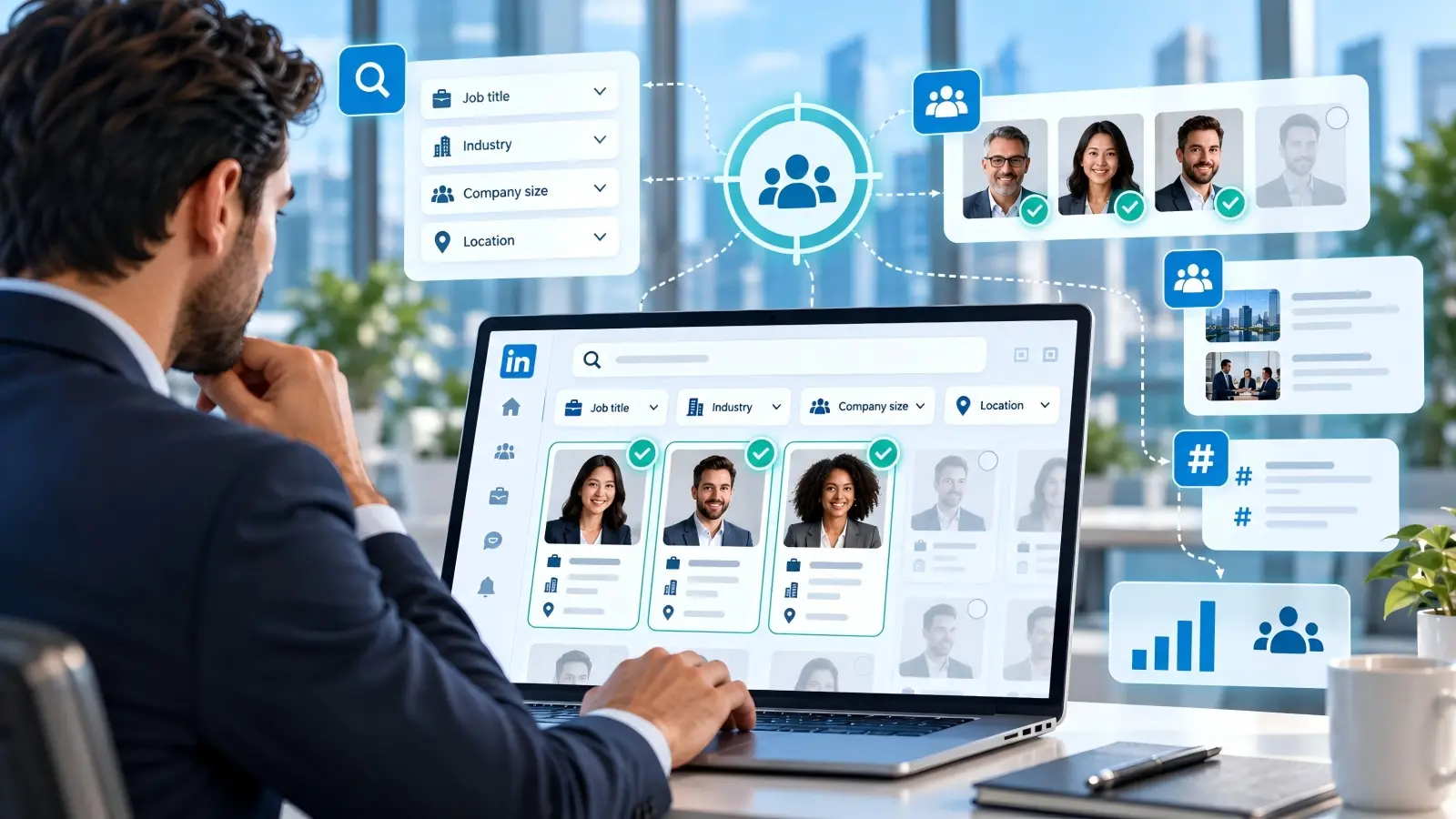
LinkedIn's search tools help narrow your audience by factors such as location, company, and professional connections. For more detailed targeting, LinkedIn Sales Navigator provides filters for job title, industry, seniority, company size, and recent activity. For example, a CRM software provider could search for sales directors at mid-sized technology companies in the United States. The team can then review each prospect's profile to see whether the person fits its ideal customer profile.
Sales Navigator also lets users save searches and find professionals who recently changed jobs or posted on LinkedIn. These signals can help sales teams choose a better time to start a conversation. However, matching a search filter does not automatically make someone a qualified lead. Always check whether the prospect has a relevant business need before reaching out.
How to Use LinkedIn Groups and Hashtags for Targeting
LinkedIn Groups bring together professionals who share an industry, role, or business interest. Search for groups related to your target market, such as biotech research, B2B sales, or digital marketing. Read recent discussions to understand what members care about, then join conversations where you can offer useful advice. For example, a lab software provider might answer questions about research data management rather than immediately promoting its product.
Hashtags can also help you discover industry conversations through LinkedIn content search. Try searching for terms such as #B2BMarketing, #Biotechnology, or #SalesStrategy, and review relevant posts and their commenters. Pay attention to professionals who regularly discuss problems your business can solve. Combining these insights with your ICP can make your LinkedIn lead generation efforts more focused and personal.
Advanced LinkedIn Lead Generation Tactics for 2026
Basic networking and regular posting are good starting points, but growing B2B companies often need more ways to reach potential buyers. In 2026, advanced LinkedIn lead generation strategies can help businesses find the right professionals, expand their reach, and identify new sales opportunities. Three useful approaches include targeted LinkedIn Ads, employee advocacy, and tracking changes at target companies.
How to Use LinkedIn Ads for Precise Targeting
LinkedIn Ads allow businesses to reach professionals based on job title, seniority, company size, industry, and other work-related details. For example, a B2B life sciences software LinkedIn marketing lead generation campaign could target research directors at mid-sized biotech companies. Instead of showing ads to a broad audience, the company could promote a guide about improving lab data management to people who may need it. LinkedIn Lead Gen Forms can then collect contact details through forms filled with information from users' profiles.
Start with a small budget and test different audiences, messages, and offers. Track cost per lead, but also check how many leads match your ideal customer profile and become sales opportunities. A campaign that brings fewer qualified leads may be more valuable than one that collects hundreds of unrelated contacts.
How to Leverage Employee Advocacy for More Reach
Employee advocacy means encouraging team members to share company news, useful insights, and work experiences through their own LinkedIn profiles. People may find advice from a real employee more relatable than a standard company announcement. For example, a software developer could explain how their team solved a common customer problem, while a sales manager could share lessons from working with clients. These different views help potential buyers understand the people and experience behind a business.
A real example comes from Dreamdata, which built a LinkedIn employee advocacy program around authentic video content. According to a LinkedIn case study, its employee content earned over 300,000 impressions in one quarter. This shows how employee voices can support brand reach, although impressions alone do not prove lead generation success. Encourage employees to share genuine experiences rather than asking everyone to repost the same marketing message.
How to Use Job Changes and Company Updates for Prospecting
Job changes, promotions, and company growth can create new opportunities for B2B sales teams. A newly hired marketing director may review existing tools, while a growing company may need better systems to support its team. LinkedIn Sales Navigator helps users track saved leads and accounts, including job changes, new decision-makers, and company updates. Its September 2026 release also expanded access to important sales alerts through LinkedIn notifications.
For example, if a biotech company announces a new research facility, a lab software provider could research the team's plans and identify people responsible for data systems. A sales representative could then start a conversation about the challenges of managing research across multiple locations. The key is to use these updates as a reason to learn about the prospect, not as proof that they are ready to buy. This makes LinkedIn lead generation more timely, relevant, and focused on real business needs.
How Can DICloak Help Manage LinkedIn Lead Generation Workflows?
As your LinkedIn lead generation efforts grow, managing browser sessions, account access, and team workflows can become more complex. For example, a marketing agency may have several team members handling different client projects, each with its own browser settings and work records. DICloak Antidetect Browser is one option teams can consider for organizing these tasks. It offers separate Browser Profiles, proxy settings, team permissions, and workflow tools that may help reduce manual work and keep operations organized.
Keep Browser Profiles and Proxy Settings Organized
Teams working across different projects can create separate DICloak Browser Profiles to organize cookies, browsing data, and browser fingerprint settings. Each Profile can also have its own proxy configuration, allowing users to check connections and manage network settings based on project needs. For example, an agency handling LinkedIn marketing for several B2B clients could use different Profiles to keep each client's approved browser workspace separate. This may help reduce confusion when team members switch between projects, although it does not remove LinkedIn's account or automation restrictions.

Manage Team Access and Account Security
When several employees work on the same lead generation project, clear access rules become important. With DICloak, team managers can assign Browser Profiles to members, set permissions, and review operation logs to better understand team activity. They can also use settings that restrict access to saved passwords, browser developer tools, and extension management. For example, a sales agency could give new employees access only to the Profiles needed for their assigned projects. This may make team handovers easier and help managers maintain more consistent workflows.

Simplify Repetitive Tasks With Workflow Tools
Repetitive browser tasks can take time away from researching prospects and building customer relationships. DICloak provides RPA workflows, a Synchronizer, and API options that users can explore for supported browser tasks. For example, a marketing team could use suitable workflows to prepare browser profiles or carry out routine checks across Profiles, while keeping prospect research and LinkedIn conversations personal. Teams should review each workflow against LinkedIn's policies before using automation, since browser automation features do not make restricted platform activities acceptable.
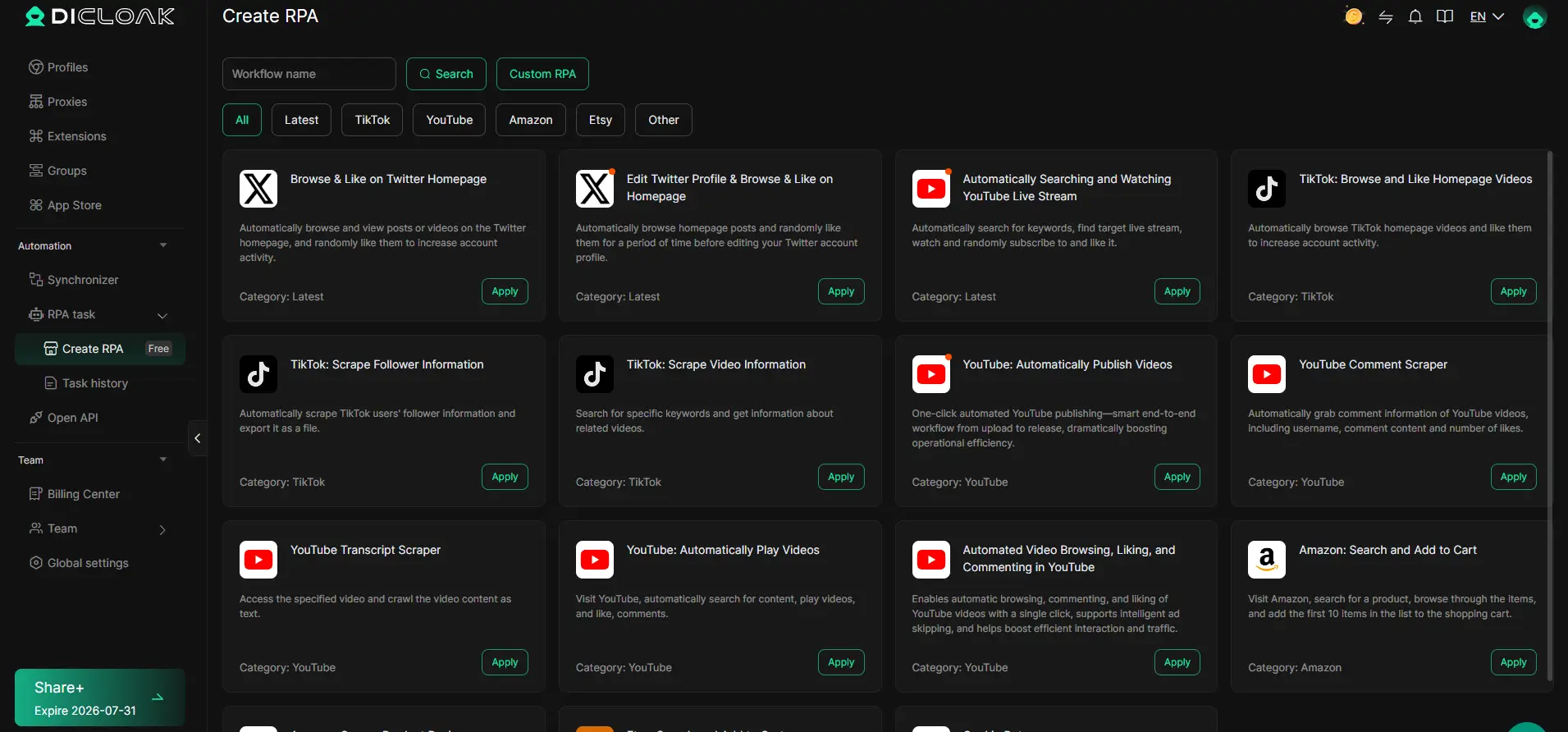
For businesses managing several projects or larger teams, DICloak may be worth exploring as a browser workspace management tool. Its value lies in helping users organize browser profiles, team access, and suitable routine tasks alongside a more personal LinkedIn lead generation strategy.
Frequently Asked Questions About LinkedIn Lead Generation
1. Is LinkedIn effective for B2B lead generation in 2026?
Yes. LinkedIn lead generation can help B2B companies connect with decision-makers, build professional relationships, and find potential customers. Its professional network makes it especially useful for businesses selling software, consulting, and other B2B services.
2. How can beginners generate leads on LinkedIn?
Start by improving your profile, defining your target audience, and sharing useful content. For better LinkedIn lead generation results, send personalized connection requests and focus on building genuine relationships rather than making immediate sales pitches.
3. Is LinkedIn lead generation free?
Yes, you can use LinkedIn's free features to search for prospects, publish posts, and build professional connections. However, paid tools such as Sales Navigator and LinkedIn Ads offer more advanced targeting and lead management options.
4. How long does it take to generate leads on LinkedIn?
LinkedIn lead generation results depend on your industry, target audience, and outreach strategy. Some businesses may receive replies within days, while others need several weeks or months to build trust and turn conversations into qualified leads.
5. Can you automate LinkedIn lead generation safely?
You can use approved tools to organize contacts, track follow-ups, and manage sales workflows. However, unauthorized tools that automatically send messages, collect profile data, or perform LinkedIn actions may violate platform rules. Keep outreach personal and check LinkedIn's policies before using automation.
Conclusion
Successful LinkedIn lead generation in 2026 is about reaching the right people and building relationships that lead to real business opportunities. Start with a professional profile, identify your ideal customers, and share content that answers their questions. Personalized outreach, targeted LinkedIn Ads, and timely follow-ups can help you turn professional connections into qualified leads.
As your efforts grow, focus on quality rather than the number of messages you send. You can also explore tools like DICloak to organize browser profiles, manage team access, and simplify suitable routine tasks. By combining useful content, genuine conversations, and efficient workflows, you can build a more consistent LinkedIn lead generation strategy that supports long-term business growth.
 Web Proxy Tools
 Free Tools
 Cookie Plugin
 UA Generator
 MAC Address Generator
 IP Generator
 IP Address List
 2FA Code Generator
 World Clock
 Anonymous Check
 WebRTC Leak Test
 UUID Generator
 Free Web Proxy Site
 Proxy Checker
 FB Ad Checker
 AI Web Scraping
 Free SMM Tools
 Twitter Shadowban Checker
 Instagram Name Checker
 UTM Generator
 Username Generator
 AI Hashtag Generator
 LinkedIn Headline Generator
 Social Media Image Resizer