You’re probably searching is sellvia legit because the site looks polished, the offer sounds simple, and you still can’t tell if you’re looking at a real ecommerce shortcut or a setup that gets expensive once you start using it.
That hesitation is reasonable. A storefront can be real, the service can still work, and you can still end up with the wrong fit if the pricing, product control, or fulfillment model does not match how you plan to run your store.
The useful question is not just “is Sellvia legit.” It is closer to this: what are you actually buying, what parts of the business stay under your control, and what problems tend to show up after signup? That is also where a solid Sellvia review should focus. If you are comparing “is Sellvia worth it” or checking whether Sellvia dropshipping legit claims hold up, you need more than homepage promises. You need to look at ownership, support expectations, delivery workflow, refund friction, and how dependent your store becomes on one supplier setup.
Start with the basic legitimacy check, then move to the part that affects your decision: how Sellvia works in practice.
What does "legit" mean when people ask about Sellvia?
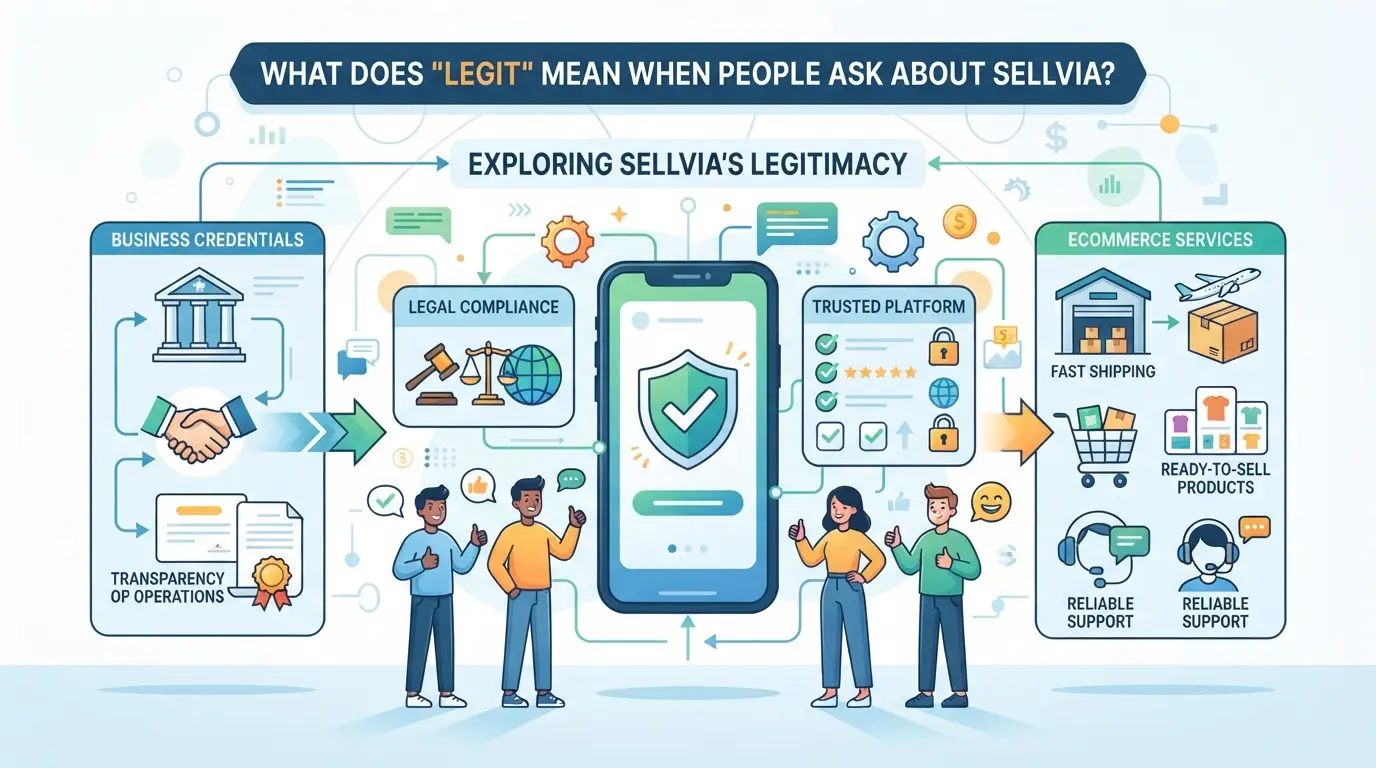
Here, “legit” usually means more than “is this a real company?” People are really asking whether the offer, costs, support, and supplier setup match what they expect after they pay.
The difference between a real company and a good fit
Yes, a service can be real and still be the wrong choice. The mistake is treating legitimacy and fit as the same test. A platform may deliver what it promises on paper, yet still frustrate sellers who expected easier margins, more product control, or faster help when orders go wrong.
The four checks that matter most
The useful check is practical, not emotional. Look at four things: how the business model works, who handles fulfillment, what you actually pay beyond the headline offer, and what happens when you need help or want a refund. This is where a Sellvia review gets real. A common failure case looks like this: someone signs up thinking they are buying a simple done-for-you store path, then finds they still need to handle ads, pricing decisions, customer issues, and store changes themselves. Another weak spot is pricing clarity. If setup fees, app costs, transaction fees, or add-on services were only half-understood at signup, disappointment shows up later as “scam” claims, even when the service itself is operating as sold. The same goes for support. Slow or narrow support can feel dishonest when the buyer expected hands-on business coaching instead of platform support.
Why dropshipping platforms often get mixed reviews
Mixed reviews usually come from a gap between the sales message and the daily work of running a store.
- If someone expects passive income, normal ecommerce tasks feel like a broken promise.
- If product sourcing and shipping depend on one setup, delays or stock issues hit trust fast.
- If the offer sounds simple, buyers may skip the terms and only notice limits after payment.
That is why the next step is not more trust signals. It is understanding how Sellvia works in practice for dropshipping sellers.
How does Sellvia actually work for dropshipping sellers?
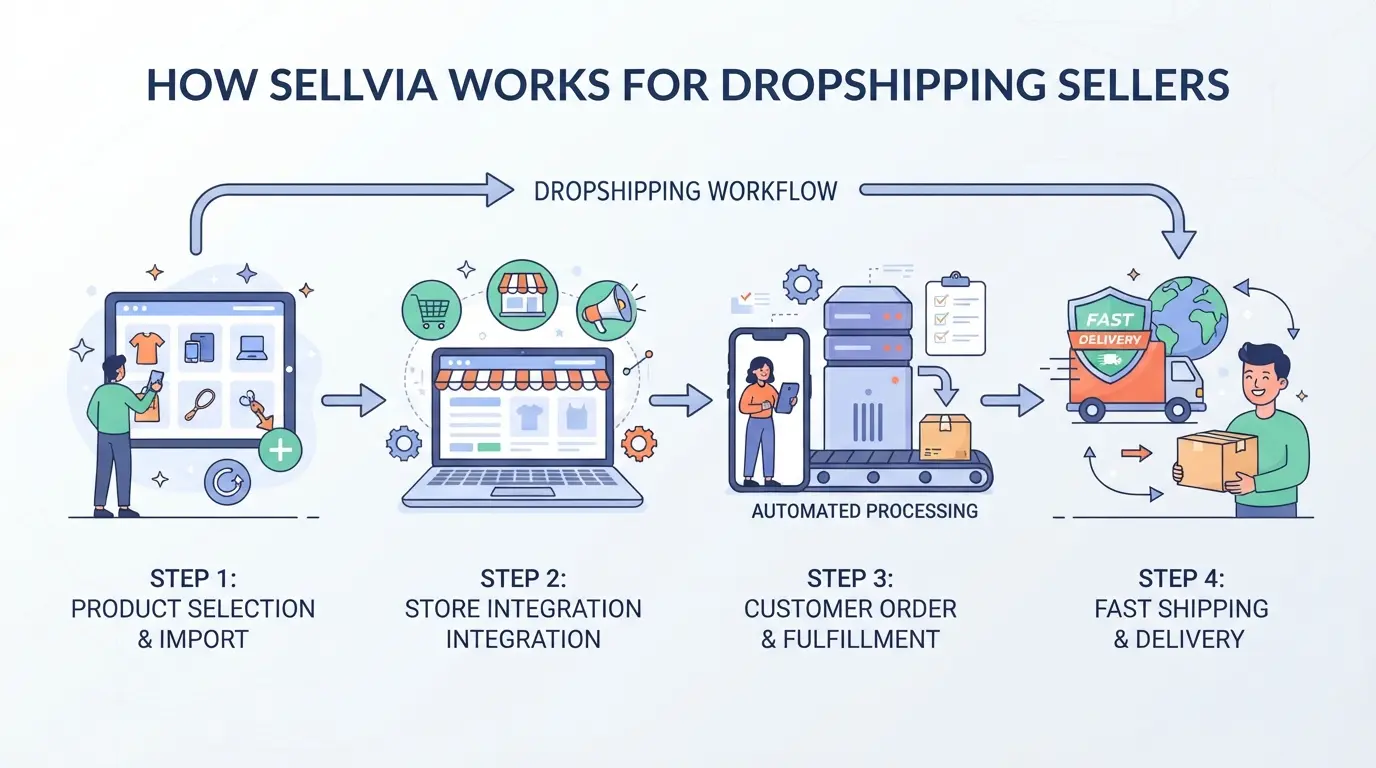
At this stage, the real question is simple: what are you buying? Sellvia is not just a product list. It sits between your store and order fulfillment, so any fair answer to “is sellvia legit” has to start with its actual role in the workflow.
What Sellvia appears to provide
Sellvia appears to bundle product sourcing, store setup help, and fulfillment support around its own supplier network and app stack. That is different from a basic supplier directory, where you find vendors but still have to connect tools, import products, and handle more of the backend yourself.
Where Sellvia fits in the ecommerce workflow
In practice, a seller picks products, imports them into a store, sets pricing, runs ads or other traffic, and then sends customer orders through the connected setup for fulfillment. That sounds simple, but the hard part is where responsibility changes hands. Sellvia can sit in the product and shipping layer; you still own the storefront, product pages, ad spend, refund pressure, and customer messages. If orders come in but your margins are thin, or your ad costs are high, the supplier side working correctly will not fix the business model. A common failure case looks like this: the product imports cleanly, shipping looks acceptable, but the seller copied weak product pages and launched ads without testing demand. Orders either do not come, or refund requests rise because the offer was not strong enough. That is why a Sellvia review should not stop at “products shipped” or “store was built.” The seller still has to make the store convert.
What Sellvia does not do for you
- It does not guarantee sales just because products are preloaded or fulfillment is connected.
- It does not replace product research, pricing judgment, or ad testing.
- It does not remove your need to answer customers fast when shipping, refunds, or delivery issues show up.
That gives you a clearer line: supplier support on one side, operator responsibility on the other. The next step is checking the parts that prove whether that setup is trustworthy in practice.
What should you check before deciding whether Sellvia is trustworthy?
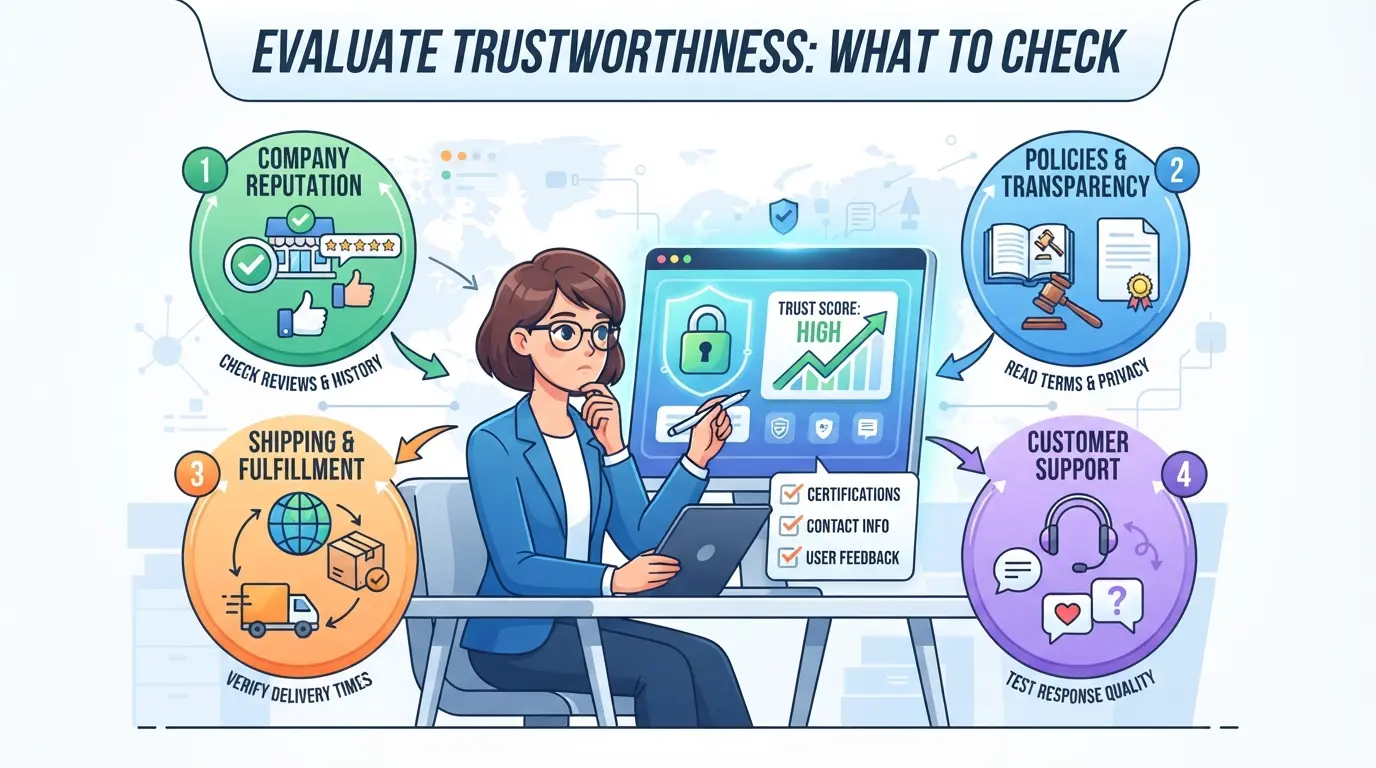
After you understand where Sellvia sits in the workflow, the next step is simpler: verify the parts that can cost you money or trap you in a setup that does not fit your store. Trust starts with what you can confirm before you pay, not with sales copy.
Check the pricing structure and recurring costs
Check the full bill, not just the headline plan. Look at the monthly fee, any store-build or app upsells, and extra costs tied to product imports, themes, or services. Then run a simple margin test on 3 to 5 products: product cost, ad spend, payment fees, returns, and your target profit. If the numbers only work in a “perfect” case, the setup is already too tight. A legit service can still be a bad fit if the recurring cost eats your margin.
Read the refund policy and service terms carefully
- Open the refund policy before checkout and note which fees are non-refundable.
- Check whether custom store work, setup services, or add-ons follow different refund rules.
- Read the service terms for billing renewal, cancellation timing, and dispute steps.
Look for real user complaints, not just testimonials
Do not stop at homepage reviews. Search for repeated complaints about support delays, surprise charges, product quality gaps, or shipping issues. One angry post proves little; the same complaint showing up across review sites, forums, and social threads usually points to a real pattern.
Test support responsiveness before committing
Send a pre-sales question before you buy. Keep it specific.
- Ask how billing works after the trial or signup period, and what renews automatically.
- Ask what happens if a product arrives damaged or late, and who handles the customer-facing issue.
- Ask one store-specific question, like product sync or order handling, and judge whether the reply is clear or just pasted.
That last step tends to surface the gap between polished marketing and the real post-sale experience, which is exactly what user reviews usually expose next.
What do real Sellvia reviews usually praise or complain about?
After the trust checklist, the next useful step is pattern-matching. Real feedback is mixed, but the same themes show up often enough to help you judge fit.
What satisfied users tend to mention
| Review theme |
What people praise |
What it usually means |
| Setup speed |
Store launch feels faster |
Good for beginners who want less manual work |
| Product sourcing |
Items, shipping, and order flow feel easier to handle |
Better if you want a supplier-led workflow |
| Done-for-you elements |
Product pages and store assets save time |
Useful if your weak point is setup, not marketing or margins |
What unhappy users tend to mention
Complaints usually center on cost, margin pressure, and support delays. Some negative reviews also come from sellers who expected easy sales after launch, which is a business model problem, not just a platform problem.
How to read reviews without getting misled
Look for repeated complaints across review sites, forums, and app listings. Skip one glowing affiliate-style Sellvia review or one angry post; the next section is where beginners often misread those signals and lose money.
Where do beginners misjudge Sellvia and lose money?
After reading mixed reviews, beginners often blame the platform for losses that started earlier: weak demand checks, thin budgets, or bad unit economics. The service can be real and still be a bad fit for the way a new store is being run.
Starting without a realistic ad and testing budget
Store setup and product import save time, but they do not create traffic. If you launch with barely enough cash to test offers, one slow week can make any paid supplier setup feel like a scam.
Choosing products without validating demand
A common beginner mistake looks like this: a solo seller launches a general store, imports a few “easy” products, writes short product pages, and starts running ads the same day. Orders do not come in, or traffic bounces because the offer is weak, the page does not answer basic buyer questions, and the product was picked for convenience instead of demand. The seller then writes a harsh Sellvia review, even though the real failure happened before fulfillment ever mattered.
Ignoring margins, fees, and customer service workload
Thin margins break new stores fast. Refunds, chargebacks, ad spend, app costs, and support time can eat the profit on a “winning” product, which is why a store can get sales and still lose money.
That leads to the next problem: once more than one person touches the store, sloppy login sharing and loose permissions can create a different kind of loss.
If you choose Sellvia, where can DICloak fit in a cleaner ecommerce login workflow?
If you move past the basic "is sellvia legit" question and start running store, ad, or support logins across a team, the next problem is session sprawl. For readers in that stage, operators can use DICloak to keep browser work separated by profile and assign access more carefully. The scope is limited to browser-profile access; it does not change Sellvia, its support, or store performance.
Set up separate browser profiles for each platform account and configure fingerprint settings
One shared browser gets messy fast when the same operator jumps between a store login, an ad account, and support tools. In DICloak, an operator can create one profile for the store and another for ads, then set profile-level details like language, time zone, geolocation, and WebRTC behavior. The useful habit is one profile per working context, not one browser for everything. 
Add a user-provided proxy to the right profile and test the connection
If a workflow needs a specific network exit, the operator can edit that profile, enter a custom HTTP, HTTPS, or SOCKS5 proxy, and run the built-in check before opening the session. The check shows the detected exit IP and time zone, which helps catch a bad proxy string or wrong region before work starts. This is only a profile setup step; it does not prove the connection is suitable for any platform account. 
Give team members access only to the profile groups they actually need
The hard part is not opening profiles. It is stopping everyone from seeing everything. Admins can group profiles by role, give a support assistant access only to the assigned group, and limit which profile-list fields that member can view. That keeps browser access narrower, but the website permissions inside each connected platform still need to be set separately. 
That kind of separation becomes more relevant once you compare Sellvia with other ways to run an ecommerce setup.
Is Sellvia worth it compared with other ways to start ecommerce?
If you are past the basic trust check, the real question is fit. Sellvia can make sense if you want a guided store setup and accept tighter supplier dependence. It is a weaker pick if you want lower fixed costs, broader product sourcing, or full control from day one.
When Sellvia may be a reasonable option
| Path |
Good fit if you want |
Tradeoff to accept |
| Sellvia |
Faster setup, built-in product sourcing, and a more guided workflow tied to the official Sellvia site |
Less freedom in supplier choice and store structure |
| Self-managed Shopify + supplier marketplace |
More control over products, margins, apps, and supplier mix through Shopify |
More setup work, more moving parts, and more testing |
| Print-on-demand |
Simple product creation and no need to pre-pick from a dropshipping catalog via Printful or Printify |
Fewer product types and margin pressure on common items |
Practical takeaway: pick Sellvia if convenience beats flexibility for your launch plan.
When Sellvia may not be the right fit
If your budget is tight, fixed monthly costs can hurt before sales are steady. It is also a bad match if you expect passive income; you still need product testing, ad work, store fixes, and customer support once orders start coming in.
Alternatives to compare before you decide
A plain Sellvia review is not enough. Compare it against a self-built Shopify store, a broad supplier marketplace, and a print-on-demand model, then rank each one on control, startup cost, fulfillment speed, and how much daily work you can actually handle.
That comparison usually gives a cleaner answer than the raw "is sellvia legit" question, which is where the final verdict gets easier.
What is the bottom-line answer to "is Sellvia legit"?
Yes. Sellvia appears to be a real service, but legit does not mean it will be profitable for your store. The better question is whether the costs, limits, and setup fit how you plan to sell.
The short answer most readers need
- Real company and real service
- Not a shortcut to easy margins
- Worth paying for only if the model fits
A simple final decision test
If you can afford the fees, test products for a few months, and accept less supplier control than sourcing on your own, it can make sense. If tight margins, custom branding, or deep catalog control are your priority, skip it.
Frequently Asked Questions About is sellvia legit
Is Sellvia legit for beginners in 2026?
Yes, Sellvia appears to be a real ecommerce service, not a fake website. For beginners, the better question is whether the offer fits their budget and skill level. Check the full cost, refund terms, support quality, and setup help. You should also understand product research, pricing, ads, and customer service before joining.
Does Sellvia guarantee profits?
No. Sellvia does not guarantee profits, and no dropshipping platform can promise that. Your results come from product selection, traffic quality, ad costs, store conversion rate, shipping performance, and refund rates. A polished store or fast supplier only helps if your margins are healthy and your daily operations stay under control.
Is Sellvia better than AliExpress dropshipping?
Sellvia can be easier if you want a more guided setup and a simpler supplier workflow. AliExpress usually gives you more supplier choice, more product variety, and more control over sourcing. The tradeoff is convenience versus flexibility. Compare total costs, delivery speed, branding options, and how much hands-on work you want.
Can you use Sellvia with Shopify?
Possibly, but you should verify the current integration before you commit. Check whether it connects directly to Shopify, how orders sync, how inventory updates work, and whether shipping settings match your store workflow. Read the latest setup guides and support pages first so you do not build a store around the wrong system.
Why do some people say Sellvia is a scam?
In many cases, “scam” means the buyer felt disappointed, not that the company was fake. People may expect fast profits, low effort, or lower costs than they actually get. Complaints often come from pricing, upsells, weak marketing results, or poor fit for their business. When asking is sellvia legit, separate bad outcomes from actual fraud claims.
Before you commit, compare Sellvia’s pricing, delivery expectations, product quality, and support responsiveness against your store’s actual needs and margins. A short test run with a few products and real customer orders will give you the clearest answer on whether it fits your workflow without adding unnecessary risk. Try DICloak For Free
 Web Proxy Tools
 Free Tools
 Cookie Plugin
 UA Generator
 MAC Address Generator
 IP Generator
 IP Address List
 2FA Code Generator
 World Clock
 Anonymous Check
 WebRTC Leak Test
 UUID Generator
 Free Web Proxy Site
 Proxy Checker
 FB Ad Checker
 AI Web Scraping
 Free SMM Tools
 Twitter Shadowban Checker
 Instagram Name Checker
 UTM Generator
 Username Generator
 AI Hashtag Generator
 LinkedIn Headline Generator
 Social Media Image Resizer