A TikTok ban can lock out users overnight, but workarounds spread just as fast. After India banned TikTok in 2020, searches for "how to watch tiktok after ban" spiked to a five-year high within days. The usual advice, switch your app store, tweak your device settings, or use third-party sites, rarely works for long. TikTok tracks location, device IDs, and network fingerprints. That means most quick fixes either break after a few uses or risk exposing your account to new restrictions.
If you’re searching for how to watch tiktok after ban, what you really need to know is which methods are still working, what risks come with each, and how people keep getting caught by TikTok’s detection systems. The usual forums are full of stories about accounts getting shadowbanned or losing access entirely after trying the wrong trick. Even paid proxy services and browser tools often fail if you don’t understand how TikTok flags suspicious behavior.
This guide breaks down the real risks behind each method, points out the false shortcuts, and shows which safer options are actually holding up. Here’s what people who still watch TikTok after bans are really doing now.
What Happens When TikTok Gets Banned in Your Country?
When a country bans TikTok, the impact hits on several layers, app stores, network providers, and your device. Most users searching for how to watch tiktok after ban are trying to figure out if any workaround still lets them access the platform, and what changes to expect if enforcement starts.
How TikTok bans are enforced (app stores, ISPs, device restrictions)
Governments usually start by asking app stores like Google Play and Apple App Store to remove TikTok. That means new downloads disappear, but people with the app already installed don’t lose it right away. Next, internet service providers (ISPs) are told to block TikTok’s web traffic. This network blocking stops both the app and browser from connecting to TikTok’s servers, even if the app is still on your phone.
Device restrictions are less common, but some countries push updates that disable the app through operating system changes. The difference between app removal and network blocking matters, app removal stops new installs; network blocking cuts off access for everyone, including those who already have TikTok. Existing installs may keep working for a few days, but most lose full function once ISPs enforce the block.
What changes for users after a ban takes effect
Once the ban is live, users notice the app can’t update anymore. Features tied to the newest versions, like editing tools or filters, stop working. Sometimes you can open TikTok, but videos won’t load, and likes or comments fail to send.
Some try accessing TikTok through browsers, but ISPs usually block the main site as well. Browser access sometimes works for a short time, but soon faces the same restrictions.
For everyone asking how to watch tiktok after ban, the real shift is that app and browser both lose connection, so quick fixes rarely last longer than a week. Most users start searching for proxy-based solutions or alternate platforms, but each option comes with its own risks.
Why Most TikTok Ban Workarounds Fail or Get You Flagged
Most guides for how to watch tiktok after ban suggest quick tricks, using a proxy, switching networks, or changing account info. The reality: TikTok’s detection system is much deeper than people expect. Users who try these simple workarounds often find their accounts flagged or locked within days.
Why TikTok detects and blocks basic circumvention methods
TikTok tracks far more than just your IP address. When you log in, TikTok checks your device fingerprint, details like browser type, hardware, and even small system settings. If you change your IP but keep the same device and patterns, TikTok’s system often spots the mismatch. Sudden changes, like using a proxy one day and your home network the next, stand out. Also, TikTok logs your app version, how you interact with videos, and what accounts you follow.
Certain actions quickly trigger restrictions. For example, if you try logging in from a new country right after a ban, TikTok may require extra verification or block you outright. Too many failed logins, or repeating the same comments and likes, can also alert the system. These layers make it hard for simple tricks to work for long.
Common mistakes that lead to fast detection
A typical mistake is switching to a proxy or new network but ignoring the device fingerprint. TikTok flags these “split” signals, same device, new location, as risky. Another common error: logging in from multiple places within a short time. If you sign in from Paris in the morning and New York an hour later, TikTok’s risk engine kicks in.
Some users buy accounts or use shared tools without cleaning old fingerprints. This often leads to a shadowban, where you can see videos, but nobody sees yours. The real risk is not just losing access, but having all linked accounts flagged together. For safer results, focus on full device isolation and never rush changes just to get back in.
What to Do Before Trying to Watch TikTok After a Ban
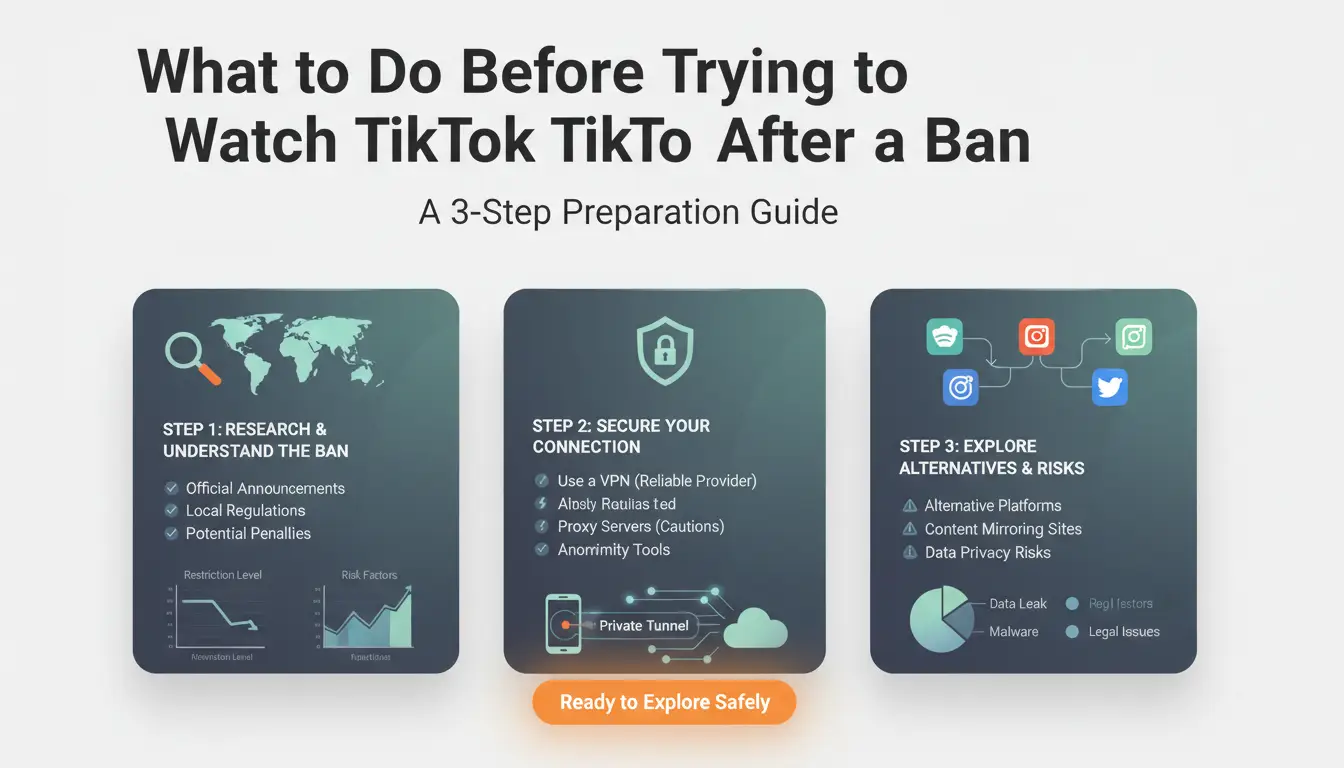
Trying random tricks to get back on TikTok after a ban often ends with a new restriction or another ban. Before searching for how to watch tiktok after ban and risking another lockout, make sure you prepare your device and account the right way. These steps help you avoid losing data, connecting banned and new accounts, or breaking local laws.
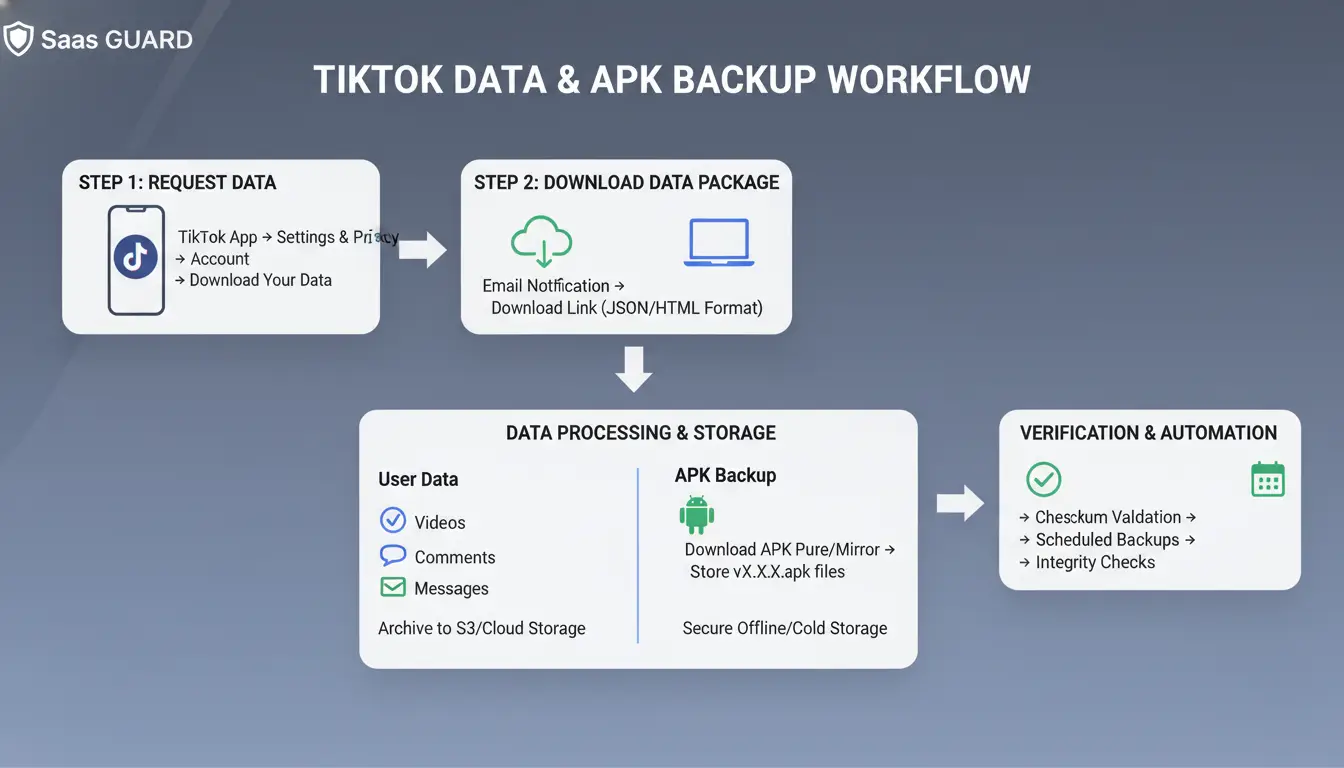
Backing up your TikTok data and app
If you still have access to your banned account or device, grab your data now. Open your TikTok profile, find the "Download your data" option, and request a copy. It can take a few days for TikTok to prepare the download, so start early. For your videos, save important clips directly to your device or cloud storage.
If you plan to reinstall TikTok, keep a copy of the app. Android users can save the APK file with tools like APKMirror, while iOS users should check their app library or use their PC to back up the app. This saves time if TikTok disappears from your country’s app store.
Checking your device and account risk profile
TikTok tracks device IDs, IP addresses, app installs, and even the way you interact with the app. If you use a banned device or link a new account to the same phone number, email, or Wi-Fi, you’ll likely get flagged again. Wipe your device settings, use a fresh phone number, and avoid signing in with old info. For higher privacy, set up a new user profile on your phone and use a different proxy.
Understanding the legal and policy risks
Bypassing a TikTok ban can bring more than just an account loss. Some countries fine users or block access for trying, while others just target the app. Check local rules on Wikipedia’s TikTok bans list. Never try a method that could get you in legal trouble for a few videos.
If you’re still searching for how to watch tiktok after ban, following these prep steps cuts your risk and saves important data.
How to Access TikTok After a Ban Without a proxy: Safer Methods Explained
People searching for how to watch tiktok after ban often waste time on tricks that stop working or expose them to new restrictions. TikTok’s detection system flags suspicious activity fast, so you need methods that actually hold up. Here’s what works right now, and what usually gets flagged.
Using proxies to mask your location safely
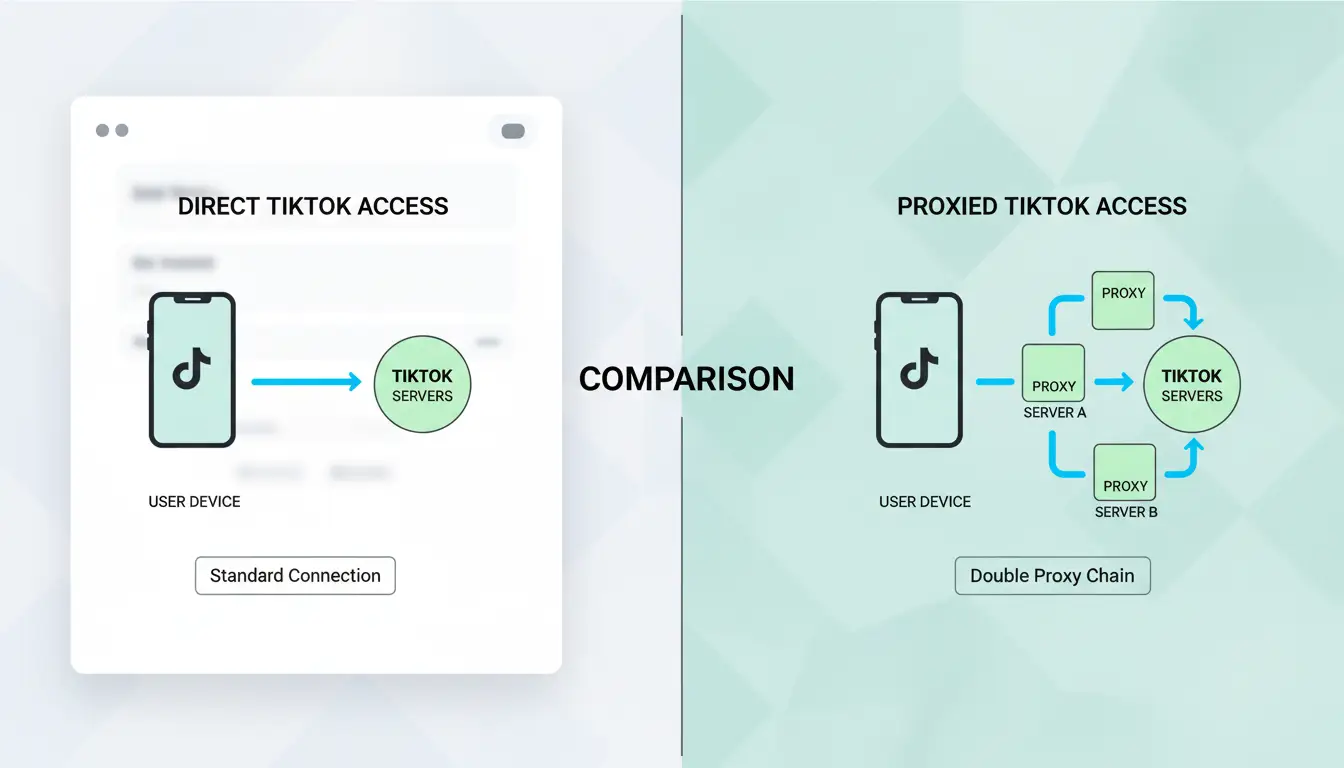
Proxies let you change your IP address, but unlike proxys, they don’t encrypt all your traffic or trigger bulk device changes. TikTok often spots proxy patterns, while proxies can blend in better if set up right. You can use a residential proxy provider such as Smartproxy or Oxylabs to pick a location that matches your device region. For TikTok, set the proxy in your browser or app settings. Make sure you use one IP per device and avoid switching countries too often.
| Method |
Traffic Encryption |
Device Changes |
Detection Risk |
| Proxy |
No |
No |
Lower |
| proxy |
Yes |
Yes |
Higher |
Table shows proxy vs proxy for TikTok access. See Cloudflare’s guide for more details.
Accessing TikTok via browser instead of the app
Opening TikTok in Chrome or Safari sometimes works when the app is blocked. On desktop, go to tiktok.com and sign in. On mobile, switch to desktop mode in your browser for more features. The browser method skips app-level bans, but has limits, some videos won’t play, and uploads are restricted. TikTok can also block browsers if you try to access from suspicious IPs or use automation tools.
Changing app store region or sideloading TikTok
Switching your app store location can help you download TikTok if banned. On Android, change your Google account country in settings. On iOS, update your Apple ID region, but you’ll need a payment method for the new country. Sideloading means downloading the APK file from sites like APKMirror. This carries real risks, fake APKs can steal your data or break your phone. Always check reviews and only download from trusted sources. If you sideload, clear your old TikTok data first to avoid detection.
How to Reduce Account Risk When Watching TikTok After a Ban (for Multi-Account Users & Marketers)
Why multi-account users get flagged faster
Multi-account users and marketers searching for how to watch TikTok after ban often face extra risk. TikTok tracks device and browser fingerprints, so when you log in with multiple accounts from one device, the system links them. Agencies and marketers get flagged because their login patterns stand out: same IP, similar browser setup, repeat logins across several accounts. The detection is not just about IP; TikTok can spot identical browser profiles and shared cookies.
How DICloak helps social media marketers watch TikTok safely after a ban
You can use tools like DICloak to keep accounts separated. DICloak builds a unique browser profile for each TikTok account, combining individual proxy settings and isolated fingerprint data. This stops accounts from being linked, even when watching TikTok after ban. For teams, DICloak lets you automate activity, like scrolling, liking, and following, in a human-like way, cutting detection risk. Permission controls ensure only trusted members access each profile.
Best practices for ongoing safe access
Rotate proxies and fingerprints on a set schedule. Make sure each account stays in its own browser profile. For team setups, use permission controls so only the right people handle each TikTok profile, this keeps mistakes and cross-linking low.
When Watching TikTok After a Ban Isn’t Worth the Risk
Most guides on how to watch tiktok after ban skip over the real downside: sometimes, trying to get back on TikTok is more trouble than it’s worth. It’s not just about losing your account again. Risks can stack up, from legal trouble to device blocks that affect your other apps. Before you look up new tricks or proxy tools, check if your situation fits the kind where watching TikTok could open up bigger problems.
Signs you should avoid bypassing the ban
If your device was banned, TikTok often flags hardware details, not just your account. Trying to “reset” your phone or use random browser tools can trigger detection. In some countries, using workarounds after a government ban can break local laws. For example, in India, people have lost jobs after tech audits spotted TikTok use on company devices (BBC report). Another issue: if your account was banned for policy violations (like posting restricted content), creating new profiles or using proxies often leads to permanent bans across all linked devices.
The most critical insight: bypassing a TikTok ban can risk both your main device and your digital footprint, sometimes losing access to more than just TikTok.
If you’ve already had multiple accounts flagged, stop and consider if it’s worth risking your phone, work device, or email. TikTok’s detection now tracks device IDs and IP patterns, so even paid proxy services can fail if you reuse old setups.
Safer alternatives for staying updated with TikTok trends
If you need to keep up with TikTok trends for work or content planning, look for indirect options. TikTok Lite sometimes works where the main app is blocked, but only if you haven’t been device-banned (TikTok Lite on Google Play). Web viewers like UrleBird let you check trending videos without logging in. You can also follow TikTok creators on Instagram, YouTube Shorts, or Twitter, since most repost their popular clips. For trend tracking, sites like TrendTok Analytics show what’s hot without needing an account.
Common Questions About Watching TikTok After a Ban
Is it safe to use free proxy tools for watching TikTok after a ban?
Most free proxy tools get blocked fast. TikTok tracks device fingerprints, not just IP addresses. If you reuse the same setup as before, your new account often gets flagged. Paid proxies are safer, but only if you change browser details and avoid patterns TikTok already blocked.
Can you really watch TikTok again just by switching accounts or clearing cookies?
Switching accounts or clearing cookies rarely works. TikTok remembers device info and sometimes bans everything linked to your hardware, even after you clear data. People often find that new accounts get banned within days when using this method.
What’s the most reliable way people use now?
The most reliable way combines a high-quality proxy with a fresh browser profile tool, something like DICloak for TikTok. This lets you separate each account’s identity, reducing the chance of quick bans. Still, nothing is 100%, always test with a backup account before you risk your main.
Frequently Asked Questions
Is it legal to watch TikTok after a ban in my country?
Before you try any method on how to watch TikTok after ban, check your local laws. In some countries, using proxys or proxies to bypass a TikTok ban can be illegal or risky. You might face fines or other penalties. Always review government guidelines and consider the risks before accessing TikTok after a ban.
Will my TikTok account get banned if I use proxies?
Using proxies is a common method in how to watch TikTok after ban, but it can be risky. TikTok tracks device fingerprints and login patterns. If you use public proxies or share IP addresses, TikTok may flag and ban your account. Always use private proxies and unique browser profiles to reduce the risk of detection.
Can I still update TikTok after it’s banned?
After TikTok is banned, official updates are usually blocked on app stores. You may sideload APK files or change your app store region, but these steps can expose your device to malware and security risks. Always scan sideloaded files and back up your data before updating TikTok in banned regions.
What’s the safest way to access TikTok for business or marketing?
To safely use TikTok for business after a ban, create isolated browser profiles and use dedicated proxies. Avoid using the same device or account for personal and business activities. This reduces the chance of account bans and keeps your marketing data secure. Separate workflows help protect your business presence.
Are there alternatives to TikTok if I can’t access it?
If you can’t access TikTok, try TikTok Lite, web viewers, or follow your favorite creators on platforms like YouTube or Instagram. These options let you watch similar content without dealing with ban-related risks. Many TikTok influencers share their videos on multiple platforms for easier access.
Accessing TikTok after a ban is still possible by using tools that help you bypass restrictions and protect your privacy online. By choosing the right solutions, you can continue to enjoy your favorite content securely and without interruption. Try DICloak For Free
 Web Proxy Tools
 Free Tools
 Cookie Plugin
 UA Generator
 MAC Address Generator
 IP Generator
 IP Address List
 2FA Code Generator
 World Clock
 Anonymous Check
 WebRTC Leak Test
 UUID Generator
 Free Web Proxy Site
 Proxy Checker
 FB Ad Checker
 AI Web Scraping
 Free SMM Tools
 Twitter Shadowban Checker
 Instagram Name Checker
 UTM Generator
 Username Generator
 AI Hashtag Generator
 LinkedIn Headline Generator
 Social Media Image Resizer