For those who want to work more efficiently in the Vietnamese market, in addition to familiarizing themselves with platforms such as Facebook, WhatsApp, and LinkedIn, it is also very important to master the use of Zalo web version. As the most popular social chat software in Vietnam, Zalo has become the go-to tool for daily communication and business communication for individuals and businesses. In particular, the web version of Zalo provides a convenient browser-side experience, allowing users to easily manage information, interact with customers, and conduct online business operations.
Whether you're a cross-border e-commerce professional, social media marketer, or a business looking to expand into the Vietnamese market, understanding how to effectively utilize Zalo Web can enhance productivity and accelerate business growth. This article will give you an in-depth understanding of the core functions of Zalo Web Edition, how to use it to manage accounts, develop customers, and improve communication efficiency, helping you make full use of Zalo Web Edition in your daily work and market expansion.
What is Zalo Web?
Zalo Web Version is an online chat method provided by Zalo officially. It allows you to use Zalo directly in your computer browser without downloading or installing any software. Just open your browser to log in and chat. This way you can connect with friends and colleagues anytime, anywhere. To put it simply, Zalo Web is like moving Zalo from your phone to your computer. Its core functions are similar to mobile phones, such as sending messages, viewing chat history, sending and receiving pictures and files, etc. It's just that you're using a computer browser, not a mobile app. When you work on a company computer, it may be inconvenient to take out your phone. At this time, you open your browser, visit the web version of Zalo, scan a QR code to log in immediately and continue chatting. This is faster and more convenient than installing software.
A real reason why many people like to use Zalo Web is that it doesn't require software installation. For example, if you borrow a friend's computer or office computer temporarily, you can log in directly by opening the browser. This works great for people who need to respond to messages quickly.
Zalo Web is suitable for both daily chat and office communication. It supports syncing with mobile phone messages, which means that the chats you see on your phone will also be displayed on the web version. This is a hassle-free for people who often switch between computers and phones.
With this design, Zalo Web Edition makes communication no longer limited by devices. You don't need to install it and don't worry about running out of space, as long as you have an internet connection, you can access your Zalo account. This is a useful tool for users who want to facilitate communication and improve efficiency.
How to access Zalo on the web
In the previous paragraph, we have introduced the main functions of Zalo Web Edition, such as text chat, voice and video calls, social feeds, mini programs, etc. These features require you to log in to the web page before you can use them. Next, we'll explain how to access Zalo Web and how it can benefit you.
Zalo web login option
Log in with your mobile number
The most direct way to access Zalo web is to log in with your mobile number. You only need to open the Zalo official website (such as chat.zalo.me) in your browser, then enter the mobile phone number and password you used to register on the login interface, and then complete the verification code verification to successfully enter your account. This method is suitable for situations where you remember your password and want to log in directly. Once logged in, you can reply to your friends' messages, view chat history, participate in group chats, and more on your computer.
For example, when you are using a computer in the office, it is very convenient to enter your mobile phone number to log in. You don't need to have your phone in hand, just enter your number and password on the login screen to quickly start chatting.
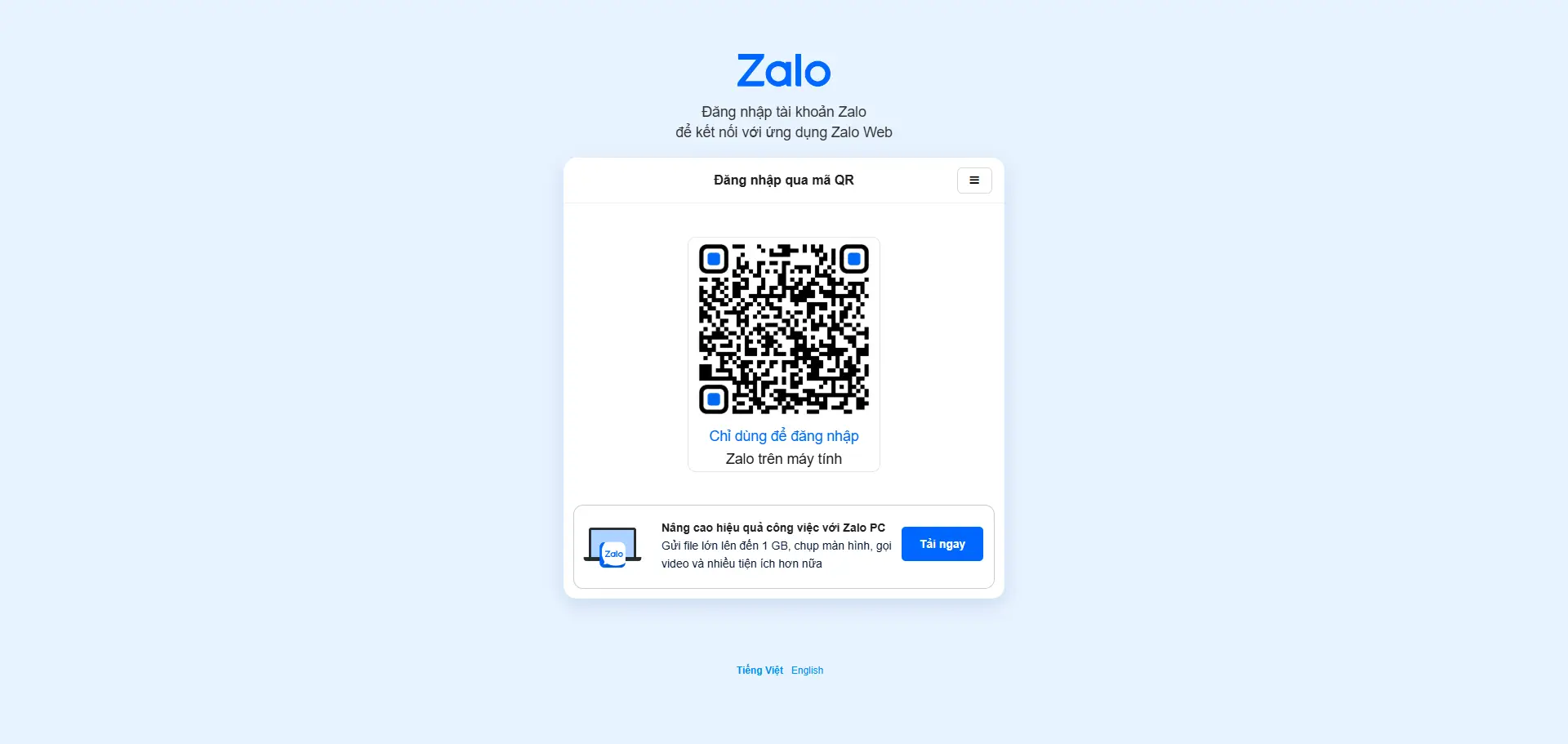
Scan the QR code to log in
Another easier way is to scan the QR code to log in to the web version of zalo. When you open the Zalo web login page, a QR code will be displayed on the screen. You open the Zalo app on your phone, click the scan icon, scan the QR code on the computer screen, and then confirm the login. The process is very fast, with most people taking just a few seconds to complete.
For example, when you forget your password or don't want to enter a long string of characters, scanning the code to log in is a faster and more secure way. As long as you've already logged in to Zalo on your phone, you can log in to the web version this way, which is especially useful for temporary access to other people's computers.
Both login methods allow you to quickly access the Zalo web version, whether in the office, school, or on a shared computer, you can easily use Zalo's features.
Benefits of using Zalo on the web
Improve user experience
The biggest benefit of using zalo web is that it can improve your communication experience. First, you don't need to download or install any software, just open your browser to log in and chat. This is handy for office computers or environments where software installation is not allowed.
For example, a foreign trade salesman quickly logs in to Zalo web version on the customer's computer in the office to reply to overseas customer messages. This is much faster than taking out your phone and typing in a long message. The large web screen also makes it easier to view multiple chat windows and files.
Efficient communication management
The second benefit is efficient communication management. On your computer, you can easily manage long messages, view social feeds, and share large files. Zalo Web supports syncing with mobile phone messages, which means that the chats you receive on your mobile phone will be displayed immediately on the web page, so you don't miss any information.
For example, a designer may need to share multiple design documents when communicating project details with a client. Uploading and viewing files on the web version on a computer is clearer and faster than on a mobile phone. And the web can also open multiple chat tabs, allowing you to communicate with different customers at the same time without confusion.
To sum up, logging in to the Zalo web version by logging in with your mobile phone number or scanning the code can not only quickly access your social and work information, but also improve communication efficiency and information management capabilities on your computer. Whether you need office communication or daily chats, Zalo Web is a very practical choice.
How to register a Zalo web account
In the previous paragraph we talked about how to access Zalo Web. But to log in with the web version, you first need a Zalo account. Next, we will teach you how to register a new account from start to finish, and explain the specific methods and precautions for each step.
Download the Zalo app
Although we are ultimately logging in to the web version of zalo, registering an account must first be done on the mobile phone. Currently, Zalo's account registration process can only be completed through the mobile app, not directly on the web version. You need to download Zalo from the mobile app store first:
- Android users: Search for "Zalo" on the Google Play Store and download and install.
- Apple users: Search for "Zalo" in the App Store and download and install.
- If Zalo cannot be searched in the store, you can download the official APK installation package through your browser and install it again.
Once installed, you'll see Zalo's welcome screen, and the next step is to start the registration process.
Select the language and complete phone verification
After opening the newly installed Zalo app, you will see the registration interface. The default language is usually Vietnamese. If you don't understand, you can switch to English or a language you're familiar with to make it easier to enter information.
- Find the language switcher at the bottom of the app and select English or another language.
- Click Register.
- Enter your mobile number, and Zalo will ask you to fill in the international area code.
The most crucial step when registering is mobile number verification. Zalo will send a verification code (SMS or phone verification code) to the number you entered, which is used to confirm that the number belongs to you. You need to enter the verification code you receive into the app:
- If you don't receive an SMS, you can try resending the verification code.
- Make sure your cellular network is stable, sometimes the verification code may arrive late.
- If you are using a foreign number, you may receive a voice verification code.
Once you receive the verification code and enter it, you have completed your phone verification. This step is an important part of Zalo's prevention of fake accounts and improving account security.
Profile settings
After completing the mobile number verification, you will be guided to fill in your personal information. This step, although it may seem simple, allows you to connect with friends faster.
The information you need to fill in usually includes:
- Nickname: This is when others see your name.
- Avatar: Upload a clear photo or favorite avatar.
- Basic information such as birthday and gender.
For example, if you're contacting business clients through Zalo, using your real name and clear profile picture will make them trust you faster. Setting up a complete profile also makes you look more professional when logging in to Zalo Web.
Privacy & Security Settings
After the account registration is completed, it is recommended to set up privacy and security options immediately, which is important to protect your account. You can go to "Settings" in the Zalo app:
- Privacy settings: Choose who can see your status and who can message you.
- Account security: You can bind your email address or two-factor authentication to enhance security.
- Log in to device management: See which devices are signed in to your account.
For example, after enabling two-factor authentication, additional confirmation will be required every time you log in on an unfamiliar device, which can reduce the risk of account theft.
After completing all the above steps, you have a Zalo account. Next, you can use this account to log in to the web version of Zalo and start chatting, calling, and managing work on your computer.
Create and manage Zalo web official accounts
In the previous paragraph, we talked about how to register your Zalo account. Now if you want to use Zalo Web to promote your business more professionally or build your brand image, you can create an official Zalo account. This account is similar to a WeChat official account or Facebook page, which can help you interact with users and maximize your business impact.
Steps to create an official Zalo account
- Prepare your personal or business Zalo account To create an official account, you must first have a Zalo personal account that you have registered and logged in. You can use a virtual phone number to create a Zalo account, although a local Vietnamese mobile phone number (+84) is generally more likely to successfully create an official account.
- Visit the official creation page Open your computer browser and visit the Zalo official account management page:.
https://oa.zalo.me/home Here you will see a button that says "Tạo Official Account". Tap on it to get started.
- Log in to your Zalo account You will be asked to log in to your Zalo account before you can continue the creation process. You can log in with your mobile phone number + password, or scan the QR code with your mobile phone to log in quickly.
- Fill in your account information Next, you need to fill in the basic information of your official account, such as store name, industry type, contact information, company profile, etc. Make sure the information is complete and accurate so that users will trust your account.
- Submit for verification and wait for review Once you've filled in all the information, you submit your account creation request. Zalo reviews information, sometimes taking several days. If it passes the review, your official account will be officially activated.
Tip: Official account reviews sometimes require a business license or identification information, especially if a verified account (with a "gold verification mark") can make users trust you more.
Account management tips
Once created, management is key. After the official account is opened, you can publish content, reply to user messages, and view statistics in the Zalo web admin background. Here are a few practical tips:
- Keep your profile clear: Uploading a clear profile picture and cover image allows users to identify your brand in the first place.
- Post content regularly: Post updates or promotions at least once a week so people will notice your account more often.
- Timely Response to Messages: Timely replies to users' private messages can improve trust and conversion rates.
For example, a Vietnamese coffee chain posted store discounts on the official Zalo web account and responded to customer questions every day, resulting in a 30% increase in followers and an increase in offline store arrival rates within two months. This shows that good management and interaction can lead to real sales results.
How to develop customers with Zalo on the web
In the previous paragraph, we explained how to manage and promote your business through Zalo Web Edition. Now, let's dive into how to generate leads with Zalo Web. These methods can help you improve customer acquisition efficiency and expand your business scope. Suppose you are a multinational trading company that wants to find potential customers in the clothing industry in Ho Chi Minh City, and we will help you achieve this goal with specific steps.
1. Locate your target market
First, identify the market and target customer groups you want to expand. If you are a company that does international trade and wants to enter the clothing industry in Ho Chi Minh City, Vietnam, you need to choose the right customer group. For example, you may focus on the mid-to-high-end market and look for retailers with designer clothing; Or maybe you do fast fashion and aim to find mass-market clothing retailers or small brands.
Let's say you're targeting a clothing retailer or a small clothing brand in Ho Chi Minh City. You can find these leads through Google Maps or Zalo on the web.
Steps:
- Open Google Maps and locate Ho Chi Minh City.
- Once you've identified your target customer group, search for relevant keywords like "clothing store" or "clothing brand." This can help you target the location and industry of potential customers.
2. Industry keyword search
Once you've identified your target market, the next step is to use keyword searches to find qualified leads. For example, you can enter industry-related keywords such as Clothing or Fashion into the Google Maps search bar, such as Clothing, Fashion Boutique, and more Clothing Wholesale (clothing wholesale). These keywords will help you find clothing-related retailers, boutiques, and wholesalers in Ho Chi Minh City. You can see the details of the merchant one by one, including the store address, opening hours, customer testimonials, and most importantly**, the contact number.**
For example, when you type the keyword "Clothing" into Google Maps, you'll see a list of clothing stores that filter out the ones most relevant to your business. Through this information, you can collect the contact information of your target customers for follow-up contact.
3. Gather contact information
Once you've found a lead, the next step is to gather their contact information. You can get their contact number or email address by looking at their business profile on Google Maps. Record this information, preferably in a document or TXT file.
For example, let's say you find a fashion store in Ho Chi Minh City, and the merchant's contact details are displayed as +841234567890. You can record this number as the basis for your subsequent contact.
In addition, if the merchant provides official website or social media links, they can also be collected together to facilitate subsequent multi-channel contact.
4. Make connections on Zalo
Now that you have the contact number of your prospects, the next step is to connect with them through Zalo Web.
Steps:
- Open the web version of Zalo and go to the search bar.
- Enter the business phone number you got from Google Maps.
- If you find the corresponding Zalo account, you can try adding them as a friend or sending them a message directly.
Before sending a message, it is recommended that you prepare a short and professional introduction. Briefly explain who you are, what services you offer, and why you want to work with them. As an example, you can write:
Hello, I am [Name] from [Company Name], and we are an international trading company specializing in providing high-quality products and services to local clothing retailers. I am very happy to be in touch with you through Zalo and look forward to the opportunity to cooperate.
This message is concise and clear while showing your sincerity about the collaboration. Once you've sent the message, wait for them to respond, and once you've made contact, you can discuss the details of the partnership further. In this way, you can effectively expand your business on Zalo Web, establish connections with potential customers, and achieve business collaborations.
By using Zalo Web Edition, you can not only quickly find the contact information of potential customers, but also communicate and communicate directly through the platform, avoiding tedious email or phone communication, and greatly improving work efficiency. If you are a company engaged in cross-border trade, using Zalo to develop customers can help you expand your market and enhance your brand influence more easily.
Notes on using Zalo Web Edition
In the above article, we introduced how to use Zalo Web to carry out customer development and business promotion. However, to ensure that your account is not banned or has limited functionality, it is important to understand and follow the rules of using Zalo. Here are some things to pay special attention to when using Zalo Web:
Know and follow Zalo's rules
To effectively use Zalo Web, you first need to thoroughly understand the rules of using Zalo. These rules cover everything from account registration to interaction with other users. In particular, Zalo has implemented a "one machine, one number, one IP" policy similar to other multinational platforms. This means:
- You can only log in to one Zalo account per device, and you are not allowed to log in to multiple accounts on the same device at the same time.
- In the same network environment, try to avoid logging in to multiple accounts at the same time, otherwise it may trigger Zalo's security mechanism, leading to account association or banning.
For example, if you are an official Zalo account administrator, make sure to only use one stable device and network to log in, and avoid frequently switching devices to log in to multiple accounts. Otherwise, the system may misjudge it as an abnormal operation, resulting in the account being frozen or throttled.
Avoid account blocks or feature restrictions
To maintain the normal use of Zalo Web Version, you need to avoid behaviors that may lead to account bans or limited functions. Here are some common mistakes and pitfalls:
Familiarize yourself with the features and handle them with caution
After registering a Zalo account, it is best to spend some time familiarizing yourself with Zalo's basic functions, such as chatting, posting updates, adding friends, etc. It is recommended to avoid too frequent interactions in the first few days after signing up, especially if you have not yet established enough social credit. Excessive social behavior, especially sending a large number of messages too early or adding too many friends, may be considered spam or abusive behavior by the Zalo system, leading to account restrictions.
Avoid frequent changes to personal information
In a newly registered Zalo account, frequently changing sensitive information such as avatar and phone number increases the risk of account banning. It is best to avoid modifying this information, especially within 48 hours of registration. Frequent changes to this information may be considered abnormal behavior by the system, triggering security alerts and affecting account stability.
Avoid spamming
Spam (e.g. advertising, unsolicited promotional messages, etc.) is strongly prohibited on the web version of Zalo. This behavior not only makes other users feel uncomfortable but can also lead to your account being marked as "spam" and banned from your account. Especially before connecting or interacting with other users, it's best to avoid sending any content of an advertising nature.
For example, if you send the same advertising message to many people on a newly registered Zalo account, this practice can be easily regarded as spam or advertising behavior, which may be identified by Zalo's monitoring system and trigger the risk of banning.
Avoid using unauthorized third-party applications
Using unauthorized third-party apps may violate Zalo's policies, which can seriously threaten your account security. These third-party tools may tamper with your account information or automatically send messages, which not only affects the user experience but also leads to Zalo restricting or banning your account. When using Zalo on the web, make sure you follow the platform rules and avoid spamming or frequently changing your profile. Pay special attention to Zalo's device and network usage policies, and avoid logging in with multiple devices or accounts at the same time. Additionally, avoid using third-party tools and maintain a certain amount of social interaction time after account registration to reduce the risk of banning. By following these basic steps, you can ensure the smooth use of Zalo Web and the security of your account.
DICloak Fingerprint Browser is recommended to improve the experience of using Zalo web version
When using Zalo Web for multi-account management or business promotion, you may face login, management, and security issues with multiple accounts. Whether it's social media management, marketing, or customer service, managing multiple accounts often presents significant challenges. At this point, choosing a powerful antidetect browser, such as DICloak, will greatly improve your work efficiency and account security.
Why choose DICloak Fingerprint Browser?
DICloak is a globally popular multi-account management tool that offers unique advantages for professionals in fields such as social media management and e-commerce. With DICloak, you can efficiently and reliably manage multiple accounts on a single device, ensuring account security and reducing the risk of bans. Here are a few highlights of DICloak:
- Manage 1000+ Accounts: You can manage multiple accounts on Zalo or other platforms on a single device, avoiding additional hardware costs and increasing efficiency.
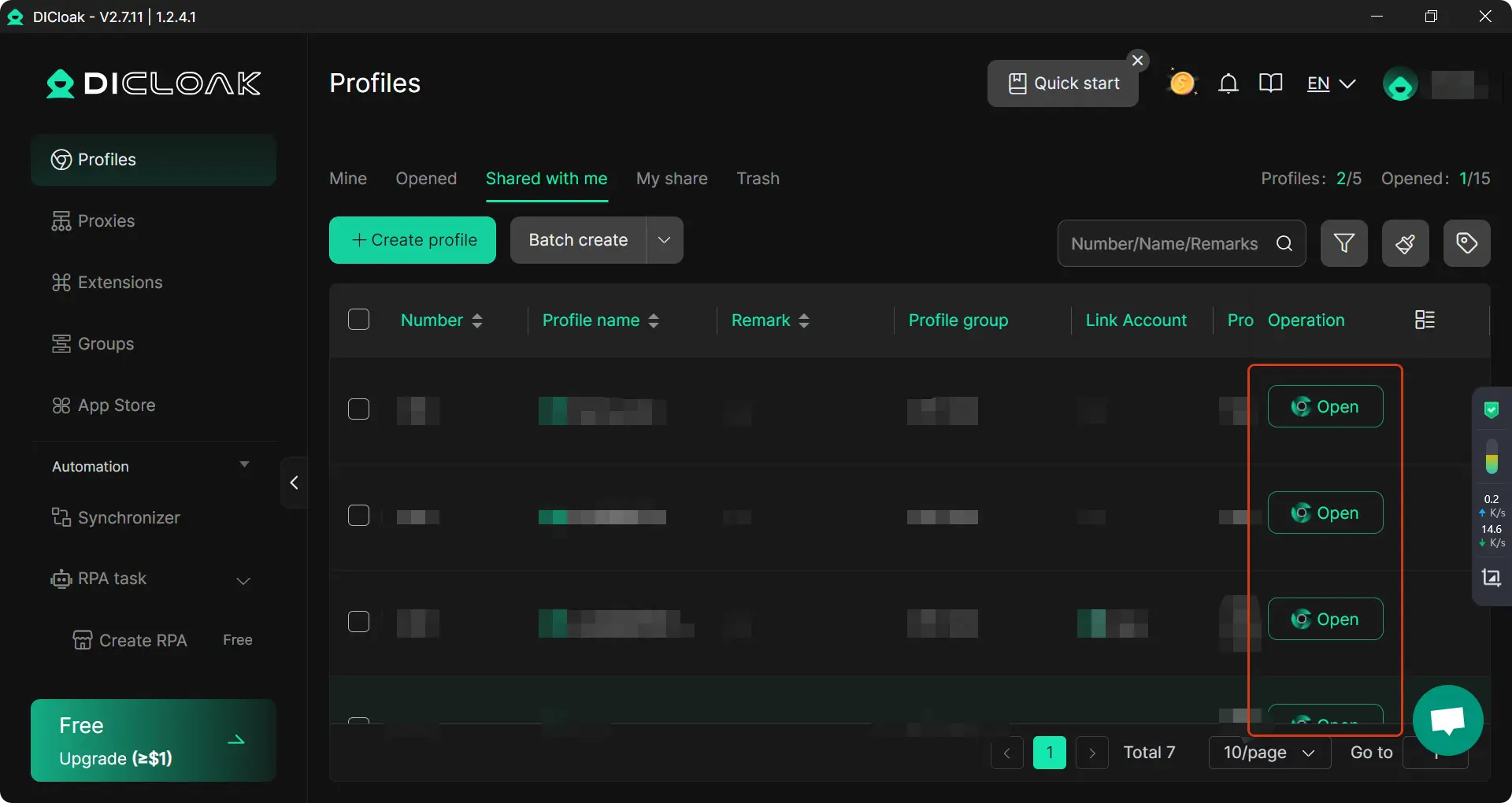
- Independent Browser Environment and Custom Proxy Configuration: Each account can be assigned an independent browser configuration, including custom fingerprints and IPs, to avoid conflicts and associations between multiple accounts and reduce the risk of bans. You can configure proxy IPs in DICloak, further improving account security and operational efficiency.
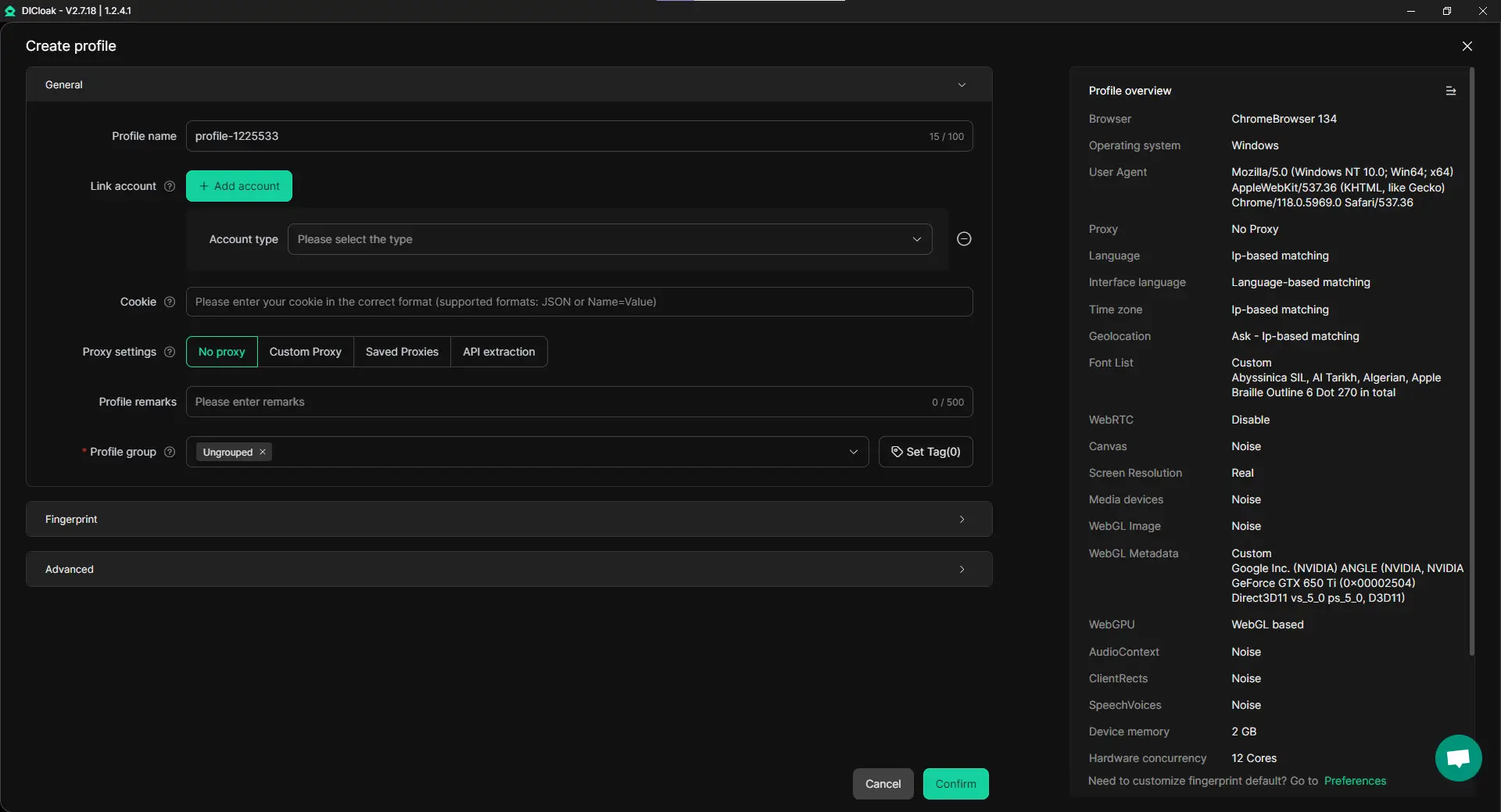
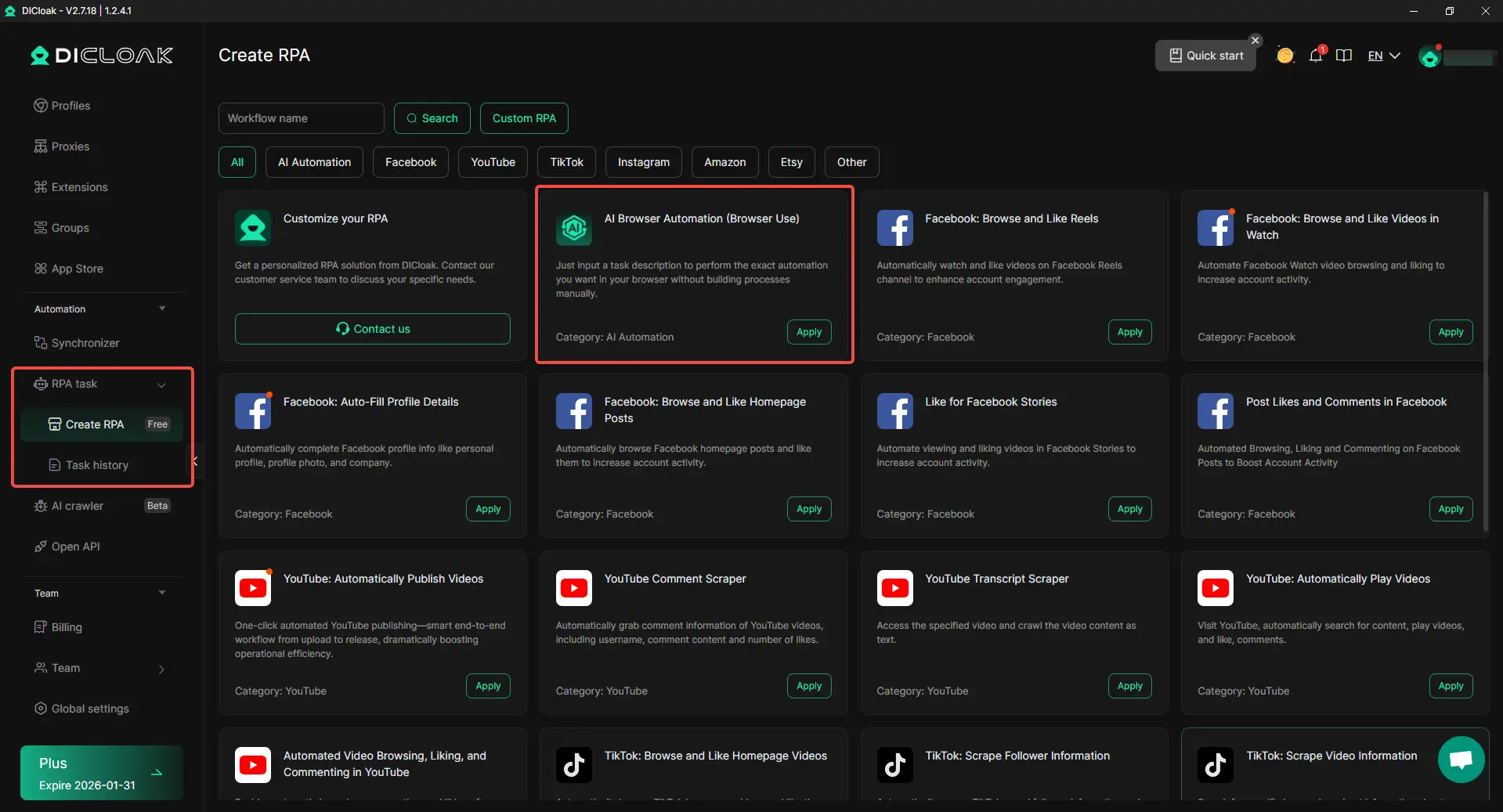
- RPA automation:D ICloak's built-in RPA (Robotic Process Automation) feature can help you automate repetitive tasks, reduce the time spent on manual tasks, and focus on core business growth.
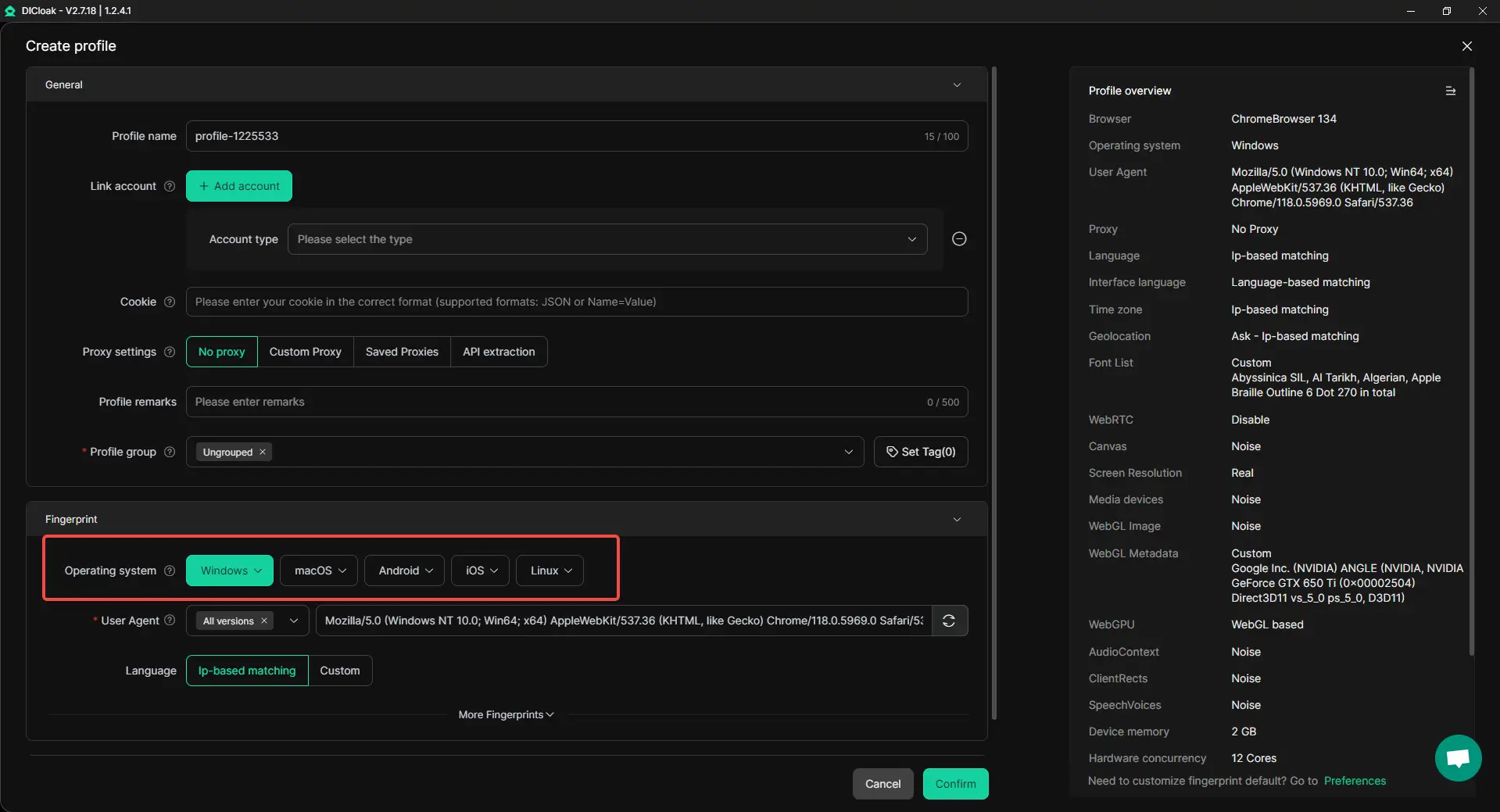
- Compatible with all major operating systems: Based on the Chrome kernel, DICloak supports emulating Windows, Mac, iOS, Android and Linux systems. No matter what platform you need, DICloak has you covered.
For example, if you are the operator of an official Zalo account and want to manage multiple business accounts at the same time, DICloak can provide an independent browser profile for each account to ensure your operation on the Zalo web version is safe and smooth. You don't need to worry about interference between accounts, the system automatically handles the proxy and fingerprint settings for each account, thereby reducing the risk of being banned.
Visit the DICloak official website now to learn more details, choose a package that suits your needs, and start experiencing secure, stable, and efficient multi-account management!
Summary
Zalo Web is one of the most popular social platforms in Vietnam, providing a convenient online communication experience. Users can access it through a browser without downloading additional software, supporting text chat, voice and video calls, social updates and other functions. To use Zalo Web, you first need to register a Zalo account and verify it on your phone. After completing the registration, users can log in to the web version and carry out communication, promotion and other operations. Enterprise users can also create official accounts and promote them through features such as Zalo Ads and Zalo Shop.
When using Zalo Web, it is important to follow the platform rules and avoid frequent changes to personal information and spamming. At the same time, tools like DICloak help manage multiple accounts and ensure account security and reduce the risk of bans.
Overall, Zalo Web is a powerful and efficient tool for both individual and business users for communication, customer management, and business development. Through reasonable use, users can maximize the platform's functions and improve work efficiency and market influence.
Frequently Asked Questions (FAQs)
How do I access Zalo on the web?
To access Zalo Web, users first need to log in to their Zalo account with their mobile phone number. You can choose to log in by entering your mobile phone number and verification code, or you can quickly log in by scanning the QR code. In both ways, users can communicate, manage messages, and perform other actions directly in the browser.
What can Zalo Web do?
Zalo Web offers a variety of features, including text chat, voice and video calls, social functions, payment functions, mini programs, etc. Users can communicate instant messaging on the web page, conduct video conferences, and also promote their business and sell products through Zalo Ads and Zalo Shop. Whether for personal use or business applications, Zalo Web offers a convenient and efficient solution.
How to register a Zalo web account?
To register a Zalo web account, you first need to download and install the Zalo mobile app. Then, complete the account registration through your mobile phone, enter your mobile phone number and complete the verification. After successful registration, users can set up their profile and privacy security options. Then, log in with your account on Zalo Web to start using the various features.
How can Zalo Web help me grow my business?
Zalo Web offers powerful business features, including official account creation, advertising platform (Zalo Ads), product sales (Zalo Shop), etc. Through these tools, merchants can manage their relationships with customers and conduct precise marketing and advertising, thereby helping to increase brand awareness and sales.
How to avoid being banned or restricted from Zalo on the web?
When using Zalo Web Version, it is important to follow the rules of use of the platform. Avoid frequently modifying account information, spamming, or using unauthorized third-party tools. Ensuring account security and compliance can avoid bans or limited functionality due to illegal operations. Reasonable usage can help you use Zalo Web for a long time.
 Web Proxy Tools
 Free Tools
 Cookie Plugin
 UA Generator
 MAC Address Generator
 IP Generator
 IP Address List
 2FA Code Generator
 World Clock
 Anonymous Check
 WebRTC Leak Test
 UUID Generator
 Free Web Proxy Site
 Proxy Checker
 FB Ad Checker
 AI Web Scraping
 Free SMM Tools
 Twitter Shadowban Checker
 Instagram Name Checker
 UTM Generator
 Username Generator
 AI Hashtag Generator
 LinkedIn Headline Generator
 Social Media Image Resizer