Logging into ChatGPT for free can sound simple, but students often hit a wall once they realize how quickly the daily message cap arrives, right when they need that one more answer or a rewrite on an assignment. It’s not just about finding any open AI tool; the real headache is keeping access steady, getting around study-hour slowdowns, and not running into weird lockouts that waste time right before a deadline.
Plenty of guides float around about “free chatgpt for students,” but most skip over the fine print. The free version changes limits without warning, may throttle at peak times, and sometimes blocks logins if your school’s network is flagged for heavy use. Even getting student chatgpt access in 2026 isn’t automatic, workarounds can break, and some tools stop working mid-semester.
The real move isn’t just grabbing whatever tool works today. You need a setup that lasts through all-nighters, lets you keep your chat history, and won’t suddenly cut you off when a major paper is due. That means knowing how to get free chatgpt as a student, which networks to avoid, and what backup options to line up before crunch time.
Start by checking how free ChatGPT is actually delivered and where the biggest limits show up.
What Free ChatGPT Access Means for Students in 2026
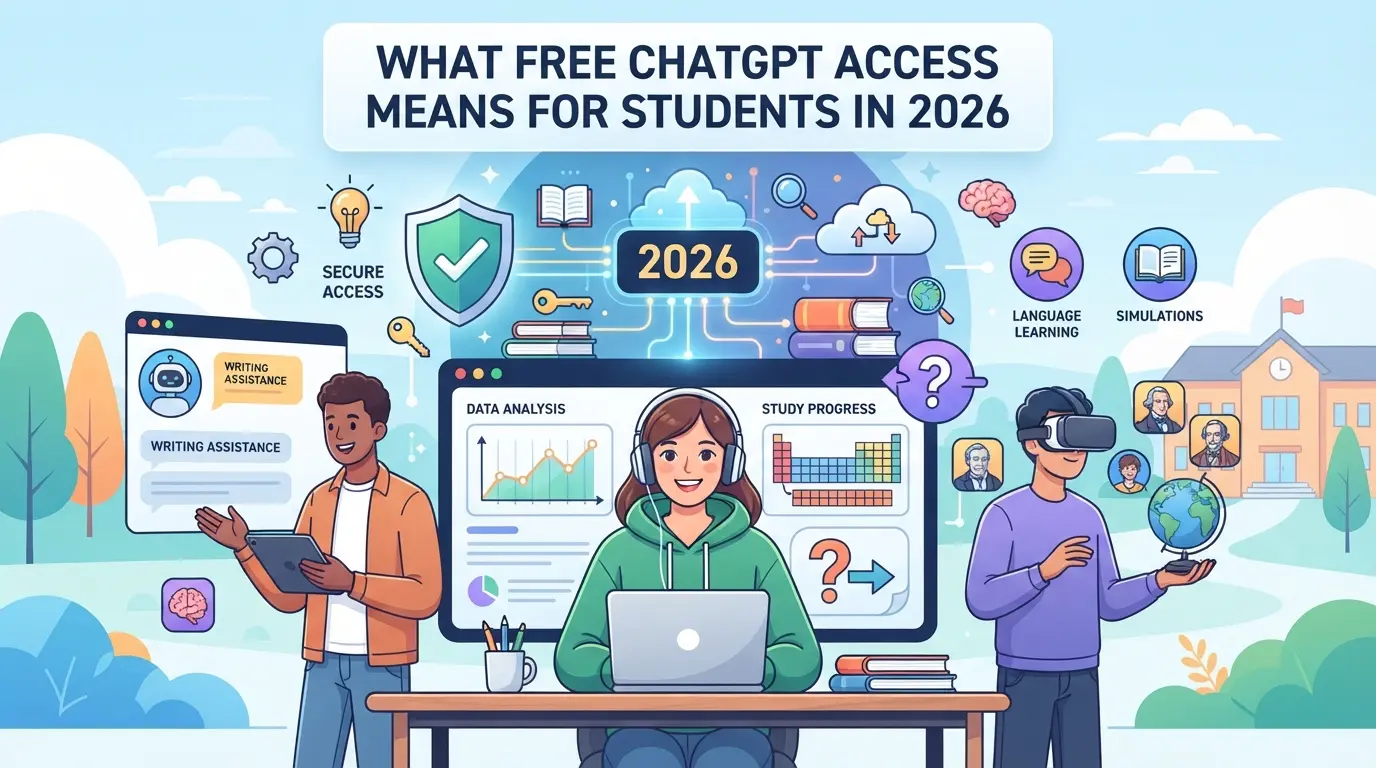
Getting free ChatGPT as a student in 2026 isn’t just “sign up and start chatting.” You have to clear eligibility checks, watch for strict usage limits, and know that access can be cut or changed mid-semester. The real difference comes down to which version you claim, how your student status is verified, and what’s actually included.
Types of Free ChatGPT Access Available to Students
Most students see two options: the ordinary free ChatGPT everyone gets, or a student-specific offer. Some universities set up temporary perks such as 4 months of free Plus or Work, usually tied to back-to-school or trial campaigns. Permanent free tiers stick around year-round but throttle usage and restrict premium features.
Eligibility: Who Can Claim Free ChatGPT as a Student?
Student access starts with verification. The standard path uses your school email, usually one ending in .edu, .ac.uk, or another recognized domain. But that’s not always enough. If your school isn’t on OpenAI’s supported list, or if you’re in a country excluded from student promotions, your signup can fail even with a real student email. For example, students at big public universities in the US or UK typically breeze through. Someone at a technical college in Southeast Asia, though, might get a rejection message or be asked for extra proof, such as a dated enrollment letter or digital ID. Some regions require both email and mobile verification, and the process can stall if your school’s domain isn’t whitelisted. Appeals rarely work, if your institution isn’t recognized, you may have to wait for the next eligibility update or find a paid route. This means even legit students can get blocked if the system flags their account as suspicious or their network shows too much automated activity. If you get stuck, trying to reapply from a different IP or browser sometimes helps, but there’s no guaranteed fix.
What’s Included (and Not) in Free Student Access
- Core features: basic chat, limited history, and GPT-3.5 model access
- What you lose: priority access, GPT-4, advanced plugins, and most integrations
- Hard usage caps: daily or monthly message limits, queueing during peak demand
The next step is to see exactly how to claim your free student access, and what to check before you hit “Sign up.”
How to Claim Free ChatGPT as a Student: Step-by-Step in 2026
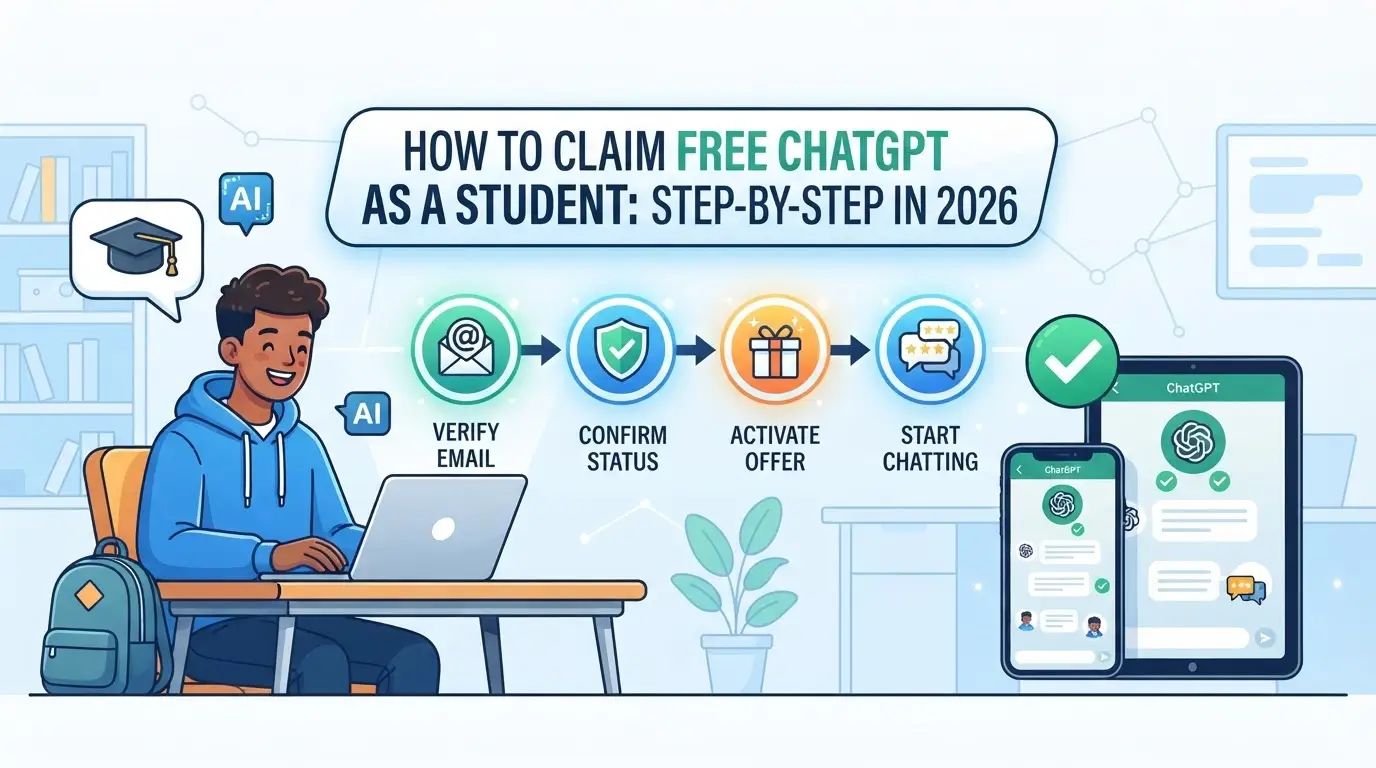
Getting student ChatGPT access in 2026 is more than just signing up, most schools require real verification, and the process can fail for reasons you won’t see until you’re stuck. Here’s exactly how to prepare, register, and keep your free access running without losing work mid-semester.
Preparing Your Student Verification
- Find your active student email or ID card, most systems need a current .edu address or a scan of your school ID.
- Check if your school is listed with SheerID, UNiDAYS, or the platform ChatGPT uses. If your school isn’t on the list, you’ll likely get blocked at this stage.
- Take clear photos or screenshots of your proof. Blurry uploads or expired IDs are the top reasons students get rejected.
Registering and Verifying with ChatGPT
- Go to the official ChatGPT student signup page and start a new account if you don’t have one.
- Enter your student info when prompted, usually your .edu email or a school-provided login. Some forms require you to upload your student ID or current class schedule.
- Watch for a confirmation or rejection email. If you don’t get a response within 24 hours, check your spam folder, then try resubmitting. Verification fails most often when the name on your school record doesn’t match your ChatGPT account.
Activating and Using Your Free ChatGPT Access
- Log in after approval. Look for a banner or dashboard message that confirms student access, if it’s missing, your upgrade didn’t process.
- Test your access limit right away. Some students get “limit reached” errors on day one, this often means your account flagged as a duplicate or your school hit its usage cap.
- If activation fails, don’t keep retrying with the same data. Instead, contact ChatGPT support with your verification email and proof. Repeat attempts with mismatched info can lock your account for days.
What to Expect After the Free Period Ends
- Set a calendar alert two weeks before your free access expires, auto-renewal can trigger a charge if you added payment info during signup.
- If you don’t want to pay, visit your account settings to downgrade or cancel before your billing date. Some schools offer a renewal, but you’ll need to verify again.
- If you lose access, switch to other free AI tools or ask your school’s IT department about campus-wide licenses. Waiting until your account locks can mean losing saved chats you need for class.
Staying verified and proactive stops you from scrambling when deadlines hit. Next, see exactly what you can and can’t do on student ChatGPT, features change fast, and some options are hidden behind paid plans.
What Students Can (and Can’t) Do with Free ChatGPT
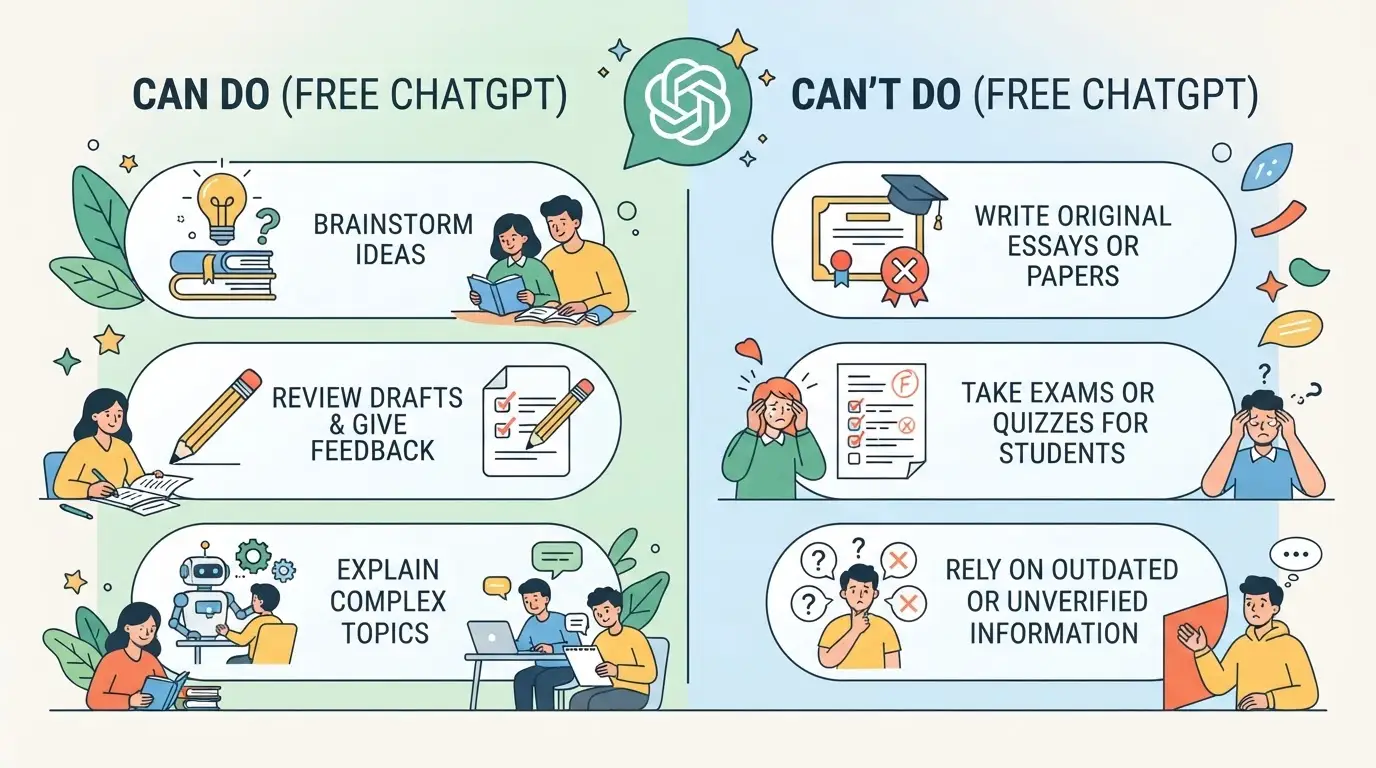
Student chatgpt access in 2026 gives you a real boost for schoolwork, but it’s easy to get tripped up by hidden limits. Before you rely on free chatgpt for students, check what actually works, and what can get you locked out or blocked mid-project.
Best Study Tasks for Free ChatGPT
Summarizing lectures, drafting essays, brainstorming topics, and practicing language or code are where the free version shines. For most daily coursework, these tasks run smoothly and don’t hit usage barriers fast.
Limits on Usage, Models, and Integrations
You’ll notice the biggest limits when you try to push ChatGPT outside its default box. Free accounts usually cap daily messages (often 20-40), and these limits reset at random times, sometimes right in the middle of homework. Most free student access is stuck on GPT-3.5, not the newer GPT-4 models, so complex or up-to-date questions may give weaker answers. Features like plugins, file uploads, or web browsing aren’t unlocked on free plans. If you try to use browser extensions or third-party “boosters,” you risk hitting a wall when the platform updates or blocks them. For example, working on a group project at midnight and suddenly seeing “message limit reached” means waiting hours or switching tools, which can blow up an all-nighter. The real headache comes when a deadline is close and ChatGPT quietly changes its limits or disables your main features with no warning.
Why Account Sharing and Collaboration Can Be Risky
Sharing your login with teammates seems quick, but it can backfire fast. If two people log in from different cities, ChatGPT may flag the account for “suspicious activity” and force a password reset, or worse, freeze it. Group work gets messy when you lose access mid-session, and privacy goes out the window if everyone sees your chat history.
Common Mistakes That Get Student Accounts Restricted
- Logging in from different devices or locations in ways that don’t match your normal pattern
- Giving out your account password to friends or letting a group use your login at once
- Breaking the usage terms, like mass-automating requests or scraping content
Slip up on any of these, and your student chatgpt access could get suspended without appeal. The next section covers smarter ways to use ChatGPT for study and teamwork without running into these roadblocks.
How to Use Free ChatGPT Smarter: Study Workflows and Collaboration Tips
Getting the most out of student chatgpt access 2026 means structuring every session and protecting your account when working in groups. If you treat ChatGPT as a random search tool, you’ll end up with scattered notes and missed deadlines. The smarter approach is to treat each session as part of a repeatable workflow, one that survives platform hiccups and keeps your data safe.
Structuring ChatGPT Sessions for Study Success
A session that starts with a clear goal ends with useful output. Set your topic before opening ChatGPT, use subject-specific prompts (like “explain mitosis for a biology quiz” or “summarize World War II causes for history”), and save key answers in a dedicated folder. The main move is to track what worked, if you always get better math help with step-by-step prompts, write those down and reuse them. If your output is messy or off-topic, tweak your prompt and retry instead of wasting time copying bad answers.
Collaborating Without Risking Account Security
Group projects can tempt you to share logins, but that’s where most account bans begin. Stick to these checks:
- Share outputs (like PDFs or Google Docs), never passwords.
- Use group prompts and paste responses into shared documents.
- Avoid letting anyone else log into your student ChatGPT account, even for a quick edit.
Alternatives for Group Study or Team Projects
If your group needs real-time collaboration, check if ChatGPT offers official sharing tools, most free versions don’t. For now, simple is safer:
- Use Google Docs or Notion to collect and comment on ChatGPT responses.
- Assign one person to run prompts and share outputs.
- If your group needs full access, everyone should claim their own student account and avoid cross-login.
How Teams Can Share Platform Accounts More Safely: DICloak Workflows for Student Groups
It’s common for student groups to share logins for study tools or platform accounts, but a shared password in a group chat is a fast way to lose control, or get locked out right before a deadline. If your team needs to keep shared sessions stable, protect passwords, or limit what each person can do, DICloak offers specific controls at the browser-profile layer. The following workflow covers how admins can set up safer account sharing for group projects or rotating study teams.
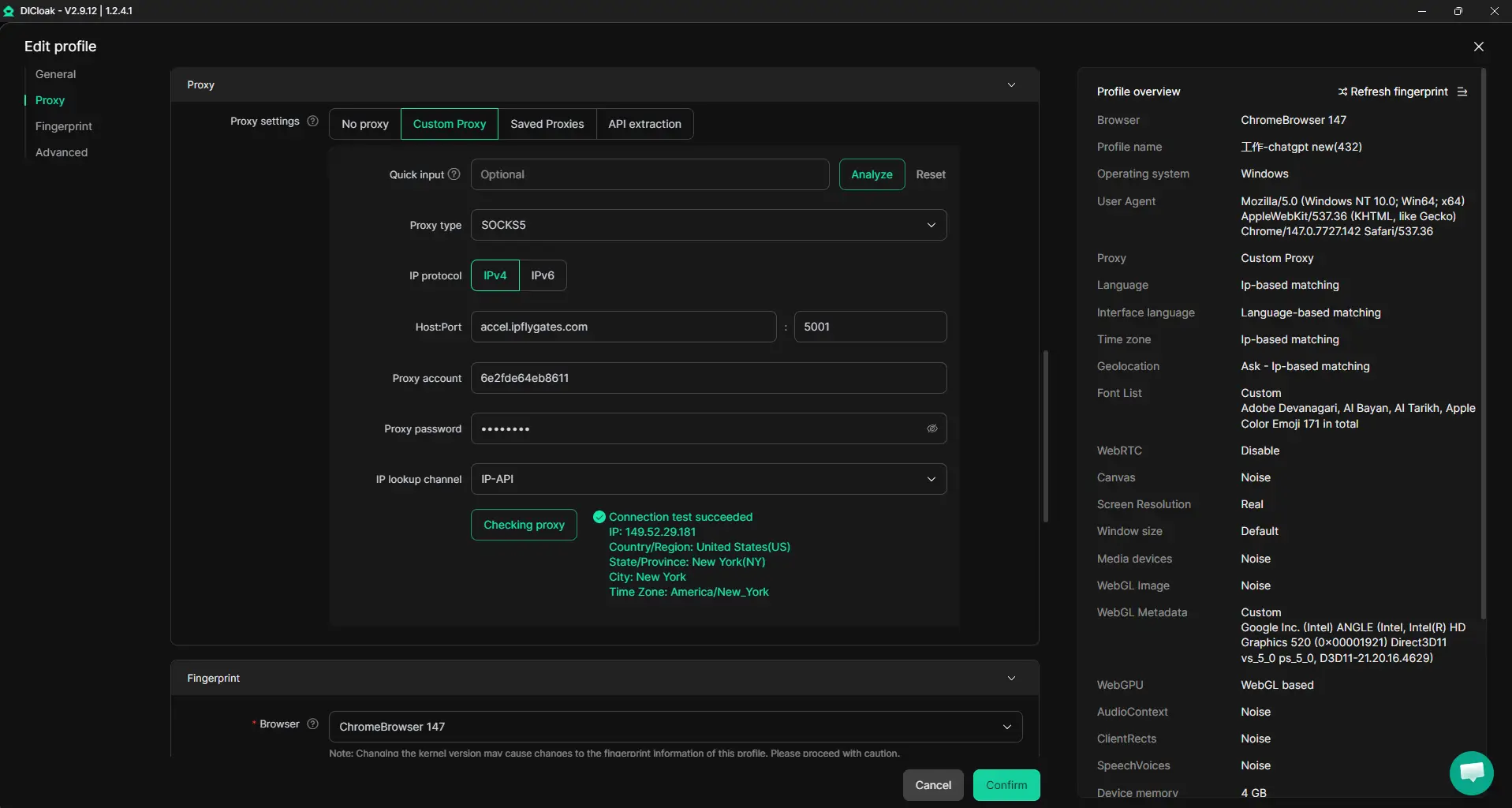
Keeping Shared Account Sessions Consistent with Unified IP and Fingerprint
When multiple students access the same platform account, mismatched browser profiles and IP addresses can break sessions or trigger extra checks. By setting up a shared DICloak profile with a fixed fingerprint and user-provided proxy, an admin makes sure everyone logs in using the same environment, no matter their device. All authorized members must use that exact profile to keep sessions consistent; using different profiles won’t match up all signals, and platforms may still flag some changes.
Reducing Credential and Data Exposure with Account Security Controls
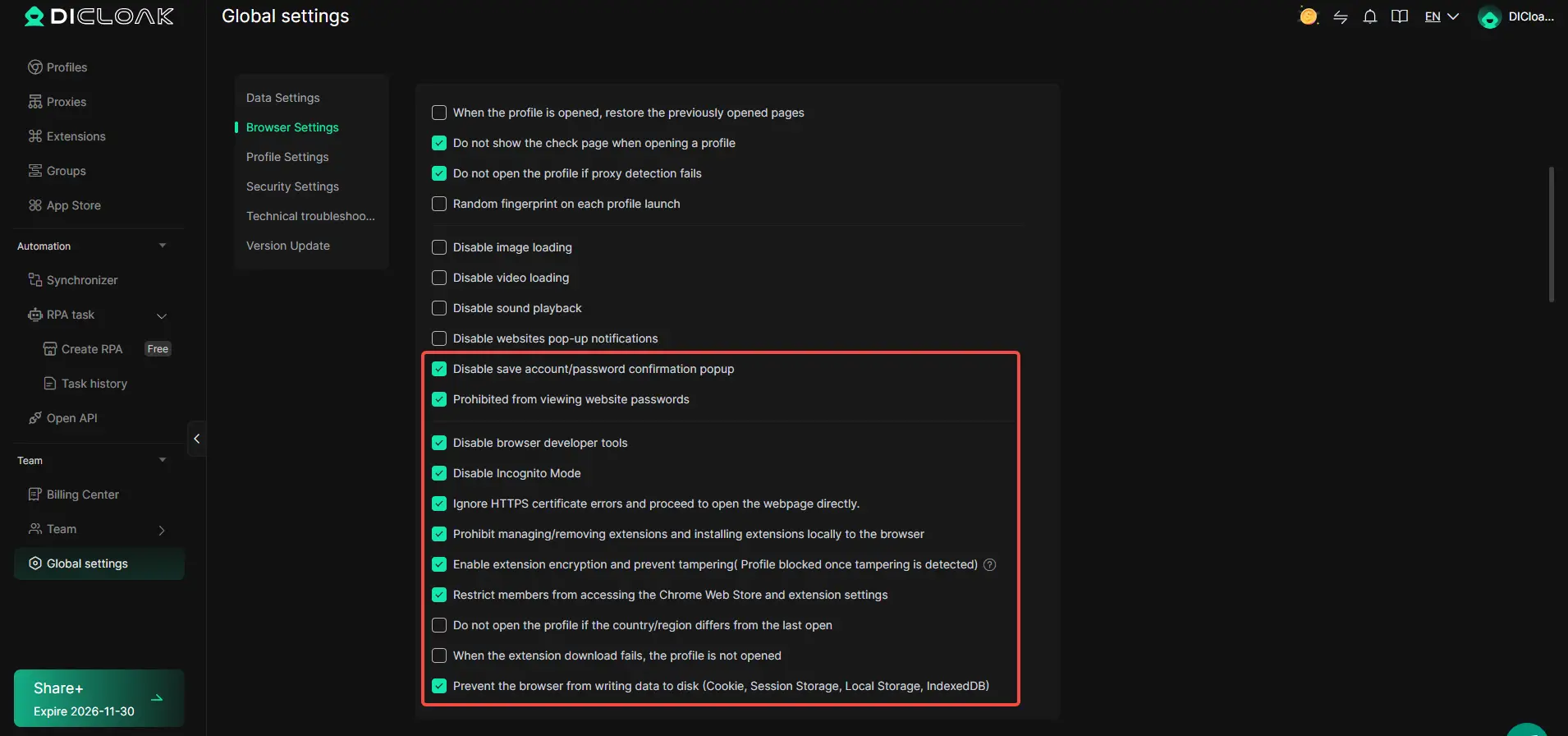
Handing out a password is risky, anyone could save it, grab cookies, or dig into sensitive account pages. DICloak lets admins set controls at the profile level: block password saving, hide stored credentials, and even restrict access to specific management pages. Where available, admins can also hide sensitive fields and disable browser tools that might reveal more than intended. The scope is limited to browser-profile access; it does not change the connected SaaS tool.
Managing Team Access and Permissions for Shared Accounts
Not every group member should see or do everything. Admins can set up member groups in DICloak, control which profiles each group can access, and restrict actions to only what’s needed for the project. That means one student can open the shared profile, while another only views the list, lowering the chance of mistakes or accidental changes. These permissions cover DICloak roles, not the platform’s own user settings.

If your free student ChatGPT access ends or the team grows, these controls help you keep shared workflows organized for whatever tool comes next.
What Happens After Your Free ChatGPT Access Ends?
Student chatgpt access 2026 doesn’t last forever, when the free period ends, you need to decide whether to upgrade, switch tools, or back up your materials before losing access.
Upgrading to Paid Plans: Costs and Considerations
ChatGPT Plus is $20/month for individuals, while ChatGPT Team starts at $25/month per user. Watch for student discounts, these change by semester. Always check billing before the free trial expires to avoid surprise charges.
Switching to Other Free AI Tools
Plenty of free chatbots exist, but most limit daily messages or features. Google Gemini and Microsoft Copilot let you run basic prompts without payment, but you’ll need to set up your own account and migrate saved chats manually.
Retaining Your Data and Study Materials
- Export chat history before access ends
- Check platform policy on data retention
- Keep backups in Google Docs or your local drive
When Free ChatGPT Isn’t Enough: Paid Upgrades and Student Alternatives
Not every student can get by with just the free version. If you hit a usage cap before a project is done or need more reliable access, you have two main options: pay for an upgrade, or try other AI tools built for education.
Comparing Free vs. Paid ChatGPT for Students
| Feature |
Free Student Access |
Paid ChatGPT Plus |
| Model Access |
GPT-3.5 only (2026) |
GPT-4, faster GPT-3.5 |
| Usage Limits |
Daily/hourly caps, queue |
Higher limits, priority use |
| Integrations |
Basic only |
Plugins, file upload |
| Cost (USD/month) |
$0 |
$20 (no standard student discount) |
If your assignments need file uploads, advanced models, or you often get locked out during peak hours, upgrading is the only way to keep access stable.
Official Student Discounts and Promotions in 2026
Always check the official OpenAI pricing page and your school’s tech portal before paying, real student discounts are rare, and many resellers offer fake “education plans.” Wait for your school or OpenAI to confirm any promo before entering payment details.
Top Alternative AI Tools for Student Study
If you can’t (or don’t want to) pay for ChatGPT Plus, look at free or discounted student AI tools like Google Gemini, Claude.ai, or Perplexity. Each has its own quirks, Claude can handle bigger files, but Gemini is better for quick web lookups. Combine two or three: when one hits a limit, switch to another so you’re not stuck during finals.
Frequently Asked Questions About free chatgpt for students
Is free ChatGPT for students available worldwide in 2026?
Free ChatGPT for students is not available everywhere. In 2026, most U.S. schools, many European universities, and select Asian and Australian institutions offer access. Some countries, like China and Russia, have restrictions or no access due to local laws. Always check your school’s program and local rules before signing up.
Can I use my school email to get free ChatGPT access?
Yes, most programs require your school email for verification. You’ll need to sign up using your official student email address, like one ending in .edu or your school’s domain. Some schools also require extra steps, such as entering a code sent to your email or using single sign-on portals.
What happens if I share my free ChatGPT account with friends?
Sharing your student ChatGPT account is against the rules. If you share your login, the system may detect unusual activity and lock your account. This could cause you and your friends to lose access to free features. In some cases, schools may take further action if sharing is reported.
How do I keep my study data safe when using free ChatGPT?
To keep your data safe, avoid entering private details or sharing sensitive schoolwork. Regularly export your chats if you need backups. Never share your login. Use only secure devices and trusted networks. Review privacy settings in your account, and log out when finished.
Are there any hidden costs or auto-renewals after the free student period?
Most free student offers end after graduation or a set period. You won’t be charged unless you upgrade or add payment info. There are no hidden fees or auto-renewals tied to basic student access. Always check your account settings to make sure you don’t add a card by mistake.
Students looking to improve their learning can take advantage of accessible AI tools designed to support research, writing, and study organization. By trying out reputable, free platforms, you can find the solution that best fits your academic needs. Try DICloak For Free
 Web Proxy Tools
 Free Tools
 Cookie Plugin
 UA Generator
 MAC Address Generator
 IP Generator
 IP Address List
 2FA Code Generator
 World Clock
 Anonymous Check
 WebRTC Leak Test
 UUID Generator
 Free Web Proxy Site
 Proxy Checker
 FB Ad Checker
 AI Web Scraping
 Free SMM Tools
 Twitter Shadowban Checker
 Instagram Name Checker
 UTM Generator
 Username Generator
 AI Hashtag Generator
 LinkedIn Headline Generator
 Social Media Image Resizer