A single login for Claude might sound easy, but one careless move can lock out everyone or trigger an instant security review. Reports of families getting locked when sharing claude with family are all over Reddit and Hacker News. Most users start by just sending a password or sharing a browser session. It works, until someone logs in from a new device or location. Suddenly, the Claude account gets flagged, and support asks for proof of ownership. There’s no family plan, no official way to add trusted users, and sharing your main Claude account can quickly lead to lost access or even permanent bans.
Trying to share Claude with family? The risks aren’t always obvious up front. People assume “just don’t log in at the same time” is enough. In reality, IP changes, device mismatches, or even small browser differences can trigger automatic restrictions. Some users try to set up a “Claude multi-user sharing” workflow with shared passwords or by passing around cookies, but these methods often break or make things worse. The guide below will show what can go wrong, what actually works, and when a smarter setup, like managed browser profiles, is the only way to avoid getting everyone locked out. Here’s what to check before you hand over your Claude login.
What Should You Know Before Sharing Claude with Family?
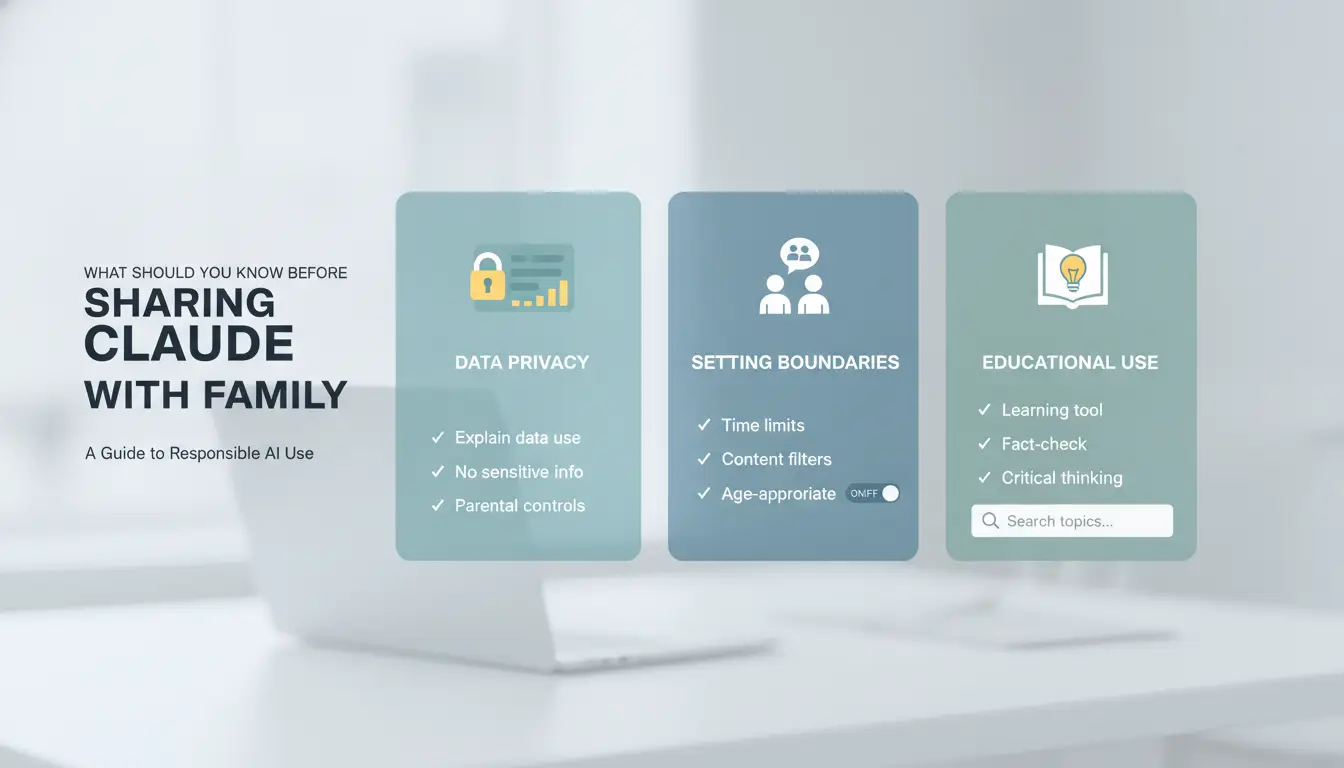
Trying to save money or make things easier by sharing Claude with family sounds simple, but it’s rarely that smooth. Most people don’t check the rules or think through what could go wrong until someone gets locked out. Here’s what matters before you even consider handing over your Claude login.
Why Do Families Want to Share Claude?
The biggest reason is cost. Instead of paying for two or three subscriptions, families try to use one Claude account for everyone. Some look for a “Claude family plan” or hope for a way to add trusted users, but as of June 2026, Claude does not offer any official multi-user or family sharing option. Convenience plays a role too, nobody wants to juggle account switching or manage separate payments if they can avoid it.
What Are Claude’s Official Policies on Account Sharing?
Claude’s terms of service are clear: accounts are meant for individual use only. Sharing your login, even with family, breaks the rules. The system checks for things like logins from different IP addresses, device fingerprints, or unusual access patterns. If something looks off, you might get a forced verification, lose access until you prove you’re the real owner, or in some cases, face a permanent ban. Enforcement is mostly automated, but support rarely makes exceptions for “we were just trying to share Claude account with family” stories. For the latest details and rules, check the Claude official help page.
What Goes Wrong Most Often When Sharing?
The most common issue is a lockout. One person logs in from home, another from a different place, and suddenly Claude’s system thinks the account is compromised. Forced phone or email verification can pop up at random times, and if you’re not quick, or if you can’t access the recovery method, everyone could get locked out. Some users try to “work around” this by passing cookies or using browser sync, but these tricks often backfire and get the entire account banned. Losing your main Claude account is much easier than most people expect when you try multi-user sharing.
Why Sharing a Claude Account with Family Gets Risky Fast
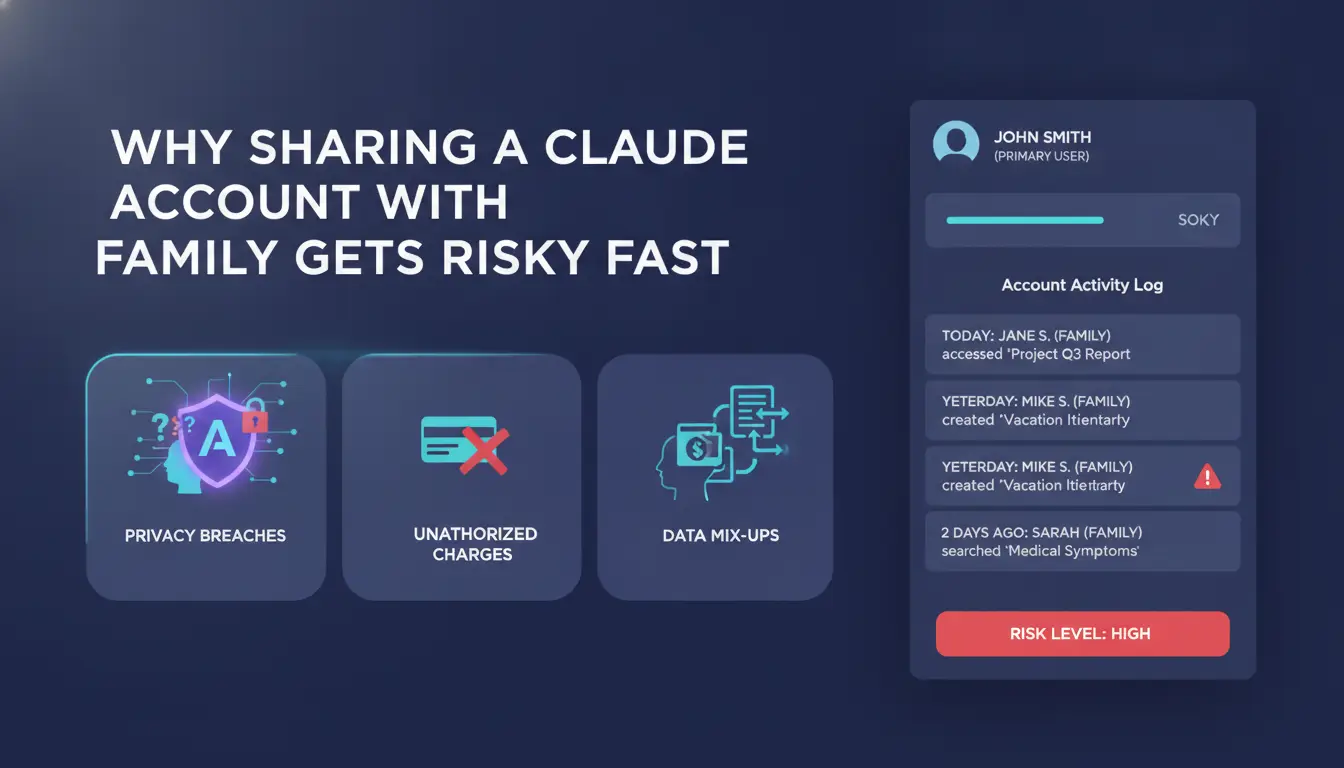
People think sharing Claude with family or friends is as simple as giving out a password. The trouble starts when you realize Claude has no official family plan and no built-in way to add extra users. Trying to share a Claude account with family can bring more problems than expected, many users lose access within days because the system is strict about detecting shared logins. Even “Claude multi-user sharing” setups look easy at first, but most break fast.
How Claude Detects Shared Accounts
Claude tracks more than just passwords. Every time someone logs in, the system checks IP address and location. If your family members use different Wi-Fi networks, or log in from another city, Claude may flag the account. The platform also uses device fingerprinting, this means it looks at browser type, plugins, operating system, and other device details. If someone logs in from a MacBook, then later from a Windows PC, that’s a red flag. Session tracking ties logins to specific devices. Too many changes, or switching between browsers, often trigger security checks.
Common Mistakes That Trigger Restrictions
The fastest way to get restricted is logging in from different places at the same time. Even a quick check from someone else’s phone can set off alarms. Sharing passwords by text or email is also risky. If someone copies your cookie or saves the password in a shared doc, attackers can grab this info. Trying to use browser sync or password managers to share Claude account with family often backfires, these tools leave traces Claude’s system can spot.
What Happens If Your Account Gets Flagged
Once Claude’s system sees unusual sharing, you’ll likely face forced logouts. The account will ask everyone to verify with a code sent to the main email or phone. If you can’t pass this step, you’re locked out. Some users end up in a verification loop that never clears. In tougher cases, Claude bans the account completely. That means you lose all saved prompts, chat history, and access, no warning, no appeal. Handing out your main login can cost you everything tied to that account.
What Are the Real Alternatives to a Claude Family Plan?
Families looking for a safe way to use Claude together run into a simple problem: there’s no official Claude family plan, and sharing your main login risks getting everyone locked out. People try workarounds, shared passwords, passing cookies, swapping devices, but most break quickly or trigger security flags. If you want to avoid lost access, you need to know what actually works, what doesn’t, and how other AI tools handle sharing.
Does Claude Offer a Family or Team Plan?
Claude doesn’t provide any official family or team plan. Right now, each user needs their own individual account. There’s no built-in option for “Claude multi-user sharing,” even for paid subscribers. If you try to share a Claude account with family, you’re running against the system’s rules. The platform watches for login patterns, new devices, IP changes, browser mismatches, and flags suspicious activity. Individual accounts are safer, but they cost more and don’t allow easy management across users. For official options and updates, check the Claude website.
How Do Other AI Tools Handle Family Sharing?
Most AI tools don’t offer true family plans either. Here’s a quick comparison:
| Tool |
Official Family Plan |
How Sharing Works |
Risks |
| Claude |
No |
One user per account |
Lockouts, bans |
| ChatGPT Plus |
No |
One user per account |
Restrictions |
| Gemini Pro |
No |
Google profile-based sharing |
Some flexibility |
| Google AI Pro |
No |
Tied to Google Workspace |
Admin controls |
Source: Claude, OpenAI, Google Gemini
None of these major platforms offer a real “family plan.” Most follow strict single-user policies. Google Gemini and Workspace may allow some managed sharing, but it’s mainly for business teams, not household use. Sharing Claude with family faces the same limits as ChatGPT or Gemini.
When Is It Worth Paying for Multiple Accounts?
If you need stable access for several people, paying for separate accounts is often less risky than trying to “share Claude account with family” by swapping logins. The cost adds up, Claude Pro is $20 per month per user, but it prevents most lockout problems. Separate accounts mean every family member gets their own session, avoids security triggers, and keeps personal chat history private. When the risk of lost access is higher than the monthly fee, buying multiple accounts is the safer bet. If you need team control or managed browser profiles, you can use tools like DICloak to keep profiles and proxies separate for each user, reducing cross-account risks.
How to Share Claude with Family: Step-by-Step Safer Workflow
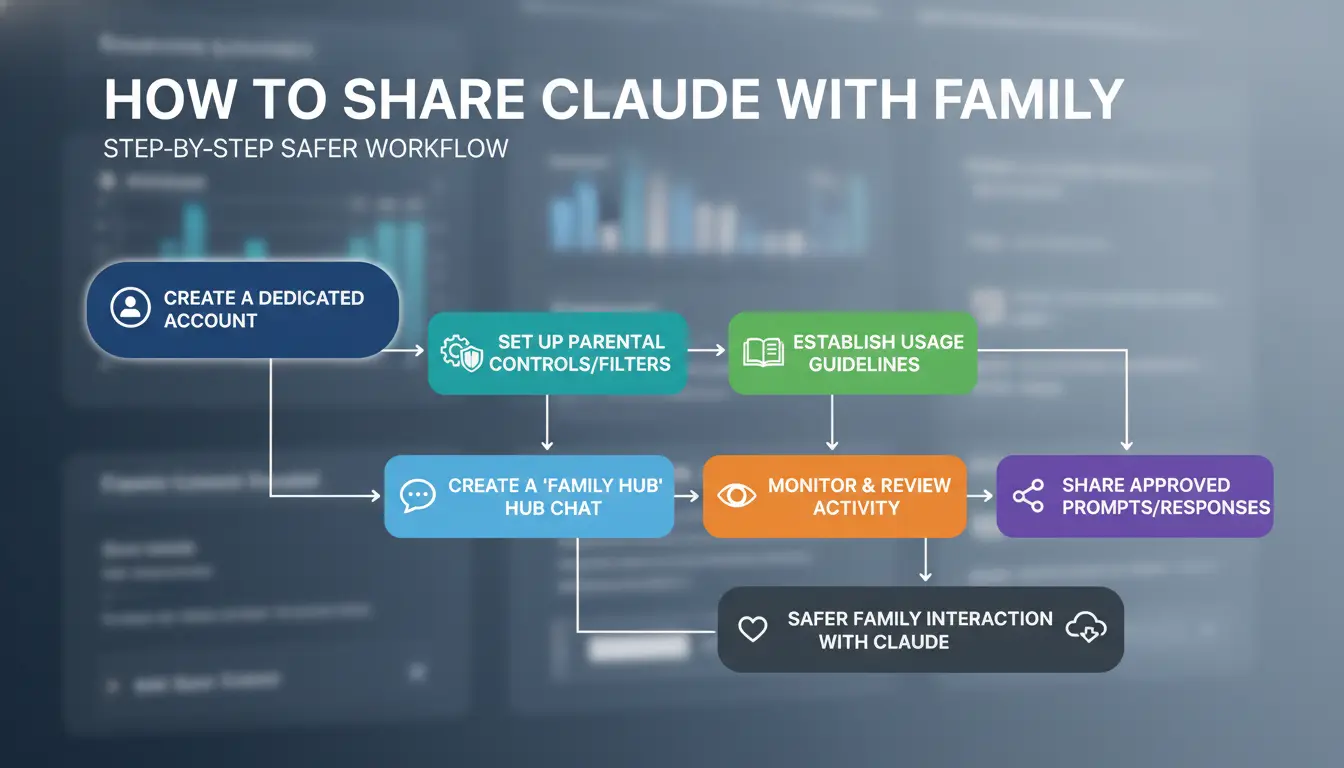
Sharing Claude with family sounds simple, but even one mistake, like logging in from the wrong device or location, can trigger restrictions. Instead of risking your Claude account, follow this workflow to keep access stable and avoid sudden bans. Here’s how to handle each step without falling into common traps.
Step 1: Set Up a Shared Environment
If everyone logs in from the same device and browser, Claude is less likely to flag the account for unusual activity. This keeps browser fingerprints and cookies consistent. Mixing phones, tablets, or browsers makes the system think someone new is logging in. You can use a dedicated computer at home or set up a shared browser profile for all family members. For families who want to try Claude multi-user sharing, sticking to one device is the easiest way to lower risk.
Step 2: Manage Logins and Passwords Securely
Passing passwords through chat apps is risky. Messages can get lost, copied, or intercepted. Instead, use a password manager like Bitwarden or 1Password to give family secure access. This keeps login details safe and makes it easier to update passwords if needed. Never share backup codes or recovery links in group chats.
Step 3: Keep a Consistent IP and Location
Claude tracks IP addresses and location. If someone logs in from another city or country, the account may get flagged. Using residential proxies from providers like Smartproxy lets you keep the same location, even when someone is traveling. Frequent travel or remote logins can trigger extra verification steps. For those hoping for a Claude family plan, keeping location stable is key.
Step 4: Monitor for Warnings and Take Action
If Claude asks for a verification code or sends a warning, stop sharing right away. Too many failed logins or mismatched locations can lead to permanent bans. Check for emails or in-app messages about suspicious activity. If you see anything unusual, reset your password and review who has access. Ignoring warning signs almost always leads to lost accounts.
How to Reduce Account Ban Risk When Multiple Family Members Use Claude
Why Most Family Sharing Fails Without a Secure Setup
Most people think sharing Claude with family is safe if they avoid logging in at the same time. That rarely works for long. Claude tracks browser fingerprints, device types, and IP addresses, so if your brother logs in from a different laptop, or someone uses mobile data instead of home Wi-Fi, the platform often flags the activity. Session conflicts and mismatched fingerprints can trigger bans or forced password resets. Even careful users find their “Claude multi-user sharing” setup breaking when cookies get overwritten or a security check pops up.
How DICloak Makes Family Sharing Safer and Simpler
You can use tools like DICloak to keep “sharing Claude with family” much safer. DICloak lets everyone access a shared Claude profile using the same browser fingerprint and proxy, so logins look consistent no matter who connects. This reduces the chance of triggering automatic blocks. Team features like profile sharing let you give each person controlled access, while permission controls and operation logs show exactly who did what and when. That means you avoid the chaos of shared passwords and keep the account under control.
Practical Steps to Use DICloak for Family Account Sharing
Set up a shared Claude profile in DICloak, invite family, and assign permissions. Each person uses their own device but logs in through the same managed environment, making your “Claude family plan” work without the usual risks.
When Sharing Claude with Family Is Not Worth the Risk
Trying to share Claude with family seems simple, but most people hit problems fast. Claude doesn’t offer a real “Claude family plan”, every login is meant for one person. If you hand out your password, you risk losing access for everyone. Even if you just want to let a partner or child try the tool, the system flags unusual activity quickly. Below are the main signs you should stop, safer alternatives, and how to exit a risky setup without losing work.
Signs You Should Stop Sharing
Constant logouts or requests for new codes are a big warning. If you keep seeing “suspicious login” alerts or get blocked from prompts, it usually means Claude’s system noticed something off. This often happens when family members live far apart, like one in New York, one in London. Time zone or country jumps look like account theft, not normal use. If you ever got a “your account is under review” email, you are already on borrowed time. Sharing a Claude account with family may seem harmless, but these signals show you’re close to getting locked out for good.
Safer Alternatives for Family AI Access
The safest way is for each family member to sign up for their own Claude account. There’s no official Claude multi-user sharing option, and so far, no “Claude family plan” like Google Workspace or Microsoft 365 Family. If you want to share AI tools, consider options that allow teams or family access, like ChatGPT Team or Notion AI for notes and writing. These platforms are built for group use and won’t trigger bans for multi-user access.
How to Transition Off a Shared Account
Don’t wait for a total lockout. Download any important Claude chat logs or documents you want to keep. Make sure each family member creates a new account with their own email and device. If you need to keep workflows separate, use managed browser profiles or a tool like DICloak’s browser profile manager to avoid cross-contamination. This way, you lower the chance of restrictions and keep everyone’s data safe.
What to Do If Your Claude Account Gets Locked or Banned After Sharing
Getting locked out of your Claude account after trying to share it with family can feel like a dead end, but there are still steps you can take. Most locks or bans happen when the system sees logins from different places, devices, or browsers. If you were testing a "Claude multi-user sharing" setup or just wanted to share Claude account with family, knowing what to do next can make a difference between a quick recovery and losing access for good.
Immediate Actions to Take
Stop logging in right away. Repeated failed logins or switching IP addresses in a short time can make things worse. Go directly to Claude's official support page and describe the issue. Give details about your account, what happened, and be honest if you were sharing Claude with family, support can see login history anyway.
If you see a prompt to verify your identity, follow the steps carefully. Use your main device and original connection if possible. Trying to outsmart the lock with new devices or proxies usually backfires.
How to Recover Data and Prevent Future Problems
If you do regain access, download or copy your chats and any important info right away. There's no official Claude family plan, so sharing accounts will always carry risk. Store backup copies outside of Claude, especially if you rely on it for work or research.
Think about changing your workflow. Instead of sharing passwords, set up separate browser profiles or managed environments for each user to avoid cross-device triggers. For teams, tools like DICloak can create isolated browser profiles so every user has a unique session, even if they access the same Claude account. This reduces the chance of lockouts by keeping device and fingerprint data separate.
Learning from the Experience
Most bans come from device mismatches, IP switches, or login patterns that look automated. Next time, avoid sharing your main login or passing cookies. If you need true multi-user access, keep an eye on updates from Claude's official blog for any news about a Claude family plan or official sharing features.
If sharing is unavoidable, set clear rules about who logs in, when, and from where. This lowers the risk that everyone gets locked out at once.
Frequently Asked Questions
Can I legally share my Claude account with family?
Most terms of service for Claude say that sharing your Claude account with family or others is not allowed. Each person should have their own account. If you break these rules, your account could get banned or suspended. Sharing Claude with family may seem harmless, but it risks losing access for everyone.
Does Claude have a family or household plan?
As of now, there is no official Claude family plan or household plan. Each user must sign up for their own account. If you want to use Claude with multiple people in your home, check for group discounts or educational plans. Sharing Claude with family under one account is not supported.
How does Claude detect multi-user sharing on one account?
Claude uses tools like IP address checks, device fingerprinting, and sign-in patterns to spot Claude multi-user sharing. If several people log in from different devices or locations, Claude may flag or lock the account for suspicious activity. Repeated detection can lead to permanent bans.
What’s the safest way to give my family access to Claude?
The safest way is for each family member to create their own Claude account. If you must share, use secure password managers and always log out after use. Some families use browser profiles or device settings to separate sessions, but remember, sharing Claude with family in one account still breaks the rules.
Can DICloak really prevent bans when sharing with family?
DICloak can help hide your IP address and make sharing Claude with family harder to detect. However, it cannot guarantee your account is safe. Claude also checks for user behavior and device changes. If you share your Claude account with family, there’s always a risk of getting banned, even with DICloak.
Sharing Claude with family can improve daily routines, foster collaboration, and make digital interactions more enjoyable for everyone. By introducing AI tools like Claude to your loved ones, you can simplify tasks and encourage learning together. Try DICloak For Free
 Web Proxy Tools
 Free Tools
 Cookie Plugin
 UA Generator
 MAC Address Generator
 IP Generator
 IP Address List
 2FA Code Generator
 World Clock
 Anonymous Check
 WebRTC Leak Test
 UUID Generator
 Free Web Proxy Site
 Proxy Checker
 FB Ad Checker
 AI Web Scraping
 Free SMM Tools
 Twitter Shadowban Checker
 Instagram Name Checker
 UTM Generator
 Username Generator
 AI Hashtag Generator
 LinkedIn Headline Generator
 Social Media Image Resizer