A virtual phone number for Telegram can help you protect your personal number, manage separate accounts, and keep work or public chats more organized. But not every virtual number is reliable. This guide explains how to choose, set up, and use one safely in 2026.
Why Do You Need a Virtual Phone Number for Telegram?
A virtual phone number for Telegram can help users keep personal contact details separate from public chats, work groups, business channels, or testing accounts. Telegram accounts still need a phone number to register, and each account needs its own number. This is why many users look for a separate number instead of using their main personal SIM. (rambox.app)

What risks come with using a personal number on Telegram?
Using your personal number can create privacy concerns. Telegram lets users control who can see their phone number, but mistakes can still happen if privacy settings are not checked. If you join many groups, run a public channel, or talk to unknown contacts, it may feel safer to avoid linking everything to your real daily number.
For example, a freelancer may use Telegram for client groups, crypto communities, and support chats. If they use their main number everywhere, work contacts and private contacts can become mixed. A separate number helps keep these spaces cleaner.
How does a virtual number improve privacy and security?
A virtual phone number can act as a buffer between your Telegram account and your personal phone number. This is useful when you want to create a public-facing account, join open communities, or manage work communication without exposing your main number.
It also helps with account separation. For example, one number can be used for personal chats, while another can be used for a brand channel or customer support account. This makes it easier to manage messages and reduces the chance of sharing the wrong contact detail.
Can virtual numbers help with managing multiple accounts?
Yes, but each Telegram account needs a different phone number. You cannot use the same number for several Telegram accounts. This is one reason a virtual phone number for Telegram can be useful for people who manage more than one account. (rambox.app)
For example, a small marketing team may need one Telegram account for support, one for community updates, and one for testing bot messages. Separate numbers make this easier to organize. The important point is to use stable numbers you can access later, because Telegram may need a login code again when you change devices or reset sessions.
Steps to Set Up a Virtual Phone Number for Telegram
Setting up a virtual phone number for Telegram is simple, but you need to do it the right way to avoid verification issues. The main steps are choosing a reliable provider, registering the number, and completing the code verification inside Telegram.
Where to find reliable virtual number providers
Not all virtual numbers work well with Telegram. Some are overused or already blocked. It is better to choose a provider that offers stable numbers and supports SMS. Paid services are usually more reliable than free ones, because free numbers are often shared by many users. For example, a free number may not receive the Telegram code, while a paid number works immediately. Also check if the provider supports the country you need, since some regions have higher success rates.
How to register and activate a virtual number for Telegram
After getting a number, open Telegram and enter the virtual phone number during sign-up. Telegram will send a verification code by SMS or call. You can view this code inside your provider dashboard and enter it into Telegram to activate the account. For example, most users receive the code within seconds and complete setup quickly. It is important to keep access to the number, because Telegram may ask for a new code if you log in on another device later.
Common setup mistakes and how to avoid them
A common mistake is using a number that has already been used too many times, which may get rejected. Another issue is losing access to the number after registration, which can lock you out of your account. For example, if you use a temporary number and cannot receive future codes, recovery becomes difficult. To avoid this, choose a provider that allows you to reuse or keep the number, and avoid switching devices or locations too often during setup.
What to Look for When Choosing a Virtual Phone Number Service
Choosing the right service is important when using a virtual phone number for Telegram. A poor choice can lead to failed verification, lost access, or security issues. A good provider should be stable, easy to use, and reliable over time.
Which features ensure compatibility with Telegram?
The most important feature is SMS support. The number must be able to receive verification codes quickly. It should also be a real mobile number, not a recycled or overused one. Stable access is also key, so you can receive codes again later if needed. For example, a number that works once but cannot receive future messages can cause login problems later.
How to evaluate pricing plans and subscription options
Pricing can vary a lot. Some services charge per number, while others use subscriptions. Cheap options may seem attractive, but they often come with limited reliability. A slightly higher cost usually means better delivery speed and more stable access. For example, a paid plan that lets you reuse the same number can save time and avoid account recovery issues.
Are free virtual numbers a safe and viable option?
Free virtual numbers are easy to find, but they come with risks. Many users share the same numbers, so they may already be used or blocked by Telegram. Codes may not arrive, or accounts may get flagged. For example, a user may try several free numbers and fail each time, then succeed quickly with a paid option. Free numbers can work for testing, but they are not reliable for long-term use.
Comparing Virtual Phone Number Providers for Telegram
Not every virtual phone number for Telegram works the same way. Some services are built for one-time SMS codes. Others are better for long-term account access. Before choosing one, compare the provider by cost, region, stability, and user feedback.
Key differences between paid and free services
Paid services are usually more stable. They often give you cleaner numbers, faster SMS delivery, and better access if you need the number again later. Free services are easier to try, but they are often shared by many users. That means the number may already be used, blocked, or unable to receive Telegram codes. For a long-term Telegram account, a paid number is usually the safer choice.
Which regions offer the best virtual number options?
The best region depends on your use case and the provider’s coverage. In general, numbers from popular markets like the United States, the United Kingdom, Canada, and some European countries are easier to find. But they may also cost more. Some lower-cost regions may work too, but delivery speed and Telegram compatibility can vary. Before buying, check whether the provider clearly supports Telegram verification for that region.
How to assess provider reliability and user reviews
A reliable provider should show clear pricing, supported countries, SMS history, and whether the number can be reused. User reviews can also help you spot common problems. Look for comments about Telegram code delivery, blocked numbers, refund issues, and customer support. For example, if many users say codes never arrive or numbers stop working after one day, it is better to avoid that service.
How to Use a Virtual Phone Number Safely on Telegram
Using a virtual phone number for Telegram can improve privacy, but it also adds responsibility. If the number is not protected, you can lose access to your account or expose your messages. A few simple habits can keep your account safe over time.
What security practices should you follow?
Start with basic account protection. Turn on two-step verification inside Telegram and set a strong password. Keep your recovery email updated. Do not share your login code with anyone, even if they claim to be support. For example, some users receive fake messages asking for a Telegram code. Once shared, the account can be taken over quickly.
Also avoid logging in on unknown devices. If you must use a new device, log out after use and check your active sessions inside Telegram settings.
How to protect your virtual number from misuse
Treat your virtual number like a real phone number. Do not post it publicly or reuse it across too many platforms. If too many services use the same number, it can become exposed or flagged.
For example, if you use one number for Telegram, social media, and random sign-ups, someone may gain access through another service. A better approach is to use the number only for Telegram or a specific purpose.
Choose a provider that allows you to keep or reuse the number. This ensures you can receive future verification codes if needed.
Can virtual numbers be traced or compromised?
Virtual numbers can still be tracked at a basic level, especially if linked to other accounts or activities. They are not fully anonymous. If the provider is weak or shared, someone else may gain access to the same number.
For example, with free shared numbers, another user might see your SMS code if they access the same number. This can lead to account loss. That is why private or dedicated numbers are safer.
Using a reliable provider, keeping your account settings secure, and limiting where the number is used can reduce these risks.
Troubleshooting Common Issues with Virtual Numbers on Telegram
Even when you follow the right steps, a virtual phone number for Telegram may not work the first time. Most problems come from blocked numbers, SMS delays, or account checks. The key is to understand the cause and fix it quickly.
Why isn’t your virtual number working for Telegram verification?
The most common reason is that the number has been used too many times. Telegram may block numbers that appear in many registrations. This happens often with free or shared numbers. Another reason is region mismatch. Some numbers from certain countries may not work well for Telegram verification. For example, a user may try several free numbers and keep getting “code not sent,” then switch to a paid number and succeed right away.
How to resolve SMS delivery problems
If the code does not arrive, wait a few minutes and try again. Make sure the provider supports SMS and that your number is active. Sometimes switching from SMS to voice call can help, as Telegram may offer a call option after a delay. For example, a user may not receive the SMS but gets the code through a call instead. If the problem continues, try a different number or a more reliable provider.
What to do if your virtual number gets flagged by Telegram
If Telegram flags your number, you may see errors like “number banned” or “too many attempts.” In this case, stop trying repeatedly, as this can make the issue worse. Wait for some time, or switch to a new number from a different provider or region.
For example, a user who keeps retrying the same number may get permanently blocked, while switching to a fresh number works immediately. It is also helpful to avoid rapid sign-ups from the same device or network, as this can trigger extra checks.
Using a stable virtual phone number for Telegram and avoiding repeated failed attempts can reduce these issues and make setup smoother.
Advanced Tips for Managing Virtual Numbers on Telegram
Once you start using a virtual phone number for Telegram, good management becomes important. Poor handling can lead to lost access or blocked numbers. With a few simple habits, you can keep your setup stable and easier to manage over time.
How to use one virtual number across multiple accounts
You cannot use one number to create multiple Telegram accounts at the same time. Each account needs its own number. However, you can reuse a number after removing it from an old account, but this can be risky. For example, if the old account is still active or linked, the new setup may fail or trigger extra checks. A safer approach is to use a separate number for each account to avoid conflicts.
When to switch or renew your virtual number
You may need to switch numbers if your current one stops receiving codes, gets flagged, or becomes unreliable. Some providers also offer temporary numbers that expire after a short time. In these cases, renewing or replacing the number is necessary.
For example, if you cannot receive a login code after switching devices, it may mean the number is no longer active. Using a long-term or renewable number can help avoid this problem and keep your account accessible.
Can virtual numbers be used for other apps alongside Telegram?
Yes, a virtual number can be used for other apps, but it is better to limit how many services use the same number. Using one number across too many platforms can increase the risk of exposure or blocking.
For example, if the same number is used for Telegram, social media, and many sign-ups, it may become overused and flagged. A better strategy is to assign one number to one main purpose, such as Telegram only. This keeps your account cleaner and reduces the chance of issues later.
Managing Multiple Telegram Accounts with DICloak Antidetect Browser
Using a virtual phone number for Telegram can help you create separate accounts, but number setup is only one part of account management. When several Telegram accounts are used on the same device, cookies, sessions, and network data can still get mixed together. DICloak helps keep each account in a separate browser profile, making multi-account work cleaner, safer, and easier to control.
Separate profiles for different accounts
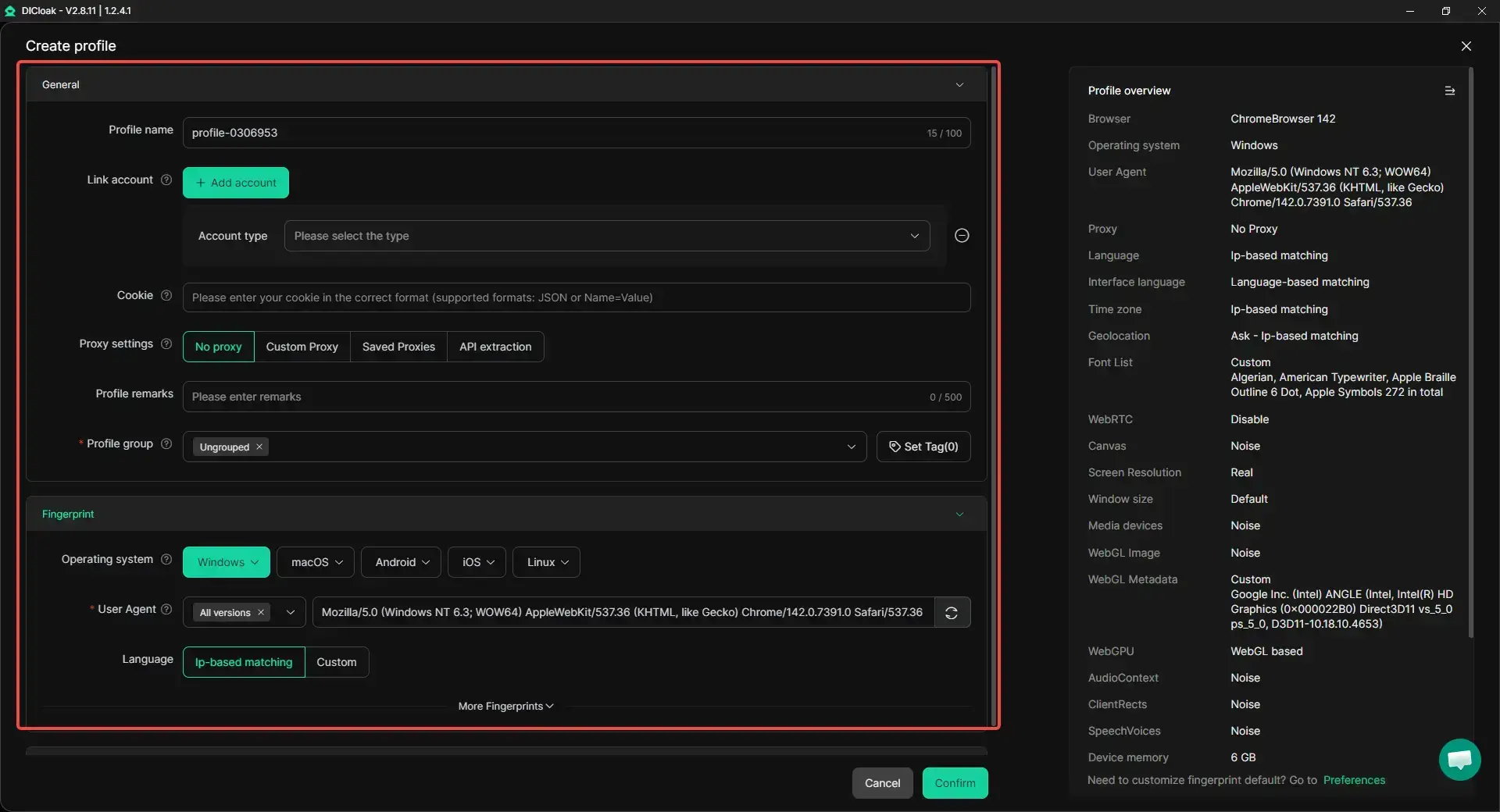
With DICloak, users can run each Telegram account in its own browser profile, with separate cookies, local storage, and session data. This helps keep account profiles apart and reduces unnecessary overlap during repeated use.
Custom proxy setup for each profile
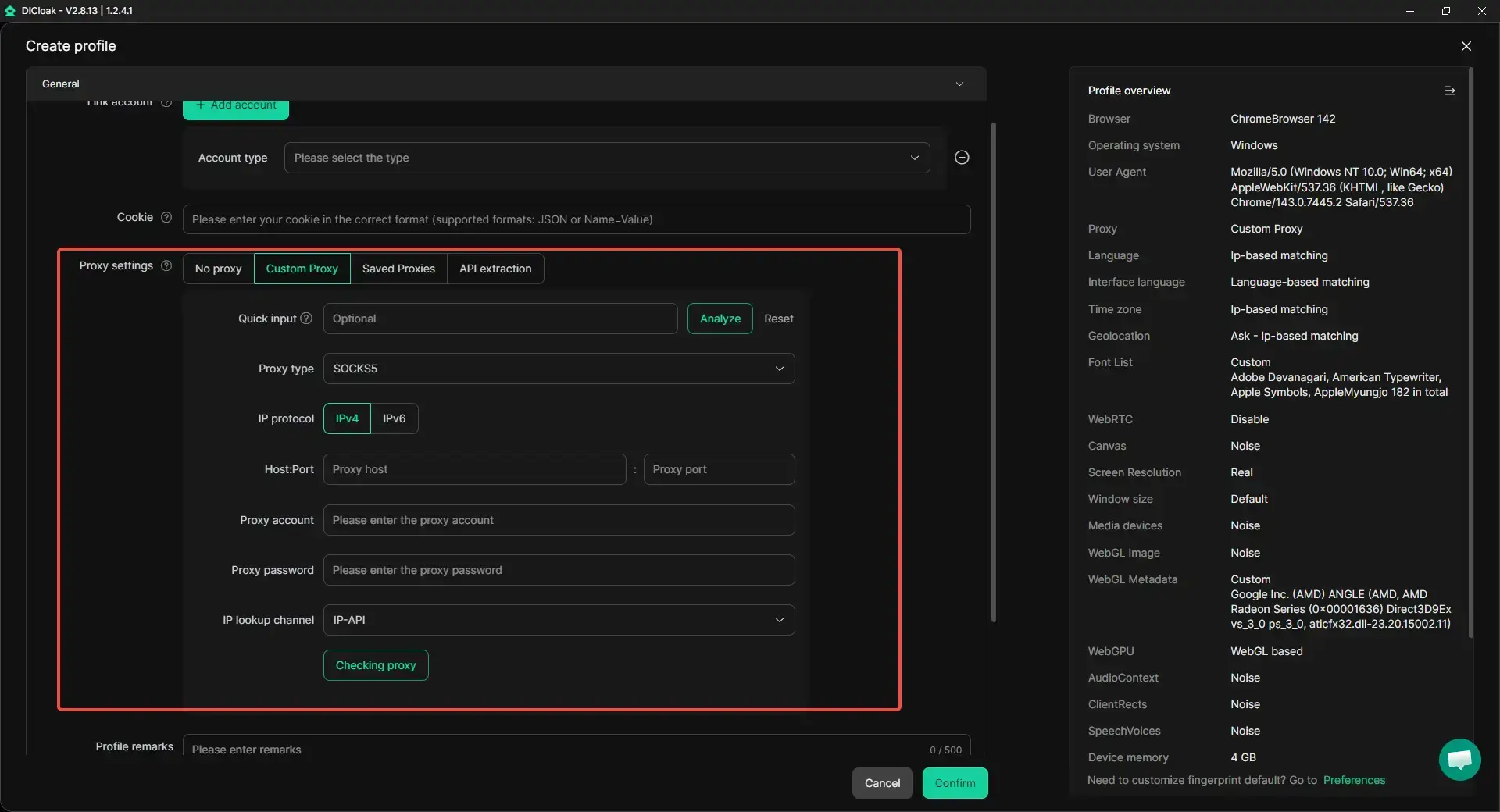
With DICloak, users can configure custom proxies for each browser profile based on different account needs. This makes it easier to keep the network environment aligned with a specific profile and can help reduce mismatches caused by using the same connection setup across multiple accounts.
Managing multiple accounts more efficiently
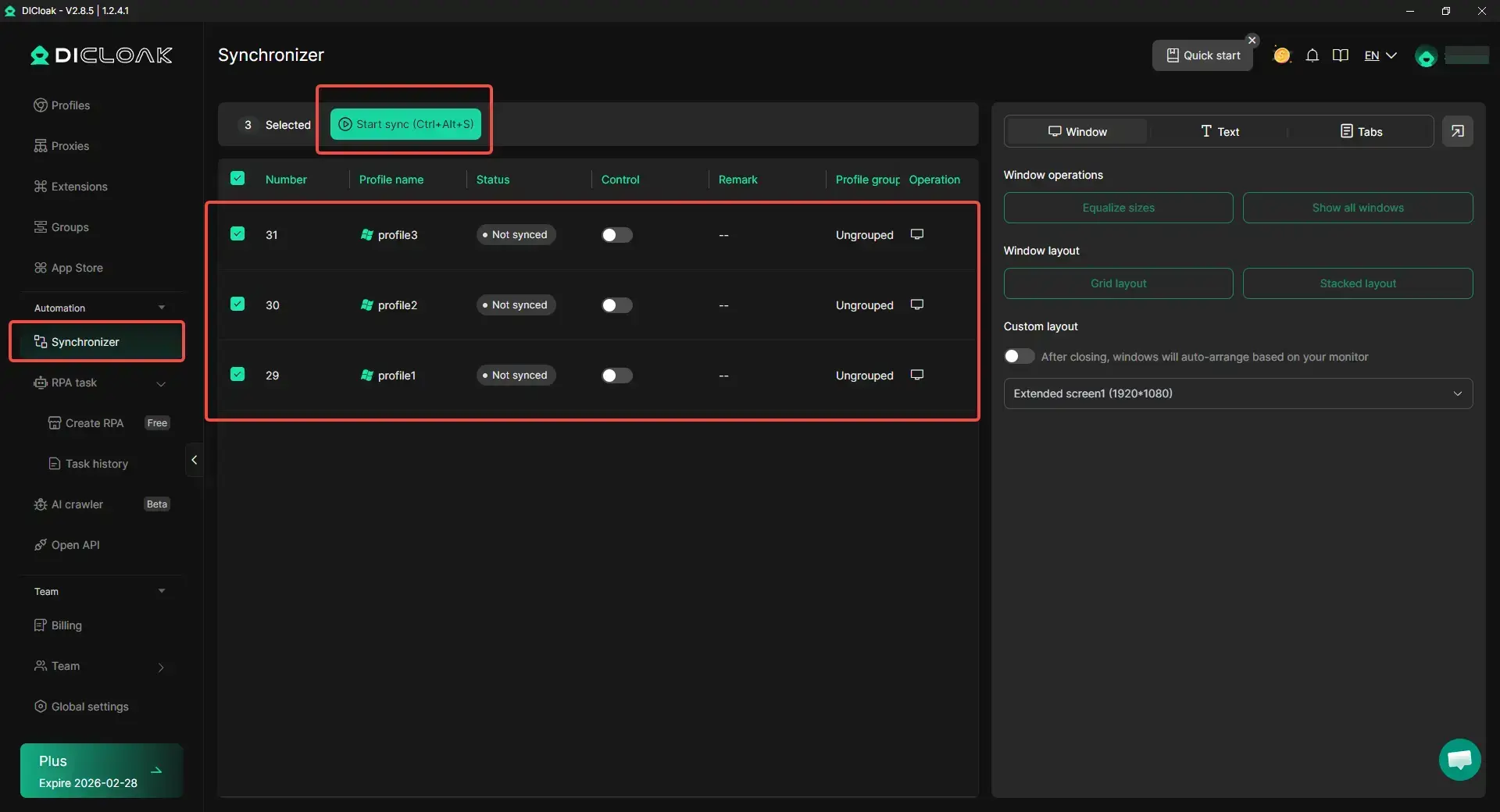
With DICloak, users can organize multiple Telegram accounts more clearly and handle repeated tasks across them with less manual switching. Features like Synchronizer can help mirror the same actions across multiple open profile windows, which makes bulk searches easier to manage in day-to-day use.
FAQ About Virtual Phone Number for Telegram
Can I use a virtual number to bypass Telegram verification?
No. A virtual phone number for Telegram does not bypass verification. It still needs to receive the Telegram code, just like a normal phone number. If the number cannot receive SMS or calls, it will not work.
How long can I keep a virtual number active for Telegram?
It depends on the provider. Some numbers are temporary and expire quickly. Others can be kept through a monthly plan. For long-term Telegram use, a renewable number is safer.
Are virtual numbers legal to use with Telegram?
In most cases, yes. Virtual numbers are legal to use, but you still need to follow Telegram’s rules and local laws. Do not use them for spam, fraud, or fake activity.
What happens if my virtual number stops receiving messages?
You may not be able to receive login codes later. This can make account recovery difficult. Try contacting the provider first. If the number cannot be restored, you may need to update your Telegram phone number while you still have access to the account.
How do I cancel a virtual number subscription?
Log in to your virtual number provider account and check the billing or subscription page. Cancel the plan before the next renewal date. Before canceling, make sure the number is no longer needed for Telegram login or recovery.
Conclusion
Using a virtual phone number for Telegram can be useful, but stability matters. Choose a reliable provider, keep access to the number, and protect your Telegram account with strong security settings. For users managing several accounts, tools like DICloak can also help keep profiles separate and easier to control.
 Web Proxy Tools
 Free Tools
 Cookie Plugin
 UA Generator
 MAC Address Generator
 IP Generator
 IP Address List
 2FA Code Generator
 World Clock
 Anonymous Check
 WebRTC Leak Test
 UUID Generator
 Free Web Proxy Site
 Proxy Checker
 FB Ad Checker
 AI Web Scraping
 Free SMM Tools
 Twitter Shadowban Checker
 Instagram Name Checker
 UTM Generator
 Username Generator
 AI Hashtag Generator
 LinkedIn Headline Generator
 Social Media Image Resizer