In the 2026 social media landscape, the "feedback_required" alert has evolved into a sophisticated component of Instagram’s AI-driven behavioral heuristics and device integrity checks. For social media operations specialists, this isn't just a glitch—it is a signal that your current session has failed to meet the platform's minimum trust threshold.
While usually a temporary restriction, this block signifies that Instagram’s automated defense systems have flagged your activity as suspicious. Resolving it requires more than just a restart; it requires a strategic reset of your digital footprint to prove human legitimacy.
What does the ‘feedback_required’ error actually mean for your account?
Is this a permanent ban or a temporary restriction?
The "feedback_required" error is a form of "rate-limiting"—a tactical pause rather than a strategic termination. Unlike a permanent ban, which explicitly disables the account, this error is a request for verification of human activity. It indicates that your interaction frequency or technical parameters have triggered an automated "circuit breaker" designed to preserve platform integrity.
How Instagram’s anti-spam algorithms interpret your actions
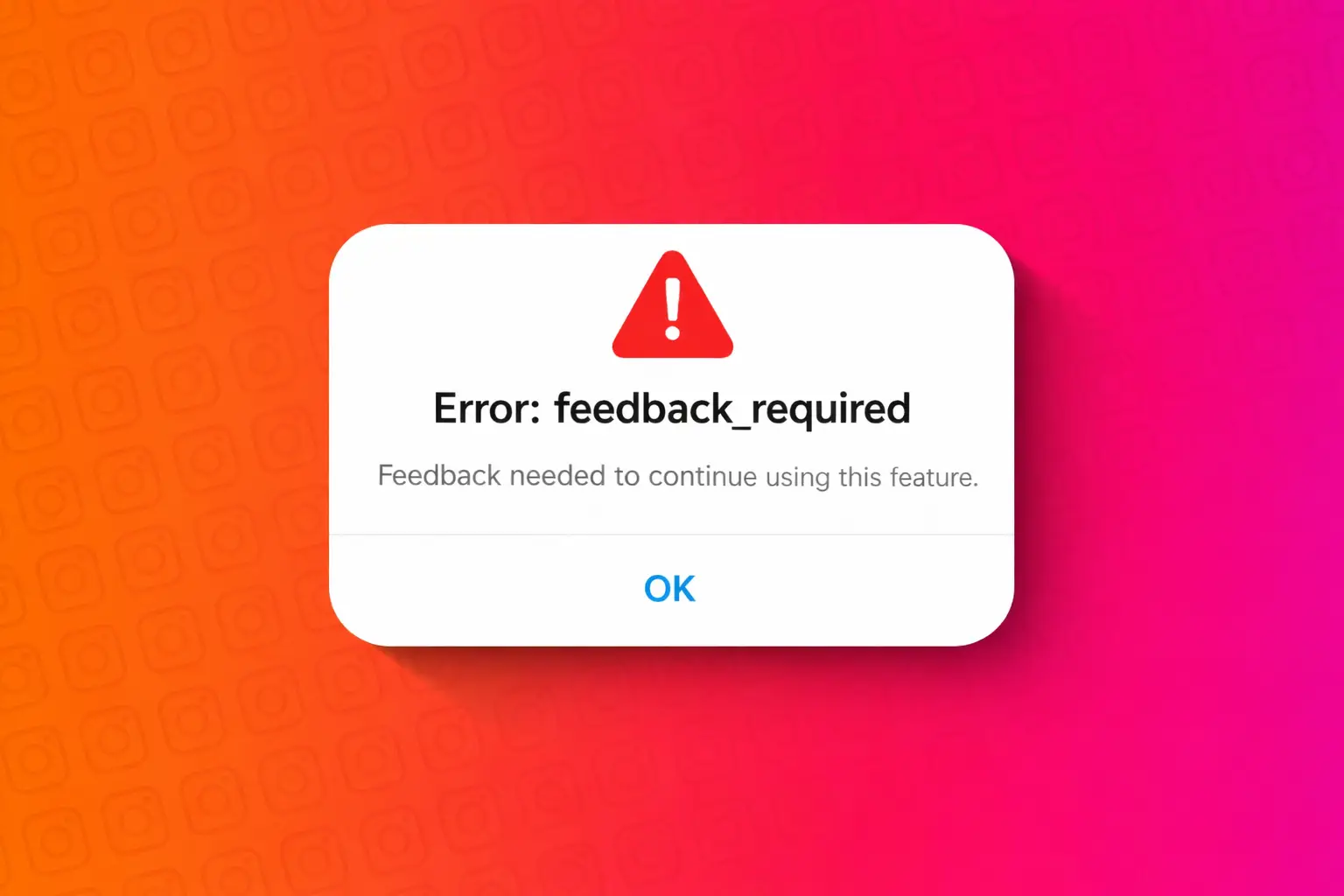
By 2026, Instagram’s security protocols will have moved beyond simple action counting to complex behavioral analysis. You may encounter specific error strings such as:
- "feedback_required"
- "Sorry, we couldn't complete your request. Please try again in a moment."
- "Server error feedback required."
These all point to a single conclusion: the system has flagged your session as a "non-human" entity. The platform is currently refusing to process your requests until the detection cooldown expires or the underlying technical trigger is removed.
Why is Instagram flagging your activity as suspicious?
Bot-like speed and repetitive interactions
The most common trigger remains "burst activity"—performing a high volume of likes, follows, or comments in a compressed timeframe. Instagram utilizes heuristic analysis to compare your speed against established human benchmarks. Furthermore, over-optimization via excessive hashtags or mentions in a single post is now a high-weight factor in triggering these blocks.
Managing multiple profiles without proper isolation
In the current security environment, logging into several accounts from the same device without robust isolation is an immediate red flag. Instagram uses advanced "Canvas Fingerprinting" and "TCP/IP Fingerprinting" to link accounts. When cookies, cache, and hardware parameters (like WebGL or screen resolution) overlap across multiple profiles, the platform concludes a single operator is controlling an "account farm," leading to a collective block.
Network-related triggers: 2026 IP Hygiene
By 2026, standard VPNs have become largely ineffective for professional operations. Instagram’s "IP hygiene" checks now easily identify and flag data center IPs. Using low-quality proxies or VPNs with high "spam scores" triggers the "feedback_required" error instantly, as the platform views these networks as high-risk gateways for automated attacks.
How can you fix the ‘feedback_required’ error immediately?
Resetting session data and device integrity
Corrupted session data is a frequent technical trigger.
- Android: Navigate to Settings > Apps > Instagram > Storage > Clear Cache. This removes local data fragments that may be causing protocol conflicts.
- iOS: Apple’s architecture requires you to offload or reinstall the app to fully purge the session cache and reset the app’s local environment.
The ‘Network Switch’ strategy: Leveraging CGNAT
If your IP is flagged, switching from Wi-Fi to mobile data is the most effective immediate fix. Mobile networks utilize CGNAT (Carrier-Grade NAT), assigning you a dynamic IP that Instagram is less likely to hard-block, as doing so would affect thousands of legitimate mobile users. This "IP hop" can often bypass temporary network-level restrictions.
Resolving protocol conflicts via updates
Running an outdated Instagram client creates a "version mismatch" that can trigger security protocols. Ensure you are on the latest build from the App Store or Google Play; 2026 security patches often include fixes for "false positive" flags caused by older API interactions.
How long does the block last and when should you ‘Wait it Out’?
The 24-hour Trust Score cool-down
Durations typically range from 30 minutes to 24 hours. During this window, your "Account Health" metric is under observation. The most critical advice: cease all activity entirely. Continuing to attempt actions while the block is active serves as confirmation to the AI that the account is automated, which will exponentially extend the restriction duration.
Testing for Account Recovery
After 24 hours, perform a single, low-weight action—such as viewing a story or liking a single post. If the action is accepted, your trust score has stabilized. Do not immediately resume high-volume operations; instead, gradually ramp up activity over the next 48 hours.
Addressing persistent errors and account security
Revoking unauthorized API access
Third-party "growth" tools are the primary cause of persistent, recurring blocks. To secure your account:
- Navigate to Settings > Security > Apps and Websites.
- Revoke access for all unrecognized or non-essential third-party applications.
- Immediately change your password to terminate all active sessions that may be running in the background.
Monitoring global server integrity
While rare, server-side glitches can cause widespread "feedback_required" errors. Use DownDetector to verify the platform's status.
Crucial Note: If DownDetector shows a significant spike in reports, avoid all troubleshooting steps. Attempting to "fix" your account during a server outage can lead to failed login attempts that negatively impact your account's permanent trust score.
How to manage multiple Instagram accounts without getting flagged
For professional operations, standard browsing is no longer viable. Digital fingerprint isolation is mandatory. DICloak provides a specialized profile by creating a unique digital DNA for every profile.
- Isolated Browser Profiles: Each account is sandboxed with its own unique fingerprints (cookies, local storage, and session data), making account linking impossible.
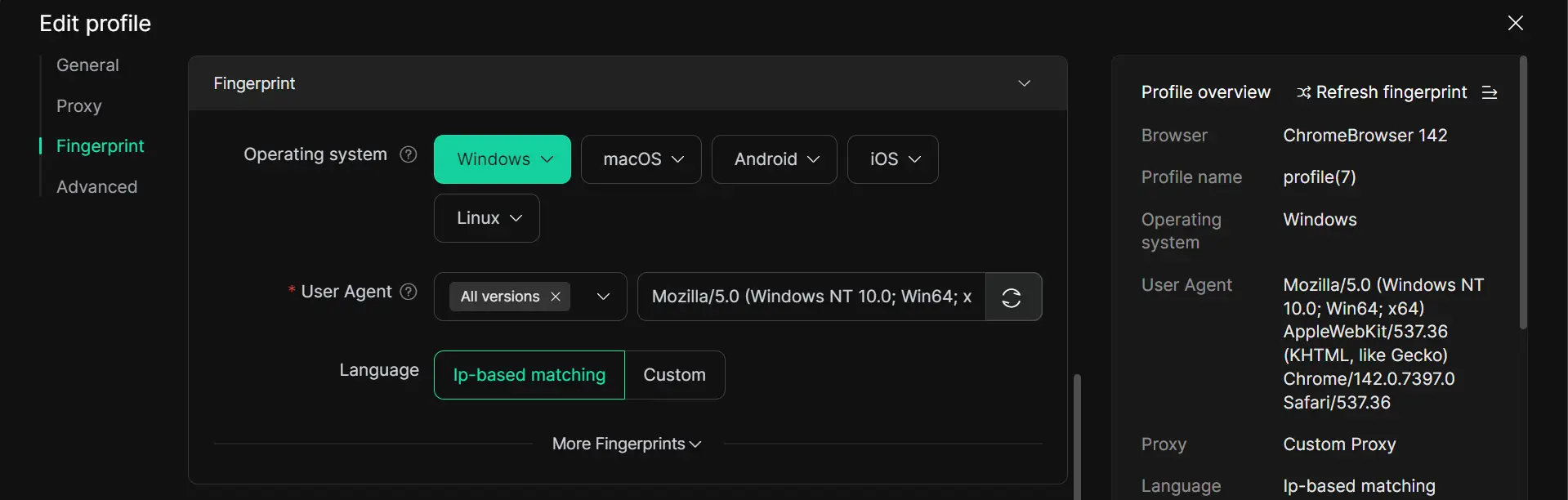
- Advanced Parameter Masking: DICloak goes beyond basic resolution masking to simulate WebGPU, Time Zones, and User Agents, ensuring each profile appears as a unique, legitimate hardware device.
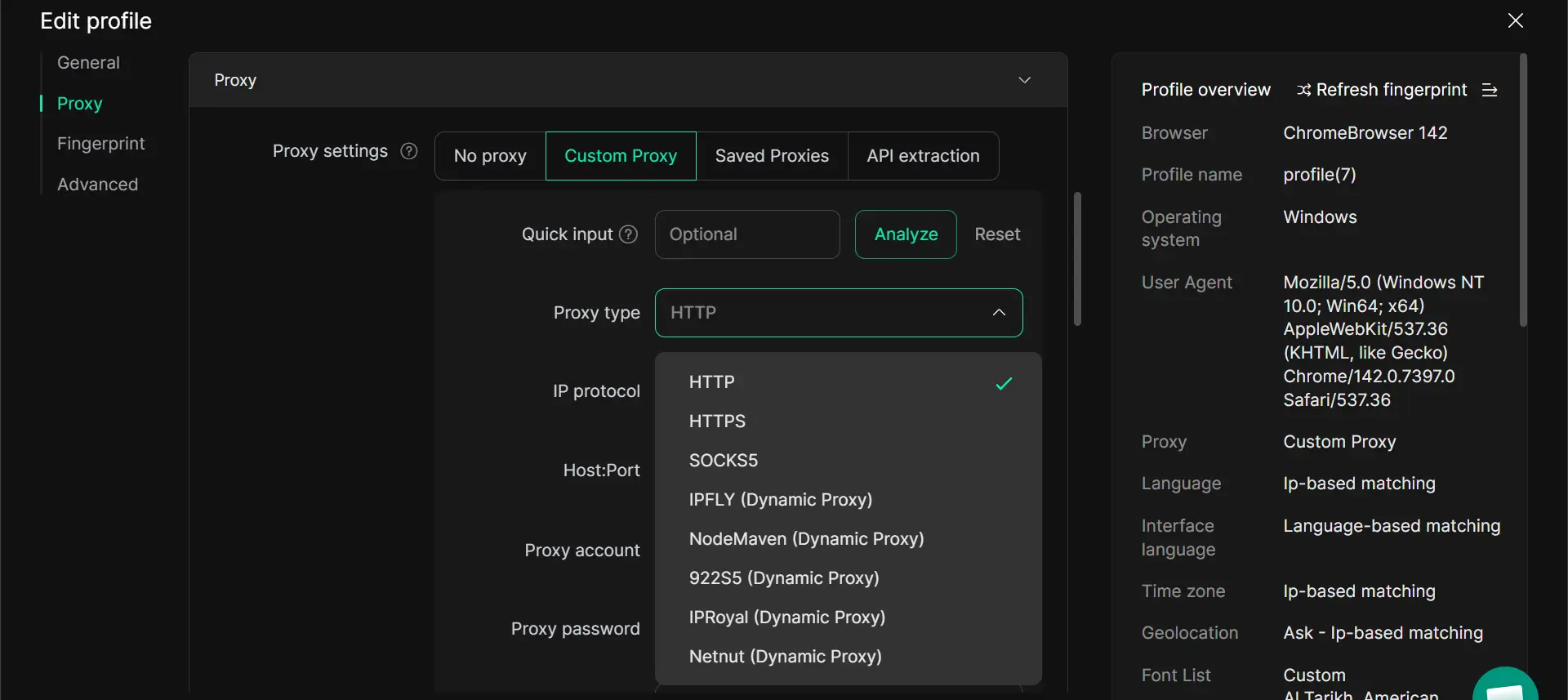
- Professional Proxy Integration: Support for configuring dedicated residential proxies (HTTP/SOCKS5) allows for high IP hygiene, ensuring each profile maintains a consistent, localized identity.
- Team Collaboration & Permissions: Manage 100+ accounts across a team with specific permission settings and data isolation, ensuring operational security.
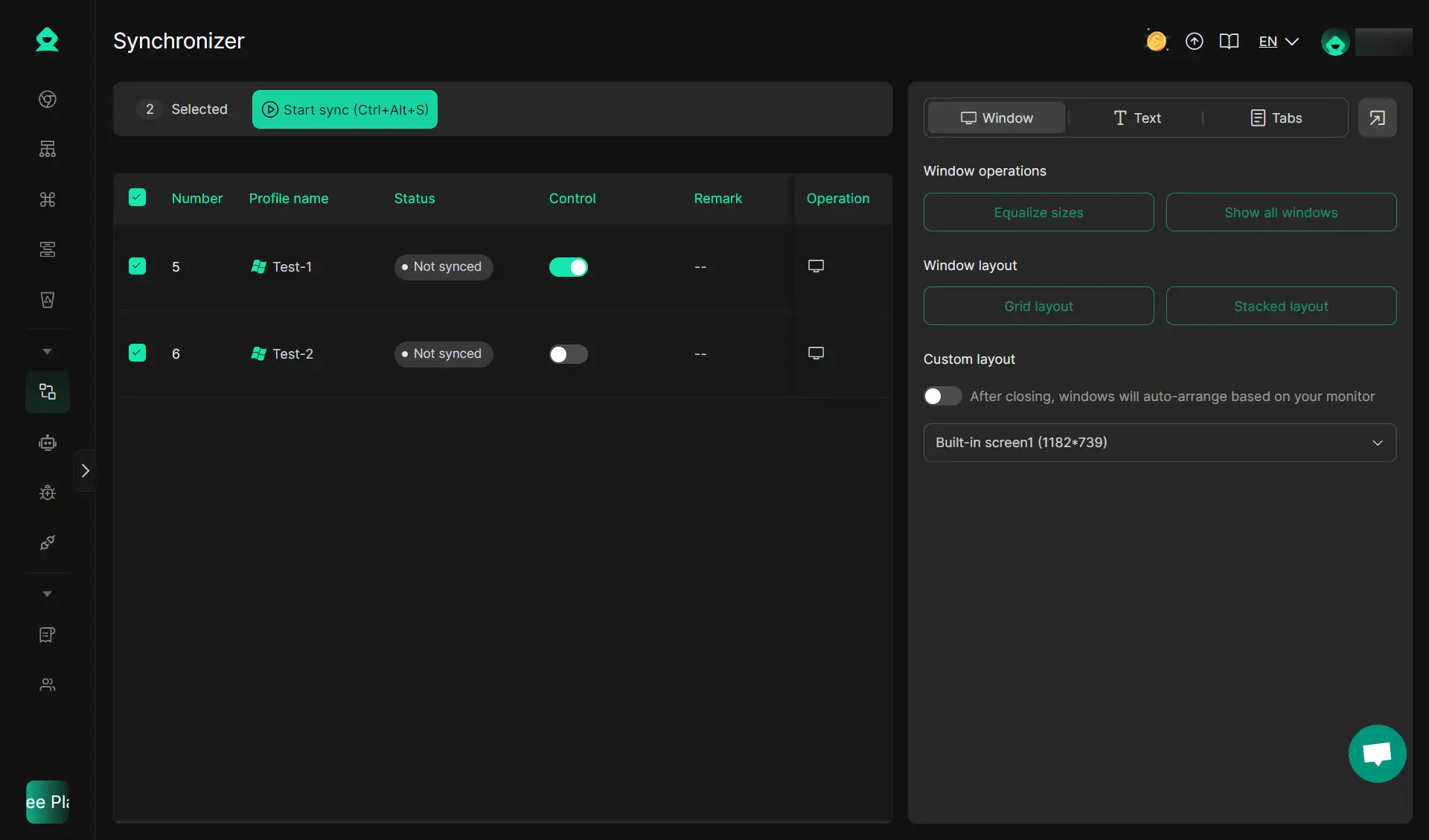
- RPA & Multi-Window Synchronizer: Use built-in automation to mimic human scrolling and engagement, and utilize the Synchronizer to perform actions across multiple profiles simultaneously while maintaining individual "human-like" randomized delays.
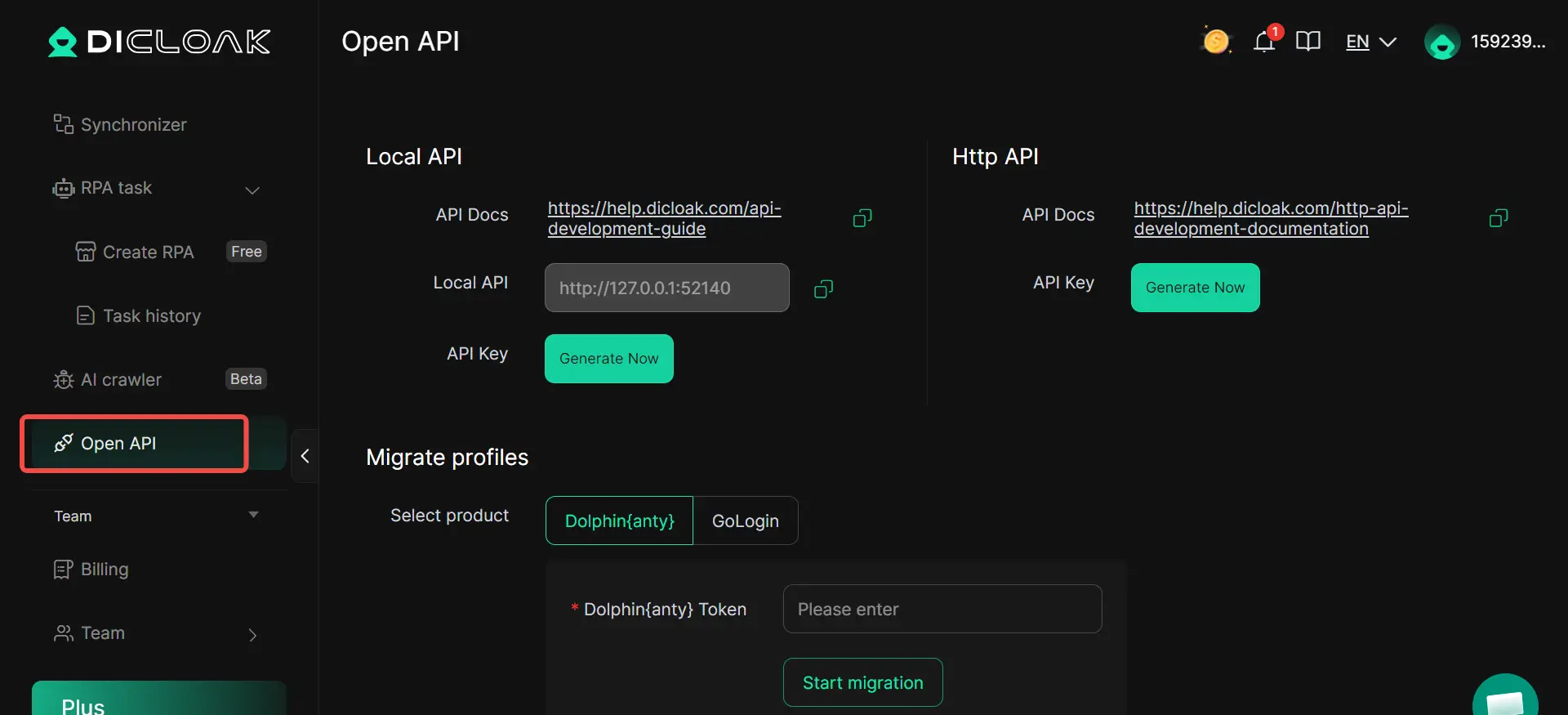
- Open API Access: For advanced operations, DICloak provides API access to integrate with custom scripts and external automation workflows.
What are the best practices for long-term Instagram growth in 2026?
Mimicking Human Behavioral Heuristics
Avoid "single-track" activity. A real human doesn't just "like" 100 photos. Mix your interactions: view stories, save posts, send a DM, and engage with the "Explore" feed. This varied behavior profile is the strongest defense against AI detection.
The "Trust Score" Warm-up Process
New accounts start with a neutral-to-low trust score. "Warm up" your profiles by starting with 5–10 interactions per day and increasing that volume by 10% weekly. This gradual scaling signals to Instagram that the account is being operated by a genuine user building a community.
Maintaining Technical Consistency
Frequent jumps between different devices or geographical locations trigger "unusual login" alerts. Use stable, dedicated proxies and isolated profiles like DICloak to ensure your digital identity remains consistent 24/7.
Comparison of Common Fixes for the ‘Feedback Required’ Error
| Solution |
Typical Effectiveness |
Time to Implement |
Best For |
Key Operational Insight |
| Restart App |
Low |
1 minute |
Minor session glitches |
Only clears temporary local bugs. |
| Switch Network |
Medium |
< 1 minute |
IP-related blocks |
Effective due to CGNAT on mobile data. |
| Wait 24 Hours |
High |
24 hours |
Rate Limiting |
Allows the "Trust Score" to normalize. |
| Antidetect Browser |
Very High |
10 mins (Setup) |
Multi-account safety |
Uses RPA/isolation to prevent future blocks. |
Frequently Asked Questions about Instagram Blocks
Does 'feedback_required' mean I am shadowbanned?
No. A shadowban limits content reach; "feedback_required" is a technical action block. However, frequent blocks will eventually lower your account health, which can lead to reduced visibility.
Can I still post if I have this error?
No. Any attempt to post, comment, or like while the block is active is interpreted by Instagram as a "forced" action, which can escalate the block to a full account suspension.
Why do I get this error on a brand new account?
New accounts have a "zero" trust score. Instagram's 2026 security protocols are highly aggressive toward new accounts that perform high-volume actions immediately after creation.
Is using a VPN making the error worse?
Yes, unless it is a high-quality residential VPN. Most standard VPN IPs are already blacklisted by Instagram’s security partners, making them an instant trigger for blocks.
How do I report a false flag?
Go to Settings > Help > Report a Problem.
Be specific: "I received a feedback_required error while performing manual, non-automated actions on [Device Name]."
Will clearing my history fix the error?
No. In 2026, history clearing is obsolete for security bypass. You must clear the session cache or use an antidetect browser to isolate the profile entirely.
Conclusion
In 2026, the "feedback_required" error is a manageable technical hurdle, provided you treat it with the appropriate professional caution. By recognizing it as a rate-limit alert, you can protect your account's long-term health by halting activity and resetting your technical parameters.
For sustainable growth, especially when managing multiple profiles, the key is combining human-like behavioral patterns with professional-grade isolation tools. Antidetect browsers like DICloak are no longer optional for specialists; they are the standard for maintaining account integrity and operational continuity in an AI-governed social ecosystem.
 Web Proxy Tools
 Free Tools
 Cookie Plugin
 UA Generator
 MAC Address Generator
 IP Generator
 IP Address List
 2FA Code Generator
 World Clock
 Anonymous Check
 WebRTC Leak Test
 UUID Generator
 Free Web Proxy Site
 Proxy Checker
 FB Ad Checker
 AI Web Scraping
 Free SMM Tools
 Twitter Shadowban Checker
 Instagram Name Checker
 UTM Generator
 Username Generator
 AI Hashtag Generator
 LinkedIn Headline Generator
 Social Media Image Resizer