A seller with over 50 active listings watched every new item hit a wall, each one triggered the same failed to publish facebook marketplace message, locking out sales for days. This isn’t rare. Across Reddit forums, both casual users and power sellers report running into “can’t post on Facebook Marketplace” errors even when their accounts look clean and their listings follow every rule. Sometimes, the Marketplace publish error flashes for minutes, sometimes it blocks all posts until you dig deep to fix it.
Most users blame glitches or think a simple refresh will solve it. That rarely works. The real causes range from hidden account restrictions, shadowbans, or flagged device fingerprints to overlooked policy triggers, sometimes even the browser you use can tip Facebook’s risk systems. These issues don’t always show in your support inbox, and the warning messages are vague at best.
If you keep seeing your Facebook Marketplace listing not publishing, you need more than generic advice. This guide breaks down why these errors happen, what actually works to get your listings live, and safer ways to keep your account healthy for the long term, especially if you run multiple accounts or share devices. Here’s how real sellers are getting past the roadblocks.
Why Does 'Failed to Publish' Happen on Facebook Marketplace?
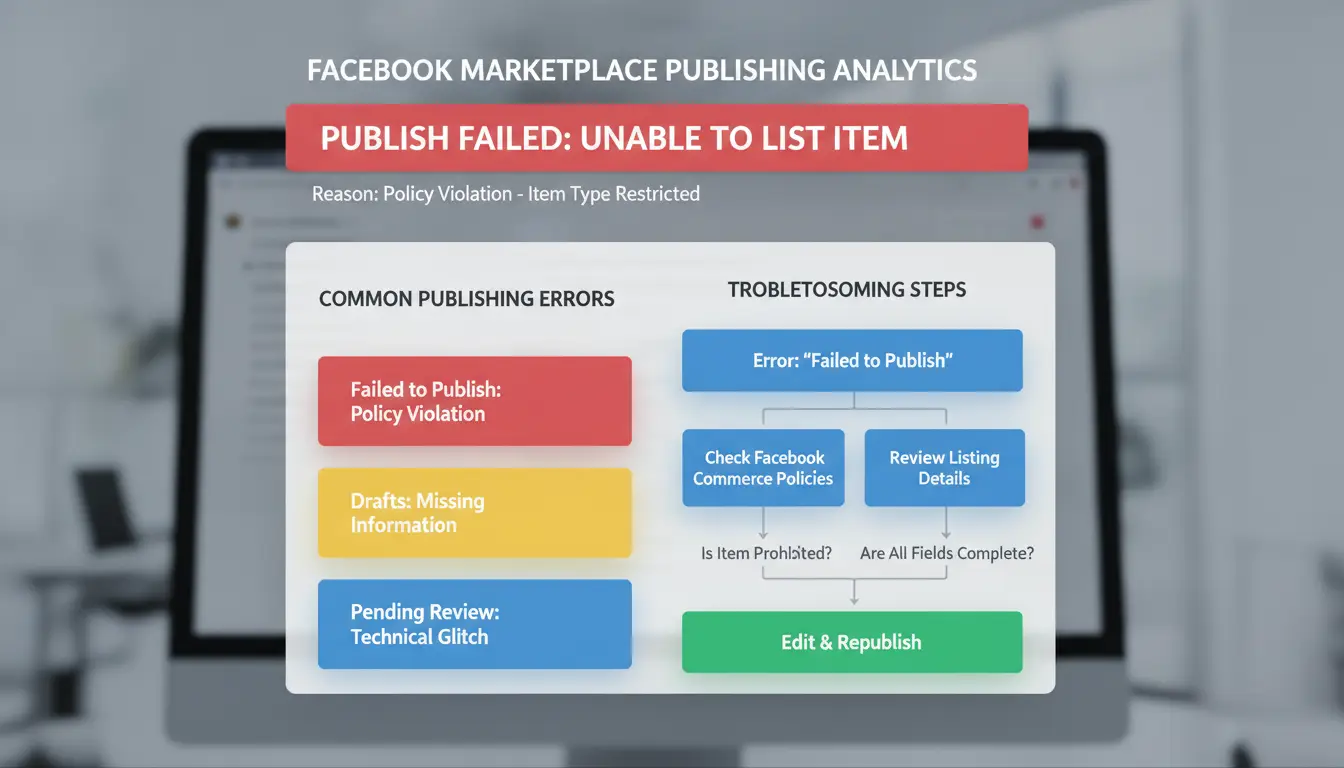
Hitting a "failed to publish Facebook Marketplace" message stops sellers cold. It feels random, sometimes your listing just won’t go live no matter what you try. But these errors usually come from a mix of trust signals, hidden policy checks, and even technical hiccups most users never see. Here’s what’s actually blocking your posts behind the scenes.
Account Restrictions and Trust Issues
New accounts or those missing key verifications often can’t post on Facebook Marketplace. If your profile was just created, has no real friends, or skips mobile/email confirmation, the system treats you as high risk. Past violations are another roadblock. Even old warnings or flagged activity, like mass posting or using the same photos across accounts, can lead to silent restrictions. Facebook rarely tells you when this happens. You’ll just see listings stuck as “pending” or get a vague Marketplace publish error.
Most "failed to publish Facebook Marketplace" problems trace back to some trust or restriction issue, even if you never got a clear warning.
Listing Content Violations
Facebook uses automated checks to screen every Marketplace post. If you list prohibited items (like weapons, live animals, or even certain "banned" words), your post will fail instantly. Sometimes the problem is less obvious, using phrases that look like spam or posting in the wrong category can block your listing. Photos matter too: recycling the same images across several posts, or using edited pictures, can trigger filters. If your Facebook Marketplace listing is not publishing and you don’t spot a clear policy issue, double-check your item description, price, and images against the official rules.
Technical or Platform Glitches
Not every failure comes from rules or trust. Sometimes the Marketplace just breaks. Bugs in the app, browser issues (like using an outdated version of Chrome or Firefox), or a temporary Facebook outage can all stop you from posting. If you’re sharing devices or running multiple accounts, browser fingerprint clashes can also cause issues. Checking Downdetector can confirm if others see the same problems. When in doubt, try another device or browser to rule out local glitches before changing your listing.
What to Check First When Your Facebook Marketplace Listing Won’t Publish
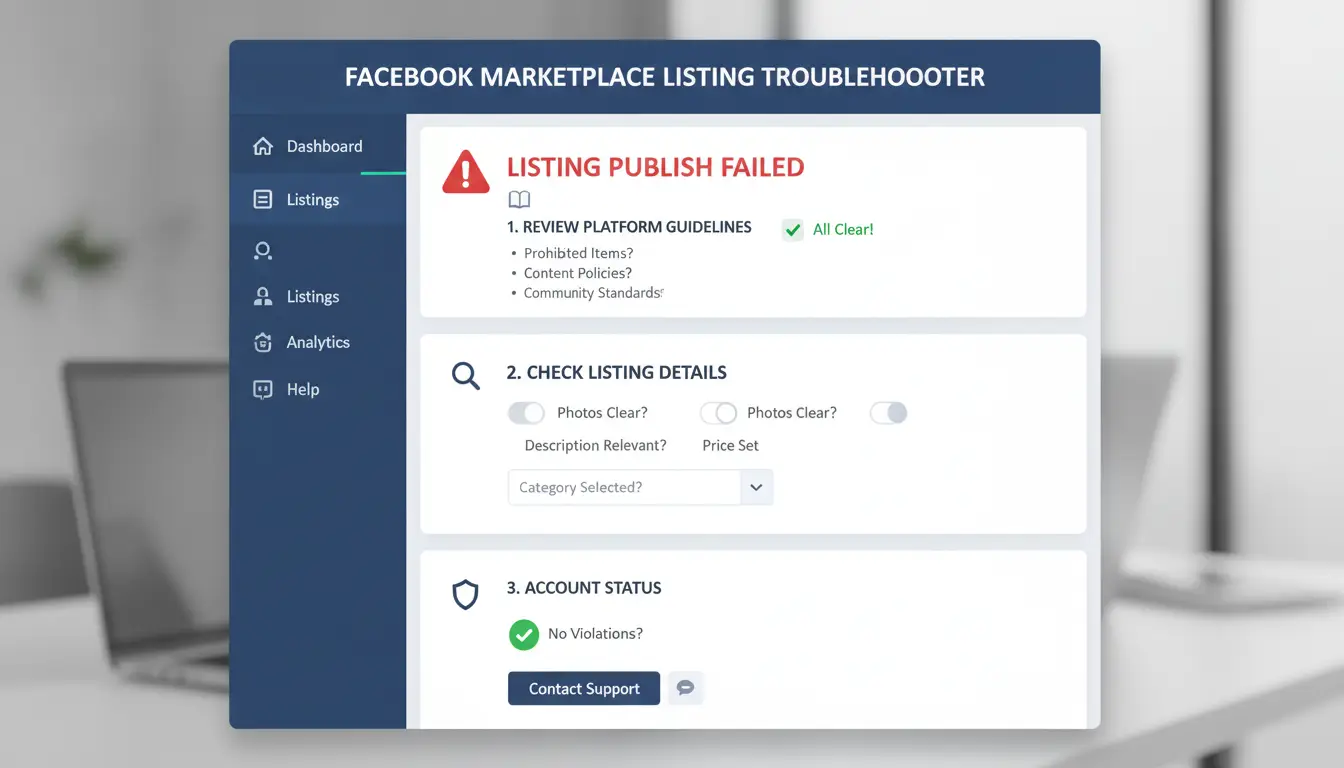
Hitting a "failed to publish Facebook Marketplace" error frustrates most sellers because the cause is rarely clear. Fixing a Marketplace publish error is about more than just refreshing your page, missing one small detail can block your listing for days. Before you try to repost, walk through these focused checks to save time and avoid repeat issues.
Review Account Status and Notifications
Start by checking your account’s support inbox and notification center. Facebook often puts restrictions on accounts, sometimes for Marketplace only, and you might not see a clear pop-up. Look for any warning banners, messages about policy violations, or restrictions under your profile’s "Account Status" in the Facebook settings menu. Even a single flagged post from weeks ago can block new listings.
If you use a new account or changed devices, Facebook may require extra verification. Make sure your email, phone number, and identity are confirmed. If you skipped any required step, your ability to post can be limited. Don’t ignore vague messages, sometimes "This content can't be published" means your account needs review, not just the listing.
Inspect Listing Details for Policy Compliance
A Facebook Marketplace listing not publishing can come from small rule violations. Double-check your title and description for banned words like “replica,” “copy,” or anything related to restricted goods. Facebook’s Commerce Policies ban items like weapons, animals, or certain electronics, even a hint can trigger a Marketplace publish error.
Set your category as closely as possible. For example, a used phone should go under "Electronics > Cell Phones", not "Other." Add clear, original photos and avoid stock images. Listings missing details or with duplicate photos often get auto-flagged. Updating these details fixes most cases where you can't post on Facebook Marketplace.
Test on Different Devices or Browsers
If your listing still won’t go live, try switching devices. Post from a desktop browser if the app failed, or use the Facebook app if you’re on a laptop. Sometimes your browser profile or stored cookies confuse Facebook’s risk checks, causing silent blocks.
Clear your browser’s cache and cookies, then log in fresh. Some sellers find switching from Chrome to Firefox or using a different phone removes the block. If you run multiple accounts or share devices, consider using DICloak’s browser isolation to avoid fingerprint-related restrictions and reduce ghost bans.
How Facebook Marketplace Policies and Community Standards Affect Publishing
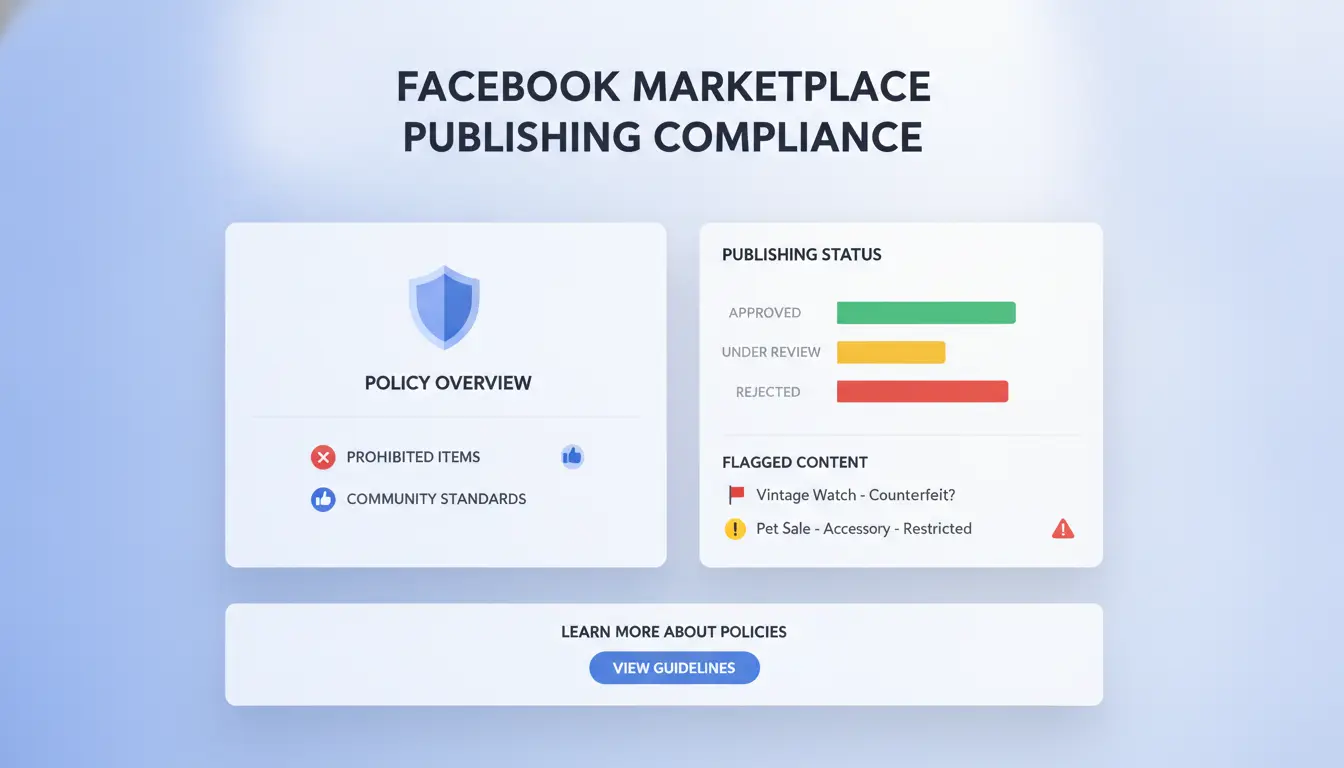
Getting blocked from posting on Facebook Marketplace isn’t always about technical errors. Most “failed to publish Facebook Marketplace” messages trace back to strict rules and hidden automated checks. If your Marketplace listing isn’t publishing, you need to know which policies trigger these errors, and how to avoid them.
Common Policy Triggers for Failed Publishing
The most frequent reason a Facebook Marketplace listing not publishing is banned product categories. Facebook blocks sales of items like weapons, alcohol, adult products, animals, and recalled goods, see the full prohibited items list. If you even mention these, your post will be auto-rejected.
Another easy-to-miss trigger: spammy or repetitive content. Copy-pasting the same title or description across several listings can mark your account for spam, especially if you use identical photos or links. Even posting too quickly can set off Facebook's risk systems. If you’ve seen Marketplace publish errors after reusing content, try rewriting your listings and spacing out your posts.
How Facebook’s Automated Review System Works
Facebook uses AI to scan every Marketplace listing for policy violations and risky content. The system checks text, images, and even your account history. If a listing seems suspicious, like promoting banned items or showing signs of spam, it’s flagged automatically. Sometimes, your post goes to manual review, where a human checks the listing. This can take hours or days, especially if your account has past violations.
If you keep getting "failed to publish Facebook Marketplace" warnings even after editing, your account may be shadowbanned or flagged for device fingerprint issues. Changing browsers or using a new device can help, but persistent errors often mean deeper restrictions.
Recent Policy Updates Impacting Marketplace
Facebook updates Marketplace rules often. In 2025, new prohibited items were added, including certain supplements and digital goods, check the policy updates before listing. Listing requirements have also changed: now, you must include clear product photos, accurate descriptions, and location. Missing any of these can block publishing.
The most critical step is to review current rules and rewrite your listings to avoid banned categories and spam signals.
Step-by-Step Guide to Fixing 'Failed to Publish' on Facebook Marketplace
If you keep seeing Marketplace publish error messages or “failed to publish facebook marketplace” warnings, it’s not just a glitch, there’s usually a deeper cause. Most sellers run into hidden restrictions or content flags that block listings without clear reason. Here’s how to break down the problem and get your post live.
Check for Account or Listing Restrictions
Most “Facebook Marketplace listing not publishing” issues start with subtle restrictions. Check your Account Quality dashboard for notices about Marketplace or account limits. Sometimes, Facebook flags your account for policy violations, repeated spam, or unusual activity, especially if you use multiple devices or accounts.
If you see a restriction notice, follow the link to appeal. Fill out all requested info and explain why your listing follows Marketplace rules. Appeals can take hours to days, but skipping this step leaves your post stuck forever. If you don’t see a notice, still check your spam folder and support inbox for hidden warnings.
Edit and Resubmit Your Listing
If you can’t post on Facebook Marketplace and no notices appear, your listing itself might trigger filters. Remove any words or images that relate to banned items, pricing, or anything Facebook flags as risky. Change your photos if they seem too similar to previous flagged posts. Rewrite descriptions using plain language and avoid keywords that sound like promotions.
Most sellers find that resubmitting after edits works, especially if the publish error was caused by content, not account issues. Keep your edits simple and stick to Marketplace guidelines. If you repeat the same listing, Facebook may block it again.
Contact Facebook Support or Use Help Center
If nothing works, reach out to Facebook Help Center or use the “Report a Problem” tool. Give details: your account email, screenshot of the error, and the exact steps you tried. Support usually responds within 1-2 days, but answers can be generic. Persistent issues often tie back to hidden restrictions, so keep checking your account status while waiting.
The most critical insight: Don’t just refresh or repost, always check for hidden restrictions and edit your listing before contacting support.
How Device, Browser, and Network Setup Can Cause Marketplace Publishing Errors
Facebook Marketplace uses automated systems to spot risky or unusual posting patterns. If you keep running into "failed to publish Facebook Marketplace" errors, your technical setup may be working against you, sometimes without any obvious warning. Here’s where most sellers trip up.
Device and Browser Fingerprint Issues
Facebook checks your device type, browser version, system time, and even the way your browser is configured. If you post from a laptop one day, switch to a phone the next, or use browsers with different plugins and settings, Facebook may see your account as suspicious. Even something small, like a changed user agent or a missing language pack, can trigger a Marketplace publish error.
A stable environment helps you avoid these flags. Stick to the same device and browser for each account. Clear cookies and cache only if you know what you’re doing, doing this mid-session can break the fingerprint pattern. For those needing multiple accounts, using isolated browser profiles or tools like DICloak's browser fingerprint isolation lets you keep each login fully separated, lowering the risk of Facebook Marketplace listing not publishing.
| Setup Type |
Risk of Publish Errors |
Notes |
| Same device/browser |
Low |
Best for single account |
| Multiple devices/browsers |
High |
Raises flags, triggers review |
| Isolated browser profiles |
Very low |
Safer for multi-account users |
Source: Facebook Help Center
Network and Proxy Configuration Mistakes
Frequent IP changes, poor proxy setups, or using shared networks can get your listings blocked. Facebook tracks your public IP and looks for patterns, posting from different cities or countries within hours can look like account sharing or bot use. This is a common cause for "can't post on Facebook Marketplace" errors.
If you need proxies, pick high-quality, residential ones and keep the same IP per account. Never switch IPs in the middle of a session. Avoid free proxies; they often land on blacklists. Proxies should match your target location for the best results.
Best Practices for Multi-Account or Team Posting
Using one device for several accounts without separation almost always leads to cross-account contamination. That means if one account gets flagged, the others often follow. Teams should build clear workflows: assign each account a dedicated profile, keep login sessions separate, and document all proxy and device settings.
Tools like DICloak help teams manage accounts with isolated environments, permission controls, and audit trails, making it much safer to scale up without triggering Marketplace publishing errors.
How DICloak Helps Social Media Marketers Avoid Facebook Marketplace Publishing Failures
Running into a "failed to publish facebook marketplace" error can stop your sales cold. Many sellers waste hours trying to relist, only to find their accounts still blocked or their posts invisible. The real trouble is Facebook’s detection of device overlap, suspicious logins, or patterns that look like bot activity, especially if you run multiple Marketplace accounts or work with a team.
Isolated Browser Profiles for Each Marketplace Account
You can use DICloak to give every Marketplace account its own isolated browser profile. Each profile gets a unique fingerprint and separate cookies, so Facebook won’t see suspicious overlap across your accounts. This cuts down on Marketplace publish errors that come from device or cookie conflicts.
Safe Proxy Integration and Team Collaboration
Tools like DICloak let you assign a stable proxy to each profile, keeping location and IP signals clean. When working with a team, you can set permissions and track actions for each user, so mistakes or risky behavior get caught early. This matters if your Facebook Marketplace listing is not publishing because of hidden account restrictions.
Automate and Scale Marketplace Posting
DICloak’s RPA automation lets you bulk post listings, fill out forms, and schedule activities. This reduces manual mistakes that often trigger "can't post on Facebook Marketplace" warnings. Logs give you a trail so you can fix issues fast and keep your accounts healthy. Learn more about DICloak’s social media tools.
Tips to Prevent Future Facebook Marketplace Publishing Problems
Anyone who’s faced the “failed to publish Facebook Marketplace” error knows it can shut down sales fast. Fixing the root cause takes more than just retrying your post. To keep your listings live and reduce Marketplace publish errors, you’ll need steady habits and clear workflows, not just luck. Here’s how real sellers avoid trouble.
Keep Accounts Healthy and Trusted
Facebook doesn’t just check your listing; it checks your account’s history. Accounts that build organic activity, posting, replying, and acting like real users, face fewer restrictions. Sudden changes, like logging in from a new device or switching locations, often trigger instant flags. For sellers running multiple profiles, keeping each account’s fingerprint unique matters. If you share devices, use separate browser profiles and proxies so Facebook sees each as independent. Real activity means gradual growth: post regularly, reply to messages, and let accounts age before listing high-value items. If you rush, Facebook’s systems spot the pattern and pull your listings.
Regularly Review Facebook Policy Updates
Marketplace rules change often. If you’re stuck with a Facebook Marketplace listing not publishing, check for new policy updates, sometimes the smallest change can block your posts. Facebook posts updates in their Help Center, and sellers also share tips on Reddit’s Facebook Marketplace forum. Scan for changes in allowed items, banned keywords, or image rules. When policies shift, adjust your listings immediately. Even one missed update can trigger a Marketplace publish error, so set a reminder to review rules weekly.
Document and Standardize Your Posting Workflow
Most teams skip documenting their posting steps, but that’s where mistakes slip in. Create a checklist for every listing: item description, image specs, account check, policy review, and device profile. Share it with your team so everyone posts the same way. After each week, monitor which listings had issues, track patterns like “can’t post on Facebook Marketplace” or repeated failed to publish Facebook Marketplace errors. If you spot recurring problems, tweak your workflow. You can use a browser management tool with profile isolation to keep each account’s activity separate. This makes it easier to trace errors and keeps accounts safer.
Frequently Asked Questions
Why do I keep getting 'failed to publish facebook marketplace' errors even after editing my listing?
If you keep getting failed to publish Facebook Marketplace errors, your account may have restrictions or repeated policy violations. Sometimes, even small rule breaks can trigger a block. Browser issues, old cookies, or using unsupported devices may also cause this problem. Try clearing your cache or switching browsers to see if the listing will publish.
Can using proxies or changing devices cause Facebook Marketplace publishing problems?
Yes, using proxies or often changing devices can trigger Facebook’s security checks. If the system sees you posting from many locations or different devices, it may block your Marketplace listing as a safety measure. To avoid Marketplace publish errors, use the same device and stable network when posting.
How long does it take for Facebook to review and approve a Marketplace listing?
After you submit a listing, Facebook reviews it for rule violations or suspicious content. Reviews can finish in minutes but sometimes take up to 24 hours, especially for new accounts or listings with images that need checking. If your Facebook Marketplace listing is not publishing, wait for the review to finish.
What should I do if my Facebook account is restricted from Marketplace?
If you can’t post on Facebook Marketplace due to restrictions, first check your account notifications for messages from Facebook. Follow any appeal instructions carefully. Avoid posting anything else while your account is under review. Fix any past problems to help your appeal succeed.
Is there a way to safely manage multiple Facebook Marketplace accounts without triggering errors?
To lower the chance of a failed to publish Facebook Marketplace error, use separate browser profiles and stable proxy connections for each account. Never log into multiple accounts from the same device or browser at once. Keeping your accounts separated helps prevent Facebook from flagging your activity.
Understanding why Facebook Marketplace listings fail to publish can help users avoid common pitfalls and ensure their items are visible to potential buyers. By following platform guidelines and troubleshooting issues promptly, sellers can increase their chances of successful listings. Try DICloak For Free
 Web Proxy Tools
 Free Tools
 Cookie Plugin
 UA Generator
 MAC Address Generator
 IP Generator
 IP Address List
 2FA Code Generator
 World Clock
 Anonymous Check
 WebRTC Leak Test
 UUID Generator
 Free Web Proxy Site
 Proxy Checker
 FB Ad Checker
 AI Web Scraping
 Free SMM Tools
 Twitter Shadowban Checker
 Instagram Name Checker
 UTM Generator
 Username Generator
 AI Hashtag Generator
 LinkedIn Headline Generator
 Social Media Image Resizer