If you’ve ever wondered, how many Steam accounts can I have, you’re not alone. Many players today use more than one account for simple reasons like family sharing, better organization, or testing games. But at the same time, there is a lot of confusion about what is allowed, what is risky, and how to manage multiple accounts safely.
In this guide, you will learn what Steam actually allows, why people use multiple accounts, how to create and run them, and what to watch out for. We will also look at real examples to help you understand what works and what can cause problems.
Is It Allowed to Have Multiple Steam Accounts?
Yes. The simple answer is that Steam does not say one person can have only one account. Steam’s own help pages show that one computer can access different Steam accounts, just not at the same time. Valve also says there is no limit to the number of Steam accounts that can be linked to one email address for account recovery purposes. So, in practice, having more than one account is allowed.
That said, there is an important difference between having multiple accounts and using them in the wrong way. Steam rules focus more on behavior than on the number of accounts. For example, Valve says Steam accounts cannot be bought, sold, traded, or transferred. It also warns that letting other people use your account can violate the Steam Subscriber Agreement.
So if one player keeps a main account for daily gaming and a second account for testing mods, that is very different from buying old accounts, sharing one account with friends, or passing an account around a team.
Why do People Need Multiple Steam Accounts
When people ask how many Steam accounts can I have, they often just want to solve a real-life need. The most common reason is family use. Different people in one home can have their own accounts, so their games, saves, and friends stay separate. This is safer than sharing one account.
Another reason is organization. Some users keep one main account for serious gaming and another for testing free games or mods. This helps keep their main library clean and easier to manage.
People also use multiple accounts for privacy. For example, a parent may not want a child using their account with payment details or mature content. Separate accounts give better control.
In short, most users create extra accounts for simple and practical reasons—family, safety, and better organization—not to break rules.
How to Create Multiple Steam Accounts
If you are wondering how many Steam accounts I have, the process of creating them is simple. Steam allows users to register more than one account, as long as each account follows the rules. Here are the main steps:
- Go to the Steam Sign-Up Page Visit the official Steam website and click “Join Steam” or “Create an account.”
- Use a Valid Email Address Enter an email. You can use different emails for each account, or the same email for recovery purposes, but each account must be registered separately.
- Verify Your Email Steam will send a verification code. Enter the code to confirm your email.
- Create a Unique Account Name Choose a username and password. Each account must have a different account name.
- Complete Setup Finish the sign-up process. You can now log in and start using the new account.
- Repeat for Additional Accounts To create more accounts, log out and repeat the same steps.
Running Multiple Accounts Simultaneously
Running two or more Steam apps on one device using different accounts is normally impossible: Steam blocks ports and files. But there are several possible ways:
- Running different accounts at the same time on different devices. For example, one account on a PC and another on a laptop. This is the simplest and safest way.
- Running the Steam app in Sandbox mode using special software. This allows you to create several “sandboxes” with different accounts.
- Using virtual machines. Each virtual machine is an isolated operating system where you can install and run a separate Steam app, but this requires significant PC resources.
Creating a Steam account using an anti-detect browser
It is recommended to use an antidetect browser to create a Steam account, as it allows you to simulate different devices and use a separate IP for each account. You can use DICloak to help you hide the real device fingerprint and replaces it with a virtual profile that appears to websites as a real device. You can create multiple Steam accounts while minimizing the risk of bans.
Here are the basic steps:
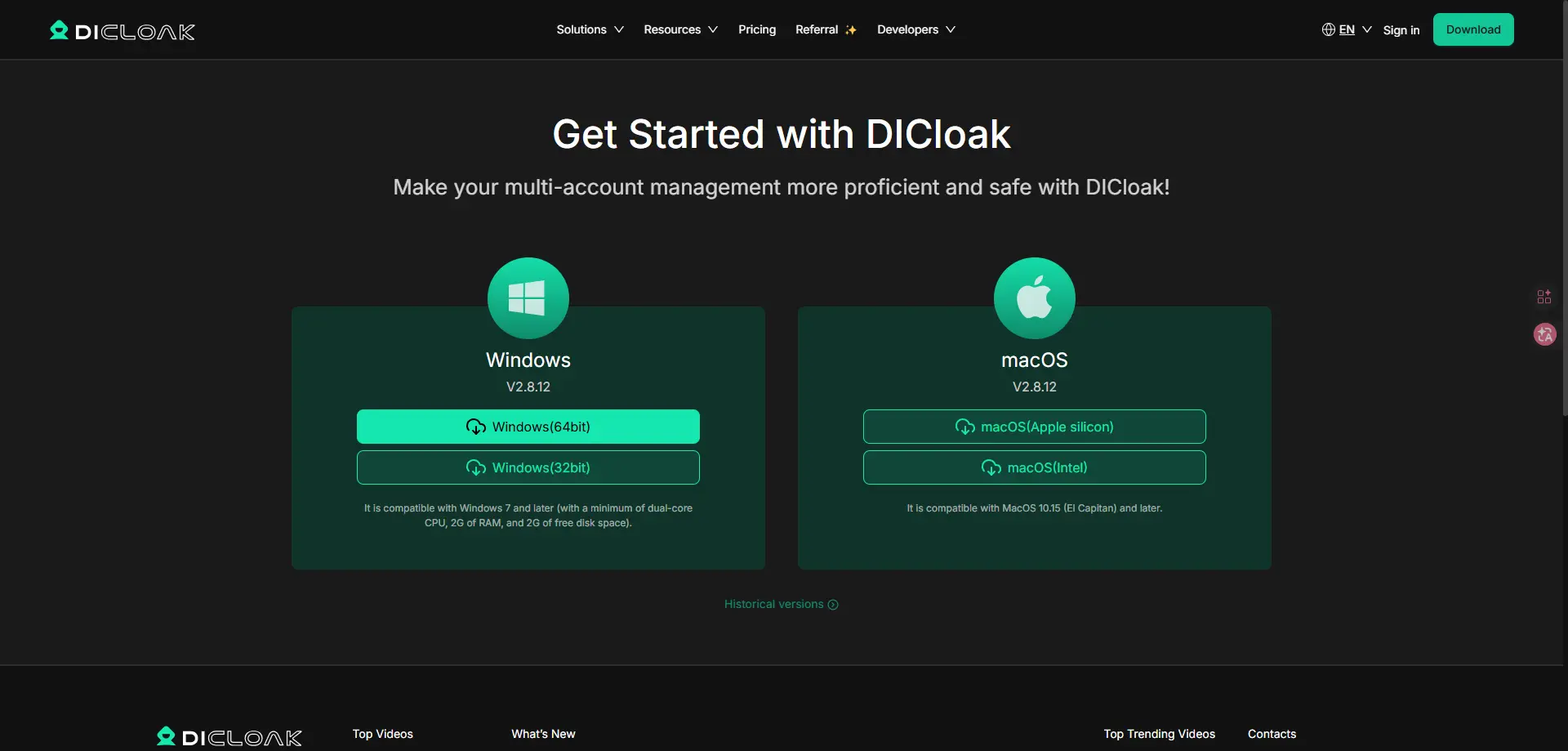
- Once your account is registered, you can directly use the free trial with 5 profiles.
- Click “Create Profile” and enter a profile name.
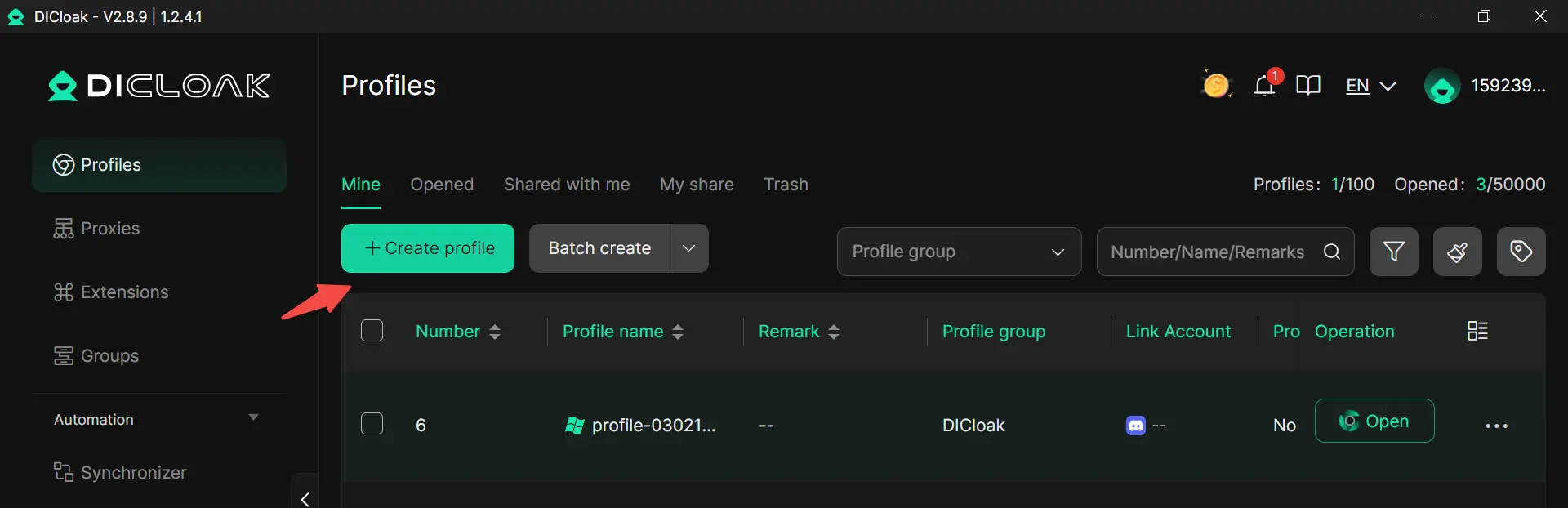
- Set the profile group if you want to organize better.
- Configure your purchased proxies if you need
- Click confirm.
- Open the profile, visit Steam, and sign up a new account.
- Repeat for additional accounts.
How DICloak protects your Steam accounts from bans
When people ask how many Steam accounts can I have, they often worry about bans. In most cases, the number is not the real problem. The risk comes from how the accounts are used and whether they look connected through shared data.
In real use, a person can use DICloak to manage each Steam account in a separate browser profile. Each profile stores its own cookies, cache, and login data. For example, if someone logs into two accounts in a normal browser, session data may mix. But when a person runs each account in its own profile, the data stays separate, which helps avoid conflicts.
And different profiles will have its own fingerprints. This means each account runs with its own device-like setup instead of sharing the same environment. For instance, one account can look like it is used on one device, while another looks like a different setup. This makes account activity more consistent and less likely to appear linked.
In addition, a person can assign a purchased proxy to each profile. This helps keep network signals stable within each account. If one account always logs in with one IP and another uses a different one, their behavior looks more natural over time.
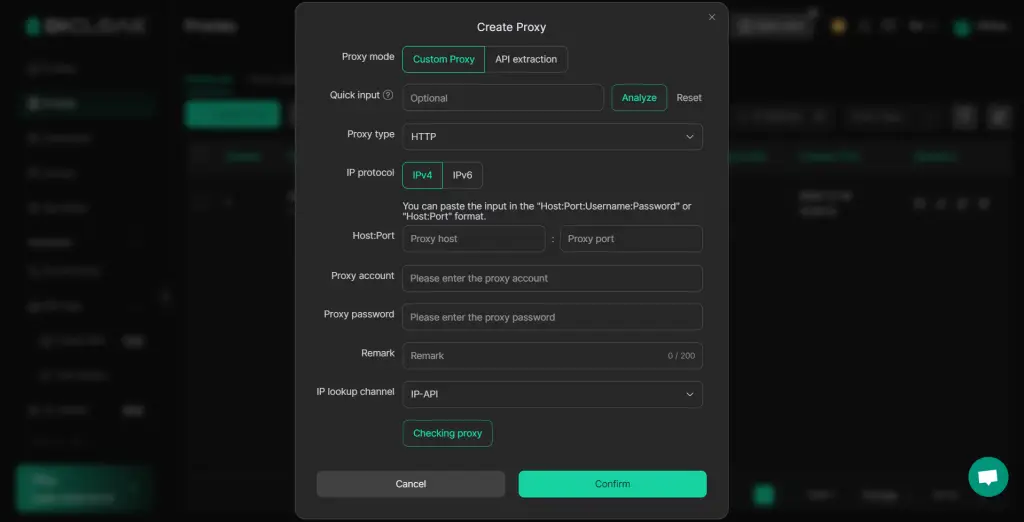
Here is a simple example. A user manages two Steam accounts—one for daily gaming and one for testing new games. By using DICloak, the user can run each account in its own profile with separate data and network settings. This reduces login issues and keeps each account’s activity clean.
So when thinking about how many Steam accounts I can have, the key is not just the number. It is how a person manages them. A clear and separated setup helps reduce technical risks and keeps accounts more stable during normal use.
Regional Restrictions and Changing Steam Regions for Multiple Accounts
Why Change Your Steam Region?
One reason is price differences. Games can cost less in some countries due to local pricing. For example, a game may be cheaper in Argentina or Turkey than in the US. This makes some users consider using a different region.
Another reason is game availability. Some games are only available in certain regions. A user may want access to titles that are not listed in their home country.
However, it is important to understand that Steam sets regional pricing based on where you actually live. Using the wrong region just to get cheaper prices goes against Steam’s rules. Valve has stated that users should not use VPNs or false locations to bypass regional pricing.
Step-by-Step Guide to Changing Your Steam Region
Changing your Steam region is not just a setting you click. It is tied to your real location and payment method.
Here are the basic steps:
- Log in to Your Steam Account Go to your account settings and open the store preferences.
- Make a Purchase in a New Region Steam usually updates your region when you make a purchase using a local payment method from that country.
- Confirm the New Region After the purchase, Steam may update your store country automatically.
- Repeat Carefully for Other Accounts If you manage multiple accounts, each one must follow the same process based on its real location.
Risks and Considerations
Changing regions comes with real risks. Steam may flag accounts if the location, IP, and payment method do not match. For example, if an account shows a US IP but uses a payment method from another country, this can look suspicious.
Another risk is account restrictions. Steam can limit store access or block purchases if it detects region abuse. In some cases, accounts may lose access to certain features.
A simple example: a user creates multiple accounts to try different regions for cheaper games. At first, it may seem to work. But if Steam detects mismatched signals over time, those accounts may face limits or checks.
Therefore, the safest approach is to keep each account aligned with its real location and payment method, instead of trying to bypass regional rules.
Conclusion
So, how many Steam accounts can I have? In most cases, there is no strict limit—but the real focus should be on how you use them. Steam cares more about behavior than numbers. Using multiple accounts for normal purposes like family use, organization, or privacy is generally fine.
The key is to manage each account clearly and responsibly. Keep accounts separate, follow Steam’s rules, and avoid risky actions like account sharing, trading, or region abuse. When accounts are used in a clean and structured way, managing multiple Steam accounts can be simple, safe, and practical.
FAQs About Managing Multiple Steam Accounts
How many Steam accounts can I have on one device?
There is no fixed limit to how many Steam accounts you can have. However, on one device, you can only log into one account at a time using the official Steam client. To use multiple accounts at once, you need separate devices or isolated profiles.
Is it legal to have multiple Steam accounts?
Yes, having multiple accounts is allowed. The key is how you use them. As long as you follow Steam’s rules and do not buy, sell, or abuse accounts, you can manage more than one account safely.
How many Steam accounts can I have with the same email?
You can link multiple Steam accounts to the same email for recovery purposes, but each account must be created separately with a unique username. Using separate emails is often easier for management.
Can I get banned for having multiple Steam accounts?
Simply having multiple accounts will not get you banned. Problems usually happen when accounts are used to break rules, such as bypassing restrictions, sharing accounts improperly, or manipulating reviews.
How many Steam accounts can I have if I want to use different regions?
There is no strict number limit, but changing regions must match your real location and payment method. Creating multiple accounts just to access cheaper regions can lead to restrictions or account checks.
 Web Proxy Tools
 Free Tools
 Cookie Plugin
 UA Generator
 MAC Address Generator
 IP Generator
 IP Address List
 2FA Code Generator
 World Clock
 Anonymous Check
 WebRTC Leak Test
 UUID Generator
 Free Web Proxy Site
 Proxy Checker
 FB Ad Checker
 AI Web Scraping
 Free SMM Tools
 Twitter Shadowban Checker
 Instagram Name Checker
 UTM Generator
 Username Generator
 AI Hashtag Generator
 LinkedIn Headline Generator
 Social Media Image Resizer