Don't Panic! A Guide to Your Amazon Account Suspended Nightmare
Staring at an "Amazon Account Banned" or "Suspended" message can feel like a nightmare. It stops sales dead in their tracks and can throw your entire business into chaos. But fear not. This guide is your lifeline, providing clear, actionable steps for prevention, resolution, and successful Amazon account recovery. Armed with the right knowledge, you can navigate these treacherous waters, turn setbacks into success, and get back to selling.
Understanding Why You Have an Amazon Account Suspended
Before you can fix the problem, you need to understand it. Amazon has different levels of account restrictions, each with its own level of severity and path to resolution.
The Four Types of Amazon Account Interruptions
It's crucial to know the difference between the types of account interruptions, which range from a single product issue to a complete platform ban.
- ASIN Suppression: This is the least severe interruption. It means one of your specific product listings (identified by its ASIN) has been removed, but your account is still active. You cannot sell that specific product, but you can appeal to have the ASIN reinstated.
- Suspension: This is a temporary status where Amazon has removed your selling privileges, often providing the reasons in their notification along with a time frame to appeal—typically seven days. This may seem like bad news, but a suspension means you have a chance to contest the decision by submitting a Plan of Action (POA).
- Denied: This status means that the Plan of Action you submitted was rejected by Amazon. While frustrating, this is not the end of the road. You can revise and resubmit your POA, and there is no set limit on the number of appeals.
- Banned: This is the worst-case scenario. A ban is a permanent measure, and Amazon will no longer read your emails or accept your appeals. A ban effectively ends your career as an Amazon seller on that account.
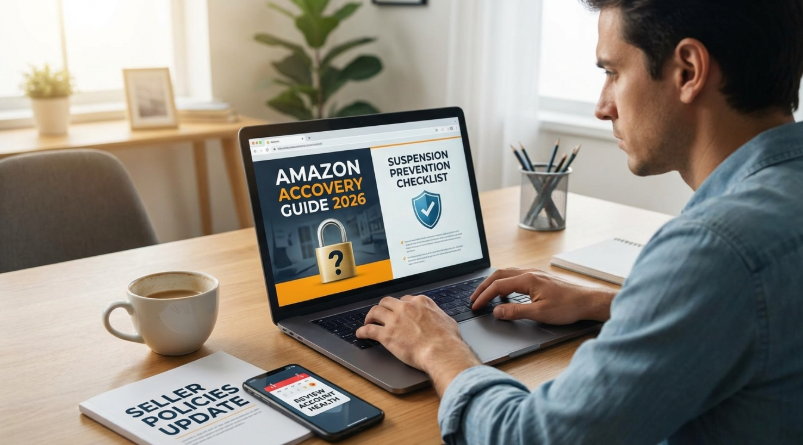
Common Reasons for an Amazon Account Suspension
Amazon suspends accounts for a wide range of reasons, often boiling down to seller performance, policy compliance, and account integrity. Here are the most common culprits.
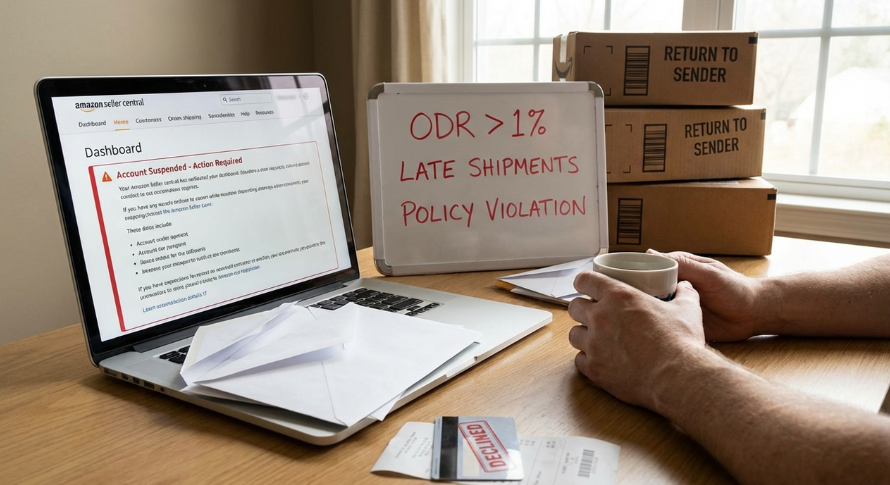
- Poor Seller Performance: Amazon holds sellers to high standards. Failing to meet key performance metrics can trigger a suspension. Keep a close watch on:
- Order Defect Rate (ODR): This is based on negative feedback, A-to-Z Guarantee claims, and credit card chargebacks. Amazon requires this to be below 1%.
- Cancellation Rate: Your pre-fulfillment cancellation rate must remain below 2.5%.
- Late Shipment Rate: This must be kept below 4%.
- Policy Violations: Violating Amazon's strict marketplace policies is a fast track to suspension. Common violations include:
- Selling counterfeit, inauthentic, or restricted products.
- Engaging in review manipulation, such as offering incentives for positive reviews or creating fake ones.
- Intellectual Property (IP) infringement, including violating trademarks or copyrights.
- Violating product listing policies with misleading information or prohibited content.
- Account & Verification Issues: Problems with your account information can lead to suspension.
- Failure to pass identity verification, where the information you provide doesn't match your official documents.
- Payment issues, such as an inability to charge your credit card for fees.
- Failure to provide required information for regulations like the INFORM Consumers Act.
- Suspicious Activity: Amazon actively monitors for activity that suggests fraudulent or rule-breaking behavior.
- Using a stolen credit card for purchases.
- Using bots or automated software to generate reviews or orders.
- Operating multiple seller accounts without Amazon's explicit approval and a legitimate business need. This is one of the most common and complex reasons for suspension.
Your Step-by-Step Plan for Amazon Account Recovery
Receiving a suspension notice is stressful, but a calm, methodical approach is the key to a successful Amazon account recovery. Do not rush your response. Follow these steps carefully.
Step 1: Stop and Analyze the Suspension Notice
Your first instinct might be to reply immediately in protest, but this often backfires. Take a moment to pause and reflect. Carefully read the suspension notice sent by Amazon. It should outline the specific reasons for the suspension. Understanding exactly what Amazon has flagged is the first step to crafting an effective appeal.
Step 2: Create a Powerful Plan of Action (POA)
A well-written Plan of Action (POA) is the most critical component of your appeal. It is your opportunity to show Amazon that you understand the problem and have taken concrete steps to fix it permanently. A successful POA has three core parts.
- A. Identify the Root Cause: Clearly address the problem Amazon identified in the suspension notice. You must take full ownership of the issue, even if you feel you were wrongly accused. For example, "I sold a product that was related to marijuana, which is a restricted product on Amazon."
- B. Detail the Actions You've Already Taken: Explain to Amazon what you have already done to fix the immediate problem. These actions should be completed before you submit your POA. This demonstrates that you are serious about resolving the issue. Provide evidence like receipts, screenshots, or copies of emails if possible.
- C. Outline Your Prevention Strategy: This is the most important part for Amazon. Describe the specific, proactive steps you will take to ensure this problem never happens again. They want to be confident that you understand the rules and have implemented new processes to prevent future violations.
Step 3: Submit Your Appeal and Follow Up Professionally
Once your POA is drafted, you can submit it through Amazon Seller Central.
- Log in to your Seller Central account.
- Navigate to the Performance section and click on Account Health.
- Select the issue that led to the suspension and click the Appeal button.
- Provide your POA and attach any necessary supporting documents.
After submitting, be patient. Response times can vary. Always remain professional and polite in all communications with Amazon.
What to Do If Your Amazon Account Recovery Appeal is Denied
If your appeal status changes to "Denied," do not panic. This is not a permanent ban. It means your POA was not sufficient, but you can revise it and resubmit. Review Amazon's response for clues as to why it was denied and strengthen those sections of your plan. Persistence is critical; there have been observed instances where accounts were reinstated after five appeals or more. If you continue to have trouble, consider seeking support from a third-party consultant who specializes in Amazon account reinstatements. Reputable specialists like Cynthia Stine of eGrowthPartners or Chris McCabe of ecommerceChris offer services to help sellers navigate these complex situations.
Proactive Strategies to Prevent a Future Amazon Account Suspension
The best defense is a good offense. Maintaining a healthy account is far easier than trying to recover a suspended one. Implement these proactive strategies to keep your account in good standing.
Adhere Strictly to Amazon's Policies
It is crucial to read, understand, and stay updated on Amazon's policies. Regularly review the Seller Code of Conduct, product listing policies, and review guidelines. Amazon's rules are constantly changing, and what was compliant yesterday might not be today. For example, a past change to Amazon's pesticides policy caught many sellers off guard. Products were flagged and suppressed simply for using common keywords like "antiviral" or "antibacterial" in their listings, even if the product was not a pesticide. Staying informed through Amazon's seller newsletter can help you anticipate and adapt to these changes before they become a problem.
Maintain Excellent Account Health Metrics
Make it a habit to regularly monitor your Account Health dashboard in Seller Central. This dashboard is your report card and gives you an early warning of potential problems. Pay close attention to:
1.Order Defect Rate (ODR)
2.Late Shipment Rate
3.Product Policy Compliance
4.Pre-fulfillment Cancel Rate
By monitoring these metrics, you can identify negative patterns and take corrective action before they become serious enough to trigger a suspension.
Secure Your Seller Account
Protecting your account from unauthorized access is critical, as fraudulent activity can lead to a ban. Follow these security best practices:
1.Use a strong, unique password that is difficult to guess and not used for any other account.
2.Enable two-factor authentication (2FA) to add an essential extra layer of security.
3.Regularly monitor your account for any suspicious activity, such as changes to your information or orders you don't recognize.
The Multiple Account Dilemma: A Major Reason for an Amazon Account Suspended Status
One of the most common and confusing reasons for suspension is operating multiple Amazon accounts. According to Amazon's policy, sellers may operate more than one account only if they have a "legitimate business need" and receive prior approval. However, Amazon is frustratingly vague about what constitutes a legitimate need, leaving well-intentioned sellers at risk. For instance, it's unclear if the policy covers using different accounts for different business models (e.g., dropshipping vs. private label) or for strategic purposes like A/B testing product listings.
Why Complete Account Separation Is the Only Safe Strategy
Even if you believe you are following the rules, Amazon can link your accounts through subtle data points. If one of your accounts gets suspended for any reason, all linked accounts are at risk. Amazon can establish these links through shared information like:
1.IP addresses
2.Browser fingerprints (hardware specs, browser version, cookies, fonts)
3.Physical addresses
4.Bank accounts and credit cards
5.Phone numbers
Because of this, the only truly safe approach for managing multiple Amazon seller accounts is complete technical separation.
How to Achieve Total Separation with an Antidetect Browser
The most reliable and cost-effective solution for achieving total account separation is an antidetect browser. These tools allow you to manage numerous accounts from a single computer while making each one appear to Amazon's systems as a completely unique user on a different device.
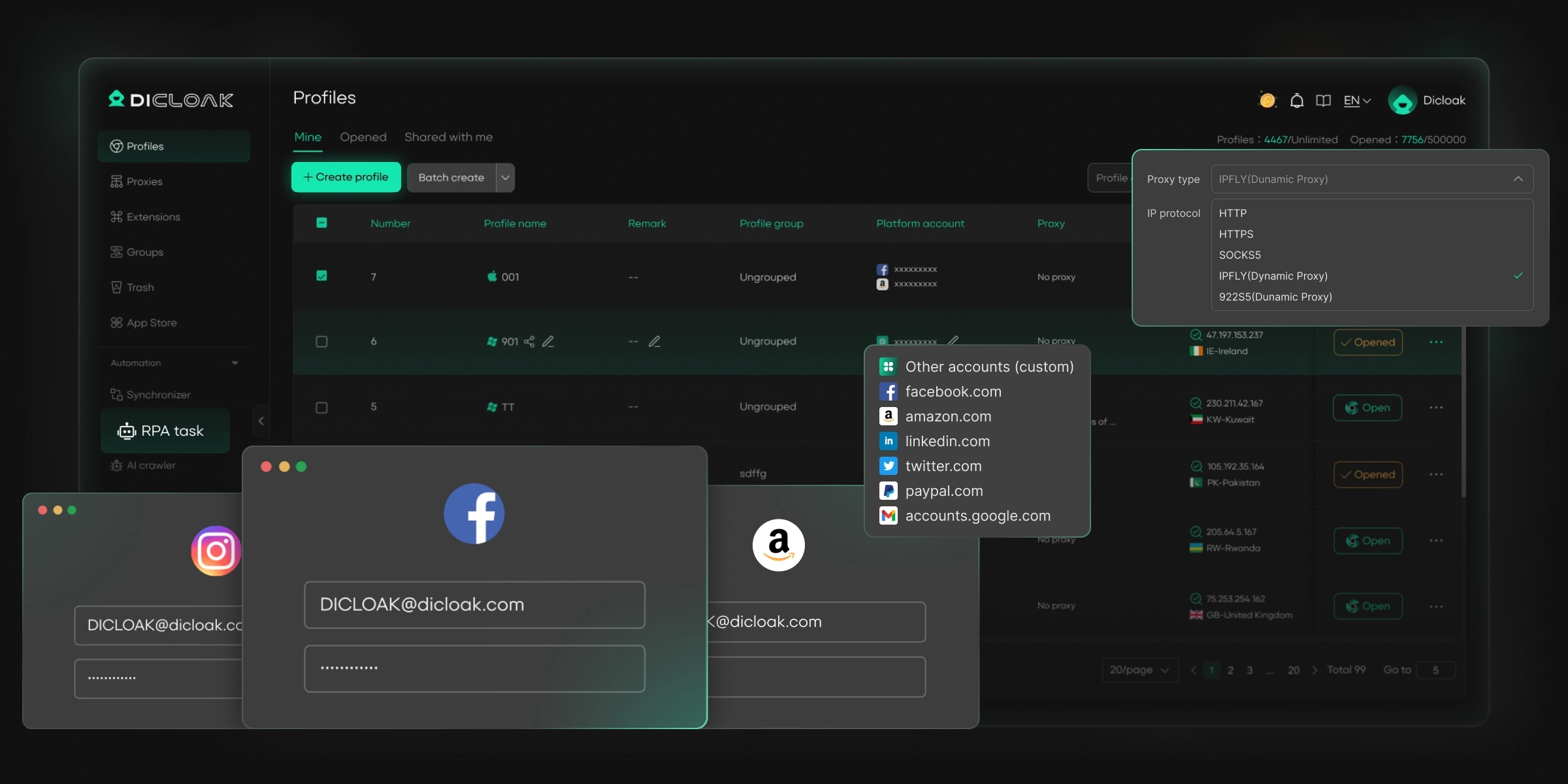
DICloak is an antidetect browser that creates separate, isolated browser profiles for each of your Amazon accounts. Each profile is assigned a unique digital identity, which prevents Amazon from linking your accounts together and drastically reduces the risk of a chain-reaction suspension.
To prevent account linking and ensure operational security, DICloak provides key features including:
- Unique Digital Identities: DICloak spoofs dozens of key fingerprint elements for each profile, including IP address, geo-location, cookies, WebGL, WebGPU, and canvas, ensuring each account appears as a distinct user.
- Isolated Browser Profiles: Every account gets its own isolated profile, preventing cookie and cache leakage between accounts. If one account is flagged, the others remain safe and unlinked.
- Flexible Proxy Integration: DICloak seamlessly integrates with all major proxy protocols (HTTP/HTTPS, SOCKS5), ensuring each account has a unique and trustworthy IP address.
- Efficient Management: You can manage 1,000+ accounts on one device, eliminating the need for extra hardware and saving significant time and money.
- Team Collaboration: DICloak supports secure team management with advanced features like profile sharing, permission settings, and operation logs, allowing you to work with your team without compromising account security.
Conclusion: Turn Setbacks into Success
While an Amazon account suspension is a serious setback, it is a manageable crisis with the right knowledge and a clear plan. By understanding the rules, responding methodically, and focusing on a powerful Plan of Action, recovery is possible. More importantly, proactive prevention is the key to long-term success. Adhering to policies, maintaining excellent account health, and using a tool like DICloak to safely manage multiple accounts will strengthen your standing on Amazon and ensure a smoother selling journey.
Frequently Asked Questions (FAQs) About Amazon Account Suspensions
What’s the first thing I should do if my Amazon account gets suspended?
The first thing you should do is stay calm. Do not rush to respond. Carefully and thoroughly review the suspension notice from Amazon to understand the exact reason they have taken action before you begin preparing your appeal.
What is the difference between an Amazon account being suspended and banned?
A suspension is a temporary restriction of your selling privileges. You have the opportunity to appeal the decision and have your account reinstated. A ban is a permanent measure. Once an account is banned, Amazon will no longer consider appeals, and you cannot sell on that account again.
Can I just create a new Amazon account after being banned?
No. According to Amazon's policies, you cannot create another seller account after being banned. Amazon is very effective at detecting new accounts linked to previously banned ones through data like IP addresses, browser fingerprints, and other identifiers, and any new account it finds will also be suspended.
How long does an Amazon account recovery appeal usually take?
Response times vary. Amazon typically reviews appeals for minor violations within 24 to 48 hours. However, more complex cases can take anywhere from 3 to 14 days, and some sellers report waiting weeks or even months for a final resolution.
My appeal was denied. Is my Amazon account gone forever?
No. A "denied" appeal is not the same as a permanent "ban." It simply means your Plan of Action was not accepted. You can revise your POA based on Amazon's feedback (if any) and resubmit it. It’s important to be persistent, as some sellers succeed after five or more appeal attempts.
 Web Proxy Tools
 Free Tools
 Cookie Plugin
 UA Generator
 MAC Address Generator
 IP Generator
 IP Address List
 2FA Code Generator
 World Clock
 Anonymous Check
 WebRTC Leak Test
 UUID Generator
 Free Web Proxy Site
 Proxy Checker
 FB Ad Checker
 AI Web Scraping
 Free SMM Tools
 Twitter Shadowban Checker
 Instagram Name Checker
 UTM Generator
 Username Generator
 AI Hashtag Generator
 LinkedIn Headline Generator
 Social Media Image Resizer