At DICloak, we keep improving our antidetect browser to make multi-account management safer, cleaner, and easier to control. This update adds two new settings to help users avoid unexpected country or region changes and better control local browser data storage. Both features can be found and enabled in Global Settings > Browser Settings, or in Create Profile > Advanced > Browser Settings.
🌍 New Feature 1: Do Not Open the Profile If the Country/Region Differs from the Last Open
After enabling this feature, users can stop a browser profile from opening if the current country or region is different from the last opening. This helps avoid unexpected location changes caused by an expired proxy, unstable proxy, or wrong proxy region. For users who need a stable login environment, this can reduce verification prompts and account risks.
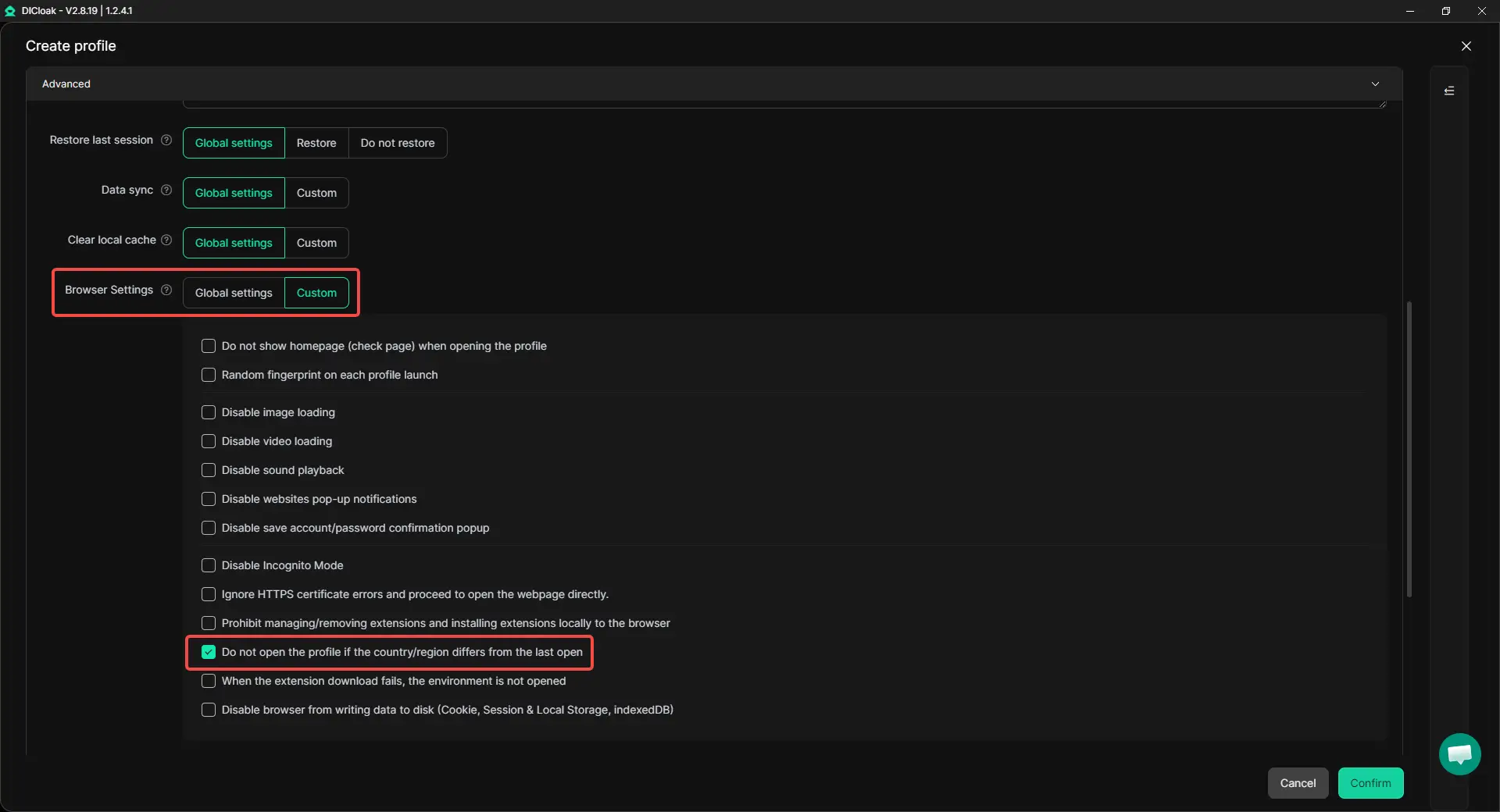
This feature is useful for users who rely on fixed regions, stable proxies, or strict profile consistency. Users can check the proxy or network first before opening the profile.
💾 New Feature 2: Disable Browser Data from Being Written to Disk
After enabling this feature, users can stop Cookies, Session Storage, Local Storage, and IndexedDB from being saved to the local disk. These data types will stay in browser process memory and will be cleared once the profile is closed. This helps reduce local traces and is useful for temporary profiles, privacy-focused tasks, and account testing.
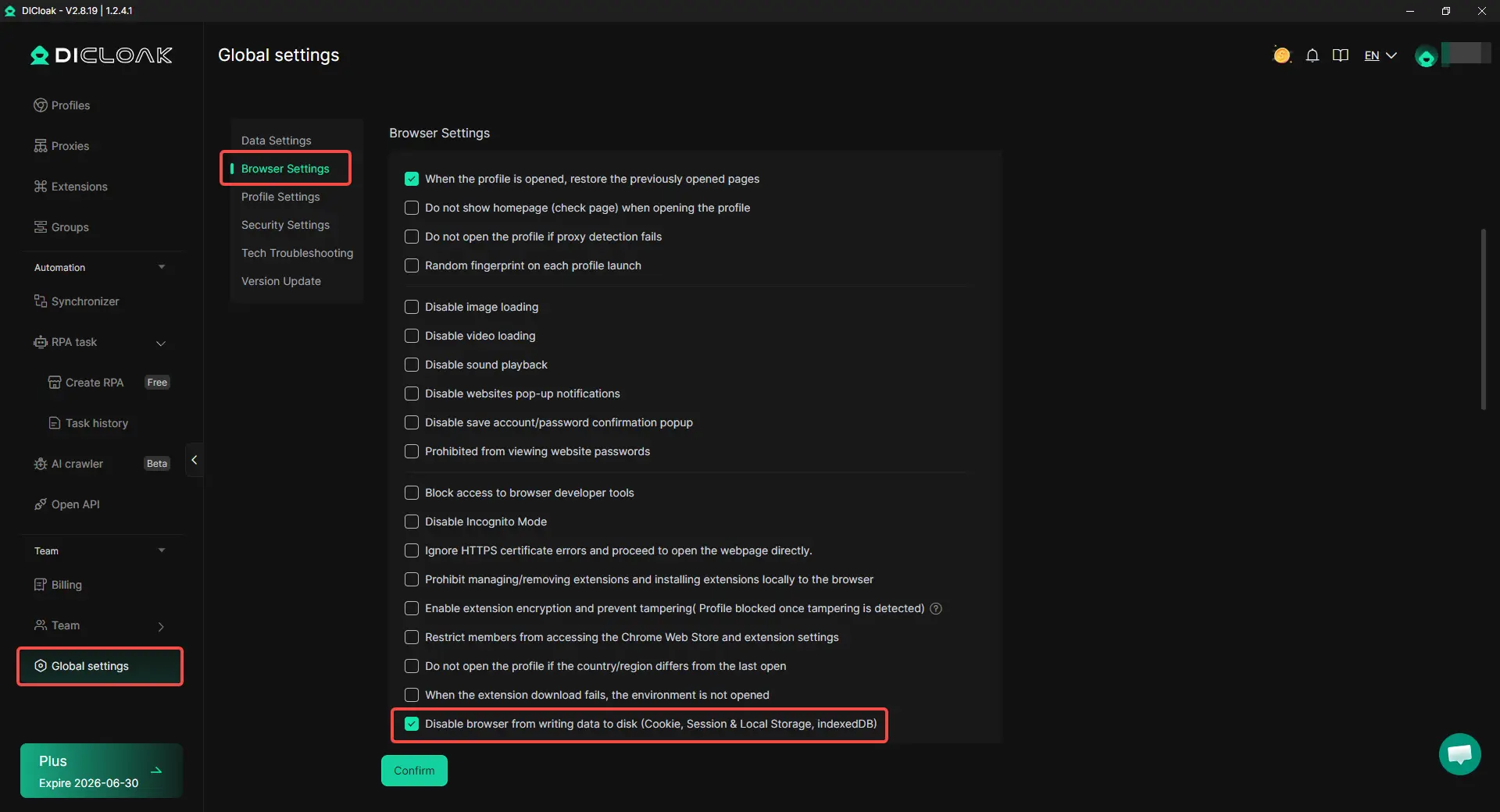
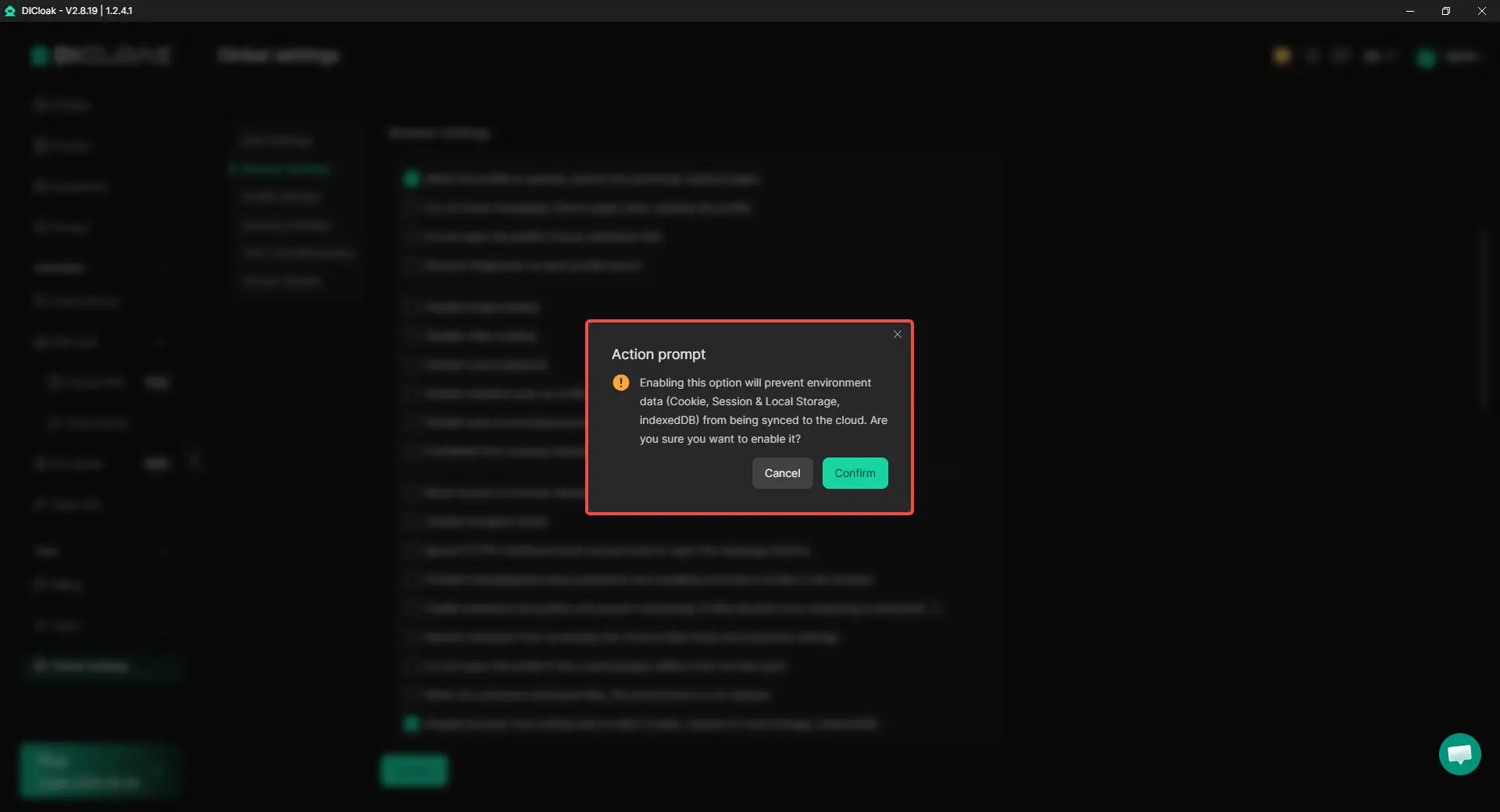
Please note that cloud sync will not work when this feature is enabled. Since the data is not saved to disk, it cannot be synced to the cloud. This feature is better for temporary browsing, not long-term session saving.
🚀 Stay Updated
Update to the latest version today! Enable these new settings and manage your browser profiles with more control.
 Web Proxy Tools
 Free Tools
 Cookie Plugin
 UA Generator
 MAC Address Generator
 IP Generator
 IP Address List
 2FA Code Generator
 World Clock
 Anonymous Check
 WebRTC Leak Test
 UUID Generator
 Free Web Proxy Site
 Proxy Checker
 FB Ad Checker
 AI Web Scraping
 Free SMM Tools
 Twitter Shadowban Checker
 Instagram Name Checker
 UTM Generator
 Username Generator
 AI Hashtag Generator
 LinkedIn Headline Generator
 Social Media Image Resizer