This update focuses on smoother software access and clearer team control. It helps reduce interruptions caused by connection issues and makes member access changes easier to manage during daily operations.
Key Takeaways
- Switch access routes inside DICloak: Try another route when users cannot access DICloak normally.
- Optional member logout on reassignment: Admins can log the member out so the new group applies after sign-in.
Switch Access Routes Inside DICloak
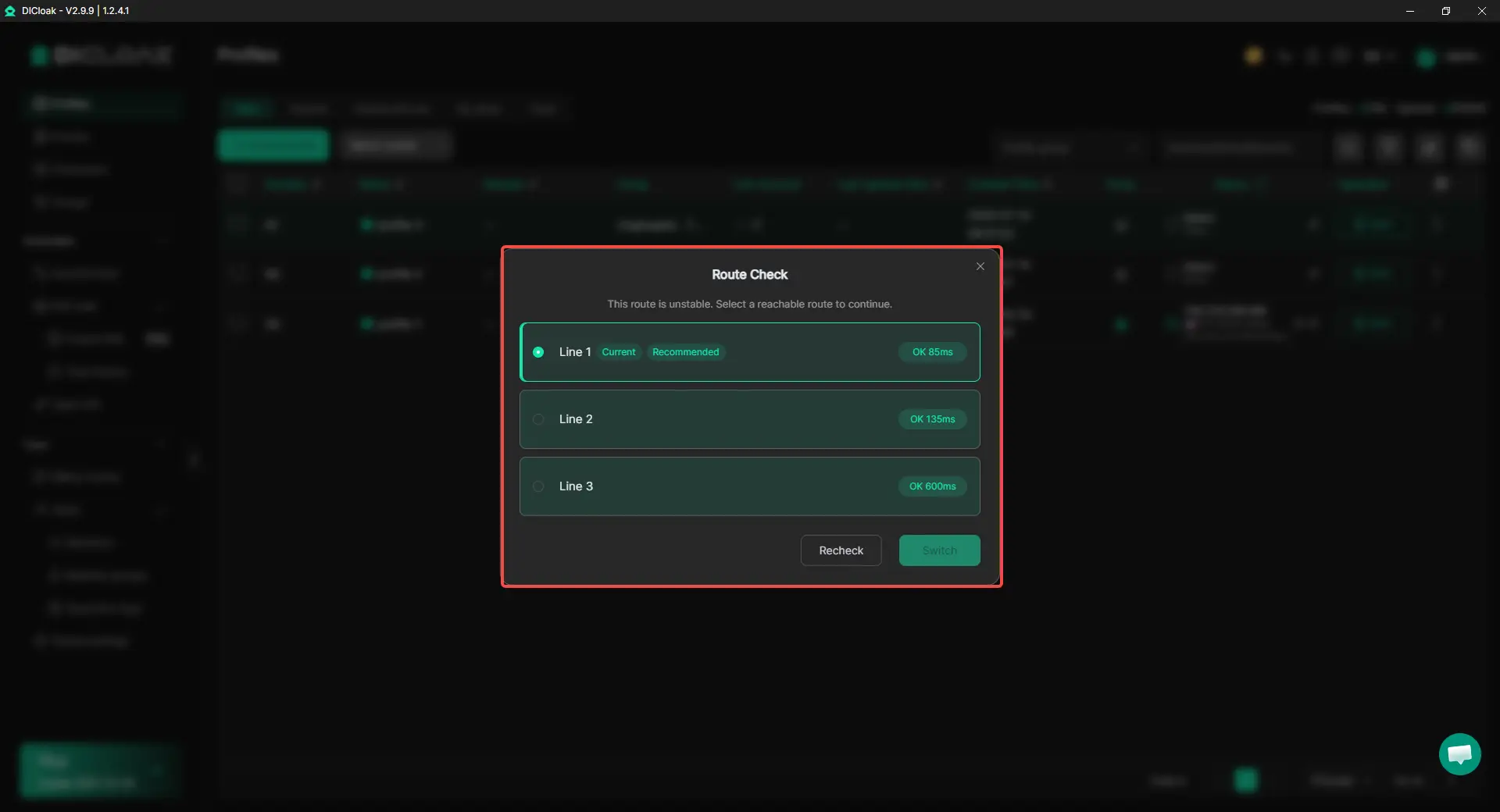
When the current software access route is unavailable, users can switch to another route without leaving DICloak.
How It Helps
- Try another available route instead of repeatedly restarting the software.
- Check the route before changing networks or contacting an admin.
- Get back to Profile management and daily tasks sooner.
How to Access It
- The route-switching window appears when access fails.
- Users can also open it from the button in the upper-right corner.

This feature changes the route used to access DICloak. It does not replace or modify the custom proxy configured inside a browser Profile.
Optional Member Logout During Profile Group Reassignment
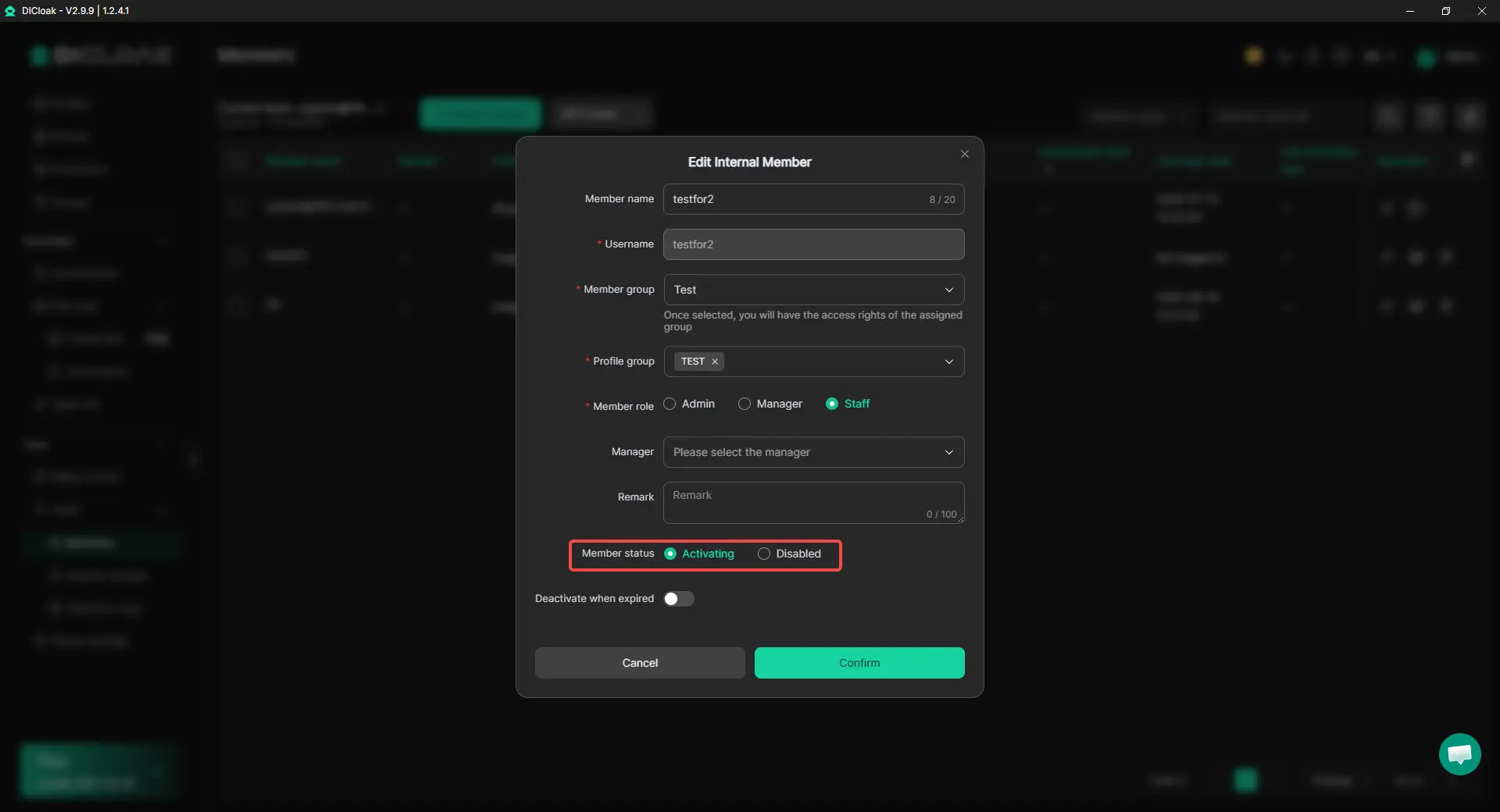
When assigning a new Profile group, admins can choose whether to log the member out.
Feature Highlights
- When logout is selected, the member signs in again before working under the updated Profile group.
- Admins no longer need to send a separate message asking the member to sign out.
- This helps reduce cases where members continue working from an earlier session after their assignment has changed.
This option is useful when moving operators between client groups, changing campaign responsibilities, or rotating staff between Profile groups.
Get Started with the Latest Update
Switch access routes more easily and manage member reassignments with clearer session control. Get the latest version of DICloak and start using these updates in your daily work.
 Web Proxy Tools
 Free Tools
 Cookie Plugin
 UA Generator
 MAC Address Generator
 IP Generator
 IP Address List
 2FA Code Generator
 World Clock
 Anonymous Check
 WebRTC Leak Test
 UUID Generator
 Free Web Proxy Site
 Proxy Checker
 FB Ad Checker
 AI Web Scraping
 Free SMM Tools
 Twitter Shadowban Checker
 Instagram Name Checker
 UTM Generator
 Username Generator
 AI Hashtag Generator
 LinkedIn Headline Generator
 Social Media Image Resizer