CroxyProxy stands as a well-liked web proxy enabling swift and covert access to restricted sites—no need for installations or technical configuration.
Ever encountered a "This site is unavailable" notice when trying to open a webpage? It can be annoying, particularly when the material is perfectly legitimate.
Perhaps you're wondering: Is there a protected, straightforward method to explore online? Or maybe you're a student asking, "How can I set up CroxyProxy on my educational Chromebook?"
You've come to the right place. In this evaluation, we'll cover what CroxyProxy.com provides, its security level, and operational methods—even on controlled devices such as school-issued Chromebooks.
What is CroxyProxy?
Fundamentally, CroxyProxy is a browser-based proxy solution intended for individuals aiming for anonymous internet navigation and access to restricted content. The primary benefit? No software downloads or involved setups are necessary.
This web-based middleman facilitates access to popular services like YouTube, Facebook, Twitter, and Google without leaving a digital trace.
However, this tool truly excels in one area: it supports complete audio and video playback—a feature uncommon among complimentary proxy options. Thus, if proxies that fail with media content have frustrated you, CroxyProxy may be precisely what you require.
Main Advantages of CroxyProxy: Reasons to Give It a Try
1. Private Browsing Without Difficulty
This web proxy conceals your actual IP address, making tracking by websites or observers challenging. Whether bypassing regional blocks or prioritizing personal privacy, this feature ensures you leave no readily traceable mark.
2. Reliable SSL Safeguarding
Concerned about your information being intercepted? Rest assured. This anonymous browsing proxy utilizes SSL encryption, protecting your data, especially when connected to public Wi-Fi.
3. Seamless Video and Music Playback
Numerous proxies struggle with streaming. This utility does not. It permits uninterrupted audio and visual streaming on platforms like YouTube, guaranteeing you can enjoy your preferred content.
4. Supports Various Devices
Using a Windows computer, an Android device, or a Chrome OS machine? CroxyProxy operates smoothly across these platforms. This versatility makes it a suitable selection for both learners and professionals.
5. Immediate Access, No Setup
Forget about complicated installations. Simply navigate to croxyproxy.com, input the destination URL, and hit “Go!” It’s that uncomplicated.
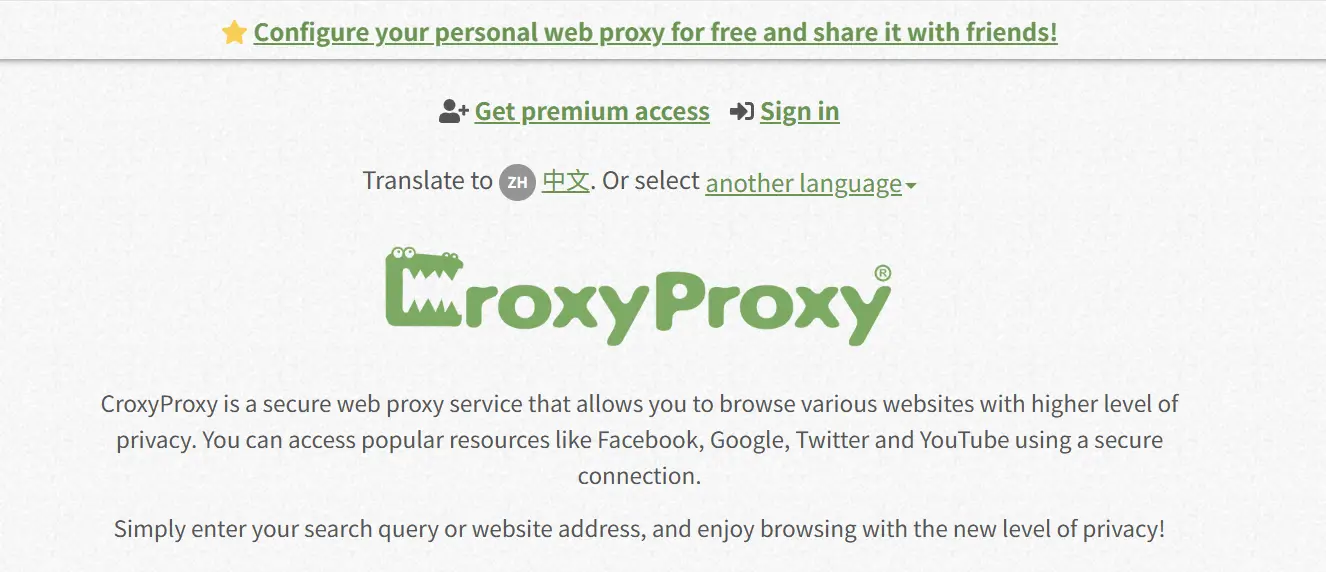
Is CroxyProxy Trustworthy? Addressing the Key Inquiry.
You might be asking: Is CroxyProxy reliable? The answer is yes, with certain conditions. CroxyProxy uses SSL encryption to keep your data private during exchanges with websites. According to Scamadviser, croxyproxy.com has a high confidence rating, indicating general reliability for everyday online activities.
However, while CroxyProxy is secure for basic tasks like browsing and media viewing, it may not offer the same level of protection for sensitive data. Exercise caution when handling private information.
How to Utilize CroxyProxy: A Step-by-Step Guide
Starting with CroxyProxy is straightforward:
- Go to the Site: Navigate to croxyproxy.com.
- Enter the Web Address: Input the URL of the site you wish to reach.
- Select “Go!” CroxyProxy manages the rest, loading your requested website safely and covertly.
No installations. No intricate configurations. Just simple, protected browsing.
Verify Your Connection with Pixelscan
You can confirm your connection status using Pixelscan to observe how websites perceive your IP. Here’s the process:
- Launch Pixelscan.
- Initiate the IP verification to see the detected IP address, location, and provider.
- Review the IP check outcomes.
- Examine blacklist status: If the identified IP is listed, some websites might still restrict entry.
Setting Up CroxyProxy on a School Chromebook
Students often encounter strict web controls on institutional devices. So, how can one access CroxyProxy on a school Chromebook? Here are a few suggestions:
- Direct Browser Access: Open the Chrome browser and navigate to croxyproxy.com. Since this utility is browser-based, no installation is necessary.
- Be Aware of Network Limitations: Recognize that many institutional networks block proxy services. If it fails to load, the network likely has restrictions imposed.
- Adhere to Institutional Rules: Always consult with your school’s IT department before trying to bypass network limits. Unauthorized use may contravene acceptable usage agreements.
CroxyProxy Advantages and Disadvantages: What to Consider
Advantages:
- Completely free and easy to use
- Supports media playback (video and audio)
- Robust SSL encryption for safe navigation
- Works with Windows, Android, and Chrome OS
- Needs no extra software installation
Disadvantages:
- Speed may decrease during peak usage times
- Lacks some advanced security features
- Supported by advertisements, which may disrupt browsing
While CroxyProxy is a solid option for basic anonymous browsing, those who require more robust control and protection will find DICloak to be a better fit. DICloak is an advanced antidetect browser designed for users who prioritize online privacy and security. It comes with features that surpass the capabilities of traditional proxies or web proxies.
Why choose DICloak?
Every browser profile is isolated. Each profile has its own cookies, local storage, cache, and its own browser fingerprint.
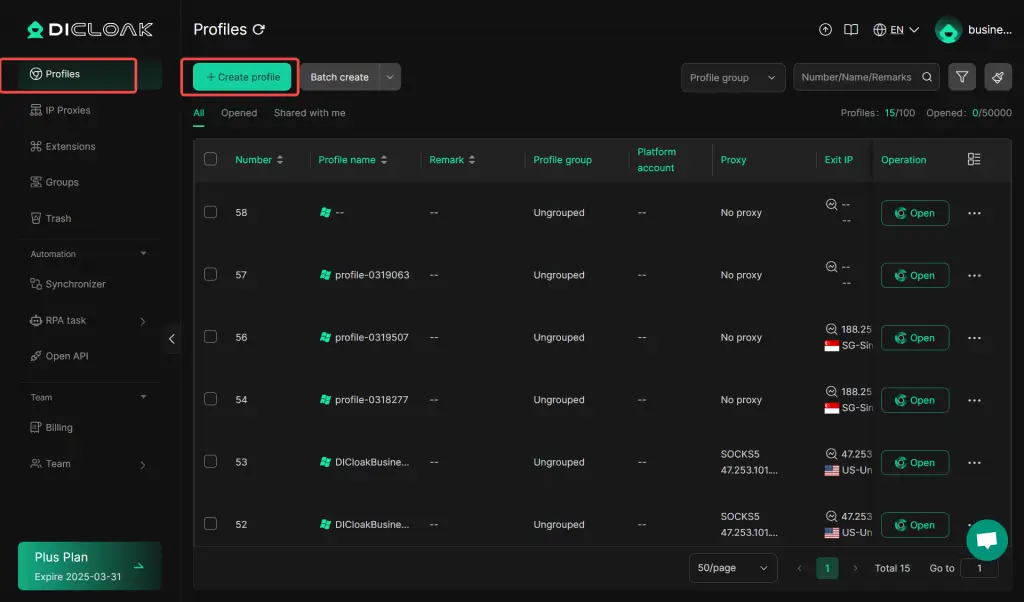
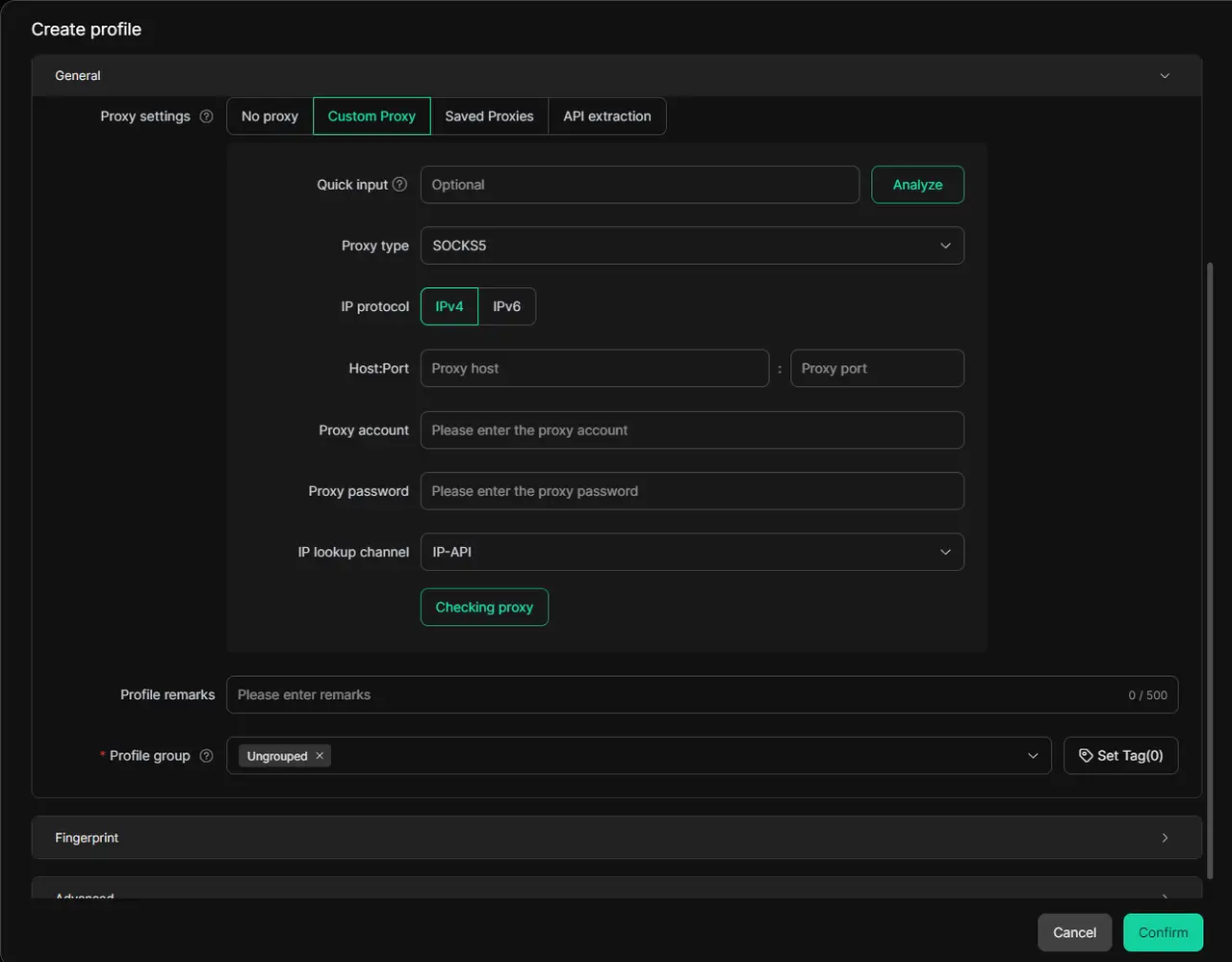
You can assign a proxy from a proxy provider to each profile inside DICloak. Once set up, you can effortlessly switch between various proxies, ensuring secure access to restricted websites.
Additionally, DICloak's Random Proxy Assignment feature enables the random distribution of unused proxies across multiple profiles, offering an efficient and flexible solution for users who need bulk proxy rotation. This ensures that each profile receives a distinct proxy quickly, saving time and reducing the risk of account association.
FAQs Regarding CroxyProxy
What is CroxyProxy?
A web-based proxy service allowing users to reach blocked websites and browse privately without installing extra programs.
Is CroxyProxy safe?
Yes, CroxyProxy is safe for general use thanks to SSL encryption. However, for activities involving sensitive data, it’s recommended to use an antidetect browser like DICloak for added privacy and security.
How to use CroxyProxy?
Just visit croxyproxy.com, input the URL of the site you want, and click “Go!”
How to get CroxyProxy on a school Chromebook?
Access it directly through the Chrome browser. However, be mindful of institutional guidelines and potential network blocks.
Can I use CroxyProxy on mobile?
Yes, CroxyProxy works on mobile devices through the browser, offering easy access to blocked sites.
Final Judgment: Is CroxyProxy Worthwhile?
CroxyProxy is a solid choice for those seeking a free, secure, and easy-to-use proxy. It’s ideal for casual browsing, media streaming, and overcoming basic network restrictions.
However, if you need faster speeds, enhanced privacy, or an ad-free experience, you might want to consider a more advanced service. For most users, CroxyProxy provides a reliable and straightforward solution.
 Web Proxy Tools
 Free Tools
 Cookie Plugin
 UA Generator
 MAC Address Generator
 IP Generator
 IP Address List
 2FA Code Generator
 World Clock
 Anonymous Check
 WebRTC Leak Test
 UUID Generator
 Free Web Proxy Site
 Proxy Checker
 FB Ad Checker
 AI Web Scraping
 Free SMM Tools
 Twitter Shadowban Checker
 Instagram Name Checker
 UTM Generator
 Username Generator
 AI Hashtag Generator
 LinkedIn Headline Generator
 Social Media Image Resizer