Creating engaging videos has become a key component of online success, whether you're promoting a product, sharing creative content, or educating an audience. PixVerse AI promises to simplify this process by turning simple text and images into captivating videos with just a few clicks. But does it truly deliver? In this comprehensive review, we’ll dive into the features, pricing, pros, and cons of PixVerse AI in 2026, and help you determine if it's the right tool for your video creation needs. Whether you're a marketer, content creator, or simply curious about AI video generation, this guide will give you all the insights you need. Keep reading to find out if PixVerse AI can unlock your creative potential!
What is PixVerse AI?
PixVerse AI is a powerful AI video generation tool that helps people make videos in a new and easy way. It uses artificial intelligence to turn your ideas, words, and pictures into dynamic videos. You do not need big tech skills or expensive software to get started. This makes PixVerse AI great for beginners and pros alike.
At its core, PixVerse AI takes simple text or images and builds motion pictures from them. For example, you can type a sentence like “a calm ocean at sunset” and PixVerse AI will make a short video showing exactly that idea. Or you can upload a still photo and watch the AI animate it with smooth motion and effects.
One thing users love is how fast and easy it is. Many people report that their videos are ready in less than a minute. This helps content creators, marketers, and small business owners save time and get more done with less work.
PixVerse AI also offers a pixverse ai free plan that lets users try the tool without paying. Even on the free version, you can make a few videos to test ideas and learn how the system works before moving to a paid plan.
In short, PixVerse AI is an easy and modern way to make videos from text and pictures. It brings high-quality video creation to people who may not have any experience in video editing.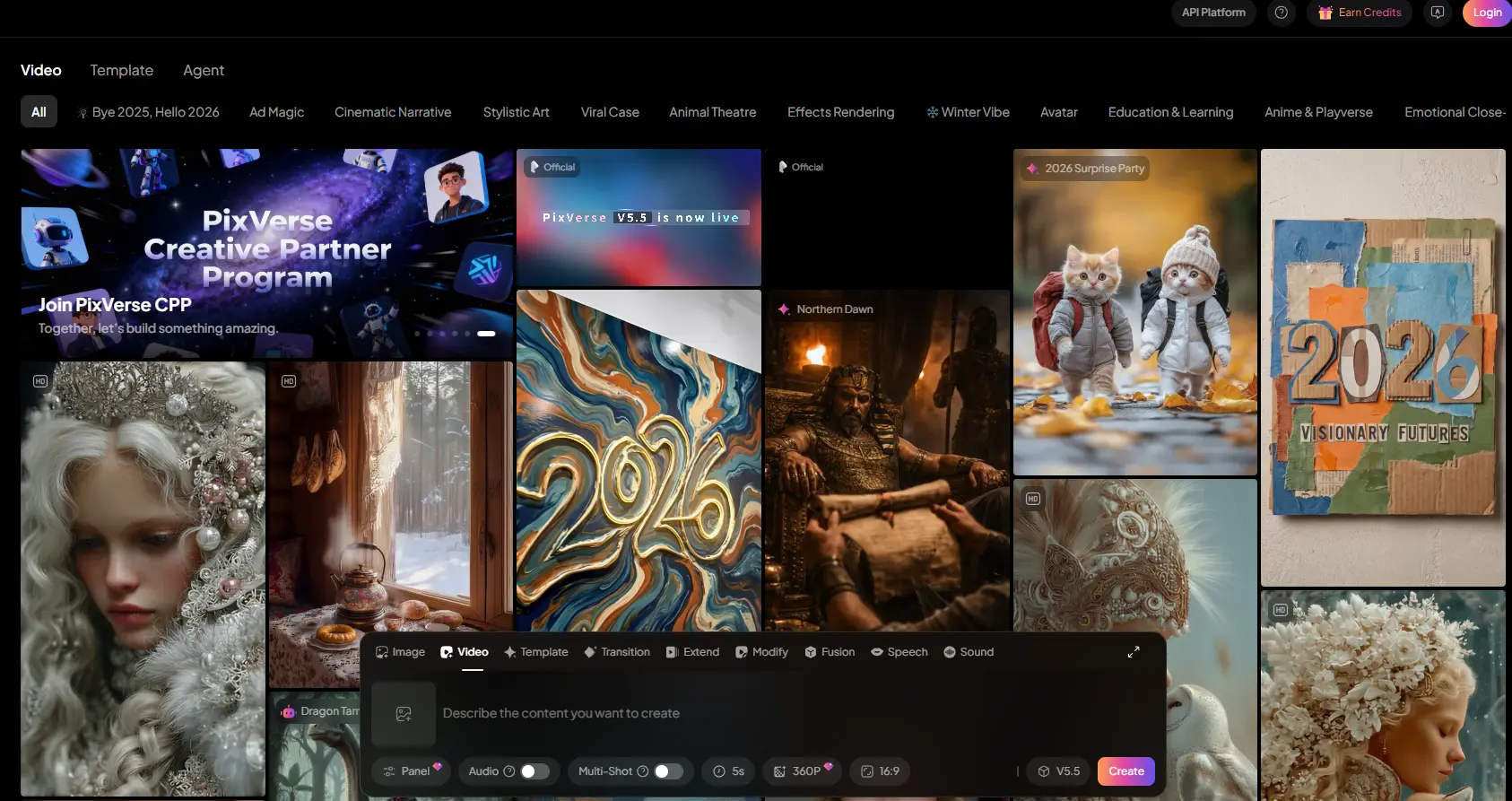
Key Features of PixVerse AI
PixVerse AI offers several powerful features that can turn your creative ideas into high-quality videos. It’s not just about simple effects; the tool provides deep, polished functionalities that make it ready for real-world use. Below are some of its standout features that make PixVerse AI a game-changer for creators, marketers, and designers.
Video Generation Capabilities
PixVerse AI’s Text-to-Video generation feature allows users to turn text prompts into fully animated scenes. For example, if you type “futuristic Tokyo skyline with flying cars at sunset,” the tool will generate a video that looks like a cinematic scene. It includes not just static images but real motion, lighting, and even character animations (if you want). Unlike other tools that offer simple slideshows or morphing images, PixVerse AI creates videos with smooth camera movement and visual continuity.
This feature is perfect for content creators who need a quick turnaround but want high-quality results. PixVerse AI doesn’t just generate a static clip; it creates a full video that feels alive.
Customization Options
Once you’ve generated your video, PixVerse AI lets you customize every aspect. You can adjust the camera angles, change the speed of the video, or even choose the visual style. This makes it easy to tailor the video to fit your needs, whether you want a dreamy, soft look or a fast-paced, dynamic feel. These customizations let designers, marketers, and indie creators adjust their clips to fit different use cases, from social media reels to cinematic intros.
Another great option is the ability to use PixVerse AI free plan to test these features, which is great for users who are still getting to know the tool before committing to a paid plan.
Creative Tools and Innovations
PixVerse AI’s creative tools allow you to go beyond basic video generation. You can bring images to life by uploading them and using motion effects like panning or adding environmental details. Whether it’s a concept sketch, a photo, or digital artwork, PixVerse AI animates your still images into engaging video clips. This is especially useful for artists and designers who want to turn their portfolio pieces into motion reels without using heavy video-editing software.
Another innovative tool is Character-to-Video, which helps you animate characters. Whether you upload a character design or describe it in text, PixVerse AI can generate video scenes with that character interacting with the environment. This is ideal for storytelling, animated marketing videos, or explainer videos with recurring characters. It ensures that your characters stay consistent across scenes with style consistency models.
Plus, the Lip Sync and Voice Integration feature allows you to upload voiceovers or use the built-in text-to-speech tool. PixVerse AI then matches the voice with accurate lip sync for characters or people. This is perfect for YouTubers, educators, or businesses creating content in multiple languages.
Templates, Assets & FX
PixVerse AI comes with a rich library of templates and assets for various use cases like product showcases, educational explainers, or cinematic intros. It includes ready-to-use templates for social media, marketing, and more. The tool also has a growing library of stock music, sound effects (SFX), transitions, background loops, and themes. Everything in PixVerse is customizable: you can tweak color palettes, transitions, pacing, and visual style to make your video uniquely yours. The best part is that you can even output in 4K resolution for top-notch quality.
These features make PixVerse AI an all-in-one solution for anyone looking to create high-quality videos quickly. Whether you're a designer, content creator, or business owner, PixVerse AI provides all the tools you need to make stunning, professional videos without the need for expensive equipment or complicated software.
In summary, PixVerse AI stands out with its innovative capabilities, customization options, and creative tools that make video creation accessible to all users. It’s designed to help anyone—from marketers to designers—turn simple ideas into engaging visual stories. With the free plan and the wide variety of tools available, PixVerse AI truly empowers users to create videos that stand out.
Pricing Structure of PixVerse AI
Now that we understand what PixVerse AI can do, let’s look at how much it costs. Pricing matters if you plan to use this tool regularly. PixVerse offers both free and paid plans, so creators at different levels can choose what works best for them.
Detailed Cost Breakdown
PixVerse AI uses a credit‑based system. You use credits to generate videos. The platform has a pixverse ai free plan and several paid subscription levels. Here is a detailed cost breakdown of the plans available:
| Plan |
Price (Monthly) |
Credits per Month |
Video Quality |
Features |
| Free Plan |
$0 |
Limited (with daily credits) |
Lower resolution, watermark |
Basic features, watermark, lower resolution |
| Standard Plan |
$10 |
1,200 |
HD (720p) |
No watermark, medium resolution, some advanced features |
| Pro Plan |
$30 |
6,000 |
Full HD (1080p) |
High resolution, faster generation, priority support |
| Premium Plan |
$60 |
15,000 |
Full HD (1080p) |
Highest resolution, priority generation, max features |
- Free Plan ($0): You start with some credits for free each month. This lets you try the core video tools without paying. Free users can make short videos and learn how the system works.
- Paid Plans: These give more credits, higher resolution output, and advanced features. Paid plans start at a low monthly price and go up for creators with heavier needs.
For example, many users like the free plan at first because it lets them experiment with text‑to‑video and image‑to‑video without cost. But once they want higher quality videos or more credits, they choose a paid plan.
Value for Money: What to Expect from Each Plan
Each PixVerse AI plan offers a different level of tools and freedom:
- The free plan is perfect if you are just starting or want to try PixVerse AI before spending money. You can make a few sample videos and see how the system works.
- The Standard plan is good for casual creators and small businesses. You get more credits each month and can make better‑looking videos that can go on social media or websites.
- The Pro and Premium plans make sense if you create videos often. These tiers give you many credits, higher resolution, and more time-saving features. You can use them to produce finished content for ads, marketing, or client projects without watermarks.
For example, a small online shop owner might start on the Free or Standard plan to post product videos. As their shop grows, they might upgrade to Pro to make smooth, high‑quality clips for ads and promotions.
In short, PixVerse AI’s pricing structure helps both beginners and professionals find a plan that fits their needs. The pixverse ai free option makes it easy to start, and the paid plans add more power and flexibility as you grow.
Pros and Cons of Using PixVerse AI
After learning about PixVerse AI’s pricing plans, it’s helpful to see where this tool truly shines and where it falls short. No tool is perfect, and honest feedback from users and reviewers helps you decide if PixVerse AI fits your needs.
| Aspect |
Pros |
Cons |
| Ease of Use |
Simple and fast to learn, no video editing skills required |
Lack of deep control, beginners may need time to adjust |
| High-Quality Visuals |
Smooth motion and realistic lighting, great for landscapes and simple scenes |
Still may not replace professional editing for complex videos |
| Fast Generation Times |
Videos ready in under a minute, perfect for quick content |
Videos are often short (5-8 seconds), longer videos need extra editing |
| Free Starter Tier |
Free plan lets you try core features and test ideas |
Lacks built-in audio support; need to use another tool for sound |
| Good for Social Content |
Includes popular effects and templates like dance animations or viral visuals |
Output quality may vary depending on the wording of the prompt |
| Short Clip Length |
/ |
Customization of camera movements and transitions is limited |
| Limited Audio Options |
/ |
Occasional poor user experience, reports of credit waste, and slow support |
In general, PixVerse AI is a powerful and easy tool for fast, short‑form video creation. Its strengths lie in simplicity, speed, and creative effects—especially for social posts. The pixverse ai free plan makes it easy to start without risk.
However, you should know its limits: short clips, basic audio tools, and prompt sensitivity may require extra work. If your content needs longer videos or detailed editing control, you might pair PixVerse with other tools.
Overall, PixVerse is a good choice for quick, engaging videos that need speed and visual appeal rather than deep manual editing.
Comparative Analysis of PixVerse AI with Other AI Video Generators
When comparing PixVerse AI to other AI video generation tools, it’s essential to understand the unique strengths and weaknesses each platform brings. The AI video field is growing quickly, with each tool catering to different needs and offering various features. Let’s break down how PixVerse AI compares to its competitors.
How PixVerse AI Stacks Up Against Alternatives
PixVerse AI Focuses on Quick, Creative Clips
One of the main selling points of PixVerse AI is its ability to generate videos quickly from text, images, or characters. You can go from concept to a finished video in under 5 minutes, making it perfect for fast, short clips, especially for social media posts or promotions. The system is optimized for both speed and style preservation, delivering visually striking clips without a lengthy wait. For example, creators can type in a prompt like “futuristic city at sunset” and have a cinematic video ready within minutes.
In comparison, tools like Runway ML offer more advanced editing features such as background removal, object tracking, and collaborative workflows. While these features are great for professional video production, they often require more learning and processing time. Runway may be better for users seeking advanced editing control but can be more complex for beginners.
Pika Labs for Creative Motion
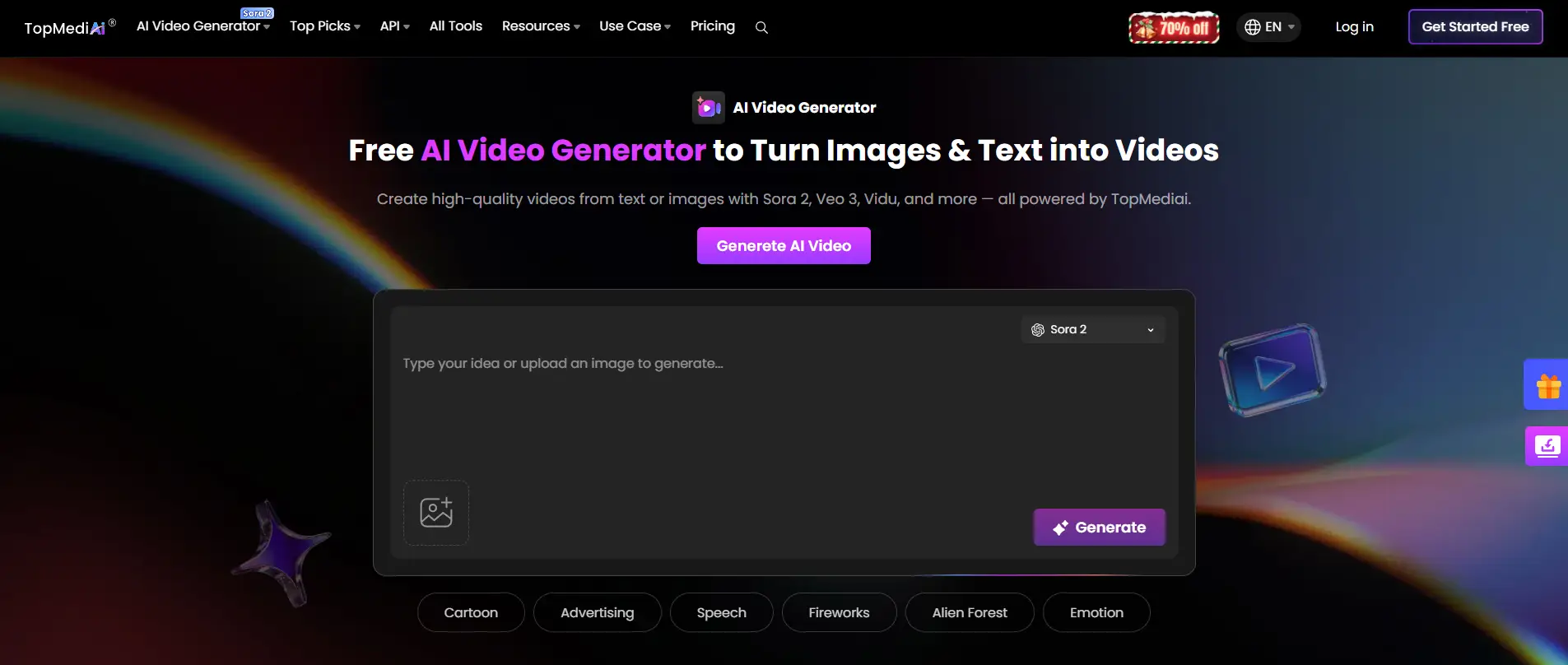
PixVerse AI is highly effective for creating quick, creative videos. However, if you’re looking for more realistic movement or artistic animation, tools like Pika Labs are more suitable. Pika Labs excels in creative motion and highly stylized visuals, making it a better fit for users who want to produce artistic, detailed motion sequences. While PixVerse AI works best for fast social videos, Pika’s focus is on producing smoother, more lifelike animations.
Synthesia for Talking Head and Corporate Videos
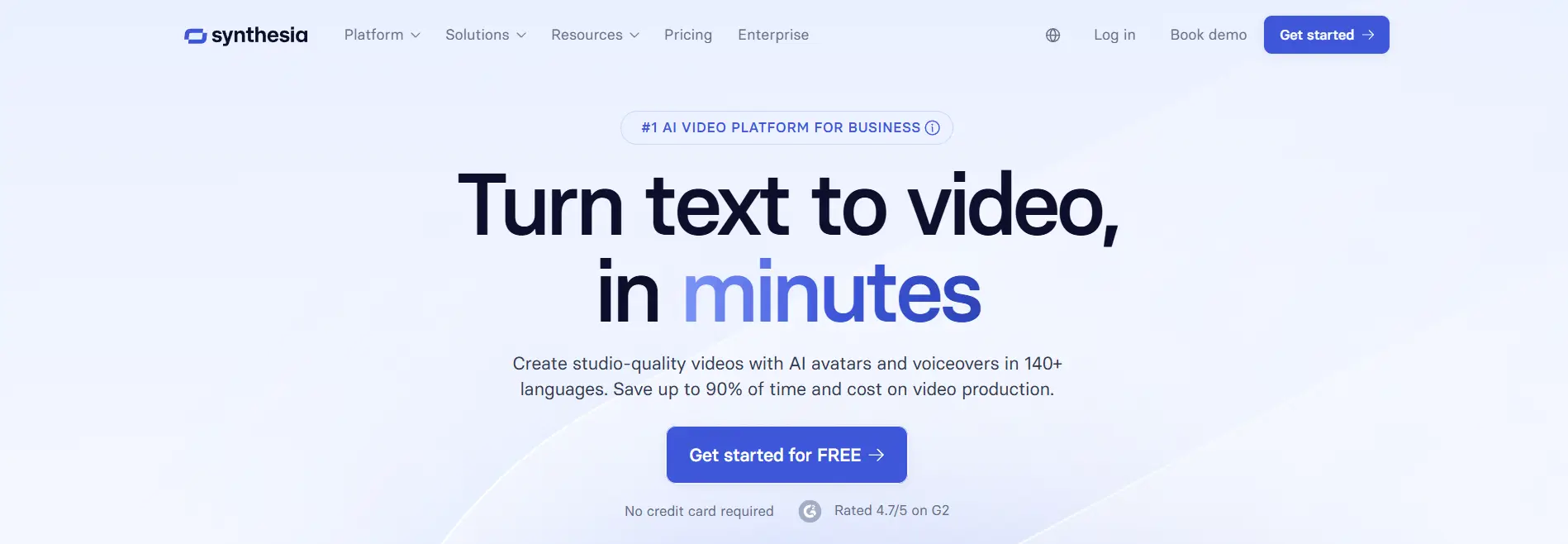
Synthesia specializes in avatar-based videos and is widely used for corporate training, presentations, and business messaging. It generates realistic speaking avatars that are ideal for formal or business settings. However, PixVerse AI is more focused on creative and dynamic visuals rather than realistic avatar-based content. If you need talking-headed videos or professional corporate avatars, Synthesia might be the better tool.
Luma and InVideo for Multi-Scene Editing
Tools like Luma AI and InVideo offer strong support for multi-scene editing and audio integration, making them better suited for longer videos and multi-layered projects. These platforms provide more control over each scene, including voiceovers, subtitles, and detailed video editing options. In contrast, PixVerse AI shines with quick clips, but lacks the advanced editing tools found in InVideo and Luma AI. If your project involves more intricate editing or a longer timeline, these other platforms are better choices.
For users looking for realistic, film-quality content, platforms like Veo 3 and Sora are strong competitors. These tools generate longer videos with lifelike motion and detailed scene understanding. However, PixVerse AI is best for quick, impactful short clips, and its motion quality might not reach the same level of realism as Veo 3 or Sora. If you’re focused on high realism for narrative-driven content, you might find these platforms more suitable.
Choosing the Right Tool for Your Needs
If your primary goal is speed and simplicity—especially for quick social media content—PixVerse AI and its pixverse ai free plan are excellent choices. The free plan lets you experiment at no cost and quickly generate results.
However, if your work requires detailed control, longer videos, or complex editing, platforms like Runway, Synthesia, or Pika Labs might be worth exploring. Many creators find it useful to use PixVerse AI for quick content creation and other platforms for final edits.
In summary, PixVerse AI excels in ease of use, creative speed, and producing quick, engaging videos. While other platforms might offer more advanced controls, realism, or editing flexibility, PixVerse AI is a fantastic tool for creators who need quick and high-quality content without the complexity of traditional video editing software.
Final Verdict on PixVerse AI
After comparing PixVerse AI with other AI video tools, it’s time to answer two big questions: Is it worth using? and who should use it? Below is a clear, honest look at this AI video generator based on real features, user feedback, and current capabilities.
Is PixVerse AI Worth It?
Yes, PixVerse AI is worth trying, especially if you want fast, creative videos without a steep learning curve. Many users highlight that the tool can turn simple text or images into eye‑catching video clips quickly. The interface is beginner‑friendly, so even people new to video creation can jump right in.
One of the biggest benefits is the pixverse ai free plan. With this free tier, you get some credits to test video generation without paying upfront. This lets you experiment with text‑to‑video, image animation, and simple effects before choosing a paid plan.
For example, some social media creators use PixVerse AI to make quick clips for TikTok or Instagram. These short, creative videos often take seconds to generate. Users who want to post frequent content find this speed helpful and time‑saving.
Another positive point is that there are no major safety concerns reported, and the tool continues to receive updates and new creative options.
However, PixVerse AI is not perfect for everyone. Some users report that complex prompts may take trial and error to get right. And while many creators enjoy the quality for short clips, it may not fully replace professional video editing software if you need very long or highly detailed videos.
Recommendations for Target Audiences
PixVerse AI is for a wide range of users who need quick, dynamic video creation. Here's who benefits most from it:
- Marketers: Create promo videos, UGC-style ads, or brand stories quickly. It’s perfect for social media content like Instagram or TikTok.
- UI/UX Designers: Turn UI screens into engaging product launch videos with animations and interactions.
- Content Creators & YouTubers: Generate video intros, voiceover explainers, or AI-driven skits fast, saving editing time.
- Educators: Create animated lessons, explainers, and talking characters for engaging learning content.
- Startup Founders: Use a 30-second AI-generated sizzle reel to pitch your MVP instead of a slide deck.
- Artists & Illustrators: Transform still art into video teasers, reels, and animated shorts.
If you need motion, PixVerse AI provides it—without needing to become a motion designer. It’s perfect for quick, high-quality videos across different industries.
Setting up a shared PixVerse AI account with DICloak is simple and doesn’t require technical expertise. By combining DICloak with PixVerse AI, you can securely share access to your account while keeping it undetected. This process ensures that your team can collaborate on video creation without running into issues like login restrictions or account bans. Here's how to do it:
1. Download and Install DICloak
Visit the official DICloak website, register for an account, and download the application to your computer. DICloak is an antidetect browser that helps you manage multiple accounts safely and securely.

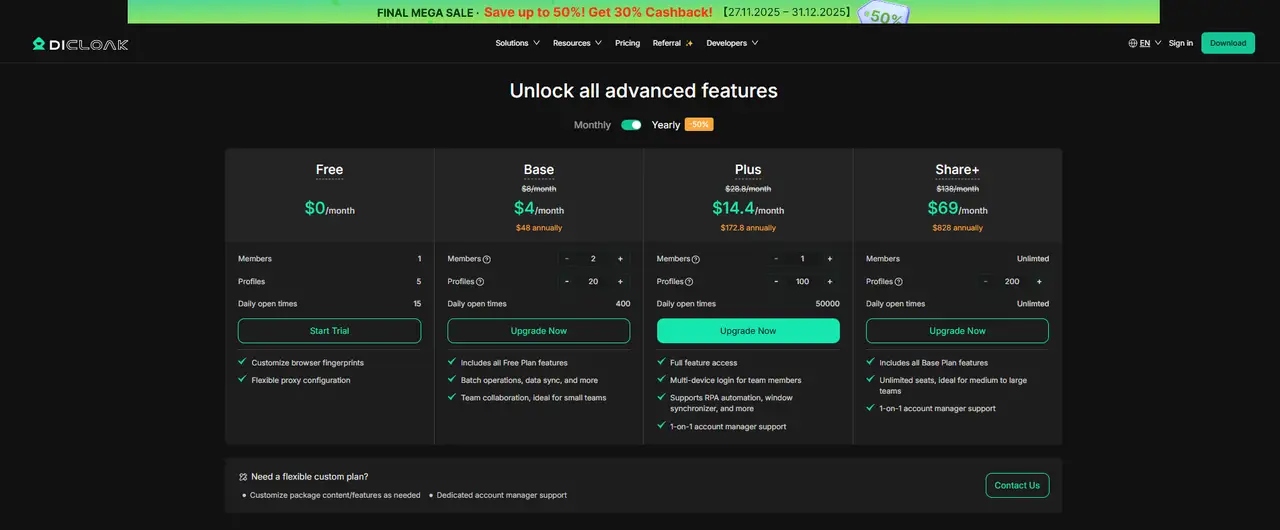
To share PixVerse AI profiles with your team, subscribe to DICloak. The Base Plan works well for smaller teams, while the Share+ Plan is better for larger teams needing unlimited member access. You can scale based on your team’s needs.
3. Set Up a Static Residential Proxy (Recommended)
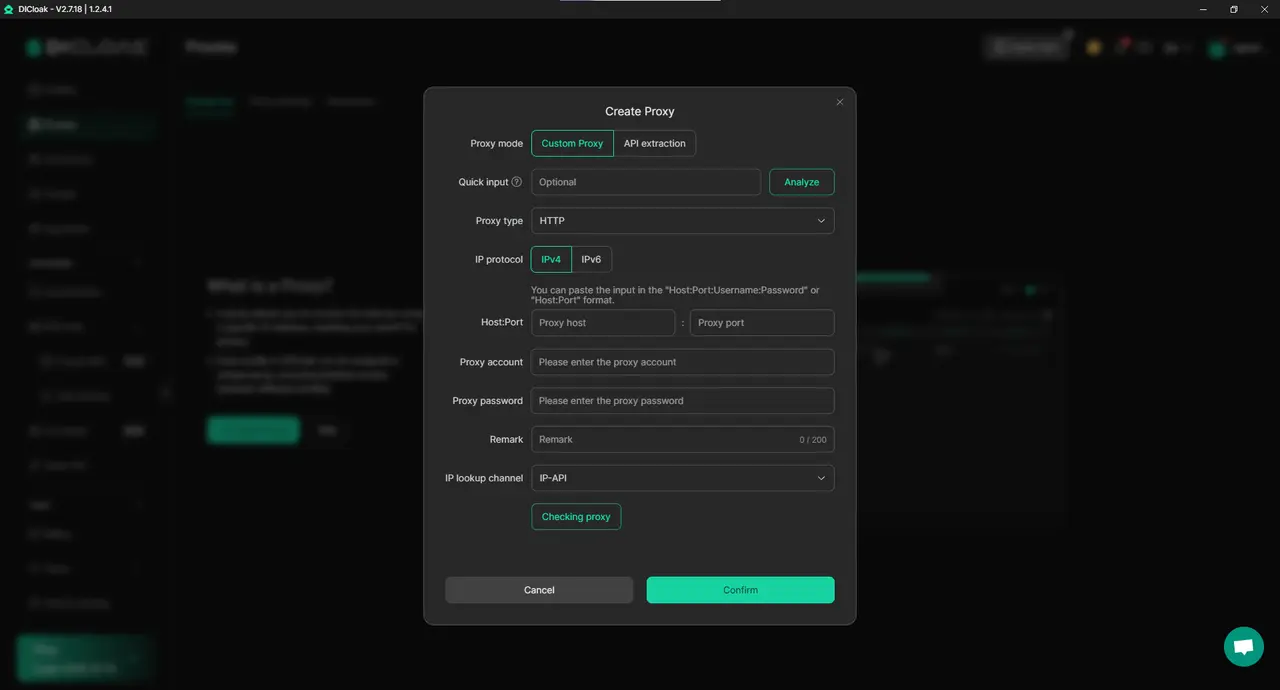
Although not mandatory, it’s highly recommended to use a static residential proxy. This provides a fixed IP address for your shared PixVerse AI profile, helping to avoid detection from PixVerse AI's security systems. By preventing logins from different locations, the risk of forced logouts or other security issues is greatly reduced. DICloak doesn’t sell proxies but works with trusted third-party providers.
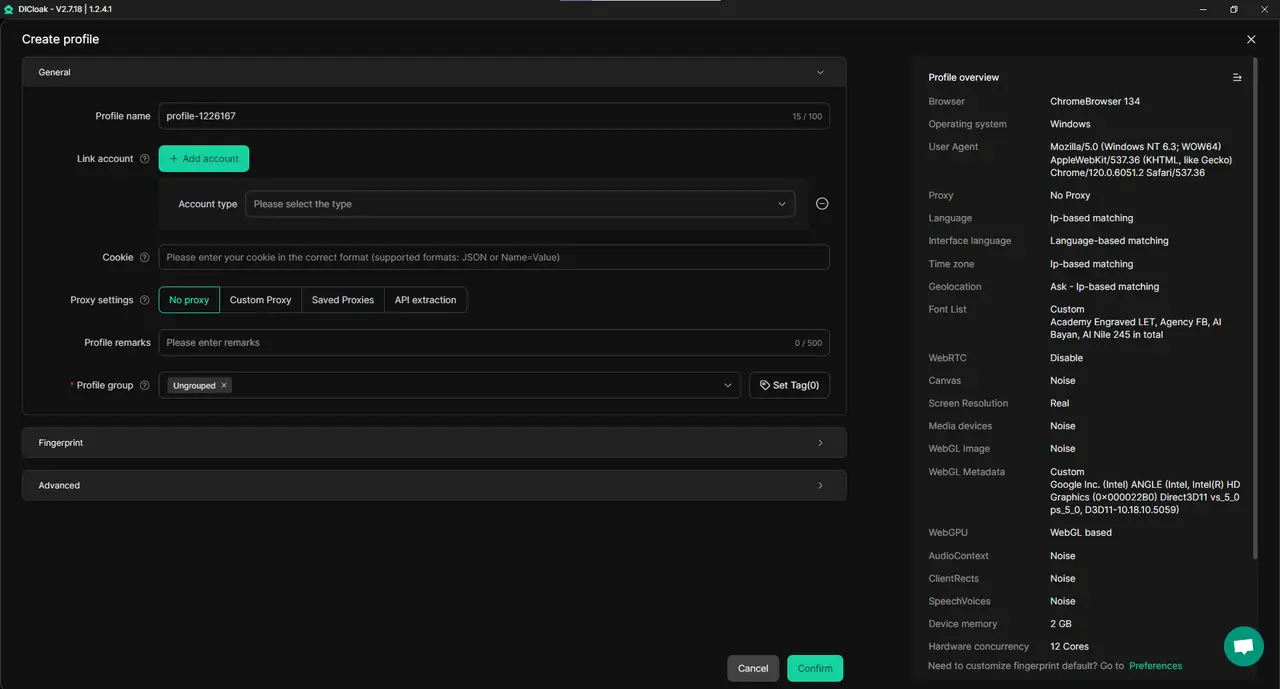
Open DICloak and create a new browser profile specifically for your shared PixVerse AI account. This profile ensures that your shared PixVerse account remains secure and isolated from others.
5. Enable Multi-Open Mode
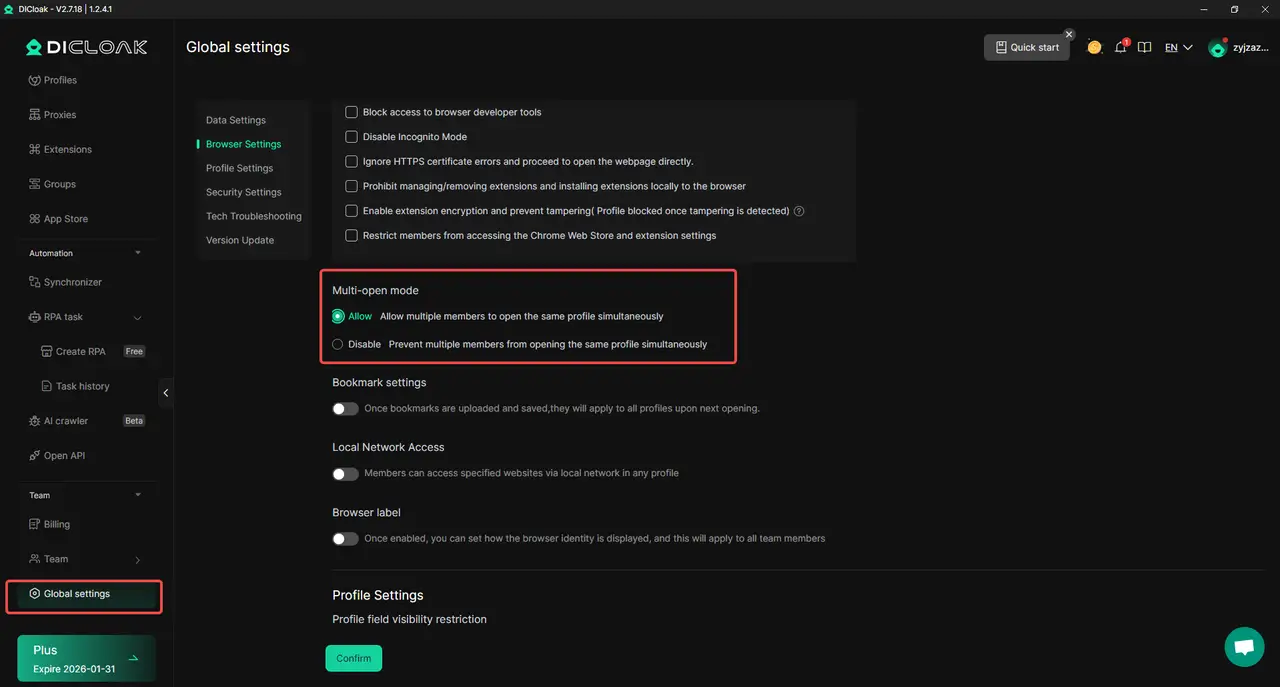
In DICloak, go to the Global Settings and find the Multi-open mode option. Select Allow. This feature lets multiple users access the same PixVerse AI account at once without triggering security alerts.
6. Log In to PixVerse AI
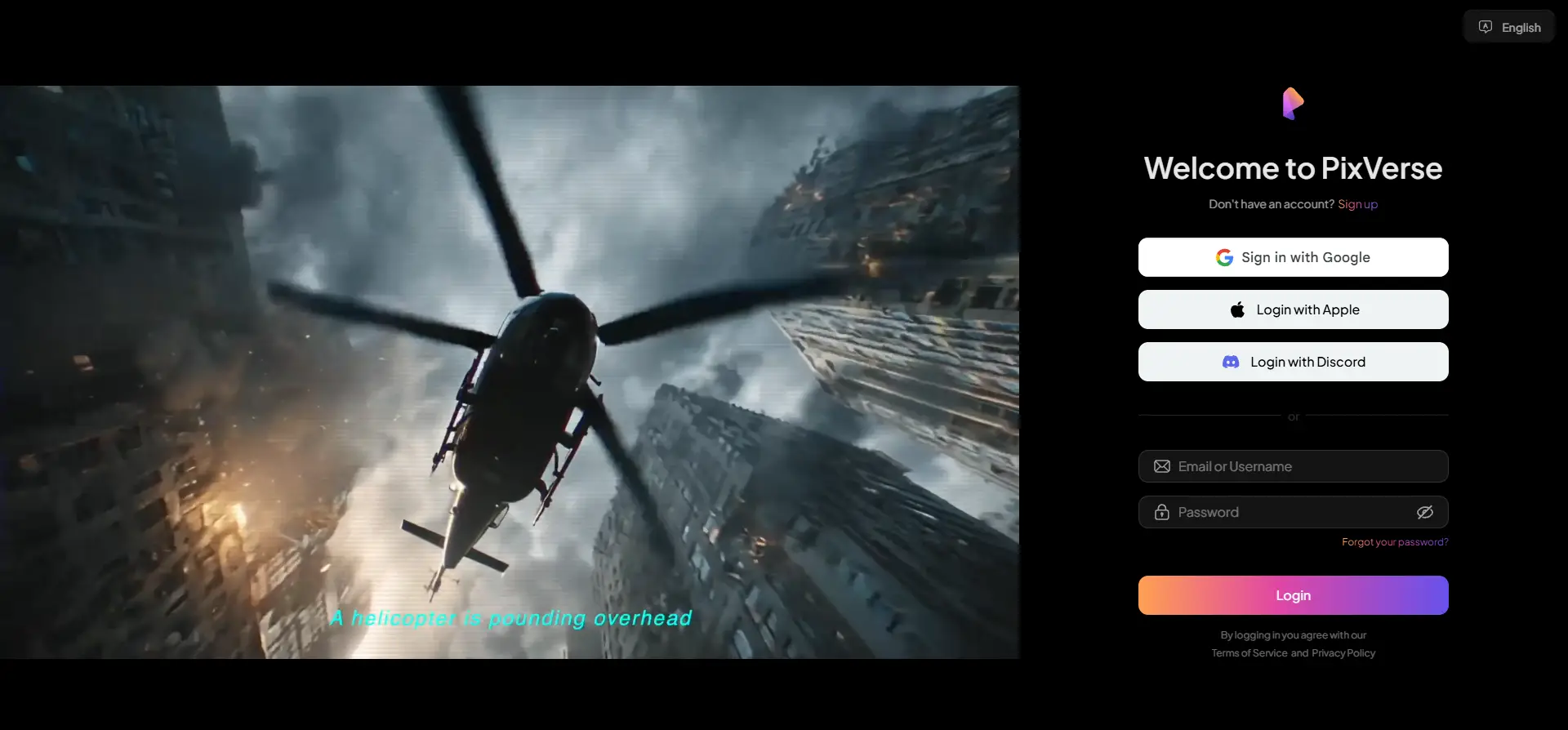
Launch the newly created browser profile within DICloak. This will open a new window. Go to the official PixVerse AI website and log in with your account credentials.
7. Share the Profile with Your Team
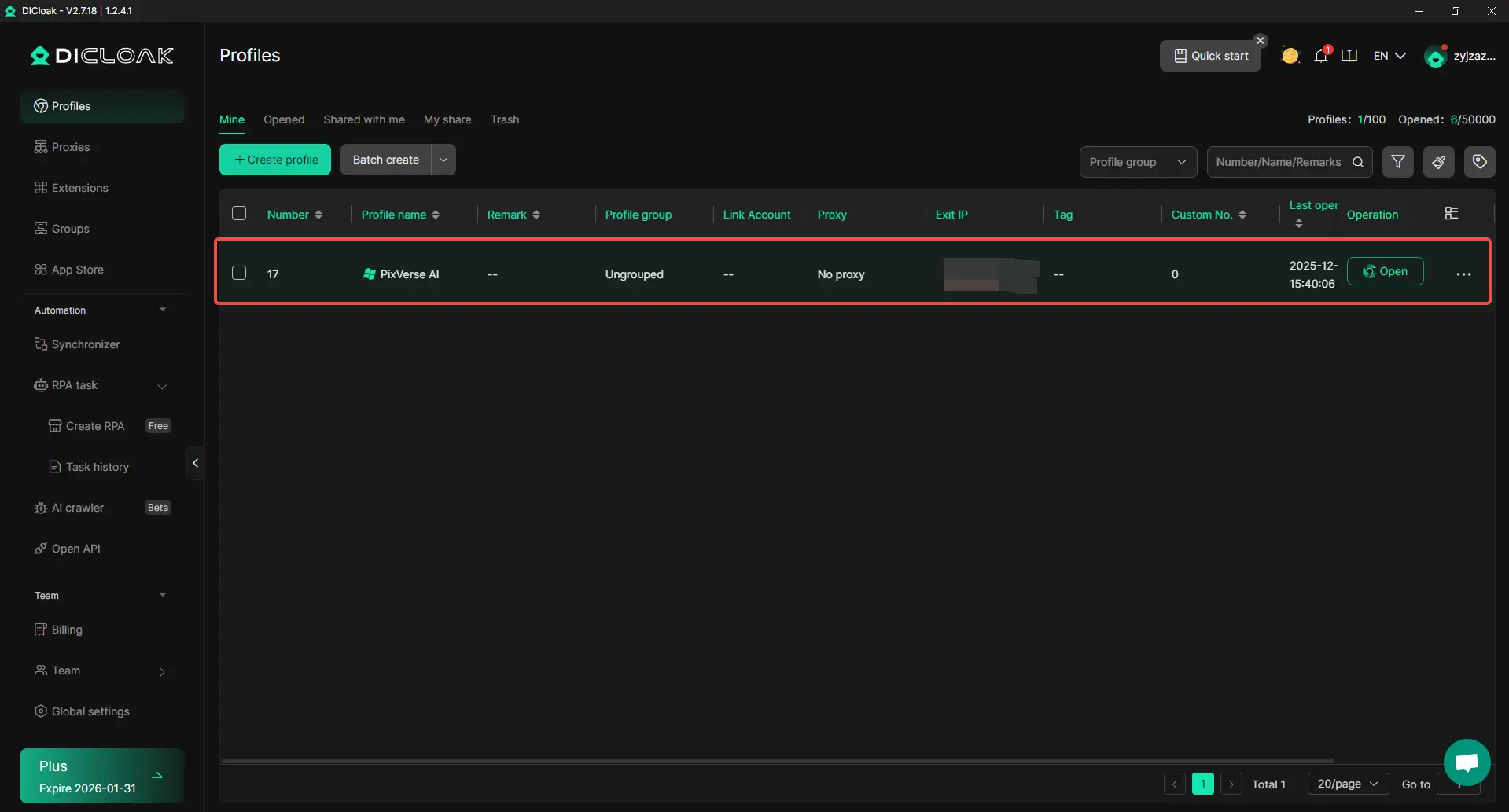
Once your PixVerse AI account is set up in DICloak, use the team feature to create and invite your team members. They will be able to join your DICloak team and access the shared PixVerse AI profile.

8. Access the Shared Account
When your teammate accepts the invite, the shared PixVerse AI profile will appear in their DICloak application. They can open the profile from their own computer and automatically log into the same PixVerse AI session.
Why Combine PixVerse AI with DICloak?
Combining PixVerse AI with DICloak makes sense for anyone working in a team or collaborating on video creation. DICloak enables secure access, allowing multiple users to share the same PixVerse AI account without worrying about security risks or login issues. With multi-open mode, your team can work together in real time, making it easier to manage projects and generate videos quickly.
This combination gives you the flexibility of PixVerse AI’s fast video creation and the secure sharing features of DICloak, ensuring that both your content and your accounts are safe. Whether you’re working on marketing campaigns, creative video projects, or educational content, this setup saves time and keeps everything organized.
Conclusion
In closing, PixVerse AI stands out as a fast and creative tool for turning text and images into engaging short videos. Users often report that it generates video clips quickly, usually within a minute, which makes it ideal for social media, ads, or creative content without deep editing skills. The pixverse ai free plan is especially useful for beginners who want to test the platform before paying. Many creators enjoy trying out prompts and generating cinematic motion on the free tier, which helps them explore the tool’s potential without financial risk.
At the same time, PixVerse AI is still evolving. Some limitations remain, such as short clip duration and limited audio options, meaning you may need other tools for long videos or sound design. However, the tool’s ability to create high‑quality visuals quickly makes it a practical choice for many users. For example, marketers can produce short promo videos for Instagram or TikTok in just a few steps, and educators can generate animated explainers to make lessons more engaging for students.
If you are curious about AI video creation, this is a great time to explore PixVerse AI further. Starting with the pixverse ai free plan, you can experiment with text‑to‑video and image animations and see what works for your content goals. Many creators find that hands‑on experimentation, such as testing different prompts and styles, helps them understand the tool’s strengths and limitations. As the platform continues to update and add features, PixVerse AI may become even more powerful for storytelling and creative video production.
FAQ
What is PixVerse AI and how does it work?
PixVerse AI is an AI-powered video generation tool that allows users to create high-quality videos from text, images, or pre-existing content. It uses machine learning algorithms to generate dynamic motion videos with customizable styles, making it ideal for marketers, content creators, and businesses looking to quickly produce visual content.
Is PixVerse AI free to use?
Yes, PixVerse AI offers a free plan that allows users to test the platform’s core features. This plan provides credits to try out the video generation process and explore its capabilities before deciding to upgrade to a paid plan for more advanced features and higher-quality outputs.
What are the key features of PixVerse AI?
The key features of PixVerse AI include its video generation capabilities, where users can turn text or images into dynamic videos; customization options, allowing control over visual styles and effects; and creative tools, such as animated characters and cinematic transitions. These features make it perfect for creating social media content, promotional videos, and explainer clips.
How much does PixVerse AI cost?
PixVerse AI operates on a subscription model, with both free and paid plans available. The free plan lets users generate short videos, while paid plans offer additional features like higher resolution, more credits, and premium templates. The pricing depends on the number of credits and the video quality you need, making it scalable for different user needs.
How does PixVerse AI compare to other AI video generators?
PixVerse AI stands out for its ease of use, quick video creation times, and creative flexibility. Unlike other platforms like Runway ML or Pika Labs, which focus on professional video editing or high-level motion design, PixVerse AI excels at providing fast, visually striking content that’s perfect for social media and short-form videos. It’s ideal for users who need quick, high-quality results without the need for advanced video editing skills.
 Web Proxy Tools
 Free Tools
 Cookie Plugin
 UA Generator
 MAC Address Generator
 IP Generator
 IP Address List
 2FA Code Generator
 World Clock
 Anonymous Check
 WebRTC Leak Test
 UUID Generator
 Free Web Proxy Site
 Proxy Checker
 FB Ad Checker
 AI Web Scraping
 Free SMM Tools
 Twitter Shadowban Checker
 Instagram Name Checker
 UTM Generator
 Username Generator
 AI Hashtag Generator
 LinkedIn Headline Generator
 Social Media Image Resizer