You open ChatGPT for a live task, hit send, and see access blocked with no clear next step. That is the moment a chatgpt ban stops being a policy topic and becomes a work outage. Most users waste time in the wrong order: they argue in support tickets before they collect session details, billing context, login history, and prompt patterns that can explain what happened. Support teams can only act on evidence, not frustration.
The core idea is simple: bans often follow a pattern, and you can respond with a pattern too. You need to know which actions trigger flags, which account signals look risky, and which appeal details actually help a human reviewer verify your case. You also need prevention habits that fit real use, like stable sign-ins, clean API key handling, and team access rules that do not look like account sharing abuse.
You will leave with three things: a plain-language map of common ban triggers, a practical appeal checklist you can send fast, and a prevention routine you can keep running. Start with the trigger map, since that decides every move after a lockout.
Why did you get a ChatGPT ban in the first place?
A chatgpt ban usually comes from a pattern, not one random click. Review logs often show repeated policy pushes, risky sign-ins, or bot-like usage. The fastest way to recover is to match your appeal to the trigger type.
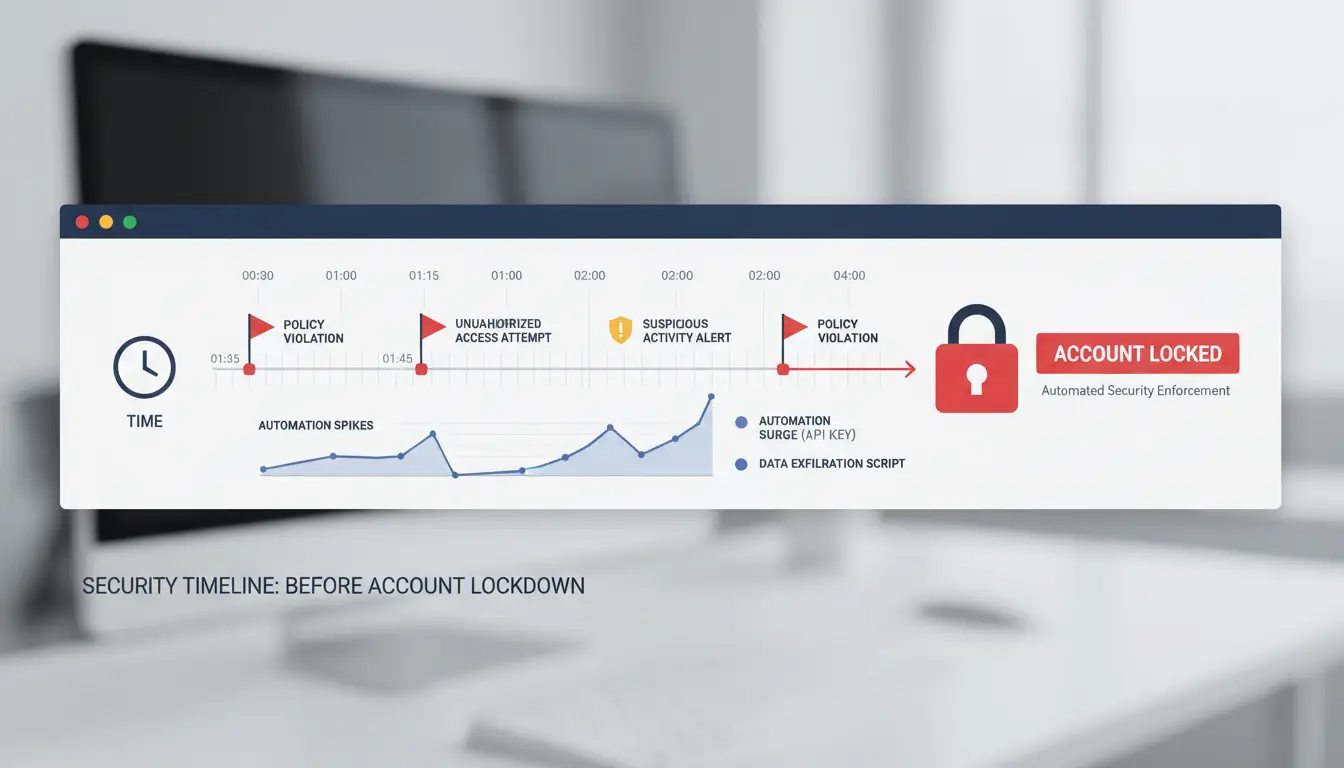
ChatGPT policy violation triggers behind account enforcement
If prompts repeatedly ask for harmful instructions, abuse content, or clear policy-evasion output, enforcement risk climbs fast. Risk rises again when someone keeps rewording the same blocked request after warnings. One bad prompt may trigger a warning. Repeated attempts can move to suspension.
Suspicious security signals linked to ChatGPT account suspension
Platforms flag trust breaks such as rapid IP country jumps, new devices in short windows, and repeated failed logins. These signals can look like account takeover, even when the owner caused them by travel, unstable VPN switching, or informal access sharing. Keep sign-ins steady and keep a clean login trail.
Automation patterns that raise ChatGPT suspension risk
High-frequency scripted actions can look non-human, especially when timing is too regular or sessions run all day without breaks. Shared credentials raise risk when several people sign in from unstable locations. Use named seats, stable devices, and clear team access rules. If you automate tasks, keep request rates realistic and watch for sudden usage spikes.
Is it really a ChatGPT ban, or just a temporary access problem?
A true chatgpt ban usually shows clear enforcement text, not a generic login error. If you can still log in but cannot use one feature, treat it as an access issue until proven otherwise.
Error messages linked to a real ChatGPT account ban
- “Account disabled” or policy violation notices after sign-in
- An appeal form or “request review” prompt shown in account flow
- Access blocked across web and app with the same account
Signals of a non-ban ChatGPT access issue
| Signal you see |
Likely cause |
Reversible? |
| “Something went wrong” |
Service outage or session timeout |
Yes |
| Repeated verification failure |
Browser, cookie, or network issue |
Yes |
| “Upgrade required” or failed renewal |
Billing or plan status problem |
Yes |
| “Not available in your region” |
Regional availability limit |
Sometimes |
Source: OpenAI status page, billing emails, and in-product account notices.
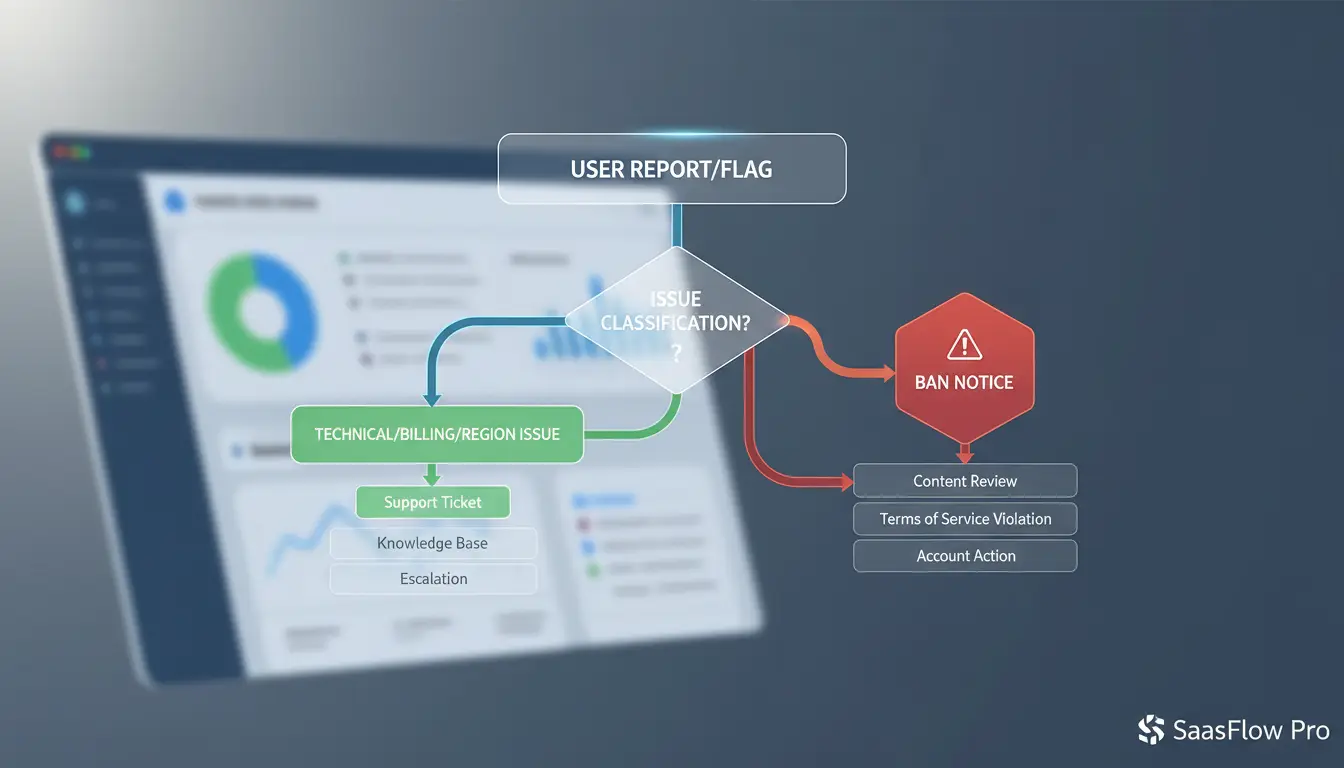
A quick 10-minute chatgpt ban check
- Test another browser, then another network.
- Check status.openai.com for active incidents.
- Confirm your account email for billing failure or security alerts.
- Open account settings to see plan state and renewal errors.
- Try web and mobile app with the same login to confirm scope.
What should you do immediately after a ChatGPT ban?
A lockout can spiral if you panic. Treat the next 30 minutes as damage control and evidence capture.
Step 1 after a ChatGPT account ban: stop risky activity and preserve proof
Do not spam logins, reset loops, or new API calls. Repeated failed actions can look like abuse. Capture evidence before anything changes:
- screenshot the ban message, error codes, and time shown
- save recent security emails and billing notices
- write a short timeline: last normal login, last prompt, last tool used, ban time
If a teammate touched the account, note who did what and when.
Step 2 for a ChatGPT suspended account: secure access before support contact
Change your password once, then stop. Check active sessions and sign out unknown devices. Review connected tools, browser extensions, scripts, and automations tied to the account. Pause anything that can trigger policy flags, like high-volume scripted actions. If you use shared environments, lock access until review is done.
Step 3 to appeal a ChatGPT ban: send facts, not frustration
Your appeal should be short and verifiable:
- exact timeline with timestamps
- likely trigger (for example, unusual login location or automation misuse)
- actions you already took (password reset, session cleanup, tool pause)
- request for manual review
In your chatgpt ban appeal, avoid guesses, blame, or long emotional text. Support teams act faster when they can verify claims quickly.
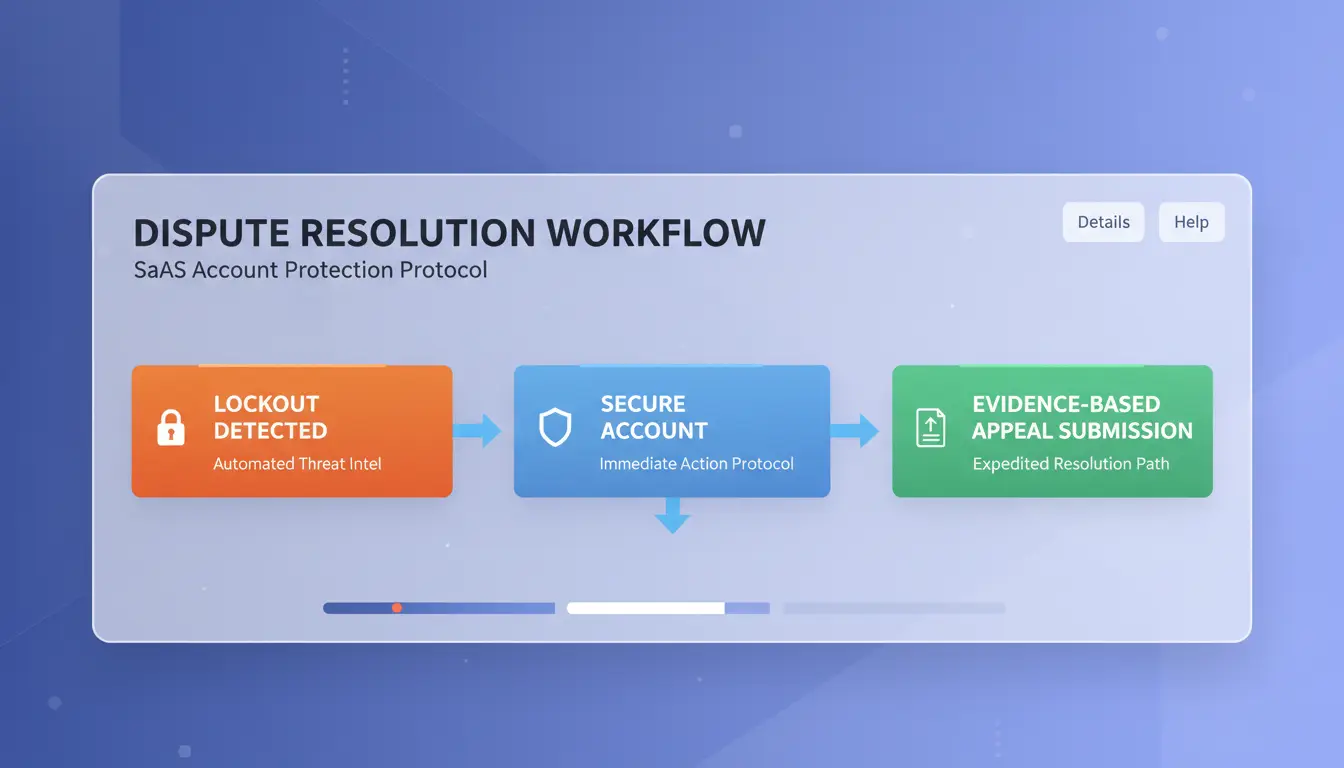
How does the ChatGPT ban appeal process work, and what improves approval odds?
What support teams usually evaluate in a ChatGPT ban appeal
Reviewers check your account timeline, not your frustration. They look for repeated policy breaks, sudden behavior shifts, and risk signals like unusual login locations or automation-like prompt bursts. They also check whether you understand the likely trigger and whether your fix is real. Clear ownership plus clear corrective steps usually beats a long defense.
What to include in your ChatGPT account ban appeal message
State facts in this order: what happened, what likely caused it, what you changed, and what you need reviewed. Keep it short. Include:
- Approximate lock time and timezone
- Recent account changes (VPN, device, API key, team access)
- One likely root cause
- Concrete prevention steps already done
- Relevant screenshots (login history, billing page, key rotation log)
Expected timelines after a ChatGPT ban appeal
Simple cases with clean evidence can move faster. Cases with repeated flags, missing context, or policy-risk patterns can take longer or stay denied. If you follow up, wait until you can add new evidence. Re-sending the same message can slow review. Keep one ticket thread, stay factual, and ask for a manual re-check of specific events.
Are ChatGPT bans different from country restrictions and unsupported regions?
ChatGPT ban vs region block: what changes your next step
A chatgpt ban is usually tied to your account behavior, like policy violations, abuse signals, or suspicious access patterns. A region block is tied to where you connect from, not who you are.
| Signal |
Account ban |
Country restriction / unsupported region |
| Scope |
One account |
Any account from that location |
| Typical notice |
Policy or safety message |
“Not available in your country/region” |
| Next step |
Appeal with account evidence |
Check official availability and local rules |
ChatGPT region restriction check: how to confirm limits
Check OpenAI’s official availability and policy pages. If access changed during travel, your IP location may not match your usual country. That can look like a temporary block, not a permanent ban.
ChatGPT ban workaround risk: legal and policy caution
Use only allowed paths: official support, documented appeals, and compliant network access. Risky bypass attempts can escalate enforcement and can turn a location issue into an account action.
How can you avoid another ChatGPT ban during normal daily use?
A repeat chatgpt ban often comes from the same behavior pattern, not one bad prompt. Keep your usage steady and easy to verify.
Prompt hygiene habits to avoid ChatGPT suspension flags
Do not run rapid edge-case tests in normal accounts. That can look like abuse testing. Keep prompts inside clear boundaries: purpose, audience, and allowed content. If you need to test policy limits, use a separate internal workflow and log each test reason. Treat prompt testing and daily production as two different lanes.
Account security habits that lower chatgpt ban false positives
Turn on MFA, use a unique password, and rotate sessions after any device loss. Keep logins tied to your usual device and region when possible. Avoid sudden jumps like new country + new device + high-volume activity in one day. That stack looks risky.
Mistakes that cause ChatGPT re-ban after reinstatement
Do not restart the same automation, prompt loops, or shared-login routine right after access returns. Watch for warning emails, unusual verification prompts, or silent feature limits. Those are early signals. Review policy updates monthly and adjust templates fast. If your team shares access, set clear owner rules and stop account swapping between people.
How can teams share one ChatGPT account with lower ban risk?
Why shared access can trigger a chatgpt ban in team workflows
Teams get flagged when one account jumps between cities, devices, and browser fingerprints in short windows. That pattern looks like account takeover, not normal work use. Risk also rises when everyone has full access. One teammate can change security settings, run unsafe prompts, or expose API keys by mistake. Stable identity signals beat shared convenience. If logs show mixed locations and random device traits, support review gets harder, even with a valid business reason.
How DICloak can reduce ChatGPT account ban risk during shared use
You can use DICloak to keep access behavior more consistent. Set one isolated browser profile per shared account, then bind that profile to a fixed proxy route. This keeps IP and fingerprint patterns steady across sessions. You can also assign team permissions, so only approved members can edit billing, security, or key settings. Profile sharing plus operation logs gives a clear trail of who did what and when.
A safer setup for chatgpt ban prevention: profile rules, proxy binding, and guardrails
Create profile rules before team rollout. Lock high-risk actions behind admin approval. Bind one dedicated proxy per profile and do not rotate it casually. Use batch actions or RPA only for repetitive, policy-safe tasks, like opening approved dashboards. Avoid automated prompt floods or scraping behavior that can look abusive.
When is creating a new account better than waiting for unban?
Signals your ChatGPT ban appeal still has a chance
If a chatgpt ban came from one mistake, wait when you can send proof: billing receipt, login history, and the exact prompt. If support replies and asks follow-up questions, keep the appeal open.
Signals a new account is safer after a ChatGPT account ban
If your case stays silent, prior violations repeat, or daily work is blocked, open a new account. Start fresh when downtime costs more than appeal uncertainty.
| Path |
Choose it when |
Main risk |
| Wait for unban |
Clear proof and active support replies |
Work delay |
| Start fresh |
No support progress and urgent workflow |
Same trigger repeats |
Relaunch steps after a chatgpt ban with team control
Shared team logins often trigger another lock. You can use DICloak to assign one controlled profile per account, bind a stable proxy, and keep fingerprint and IP behavior consistent.
You can use role permissions, shared profiles, and operation logs to control actions per teammate. For repeated work, run compliant batch or RPA flows to cut risky manual clicks.
Frequently Asked Questions
Can a chatgpt ban be temporary, and how long does it usually last?
Yes. A chatgpt ban can be temporary when systems detect unusual activity, spam-like prompts, or repeated login failures. Short restrictions may clear in a few hours, while stronger limits can last 24–72 hours. If trust or safety review is needed, access can stay limited for 7–30 days. Permanent enforcement is different: the account stays disabled after review. Check your email and in-app notices for the exact reason, then submit one clear appeal with dates, device info, and recent actions.
Does using ChatGPT while traveling trigger a chatgpt ban?
Travel alone usually does not cause a chatgpt ban, but sudden country changes, new devices, and many failed logins can trigger security checks. Before travel, enable two-factor login, confirm your recovery email, and avoid account sharing. During travel, use stable networks and sign in normally instead of repeated retries. After arrival, check for security emails and confirm unusual-login prompts quickly. If locked out, contact support with your travel dates and locations so they can review false flags faster.
Can payment problems look like a chatgpt ban?
Yes. Billing issues can look like a chatgpt ban because paid features may stop suddenly. A failed card charge, expired card, bank decline, or invoice mismatch can switch your plan to free or block renewal. Quick checks: open billing settings, confirm plan status, verify last payment receipt, update card details, and test with another payment method. If your account still shows “deactivated for policy reasons,” that is enforcement, not billing, and you should file an appeal instead of retrying payment.
Will deleting browser cookies or changing devices remove a chatgpt ban?
No. Deleting cookies, clearing cache, using incognito mode, or switching phones does not remove an account-level chatgpt ban. Those steps only reset local login data. If enforcement is on your account, access remains blocked across devices. The right path is to read the suspension notice, collect key facts (time, prompts, account email), and submit an appeal through official support. Keep one ticket open, answer follow-up questions clearly, and avoid creating extra accounts while your case is under review.
Is sharing a team ChatGPT account against the rules in every case?
Not in every case, but unmanaged sharing is risky. Team and business plans are built for multiple users with separate seats, audit logs, and admin controls. Sharing one personal login across coworkers can trigger security alerts and policy action. Use named user accounts, least-privilege access, and SSO/2FA when available. Set clear internal rules for prompts and data handling, especially for customer or regulated data. Controlled access lowers misuse risk and helps prevent actions that could lead to a ban.
The debate over a ChatGPT ban highlights a broader reality: people are trying to manage real risks around misinformation, privacy, and misuse while adapting to a fast-moving technology. The strongest path forward is usually not an absolute ban, but clear policies, human oversight, and practical AI literacy that protect users without blocking meaningful innovation
 Web Proxy Tools
 Free Tools
 Cookie Plugin
 UA Generator
 MAC Address Generator
 IP Generator
 IP Address List
 2FA Code Generator
 World Clock
 Anonymous Check
 WebRTC Leak Test
 UUID Generator
 Free Web Proxy Site
 Proxy Checker
 FB Ad Checker
 AI Web Scraping
 Free SMM Tools
 Twitter Shadowban Checker
 Instagram Name Checker
 UTM Generator
 Username Generator
 AI Hashtag Generator
 LinkedIn Headline Generator
 Social Media Image Resizer