By 8:15 a.m., one stolen teacher login can trigger 30+ student lockouts, gradebook edits, and parent calls before the first class starts. If you suspect canvas hacked, speed beats perfection: contain access, protect identity systems, and preserve evidence before attackers pivot into email, SIS sync, or payroll tools.
This guide gives you a practical response path schools can run in minutes, not hours: force sign-out and password resets in Canvas, revoke risky sessions in your identity provider, check admin role changes, and review external app tokens tied to LTI tools. You will also see what to document for incident reporting and recovery, based on CISA guidance for K-12 organizations, NIST incident handling practice, and Canvas security resources from Instructure.
The goal is simple: stop account abuse fast, keep instruction running, and avoid a second wave of compromise after the initial breach. Start with the immediate containment checklist.
How Can You Confirm Whether Your Account Was Affected in a Canvas Hacked Incident?
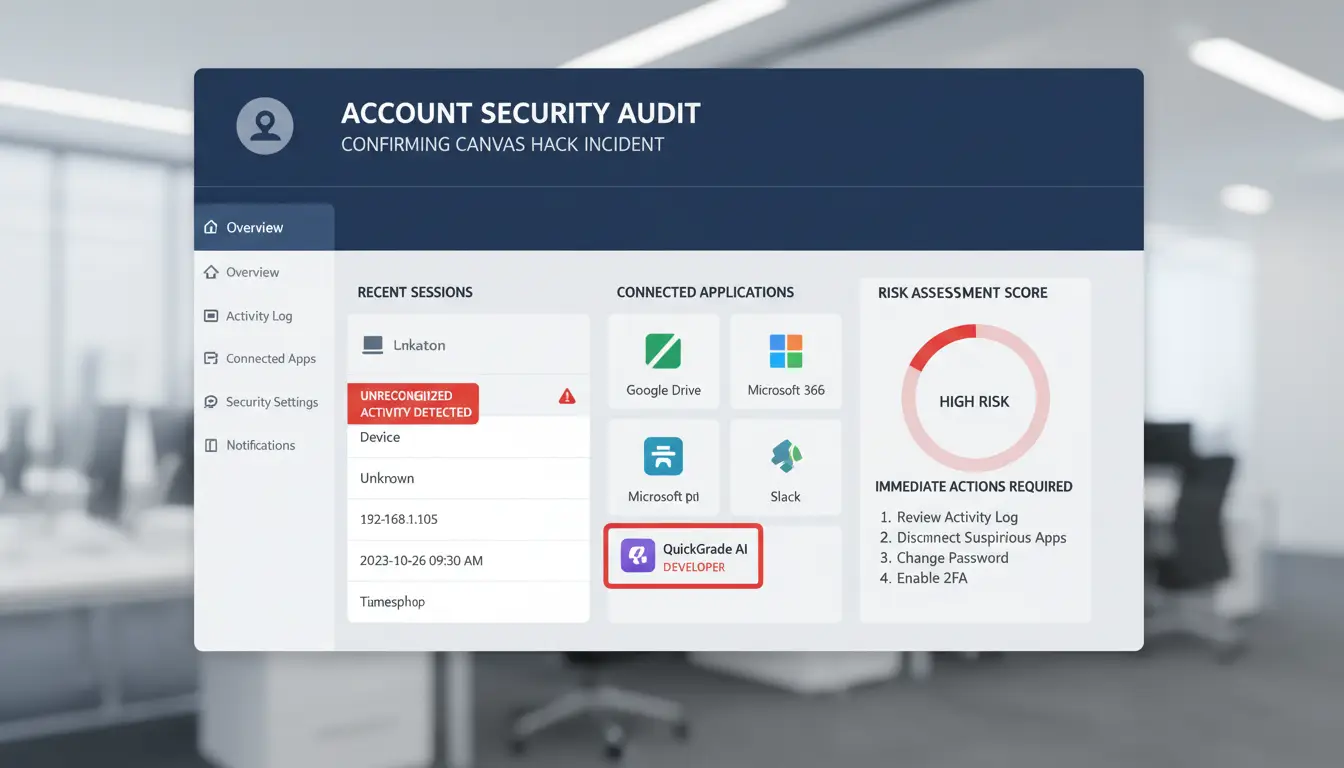
If you suspect a canvas hacked event, trust only official signals and account evidence. Rumors spread fast during school incidents, and bad advice can destroy useful logs.
Start with official breach notices from your school and Canvas
Check your district email, school website status page, and LMS announcement area. For platform-wide issues, verify updates on the Canvas Status page and Instructure security resources. Validate every alert before clicking: sender domain must match your school domain or instructure.com, links should use HTTPS, and login pages must match your normal single sign-on portal.
Check account activity and login history for unusual access
Open your Canvas account settings and your identity provider sign-in history. Look for logins at odd times, new devices, unfamiliar IP locations, and repeated failed attempts followed by success. Before resetting anything, capture screenshots with timestamp, user ID, IP, device, and event type. Store them in your incident folder so IT can trace lateral movement and token abuse using NIST incident handling guidance.
Know the difference between platform outage, phishing panic, and real breach
A real breach usually includes account changes you did not make: password reset emails you did not request, new forwarding rules, or role changes in Canvas. If social posts claim “canvas hacked” but your logs show no unusual access, treat it as unverified until IT confirms. Contact school IT at once if you see unauthorized logins, role edits, or unknown external app access.
What Data Is Usually Exposed When Canvas Is Hacked?
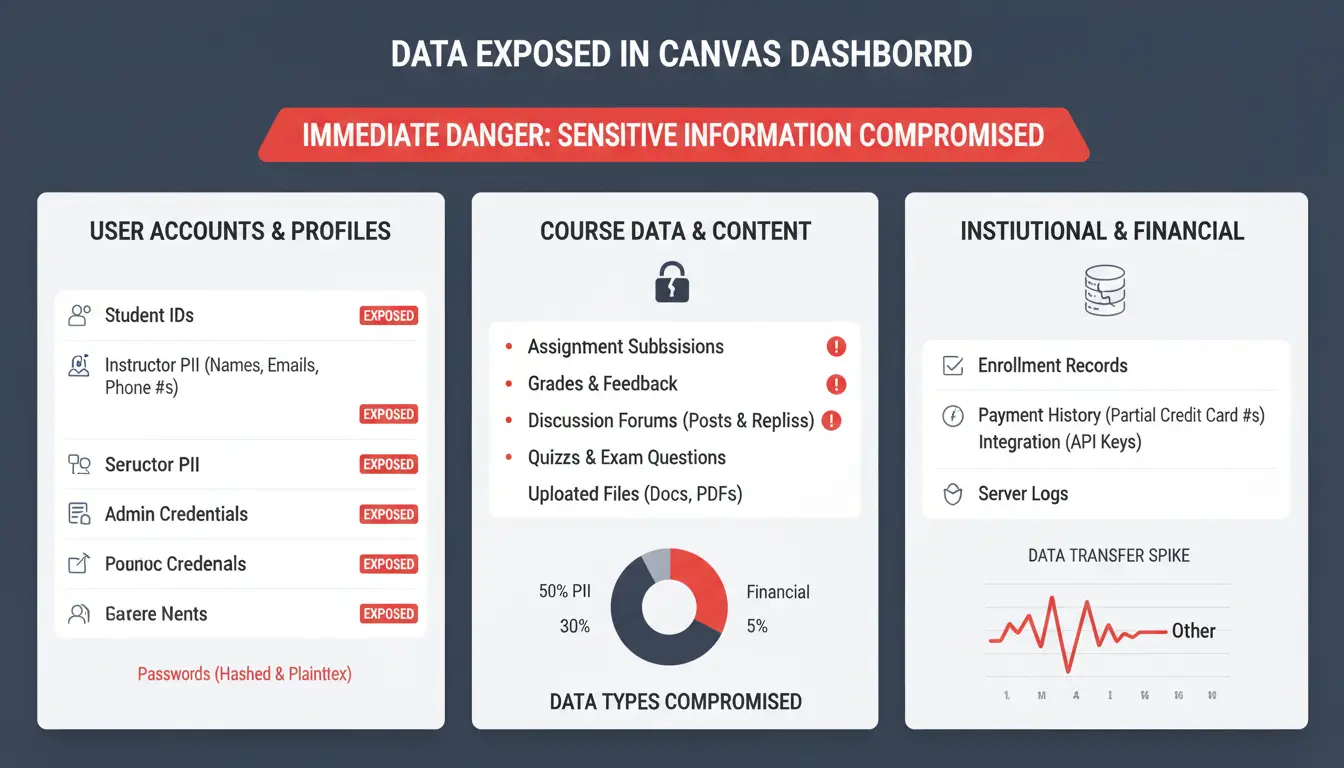
When a canvas hacked incident hits, exposed data is often more than login details. The top risk is data that lets an attacker target real students, staff, and classes with believable follow-up attacks. Review Canvas security guidance and align response steps with NIST incident handling.
Typical exposed data: names, emails, IDs, enrollment, and class records
Low sensitivity fields include display name and course title. Higher sensitivity fields include student ID, school email, SIS ID, enrollment status, and section roster.
| Data type |
Typical abuse risk |
| Name + course |
Targeted scam messages |
| Student ID / SIS ID |
Account lookup, reset abuse, impersonation |
| Enrollment + role |
Role-aware phishing ("teacher action required") |
Student IDs still matter. Attackers can pair them with directory data and fake help-desk requests.
When grades, submissions, or attachments increase privacy impact
Grades, feedback, and file uploads raise impact fast. They can expose disability notes, discipline records, or personal writing. That creates academic integrity risk and possible compliance issues under FERPA. If this data leaked, notify legal and privacy teams early, then lock down download and sharing permissions.
How exposed metadata can enable phishing and social engineering
Metadata like role, term dates, and instructor names makes scams look real. Attackers can time messages before exams or deadlines. After breach disclosure, new students, substitutes, and part-time staff are easier targets. In a canvas hacked response, push a short warning template and require staff to verify reset or payment requests through a known internal channel.
What Should You Do in the First 24 Hours After a Canvas Hacked Alert?
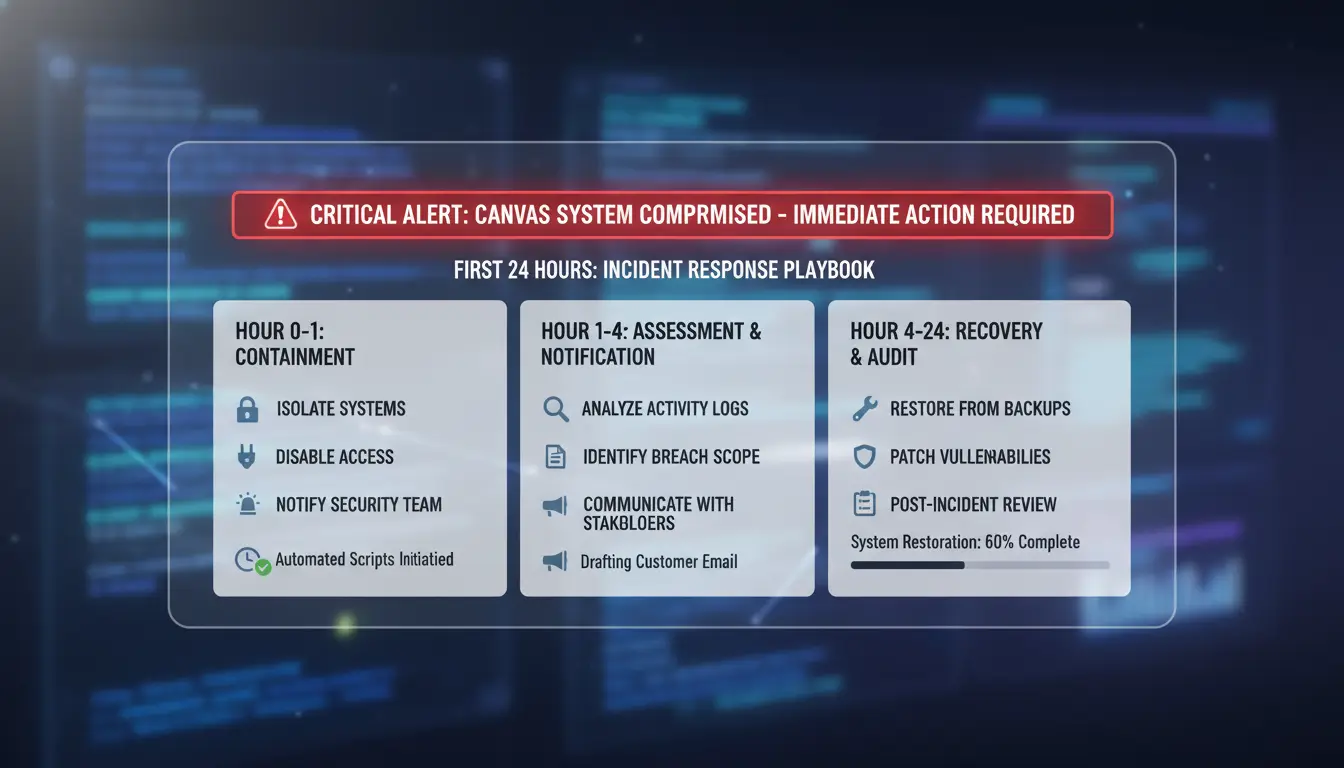
If you get a canvas hacked alert, act in this order: contain access, lock recovery paths, then report with clean evidence. This sequence matches NIST incident handling and Canvas security guidance.
Immediate containment: reset passwords and revoke active sessions
Reset passwords for the identity provider account (Google Workspace, Microsoft Entra ID, or school SSO), then Canvas, then school email. Keep each password unique. Force sign-out from all active sessions in your identity provider and Canvas admin settings. This removes attacker access from saved browser sessions on shared or stolen devices. Pause risky integrations until reviewed, especially external tools using LTI tokens.
Enable stronger account protection (MFA, recovery checks, contact updates)
Turn on MFA for staff accounts right away; app-based authenticators are safer than SMS where possible. Check recovery email and phone on both SSO and Canvas-linked accounts. Remove unknown recovery methods. Review forwarding rules in school email. Attackers often add hidden forwarding to keep access after password resets.
Report correctly: who to notify and what evidence to include
Send one incident report to IT/security with: username, role, alert time, last known safe login, suspicious IP/location, changed settings, and affected courses. Attach screenshots and export relevant logs if available. Use one shared ticket thread so admins avoid conflicting resets or duplicate actions. Follow your district playbook aligned with CISA K-12 cybersecurity practices.
How Can Students, Parents, and Staff Secure Their Accounts Step by Step?
If your school reports a canvas hacked incident, role-based steps work better than one checklist for everyone. Start the same day, then repeat weekly until activity is clean.
For students: secure login habits and device hygiene
Use a password manager and create a unique password for Canvas that is at least 14 characters. Never reuse your email password. Turn on multi-factor authentication if your school identity system supports it. Update your browser, operating system, and security software before your next login. Remove extensions you do not recognize. On shared devices, sign out after every session and clear saved logins.
For parents: protect linked email, payment, and school communication channels
Treat urgent “tuition due now” or “account locked” messages as suspicious until verified. Attackers often copy school logos and sender names. Call the school using the number on the official website, not the number in the message. Check billing only through your normal parent portal bookmark. Do not share student ID, one-time codes, or card details by email. Review guidance from CISA for K-12 cybersecurity.
For teachers and admins: lock down classroom and grading workflows
Remove extra permissions for assistants and substitutes after each term. Keep grading, roster edits, and course publishing limited to needed staff only. Run a weekly audit: unusual role changes, new external app tokens, and odd login locations. Use the Canvas security resources and align checks with NIST incident handling practice. If another canvas hacked alert appears, force sign-out and reset passwords immediately.
How Should Schools Communicate and Coordinate a Canvas Breach Response?
When users report canvas hacked access, send one verified message stream within 60 minutes, then update on a fixed clock. Use your incident log format from NIST SP 800-61 and school reporting duties aligned with CISA K-12 guidance.
Build a clear incident message for families without causing panic
State what happened, what systems are affected, what the school already did, and what families should do now (reset password, watch for phishing, use only official channels). Do not guess attack scope, data loss, or attacker identity until IT confirms evidence.
Coordinate IT, legal, and academic teams on one response timeline
Set one owner per task: IT contains and validates, legal checks notice duties, academics handles class continuity. Publish status updates every 4 hours during active containment, then daily until closure.
Create reusable templates for future incidents
Keep ready-to-send templates for staff, students, families, and vendors. After each canvas hacked event, run a 30-minute review: what delayed action, what message caused confusion, what playbook step needs rewriting.
How Can Teams Reduce Risk When Multiple People Need Shared Access Canvas?
Why shared logins create new risk after a breach
When one password gets pasted into email or chat, it can be copied, forwarded, or stored in places you do not monitor. If a device is already infected, the password can leak again. Shared logins also hide who changed what. During recovery, one person can revoke sessions while another resets settings, and you lose track. That leads to accidental lockouts, missed malicious changes.
Set up controlled access using DICloak profiles, permissions, and logs
You can use DICloak to create isolated browser profiles for each recovery workflow, then bind each profile to its own proxy. This keeps admin actions separate and lowers cross-account mix-ups. You can also set role-based team permissions and review operation logs, so every reset, role edit, and token check has an owner and timestamp.
What Mistakes Make Recovery Slower After a Canvas Hacked Event?
After a canvas hacked alert, delay usually comes from process gaps, not tools. If teams share passwords in chat while triaging, one leaked inbox can restart the breach.
Resetting one password but ignoring linked accounts
A Canvas reset fails if the attacker still controls staff email or SSO. Check linked Google or Microsoft sessions, mail forwarding rules, MFA resets, and recovery phone changes before reopening access. Use NIST incident handling steps as your triage order.
Clicking urgent links from unofficial breach messages
Post-breach phishing often says “mandatory re-login in 30 minutes” or “district lockout pending.” Verify notices in your official LMS status page or identity admin console, not email links. See Canvas security guidance.
No written incident record for follow-up and compliance
No log means repeated mistakes. Record timeline, affected roles, token revokes, and session kills for K-12 reporting practice. Tools like DICloak let you share isolated profiles instead of raw credentials, bind each profile to a proxy, assign permissions, keep operation logs, and run bulk actions or RPA for cleanup after a canvas hacked event.
How Do You Monitor Long-Term Risk After the Immediate Canvas Breach Is Over?
If your team faced a canvas hacked incident, treat the next 30 to 90 days as active defense time. Delayed abuse often starts after schools relax controls. Build a short weekly check using NIST incident handling steps, CISA K-12 guidance, and Canvas security resources.
Watch for delayed phishing campaigns and impersonation attempts
Watch inboxes, LMS inbox messages, and parent channels for fake deadline notices, grade-change alerts, or urgent payment requests tied to real class names. Attackers reuse stolen context. Create one fast reporting path: a single email alias, help desk tag, and admin chat alert. Set a rule that any impersonation report gets triaged the same day. If staff confirm one fake message, search for matching sender patterns across all users.
Use account and credit monitoring where relevant
Use identity or credit monitoring only when exposed data includes legal name, date of birth, SSN, or banking details. If the breach stayed inside coursework data, focus on account abuse signals instead. Trigger immediate action on new-device login alerts, password reset bursts, MFA method changes, SIS profile edits, or unexpected external tool authorizations.
Run a 30/60/90-day review for policy and training updates
At day 30, check time to detect, time to lock accounts, and repeat phishing reports. At day 60, update staff training with real screenshots from the event. At day 90, run a small drill based on the original canvas hacked path and verify role-change alerts still fire.
Frequently Asked Questions
If canvas hacked alerts are real, should I freeze my credit immediately?
Freeze credit right away if exposed data includes Social Security numbers, national ID numbers, or full date of birth plus address. In the U.S., credit freezes are free with each bureau. If the breach only exposed school messages or class files, start with fraud alerts and account monitoring, then escalate if identity data appears.
Can a canvas hacked incident affect accounts not directly linked to Canvas?
Yes. A canvas hacked event can spread if you reused the same password on email, banking, or shopping sites. Attackers test stolen logins on other services. Your email is the top target because password resets go there. Secure email first, then recovery phone, backup email, and security questions to block account takeovers.
How long should I monitor for scams after a canvas hacked breach?
Monitor for at least 12 months, and longer if sensitive identity data was exposed. Watch for phishing emails using school names, fake tuition invoices, new account alerts, SIM-swap texts, and credit inquiries you did not request. Keep alerts on for bank, email, and student portals. Ongoing new phishing waves mean abuse is still active.
Does changing my password once fully protect me after canvas hacked news?
No. Change the Canvas password, then enable MFA, revoke all active sessions, and sign out of remembered devices. Update reused passwords on other sites immediately. Check linked accounts, especially email and cloud storage. Scan devices for malware and browser extensions you do not recognize. One password change helps, but layered steps stop repeat access.
Who is legally responsible for notifying families in a canvas hacked case?
Usually the school district, college, or institution that controls the data must notify affected people. Canvas (the vendor) may also have contract duties to report incidents to the institution quickly. Timing and required details are set by state or national breach laws. Families should check local regulator guidance and the school’s official breach notice.
Understanding how canvas hacking works highlights a broader truth about online privacy: even small browser signals can be exploited to track, impersonate, or bypass protections if left unmanaged. The key takeaway is to combine awareness with practical defenses, including fingerprint-resistant tools, regular security checks, and controlled browser profiles to reduce your exposure. Try DICloak For Free
 Web Proxy Tools
 Free Tools
 Cookie Plugin
 UA Generator
 MAC Address Generator
 IP Generator
 IP Address List
 2FA Code Generator
 World Clock
 Anonymous Check
 WebRTC Leak Test
 UUID Generator
 Free Web Proxy Site
 Proxy Checker
 FB Ad Checker
 AI Web Scraping
 Free SMM Tools
 Twitter Shadowban Checker
 Instagram Name Checker
 UTM Generator
 Username Generator
 AI Hashtag Generator
 LinkedIn Headline Generator
 Social Media Image Resizer