Sharing a Netflix account has been a common practice for years, allowing families, friends, and even strangers to split the cost of streaming. However, as Netflix continues to evolve, the rules around account sharing have become more strict. In 2026, Netflix is cracking down on unauthorized sharing, and users must understand the new guidelines to avoid disruption in their viewing experience. In this article, we’ll explore when people usually share their Netflix accounts, how the sharing policy has changed, and what you need to know to stay compliant with the latest rules.
Understanding Netflix Account Sharing in 2026: What You Need to Know
When Do People Usually Share a Netflix Account?
People typically share their Netflix accounts for convenience and to save money. Many families choose to share a single account, allowing everyone to watch their favorite shows on different devices. For example, parents might give their children access to Netflix while they’re away at college, or friends may split the cost of a subscription to enjoy movies together. This kind of sharing was quite common even before Netflix started tightening its rules.
However, despite Netflix’s terms of service clearly stating that accounts should only be used by people in the same household, many users have shared their passwords with friends, family in different locations, or even acquaintances in other countries. This was easier to do when Netflix didn’t track the locations of devices as strictly.
But this practice is starting to change, as Netflix is increasingly enforcing rules to limit password sharing and ensure accounts are used only within the same home. As of 2026, Netflix is taking more steps to control account sharing to prevent unauthorized use.
Can You Share Your Netflix Account in 2026?
The answer is yes, but with some restrictions. In 2026, Netflix still allows account sharing, but it is more limited to people who live in the same household. The company now defines a "household" as people living at the same address and using the same Wi-Fi connection to stream content.
This means that sharing your Netflix account with people who live outside of your home—such as friends or relatives in other cities—is no longer allowed without extra costs. Netflix now offers options to add additional members to your plan for a fee if you want to share with someone not living in the same house.
This change in policy is part of Netflix’s ongoing effort to make sure that accounts are being used in a fair way while still allowing family members and close friends within a household to share the service.
Understanding Netflix’s Account Sharing Policies
Building on how people used to share accounts, it’s important to know what the rules really say now. Many people ask if you can share a Netflix account and what makes sharing allowed or not. Netflix’s policies have changed in recent years to make account use fair and clear for everyone.
Overview of Netflix’s Terms of Service
Netflix’s official rules state that a Netflix account is for personal use by one household only. A household means people who live together at the same address. You are not supposed to give your password to people who live elsewhere. Netflix monitors account usage by checking your device’s connection and location to ensure that the account is being used properly. This helps the company prevent unauthorized sharing across different locations. These terms have been in place since Netflix began tightening its account sharing rules and continue into 2026.
For example, if you share your password with a friend who lives in a different city, Netflix may block that login because it detects the device is used outside your household. This is why many users experience prompts to verify the device or update their account settings when such issues arise.
Recent Changes to Account Sharing Rules
In the past, many people shared their Netflix passwords with friends or family who lived in different places. This made can you share Netflix account seem like a simple yes. But Netflix has changed this, now only allowing sharing within the same household unless you use official methods to add external users. This change began in 2023 and has been rolled out globally in 2026.
Netflix introduced the option to add "Extra Members," allowing people outside your household to be added for an additional monthly fee. These people will have their own login and profile, but they will still be tied to your subscription. This shift ensures sharing remains within the rules and discourages unauthorized account sharing.
Defining a “Household” According to Netflix
Netflix defines a household as people living in the same home and streaming content together. Simply sharing an account login does not automatically make someone part of your household. The service determines household membership based on the devices you use and the Wi-Fi network you connect to most frequently. If your devices are detected in different locations, Netflix may prompt you to confirm the household or stop access.
For example, if a family member moves to a new city but continues using your login, Netflix may flag the account as being accessed from a different location. At that point, Netflix may require them to verify the primary location or pay an additional fee to become an "Extra Member." This ensures that account sharing remains in line with Netflix’s updated policies.
How can You Share Netflix Account Safely
| Criteria |
Direct Password Sharing |
Separate Physical Devices |
Antidetect Browser |
| Security |
❌ Low |
⚠️ Moderate |
✅ Very High |
| Streaming Stability |
❌ Unstable |
✅ Stable |
✅ Seamless |
| Profile Isolation |
❌ None |
❌ Limited |
✅ Full Isolation |
| Device Limits |
❌ No limits |
✅ Limited by device number |
✅ Flexible (depends on plan/setup) |
| Cost |
❌ Free |
✅ Mid-range |
✅ Paid tool |
| Risk of Account Bans |
⚠️ Moderate |
⚠️ Low |
✅ Very Low |
Direct Password Sharing
How it works: You send the Netflix login (email + password). The other person signs in on their own device.
Why it can be risky: Netflix may see “new device + new location” and ask for extra verification. This happens more often when the person is not on your home network. Because there is no IP or device isolation, the account can look like it is being used by different households. That’s when people get signed out, see verification prompts, or lose access during streaming.
Separate Physical Devices
How it works: Each person uses their own device, like a TV, phone, or tablet. Ideally, everyone watches through the same home Wi-Fi most of the time.
Main limit: This method is best for one household. It is not built for “remote sharing” with someone who lives elsewhere. If the account starts showing regular use from a different home network, Netflix may treat it as outside the household and trigger checks.
How it works: Instead of passing around the Netflix password, you use one dedicated browser profile for the shared account. That profile keeps a consistent “device identity” (like the same browser profile, cookies, and settings) each time it’s opened. Team members or family members can access the same profile, so Netflix sees a more consistent login pattern.
Why it’s safer: Compared with direct password sharing, your credentials do not need to be sent to multiple people. Compared with switching devices and locations, a controlled browser profile helps reduce “suspicious login” patterns that often cause extra verification.
Real-life example: A small team manages one streaming account for a shared office TV. Instead of logging in from random laptops, they always open the same dedicated profile on the same setup. This keeps the account behavior consistent and avoids messy logins, forced re-checks, or people getting kicked out.
Step-by-Step Guide to Share Netflix Account with DICloak
Setting up a shared Netflix account with DICloak is a straightforward process that doesn't require technical expertise.
1.Download and Install DICloak
Visit the official DICloak website, register for an account, and download and install the application on your computer.

2. Choose the Right Plan
To share profiles with your team, you should subscribe to DICloak. The choice depends on your team size. The Base Plan is a good starting point for smaller teams, while the Share+ Plan is recommended for larger teams needing unlimited member access.
3. Set Up a Static Residential Proxy (Recommended)
While not mandatory, using a single static residential proxy is highly recommended. This provides a stable, fixed IP address for your shared profile, which prevents Netflix's security systems from being flagged by logins from different locations. This greatly reduces the risk of forced logouts or other security issues. DICloak does not sell proxies but partners with several third-party providers.
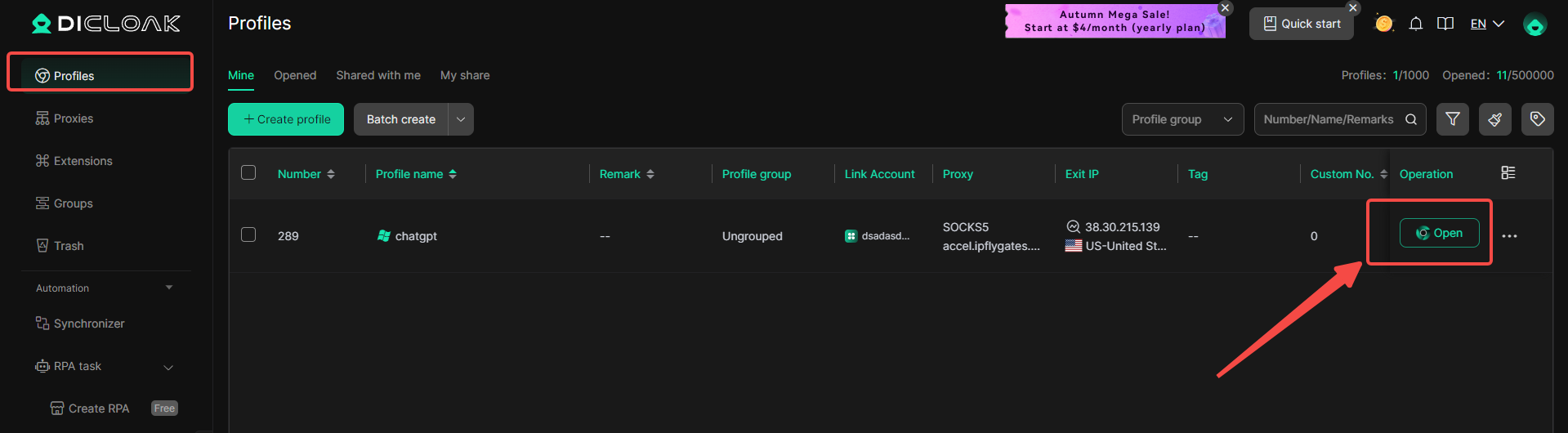
4. Create a New Browser Profile
Inside the DICloak application, create a new browser profile. This profile will serve as the dedicated, secure browser profile for your shared Netflix account.

Enable Multi-open Mode
You shoud Go to [Global Settings], find the [Multi-open mode] option, and select [Allow].This feature allows multiple people access the same Netflix account at the same time.

6. Log In to Netflix
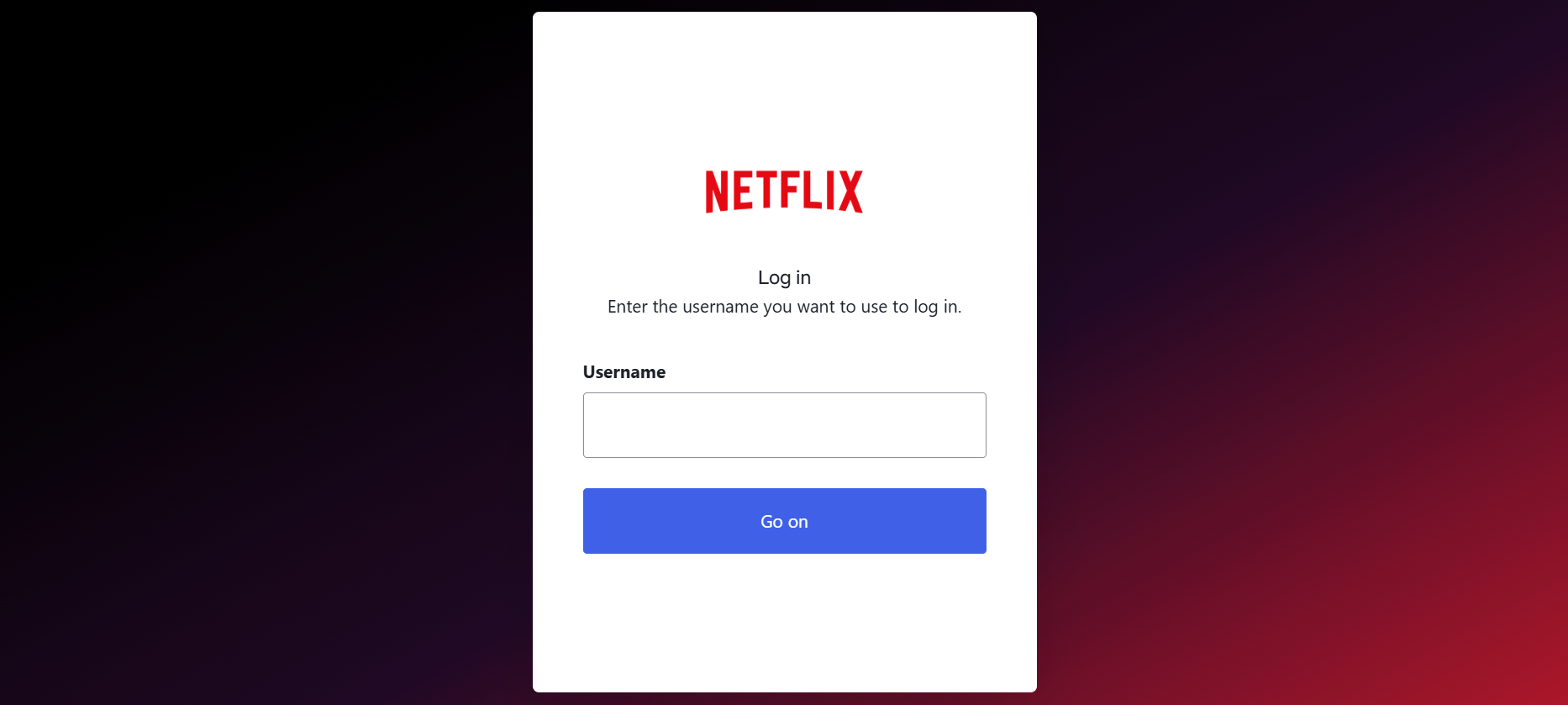
Launch the browser profile you just created. It will open a new browser window. Navigate to the official Netflix website and log in with your account credentials.
7. Share the Profile with Your Team
Return to the DICloak main screen. Use the team feature to create members to invite your friends to your DICloak Team.

8. Access the Shared Account
Once your teammate accepts the invite, the shared profile will appear in their DICloak application. They can launch it from their own computer and will be automatically logged into the same Netflix session.
Legal and Ethical Considerations of Sharing Netflix Accounts
After looking at different ways to share, it’s smart to think about the rules and the impact on others. Many people ask can you share netflix account because they want fewer surprises later. The key is knowing what Netflix allows, what feels fair, and what can happen if you ignore the rules.
The Legality of Sharing Accounts: What You Need to Know
In most cases, sharing is not about “getting arrested.” It’s about the agreement you accept when you sign up. Netflix’s rules say an account is meant for one household. That usually means people who live together at the same address. So if you share with someone in a different home, you may be breaking the terms you agreed to.
Example: parents and kids watching at the same home is normal. But giving the login to a friend across town is more likely to be outside the allowed use. If Netflix offers an official option like adding an extra member in your area, that is the safer way to share outside your home.
Ethical Implications of Sharing Netflix Accounts
Ethics is about trust and fairness. If one person pays and many others watch every day, the payer can feel taken advantage of. It can also create conflict when someone changes profiles, adds random devices, or shares the password again.
A simple ethical rule: be clear. Decide who can use the account, where they can use it, and what happens if they move out or misuse access.
Consequences of Violating Netflix’s Terms of Service
The most common result is not a lawsuit. It’s a disruption. People get logged out, see household prompts, or get asked to verify. This happens more when Netflix sees the account used like it belongs to multiple homes.
If the pattern continues, Netflix may keep pushing the account toward official options, like adding an extra member or starting a separate account. So when you ask can you share netflix account, also think: will this sharing style stay stable, or will it trigger more checks over time?
Conclusion
To wrap up, can you share netflix account in 2026? Yes, but it works best when sharing stays within one household and looks consistent over time. Direct password sharing is easy, but it can trigger checks when logins come from different places. Separate devices are more stable when everyone watches at the same home on the same Wi-Fi. If you need cleaner control, an antidetect browser can help by keeping one consistent browser profile so access stays organized. A simple, safe setup is a family using one account at home, each with their own profile, with the password shared only with trusted household members. Keep access limited, use a strong password, remove unknown devices, and set clear boundaries—because the safest sharing is the kind that still looks normal next month.
 Web Proxy Tools
 Free Tools
 Cookie Plugin
 UA Generator
 MAC Address Generator
 IP Generator
 IP Address List
 2FA Code Generator
 World Clock
 Anonymous Check
 WebRTC Leak Test
 UUID Generator
 Free Web Proxy Site
 Proxy Checker
 FB Ad Checker
 AI Web Scraping
 Free SMM Tools
 Twitter Shadowban Checker
 Instagram Name Checker
 UTM Generator
 Username Generator
 AI Hashtag Generator
 LinkedIn Headline Generator
 Social Media Image Resizer